Top 10 WalkMe Alternatives & Competitors



Choosing a WalkMe alternative usually comes down to:
- Whether you need to train employees on complex workflows.
- Whether you have available engineers to maintain a digital adoption platform (DAP).
- Whether your team can get enough value from improved productivity to justify the cost.
To help you work through those questions, I analyzed G2 reviews, Reddit discussions about digital adoption platforms, and pricing data from sources like Vendr. I also tested and evaluated WalkMe alternatives myself.
So for this guide, I’ll walk you through 10 WalkMe competitors, estimate their prices, explain their best use cases, and break down their features to compare their value.
Executive summary
- Choose Whatfix if you need an enterprise DAP for employee- and customer-facing apps but don’t want to be tied to SAP’s roadmap.
- Choose Userpilot if you’re onboarding customers inside your own SaaS product and want in-app guidance, product analytics, and an AI agent (Lia) in one tool.
- Choose Lemon Learning, Userlane, Spekit (for sales teams) ,or Apty if you train employees on internal tools and want a lighter rollout than WalkMe.
- Choose Pendo if analytics depth matters more to you than workflow automation, especially retroactive data across both customer- and employee-facing apps.
- Choose Appcues, UserGuiding or Chameleon if you’re a product-led team that wants no-code customer onboarding at a fraction of WalkMe’s cost.
How I shortlisted these 10 WalkMe alternatives
To choose the best WalkMe alternatives, I focused on platforms that address at least one of its most impactful disadvantages. These include:
- High cost: WalkMe is known to be expensive, especially with its compounding renewal hikes (about 5-10% increases each year).
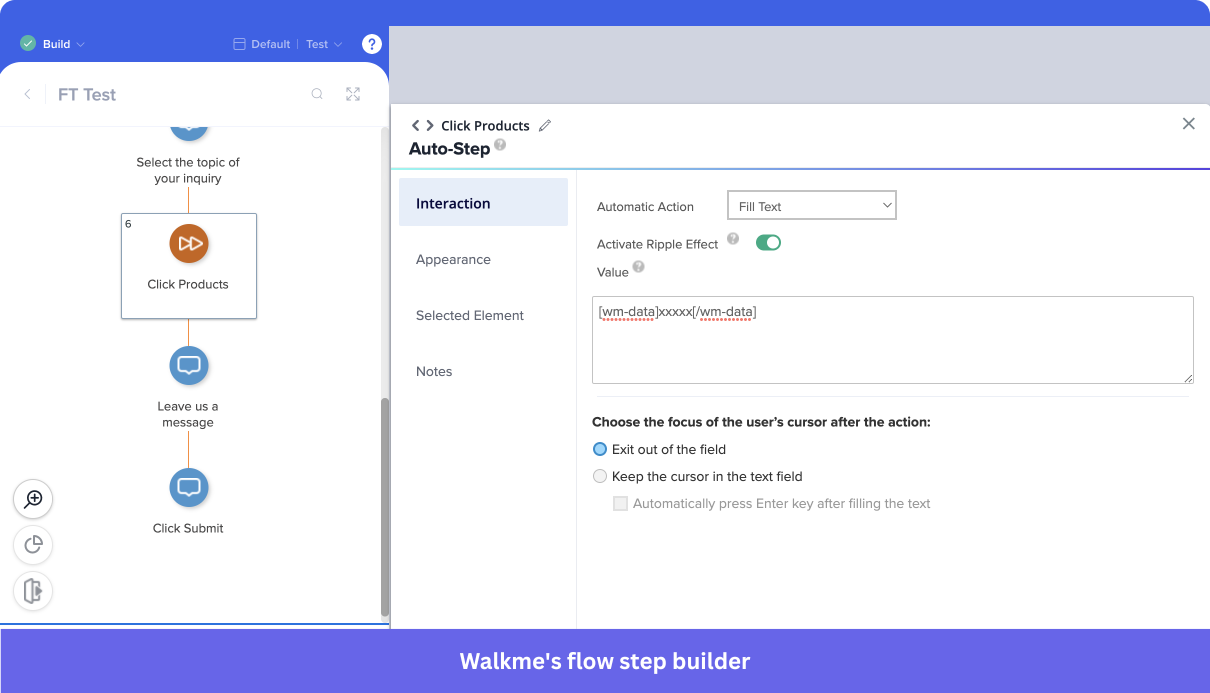
- Implementation: WalkMe can take about 3 months to implement and migrate data into it, according to its G2 page.
- Technical overhead: Most teams rely on engineering support just to implement and maintain WalkMe.
- Use cases: If your goal is customer onboarding and product engagement rather than employee training/workflow optimization, WalkMe will be unnecessarily complex.
Thus, the list includes platforms that are more affordable, better suited to a different use case, easier to implement, less technical, and with equally developed AI tools.
| Tool | Best for | Platform | Core features | Entry-level price |
|---|---|---|---|---|
| WalkMe | Enterprise employee training and workflow automation, especially in SAP environments | Web, desktop, native iOS/Android | Smart Walk-Thrus, SmartTips, WalkMe Menu, ActionBot automation, Insights analytics, AI Chat | Quote only (from ~$14,400/yr on Vendr) |
| Whatfix | Enterprise digital adoption outside the SAP ecosystem | Web, desktop (Windows and Mac), mobile, Citrix | Flows, Smart Tips, Self Help, Mirror training sandboxes, Product Analytics, AI agents | Quote only (from ~$26,210/yr on Vendr) |
| Userpilot | Onboarding customers inside your own SaaS product | Web; native iOS/Android | In-app flows and checklists, resource center, product analytics, session replay, surveys, Lia AI agent | $299/mo billed annually (Starter, up to 2,000 MAUs) |
| Lemon Learning | Lightweight employee training on web and desktop business apps | Web, desktop (SAP GUI, Citrix, .NET, Java) | Interactive guides, tooltips, targeted announcements, Resource Center, AI Assistant, license optimization | Quote only |
| Apty | Process compliance in enterprise applications | Web (browser extension or JS snippet) | Workflows, field validations, Knowledge Center, process analytics, Apty Pulse monitoring | From $9,500/yr per application |
| Spekit | Sales enablement for revenue teams | Web via Chrome extension, Salesforce | Knowledge hub, Flows walkthroughs, Learning Paths, AI Sidekick | Quote only (from ~$8,749/yr on Vendr) |
| Pendo | Deep product analytics across customer- and employee-facing apps | Web, mobile | In-app guides, retroactive analytics, session replay, Resource Center, Leo AI | Free plan up to 500 MAUs; paid plans by quote (from ~$18,525/yr on Vendr) |
| Userlane | Fast-to-deploy employee adoption in regulated industries | Web apps via browser extension | Guides, tooltips, field validators, AI Assistant, Application Intelligence | Quote only (Vendr average $17,529/yr, 4 deals) |
| Appcues | No-code customer onboarding for product-led SaaS teams | Web, native mobile (iOS, Android, React Native, Flutter, Ionic) | Flows, checklists, launchpads, A/B testing, product analytics, Appcues AI | Quote only (from ~$6,338/yr on Vendr) |
| UserGuiding | Budget-friendly customer onboarding for smaller SaaS teams | Web only | Guides, hotspots, checklists, resource center, knowledge base, AI Assistant | $249/mo billed annually (Starter, up to 2,000 MAUs) |
| Chameleon | Product-led teams that want AI help building in-app experiences | Web, including mobile web | Tours, tooltips, microsurveys, HelpBar search, automations, AI agents (Copilot, Ranger) | From $279 for 2,000 MTUs (Startup) |
Note: SAP acquired WalkMe in 2024, and it’s actively being integrated within SAP’s product ecosystem. According to official communications, SAP will continue to support SAP Enable Now for existing customers until November 2030, but SAP has already stopped selling new contracts. In fact, they’ve indicated that WalkMe will gradually replace it as the primary solution for in-application guidance.
WalkMe vs Whatfix
Whatfix is an enterprise digital adoption platform (DAP) just like WalkMe (see the full WalkMe vs Whatfix comparison). It offers a similar solution for adoption and digital transformation efforts, but with a stronger focus on usability and support.
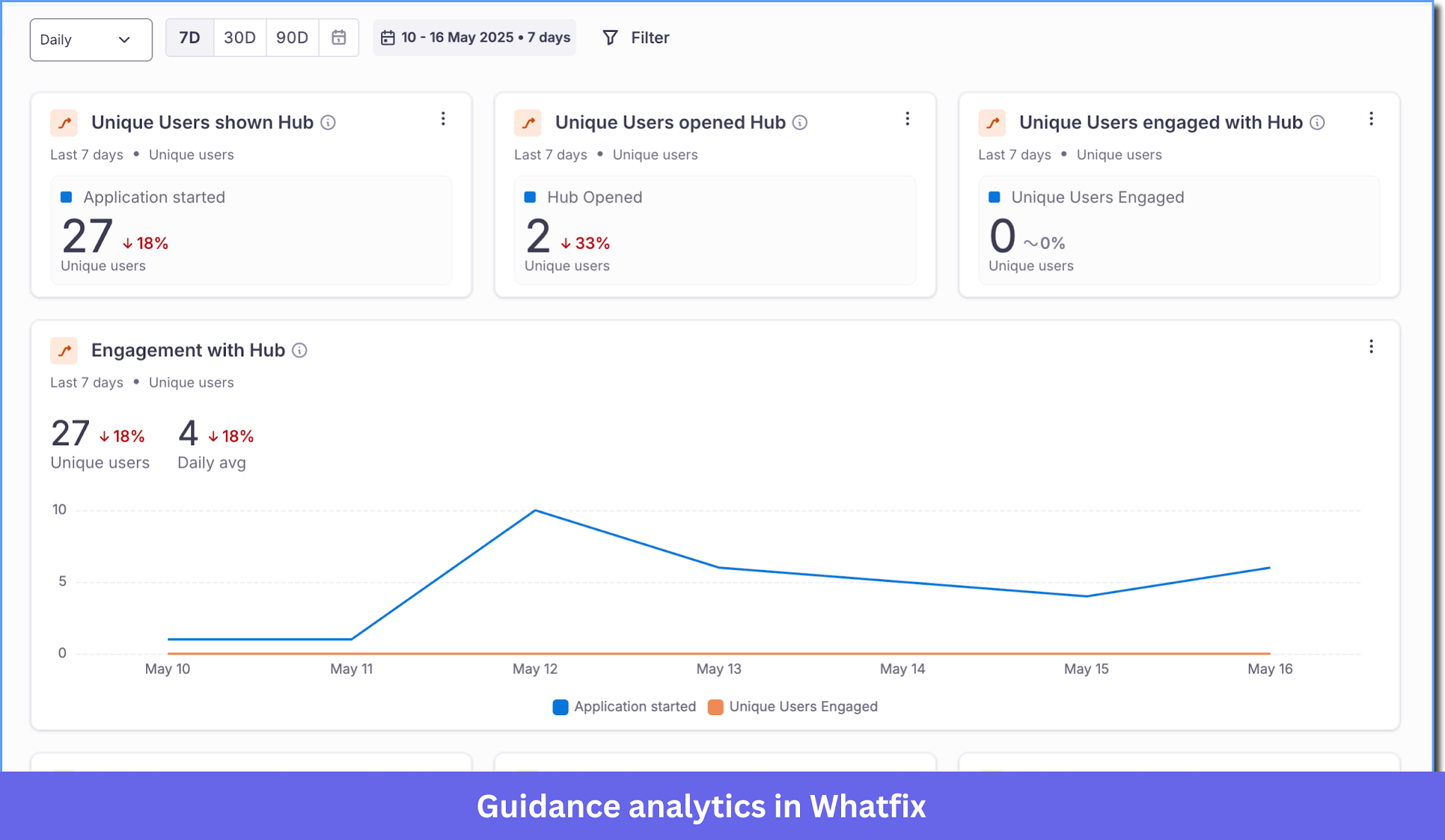
The platform also stands out for unique features like process tracking and a sandbox environment that lets teams train users safely without affecting live systems.
Whatfix pricing
Whatfix pricing isn’t public. However, Vendr data shows a median contract value of $31,950 per year, which is typically lower than comparable WalkMe deals.
Choose Whatfix if…
- You need a less pricey alternative and don’t need SAP products: Although Whatfix is still an enterprise-grade platform with custom pricing, it’s known to cost way less than WalkMe.
- You don’t need advanced employee enablement features: WalkMe places greater emphasis on internal workflow optimization through tools such as employee hubs and license management. If your focus is primarily on contextual in-app guidance and product adoption, Whatfix may be the simpler option.
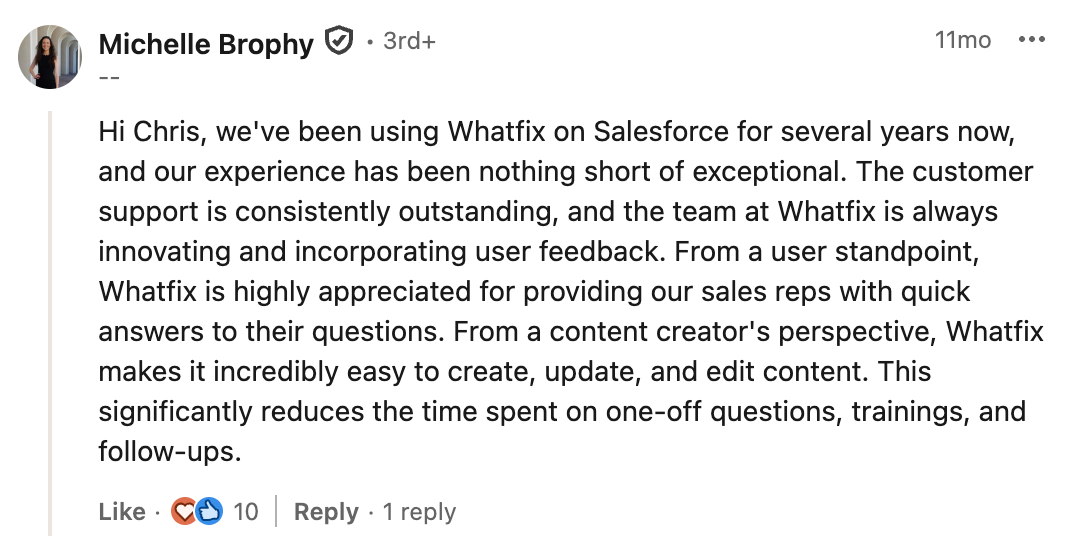
- Your team will need consistent support: Most users who switch from WalkMe to Whatfix praise the software for its ease of use, user-friendly interface, and efficient customer support. For example, here’s a comment one user shared in a LinkedIn discussion comparing the two platforms:
WalkMe vs Whatfix comparison
| Feature | Whatfix | WalkMe |
|---|---|---|
| Primary use case | Enterprise software adoption for employee- and customer-facing applications | Employee adoption of enterprise software: training, workflow guidance, and task automation |
| Target user | Enterprise | Enterprise |
| Technical level | ⚠️ Although not as complex as WalkMe, it’s still very technical and might require IT support | ❌ Complex learning curve, takes weeks to properly install, and requires a whole role dedicated to it |
| In-app engagement and support | ✅ Flows, Smart Tips, Task Lists, Beacons, and Pop-ups ✅ Web, desktop (Windows and Mac), mobile, and Citrix ✅ Auto-translation (Premium and up) ✅ Exports guides as videos, slides, PDFs, and articles |
✅ Smart Walk-Thrus, SmartTips, Launchers, and ShoutOuts ✅ Web, desktop, and native iOS/Android ✅ Cross-application guidance ✅ Machine translation (Auto Translate) |
| Self-service support | ✅ Self-help ✅ Guidance Agent answers from internal documentation ✅ Desktop wiki with QuickRead AI summaries |
✅ WalkMe Menu: in-app hub for resources, onboarding tasks, and support ✅ AI Answers searches knowledge sources you connect in the AI Center |
| Employee onboarding | ✅ Task lists ✅ Mirror: simulated app sandboxes for hands-on training and AI roleplay ✅ Enterprise Insights for app usage and license utilization ✅ Desktop notification center for internal comms |
✅ Onboarding Tasks in the WalkMe Menu ✅ WalkMe Menu (desktop and mobile) ✅ Learning Arc microlearning ✅ Discovery: app usage and license optimization ✅ ActionBot workflow automation |
| Analytics | ✅ Guidance analytics on every DAP plan ✅ Product Analytics: funnels, trends, journeys, cohorts, custom dashboards (Standard tier free with a DAP plan, 25 tagged actions) ✅ Autocapture and real-time cohorts ✅ Session replay ❌ No A/B testing |
✅ Insights: funnels, paths, comparison mode, custom dashboards, Report Builder ✅ Segment comparisons by role, country, device, or custom property ⚠️ Full autocapture is enabled on request and captures from that point on ⚠️ Session Playback: web only ⚠️ A/B testing for WalkMe Mobile only ❌ No cohort and retention reports |
| AI features | ✅ ScreenSense context- and intent-aware AI ✅ Authoring, Insights, and Guidance agents ✅ AI Insight Agent in Product Analytics |
✅ AI Answers, AI Chat, and Action Bar AI skills ✅ AI SmartTips, AI launchers, and AI Action steps in Smart Walk-Thrus ✅ AI Authoring builds guidance from a prompt ✅ AI Insights |
| User feedback | ✅ Out-of-the-box surveys ✅ Custom surveys ✅ Quizzes |
✅ Surveys with an NPS question type, as pop-up or full page ✅ Mobile surveys ✅ Survey analytics |
WalkMe vs Userpilot
I believe WalkMe is the best tool for optimizing enterprise internal workflows (beyond just employee onboarding).
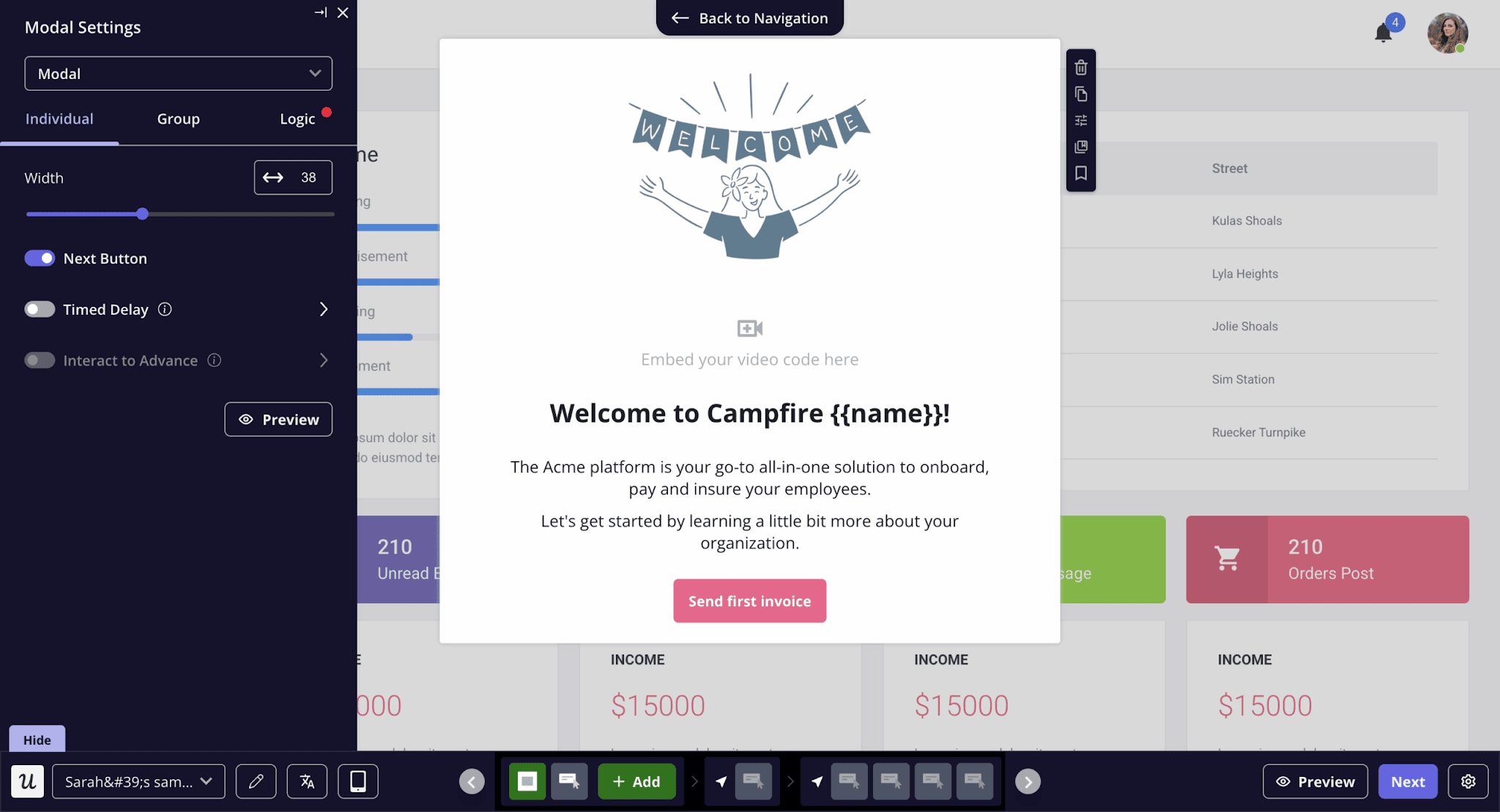
But when it comes to engagement and product adoption inside your app, Userpilot is much more complete and convenient (see the full WalkMe vs Userpilot comparison). As a no-code tool, it equips PLG teams to self-serve product analytics and build in-app guides without relying on developers.
Plus, our AI agent Lia makes Userpilot much easier to use. Lia goes beyond querying product data; it also flags drop-offs, summarizes feedback, suggests next steps, and drafts in-app flows (for your review).
Userpilot pricing
Userpilot pricing is multiple times more affordable and transparent than WalkMe’s. Plans start at $299 per month (billed annually, up to 2,000 MAUs), with custom plans available for companies that need advanced features or higher usage limits.
Choose Userpilot if…
- You need a product adoption tool for customer onboarding, not employee training: WalkMe is primarily designed to help employees navigate internal enterprise software. If your goal is to onboard users inside your own SaaS product, Userpilot’s in-app flows and self-service support are better. James Mitchinson, our head of customer success, says:
“If a user has to go and Google to find the knowledge base and then go there and scan articles, it’s a high-friction activity. Hooking users in those first moments is critical”
- Your team prioritizes speed and independence from the dev team: Userpilot’s user-friendly tools allows non-technical teams (e.g. product, customer success, marketing, etc) to implement guides faster without spending more engineering effort (while also being multiple times less expensive than WalkMe). For example, TouchRight switched from WalkMe after finding it difficult to maintain. Shortly after adopting Userpilot, the company increased trial-to-paid conversion rates from 35% to 40%.
“WalkMe wowed us during the demo and hand-held us through the onboarding process. But after our trial ended, we were left to our own devices to build the walkthroughs. WalkMe was nowhere near as intuitive as Userpilot.” — Rachel Lightfoot, Co-Founder, TouchRight Software
- You prefer simpler, yet more action-oriented AI tools: Compared to WalkMe, Userpilot’s AI toolkit is easier to use. Our AI agent Lia is capable of analyzing product data/feedback, spotting friction points in the user journey, suggesting fixes, and even creating in-app flows itself. Plus, the MCP server lets you get insights from your preferred AI platform without opening Userpilot at all. This G2 user says:
“The new AI features make it even faster for us to derive information and it even helps find items we were not currently observing.”
WalkMe vs Userpilot comparison
| Feature | Userpilot | WalkMe |
|---|---|---|
| Primary use case | Customer onboarding and product adoption inside your own web or mobile product | Employee adoption of enterprise software: training, workflow guidance, and automation |
| Target user | Mid-sized to enterprise SaaS teams (product, growth, customer success, and marketing) | Enterprise |
| Technical level | ✅ No-code Chrome extension builder for flows, surveys, and checklists
✅ Simple SDK install for quick implementation |
❌ Low-code with a complex learning curve, takes weeks to properly install, and requires a whole role dedicated to it |
| In-app engagement | ✅ Flows, tooltips, hotspots, modals, slideouts, banners, spotlights, embeds, and checklists
✅ Web; native iOS and Android as a paid add-on (for Growth, included in Enterprise) ✅ AI auto-translation of flows ✅ Email and multi-channel workflows |
✅ Smart Walk-Thrus, SmartTips, Launchers, and ShoutOuts
✅ Web, desktop, and native iOS/Android ✅ Cross-application guidance ✅ Machine translation (Auto Translate) |
| Self-service support | ✅ Resource center with knowledge base articles, videos, flows, and checklists (Growth and up)
✅ Search analytics show what users look for and can’t find |
✅ WalkMe Menu: in-app hub for resources, onboarding tasks, and support
✅ AI Answers searches knowledge sources you connect in the AI Center |
| Employee onboarding | ❌ Not built for training employees on third-party tools | ✅ Onboarding Tasks in the WalkMe Menu
✅ Learning Arc microlearning ✅ Discovery: app usage and license optimization ✅ ActionBot workflow automation |
| Analytics | ✅ Trends, funnels, paths, retention and cohort tables, and custom dashboards
✅ Event autocapture with retroactive labeling ✅ Session replays ✅ Segmentation ✅ A/B and multivariate testing ✅ Agent analytics |
✅ Insights: funnels, paths, comparison mode, custom dashboards, Report Builder
✅ Segment comparisons by role, country, device, or custom property ⚠️ Full autocapture (Full DXA) is enabled on request and captures from that point on ⚠️ Session Playback: web only ⚠️ A/B testing for WalkMe Mobile only ❌ No cohort and retention reports |
| AI features | ✅ Lia the AI agent on every plan
✅ MCP server on every plan |
✅ AI Answers, AI Chat, and Action Bar AI skills
✅ AI SmartTips, AI launchers, and AI Action steps in Smart Walk-Thrus ✅ AI Authoring builds guidance from a prompt ✅ AI Insights |
| User feedback | ✅ 15+ survey templates, including NPS (net promoter score), CSAT (customer satisfaction), CES (customer effort score), and PMF (product-market fit)
✅ NPS dashboard on every plan ✅ Advanced in-app surveys and survey analytics (Growth and up) ✅ AI-assisted survey translation |
✅ Surveys with an NPS question type, as pop-up or full page
✅ Mobile surveys ✅ Survey analytics |
WalkMe vs Lemon Learning
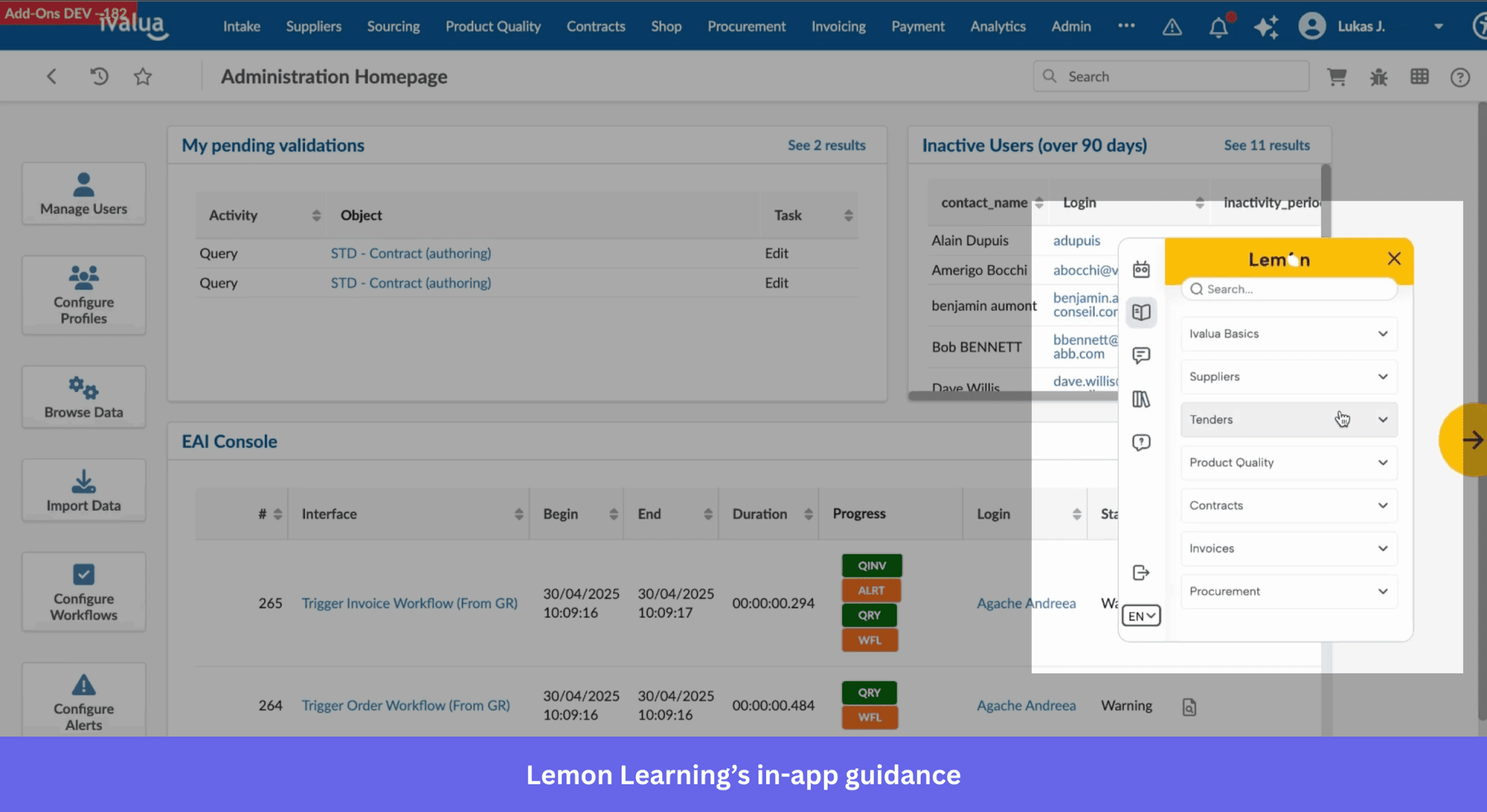
Similar to WalkMe, Lemon Learning lets teams create interactive walkthroughs, tutorials, and contextual help directly within applications.
However, Lemon Learning focuses primarily on simplifying employee training. This makes it a more lightweight option for organizations that want to guide users through internal tools without the complexity of larger enterprise DAPs.
Lemon Learning pricing
Lemon Learning’s pricing is quote-based, but Software Advice suggests plans start around $5,000 per year.
Choose Lemon Learning if…
- You want a lighter employee onboarding tool for internal software adoption: Lemon Learning focuses on in-app guides, contextual tooltips, push notifications, and self-service help for employees using business software.
- Ease of setup and vendor support matter to your team: Users repeatedly praise Lemon Learning for its rapid deployment and ease of use, with responsive support during implementation and day-to-day use.
“Top-notch and very professional support by the Lemon teams. The setup is simple, the solution is fun, and is highly appreciated by the users.” — Lucie on G2.
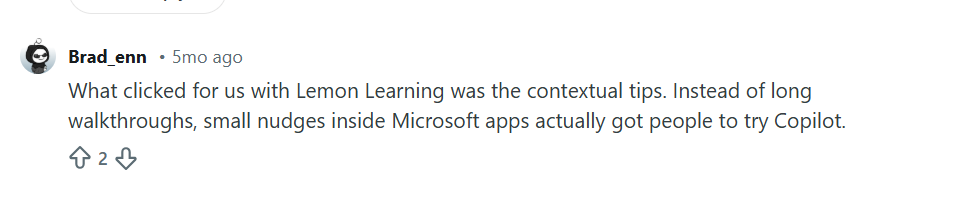
- Short, contextual nudges would work better for your users: This is one of Lemon Learning’s standout strengths. The platform prioritizes contextual tooltips and delivering in-app guidance that help users find answers when needed. Here’s how one Reddit user put it:
WalkMe vs Lemon Learning comparison
| Feature | Lemon Learning | WalkMe |
|---|---|---|
| Primary use case | Employee onboarding and training on business software (CRMs, ERPs, HRIS) | Employee adoption of enterprise software: training, workflow guidance, and automation |
| Target user | Organizations rolling out internal web and desktop apps | Enterprise |
| Technical level | ✅ No-code editor | ❌ Low-code with a complex learning curve, takes weeks to properly install, and requires a whole role dedicated to it |
| In-app engagement and support | ✅ Step-by-step guides and interactive simulations ✅ Contextual tooltips ✅ Announcements and banners targeted by role, team, or location ✅ Web, SaaS, in-house, and desktop apps (SAP GUI, Citrix, .NET, Java) ✅ Push notifications ✅ Localization |
✅ Smart Walk-Thrus, SmartTips, Launchers, and ShoutOuts ✅ Web, desktop, and native iOS/Android ✅ Cross-application guidance ✅ Machine translation (Auto Translate) |
| Self-service support | ✅ Resource Center ✅ AI Assistant |
✅ WalkMe Menu: in-app hub for resources, onboarding tasks, and support ✅ AI Answers searches knowledge sources you connect in the AI Center |
| Employee onboarding | ✅ Employee enablement and HR onboarding ✅ Coverage for Salesforce, SAP, Dynamics 365, Workday, and ServiceNow ✅ License optimization and shadow IT detection |
✅ Onboarding Tasks in the WalkMe Menu ✅ Learning Arc microlearning ✅ Discovery: app usage and license optimization ✅ ActionBot workflow automation |
| Analytics | ✅ Page, Process, and Guidance Analytics ✅ Usage heatmaps, user journeys, friction points, adoption KPIs, and alerts ✅ Targeting by role, profile, team, and location ❌ No session replay ❌ No A/B testing |
✅ Insights: funnels, paths, comparison mode, custom dashboards, Report Builder ✅ Segment comparisons by role, country, device, or custom property ⚠️ Full autocapture (Full DXA) is enabled on request and captures from that point on ⚠️ Session Playback: web only ⚠️ A/B testing for WalkMe Mobile only ❌ No cohort and retention reports |
| AI features | ✅ AI Guide Creator ✅ AI Assistant that answers from your own content |
✅ AI Answers, AI Chat, and Action Bar AI skills ✅ AI SmartTips, AI launchers, and AI Action steps in Smart Walk-Thrus ✅ AI Authoring builds guidance from a prompt ✅ AI Insights |
| User feedback | ❌ No surveys | ✅ Surveys with an NPS question type, as pop-up or full page ✅ Mobile surveys ✅ Survey analytics |
WalkMe vs Apty
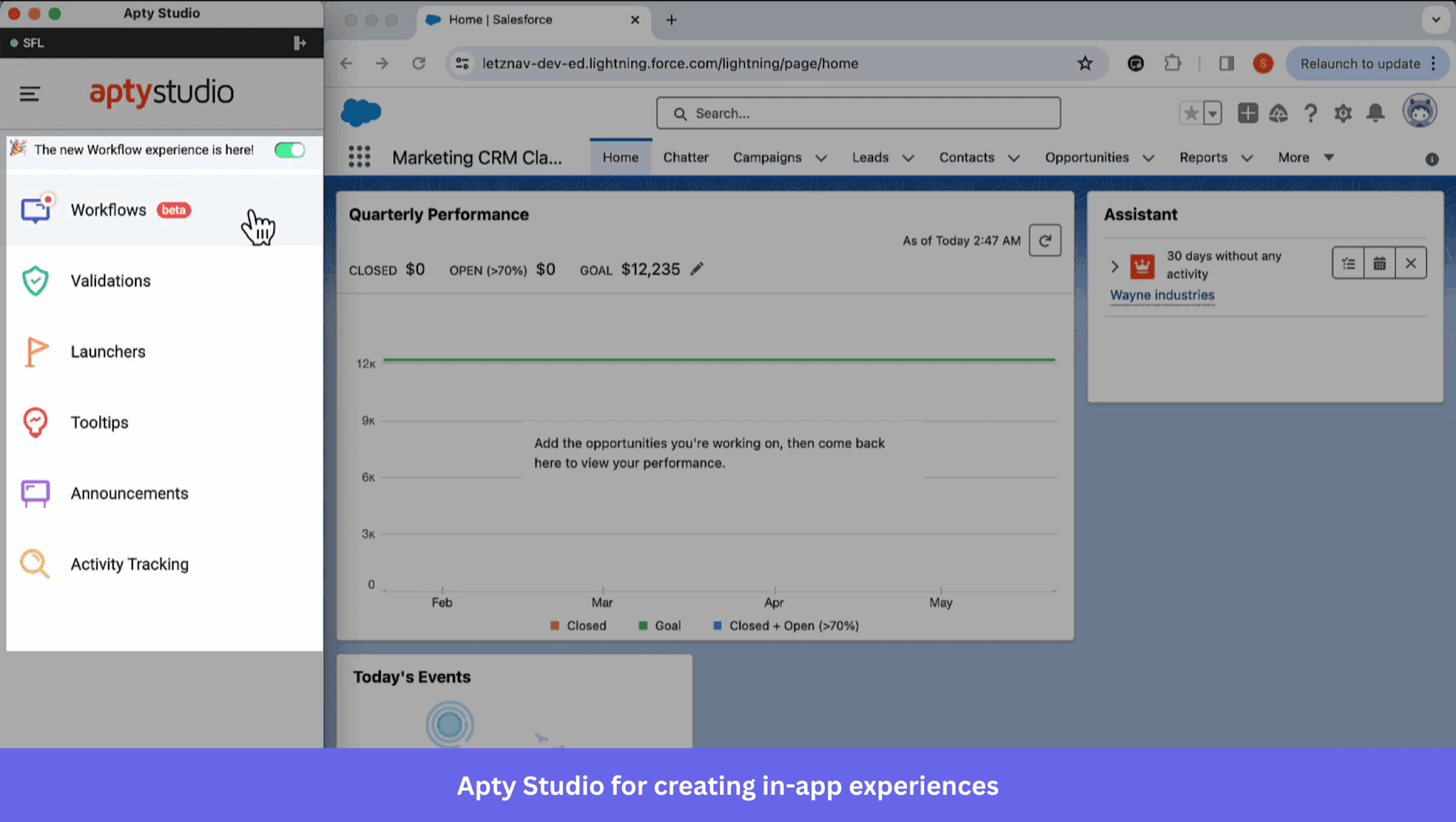
The main difference between Apty and WalkMe is platform focus. While WalkMe supports digital adoption across many applications, Apty focuses more on process optimization and compliance.
The platform helps teams track workflow execution, identify adoption gaps through process analytics, and enforce standardized procedures inside enterprise applications.
Apty pricing
Plans start at $9,500 per application per year, but the final cost depends on factors such as implementation complexity, the number of employees, integration requirements, and the scope of professional services.
Choose Apty if…
- Process compliance and workflow governance are priorities: Apty focuses on ensuring employees follow the right procedures in complex enterprise applications. Its analytics and validation rules will help you treat adoption as an operational process rather than a one-time rollout.
- You want strong analytics around software usage and process performance: Apty improves operational efficiency through data-driven insights into how employees use enterprise applications.
- Your organization is scaling quickly and needs a structured adoption program: Apty offers role-based guidance and AI-powered recommendations to help your team roll out new tools while keeping onboarding consistent across departments. Here’s what one G2 reviewer said after a similar experience:
“Apty makes it easier for growing teams to stay aligned. As we added new tools and team members, Apty helped ensure everyone had access to in-app support, onboarding steps, and guidance tailored to their role.”
WalkMe vs Apty comparison
| Feature | Apty | WalkMe |
|---|---|---|
| Primary use case | Software adoption and process compliance across enterprise applications | Employee adoption of enterprise software: training, workflow guidance, and automation |
| Target user | Enterprises | Enterprise |
| Technical level | ⚠️ No-code content built in Apty Studio (a desktop app) and deployed by browser extension or JS snippet. Advanced setups use the rule engine, custom validations, and content-level JS | ❌ Low-code with a complex learning curve, takes weeks to properly install, and requires a whole role dedicated to it |
| In-app engagement and support | ✅ Workflows (walkthroughs), tooltips, launchers, announcements, and permalinks ✅ Cross-application support ✅ Auto-translation through Google’s API ✅ Integrates across 100+ enterprise apps ⚠️ Fewer engagement UI patterns than WalkMe |
✅ Smart Walk-Thrus, SmartTips, Launchers, and ShoutOuts ✅ Web, desktop, and native iOS/Android ✅ Cross-application guidance ✅ Machine translation (Auto Translate) |
| Self-service support | ✅ Apty Widget with searchable knowledge content ✅ Knowledge Center for documents, videos, and Q&As ✅ Content Aggregation syncs existing knowledge bases |
✅ WalkMe Menu: in-app hub for resources, onboarding tasks, and support ✅ AI Answers searches knowledge sources you connect in the AI Center |
| Employee onboarding | ✅ User Onboarding checklists built from workflows, content, and links ✅ Role and department targeting with attributes from Salesforce and Workday ✅ Activity/adoption tracking compares expected and actual user actions |
✅ Onboarding Tasks in the WalkMe Menu ✅ Learning Arc microlearning ✅ Discovery: app usage and license optimization ✅ ActionBot workflow automation |
| Analytics | ✅ Process analytics: workflow completion, early exits, validation stats, and goals ✅ Apty Usage and Insights: engagement, roadblocks, and feature adoption ✅ Apty Pulse: live workflow monitoring and compliance alerts ✅ Prescriptive recommendations to drive measurable business impact ❌ No session replay ❌ No A/B testing |
✅ Insights: funnels, paths, comparison mode, custom dashboards, Report Builder ✅ Segment comparisons by role, country, device, or custom property ⚠️ Full autocapture (Full DXA) is enabled on request and captures from that point on ⚠️ Session Playback: web only ⚠️ A/B testing for WalkMe Mobile only ❌ No cohort and retention reports |
| AI features | ✅ Apty AI: built-in adoption analytics plus AI-assisted content and optimization ✅ Apty AI flags where users struggle in real time |
✅ AI Answers, AI Chat, and Action Bar AI skills ✅ AI SmartTips, AI launchers, and AI Action steps in Smart Walk-Thrus ✅ AI Authoring builds guidance from a prompt ✅ AI Insights |
| User feedback | ⚠️ Basic surveys alongside success messages | ✅ Surveys with an NPS question type, as pop-up or full page ✅ Mobile surveys ✅ Survey analytics |
WalkMe vs Spekit
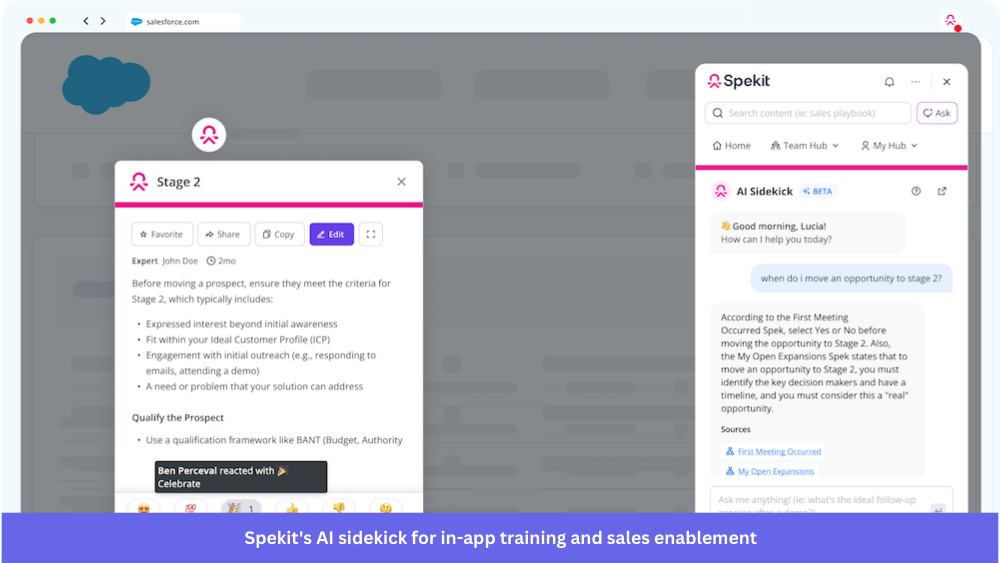
Spekit is an AI-powered sales enablement platform.
It’s widely used by revenue and sales enablement teams to surface playbooks, documentation, and user training resources directly within collaboration tools and platforms like Salesforce, Slack, and Chrome-based workflows.
Spekit pricing
Spekit requires you to book a demo to receive a custom quote. According to Vendr’s data, Spekit deals usually range between $8,000 and $60,000 per year, depending on team size and implementation scope.
Choose Spekit if…
- You want training and documentation embedded directly in everyday workflows: Spekit’s Chrome extension and in-app widgets allow teams to access knowledge without leaving the applications they’re working in. This makes it especially useful if your organization wants employees to quickly reference documentation, product information, or internal processes in the flow of work.
- Your organization runs a large sales or customer-facing team: Spekit is widely used to deliver onboarding resources, product updates, and best practices without relying on traditional LMS (learning management systems).
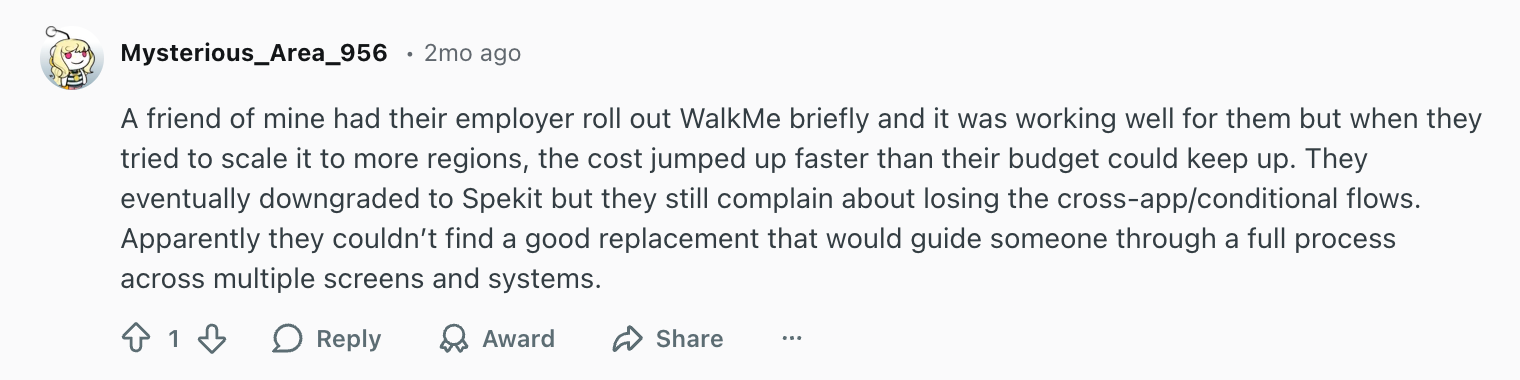
- You need a simpler, cheaper alternative to WalkMe: Spekit is often adopted by teams that find traditional digital adoption platforms like WalkMe too expensive or complex, but still want contextual training and guidance inside their tools. Here’s an experience someone shared on Reddit when comparing the two platforms:
WalkMe vs Spekit comparison
| Feature | Spekit | WalkMe |
|---|---|---|
| Primary use case | Sales enablement: knowledge, training, and in-workflow guidance for revenue teams | Employee adoption of enterprise software: training, workflow guidance, and automation |
| Target user | Sales enablement, Revenue Operations, and product marketing teams at B2B companies | Enterprise |
| Technical level | ✅ Faster rollout. Connects existing content from Google Drive, SharePoint, or Confluence | ❌ Low-code with a complex learning curve, takes weeks to properly install, and requires a whole role dedicated to it |
| In-app engagement and support | ✅ Flows: step-by-step walkthroughs on web apps ✅ In-app guidance and real-time alerts ✅ Chrome extension extends delivery to web tools like Gmail, Outlook, Slack, and LinkedIn ✅ Native two-way Salesforce integration ❌ No desktop and native mobile apps |
✅ Smart Walk-Thrus, SmartTips, Launchers, and ShoutOuts ✅ Web, desktop, and native iOS/Android ✅ Cross-application guidance ✅ Machine translation (Auto Translate) |
| Self-service support | ✅ Content hub and governed knowledge library ✅ Instant in-app AI answers for reps ✅ Syncs Google Drive, SharePoint, and Confluence |
✅ WalkMe Menu: in-app hub for resources, onboarding tasks, and support ✅ AI Answers searches knowledge sources you connect in the AI Center |
| Employee onboarding | ✅ Learning Paths with knowledge checks ✅ Sales onboarding and ramp ⚠️ Built for revenue teams rather than company-wide onboarding |
✅ Onboarding Tasks in the WalkMe Menu ✅ Learning Arc microlearning ✅ Discovery: app usage and license optimization ✅ ActionBot workflow automation |
| Analytics | ✅ User behavior, engagement, and content usage analytics ✅ Revenue analytics tied to Learning Paths and Salesforce connections ✅ Deal room engagement metrics ❌ No session replay ❌ No A/B testing |
✅ Insights: funnels, paths, comparison mode, custom dashboards, Report Builder ✅ Segment comparisons by role, country, device, or custom property ⚠️ Full autocapture (Full DXA) is enabled on request and captures from that point on ⚠️ Session Playback: web only ⚠️ A/B testing for WalkMe Mobile only ❌ No cohort and retention reports |
| AI features | ✅ AI Content Builder ✅ AI Sidekick: sales coach with context-aware recommendations and actions ✅ Knowledge freshness and decay detection ✅ AI deal rooms built from deal and call data |
✅ AI Answers, AI Chat, and Action Bar AI skills ✅ AI SmartTips, AI launchers, and AI Action steps in Smart Walk-Thrus ✅ AI Authoring builds guidance from a prompt ✅ AI Insights |
| User feedback | ✅ Knowledge checks inside Learning Paths ❌ No built-in surveys otherwise |
✅ Surveys with an NPS question type, as pop-up or full page ✅ Mobile surveys ✅ Survey analytics |
WalkMe vs Pendo
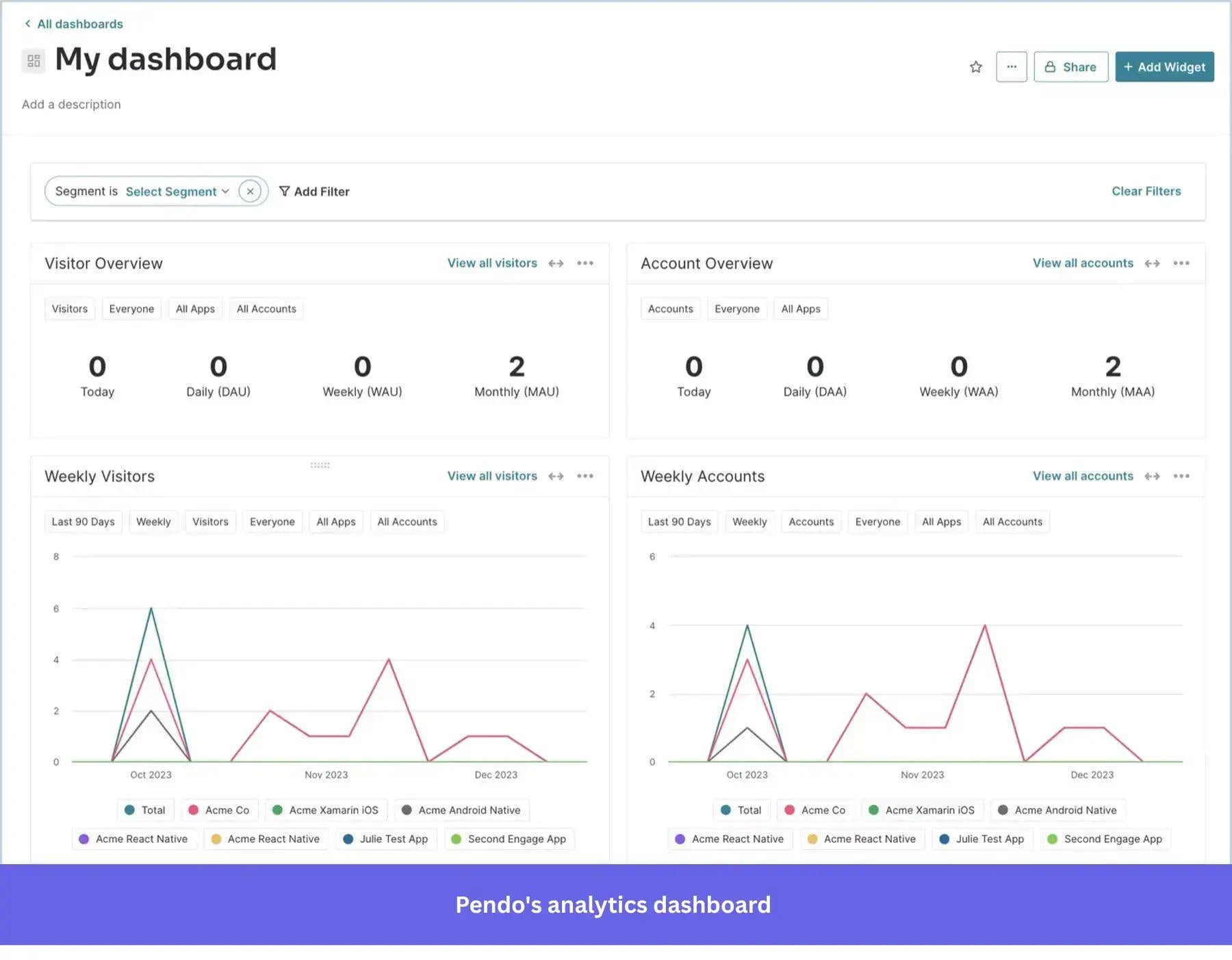
Pendo describes itself as a “software experience management” platform. Although the company has expanded to target IT and revenue teams, Pendo positions itself to help whole organizations (hence targeting all teams) improve the user experience of both their products and internal software.
When comparing Pendo vs. WalkMe, the former also combines tools for in-app guidance, deeper product analytics, and user feedback collection. Plus, its AI toolkit includes an AI agent for analytics (Leo), MCP integration, agent analytics, and Novus (an agent to help engineers implement product decisions).
Pendo pricing
Like WalkMe, Pendo pricing is customized based on your plan, the features you need, and sometimes your usage. According to Vendr, pricing can range from as low as $18,000 per year for basic in-app guidance to as high as $150,983 a year for large organizations with higher usage.
Choose Pendo if…
- You want to focus more on guidance for your product than internal software: Pendo is stronger on the product adoption side. If your internal workflows don’t require the sophisticated automation tools from WalkMe, then Pendo is better.
- You require more analytics depth: Pendo’s retroactive event tracking and variety of behavioral analytics tools (i.e., Paths, retention cohorts, AI querying) make it a better choice to understand the full product experience.
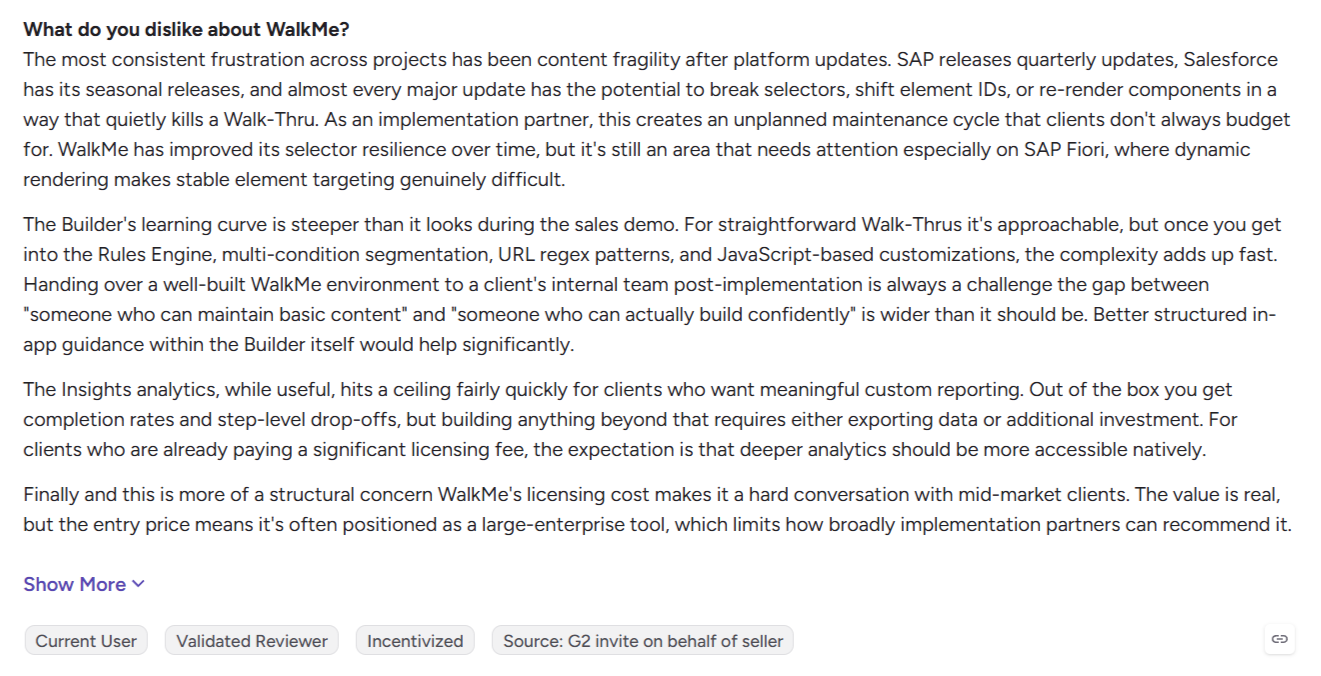
- You need a digital adoption platform alternative without WalkMe’s overhead: Although Pendo isn’t exactly easy to install (you’d still need to commit someone in your team to manage the platform), it does take less time and overhead than WalkMe. The latter usually takes 3-6 months to fully implement, and the overhead of maintaining guides is too high for some companies, especially given the unplanned maintenance cycle some users complain about whenever SAP or Salesforce releases an update.
WalkMe vs Pendo comparison table
| Feature | Pendo | WalkMe |
|---|---|---|
| Primary use case | Product analytics and in-app guidance for customer-facing products, plus employee-facing apps | Employee adoption of enterprise software: training, workflow guidance, and automation |
| Target user | Enterprises | Enterprise |
| Technical level | ⚠️ No-code Visual Design Studio. But the platform still has a steep learning curve ✅Quicker implementation |
❌ Low-code with a complex learning curve, takes months to fully implement, and requires a whole role dedicated to it |
| In-app engagement and support | ✅ Walkthroughs, tooltips, announcements, embedded guides, and upgrade prompts ✅ Branching logic and cross-application guides ✅ Web and mobile apps ✅ AI localization of guides (Google machine translation) |
✅ Smart Walk-Thrus, SmartTips, Launchers, and ShoutOuts ✅ Web, desktop, and native iOS/Android ✅ Cross-application guidance ✅ Machine translation (Auto Translate) |
| Self-service support | ✅ Resource Center with knowledge base integrations (Zendesk, WordPress, HelpDocs, Help Scout, Swiftype, Algolia) | ✅ WalkMe Menu: in-app hub for resources, onboarding tasks, and support ✅ AI Answers searches knowledge sources you connect in the AI Center |
| Employee onboarding | ✅ Pendo Launcher extension for employee-facing third-party apps, with analytics, guides, Resource Center, and session replay ✅ Cross-application employee guides |
✅ Onboarding Tasks in the WalkMe Menu ✅ Learning Arc microlearning ✅ Discovery: app usage and license optimization ✅ ActionBot workflow automation |
| Analytics | ✅ Retroactive analytics from the day you install ✅ Paths, funnels, workflows, retention, and dashboards ✅ Data Explorer and segments ✅ Session replay (Core and Ultimate; add-on on Base) ✅ Guide A/B experiments (requires Guides Pro) |
✅ Insights: funnels, paths, comparison mode, custom dashboards, Report Builder ✅ Segment comparisons by role, country, device, or custom property ⚠️ Full autocapture (Full DXA) is enabled on request and captures from that point on ⚠️ Session Playback: web only ⚠️ A/B testing for WalkMe Mobile only ❌ No cohort and retention reports |
| AI features | ✅ Leo answers questions about your product data ✅ Agent Analytics ✅ Novus product-monitoring agent |
✅ AI Answers, AI Chat, and Action Bar AI skills ✅ AI SmartTips, AI launchers, and AI Action steps in Smart Walk-Thrus ✅ AI Authoring builds guidance from a prompt ✅ AI Insights |
| User feedback | ✅ NPS and surveys through Sentiment ✅ Listen: feedback and product discovery |
✅ Surveys with an NPS question type, as pop-up or full page ✅ Mobile surveys ✅ Survey analytics |
WalkMe vs Userlane
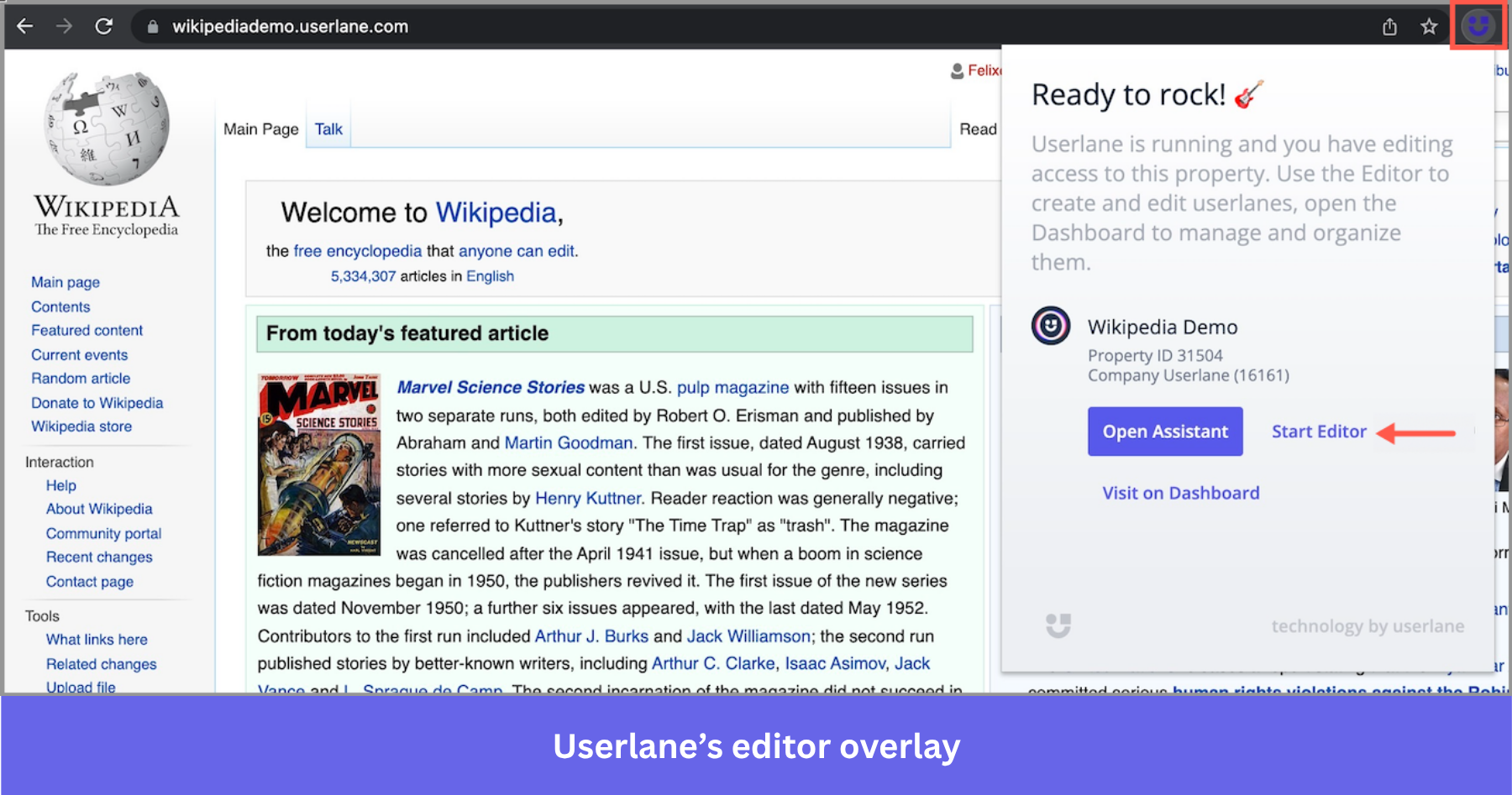
Userlane is a DAP that focuses on optimizing internal software adoption for enterprises in regulated industries (such as healthcare, financial services, manufacturing, pharma, etc.).
Compared to WalkMe, Userlane is much simpler. They claim to take only two weeks for deployment (much faster than WalkMe), the platform is way easier to use (mostly no-code), and its software intelligence tool (i.e., analytics) is designed to spot friction within complex workflows.
Userlane pricing
Userlane’s pricing follows two modalities: application-based (fixed annual fee) and consumption-based (with usage).
However, it’s quote-only, so we can only get data from Vendr, where the average contract value is around $17,529 per year. That makes it considerably cheaper than WalkMe.
Choose Userlane if…
- Your software stack is mostly web-based: Userlane doesn’t support desktop-native apps, but if your team doesn’t need many of them, then Userlane will be much easier and more efficient than WalkMe.
- You need faster setup and can’t afford the overhead costs of software like WalkMe: As G2 users say, Userlane is easier to implement and adopt across teams. You won’t need to train people or use the time of technical team members for ongoing maintenance.
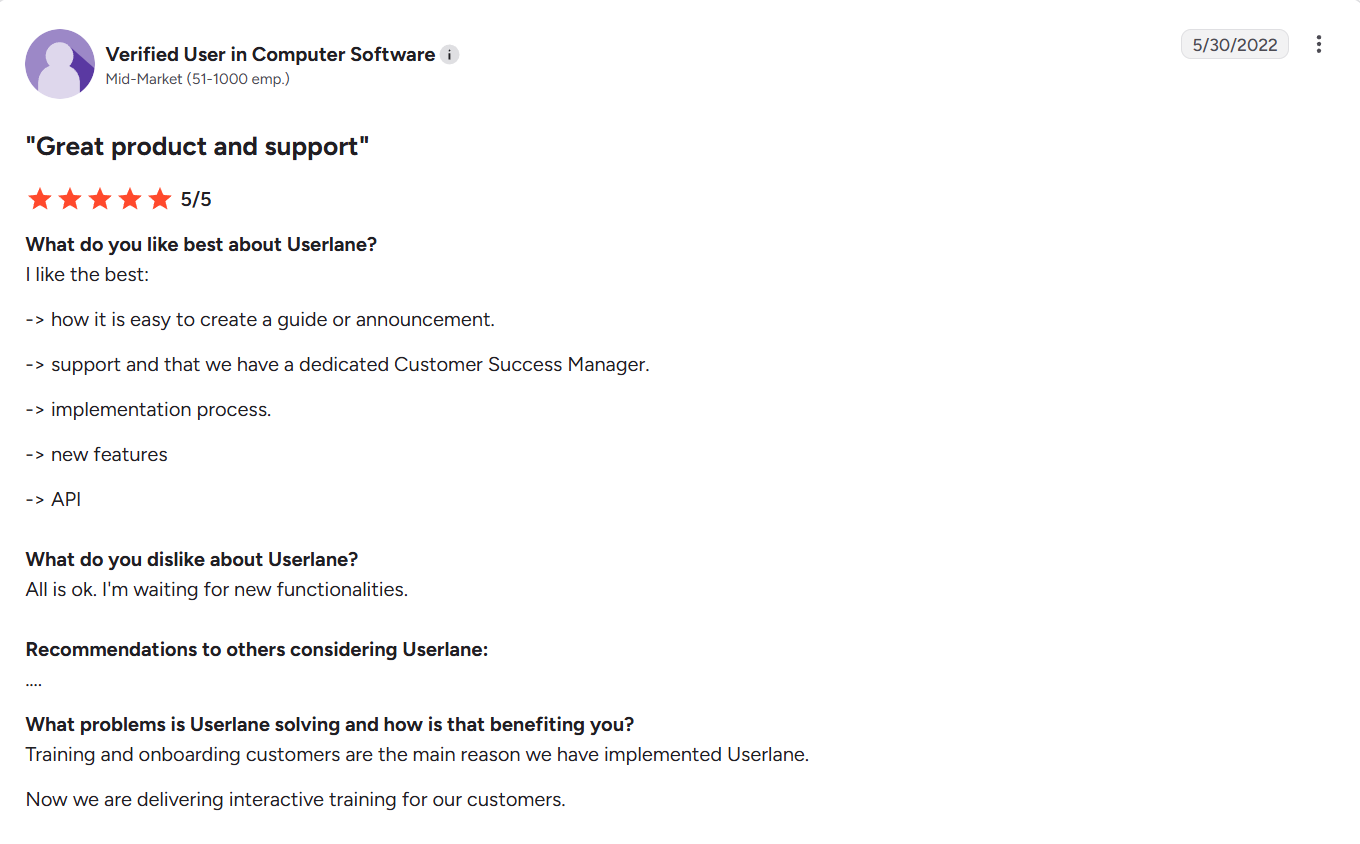
- You need to reduce friction in your workflows: Userlane’s software intelligence focuses on identifying friction in the software experience, making it easier than WalkMe.
Userlane vs WalkMe comparison
| Feature | Userlane | WalkMe |
|---|---|---|
| Primary use case | Software adoption for employees on web-based enterprise apps (ERP, CRM, HCM, finance) | Employee adoption of enterprise software: training, workflow guidance, and automation |
| Target user | Enterprises in regulated industries: healthcare, financial services, manufacturing, and pharma | Enterprise |
| Technical level | ✅ Browser extension ✅ No-code builders ✅ Quick implementation |
❌ Low-code with a complex learning curve, takes weeks to properly install, and requires a whole role dedicated to it |
| In-app engagement and support | ✅ Guides (walkthroughs), tooltips, beacons (hotspots), and announcements ✅ Validators catch incorrect entries before they’re saved ✅ Multi-language with auto-translate ⚠️ Web-based apps only |
✅ Smart Walk-Thrus, SmartTips, Launchers, and ShoutOuts ✅ Web, desktop, and native iOS/Android ✅ Cross-application guidance ✅ Machine translation (Auto Translate) |
| Self-service support | ✅ AI Assistant answers from your Userlane guides, announcements, and connected knowledge bases (SharePoint, Confluence, KnowledgeOwl, Zendesk) | ✅ WalkMe Menu: in-app hub for resources, onboarding tasks, and support ✅ AI Answers searches knowledge sources you connect in the AI Center |
| Employee onboarding | ✅ Welcome Slide and guides for new app users ✅ App Discovery, including shadow IT ✅ Portfolio Overview and license tracking |
✅ Onboarding Tasks in the WalkMe Menu ✅ Learning Arc microlearning ✅ Discovery: app usage and license optimization ✅ ActionBot workflow automation |
| Analytics | ✅ Application Intelligence: HEART Score, segment analysis, adoption, and feature usage ✅ Tasks and Tags track workflows and single interactions ✅ User segments for targeting ❌ No session replay ❌ No A/B testing |
✅ Insights: funnels, paths, comparison mode, custom dashboards, Report Builder ✅ Segment comparisons by role, country, device, or custom property ⚠️ Full autocapture (Full DXA) is enabled on request and captures from that point on ⚠️ Session Playback: web only ⚠️ A/B testing for WalkMe Mobile only ❌ No cohort and retention reports |
| AI features | ✅ AI Assistant on Azure OpenAI, hosted in Userlane’s own infrastructure ✅ Content Agent drafts guide text from recorded clicks ✅ Refine content with AI and auto-translate ✅ Contextual Actions trigger help when a condition is met ✅ MCP connection to Microsoft Copilot and custom agents |
✅ AI Answers, AI Chat, and Action Bar AI skills ✅ AI SmartTips, AI launchers, and AI Action steps in Smart Walk-Thrus ✅ AI Authoring builds guidance from a prompt ✅ AI Insights |
| User feedback | ✅ Standard surveys with emoji or star scales ✅ NPS surveys |
✅ Surveys with an NPS question type, as pop-up or full page ✅ Mobile surveys ✅ Survey analytics |
WalkMe vs Appcues
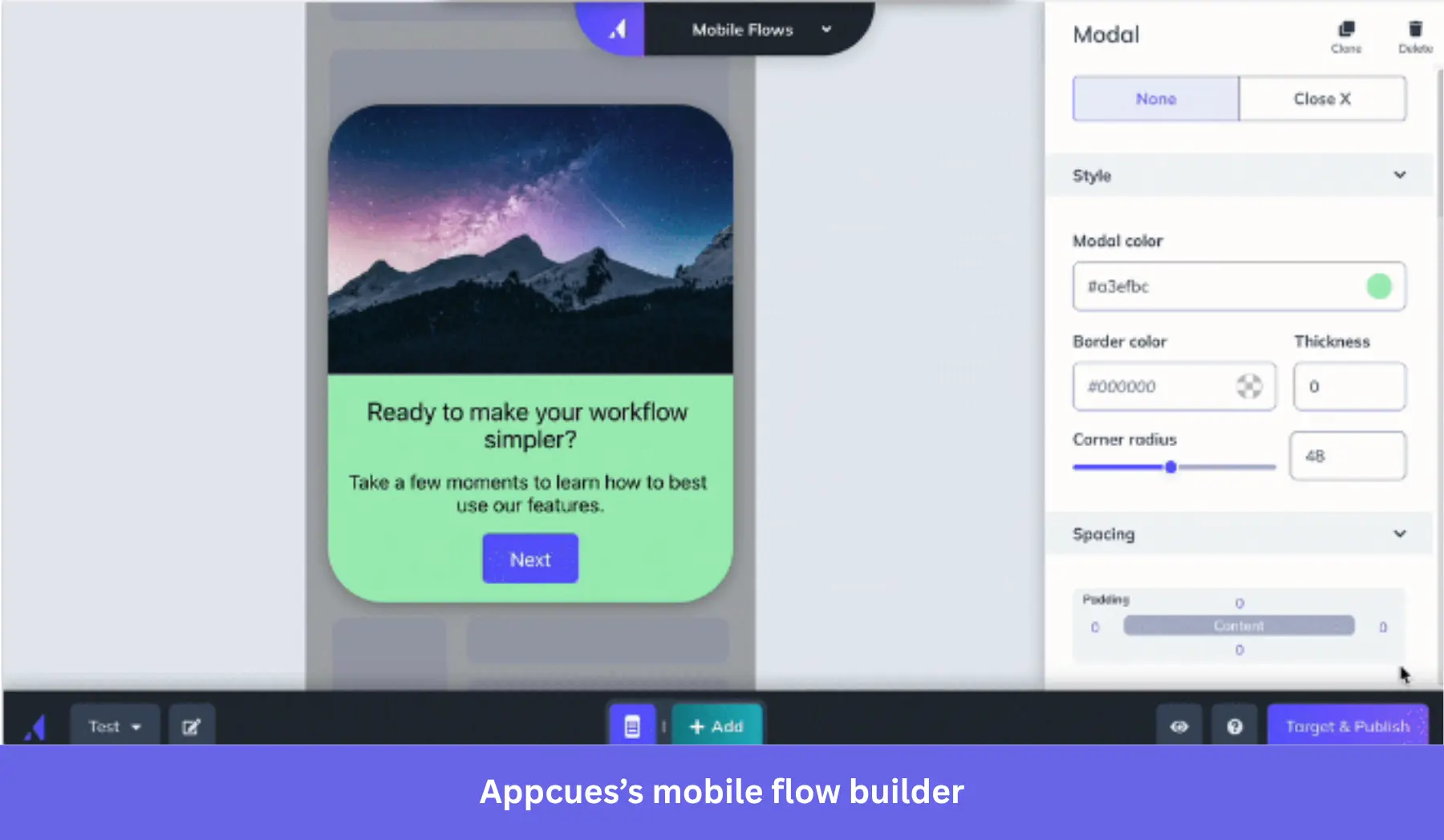
Unlike WalkMe, Appcues features are meant for product-led B2B SaaS companies that want to implement onboarding processes and increase product adoption.
It doesn’t include features for employee onboarding or license optimization. Instead, Appcues allows product teams to build in-app journeys that lead users to their Aha! Moment faster.
Appcues pricing
Appcues used to have public prices for their basic plans. Now, all prices are custom, based on your MAU volume, the number of published experiences you need, and reporting history length.
According to Vendr, these custom quotes range between $6,300 and $44,200 per year, with a median of $15,000 (roughly 38% of WalkMe’s median).
Choose Appcues if…
- Your focus is on product adoption rather than employee onboarding: Appcues offers a dedicated platform for building a frictionless product experience.
- Your team can’t support WalkMe: Since Appcues is no-code, users on G2 have mentioned how they don’t need any technical help from the dev team after the SDK install.
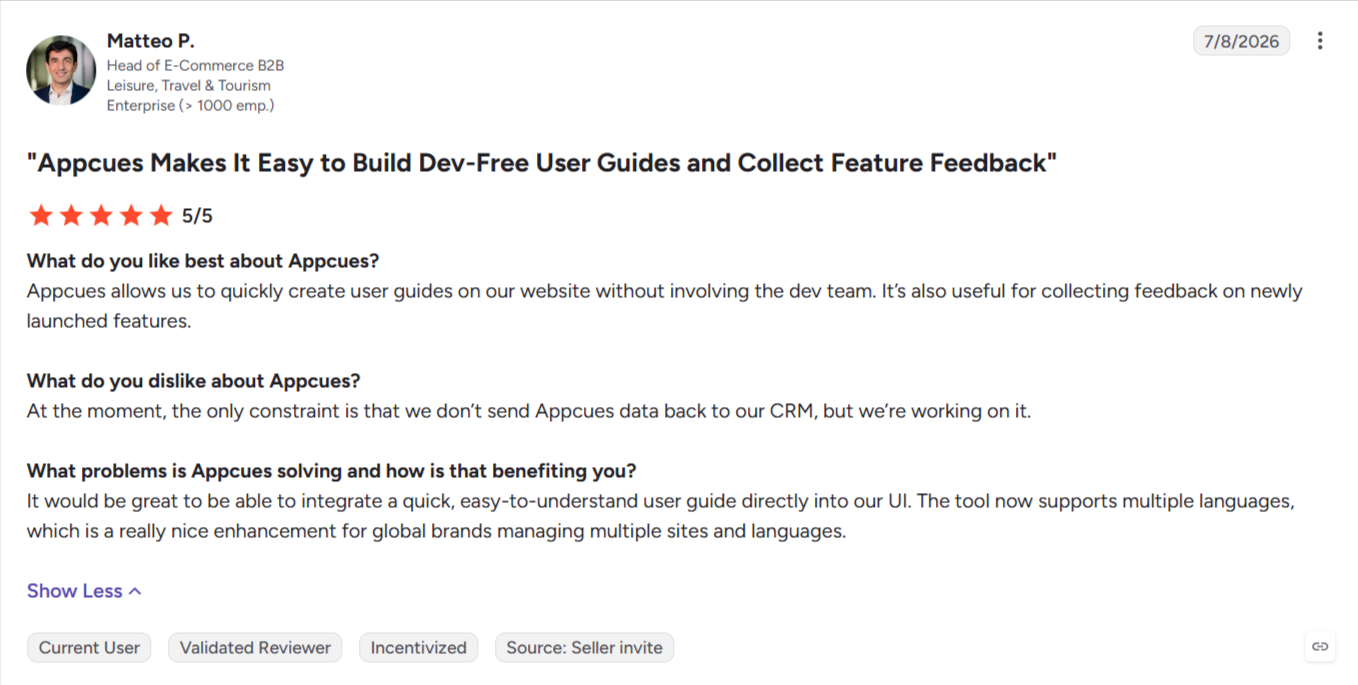
- You don’t have the budget for WalkMe: Appcues is multiple times cheaper than WalkMe, making it a good choice for smaller companies.
Appcues vs WalkMe comparison
| Feature | Appcues | WalkMe |
|---|---|---|
| Primary use case | Customer onboarding and product adoption for SaaS products | Employee adoption of enterprise software: training, workflow guidance, and automation |
| Target user | Product-led SaaS teams | Enterprise |
| Technical level | ✅ No-code builder for experiences ✅ Quick implementation |
❌ Low-code with a complex learning curve, takes weeks to properly install, and requires a whole role dedicated to it |
| In-app engagement and support | ✅ Flows, checklists, launchpads, pins, banners, and embeds ✅ Web plus native mobile SDKs (iOS, Android, React Native, Flutter) ✅ Email and push alongside in-app ⚠️ Localization (manual export and upload for web flows) |
✅ Smart Walk-Thrus, SmartTips, Launchers, and ShoutOuts ✅ Web, desktop, and native iOS/Android ✅ Cross-application guidance ✅ Machine translation (Auto Translate) |
| Self-service support | ✅ Launchpads with in-app knowledge base search (Zendesk, Freshdesk, Helpjuice) | ✅ WalkMe Menu: in-app hub for resources, onboarding tasks, and support ✅ AI Answers searches knowledge sources you connect in the AI Center |
| Employee onboarding | ❌ Doesn’t support employee-facing apps | ✅ Onboarding Tasks in the WalkMe Menu ✅ Learning Arc microlearning ✅ Discovery: app usage and license optimization ✅ ActionBot workflow automation |
| Analytics | ✅ Funnels, trends, retention, and custom dashboards ✅ Segmentation and targeting ✅ A/B testing through flow variations and goals ✅ Impact and uplift measurement with control groups ❌ No session replays |
✅ Insights: funnels, paths, comparison mode, custom dashboards, Report Builder ✅ Segment comparisons by role, country, device, or custom property ⚠️ Full autocapture (Full DXA) is enabled on request and captures from that point on ⚠️ Session Playback: web only ⚠️ A/B testing for WalkMe Mobile only ❌ No cohort and retention reports |
| AI features | ✅ Appcues AI builds experiences from prompts, mockups, or screenshots and waits for approval before publishing ✅ Captain AI drafts segments, analyzes funnels, and explains why content isn’t showing |
✅ AI Answers, AI Chat, and Action Bar AI skills ✅ AI SmartTips, AI launchers, and AI Action steps in Smart Walk-Thrus ✅ AI Authoring builds guidance from a prompt ✅ AI Insights |
| User feedback | ✅ NPS and in-app surveys | ✅ Surveys with an NPS question type, as pop-up or full page ✅ Mobile surveys ✅ Survey analytics |
WalkMe vs UserGuiding
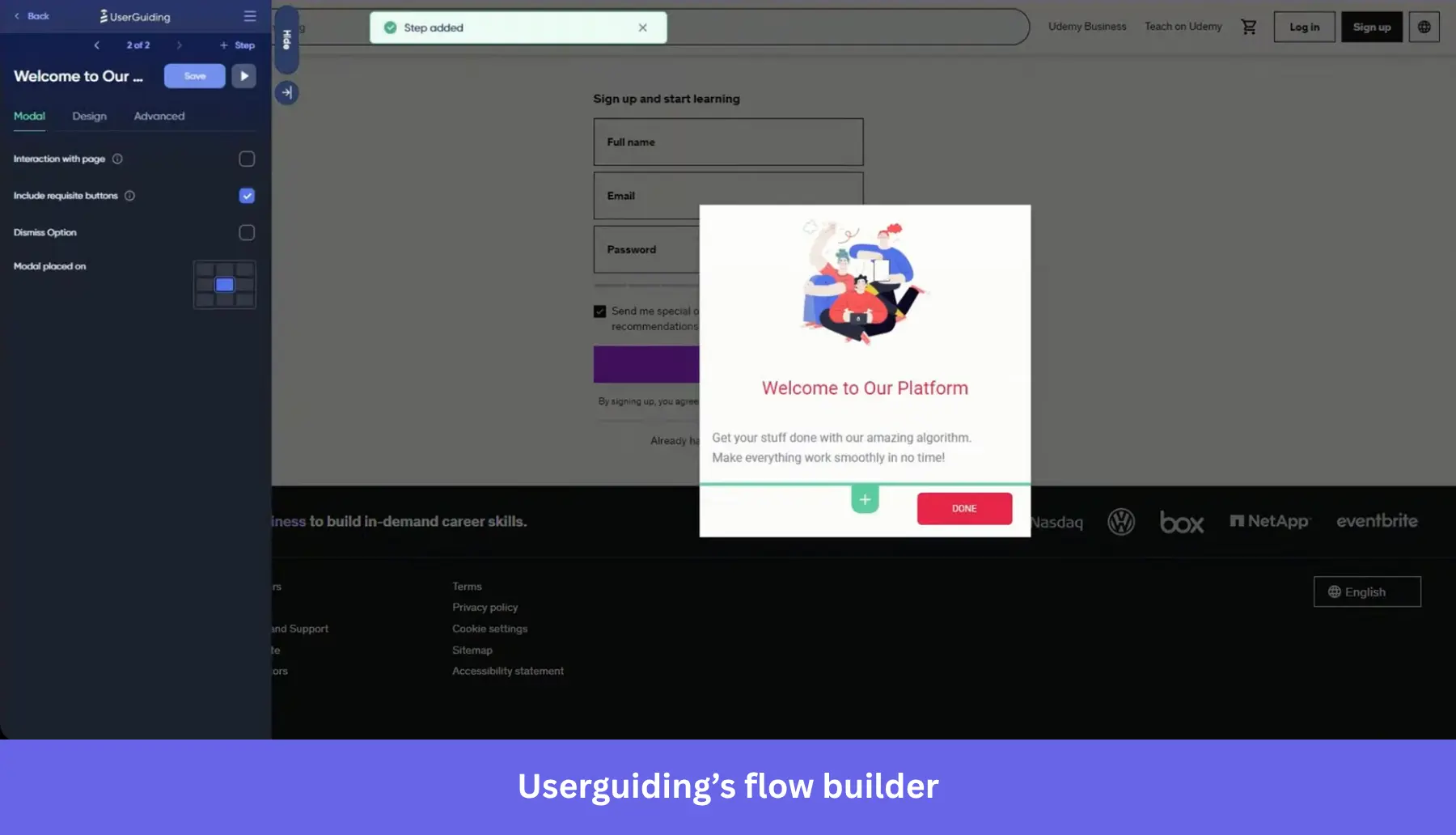
Similar to Appcues, UserGuiding is another DAP designed for B2B SaaS companies that want to implement in-app guidance and self-serve support to drive feature adoption.
Unlike Appcues and WalkMe, UserGuiding is more of a budget alternative for Small and Medium-sized Businesses (SMBs), with transparent pricing from the start. And despite being cheaper, it includes solid AI tools like an in-app assistant that connects with your knowledge base, and an MCP server.
UserGuiding pricing
Useguiding is one of the few DAPs in this list with transparent pricing. The Starter and Growth plans start at $249 and $499 per month (billed annually), respectively, for up to 2,000 MAUs (more than that requires a custom quote).
The Starter plan includes all the onboarding features and in-app surveys, while the Growth plan adds the advanced analytics tools. The Enterprise plan is for unlimited experiences, dedicated migration support, and extra security compliance services.
Choose UserGuiding if…
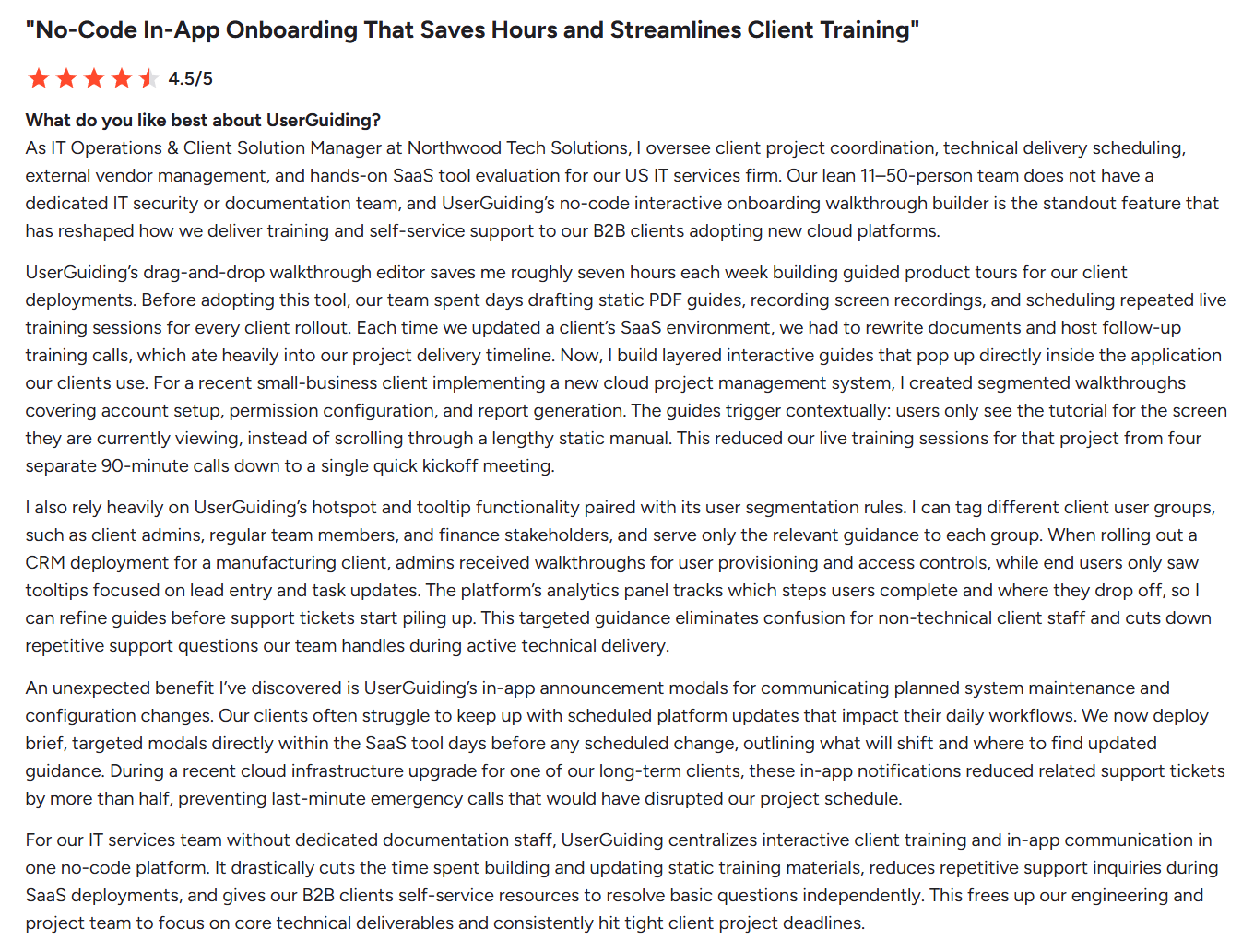
- Your team is smaller and doesn’t need enterprise-grade products: Unlike WalkMe, UserGuiding suits SMBs, startups, and mid-market teams, especially because of its pricing and simpler implementation. A G2 user, in fact, reports saving 7 hours a week with UserGuiding in a lean team with no IT support:
- You’re focusing on product adoption rather than employee onboarding: UserGuiding is exclusively meant for user onboarding and product adoption.
- You have limited support from engineers: One of UserGuiding’s main appeals is its user-friendliness and no-code tools. Non-technical users can freely use it to implement tooltips, walkthroughs, checklists, etc.
UserGuiding vs. WalkMe comparison
| Feature | UserGuiding | WalkMe |
|---|---|---|
| Primary use case | Customer onboarding, feature adoption, and self-serve support for SaaS products | Employee adoption of enterprise software: training, workflow guidance, and automation |
| Target user | Small and mid-sized SaaS product teams | Enterprise |
| Technical level | ✅ No-code Chrome extension builder ✅ Quick implementation |
❌ Low-code with a complex learning curve, takes weeks to properly install, and requires a whole role dedicated to it |
| In-app engagement and support | ✅ Guides, tooltips, hotspots, checklists, banners, and announcement modals ✅ Localization with AI auto-translate (Growth and up) ⚠️ Web only. Native mobile apps aren’t supported |
✅ Smart Walk-Thrus, SmartTips, Launchers, and ShoutOuts ✅ Web, desktop, and native iOS/Android ✅ Cross-application guidance ✅ Machine translation (Auto Translate) |
| Self-service support | ✅ Resource center ✅ Knowledge base ✅ AI Assistant answers from your knowledge base ✅ Product updates page. Feature requests and roadmap |
✅ WalkMe Menu: in-app hub for resources, onboarding tasks, and support ✅ AI Answers searches knowledge sources you connect in the AI Center |
| Employee onboarding | ❌ Doesn’t support third-party apps | ✅ Onboarding Tasks in the WalkMe Menu ✅ Learning Arc microlearning ✅ Discovery: app usage and license optimization ✅ ActionBot workflow automation |
| Analytics | ✅ Engagement analytics, performance reports, and user activity feed ✅ Segmentation ✅ No-code event tracking, advanced reports, and goal tracking ✅ A/B testing ✅ Session replay |
✅ Insights: funnels, paths, comparison mode, custom dashboards, Report Builder ✅ Segment comparisons by role, country, device, or custom property ⚠️ Full autocapture (Full DXA) is enabled on request and captures from that point on ⚠️ Session Playback: web only ⚠️ A/B testing for WalkMe Mobile only ❌ No cohort and retention reports |
| AI features | ✅ AI Assistant for in-app support ✅ Lighthouse AI (beta) ✅ MCP server ✅ AI auto-translate |
✅ AI Answers, AI Chat, and Action Bar AI skills ✅ AI SmartTips, AI launchers, and AI Action steps in Smart Walk-Thrus ✅ AI Authoring builds guidance from a prompt ✅ AI Insights |
| User feedback | ✅ In-app surveys and NPS ✅ Feature request collection |
✅ Surveys with an NPS question type, as pop-up or full page ✅ Mobile surveys ✅ Survey analytics |
WalkMe vs Chameleon
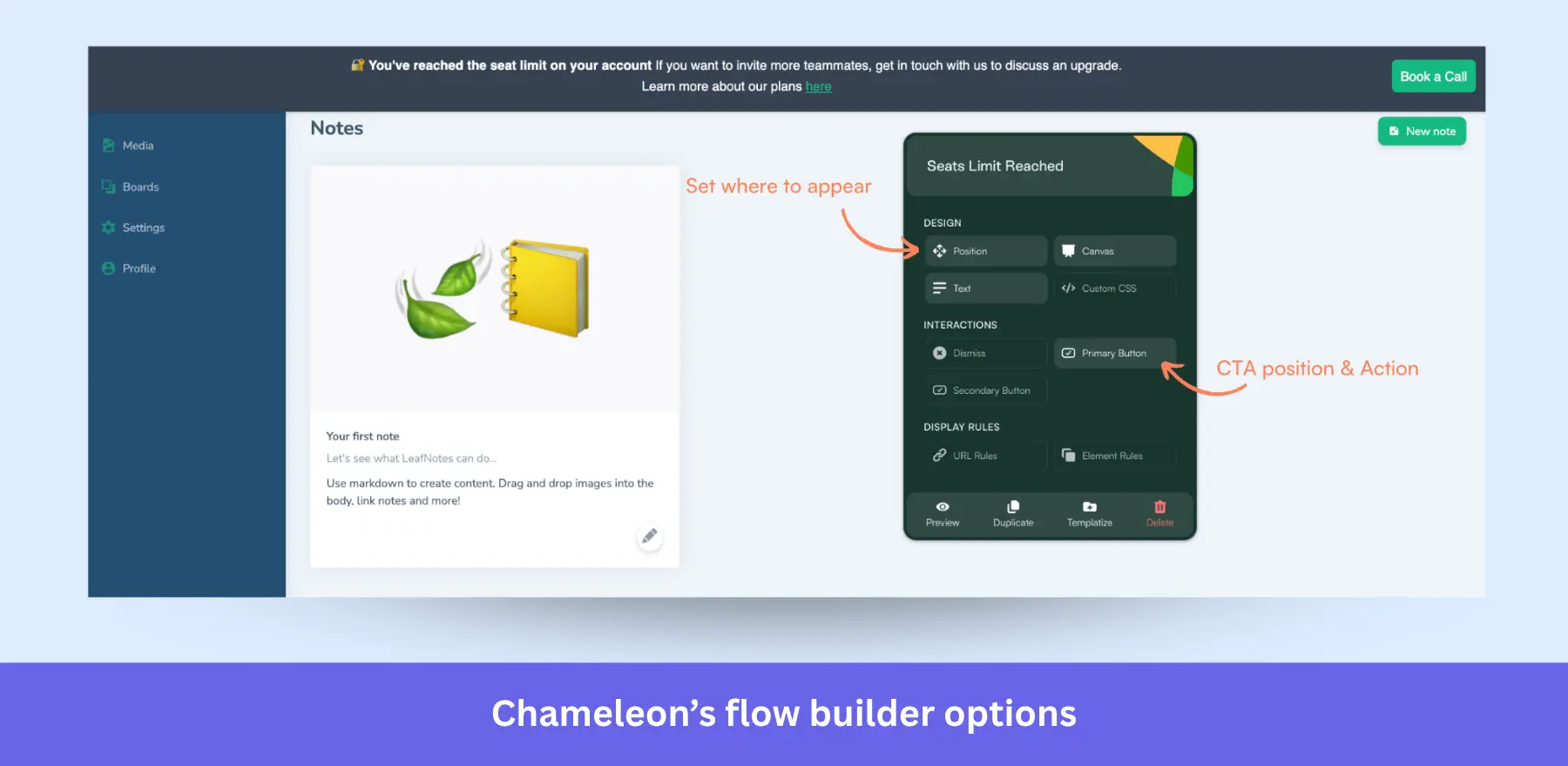
Chameleon is an AI-driven DAP that, unlike WalkMe, focuses on product adoption for B2B SaaS companies via in-app guidance.
Its current AI toolkit includes a set of agents (called Compass, Copilot, Prism, and Ranger) that can analyze user behavior, fix friction points, personalize experiences, and flag issues for your team to fix (though Prism and Compass are still rolling out).
Chameleon pricing
The pricing on Chameleon’s website is more transparent than the rest of the list, as it calculates how much you’ll pay based on MTUs (Monthly Tracked Users) and the plans, which include:
- Startup: Starts at $279/mo for 2,000 MTUs and up to 10 live experiences.
- Pro: Starts at $750/mo for 5,000 MTUs with limited live experiences, Copilot, A/B testing, and custom CSS.
- Growth: Starts at $1,250/mo for 5,000 MTUs. Includes unlimited experiences, all AI agents, interactive demos, and dedicated customer success.
- Enterprise: With custom pricing based on MTUs. Adds unlimited usage, roles, permissions, and unlimited localization.
Choose Chameleon if…
- Your team focuses on product adoption and onboarding: Like other DAPs in this list, Chameleon is mainly focused on improving the product experience for your users rather than optimizing internal processes.
- You want to implement an AI-powered workflow for product development without paying for an enterprise tool: Chameleon’s solid AI toolkit suits product managers looking to grow their products and is much cheaper than WalkMe.
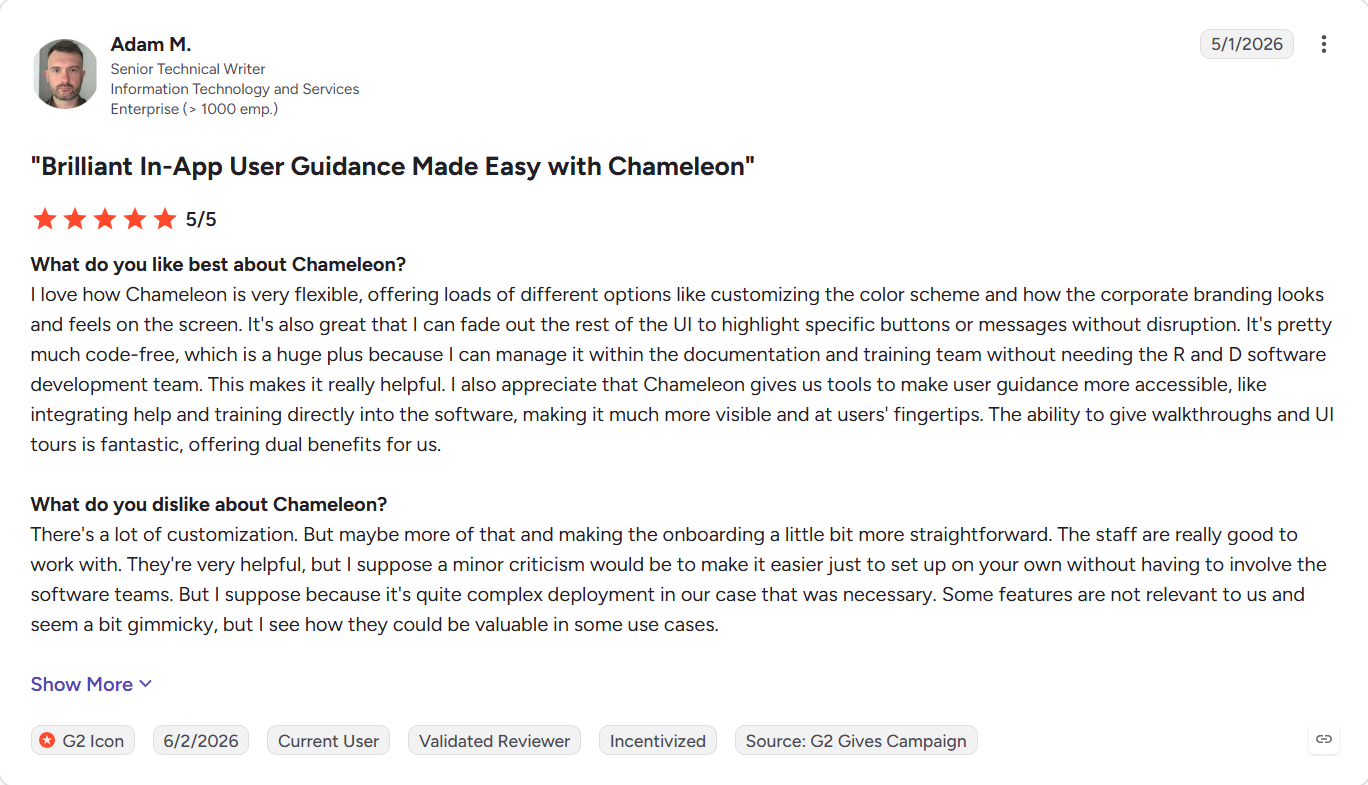
- You need no-code tools to facilitate whole-team adoption: Anyone on your team can use Chameleon to build experiences, find friction in the journey, and influence product decisions. Many users on G2 also praise its wide customization options to make the guides look native to the app without relying on devs:
Chameleon vs. WalkMe comparison
| Feature | Chameleon | WalkMe |
|---|---|---|
| Primary use case | Product adoption and in-app engagement for SaaS products | Employee adoption of enterprise software: training, workflow guidance, and automation |
| Target user | Product-led B2B SaaS teams | Enterprise |
| Technical level | ✅ No-code builder ✅ Quick implementation |
❌ Low-code with a complex learning curve, takes weeks to properly install, and requires a whole role dedicated to it |
| In-app engagement and support | ✅ Tours, tooltips, modals, checklists, embeddables, banners, and launchers ✅ Interactive demos ✅ Automations: recorded journeys users launch to run tasks ✅ Localization ⚠️ Web only. Chameleon doesn’t support native mobile apps |
✅ Smart Walk-Thrus, SmartTips, Launchers, and ShoutOuts ✅ Web, desktop, and native iOS/Android ✅ Cross-application guidance ✅ Machine translation (Auto Translate) |
| Self-service support | ✅ HelpBar: in-app search with AI Answers from your help docs | ✅ WalkMe Menu: in-app hub for resources, onboarding tasks, and support ✅ AI Answers searches knowledge sources you connect in the AI Center |
| Employee onboarding | ❌ Doesn’t support third-party apps | ✅ Onboarding Tasks in the WalkMe Menu ✅ Learning Arc microlearning ✅ Discovery: app usage and license optimization ✅ ActionBot workflow automation |
| Analytics | ✅ Experience analytics: seen and completed rates, Engagement Index, A/B results, and user retention chart ✅ A/B testing ✅ Segmentation and targeting with CRM and third-party data ❌ No general-purpose funnels; retention reporting covers experience-driven lift |
✅ Insights: funnels, paths, comparison mode, custom dashboards, Report Builder ✅ Segment comparisons by role, country, device, or custom property ⚠️ Full autocapture (Full DXA) is enabled on request and captures from that point on ⚠️ Session Playback: web only ⚠️ A/B testing for WalkMe Mobile only ❌ No cohort and retention reports |
| AI features | ✅ Copilot builds, audits, and tests in-app campaigns ✅ Compass surfaces where users get stuck (⚠️still rolling out) ✅ Ranger audits your account and sends weekly suggestions ✅ Prism personalizes experiences based on the user’s attributes (⚠️still rolling out) ✅ MCP server |
✅ AI Answers, AI Chat, and Action Bar AI skills ✅ AI SmartTips, AI launchers, and AI Action steps in Smart Walk-Thrus ✅ AI Authoring builds guidance from a prompt ✅ AI Insights |
| User feedback | ✅ Microsurveys ✅ Adaptive follow-up questions through Prism |
✅ Surveys with an NPS question type, as pop-up or full page ✅ Mobile surveys ✅ Survey analytics |
Drive product adoption without WalkMe’s complexity
WalkMe is an excellent platform for corporations focused on internal training and employee enablement. Especially if they can afford the price and the overhead associated with it.
But if your goal is product adoption and customer onboarding, you need a platform designed to guide users through your product, analyze how they interact with it, and help you continuously improve the user experience.
If that’s what you’re looking for, I recommend trying Userpilot yourself. Book a demo today to explore how you can start guiding users to value faster.
Userpilot strives to provide accurate information to help businesses determine the best solution for their particular needs. Due to the dynamic nature of the industry, the features offered by Userpilot and others often change over time. The statements made in this article are accurate to the best of Userpilot’s knowledge as of its publication/most recent update on October 9th, 2026.
FAQ
What is WalkMe?
WalkMe is an AI-driven digital adoption platform (DAP) that lets teams implement onboarding guidance, internal workflows, and automation in third-party apps for employees.
It’s also used for product adoption (i.e., for your own product and users), with a wide range of features, including interactive guidance/tooltips, personalized onboarding, surveys, analytics, and localization.
What does WalkMe actually do?
WalkMe enables you to improve employee productivity through effective onboarding and comes with a host of powerful enterprise tools like workflow management, employee hubs, and a good AI toolkit. However, it requires a full-time owner to maintain, has a high annual cost, and doesn’t have a great reputation for support.
How much does WalkMe cost?
WalkMe pricing isn’t published publicly. According to Vendr’s pricing guide, the median WalkMe contract value is $39,000 per year, with deals going as high as $197,118 annually. There are also costs beyond the subscription itself. Teams mention the time and engineering resources required to implement and maintain the platform.
Does SAP own WalkMe?
Yes. SAP completed the acquisition of WalkMe on September 12, 2024, for approximately $1.5 billion at $14 per share. WalkMe became part of SAP, and SAP has since been integrating its technology with the broader SAP transformation/AI portfolio.
What is WalkMe software used for?
WalkMe is primarily used to implement employee onboarding by providing contextual in-app guidance, walkthroughs, tooltips, self-service assistance, automation, and AI help while employees use internal applications.
How much does WalkMe cost?
WalkMe does not publish standard list pricing and instead provides custom quotes. But according to Vendr’s data, the median contract value is $39,000 per year, with deals going as high as $197,118 annually.
Is WalkMe easy to learn?
WalkMe is typically easy for end users (i.e., the employees). But implementing and maintaining the platform does have a meaningful learning curve and requires a full-time hire.
About the author