What is Intercom? Is It Worth Your Investment in 2027?



Intercom has reinvented itself several times since launching as a business messenger in 2011.
So, what is Intercom today? It’s an AI-first customer service platform with a help desk built around Fin, an AI agent that resolves questions across chat, email, voice, and social channels.
In May 2026, the company behind it renamed itself Fin, and Salesforce completed its $3.6 billion acquisition in September.
With a new corporate owner and AI taking a larger role in the product, I wanted to revisit what Intercom offers, what it really costs, and where a dedicated platform that combines onboarding and analytics would be better.
Executive summary
- Intercom’s value scales with support volume and knowledge-base quality.
- It combines automated AI workflows with live messaging, giving mobile and website users, as well as logged-out visitors, greater flexibility. This helps them easily communicate with agents via chat, email, and social apps.
- Intercom offers product tours, checklists, posts, and surveys through its Proactive Support Plus add-on, with reporting to track product tour goals.
- However, teams that need to diagnose onboarding friction and provide proactive guidance may need a platform dedicated to product adoption, such as Userpilot.
- Costs are harder to predict than the advertised seat prices suggest. Fin charges per outcome, while channels like phone, SMS, and WhatsApp are billed by usage. Add-ons have different pricing models: Copilot charges per agent, Pro charges per conversation, and Proactive Support Plus starts at $99 per month, with additional charges for messages beyond the included 500.

What is Intercom used for?
Intercom is an AI-powered customer service platform built for teams that want to automate repetitive requests and manage human support from one system. Customer support remains its core use case, but Fin now supports sales and ecommerce conversations across the customer journey.
These work for users and logged-out visitors across websites, as well as apps on desktop, web, and mobile devices. Here’s an overview of its main functionality:
| Functionality | Practical use case | Primary user |
|---|---|---|
| Fin AI Agent | Answers customer questions and completes defined actions across chat, email, voice, social, and other channels. | Customer support leaders and CX teams |
| Fin AI Copilot | Finds relevant information, summarizes conversations, and drafts responses for human agents. | Customer support agents |
| Omnichannel inbox | Brings conversations and customer context from multiple channels into an integrated workspace. | Support agents and team leads |
| Ticketing system | Tracks complex requests that require investigation, internal collaboration, or updates over time. | Support and back-office teams |
| Outbound messages | Sends targeted in-app messages like chats, banners, and tooltips.
Advanced tools such as Product Tours and Surveys require the Proactive Support Plus add-on. |
Customer success, support, and product teams |
| Reporting | Measures AI and human support performance, conversation topics, response times, resolutions, and customer satisfaction. | Support leaders and operations teams |
| Apps and integrations | Connects Intercom with the systems teams use for CRM, ecommerce, issue tracking, automation, and reporting. | Support operations and system administrators |
Fin AI Agent for greater flexibility
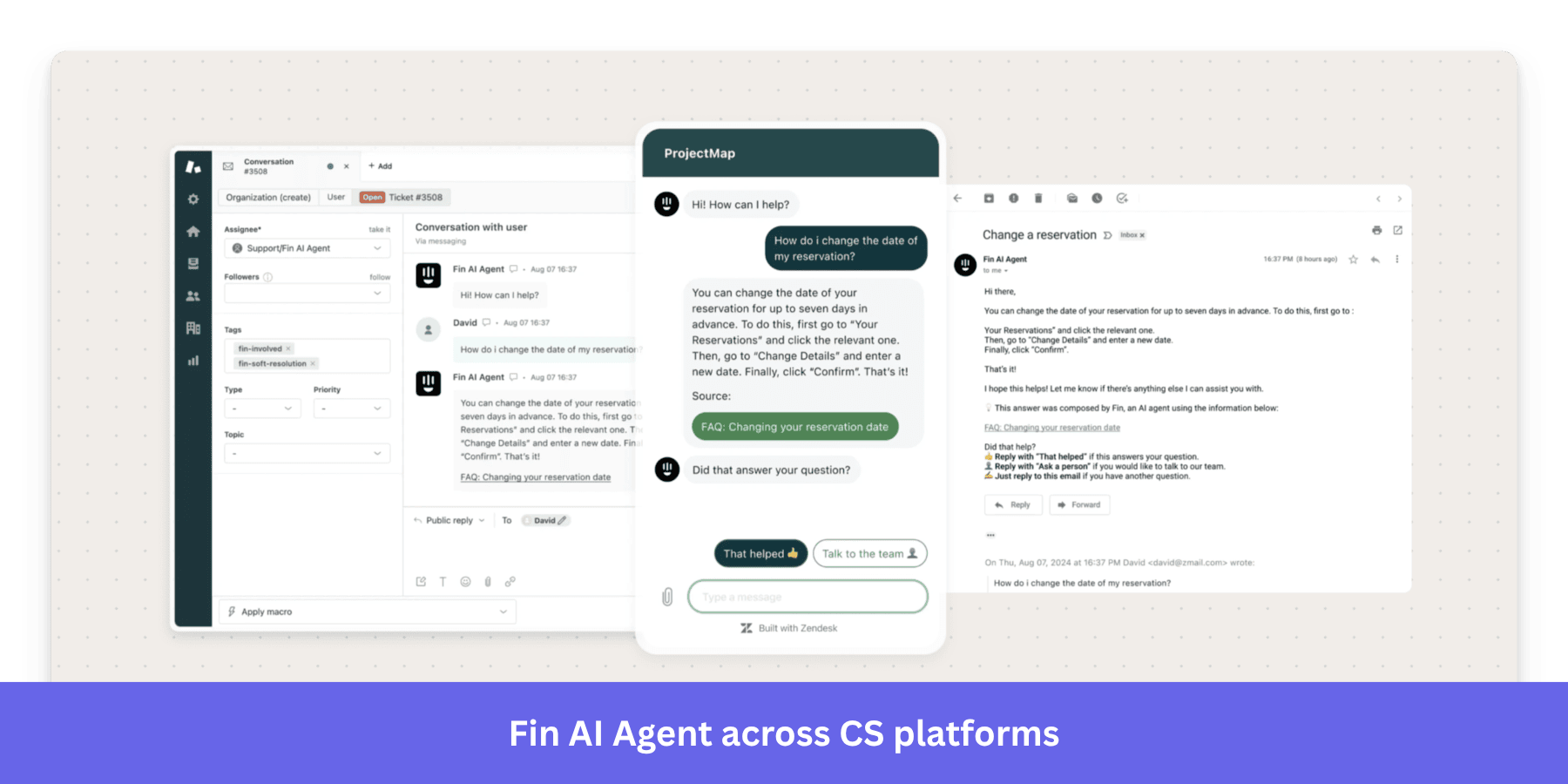
Fin AI Agent handles customer conversations so human agents don’t have to answer every question themselves. It uses approved knowledge sources, such as help center articles, internal content, documents, and connected systems, to produce answers grounded in company information.
In March 2026, Fin reportedly reached a 76% average resolution rate across 12,000+ customers. How well it works for your team, though, will depend on query complexity and the quality of the knowledge and procedures available to the AI agent.
I like that Fin isn’t limited to live chat. It supports email, voice, WhatsApp, SMS, Facebook, Instagram, Slack, and Discord. You can initiate it directly within Intercom or connect it to Zendesk, Salesforce, HubSpot, or Freshdesk.
AI Copilot to boost efficiency
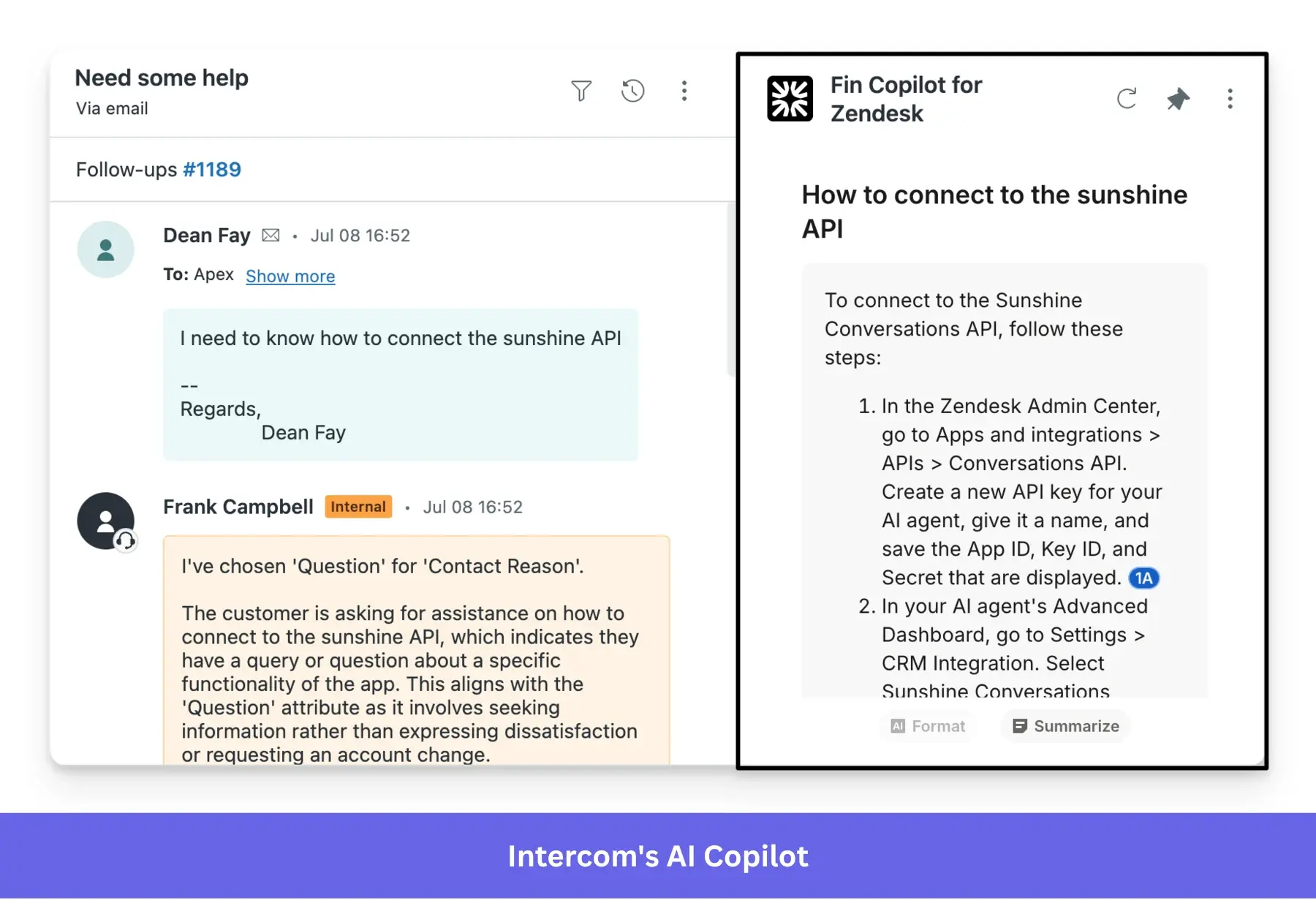
Copilot helps agents answer questions that still need human judgment. Instead of searching through help articles and past conversations, agents can ask Copilot directly and get a response based on the company’s support content.
This AI technology can summarize conversations or suggest relevant macros. It also drafts replies that agents can review before sending to customers, saving time and letting them focus on complex or sensitive requests.
Omnichannel inbox for efficient team collaboration
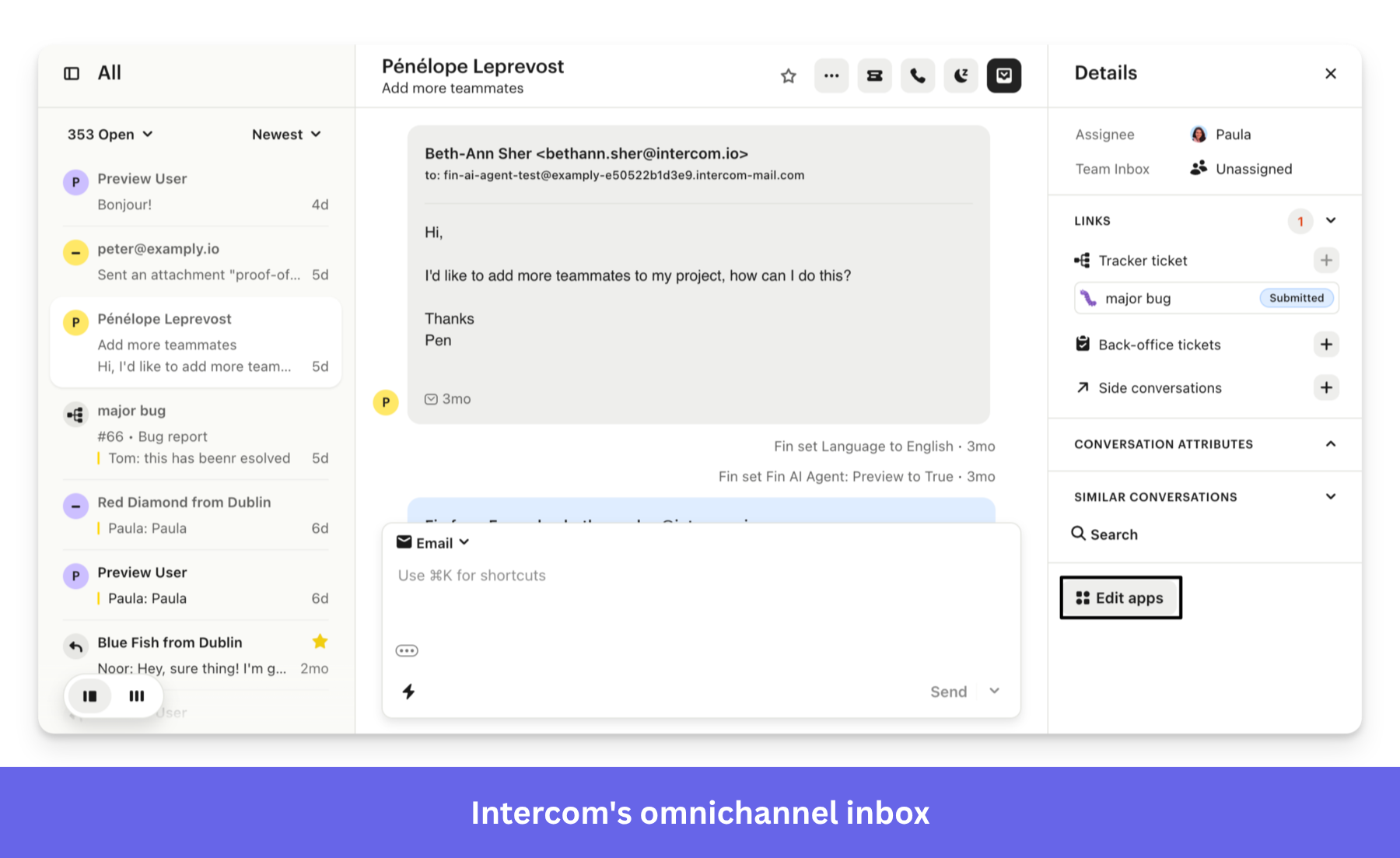
Intercom combines live chat, ticketing, and automated messaging in one platform. Its omnichannel inbox gives your support team a shared workspace to manage customer communications across these channels.
Agents can see customer data, including conversation history, profile, recent activity, and open tickets, in one view. When a conversation changes hands, this context helps the next agent pick up where the last one left off. This way, customers don’t need to repeat themselves.
Team leads can also assign conversations based on agent availability or expertise, split work across team inboxes, and set up workflows to route requests automatically. You can tailor these rules to direct specific request types to the right team or agent.
Ticketing system for connected conversations
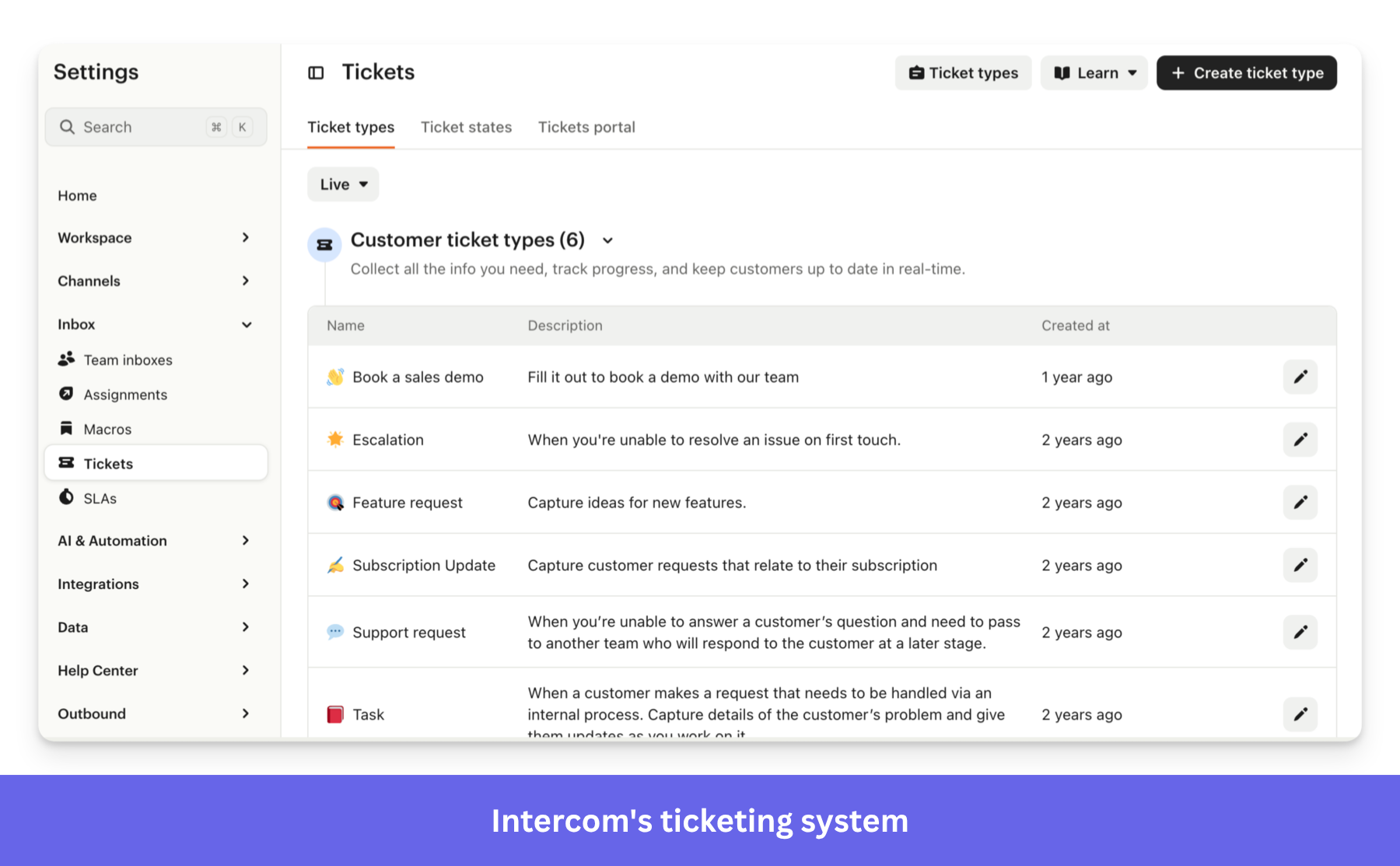
Intercom lets agents convert conversations into support tickets when an issue needs further digging or input from other teams. Without losing its original context, the ticket helps your team track progress and keep customers in the loop.
The platform supports three ticket types:
- Customer tickets track complex issues while keeping the customer informed.
- Back-office tickets let support collaborate privately with departments such as engineering or operations.
- Tracker tickets connect multiple customer conversations to one widespread issue, such as an outage or product bug.
Outbound messages to improve the product experience
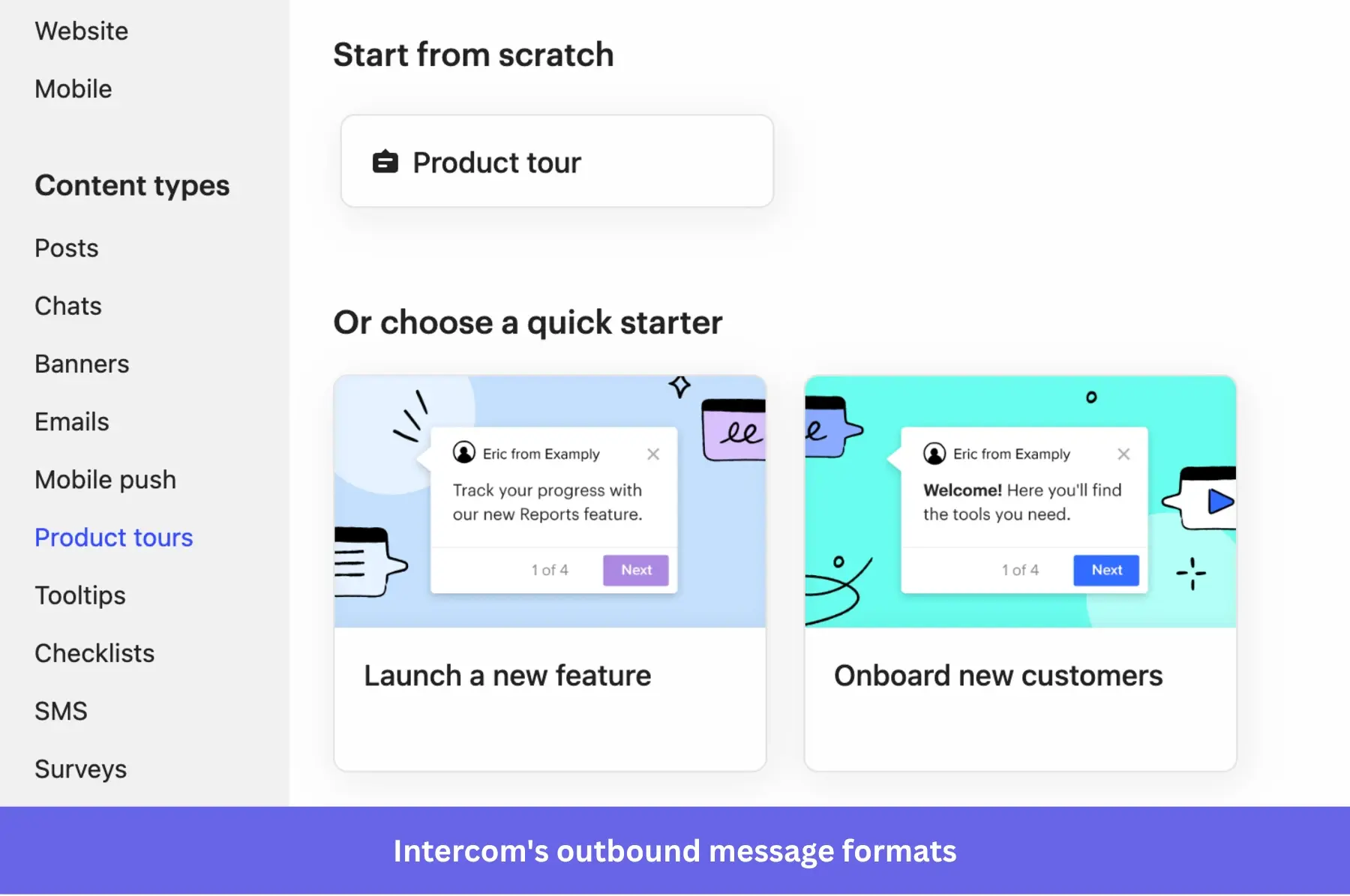
Although Intercom is primarily a customer service platform, it also lets teams reach customers before they contact support. You can trigger targeted in-app posts, banners, emails, mobile push notifications, surveys, and Messenger chats.
It also includes product tours, tooltips, and checklists for in-app engagement, and surveys to collect customer feedback. But creating these tools doesn’t guarantee users will complete onboarding. Our SaaS product metrics research, which analyzed 188 companies, found an average onboarding checklist completion rate of 19.2%, with a median of 10.1%.
To unlock reporting alongside product tours, checklists, surveys, posts, and mobile push, you need to purchase the Proactive Support Plus add-on. This tracks how many users view each product tour step and whether they reach a goal within 1 to 30 days.
While this measures individual tour performance, it doesn’t show you the broader product journey. To analyze funnels, retention, and user paths, you’ll need a dedicated product analytics tool.
Reporting for collecting user insights
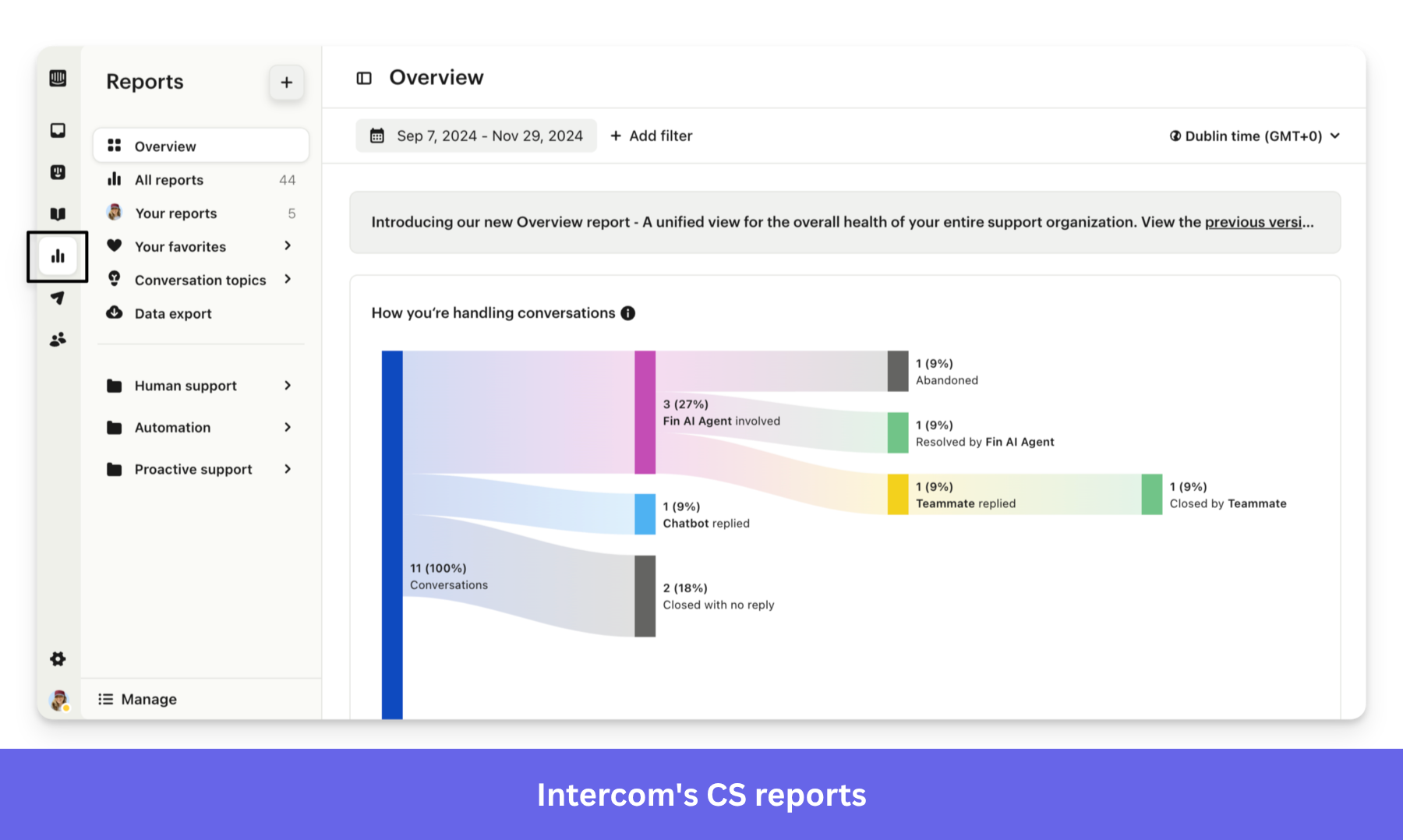
Intercom’s customizable reports combine AI and human support data. Support leaders can track conversation volume, response and resolution times, customer satisfaction, Fin’s involvement and resolution rates, ticket performance, and service-level agreement compliance.
These insights help teams understand the most common reasons customers contact support, optimize the knowledge base, and spot recurring issues that may be putting the customer experience at risk.
Apps and integrations to manage data across tools
Intercom connects with 450+ apps, including Salesforce and HubSpot for CRM and Jira for issue tracking. These integrations enable agents to access information and trigger actions without switching between systems or manually copying data.
If an existing integration doesn’t cover your needs, you can use APIs, webhooks, or custom apps to build your own workflows. Fin can also retrieve data and take approved actions through custom API and MCP data connectors.
How much does Intercom cost?
To understand Intercom’s pricing, remember these two components: a fixed fee per full seat and usage-based charges for features like Fin AI Agent and specific communication channels. Optional add-ons introduce another base fee and their own usage charges.
Here’s how the three core plans compare:
| Plan* | Human seat cost (billed annually) | Human seat cost (billed monthly) | Fin AI Agent cost | Best for |
|---|---|---|---|---|
| Essential | $19 per seat/month | $29 per seat/month | From $0.99 per outcome | Individuals, startups, and small teams that need a shared inbox, tickets, prebuilt reports, and a public help center |
| Advanced | $85 per seat/month | $99 per seat/month | From $0.99 per outcome | Fast-growth support teams needing multiple inboxes, workflow automation, round-robin assignment, multilingual help content, and cross-functional collaboration |
| Expert | $132 per seat/month | $139 per seat/month | From $0.99 per outcome | Large, regulated, or multibrand teams that need SSO, identity management, SLAs, HIPAA support, and advanced workload controls |
* Intercom offers a 14-day free trial with unlimited access.
** Fin charges team outcomes differently. With your current helpdesk, it charges $0.99 when customer support produces a resolution or procedure handoff. With Intercom helpdesk, it charges $0.99 when customer support produces a resolution, procedure handoff, disqualification, or self-serve routing. It also adds $19 per helpdesk seat per month. Fin for Sales charges $9.99 when it qualifies a prospect and routes them to the next step, such as a sales call.
Intercom add-on pricing
Several capabilities discussed earlier aren’t fully included in the core seat price:
| Upgrade | Price (billed annually) | Price (billed monthly) | Added value |
|---|---|---|---|
| Copilot | $29 per agent/month | $35 per agent/month | Gives selected agents unlimited access to the personal AI assistant in the inbox. Every teammate already receives 10 Copilot and 10 AI auto-translation conversations per month for free. |
| Pro | From $100/month | From $100/month | Adds AI-powered conversation analysis, quality monitoring, custom scorecards, Fin optimization, and Operator. Pro costs $0.20 per conversation with a 500-conversation monthly minimum, and Operator’s included credits scale with plan type. |
| Proactive Support Plus | From $99/month | From $99/month | Unlocks advanced outbound tools, including Product Tours, Surveys, Posts, Mobile Push, Mobile Carousels, Checklists, and Series. The base fee includes 500 billable messages per month. |
Live chat, inbound support email, in-app chats, banners, and tooltips are included at no additional usage cost. The following channels cost extra: SMS, WhatsApp, email campaigns, phone, and Fin Voice.
These costs can add up. For example, here’s what a hypothetical bill could look like for a team on the Advanced plan:
| Cost component | Monthly cost |
|---|---|
| 5 Advanced seats ($85/seat, billed annually) | $425 |
| 1,000 Fin outcomes ($0.99 each) | $990 |
| Proactive Support Plus | $99 |
| 3,000 messages sent through product tours ($145 in usage charges beyond the included 500) | $145 |
| Total monthly cost | $1,659 |
Note that product tours are billed each time they’re shown, even if the user never interacts with them.
How do users feel about Intercom?
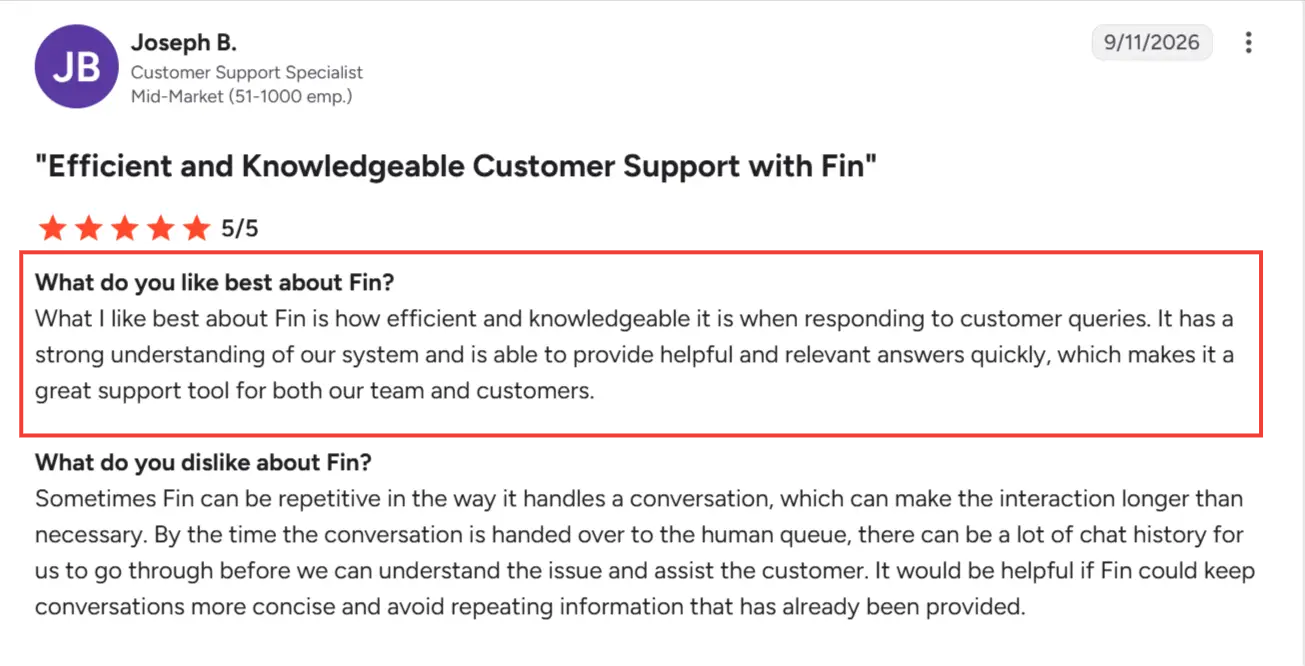
Intercom has a 4.5/5 rating on G2. The overall sentiment is positive, with users valuing how Fin handles the following:
Pros
- Reduces repetitive support work so agents can focus on complex cases.
- Gives customers fast answers outside the team’s working hours.
- Offers a secure, intuitive interface with useful integrations and omnichannel support.
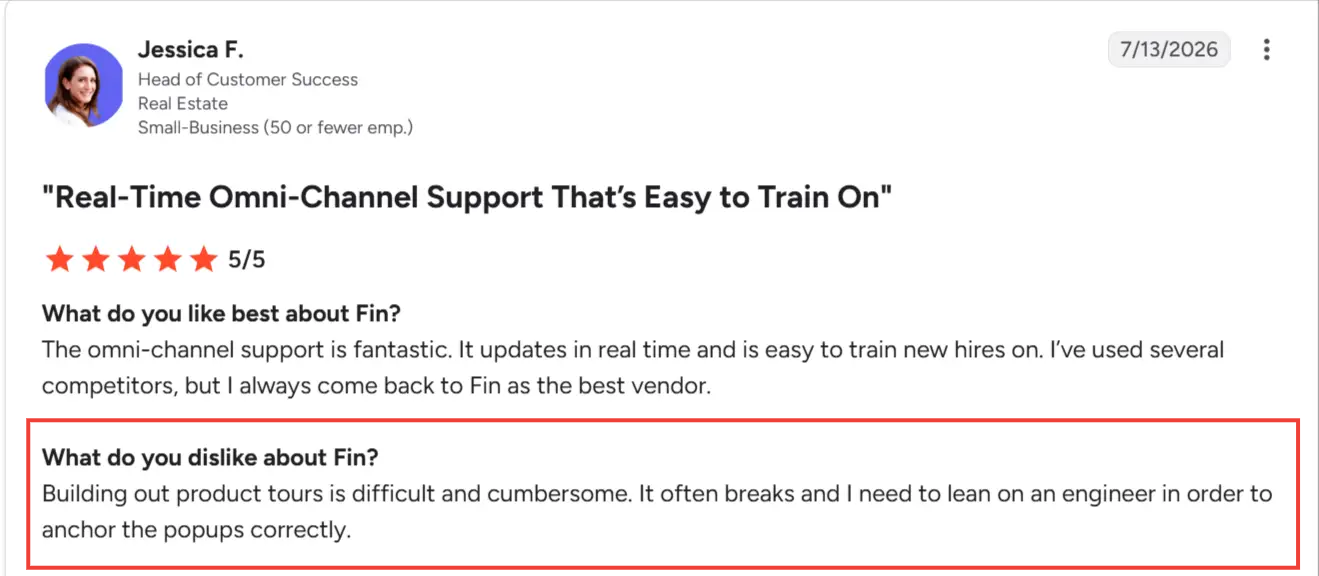
Meanwhile, the main complaints involve:
Cons
- Some outbound features, particularly product tours, can be difficult to build and may require engineering help.
- Fin can give incorrect or repetitive answers when handling complex requests.
- Workflows, knowledge, and routing rules require ongoing refinement and monitoring.
When to choose Intercom and when not to
Intercom is a great choice if your team handles high-volume chat and email support, and has accurate help content. In that setup, Fin can handle common requests, freeing support agents to focus on issues that require context or judgment.
However, Intercom is a weaker fit when your support operation relies on high ticket volumes, complex queues, strict SLAs, and detailed service reporting. A ticketing-first platform like Zendesk better manages this workload with tools like routing, escalation paths, agent skills, and response targets.
Intercom is also limited for product teams that need to understand user behavior beyond individual onboarding flows. Its tours and checklists can use customer attributes and tracked events, which may be enough to introduce key features. But they offer less insight into how users move through the wider product journey.
For product-led teams, this means Intercom can manage customer support, while a dedicated platform like Userpilot delivers contextual onboarding and the product data behind it.
Looking for better onboarding analytics than Intercom? Meet Userpilot.
Userpilot treats onboarding as an ongoing product process rather than a series of in-app messages. Product and customer success teams can use it to improve how users discover and get value from a product as their needs change.
In practice, that means three things:
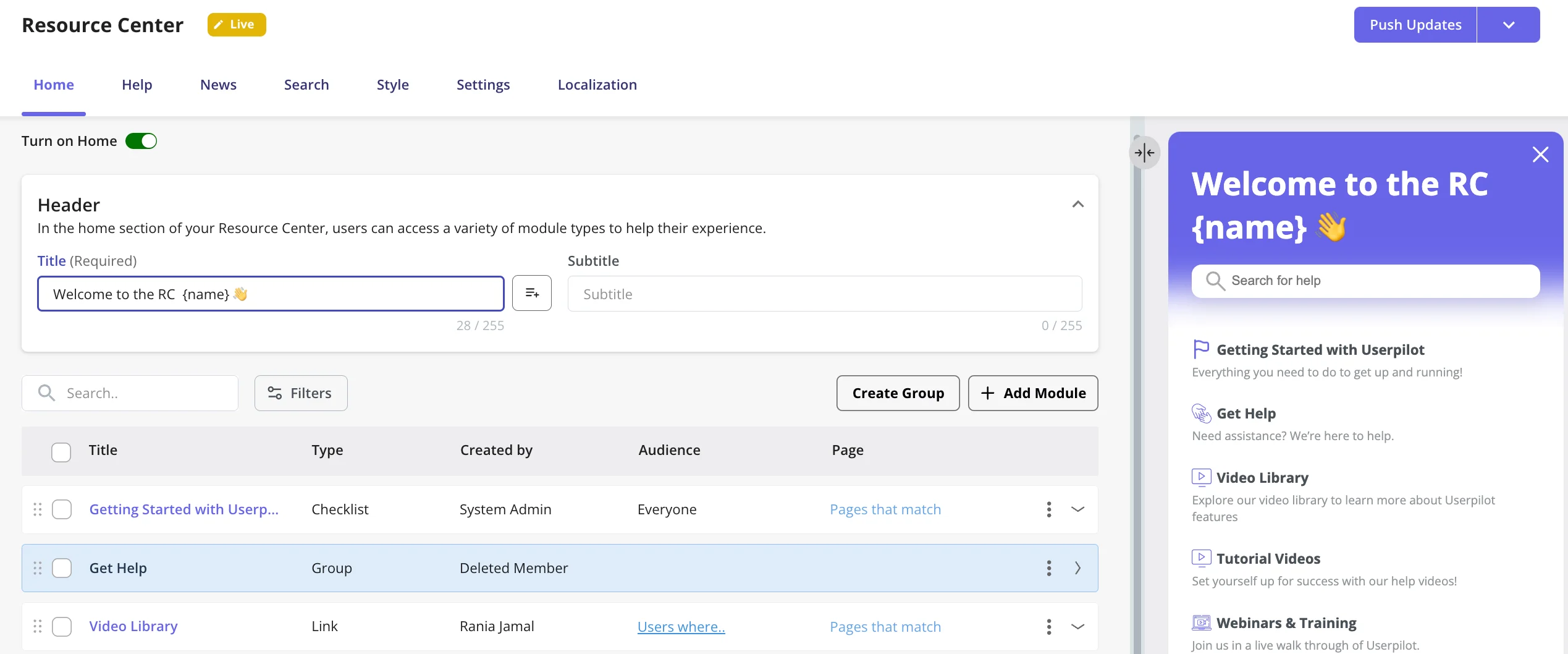
- Make onboarding respond to each user’s behavior: Userpilot lets you trigger onboarding elements based on a user’s plan, lifecycle stage, current page, or completed actions. You can also build and personalize your resource center by segment and behavior, so new administrators, invited teammates, and established users don’t all receive the same guidance.
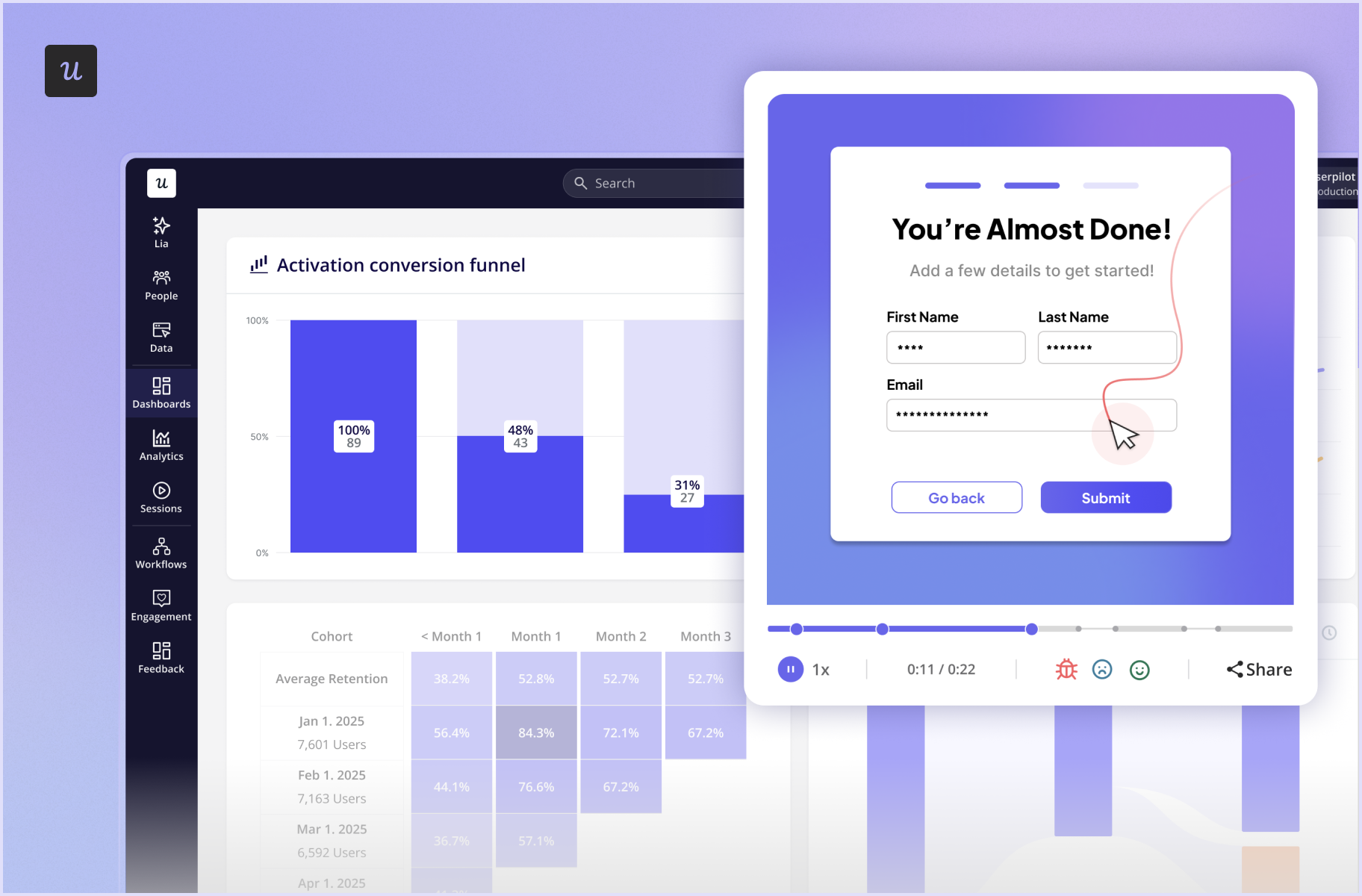
- Measure whether onboarding changes worked: Userpilot’s product analytics connects funnels, retention reports, and session replay to the same behavioral data used for targeting. Funnels reveal where users abandon onboarding. Retention reports show whether cohorts return after key actions, while session replay lets you see what happened before a drop-off. After updating an onboarding flow, you can track whether more users in the target segment reach the activation milestone.
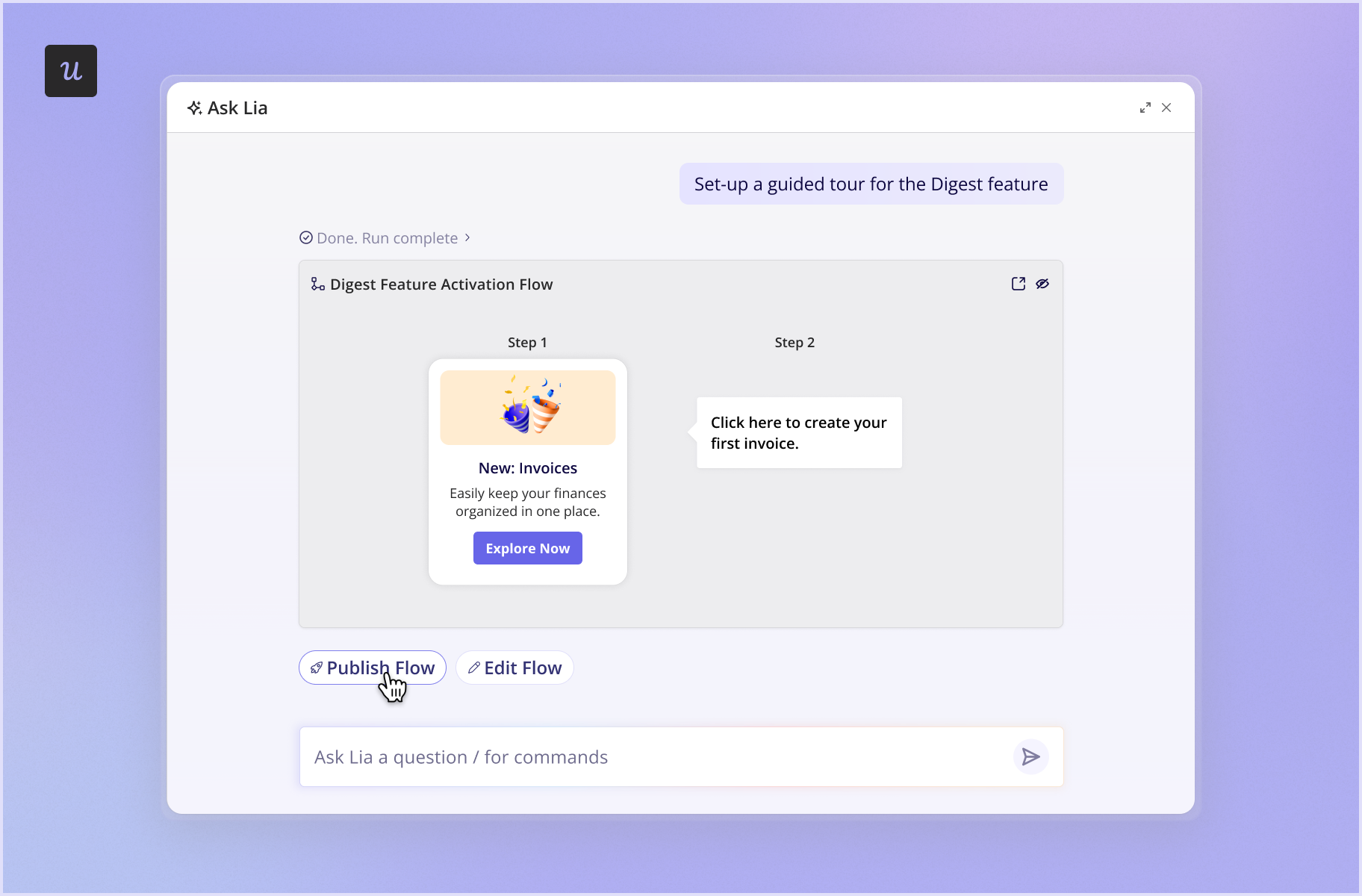
- Move from diagnosis to a fix with agentic support: Lia, Userpilot’s AI agent, monitors product metrics and explains what may be driving a change. A product manager could ask why trial accounts aren’t inviting teammates, review the supporting analysis, and have Lia draft a targeted checklist or in-app flow in minutes.
Userpilot also meets the safety and security requirements of mid-market and enterprise teams. Our platform is SOC 2 Type II certified, GDPR-compliant, and can support HIPAA-regulated customers. This lets companies securely use detailed product behavior to personalize onboarding.
One such company is Talana, a human resources solutions provider. The team switched from Intercom because it couldn’t handle the dynamic URLs required to onboard their customers’ employees. Intercom’s pricing was also hard to predict.
With Userpilot, Talana built different types of engagement like checklists and interactive walkthroughs. They also improved their self-serve support using the Resource Center, helping customers find answers independently.
The result: 35.6% of Talana users engaged with its modals, banners, and popups, while 31% engaged with its tooltips. María Ignacia Videla, Head of Communication and Content at Talana, reflects on this experience:
We were able to do some great things in Intercom, but not as great as Userpilot in terms of the onboarding process. Regarding the in-app communications, I would say the impact is incredible.
Ready to begin? Book a Userpilot demo to see how your team can move from finding friction to fixing it in one platform.
Userpilot strives to provide accurate information to help businesses determine the best solution for their particular needs. Due to the dynamic nature of the industry, the features offered by Userpilot and others often change over time. The statements made in this article are accurate to the best of Userpilot’s knowledge as of its publication/most recent update on October 14, 2026.
FAQ
Is Intercom the same as Fin?
Not exactly. Intercom first launched Fin as an AI customer service bot in 2023. In May 2026, Intercom changed its corporate name to Fin.
The organization retained Intercom as the name of its customer service platform. Fin also refers to the AI Agent that works inside this platform.
Who should use Fin AI Agent?
Fin is best suited to customer support teams that receive many questions across different support channels. These teams also need someone to maintain the knowledge base, test Fin’s answers, review its resolutions, and monitor outcome-based costs.
Fin offers less value when most customer requests require human judgment or when the company’s support content is incomplete or outdated.
How does Intercom consider a chat resolved?
For Fin billing, Intercom records a confirmed resolution when a customer enters a positive response such as “Ok thanks” or “That helped”. It records an assumed resolution when the customer leaves without asking for more help. This includes the customer going quiet for 24 hours after Fin’s last answer.
A resolution isn’t counted if the customer asks a follow-up question or requests a human agent, or Fin escalates the conversation. If the customer later returns to a thread already marked as resolved and asks for more help, Intercom reverses the resolution charge.
Who competes with Intercom?
Intercom’s main competitors depend on what you need the platform to do. Zendesk suits large support operations with complex ticketing requirements, while Freshdesk and HubSpot Service Hub offer broader customer service solutions.
For product-led onboarding, Userpilot is an alternative to Intercom’s product tours, checklists, and other in-app engagement features.
About the author