Appcues vs. UserGuiding: Pricing, Limitations, and Best Fit



Most Appcues vs. UserGuiding comparisons still repeat the same story: “UserGuiding is cheaper, while Appcues is better for mobile.” But that distinction no longer tells the whole story. Both digital adoption platforms have changed their pricing and packaging in 2026.
So, instead, I focused on three questions that can make or break your decision when looking for user onboarding software:
- How many onboarding experiences do you need to publish and manage?
- Does your product need onboarding across web and native mobile apps?
- How much product analytics do you need beyond tracking engagement with onboarding content?
In this comparison, I’ll walk you through what each user onboarding platform offers and where they fall short, so you can decide which one fits, or whether you need to consider another tool.
Executive summary
- Choose Appcues if you need native mobile onboarding and cross-channel engagement.
- Choose UserGuiding if you’re building a web-based product and want onboarding and self-service support.
- Choose Userpilot when you need to connect onboarding to product adoption, investigate user behavior through session replay, and measure whether users return to key features.
Here’s a quick Appcues vs UserGuiding comparison table to help you decide:
| Comparison | Appcues | UserGuiding |
|---|---|---|
| Best for | Product and growth teams running onboarding and engagement across web and native mobile apps | Web-based product teams that want onboarding and self-service support |
| Starting price and what it includes | $3,600/year on Spark for up to 1,000 MAUs and 10 published experiences (teams of 25 or fewer), plus a $250 implementation fee | $2,988/year billed annually on Starter, or $349/month billed monthly, starting at 2,000 MAUs, with limits per content type |
| Platforms supported | Web, native iOS and Android, React Native, Flutter, and Ionic | Web apps and websites; no native mobile app support |
| Analytics depth | Trends, funnels, paths, retention, dashboards, and impact/uplift reporting on every plan. | Engagement analytics, user activity, and custom events; no native funnels, paths, or retention reports |
| Self-serve help (resource center, knowledge base) | Launchpad supports links, flows, text, images, and JavaScript; no checklists or surveys | Resource center, searchable knowledge base, and AI Assistant |
| Messaging outside the app (email, push) | Email and mobile push through Workflows; behavior-based email is an add-on on Grow | No native email or push campaigns |
| A/B testing | Yes, including experience variations and control experiments | Yes, on Growth |
| AI | MCP server and Appcues AI for product insights, recommendations, and campaign creation | Lighthouse AI (beta), AI Assistant, and MCP server |
| Setup | Requires an SDK installation and engineering support for user identification, event configuration, and mobile setup | Initial web installation using container code and Chrome extension; custom event tracking may need engineering |
| Biggest strength | Broad engagement capabilities across web and mobile, combined with product analytics and experimentation | Combines no-code onboarding and self-service support |
| Biggest drawback | Published experience limits, relatively high entry price, and no native session replay | No native mobile support, limited product analytics, and no email or push |
What does Appcues offer, and who is it for?
Appcues positions itself as an AI-powered customer engagement platform for product and growth teams. It helps you understand user behavior, improve product adoption, and run targeted campaigns across the customer lifecycle, all inside its AI workspace.
For example, you can ask Appcues AI questions like “Where do trial users drop off before creating their first project?” The AI analyzes your product data and surfaces patterns you can use to plan targeted campaigns. You can then ask it to create experiences in plain language.
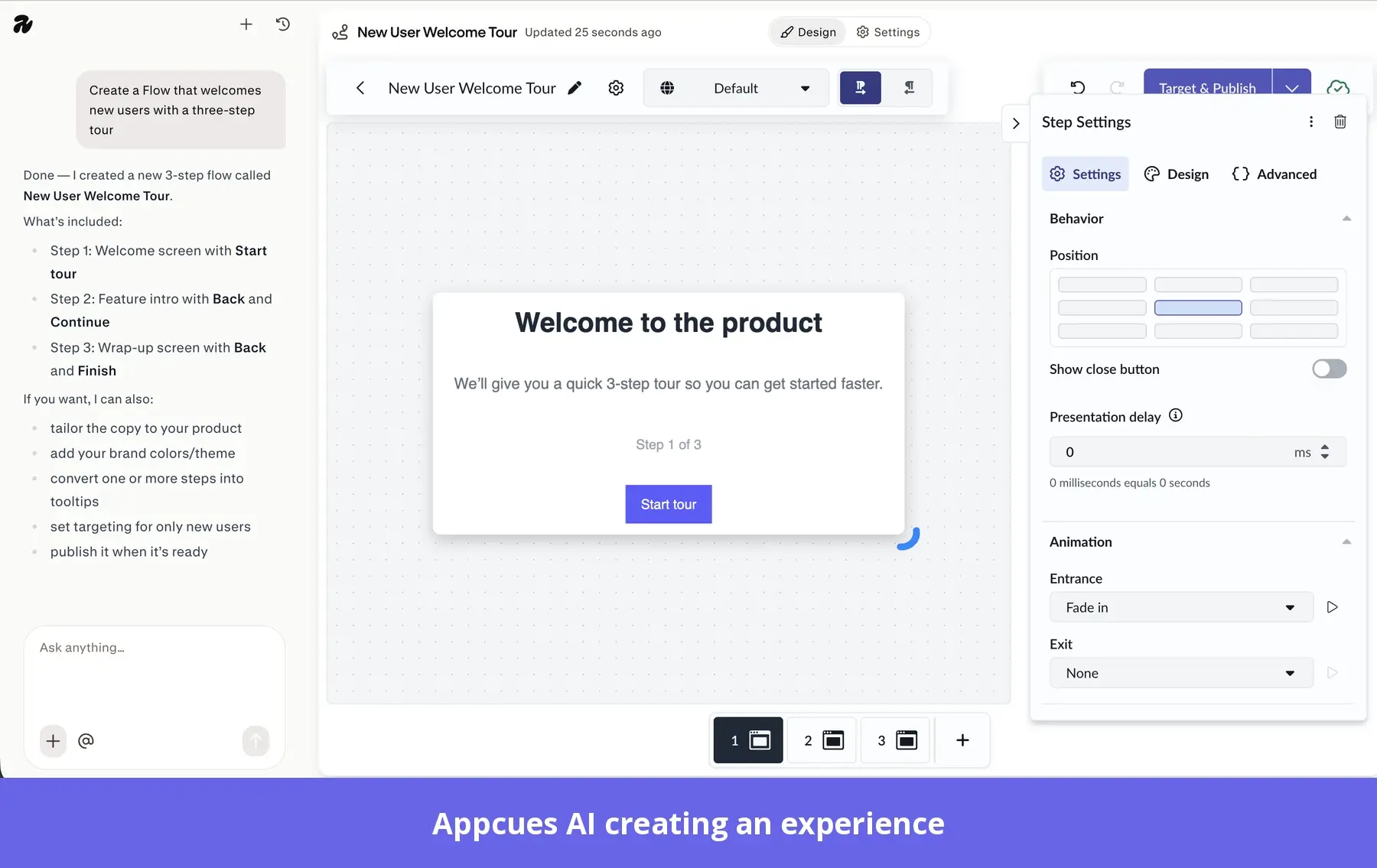
You can also access product insights through your preferred AI tools using an MCP server.
Now, for Appcues’ setup. You’ll need engineering help, but you can handle some parts yourself. Here’s a breakdown:
| Who’s responsible | What they do | Engineering involvement |
|---|---|---|
| Product/Growth | Define experiences, target audiences, and tracking goals | Low (requirements and targeting) |
| Engineering | Install Appcues SDK, identify users and accounts, configure events | High (initial installation and data configuration) |
| Product/Growth | Verify installation, user identification, and event tracking using Debugger | Low (no-code testing) |
| Product/Growth | Build and manage experiences using Chrome extension and Appcues Studio | Low (no-code experience creation) |
| Engineering | Install Mobile SDK, configure user identification, events, and screen tracking. | High (mobile app implementation) |
You don’t have to manage the implementation alone, either.
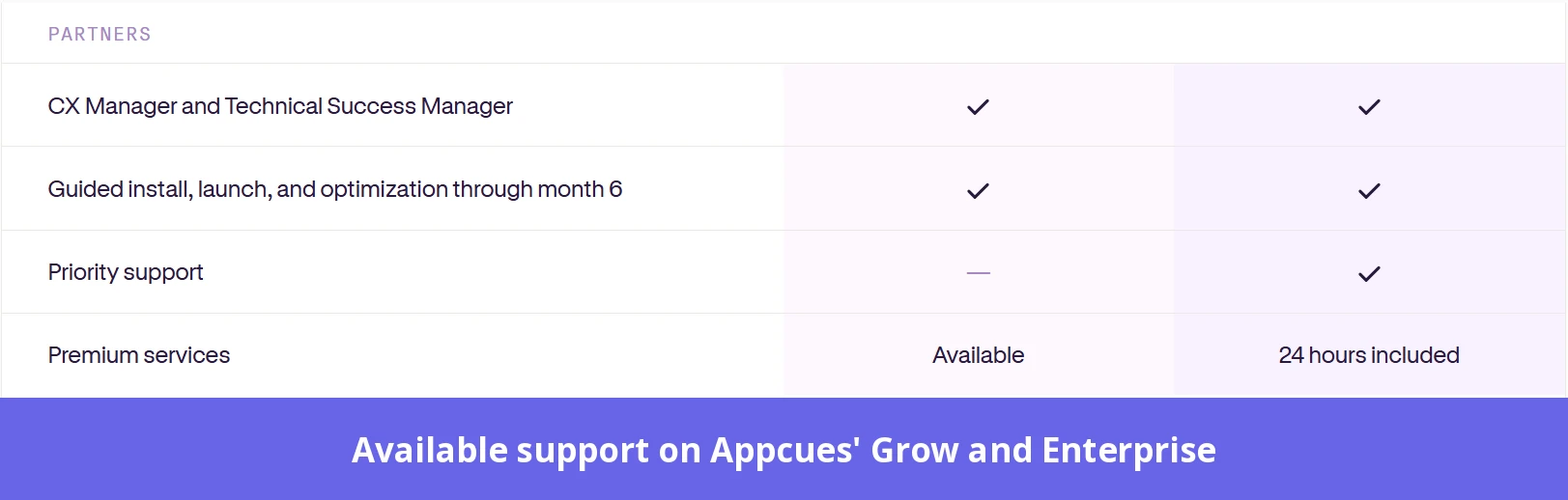
Appcues offers plan-based support for implementation. Spark, the starter plan, includes guided onboarding to set up your first flow, but comes with a one-time $250 implementation fee. The higher-tier plans (Grow and Enterprise) have guided installation, launch, and optimization for up to six months. You still need developers to handle the code and data configuration, though.
Once Appcues is live, you can guide users through your product with multi-step flows, modals, tooltips, and slideouts. You can also create checklists to break onboarding into smaller tasks and use banners and pins to highlight important information.
For self-service support, Appcues offers Launchpad, an in-app resource center where users can revisit onboarding guides and find helpful links without contacting your support team.
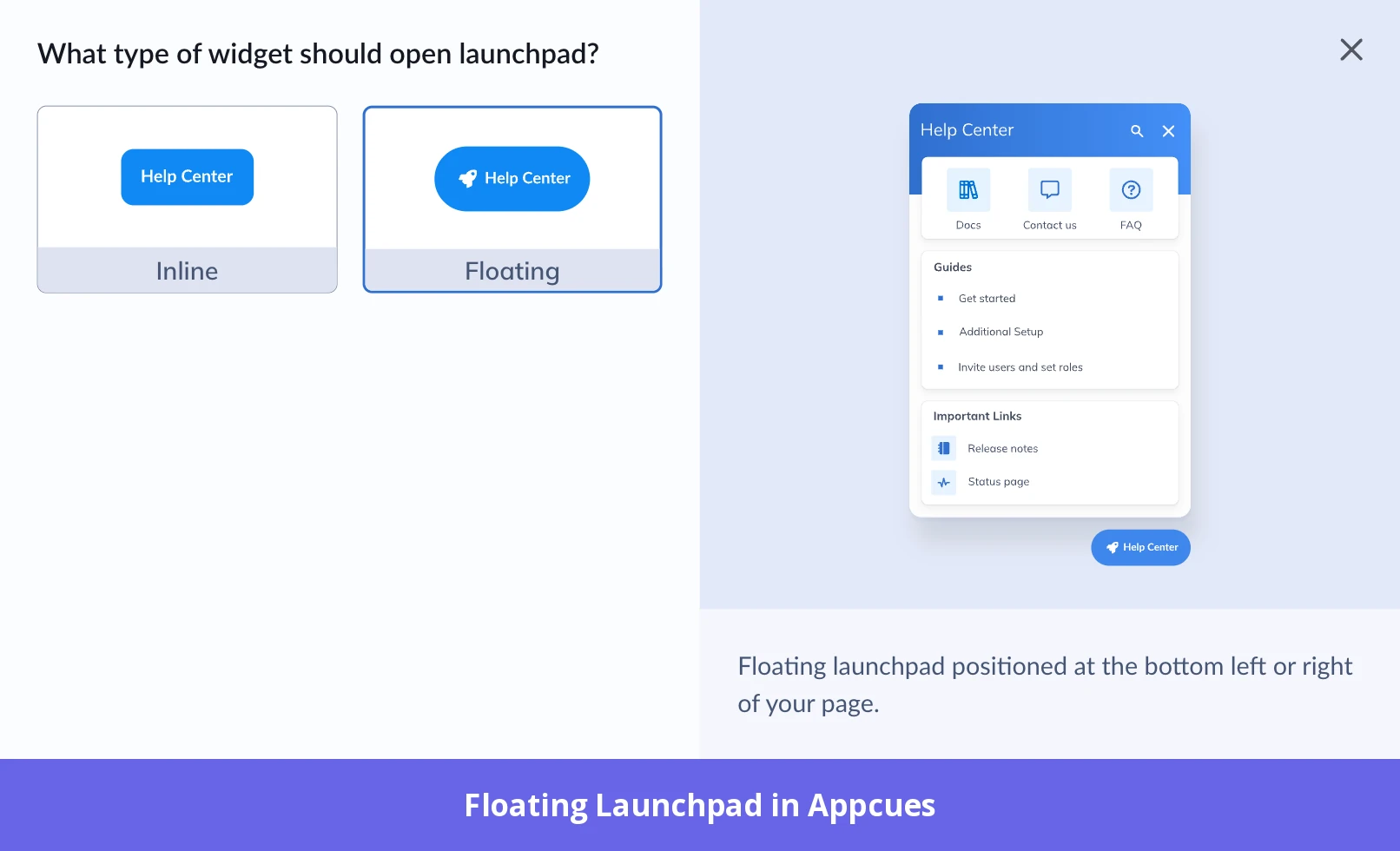
When you have new features or product changes to announce, use its in-app messages, banners, and announcements. Appcues supports NPS and open-ended surveys, too, so you can collect feedback and understand how users feel about the changes.
Beyond collecting feedback, you can use Appcues’ product analytics to build funnels, identify onboarding drop-offs, track feature adoption and retention, and create custom dashboards. You can then set goals around key actions, such as creating a project or upgrading a subscription, and use A/B tests to measure whether your campaigns influence those outcomes.
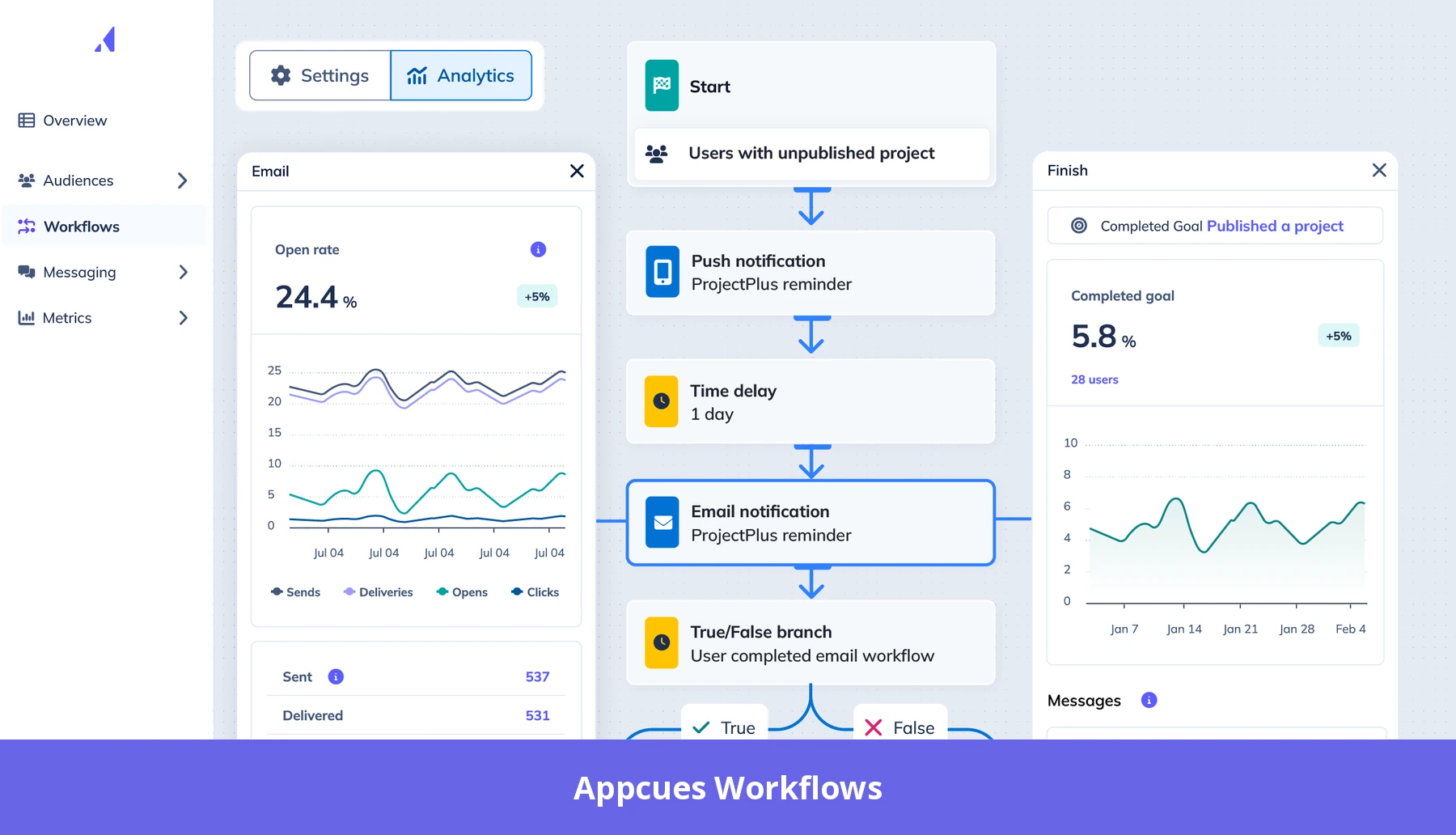
Appcues extends these engagement efforts beyond your product through drag-and-drop Workflows. You can combine in-app flows with behavior-based emails and mobile push notifications. For example, send a push notification to users who abandon a project and follow up with an email if they don’t return.
For teams with mobile products, Appcues supports web and native mobile apps (iOS and Android), including cross-platform frameworks such as React Native and Flutter. You can create mobile flows, surveys, embeds, and push notifications without requiring a new app release for every content change.
Finally, Appcues integrates well with third-party tools, e.g., Salesforce, HubSpot, Segment, and Mixpanel. This lets you bring behavior data to your existing tech stack.
What Appcues does well and where it falls short
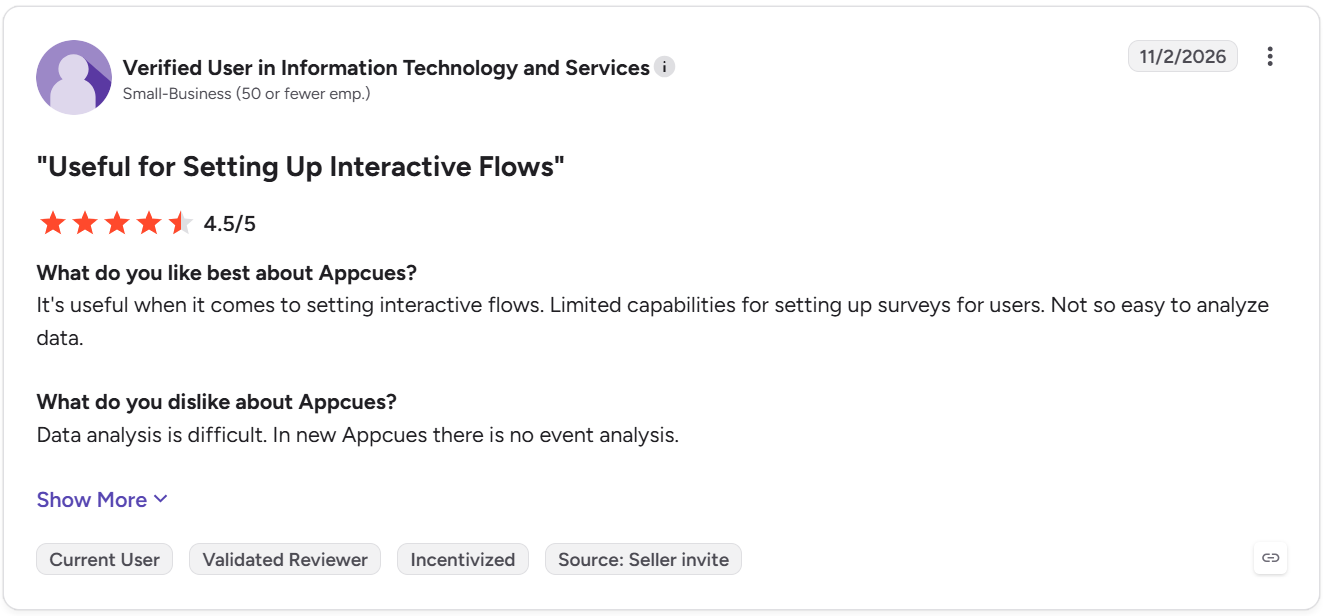
96% of Appcues’ 374 G2 reviews (as of November 2026) are 4 stars or higher. So, it’s definitely doing a lot of things right, but not without drawbacks.
Here are some of the notable pros and cons:
1. You get every experience type and integration on every plan. But Appcues added limits for published experiences.
All plans include full access to the Appcues platform and integrations, but publishing limits vary. A growing team running onboarding, feature walkthroughs, help pins, upgrade prompts, surveys, and growth experiments could easily need more than Grow’s 25 slots, for example. Extra capacity is available, but upgrading to Enterprise may stretch the budget.
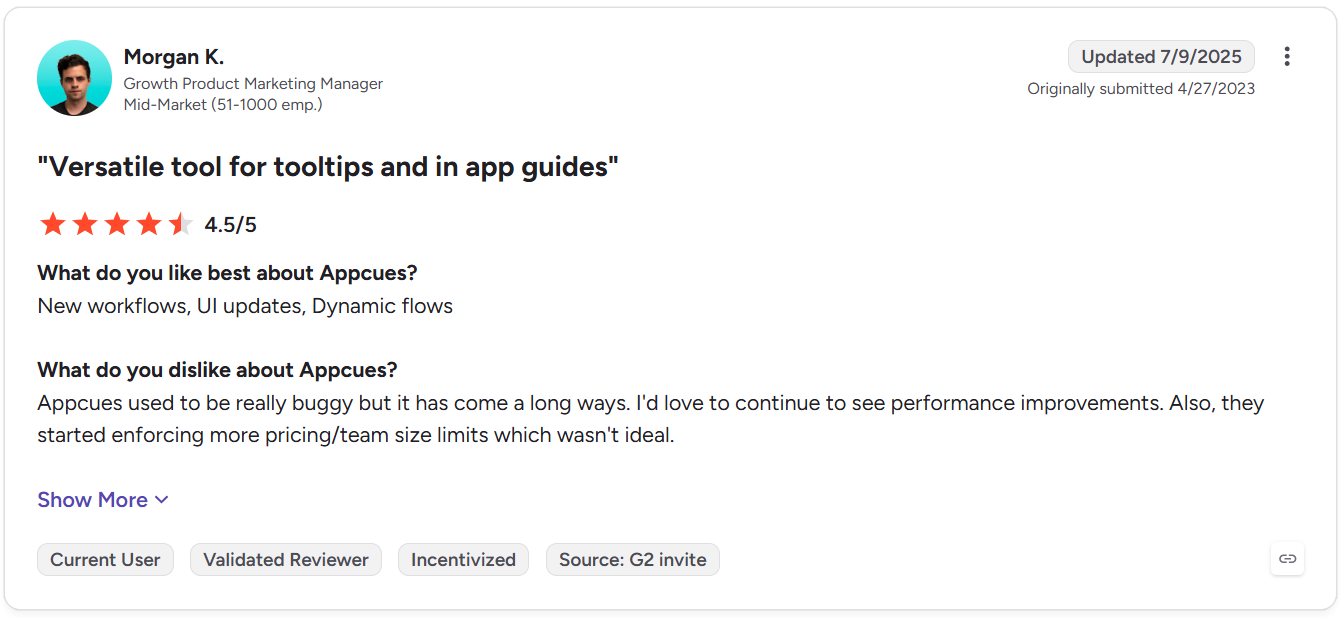
2. Your whole team can work in Appcues without extra seat costs. However, priority support is only in the Enterprise plan.
Grow and Enterprise include unlimited seats, so product, growth, marketing, and customer success teams can collaborate without extra user fees. Grow includes dedicated customer and technical success managers, but priority support is exclusive to Enterprise.
3. You can engage users across web and mobile, but behavior-based email costs extra on Grow.
You can build flows, surveys, embeds, and push notifications across platforms. However, behavior-based email requires an add-on on Grow, and Appcues has no native session replay. Teams that need to combine email campaigns with in-app engagement or watch user recordings may need additional tools.
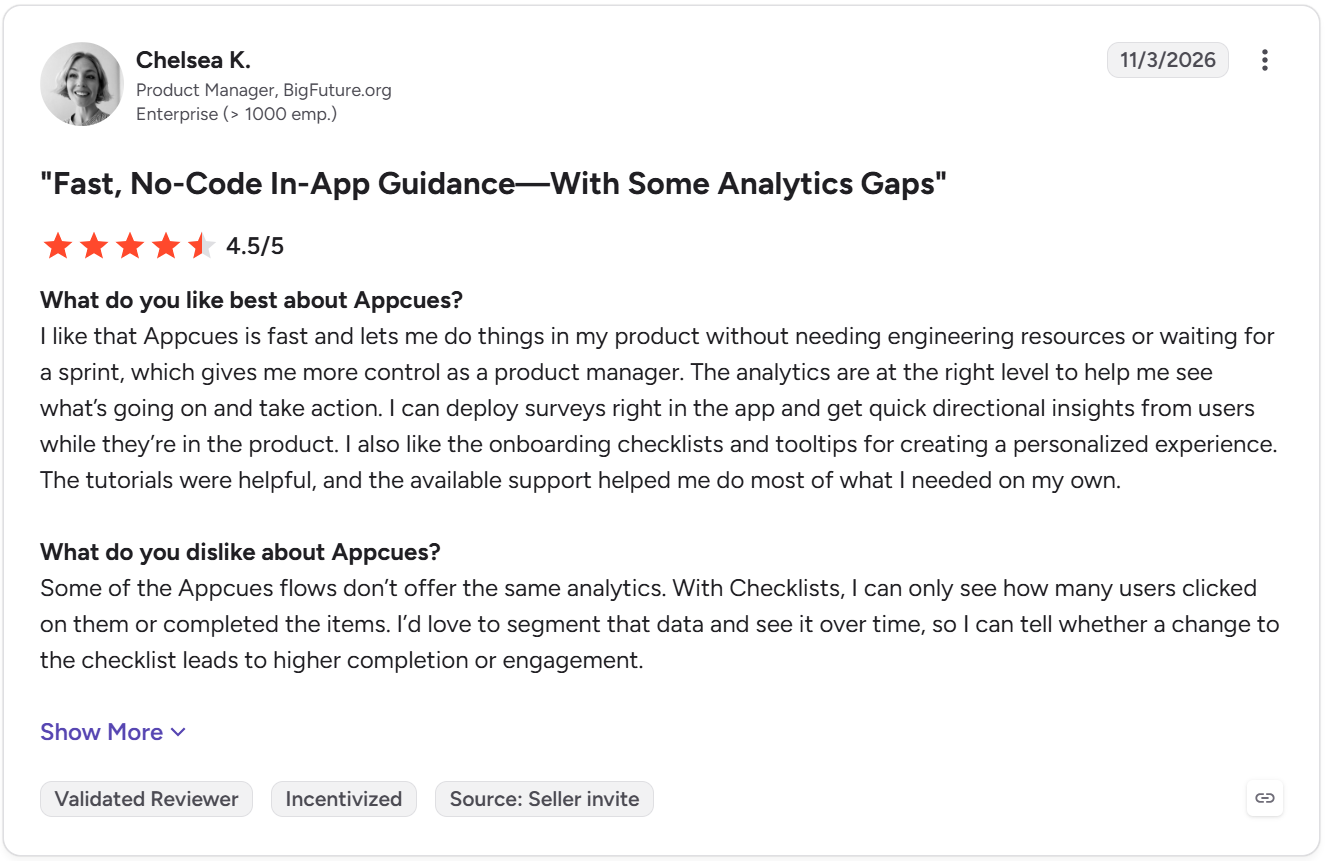
4. You can test onboarding experiences and measure their impact, but Launchpad has limited content options.
Appcues supports flow variation testing and control experiments to measure whether experiences drive outcomes, such as completing a new user onboarding flow. However, Launchpad, its in-app resource center, supports links, flow lists, text, images, and JavaScript blocks, but you can’t add checklists or surveys.
How much does Appcues cost?
Appcues uses a usage-based pricing model, with costs depending on your monthly active users (MAUs), installations, and published experiences. It has two plans on its main pricing page, Grow and Enterprise, plus Spark, a separate offer for smaller teams. Unfortunately, you can’t simply pick a plan and proceed to checkout, as they all require you to book a call with the Appcues sales team.
Below is how the three plans compare:
| Plan | MAU allowance | Published experiences | Price |
|---|---|---|---|
| Spark | Up to 1,000 | 10 | $3,600/year + $250 one-time implementation fee |
| Grow | Up to 50,000 | 25 | From $9,000/year |
| Enterprise | Custom | 100 | Custom pricing |
So, what do companies actually pay?
Vendr analyzed 137 Appcues purchases. According to their findings, annual contracts range from $6,462 to $44,200, with a median of $15,000.
Judging based on the historical data, I’d say budget for a higher contract if you have…
- A large audience (particularly if you’re approaching or exceeding Grow’s 50,000 MAU allowance).
- Demanding requirements, such as publishing more than 25 experiences, keeping longer reporting histories, or getting Enterprise-level priority support.
But even with the budget, Appcues might not be the right fit for your team.
If you mainly need a platform for onboarding and customer engagement, with unlimited team seats, broad mobile support, and experimentation capabilities included without paying extra to unlock individual features, Appcues might be a strong choice.
However, if you plan to publish dozens of experiences across different user segments and need native session replay to investigate where users struggle, skip it.
What does UserGuiding offer, and who is it for?
UserGuiding is best for web-only teams that want onboarding and self-serve help together, with publicly listed pricing. Like Appcues, it offers a no-code builder, so you don’t need developers to create every onboarding experience.
Getting started is straightforward, too. Add UserGuiding’s container code to your web app or website, then install its Chrome extension. You can also use the extension to build and edit experiences directly in your product.
On setup, UserGuiding says the initial process takes around 15 minutes.
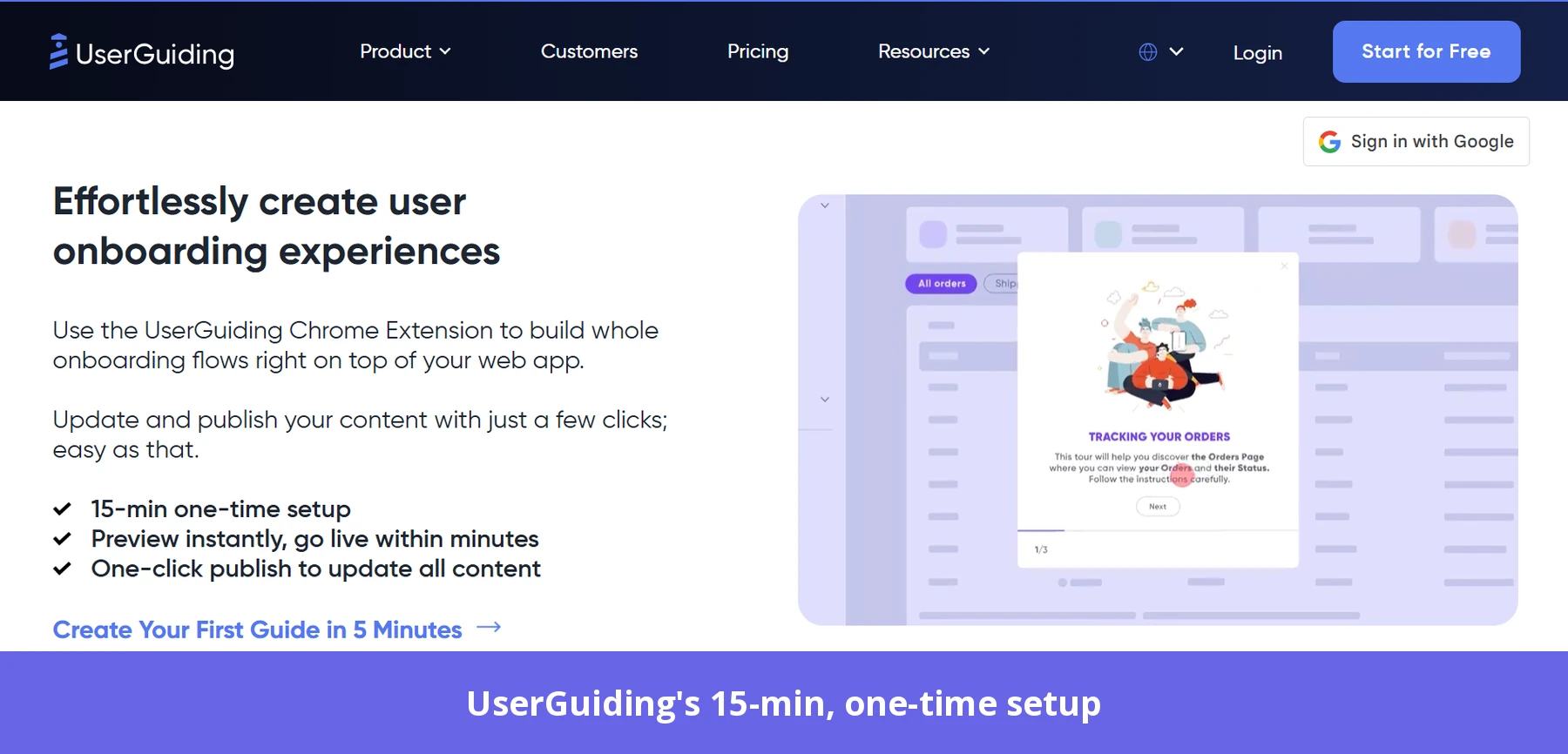
However, that mainly covers installing the container code, not configuring every tracking feature. For example, if you want to track custom events, your engineering team may need to pass the relevant event data to UserGuiding.
That said, here’s a quick breakdown of what you can handle yourself and what to hand off to engineering:
| Who’s responsible | What they do | Engineering involvement |
|---|---|---|
| Product/Growth | Define experiences, target audiences, and tracking goals | Low (planning and targeting) |
| Engineering | Install container code and enable activity tracking | Low to moderate (initial code installation) |
| Product/Growth | Build guides, hotspots, tooltips, and configure targeting using Chrome extension. | Low (no-code experience creation) |
| Engineering | Implement custom event tracking | Moderate to high (additional tracking code) |
| Product/Growth | Test experiences, audience targeting, and event tracking | Low (no-code testing) |
After setup, start creating interactive onboarding experiences. For this, UserGuiding offers guides, hotspots, tooltips, checklists, banners, and announcement modals.
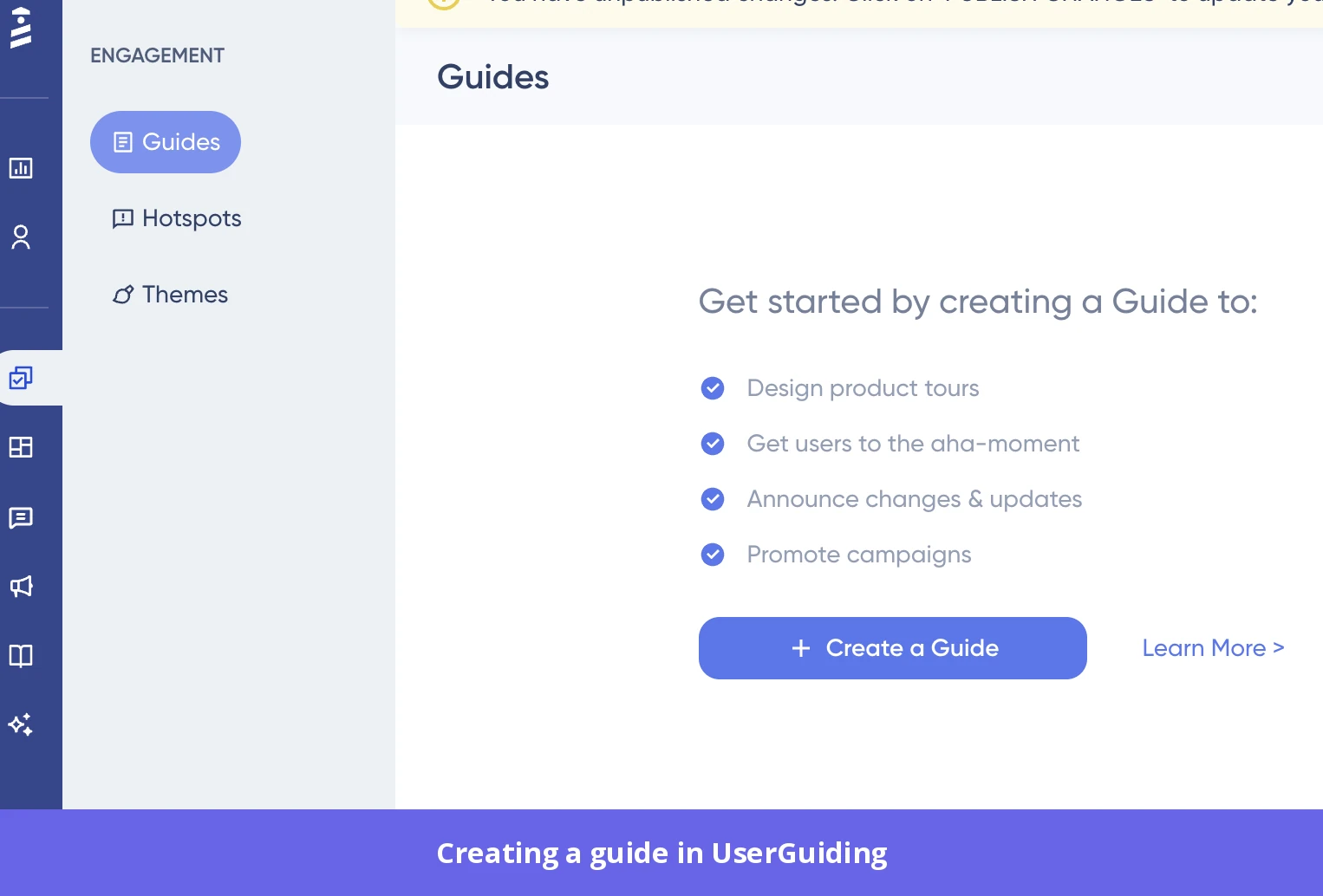
For self-service support, UserGuiding combines a knowledge base with an in-app resource center. It lets you create help articles, embed them in the resource center, and let users search for answers without leaving your product. You can also use its changelog pages and in-app announcements to communicate product changes.
In addition to NPS surveys for feedback collection, UserGuiding offers a public roadmap. Users can use that to submit or vote on feature ideas and suggest improvements.
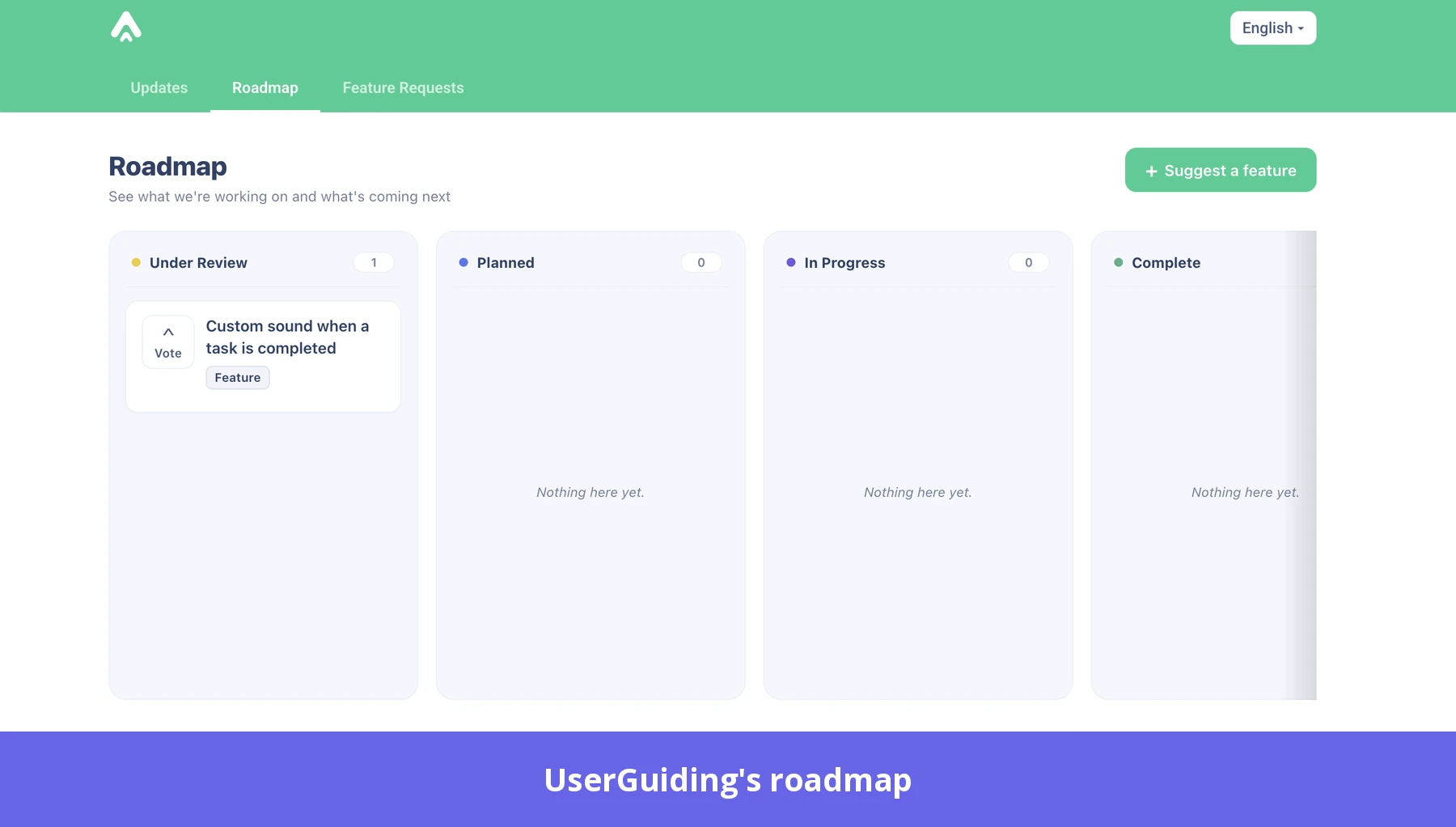
Regarding analytics, UserGuiding is limited. Nonetheless, it lets you review how users interact with experiences, identify drop-offs, and use user segmentation and custom events to understand how different audiences engage with your product.
The platform also has three AI capabilities. One is the Lighthouse AI (beta), which lets you ask questions about your product and user data in natural language. Another is its AI assistant, trained on your knowledge base. Users can ask questions in their browser’s language, and the assistant directs them to your support team when it can’t provide an answer. Lastly, it has an MCP server to connect UserGuiding to AI tools like Claude.
What UserGuiding does well and where it falls short
As of November 2026, UserGuiding has 782 G2 reviews, and 98.5% are 4-star reviews or higher. So, its standing with users is as good as Appcues. Nonetheless, there are downsides:
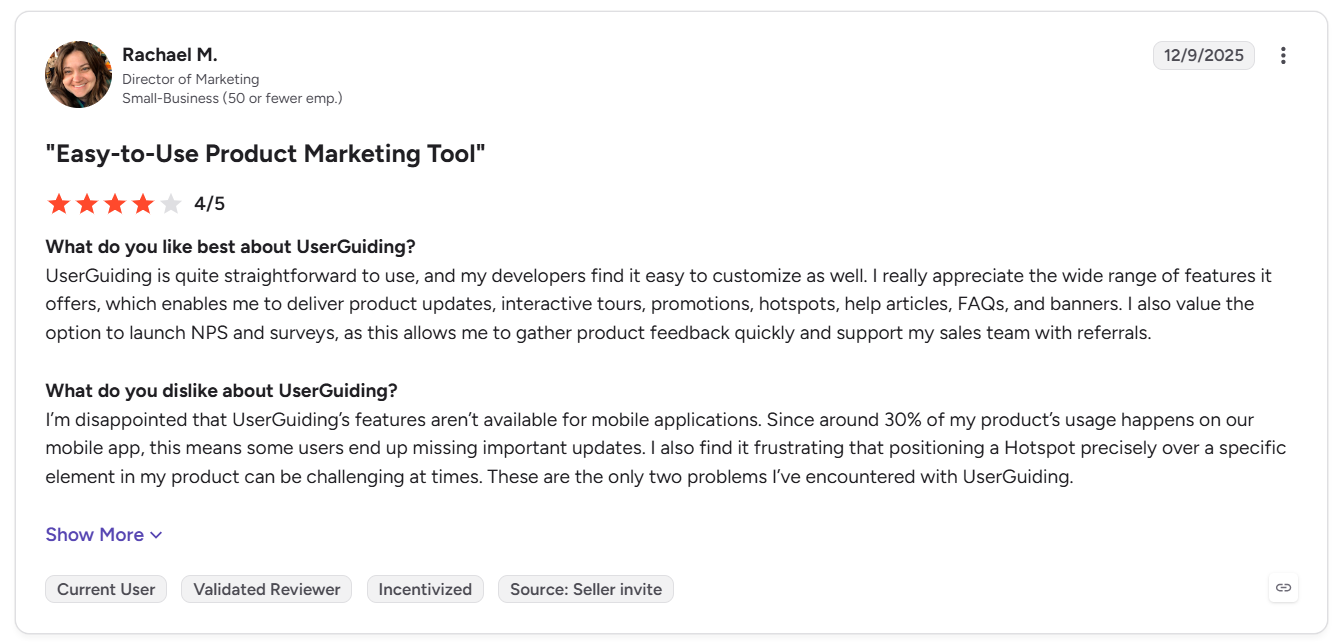
- Quick setup and ease of use, but no native mobile support: Users often praise UserGuiding for being easy to use and customize. However, it doesn’t support native mobile apps. Even for smaller screens (below 800px), you’ll need to contact UserGuiding to request access.
- Convenient in-app self-service support, but no email or push notifications: Users inside your app have resource centers, guides, knowledge bases, and an AI Assistant for support. However, there’s no native email or push messaging, so you’ll need an alternative to reach users outside your app.
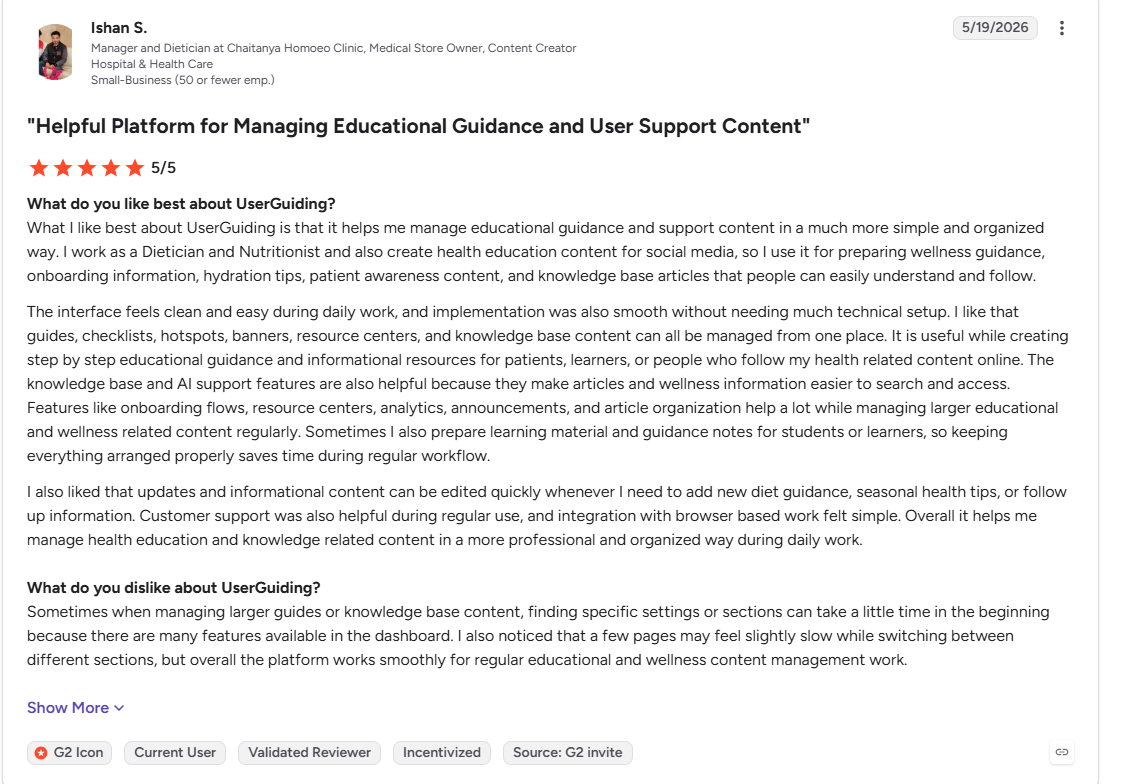
- Useful engagement analytics, but limited product analytics: UserGuiding tracks engagement with onboarding content, user activity, and custom events. However, it lacks native funnels, paths, and retention reports, making it harder to investigate drop-offs and measure product adoption.
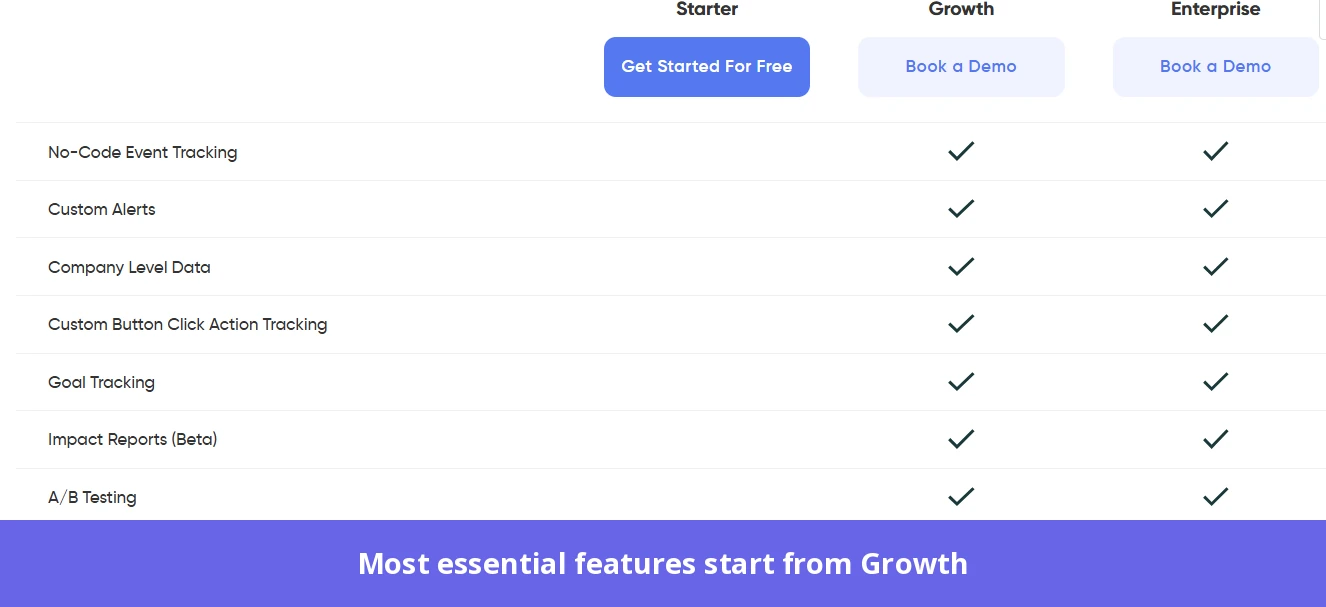
- Several advanced features start on the Growth plan: You get live chat support regardless of your plan. However, features such as session replay, no-code event tracking, A/B testing, and goal tracking are only on the Growth plan.
- Flexible monthly billing, but limits on published content: UserGuiding offers a monthly billing option if you don’t want to commit to yearly billing. Its yearly billing comes with a significant discount (about 30%), which is commendable. But there is a limit on the allotted guidance.
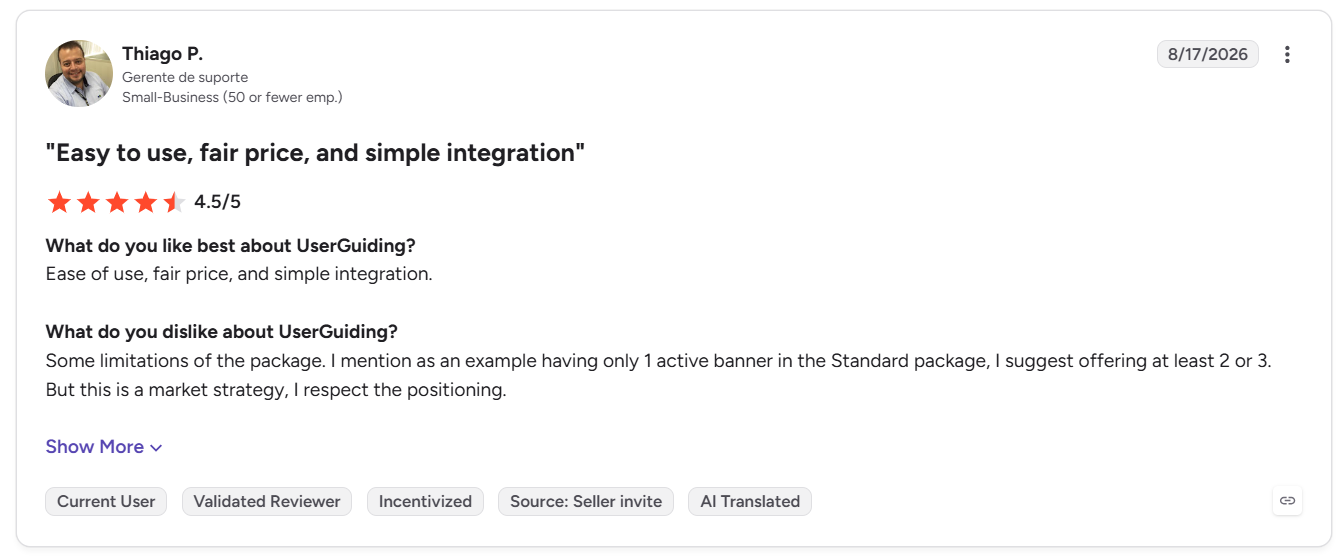
I explain these limitations better in the UserGuiding pricing section below.
How much does UserGuiding cost?
UserGuiding has three paid plans: Starter, Growth, and Enterprise. Its pricing is based on monthly active users (MAUs), with Starter and Growth starting at 2,000 MAUs.
Unlike Appcues (and most user onboarding tools), UserGuiding offers both monthly and yearly billing. It also offers a 14-day free trial on the Starter plan with no credit card required. If you need more time, you can request an extension.
See how the plans compare:
| Plan | Starting MAUs | Active in-app content limits | Monthly billing | Yearly billing |
|---|---|---|---|---|
| Starter | 2,000 | 15 guides, 10 hotspots, 1 checklist, 1 survey, 1 resource center, 1 banner | $349/month | $249/month ($2,988/year) |
| Growth | 2,000 | 40 guides, 40 hotspots, 5 checklists, 5 surveys, 5 resource centers, 5 banners | $699/month | $499/month ($5,988/year) |
| Enterprise | Custom | Unlimited onboarding experiences | Custom | Custom |
Across the plans, UserGuiding offers a generous 30-day, money-back guarantee. But there’s confusion in the MAU range to note.
The pricing page lists a range of 0–10,000 MAUs for Starter and 0–100,000 for Growth, while Enterprise has a custom range.
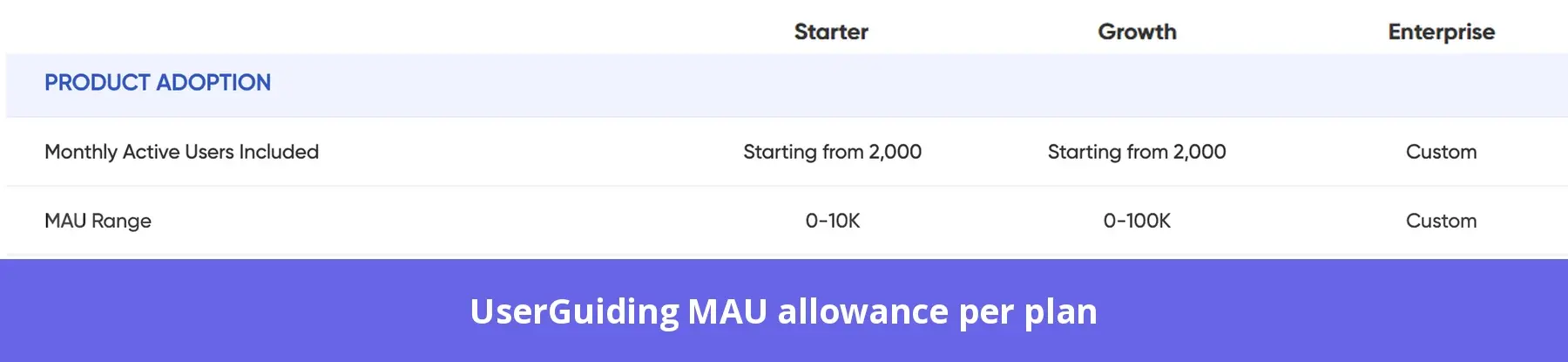
Both plans list “Starting from 2,000” MAUs because the advertised price only covers your first 2,000 users. Starter can go up to 10,000 MAUs and Growth up to 100,000, but anything above 2,000 needs a custom quote.
Since the ranges overlap, you can stay well within Starter’s range and still need Growth for its features, like session replay, A/B testing, no-code event tracking, or more than one live checklist or survey. If you go over the quota you’ve paid for, UserGuiding doesn’t charge overages. Instead, your users stop seeing your guides until you raise the quota.
So, should you choose UserGuiding?
Yes, if you run a web-based product and want your product team to boost adoption without filing an engineering ticket for every guide. You’ll also get self-service support and user feedback tools in one platform. Plus, its pricing is flexible compared to Appcues.
But if you need a tool that supports native mobile app onboarding and you want deeper product analytics, such as funnels and retention reports, skip it.
Why consider Userpilot instead of Appcues or UserGuiding?
Appcues and UserGuiding are great for building onboarding experiences and collecting user feedback. But getting users through interactive product tours doesn’t necessarily mean they’ll adopt the feature you’re introducing.
As a product or growth manager, you also want to know: Do users actually try the feature? Can they complete the intended workflow? Do they come back to use it? And does that initial interaction translate into better retention?
That’s where I’d consider Userpilot.
Userpilot is the agentic product adoption platform that combines product analytics, in-app engagement, user feedback, and session replay. It analyzes how people and AI agents use your product and helps you act based on those insights.
You can work directly in the platform, ask questions and get insights through Lia (Userpilot’s AI agent), or connect your product data and capabilities to your preferred AI tools using our MCP server (Userpilot Headless).
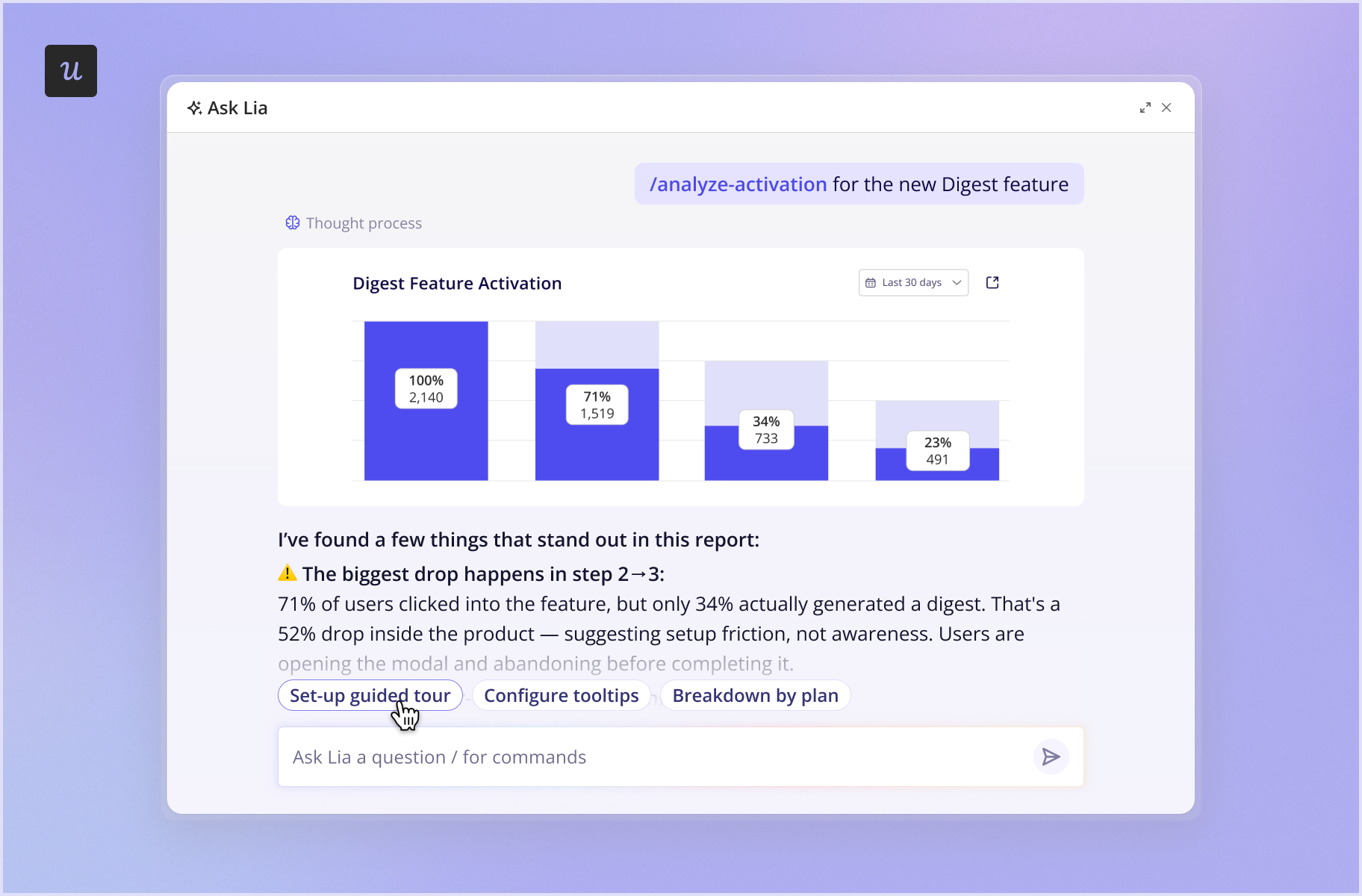
Say you’ve just launched a new feature and built an onboarding flow to introduce it to users. You can track engagement with that flow, and you also want to know whether users adopt the feature and continue using it afterward.
Here’s what I’d do in Userpilot:
- Use event autocapture and no-code tracking to monitor key user engagements, such as opening a feature and completing its main workflow.
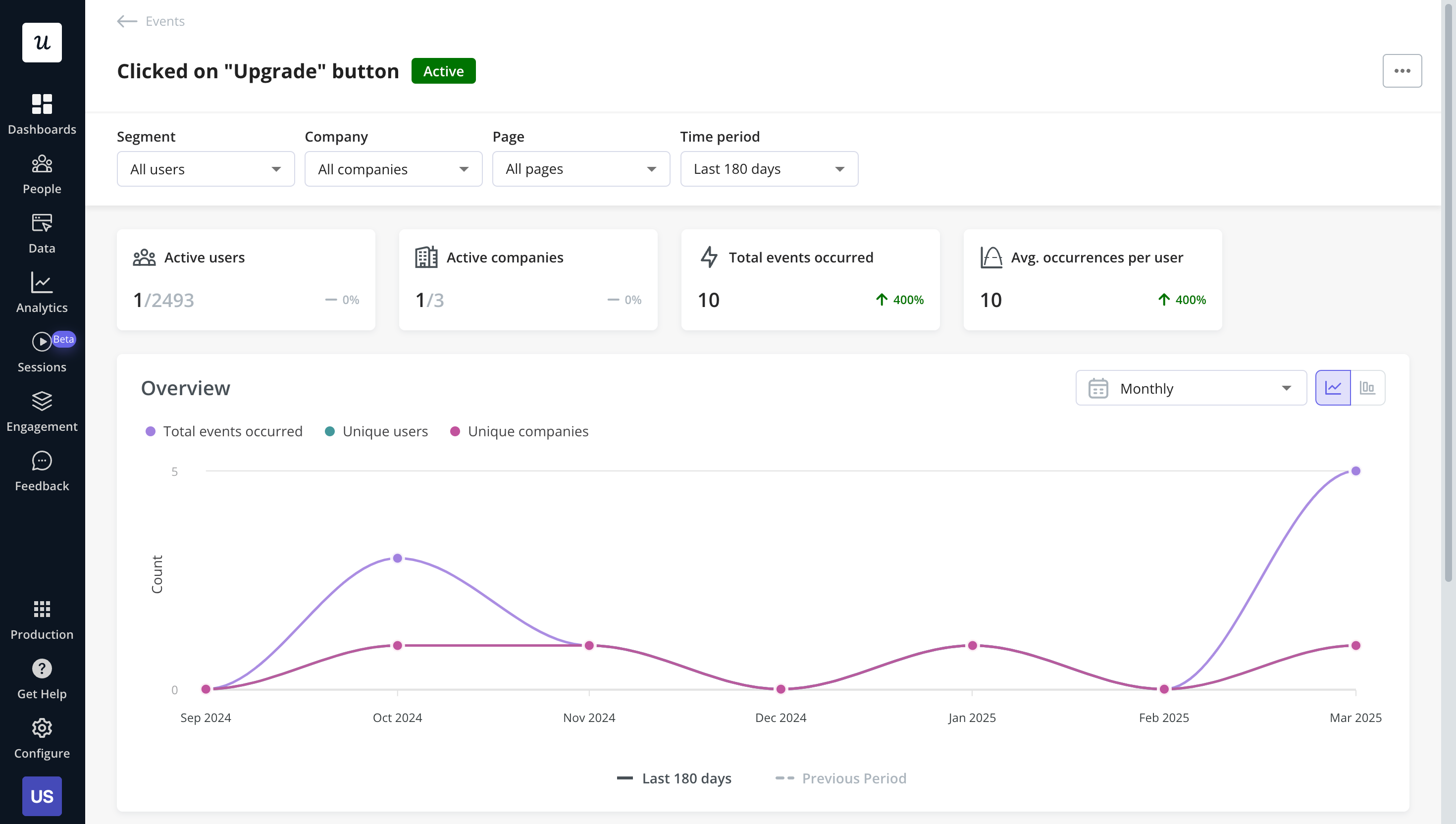
- Then, use funnels to measure how many users progress from onboarding to feature adoption, paths to see what they do along the way, and retention reports to check whether they return.
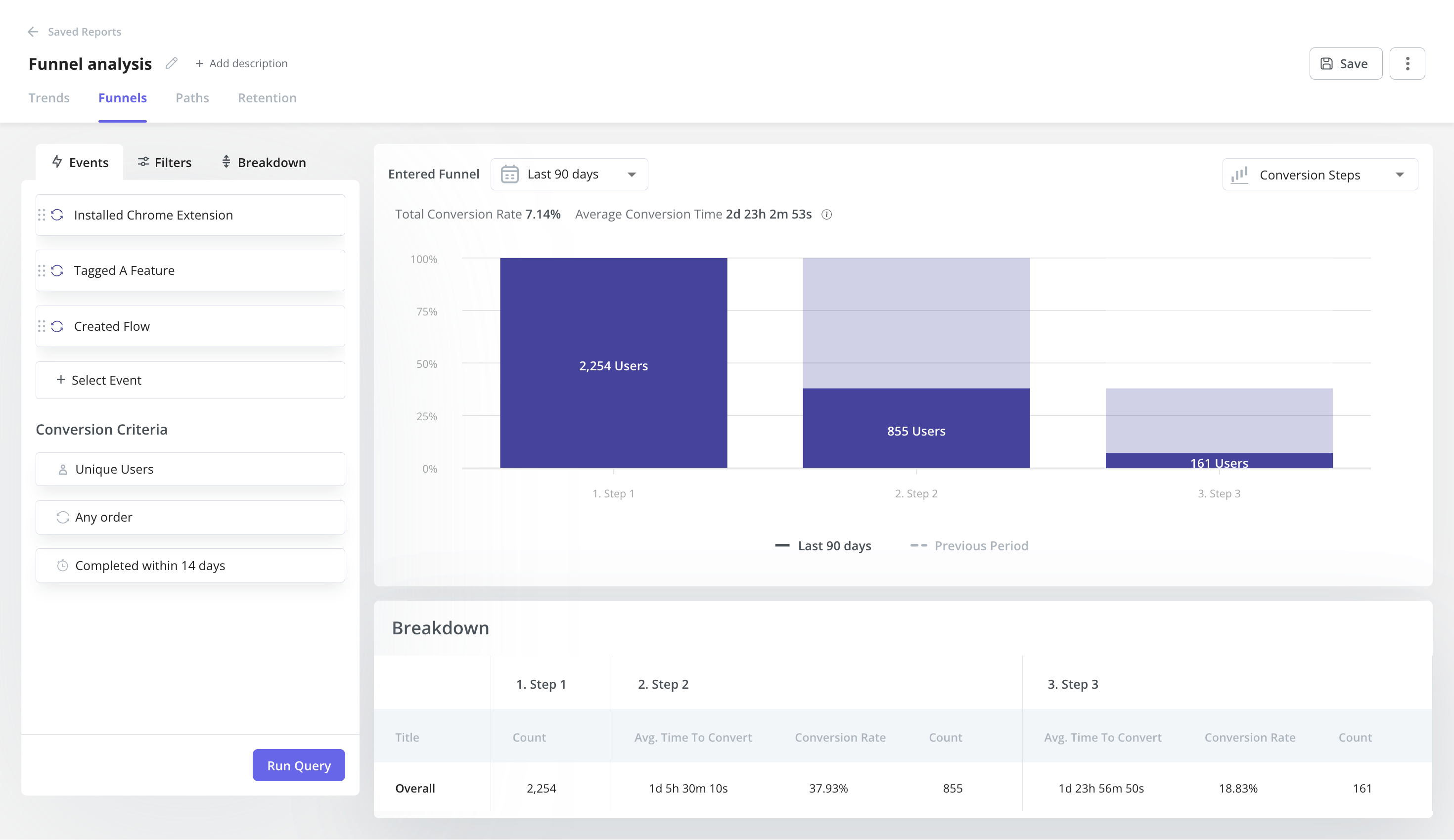
- If users open the feature but don’t complete the workflow, use session replay to identify the friction points.
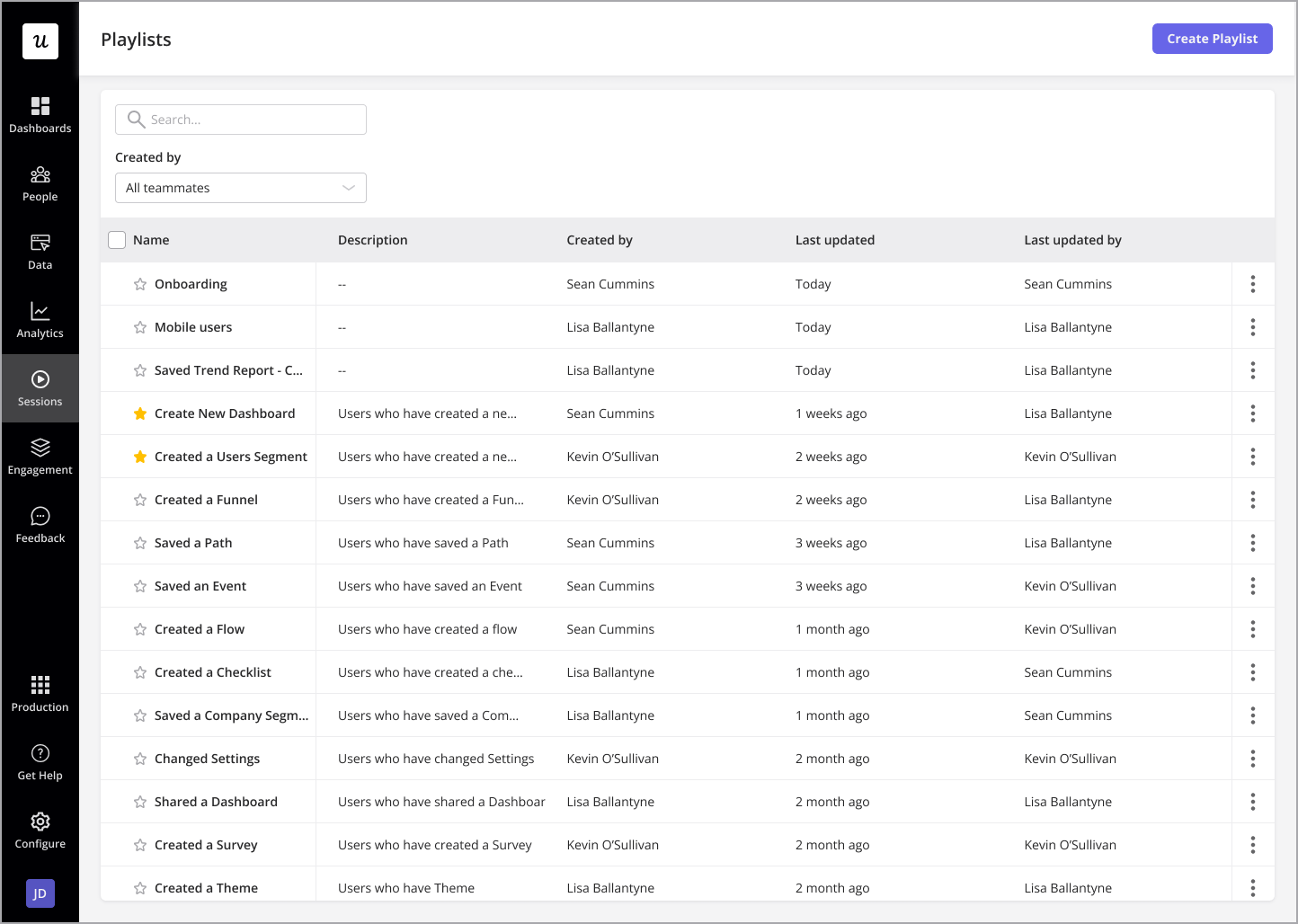
- Finally, use those insights to improve onboarding, add contextual tooltips, or launch an in-app survey. Track the results to see whether those changes improve adoption.
Userpilot connects the onboarding experiences you launch to what users actually do afterward. This way, you engage users, investigate their behaviors, identify adoption gaps, and act, all in one loop.
Userpilot’s Starter plan is $299/month for up to 2,000 MAUs, with Lia, the MCP server, in-app engagement, segmentation, and NPS surveys. The Growth plan adds funnels, paths, and retention, event autocapture, a resource center and advanced surveys, 100,000 free emails, and 5,000 free session replays a month.
So, should you switch?
Before I answer, check out the head-to-head comparison of the three tools:
| Capability | Appcues | UserGuiding | Userpilot |
|---|---|---|---|
| Event setup | Automatic product data ingestion and custom event tracking | Custom events may require engineering; no-code event tracking | Event autocapture, no-code tracking, and AI tagging with Lia |
| Funnels, paths, and retention | All three available | No native funnels, paths, or retention reports | All three available |
| Session replay | No native session replay | 3,000 recordings | 5,000 free replays/month |
| Feedback and surveys | NPS and open-ended surveys | NPS, surveys, feature requests, and public roadmap | NPS and in-app surveys, including advanced survey options |
| Resource center | Launchpad for links and flows | Resource center, knowledge base, and AI Assistant | In-app resource center |
| Email and cross-channel workflows | Behavior-based email add-on and mobile push | No email or push campaigns | Behavior-triggered emails, workflow automation, and mobile engagement |
| Publishing limits | 10 on Spark, 25 on Grow, 100 on Enterprise | Content limits vary by plan and experience type | No cap on published experiences |
| AI agent | Appcues AI for product insights and campaign creation | Lighthouse AI and AI Assistant | Lia, Userpilot AI agent |
| MCP connection | ✅ | ✅ | ✅ |
| AI agent analytics capabilities | — | — | Agent Analytics and MCP Analytics add-ons |
By now, you should have a clearer idea of where Appcues, UserGuiding, and Userpilot fit. But before you decide, you should also know what users are saying.
For example, Charlotte V., a product marketing manager, switched from Appcues to Userpilot. One difference she highlighted was that Userpilot offers better, robust analytics and tracking.
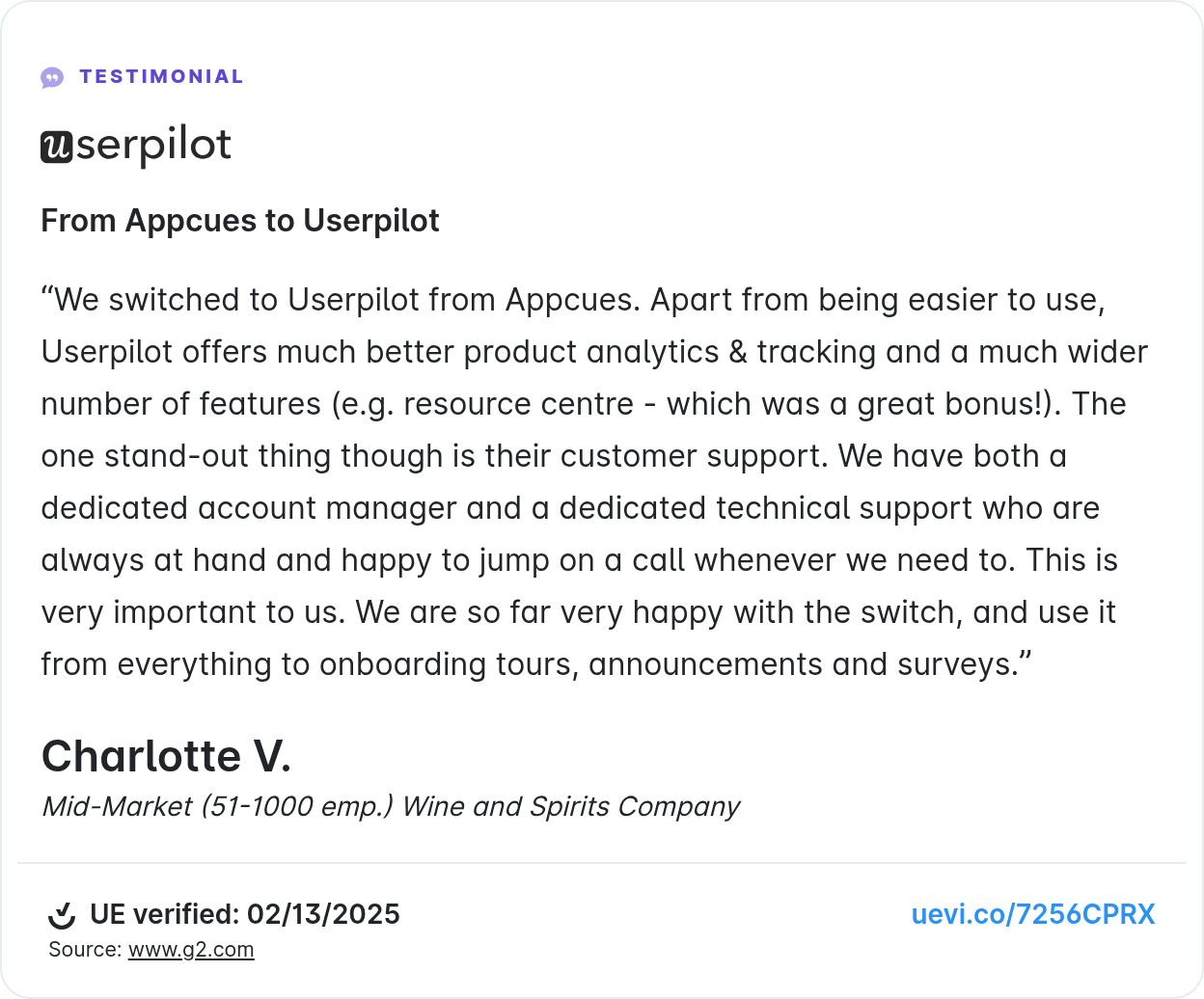
Now, my recommendation: You don’t necessarily need to replace Appcues or UserGuiding if they already meet your team’s and self-serve user onboarding needs. But if you’re struggling to connect onboarding experiences to product adoption, understand why users drop off, and measure whether your changes improve activation and retention, switch to Userpilot.
Book a demo today to see how Userpilot works using your own user data.
Disclaimer: Userpilot strives to provide accurate information to help businesses determine the best solution for their particular needs. Due to the dynamic nature of the industry, the features offered by Userpilot and others often change over time. The statements made in this article are accurate to the best of Userpilot’s knowledge as of its publication/most recent update on November 28, 2026.
FAQ
Is UserGuiding cheaper than Appcues?
Yes, based on published pricing as of November 2026. Take the Starter plan for both as an example. UserGuiding’s Starter is $2,988 compared to Appcues’ Spark at $3,600, with twice as many MAUs (2,000 starting point vs. 1,000 max). Enterprise companies may prefer Appcues regardless, because of the feature set.
Does UserGuiding work on mobile apps?
No. It supports web-based experiences but doesn’t support native iOS or Android apps. If you need in-app onboarding for a native mobile product, Appcues or Userpilot may be a better fit.
Does Appcues have session replay?
No, and that’s intentional. Appcues says: “Replays show you one person at a time, so you end up watching hours of footage to spot a pattern.” So, it uses user journey reports instead to help you identify patterns and drop-off points across users.
Which is easier to set up, Appcues or UserGuiding?
UserGuiding. While they are both no-code platforms, Appcues needs heavy engineering support. Beyond setup, it also has a slightly steeper learning curve.
Can you switch from Appcues to UserGuiding?
Yes. You can make the process easier by using UserGuiding’s hands-on migration support. It helps you rebuild your guides, onboarding checklists, and surveys, and includes direct importers for third-party knowledge base content. However, I recommend running both tools during the transition and testing everything, from in-app messages to the onboarding process and feature announcements, before your Appcues contract ends.
About the author