UXCam Pricing in 2026: What Quote-Based Session Billing Actually Costs


UXCam is a powerful mobile-first session replay platform, but understanding its pricing can be difficult for a few reasons:
- All UXCam pricing comes through a custom quotes rather than a public price list.
- Their ongoing free plan and 14-day free trial are easy to mix up, even in their own help-center guidance.
- The ongoing free plan is not shown alongside the paid plans.
That’s why I’m looking at all the information out there so you can get a clear understanding of UXCam pricing in 2026. In this guide, I’ll break down UXCam’s pricing plans, explain how monthly session billing and overages affect the cost of your product analytics stack, and clarify the pricing details buyers should check before choosing a plan.

What is UXCam built to do?
UXCam’s core mobile toolkit combines session replays, heatmaps, screen flows, funnels, and crash and frustration signals such as rage taps and UI freezes. It supports iOS, Android, React Native, and Flutter through UXCam’s mobile SDKs. Beyond replay, UXCam lets teams analyze user journeys and define Smart Events from the dashboard without shipping additional tracking code.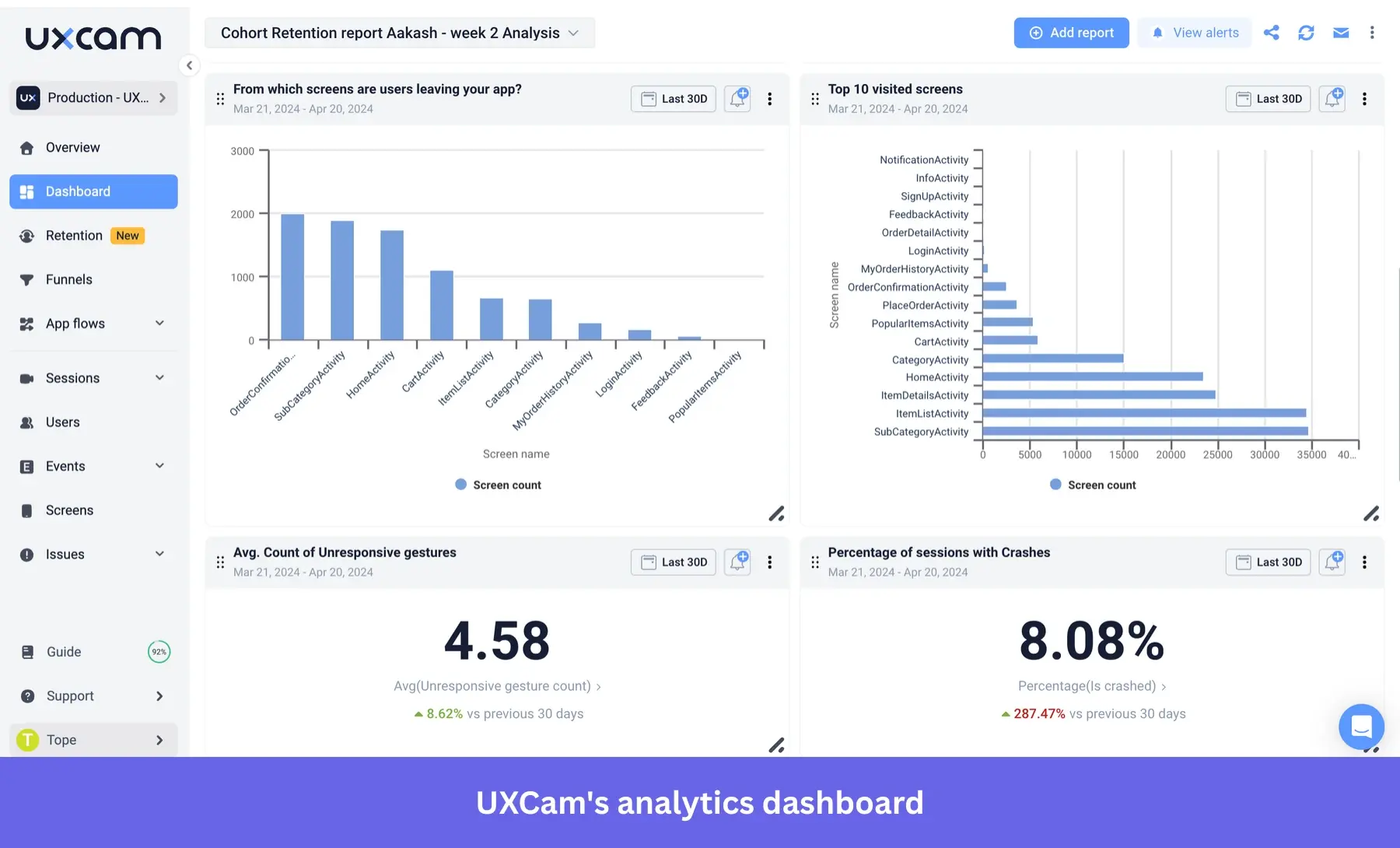
Its newest differentiator is Tara, an AI analyst that reviews sessions, identifies friction points and broken flows, and answers plain-language questions about user behavior. Across the mobile app analytics tools I’ve reviewed, Tara stood out because it connects replay evidence with automated issue analysis and suggested explanations.
Setup is fast, too. One G2 reviewer said UXCam’s onboarding was easy, adding that integration took hardly any time and events started firing immediately.
UXCam has expanded beyond mobile, but web analytics is still the newer part of the platform. It launched in March 2025 and is packaged separately across paid plans rather than included automatically with the mobile product.
How does UXCam pricing work?
UXCam pricing is quote-based. Its live plans page shows plan allowances and feature differences, but no public dollar amounts. Instead, the quote form first asks how large your team is (1 to 50, 51 to 1,000, 1,001 to 9,999, or 10,000-plus) before UXCam calculates custom pricing around your expected usage.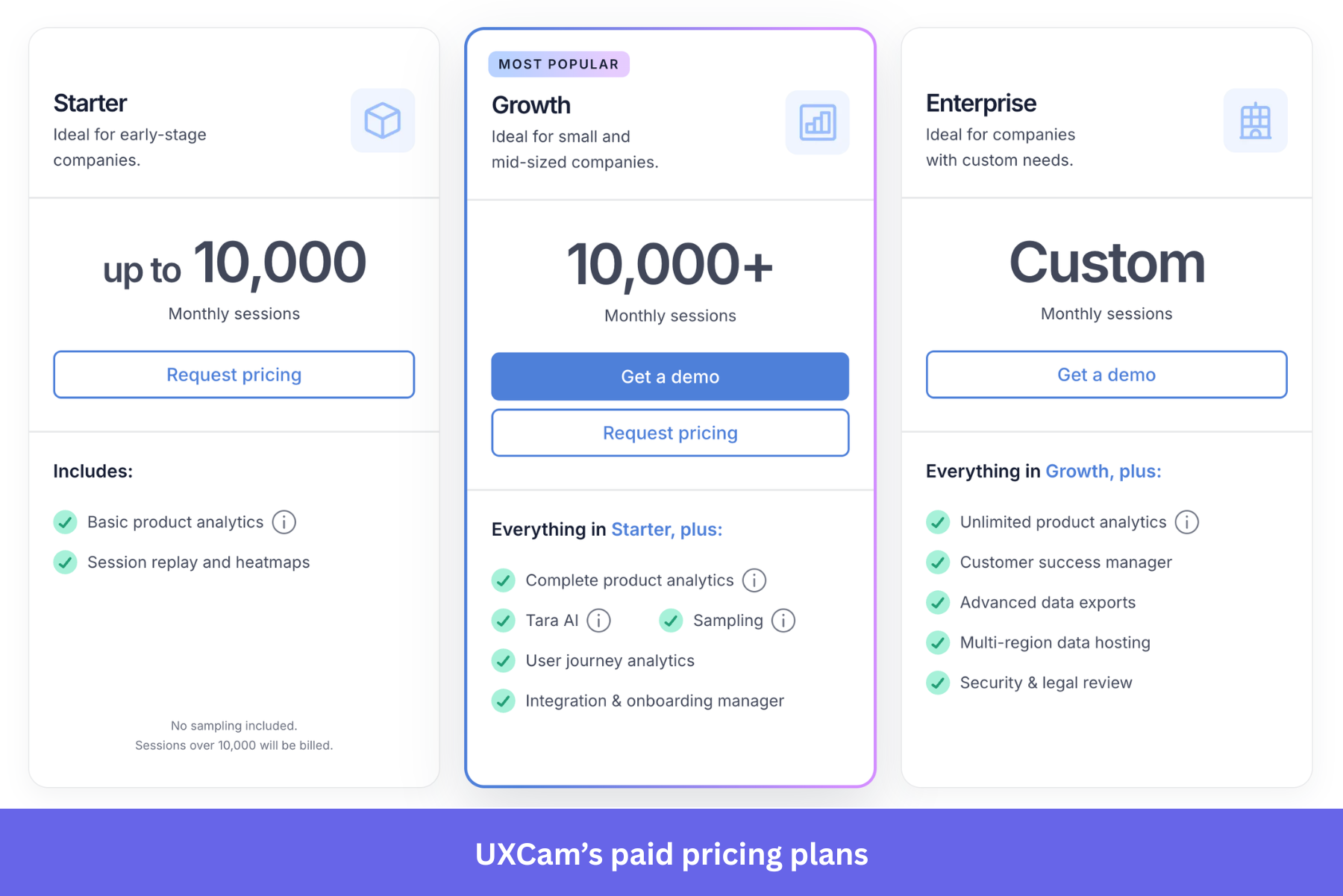
Many analytics tools like Userpilot base pricing on monthly active users or event volume, while UXCam’s main billing unit is monthly sessions. On mobile, UXCam defines a session as the period from app launch until the app moves to the background, with no maximum duration. Your session allowance resets each month on your subscription anniversary, with anything beyond it treated as overage.
That makes usage frequency as important as audience size. A product with a modest number of highly active users can generate more billable sessions than a larger product whose users open the app less often, making costs harder to estimate from monthly active users alone. UXCam also bills in US dollars regardless of where your team is based, which is worth knowing before you request a quote.
What do Free, Starter, Growth, and Enterprise include?
UXCam offers four plans, but you’d think there were three, since its Free plan appears separately from the paid tiers on UXCam’s plans page.
- Free: 3,000 sessions a month, two app keys, one dashboard capped at six reports, unlimited user licenses across multiple teams, chat support, and standard session recording, user analytics, and event analytics. It excludes heatmaps, funnels, data exports, and third-party integrations. UXCam positions Free for early-stage startups and small teams still testing the product.
- Starter: Up to 10,000 monthly sessions, with anything above that billed as overage. Starter includes session replay and heatmaps.
- Growth: Built for 10,000-plus sessions. It adds performance monitoring features, sampling, user journey analytics, and an integration and onboarding manager.
- Enterprise: Custom session volume, plus enterprise-grade security features and higher-touch administration and support, including multi-org management, single sign-on, advanced exports, a dedicated customer success manager, a private Slack channel, and security and legal review.
It’s easy to confuse UXCam’s 14-day free trial with its Free plan. It includes 100,000 sessions, 100,000 video replays, and access to all Growth features, with no credit card required. That 100,000-session figure gets repeated online as though it describes Free, but Free is capped at 3,000 sessions a month. Tara access also varies by package, so buyers should confirm the included AI allowance in their quote.
What drives your UXCam bill up?
Session volume is the main usage-based cost driver. The more sessions your app generates, the faster you use up your monthly allowance. That’s true even when those sessions come from a relatively small group of highly active users.
Once you pass your plan’s monthly limit, UXCam bills overages in blocks of 1,000 sessions, though it doesn’t publish the rate for each block. You can set a custom alert on your session count to get a warning before you approach the limit, but the choice at that point is still the same: switch overage billing off, and UXCam stops recording new sessions at the cap, or leave it on and accept the extra charge.
That leaves budget owners with a clear trade-off: keep recording enabled and risk a higher invoice, or enforce the cap and risk missing session data during a high-traffic period.
How much do buyers pay for UXCam?
UXCam doesn’t publish paid-plan prices, so the best public benchmark comes from procurement data. Vendr lists a median annual UXCam contract of $20,991.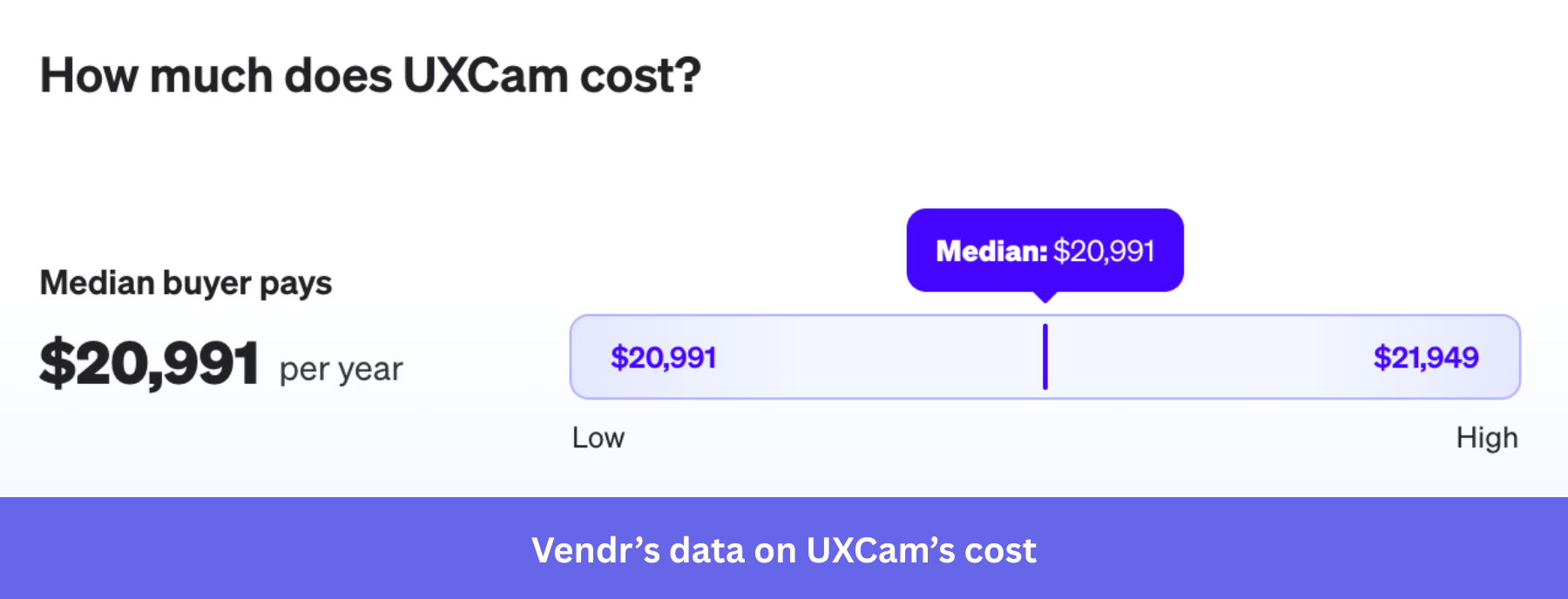
That range is narrow, from $20,991 to $21,949, so treat it as a directional procurement benchmark rather than a quote or list price. It can help set expectations, but your actual cost will depend on session volume, add-ons, and contract terms.
How long does UXCam keep your data?
There isn’t one clean answer to UXCam’s retention limits, at least for the Free plan. UXCam’s dedicated retention guide says the Free plan keeps session data for up to six months, the Growth plan for up to 12 months with the option to extend it through an upgrade, and the Enterprise plan for up to 60 months. That guidance is clear and internally consistent.
UXCam’s help center pricing FAQ isn’t consistent. In the same list of Free-plan features, it gives both six months and 12 months for data retention, along with one month and three months for video retention. Later on the same help-center page, it says Free users can access session replays from only the past 30 days.
If you’re using or evaluating Free, check the Subscription page in your account before planning around any of those limits. The Starter plan is listed with 12 months of session retention and one month of video retention, while Enterprise plan video retention and other contract-specific limits vary by account.
When does a session-based analytics platform like UXCam stop being enough?
I want to give UXCam its due because I’ve seen firsthand what good session replay can uncover.
At a previous job, our activation rate dropped, and the onboarding flow took the blame. The steps worked when we tested them, but session replay eventually exposed an intermittent product bug that nobody could reproduce on demand. A dashboard showed us that activation had fallen; replay showed us why.
The strongest case for UXCam is that it gives product teams the behavioral evidence they need to diagnose friction, especially when the problem only appears inside individual user sessions.
However, the limitation comes after the diagnosis. UXCam doesn’t document a native way to build onboarding flows, tooltips, checklists, or in-app messages in response to what you find. You still need another platform to guide users around the friction, announce the improvement, or help them adopt the corrected workflow.
Userpilot helps you identify where users struggle and launch contextual experiences from the same platform because it combines product analytics and session replay with an in-app engagement layer. This way, you can communicate changes, support affected users, and improve adoption without adding another engagement tool.
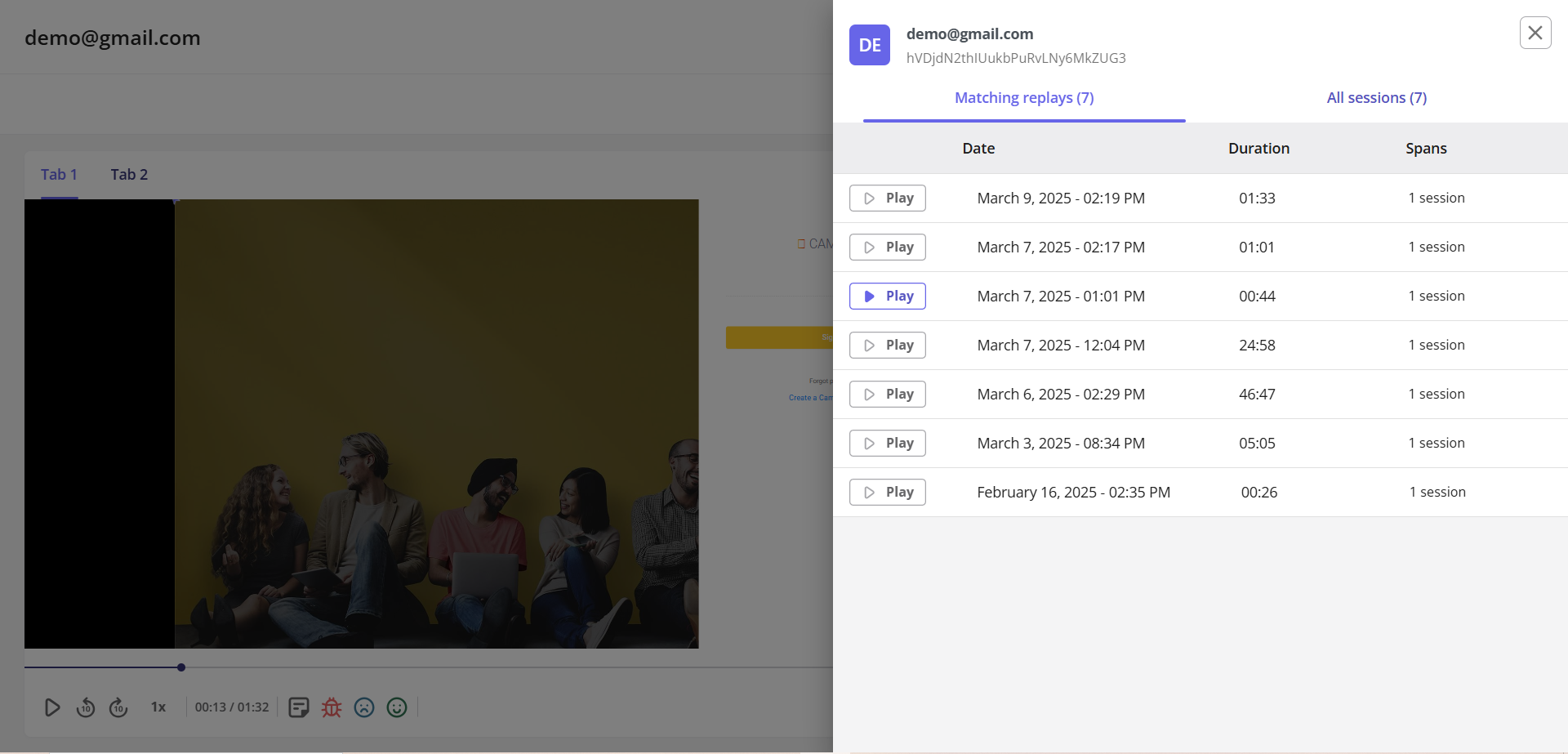
Our pricing is built around different usage patterns too. UXCam uses custom, session-based pricing, while Userpilot bases session replay usage on monthly active users. If your team has a smaller audience that opens your product frequently, that can make costs easier to anticipate.
Book a demo to see how your team can identify product friction and respond with targeted in-app experiences from the same platform.
FAQ
How much does UXCam cost?
UXCam doesn’t publish dollar prices for Starter, Growth, or Enterprise. Its paid plans route buyers to a custom quote based on factors such as team size and expected session volume. The best public benchmark is Vendr’s reported median of $20,991 per year, but that is directional procurement data rather than UXCam’s list price.
Is UXCam's Free plan really 100,000 sessions a month?
No, the 100,000-session allowance belongs to UXCam’s 14-day free trial, which also includes 100,000 video replays and access to all Growth features. The ongoing Free plan is capped at 3,000 sessions per month.
What happens if I go over my session limit?
UXCam bills overages in blocks of 1,000 sessions once you exceed your monthly allowance, although it doesn’t publish the rate for each block. If overage billing is disabled, UXCam stops recording new sessions when you reach the limit.
How long does UXCam keep my session data and video?
Retention depends on your plan, but UXCam’s Free-plan documentation is inconsistent. Its dedicated retention guide says Free keeps session data for up to six months, while its pricing FAQ lists both six and 12 months for data retention. The same FAQ also gives one month, three months, and “the past 30 days” for video or replay access. Check the Subscription page in your account for the limits that apply to you.
Is UXCam good for web analytics?
UXCam supports web analytics, including session replay, heatmaps, funnels, and retention analysis. They added web analytics in March 2025, but remains a new feature and is sold separately across its paid plans.
About the author