Mobile App Retention in 2026: Why Do 96% of Users Leave by Day-30?



On average, only 4% of mobile app users are retained by Day-30. I’ve seen product teams try to meet or improve that number by applying different retention tactics: improve onboarding, launch loyalty campaigns, personalize push, and add gamification.
I used to think that same way until I realized that tactics aren’t why apps fail at retention. The problem is what I call the intelligence gap, which I’ll discuss at length in this piece.

What are the mobile app retention benchmarks in 2026?
The industry average in 2026 is 25% on Day-1, 8% on Day-7, and 4% at Day-30, according to UXCam’s 2026 report. But the highlight is the last number, especially when you look at it through this lens:
96 of every 100 users your app acquires are gone within a month.
While knowing the average is great, I’d recommend focusing on your category. For this, ask, “How does the top quartile in my app category perform?“
I took a few examples from the UXCam report (all at Day-30):
-
Social apps’ top performers retain 15-20%
-
Health and Fitness retains 8-12%
-
Productivity sits at 12-18%
These numbers prompt a question that we often overlook in retention conversations. If most of our users are gone by Day-30, is that a strategy failure? Or is it that we couldn’t see who was drifting until they were already gone?
Leading customer success at Userpilot, I’ve come to believe it’s almost always the latter.
The intelligence gap: Active users aren’t always retained users
One of the blind spots in mobile retention is assuming that “user activity” is the same as “user progress.” They are different.
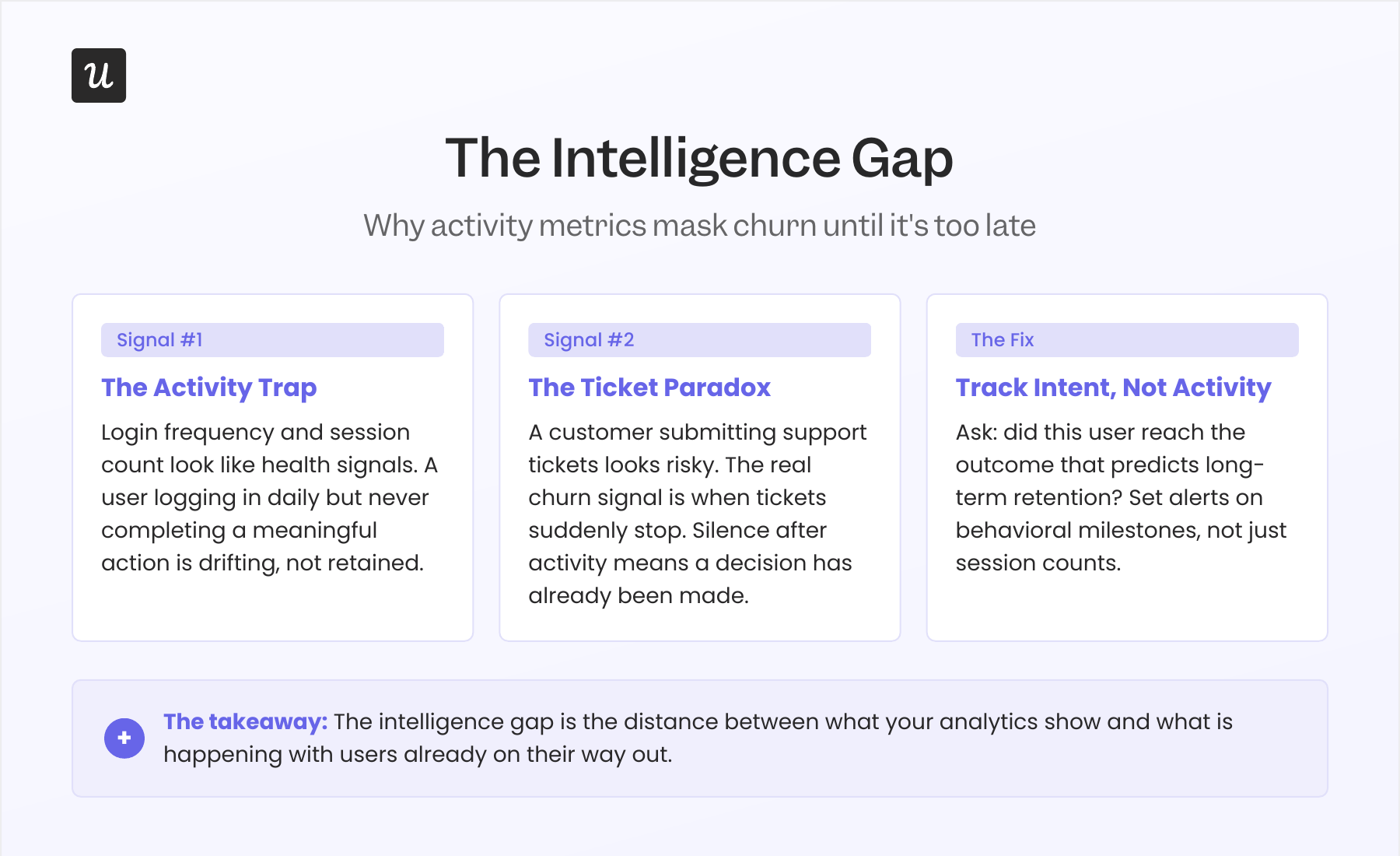
Take mobile analytics metrics such as login frequency, weekly sessions, and time spent in your app, as examples. They all look like signs of a healthy user. But someone who logs in every day without completing a meaningful action isn’t engaged and doesn’t progress.
The same applies to customer support. Many teams treat a spike in support tickets as a churn signal. In reality, the more worrying moment is when those tickets suddenly stop. Silence after activity often means the customer has given up rather than solved the problem.
That’s why mobile app tracking of activity alone is no longer enough. Instead of asking, “Did this user log in today?” ask, “Did this user complete the behaviors that predict long-term retention?”
The behaviors will differ from product to product. Nevertheless, they should always reflect progress (not just usage) toward customer value. That’s the gap to monitor.
Userpilot’s Signals feature helps teams do exactly that. It lets you define key milestones, set alerts when users miss critical steps, and intervene before disengagement turns into churn.
How do you spot churn before it happens?
Most retention teams only discover churn after it appears on a dashboard. The goal is to spot customers who are drifting away while there’s still time to help them.
For example, instead of reporting that “this user logged in three times this week,” identify that “users who complete this action within their first seven days are three times more likely to retain, and this user is falling behind.”
Building this capability comes down to three steps:
-
Define the behaviors that predict long-term retention: These are your activation milestones, product adoption events, or success outcomes.
-
Monitor users against those milestones instead of generic engagement metrics: The goal is to spot when customers stop making meaningful progress.
-
Trigger interventions as soon as users diverge from the retained path: That could be in-app guidance, a CSM outreach, or a personalized workflow.
Now in 2026, AI makes the process easy. AI correlates behavioral engagement metrics with retention outcomes. Then, it identifies at-risk users at a scale that manual analysis can’t match.
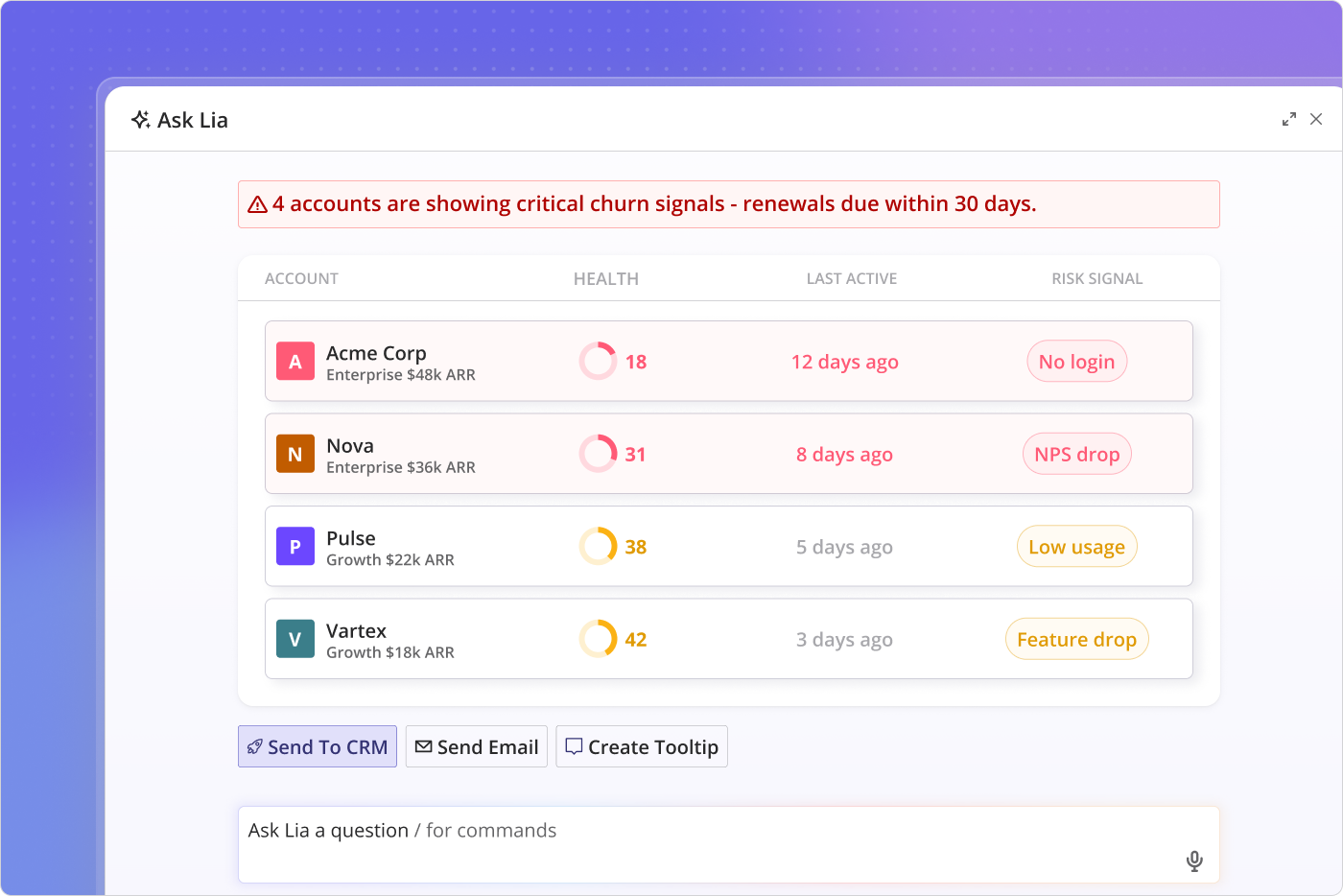
Lia, Userpilot’s AI agent, is an example of that process done well. You set a retention goal, and Lia handles the rest. It builds the cohort and segments the analysis. Then, it runs churn prediction modeling to surface who is likely to churn and why. Ultimately, it flags accounts whose usage patterns diverge from your retained baseline up to six months before renewal.
Mobile app best practices to retain users in 2026
I’ve noticed a pattern across the highest-retaining apps. They redesign their first session to deliver value faster, personalize the experience through better segmentation, and build habits that keep users coming back. OneSignal highlights the same three shifts.
Capture intent in onboarding
The standard mobile app onboarding assumes that new users need to be taught. I think otherwise; users need to be understood.
For example, when a user installs your app, they arrive with a specific reason. You should identify that reason within the first session. Otherwise, you’ll spend the following weeks sending messages that don’t match why they showed up in the first place.
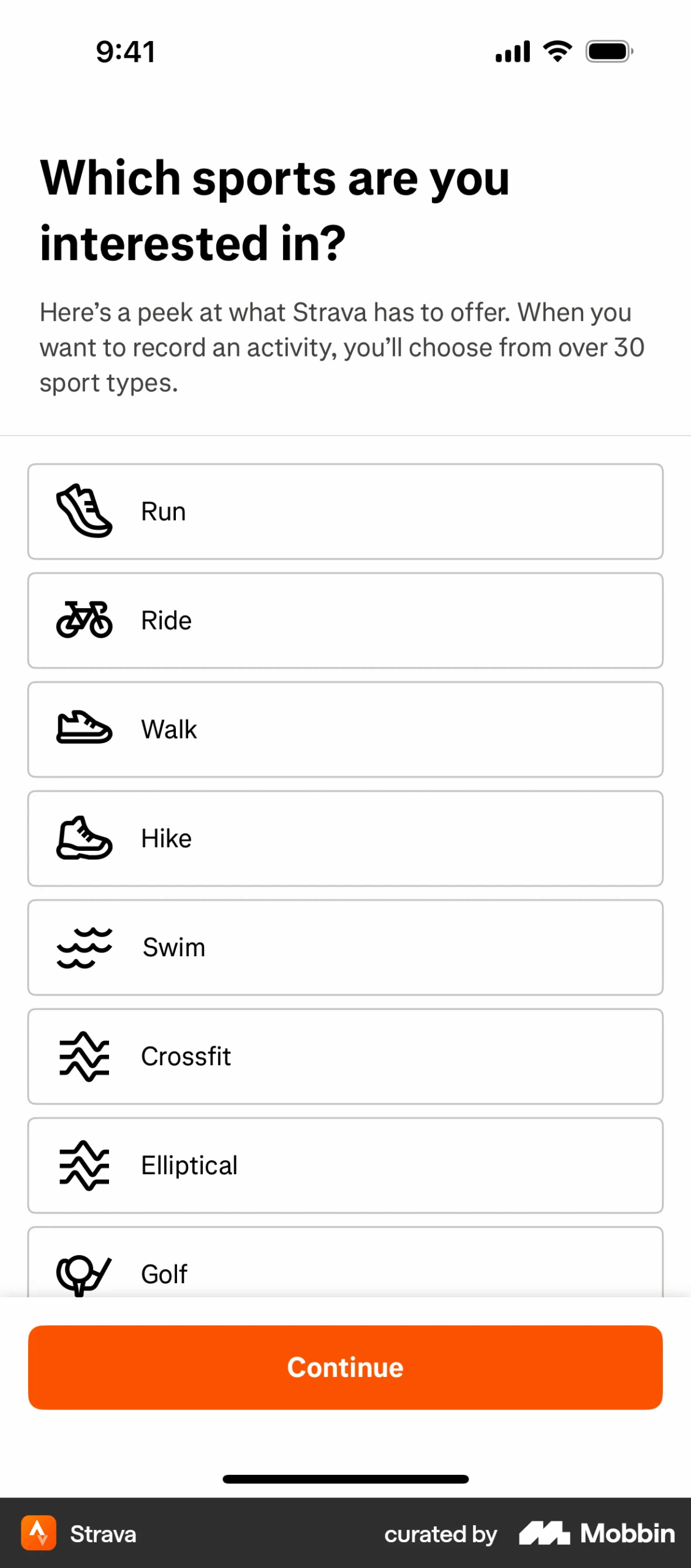
Strava onboarding follows that exact step. When I signed up, Strava asked what activities I’d love to do, what I plan to use the app for, and my experience level.
From there, an onboarding checklist surfaced tied to the goals I ticked.
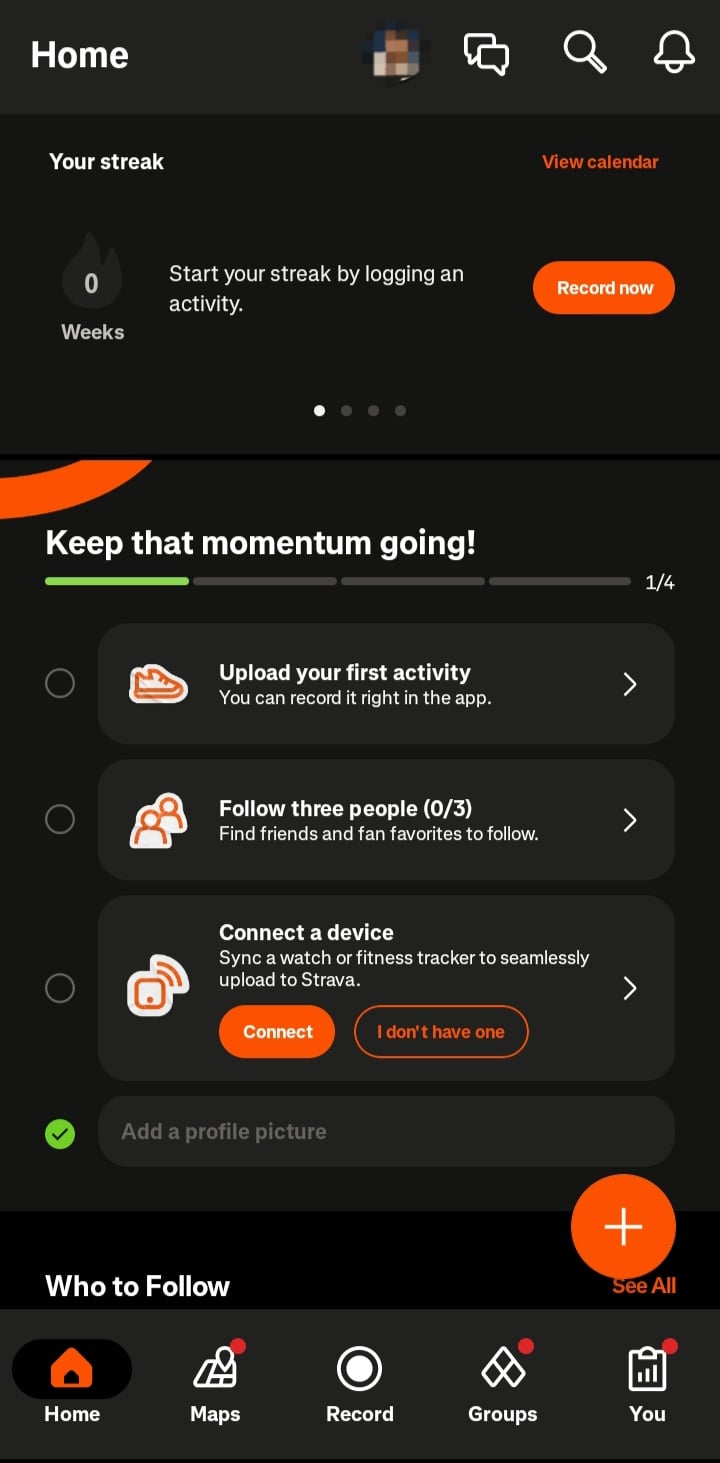
I love how the app’s UI is designed around my intent. Just a few questions; no long, boring onboarding screens. And Strava will get even better with its Instant Workouts. This feature lets users select from four explicit intents: maintain, build, explore, or recover. And the apps then learn from users’ behavior as they upload more activities.
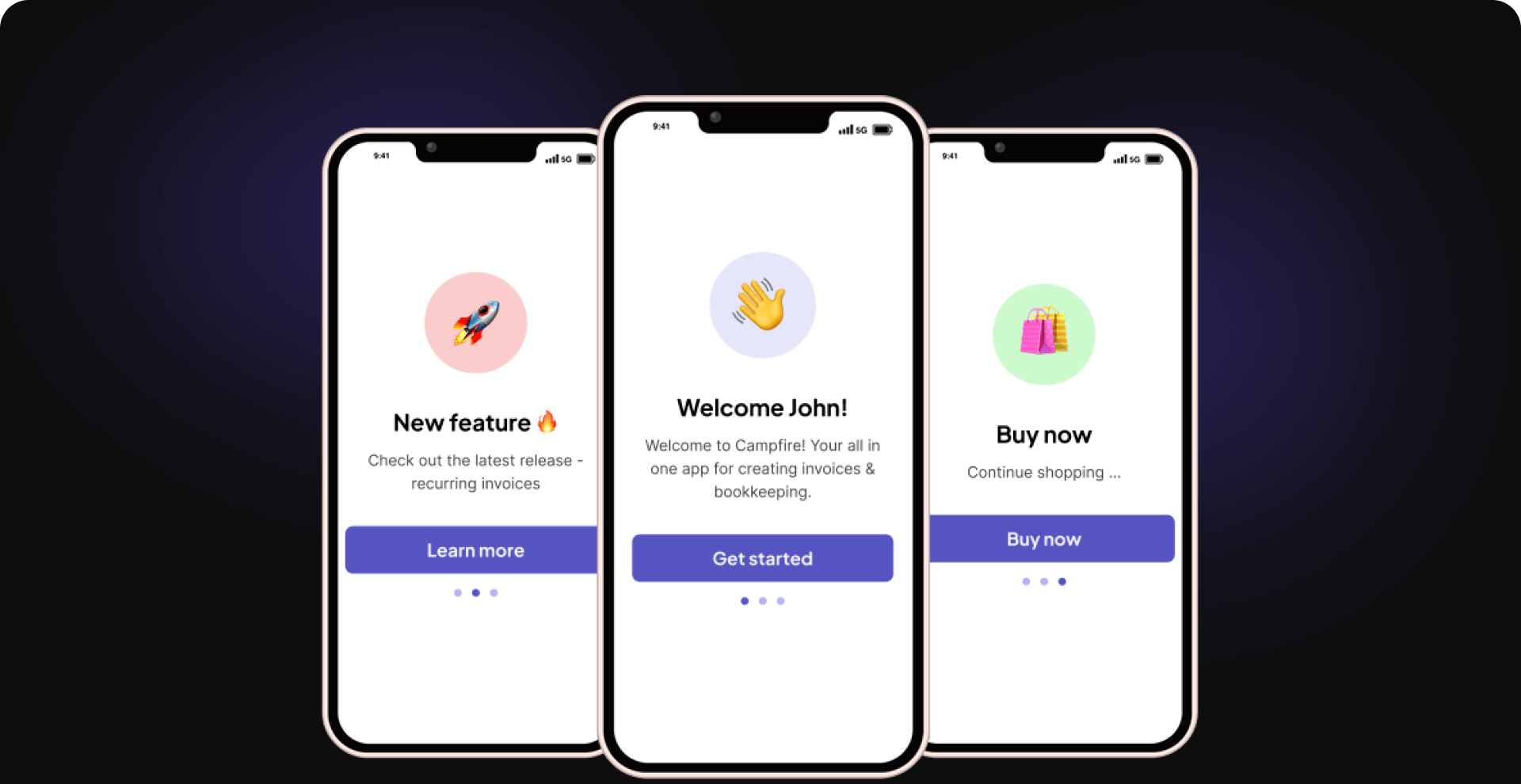
That is what every mobile app should be doing in 2026. Capture intent right from the start, Day 0-3. OneSignal calls this the “intent capture window” and advises that a well-placed question outperforms five onboarding screens.
Using Userpilot’s mobile SDK, you can add the intent-capture layer to your app. It lets you build targeted slideouts and first-session prompts without additional engineering.
Segment with decay logic
Once a user is labeled a “power user,” “fitness enthusiast,” or “new customer,” they often remain in that segment until another rule manually moves them. That’s the traditional user segmentation.
But in reality, user intent doesn’t work that way. Interests rise, fade, and return. A user who was actively exploring your product last week may have completely lost interest today. If your segmentation doesn’t account for that change, your personalization becomes irrelevant.
That’s where segmentation with decay logic comes in. It doesn’t assign permanent labels; it updates segments based on recent user behavior.
And every segment should answer four questions:
-
Entry logic: What actions signal growing interest?
-
Decay logic: When should that interest start fading?
-
Exit logic: When should the user leave the segment?
-
Re-entry logic: What actions qualify them to join again?
Duolingo is a great example of this approach. When you complete several lessons, you build a streak. In other words, you’ve met the entry logic for the “active learner” segment.
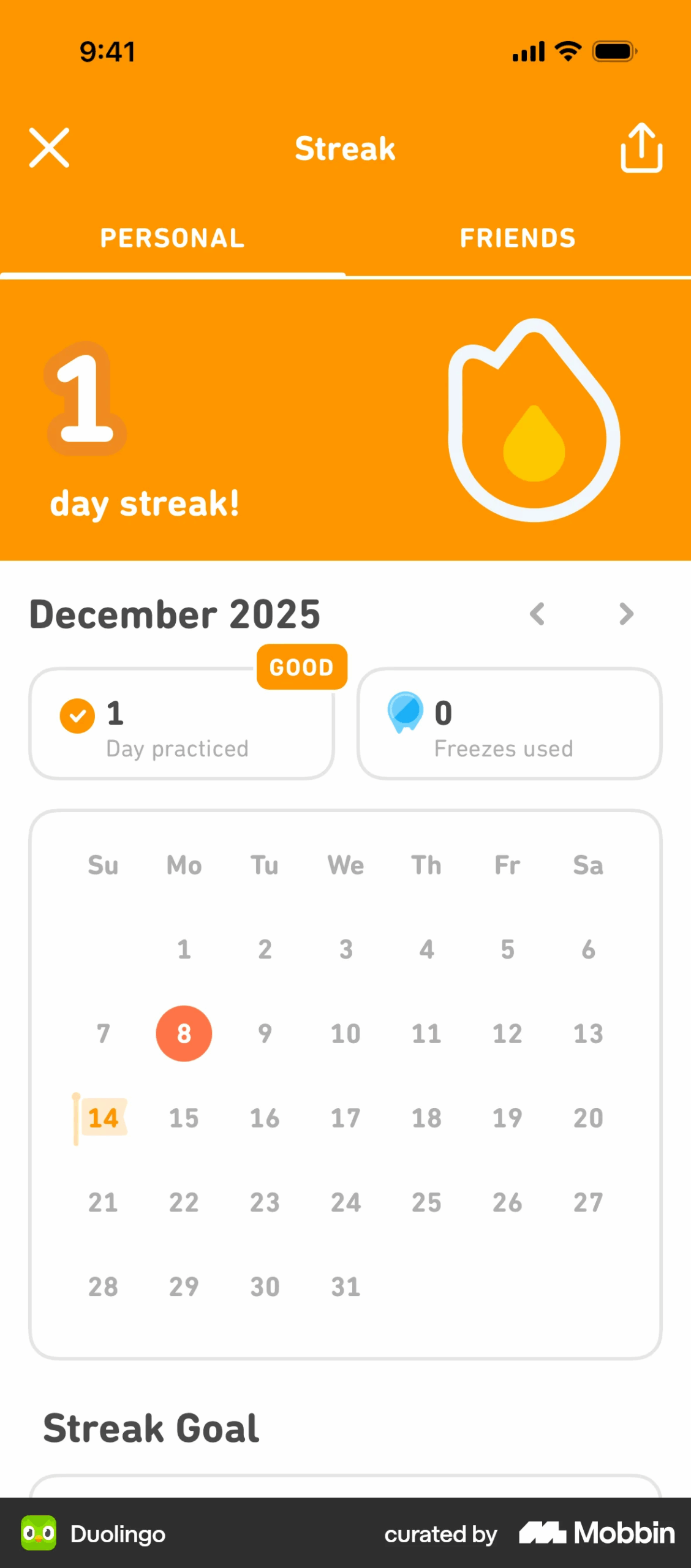
Say you stop practicing for two weeks, the app assumes your motivation is fading. Now, the message shifts to reminders focused on preventing you from abandoning my streak. This is the decay logic in action.
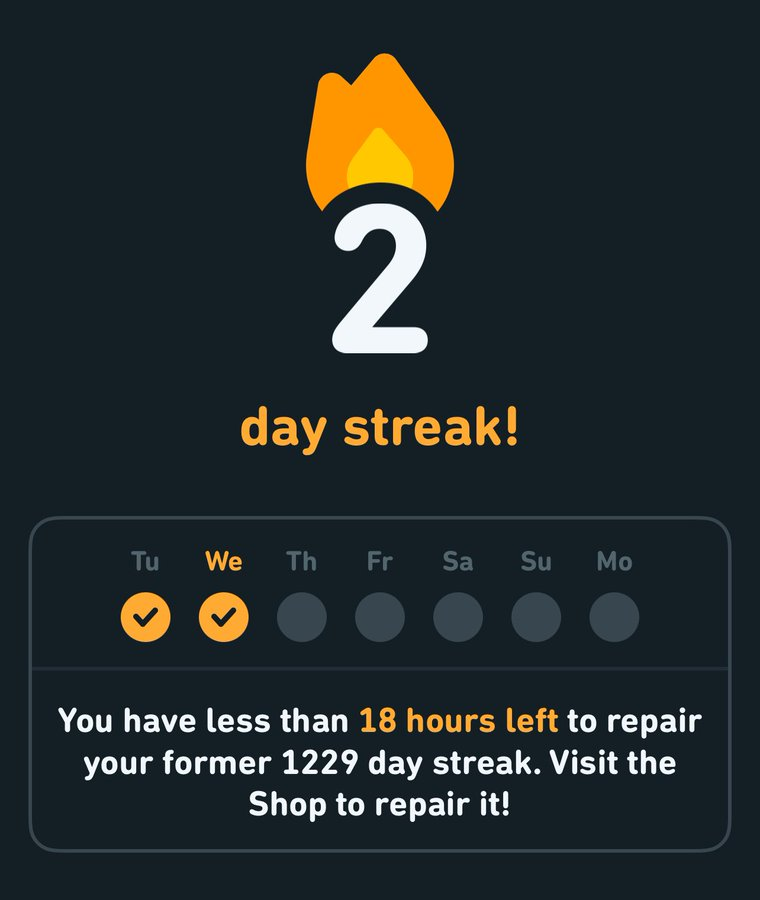
If you remain inactive for even longer, Duolingo won’t treat you as an active learner. It’ll surface this:

A month later, say you returned and completed a few lessons again. Duolingo will place you right back into the active learner experience, streak protected. This is the re-entry logic.
That is what good segmentation looks like. It shouldn’t assume you’re always a “language learner,” but adapt to users’ current behaviors. Your app should do the same.
Build participation loops that users feel ownership of
The apps that are hardest to leave don’t stop at delivering value. They also invite users to help shape it. When people can see their input influence the product, they stop feeling like consumers and start feeling invested.
Buffer does this exceptionally well through its public roadmap. Users can suggest ideas, vote on existing requests, and track every feature from proposal to release.
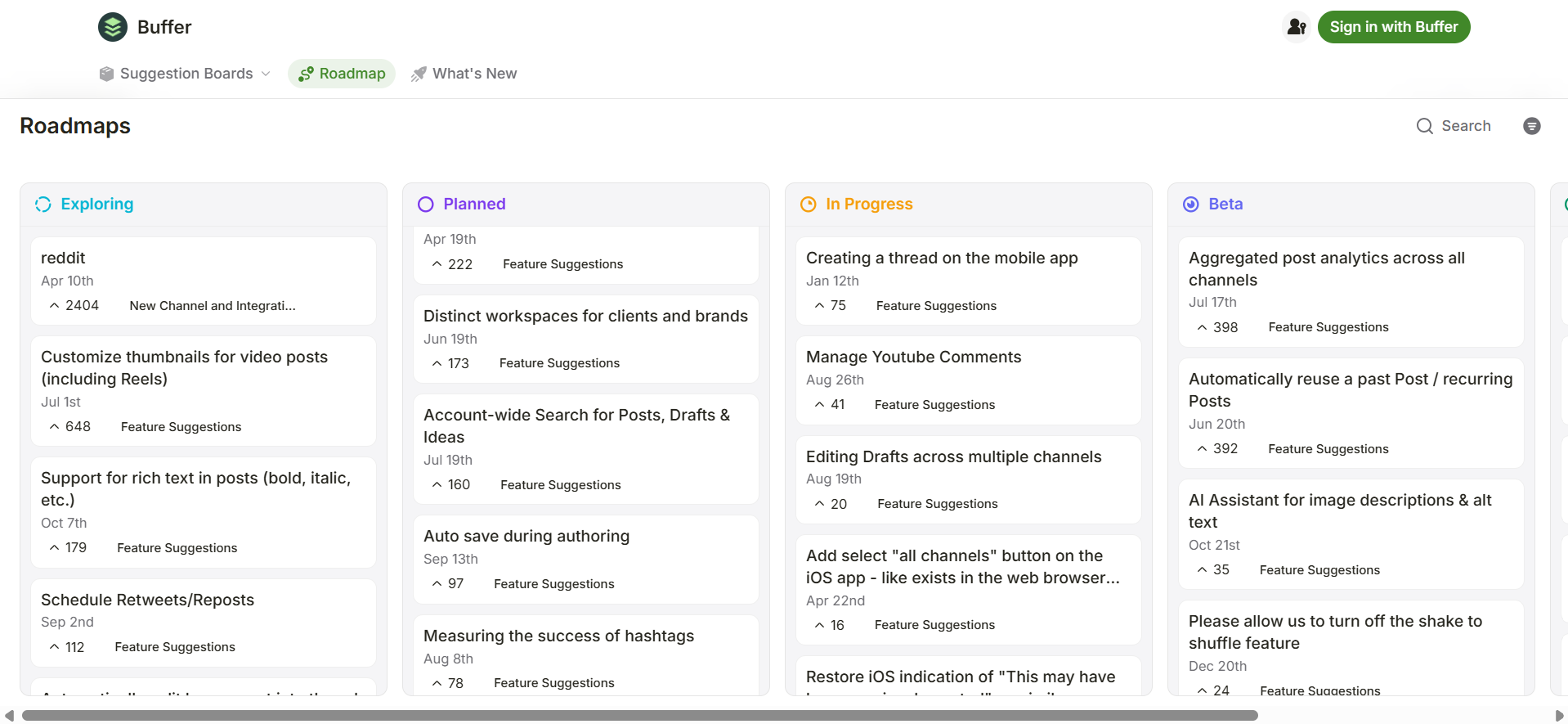
Each idea moves through a clear five-stage workflow:
-
Exploring: Users submit and vote on feature ideas.
-
Planned: The Buffer team commits the idea to the roadmap.
-
In Progress: Development begins.
-
Beta: The same users who requested the feature are invited to test it through Buffer’s Discord community.
-
Released: The feature becomes available to everyone.
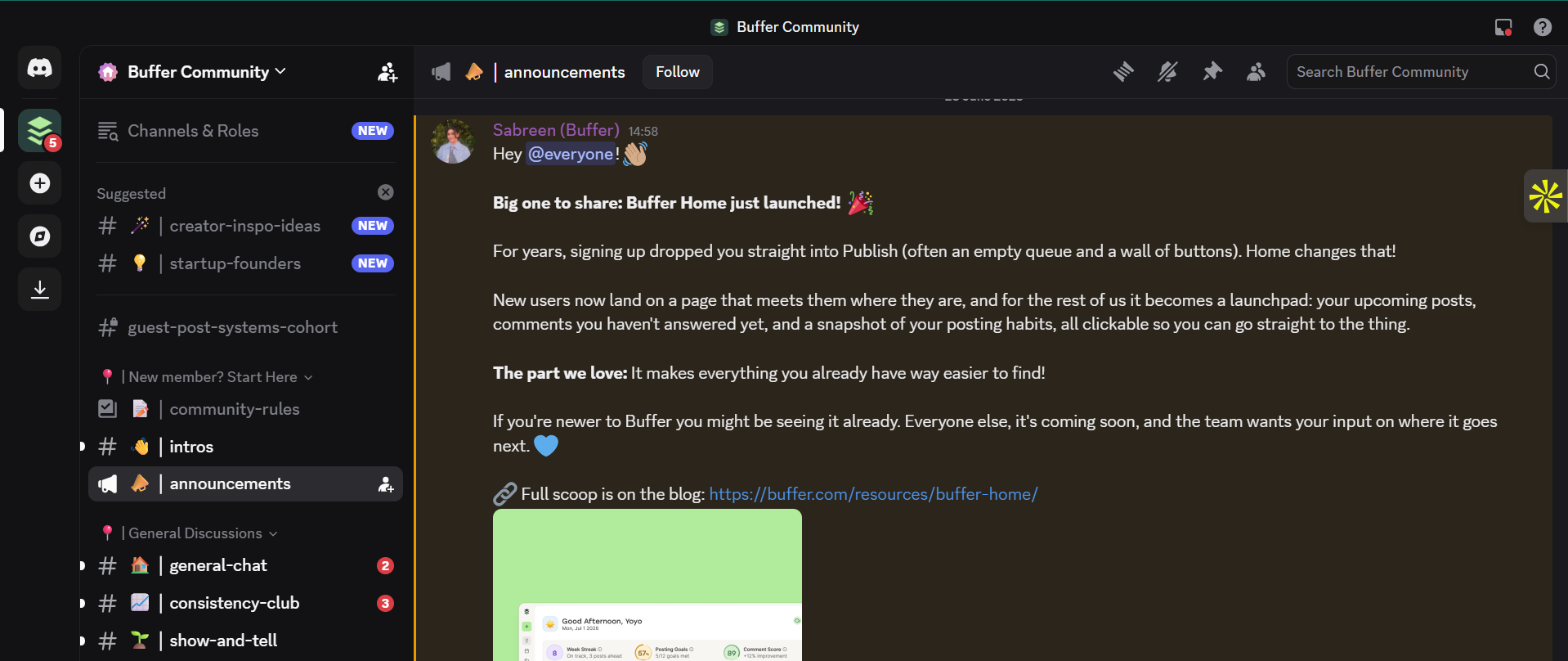
That visibility closes the feedback loop. Users submit ideas and watch them become part of the product.
Unlike mobile surveys that collect opinions, participation loops give users evidence that their contribution is crucial. And when customers feel they’ve helped shape a product, they’re far more likely to be retained.
Close the intelligence gap before churn becomes visible
The users who are still active on Day 30 didn’t stay because your app had a better checklist or sent more push notifications. They stayed because they reached value early and kept making meaningful progress.
The challenge now is that most retention dashboards can’t tell you who’s on that path. They measure activity, not intent. By the time a drop in logins or retention appears in your reports, the opportunity to intervene has often passed.
Closing the intelligence gap means tracking the behaviors that actually predict long-term user retention. Then, you act when users begin to drift from that path. That’s how you move from reacting to churn to preventing it.
Userpilot helps teams build that intelligence layer. With user behavioral analytics, Signals, and Lia AI, you can set and identify milestones, monitor users against your retained baseline, and spot churn risks before they show up in your retention curve.
If you want to understand why users leave before they actually do, book a demo and see how Userpilot works.
FAQ
What is a good Day-30 retention rate for a mobile app in 2026?
The overall average is 4%. But I’d recommend focusing on your category’s top-quartile performance. Social apps reach 15-20%, Health and Fitness 8-12%, and Productivity is 12-18%.
What is the difference between Day-30 retention and the monthly retention rate?
Day-30 retention measures whether a specific user is still active exactly 30 days after first install. Monthly retention measures the percentage of users active in one calendar month who return in the next. They can produce very different numbers from the same user base. That is why benchmarks from different sources often appear to conflict.
How do I identify users who are about to churn?
First, know that “login drop” is not a reliable signal. It’s the gap between activity and progress. A user returning to the app but not completing meaningful outcomes is a higher churn risk than session count alone would suggest. Behavioral alerts on specific milestone completions will surface these users.
What is the formula for mobile app retention rate?
It is Retention Rate (%) = (Active users at end of period / Users at start of period) x 100. Say you have 1,000 users open your app on Day-1 and 250 returned on Day-7, you have a 25% Day-7 retention rate.
What does 80% retention mean for a mobile app?
It means 8 of every 10 users are active after a defined period. At Day-30, for example, an 80% retention rate would be exceptional, regardless of the app category. I’d add that it is uncommon outside of high-frequency B2B tools with strong workflow lock-in.
About the author