Mobile App Tracking: How to Track User Behavior in 2026


What separates a good app from a great one? The design, features, and marketing matter, but what you do with the behavior data your app collects is what defines the user experience. And by behavior data, I mean what happens after the download: how users navigate, what features they engage with, and where they drop off. All questions you can only answer with mobile app tracking.
This article breaks down what mobile app tracking is, why it matters, and the methods to do it well. So you can better analyze in-app behavior, whether you’re an app developer, product manager, or part of a growth team looking to optimize every tap, swipe, and session.
And before we get into the how, here’s the number that makes it urgent: the 30-day retention rate for Android apps in Q3 2024 ranged from just 1.2% (photo and video apps) to 9.9% (news and magazines), with most app categories sitting well under 5%. That means the average app loses more than 95% of the users it acquires within the first month, and behavior tracking is the only way to understand why (and fix it).

What mobile app tracking captures (and why most teams don’t go deep enough)
Mobile app tracking captures data on how users interact with your app, including screen views, button taps, session length, and feature usage. Say a user opens your app, skips the onboarding tour, heads straight to the dashboard, and then leaves without engaging with any core feature. With mobile app tracking, you can see exactly where that drop-off happened and start to understand why.
User behavior tracking also helps you spot early signs of churn before they cost you users. Someone who shortens their sessions week over week, stops using a feature they once relied on, or repeatedly bounces from the same screen is telling you something through their behavior. Identifying those disengaged users early gives you a window to re-engage them before they uninstall.
It also enables more personalized in-app customer experiences. A casual user who opens the app once a week has completely different needs than a power user who’s active every day. Understanding how each group interacts with your product, which features they rely on, and which flows they skip, is how you tailor the experience to actually meet users where they are.
The five categories of data mobile app tracking captures
Most teams think of mobile tracking as event tracking, but a complete setup covers five distinct types of data. Understanding what each category reveals helps you build a tracking plan that answers real product questions rather than just generating dashboards no one opens.
| Category | Examples | What it tells you |
|---|---|---|
| Behavioral | Taps, swipes, scrolls, screen views, session length | How users navigate and what they engage with |
| Conversion | Sign-ups, purchases, feature adoption, funnel steps | Whether users reach the outcomes your product promises |
| Technical | Crashes, UI freezes, API latency, device and OS version | Where performance issues are killing the experience |
| Attribution | Install source, campaign, cost per install, LTV | Which acquisition channels bring users who actually stick |
| Frustration | Rage taps, dead taps, repeated error screens | Where confusion and friction are actively driving churn |
Tracking only behavioral events isn’t enough. Frustration signals, in particular, are where retention leaks hide, and most teams only discover them once they start watching session replays rather than staring at quantitative dashboards waiting for an answer to appear.
What to track: Core in-app user behavior events
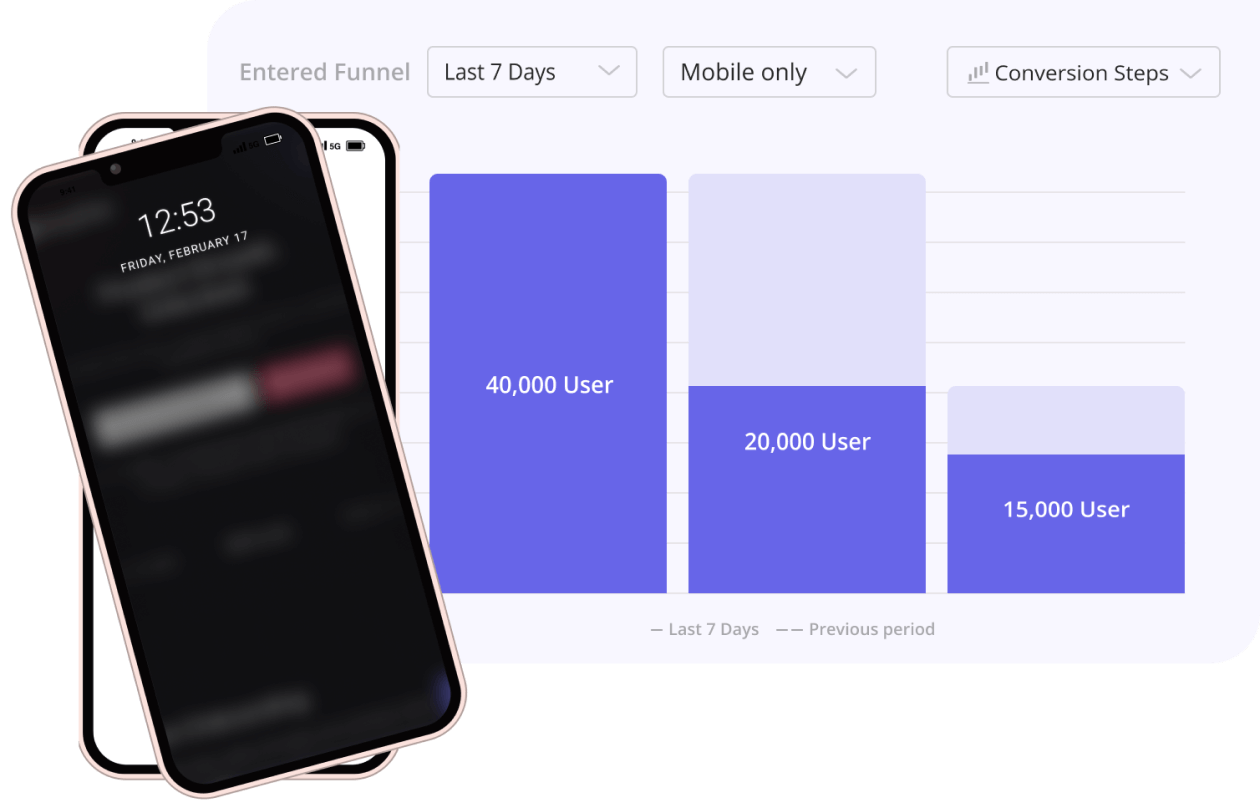
Mobile app tracking surfaces user preferences and friction points in ways that surveys and app store reviews never can, because most users who hit a broken flow don’t leave feedback about it. They just stop opening your app. Tracking the right events is how you catch those moments before they quietly compound into a retention problem.
The key is to focus on the events that uncover engagement, intent, and friction. Here’s a breakdown of the key in-app behaviors worth tracking, how to capture them, and what they tell you:
| What to track | How to track it | What to use it for |
|---|---|---|
| Conversion actions | Sign-ups, purchases, form completions, plan upgrades | Evaluate the performance of monetization and activation funnels |
| Feature adoption | Feature discovery, usage frequency, milestones achieved (e.g., report generated) | Identify which features provide value and encourage repeat usage |
| Onboarding completion | Onboarding flows completed, tutorial dismissals, skipped steps | Improve time-to-value and reduce early drop-off |
| Session activity | Session frequency, duration, active days per week | Measure user stickiness and identify usage patterns |
| Navigation flows | Screen views, navigation paths, drop-off points | Spot confusing UX paths or bottlenecks in the user journey |
| Frustration signals | Failed actions, form abandons, rage taps, repeated backtracks, app crashes | Uncover the pain points causing user frustration and drop-off |
5 Practical mobile app tracking methods for improved app performance
Random data points don’t explain user behavior. To improve your app, you need tracking methods that connect actions to outcomes. These five approaches cover the ground between quantitative measurement and the qualitative context needed to act on what you find.
1. Map key events in the user journey
Mapping key events means identifying and tracking the specific in-app user actions that matter, such as signing up, completing onboarding, using a core feature for the first time, or upgrading a plan. It structures your mobile app analytics so you’re tracking the events that drive engagement and revenue, not every incidental tap or scroll.
With event mapping, you can discover popular and unpopular navigation paths, inefficient flows, and unexpected user journeys that predefined funnels could miss entirely. For instance, you might notice users consistently skipping an “Import Data” step and jumping straight to manual entry, suggesting confusion about the import feature or low perceived value in using it.
Break the complete user journey into stages: Acquisition, Onboarding, Activation, and Retention. Then, assign trackable events to each stage, such as “Account Created” at acquisition and “Core Feature Used” at activation. Use a product analytics tool to tag those events, capture the data, and visualize how many users move or drop off at each transition.
2. Use session replays for qualitative insights
Session replays are anonymous recordings of individual user interactions with your app. You see exactly what users tapped, hovered over, or hesitated on, which gives you the qualitative context that quantitative event data alone can’t provide when you’re trying to explain a drop-off.
Rewatching session recordings requires a platform that supports this feature. The right tools let you filter sessions by segment, skip inactivity, jump to key moments, add notes, flag issues for your team, and set up heatmaps to visualize where users focus most of their attention.
Suppose users are dropping off before finishing their dashboard setup. Session replays reveal they’re repeatedly opening the setup page but not saving their changes, and a heatmap shows low interaction with the “Save” button. That tells you the button isn’t visible enough or is buried in a confusing layout, and you have something concrete to fix rather than a theory to debate.
3. Analyze funnels to identify drop-offs
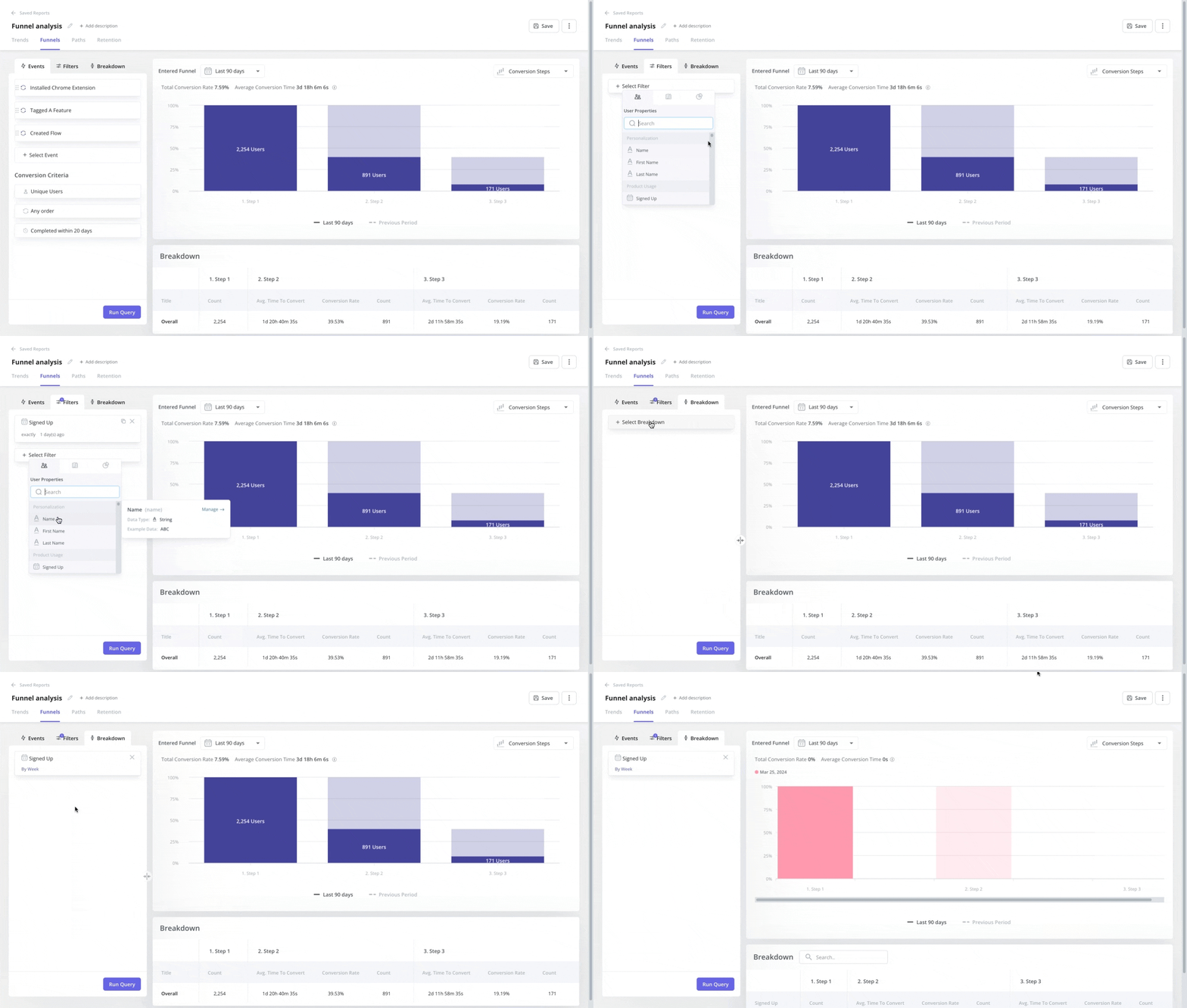
Funnels show the steps users take to complete a key action, such as onboarding, checkout, or a subscription upgrade, with each step visualized alongside its conversion and drop-off rates. It helps you find the specific step where users leave and investigate the points driving friction.
To use funnel analysis effectively:
- Pick a flow to analyze such as trial-to-paid conversion.
- Define each step as a specific in-app event.
- Identify the step with the biggest drop-off.
- Investigate the preceding steps for friction patterns.
4. Use cohort analysis to track user groups over time
Cohort retention analysis groups users based on shared traits and tracks their behavior and retention over time. It shows how specific groups engage with your app, so you can measure retention, feature adoption, and conversion across time periods and compare how different user segments respond to in-app changes.
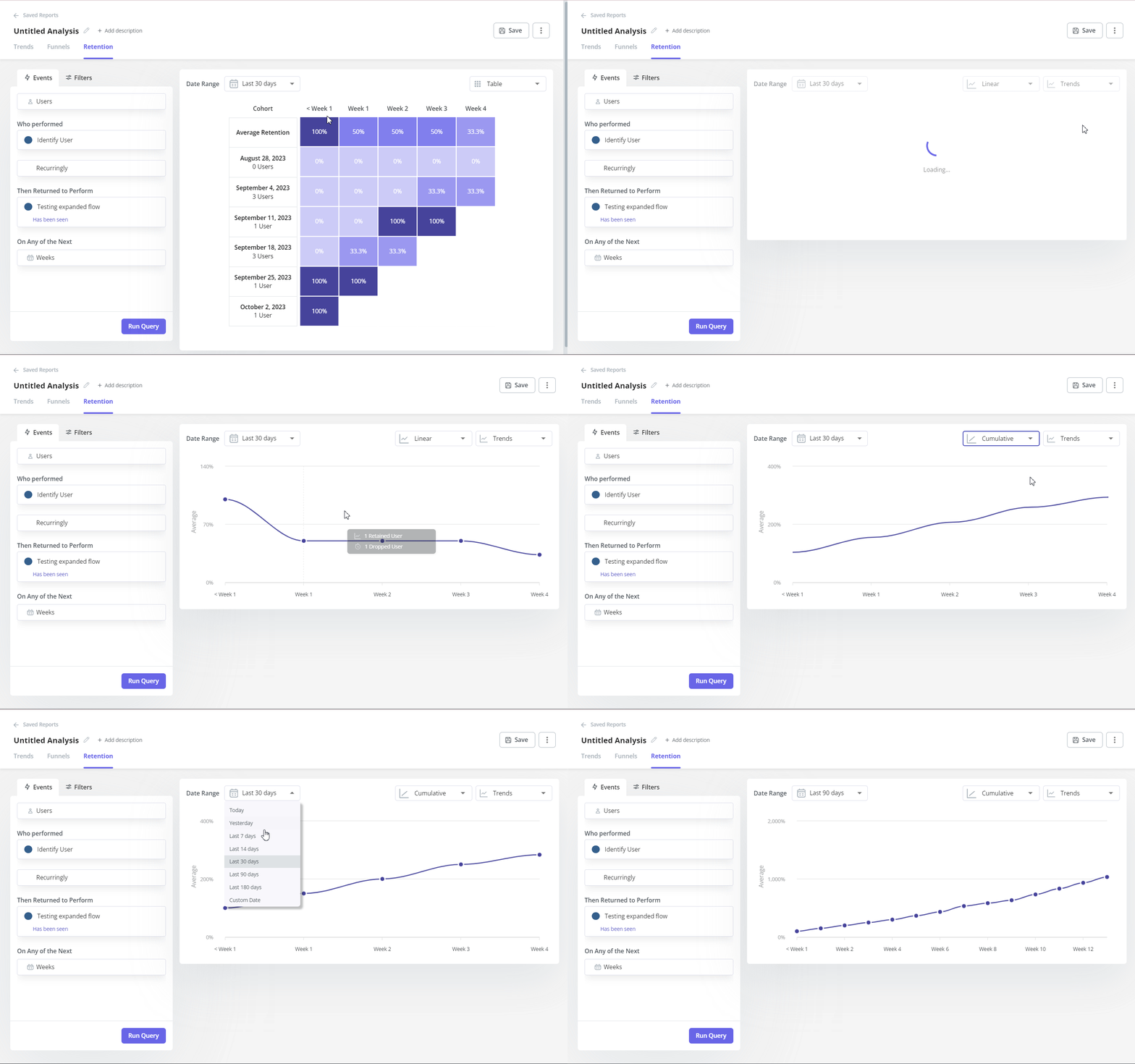
Define your cohorts, such as users who signed up in January 2025 or customers who started a free trial this week, then track behavior over time and compare. For example, if you rolled out a new user onboarding experience in March, comparing the March cohort’s 30-day retention with February’s tells you definitively whether the change moved the needle rather than leaving you guessing.
5. Segment users for targeted insights
User segmentation divides your user base into distinct groups based on demographics, behavior, technology, or acquisition source. Instead of looking at overall averages, segmentation gives you precise insights into how specific user groups interact with your app, where they lose interest, and what features they use most.
| Segmentation criteria | Examples |
|---|---|
| Demographics | Age, location, language |
| Behavior | Power users, inactive users, feature adopters |
| Technology | Device type, operating system |
| Acquisition source | Organic search, paid ads, referrals |
Create segments based on these attributes, then compare app performance metrics like engagement, retention, or feature usage across groups to spot meaningful differences.
For example, you notice that Android users engage less with a new feature than iOS users do. Segmenting by operating system reveals the Android UI has layout inconsistencies on a specific device class, and fixing that is all it takes to improve feature adoption across the board.
AI agents: How Lia and Userpilot’s MCP server simplify mobile app analytics
The biggest practical barrier to mobile app analytics is the time it takes to pull charts, build queries, and synthesize what you’re seeing into something the whole team can act on. Lia, Userpilot’s AI agent, changes that by making data accessible. All you have to do is ask questions about user data in plain language and get answers without opening a dashboard or knowing how to write a query.
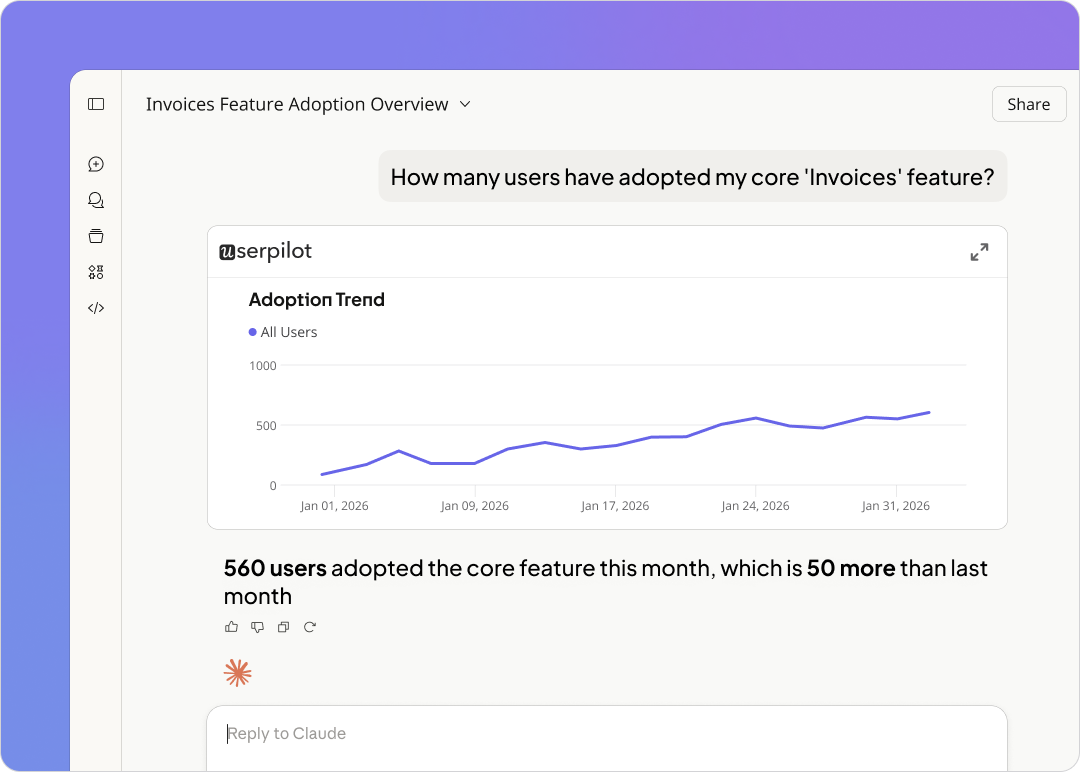
This way, Lia makes it possible for non-technical users to access insights. Ask which features power users rely on most, which onboarding step loses the most new users, or what changed in your week-over-week retention, and Lia’s AI product analytics surfaces the answer without you having to build anything first.
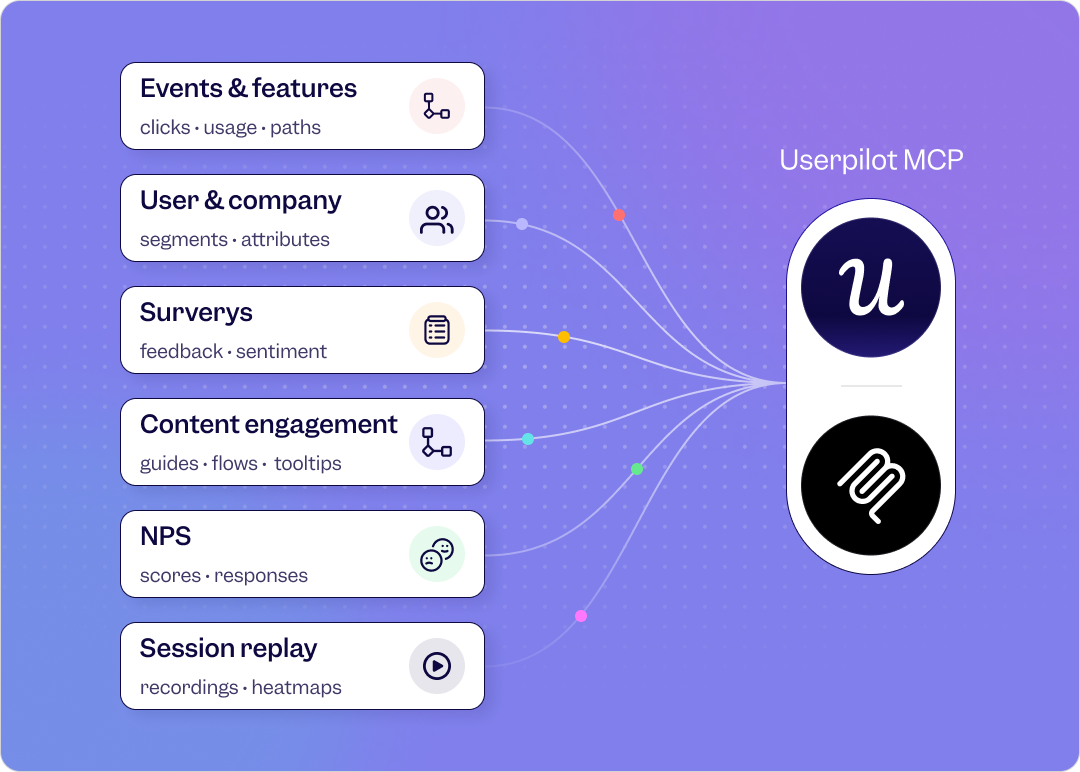
For teams already using AI tools in their workflow, the Userpilot MCP server takes this further. MCP (Model Context Protocol) connects your product analytics data to the AI tools your team already uses, so you can pull mobile app user behavior insights without logging into Userpilot at all. As Yazan Sehwail, Userpilot’s CEO, described it:
“If you as a marketer wanted to see, using session replay, NPS data, survey data, and product usage data, you’re able to get your answer without having to go to Userpilot, without having to pull data and upload it to someone. So this is why MCP is gonna be a game changer.”
Compliance and privacy: What your mobile analytics platform needs to cover
Mobile app tracking data is powerful, and collecting it without the right safeguards creates real legal and trust risks. 43% of users are unclear about what mobile app tracking involves, and regulators in 2026 are increasingly focused on whether back-end data flows match what apps publicly disclose. That’s why it’s best to choose an analytics platform built for compliance from the start.
Here are the frameworks your analytics platform needs to cover in 2026:
GDPR (EU): Requires lawful basis for data processing, user consent, data minimization, and the right to erasure. Enforcement is ongoing and substantial across Europe. Your platform should support granular consent management, EU data residency options, and a signed data processing agreement.
CCPA (California): Gives users the right to know what data is collected, opt out of data sales, and request deletion. Any app with meaningful U.S. traffic needs to honor these rights. Its enforcement landscape continues to tighten alongside GDPR.
Apple ATT (App Tracking Transparency): Apple requires explicit user permission before any cross-app tracking. Adjust’s 2025 benchmarks put the global average opt-in rate at around 35%, but rates vary dramatically by category, dropping as low as 7% in some verticals. Your analytics platform should work accurately within the boundaries ATT creates, because a significant portion of your iOS user base will always opt out.
HIPAA (U.S. healthcare): Any app handling protected health information (PHI) must ensure all vendors sign a Business Associate Agreement and that PHI never appears in session recordings, logs, or analytics events. This applies to any health or fitness app collecting clinical data from U.S. users.
SOC 2 Type II: Demonstrates that your analytics vendor has been independently audited for security, availability, and confidentiality. For enterprise apps in any regulated sector, SOC 2 Type II certification from your analytics platform is a baseline requirement.
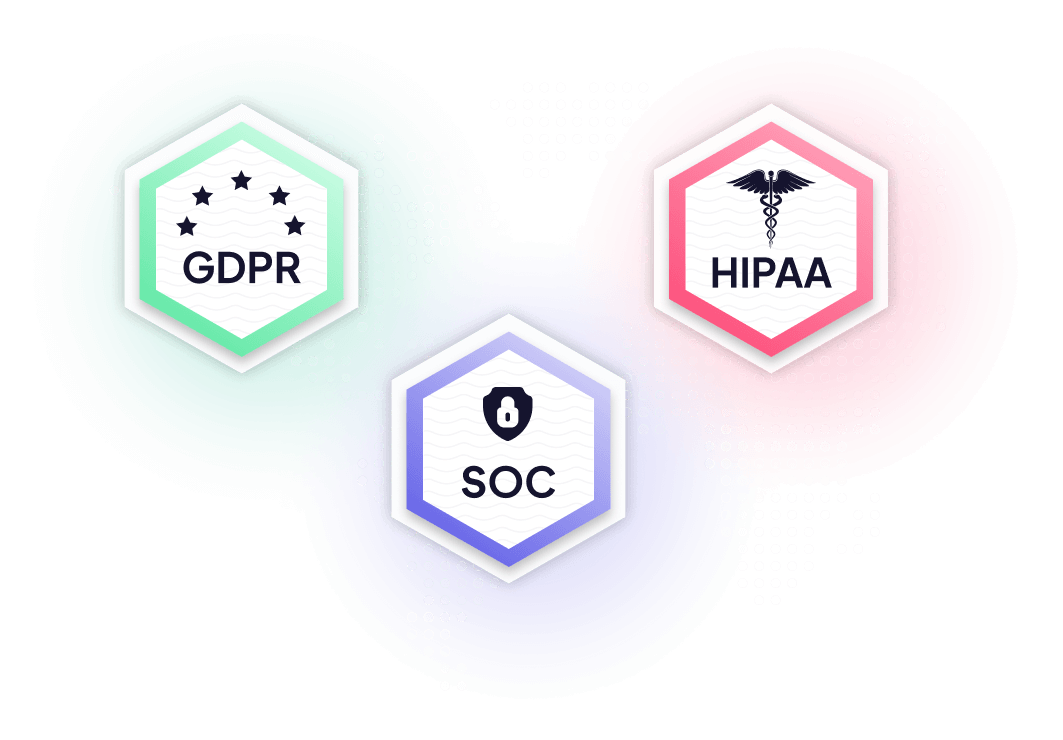
Userpilot handles compliance across these frameworks out of the box. All customer data is encrypted and managed by SOC 2-compliant infrastructure providers, sensitive user data like passwords and payment details is automatically masked in session recordings, and the platform supports the consent and data handling requirements of GDPR, CCPA, HIPAA, and Apple’s ATT framework.
Industry-specific mobile app tracking considerations
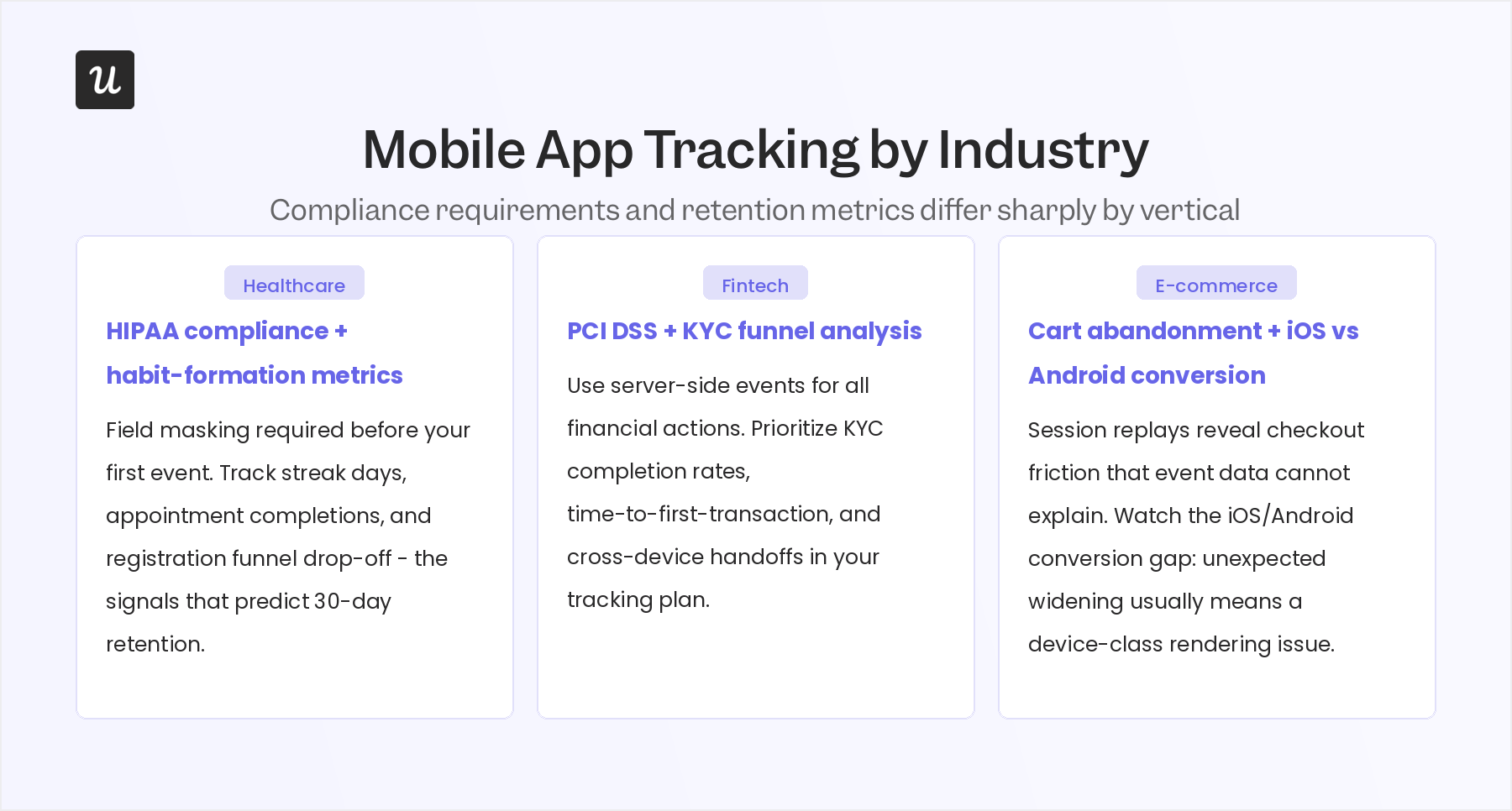
The events that matter for a healthcare app have almost nothing in common with those that are significant for a retail or fintech app. Regulatory exposure changes the tracking setup entirely, and the user behaviors that predict app retention differ sharply by vertical. Here are three industries where the mobile app tracking approach needs to be tailored.
Healthcare apps
Healthcare mobile app tracking in the U.S. operates under HIPAA, which means any data touching protected health information requires a Business Associate Agreement with your analytics vendor, and PHI can never appear in session recordings, analytics events, or logs. Configure your platform’s field masking rules and confirm SOC 2 Type II certification before you write your first tracking event in a health app.
Beyond compliance, the metrics that predict retention in healthcare apps differ from consumer apps. Track habit-formation signals like streak days, appointment completions, logged health entries, and exercise milestones. Users who hit a 7-day streak in a health or fitness app are significantly more likely to be active at 30 days because the product has become part of a routine rather than remaining a novelty that gets abandoned after the initial motivation fades.
Registration abandonment funnels are especially valuable in healthcare because registration often requires users to share sensitive information like conditions, medications, or insurance details. Any friction in that flow has an outsized impact on activation rates. Session replays showing exactly where users pause or exit the registration screen often reveal small UX fixes that can improve activation.
Fintech and banking apps
Fintech mobile app tracking sits under PCI DSS, PSD2 in Europe, and regional regulations like the UK’s FCA requirements. Card numbers, CVVs, account balances, and transaction details cannot appear in session replay or analytics events under any circumstances. You should rely on server-side events for sensitive financial actions rather than client-side SDK tracking, and confirm your vendor’s data processing agreement covers your specific regulatory environment before instrumenting anything.
The funnel areas worth the most attention in fintech are KYC completion rates, time-to-first-transaction, and cross-device handoffs. Users who start registration on mobile and want to complete identity verification on desktop create a cross-device identity gap that most standard tracking setups miss entirely. Cohort analysis by acquisition source is also especially revealing: users who found your app through a financial comparison site have very different activation and retention patterns than those who came through organic search.
E-commerce apps
Cart abandonment, checkout funnel drop-off, search-to-product-tap rate, and attach rate are the core metrics for e-commerce mobile app tracking. Platform skew is also worth watching closely: iOS users typically convert at higher rates than Android users on the same app, and when that gap widens unexpectedly, it usually points to a rendering or layout issue on a specific Android device class rather than a fundamental difference in purchase intent between the two audiences.
Session replays are especially valuable in e-commerce checkout flows because standard event tracking shows you where users drop off but not the reason. A replay might show users tapping an “Apply Discount” field that isn’t responding, or discovering that an expected payment method isn’t available at checkout. Those fixes are typically fast to ship and directly improve conversion rates.
How to use mobile app tracking to improve your app retention
Mobile app tracking data is only useful when it changes what you build. This section lays out a step-by-step process on how to turn behavior data into actual mobile app retention improvements, from segmenting users correctly to fixing the specific in-app flows that drive them out.
-
Adapt to your app’s use case: Tailor your tracking priorities to your specific monetization model. Focus on the exact behaviors, like purchases for e-commerce or trial conversions for SaaS, that directly predict revenue.
-
Analyze behavior by user persona: Avoid generalized metrics by tracking distinct user groups individually. Build tight, meaningful “Active User” segments based on recent activity, key milestones, and return frequency.
-
Compare behavior across segments: Contrast how different groups, like power users versus new users, navigate your app. Pinpointing where specific segments drop off allows for targeted fixes instead of total redesigns.
-
Use insights to close retention leaks: Turn data into action with personalized in-app experiences. Tailor onboarding for newbies, surface advanced tools for power users, and launch targeted campaigns to win back lapsing segments.
Start tracking mobile app users
Mobile app tracking gives you the visibility to stop guessing about why users leave and start fixing the flows that matter. The key to retention is consistently closing the loop from observation to action.
Userpilot is built for that loop. It handles mobile app tracking across iOS and Android, combines product analytics with session replay and user segmentation, and is GDPR, CCPA, HIPAA-ready, SOC 2 Type II certified, and compatible with Apple’s ATT framework out of the box. Lia’s AI capabilities and the MCP server mean your whole team can get answers from your app data without needing to be an analytics expert first.
Book a demo to see how Userpilot handles mobile app tracking.
FAQ
How do apps track users?
Both iOS and Android apps track users by:
- Capturing in-app events and user interactions: Includes clicks, form submissions, in-app purchases, frequency of specific actions, etc.
- Recording session flows: Includes navigation flows between screens and user paths to identify behavior patterns, bottlenecks, and friction areas.
- Tagging users with unique IDs or attributes: Assigns user identifiers like user IDs or device IDs, and tags them with attributes based on their demographics or behavior.
Can I track anonymous users in my mobile app?
Yes, most analytics tools let you track anonymous users by assigning a unique session or device ID. This lets you monitor behavior before signup or login, without collecting personal information.
About the author