Release Notes Template + Examples to Drive Adoption and Engagement


A release notes template helps you publish short product updates in plain language and explain why they matter to users. Unlike changelogs for developers and technical readers, release notes talk about actionable outcomes.
The challenge is to write a good one after every sprint or release and ensure the target audience reads it. Hitting these marks consistently creates a reliable channel to build trust with users.
In this article, you’ll find a customizable template for a range of updates, including launches and fixes. Plus, get ideas and inspiration from companies using release notes, with some elevating them to an art form, to drive feature adoption faster after a release.

A release notes template for all kinds of product updates
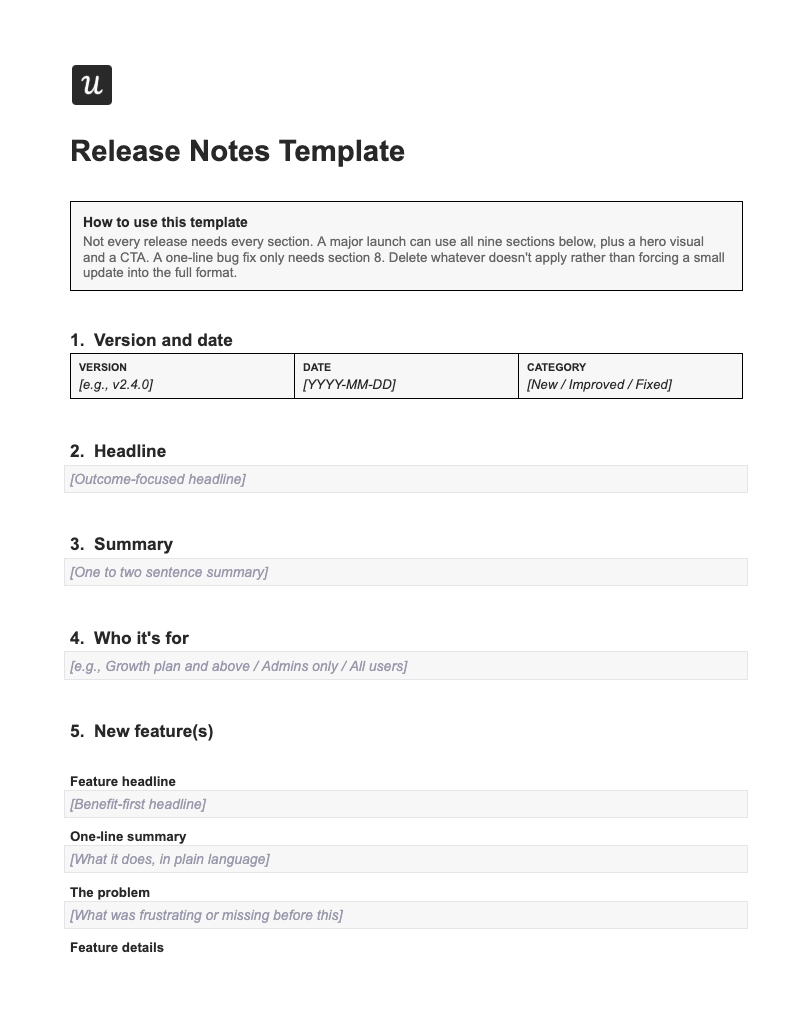
This template comes in a full format. You can keep most of the nine sections for a major launch, including the hero visual, problem statement, and call to action (CTA). Meanwhile, a one-line bug fix needs three sentences (so keep Section 8 and remove the rest).
Remember: a good release note is specific, succinct, and benefit-driven. Here are the basic elements that communicate these things to your users:
- Version and date: ISO format (YYYY-MM-DD), plus a category tag: New, Improved, or Fixed.
- Headline: Focus on the outcome, not the feature name. Say “See where users drop off after signup with X” instead of “New Paths report”.
- Summary for skimmers: Highlight core updates and key messages at the top, so people who scan can glean valuable information fast.
- Who it’s for: Mention the segment, plan, or role if it isn’t everyone. This lets you engage your target audience from the get-go.
- New features: If you’re launching a new feature or product, explain it with a clear headline, a one-line summary, the problem, and the feature details. Focus on the benefits, the job it does, and the pain it solves.
- Visual: A GIF or annotated screenshot of the product works here. A visual answers “What does this actually look like?” in under a second.
- “Try it” CTA: Boost user adoption by adding a direct link to your product or feature and tracking the clicks.
- Bug fix or patch: Explain the bug fixes in quick bullet points, and credit whoever reported it if you know who that was.
- Docs: Link to the technical details at the bottom of the page to give people the option to dive deeper into your update.
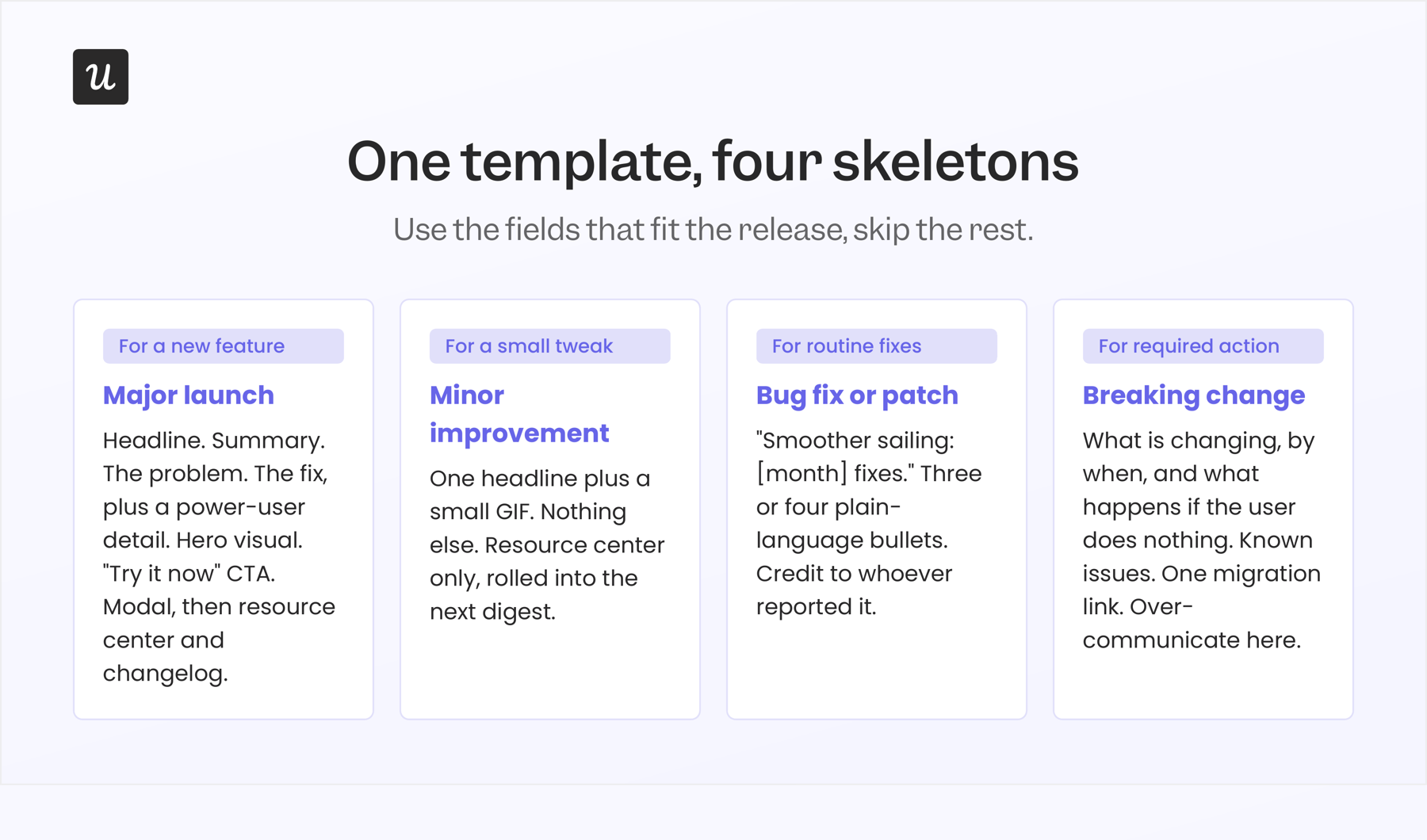
Download this release notes template and customize it based on your product. Use it as a modular resource that anyone can pick up, whether it’s the product manager or a marketing team member.
What are some good examples of release notes for SaaS teams?
A release note can do more than inform, and the eight teams below are evidence of it. Between them, they use release notes to drive feature adoption and user engagement. Here’s what each one does differently, and why it works for their specific audience.
Slack
Slack’s release notes live mainly on the company website, categorized by platform (e.g. Android, iOS, Mac, and Windows). While they used to have a “What’s New” section, the current pages mostly feature bug fixes. What they publish:
- Version number
- Date
- Bug fixes in bullet points
- Link to security guidance if the release includes security improvements
Anna Pickard, who helped shape Slack’s brand voice, once said that their goals were simple: show people they’re listening to and acting on bug reports, and educate them about little features that were otherwise hard to find.
That’s why the team writes their release notes in user-friendly language. The tone can vary: humorous when teasing upcoming changes, straightforward when nudging users to update their app, but always human.
Intercom
Intercom posts weekly updates about Fin AI Agent and Intercom Helpdesk on its official website. The standalone page shows a release note preview, with the hero image, tags, headline, author’s name, and date. Each preview comes with a CTA button that directs you to the longer version. The expanded format looks similar to a blog post and has the following elements (more or less):
- Headline, author, and date of last update
- Section headings
- Screenshots, tables, and bullet points
- Breadcrumbs and FAQs
The preview tags, such as “Fin” and “Data Connectors”, signal relevance to readers. This is a small but effective way to filter and deliver targeted release notes to the right audience.
Userpilot
Our version lives on our product news page. Here we share new features and updates across the platform, from our AI suite to Workflows to Session Replay, plus the smaller polish and fixes in between. The “Featured” and “Latest News” sections guide users’ attention to what matters most. And once people scroll to an entry, they can read the snippets or expand it to see the full details, including:
- New features: Key highlights, what’s coming soon, and plan availability.
- Feature updates: What’s new, plus information on how to use it and links to helpful documentation.
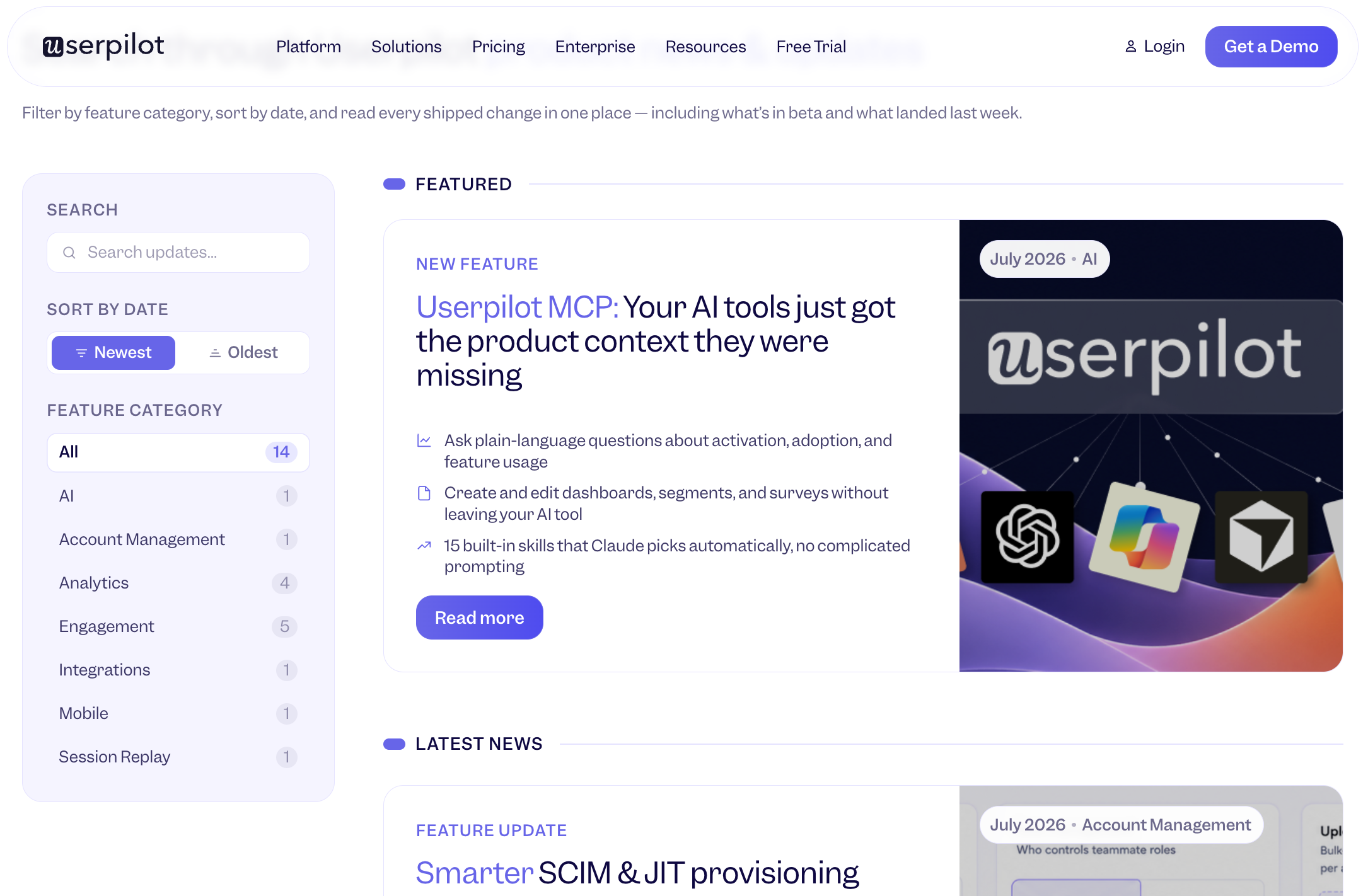
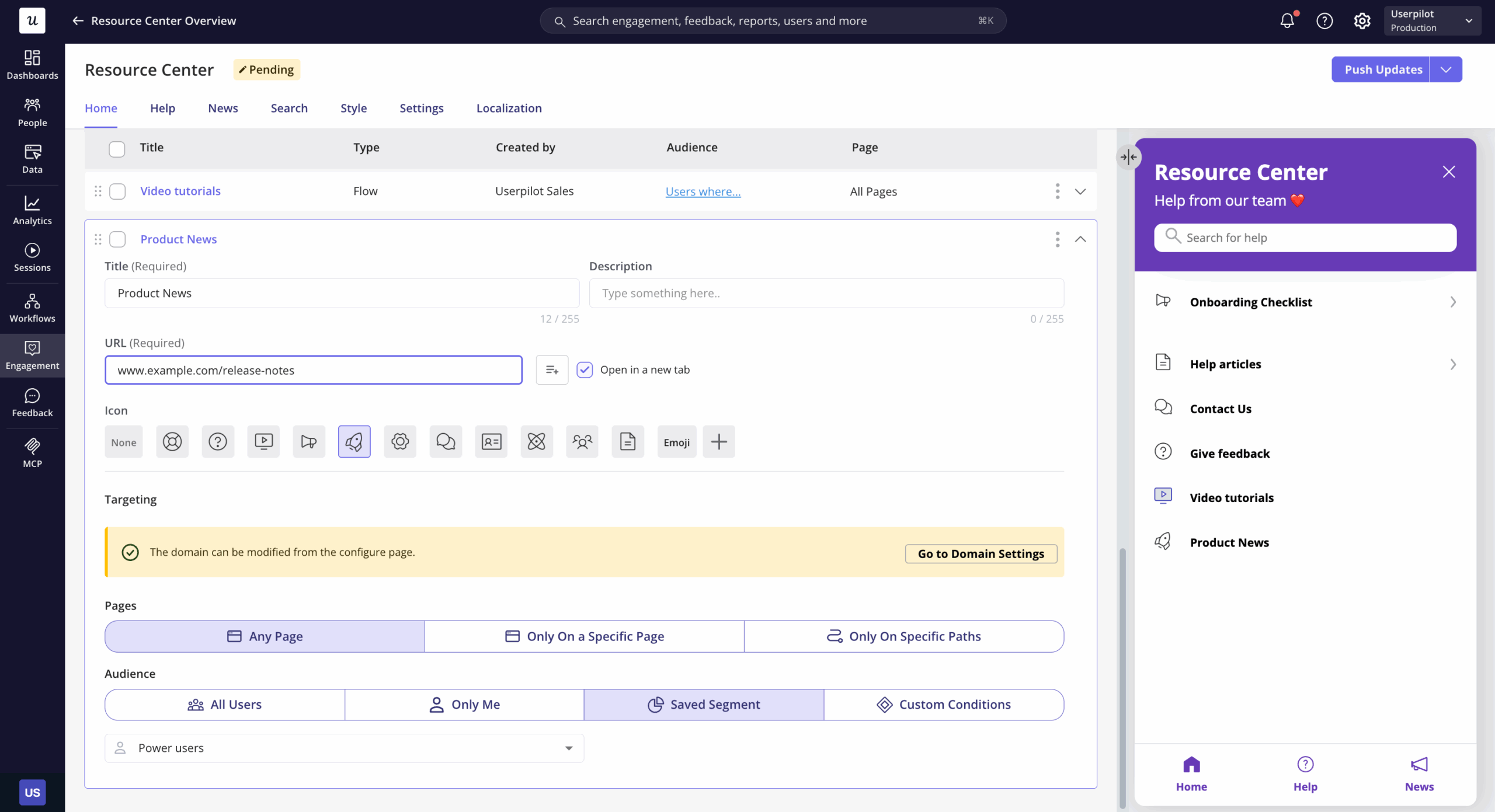
We’ve put our own twist on the release notes template, tailoring the format and being flexible enough to meet users where they are. Someone who wants a sneak peek can scan the summary. A power user may want to gather specifics to share with their team and maximize the value they get from your product.
Linear
Linear’s changelog page serves as a release note hub for more technical teams. Every entry, which you can view from its standalone web page, follows the same shape:
- Date
- Short headline
- Relevant screenshot or GIF
- Two or three sections on what changed
Linear starts each entry by explaining the bigger changes, and then puts the smaller fixes and improvements in cascading drop-downs at the bottom. Writing responsibility also rotates to whoever built the feature, helping build trust with its main audience of product developers.
Blender
Blender, a free, open-source 3D creation platform, aims to publish three stable releases per year, with comprehensive release notes to boot. The team creates a dedicated page for each release where they add context, multimedia elements, and more details. Here are some notable parts:
- Recap video
- New features and functionality with visuals, manuals, and demo files
- Link to a blog post covering all bug fixes
- Community highlights and call for donations
Blender takes on the show-and-tell approach, using different modalities and switching between technical and plain language in one resource. This is how the company engages its wide user range, including hobbyists, professionals, and award-winning independent filmmakers.

Intuit Enterprise Suite
Intuit Enterprise Suite’s product release notes cater to mid-market businesses using its enterprise resource planning software. The brand periodically publishes a long blog post, with the following elements:
- Summary
- Sections that start with outcomes, not features
- Partner quotes
- Link to full disclaimers
While the post contains financial jargon, they’re weaved into statements to provide context instead of detracting from the narrative. Clients who have subscribed to email updates from Intuit may be notified when the latest release notes are available.
Stripe
Stripe, a financial services platform, maintains changelogs for developers to monitor breaking changes, deprecated features, and other technical updates. But it also steers away from the traditional release notes template when it comes to front-end users.
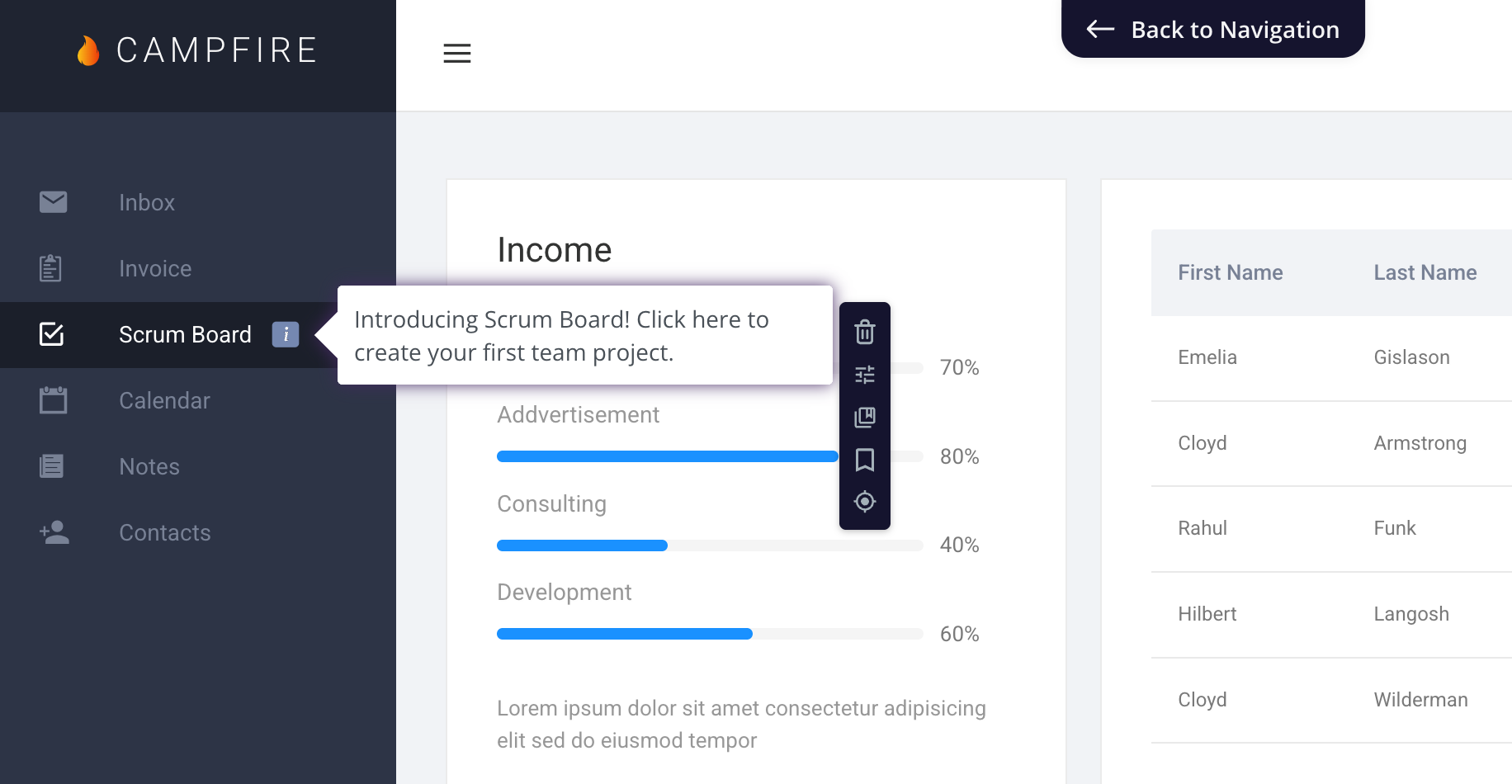
Instead, it provides in-app guidance to highlight a new feature or drive adoption to an existing one. If you have a SaaS product, you can take a page off Stripe’s playbook and introduce new features with elegant UI patterns that blend with the product experience.
GitHub
Last but not least, GitHub’s release notes are clear, short, and scannable. Every update is marked properly to automate development tracking for technical teams. Standout features include:
- Version and date
- One-word prefixes: New, Added, Fixed, Improved
- Specific descriptions of what changed
- Link to the issue or pull number
GitHub designed its dedicated release note hub for a team leader looking for security patches or a product manager scanning “Fixed” tags to check new feature delivery. Its structure is ideal for teams that need to digest a massive list of software changes in seconds.
Turn release notes into your fastest adoption lever
A good product update should include a release notes template you can tailor to your messaging needs and a list of specific channels that work for your audience. Other factors like ownership, interactive elements, and brand voice are also important. But your choices should help you achieve your goals: engage, build trust, and get users to adopt your new feature or product.
If you want to promote your release notes in-app via the resource center, or provide in-app guidance and track adoption on every release, book a Userpilot demo. Our team will walk you through these channels where your users already spend time, increasing your launch’s chances of success.
About the author