Skip to content
Userpilot | BLOG
Userpilot
  • Platform
    • Product AnalyticsTrack and Analyze Your Product’s Growth
    • User EngagementHelp New and Existing Users Discover More Value
    • User FeedbackGet Qualitative User Feedback, At Scale
    • Session RecordingUnderstand users better, find bugs, and spot friction points
    • MobileOnboard users and make announcements with mobile-first UI patterns
    • Data SyncExport Userpilot data to BI tools for deeper analysis
  • Solutions
    • User OnboardingReduce Time to Value with a Personalized User Onboarding Experience
    • Churn PreventionPredict and Prevent Churn with Customer Insights and In-App Guidance
    • In-app SupportScale Self-Support with On-Demand Help and Resources
    • Product LaunchesAnnounce New Features & Measure Product Launch Impact
    • Expansion RevenueBoost Expansion Revenue by Promoting Add-Ons and Upgrades
    • Product AdoptionImprove Product Adoption with Contextual In-App Experiences
  • Pricing
  • Resources
    • Read
      • BlogThe best way to stay ahead of the curve with Product Trends & Big Ideas
      • Product Adoption DictionaryA framework to help you create delightful onboarding experiences
      • SaaS Product Metrics Benchmark ReportBenchmark your top 6 product metrics against 547 SaaS companies
    • Watch
      • Upcoming WebinarsAll upcoming live webinars or on-demand webcasts
      • Product Adoption SchoolA framework to help you create delightful onboarding experiences
      • Getting Started With Userpilot SeriesBuild interactive onboarding and make more of your users successful.
    • Connect
      • Product Marketing CommunityJoin our PM community on Facebook & LinkedIn
      • Product Drive ConferenceLatest trends in the product world
  • Free Trial
  • Customers
  • Please wait..
  • Log in
  • Get a Demo
May 1, 2026

Home | Growth

Why Users Delete Your App: 9 Ways to Fix Your App User Retention

Natália Kimličková

Natália Kimličková

Sr. Product Marketing Manager

Why Users Delete Your App: 9 Ways to Fix Your App User Retention
CONTENTS
    See Userpilot in Action

    Have you ever downloaded an app, tried it for a minute, and deleted it because you knew a better option was just a search away?

    That’s the reality of today’s market. Over 2000 new apps are added to app marketplaces every day, and 42matters estimates there are nearly 4 million apps across the Play Store and Apple App Store in 2026.

    With that level of competition, it’s no surprise that cost per install continues to rise.

    In this guide, I’ll walk you through 9 proven strategies that leading apps use to keep users engaged and coming back.

    What is app user retention?

    App user retention is the percentage of users who return to your app within a specific time period after their first visit. It’s calculated using this formula: Retention Rate = (Number of users who return / Total number of users) x 100.

    Most teams track retention across Day 1, Day 7, and Day 30 to understand how user engagement changes with time.

    What is a good user retention rate for an app?

    A “good” user retention rate depends heavily on your app’s category, device type, and user intent, so it’s important to benchmark against your specific segment rather than aiming for a universal number.

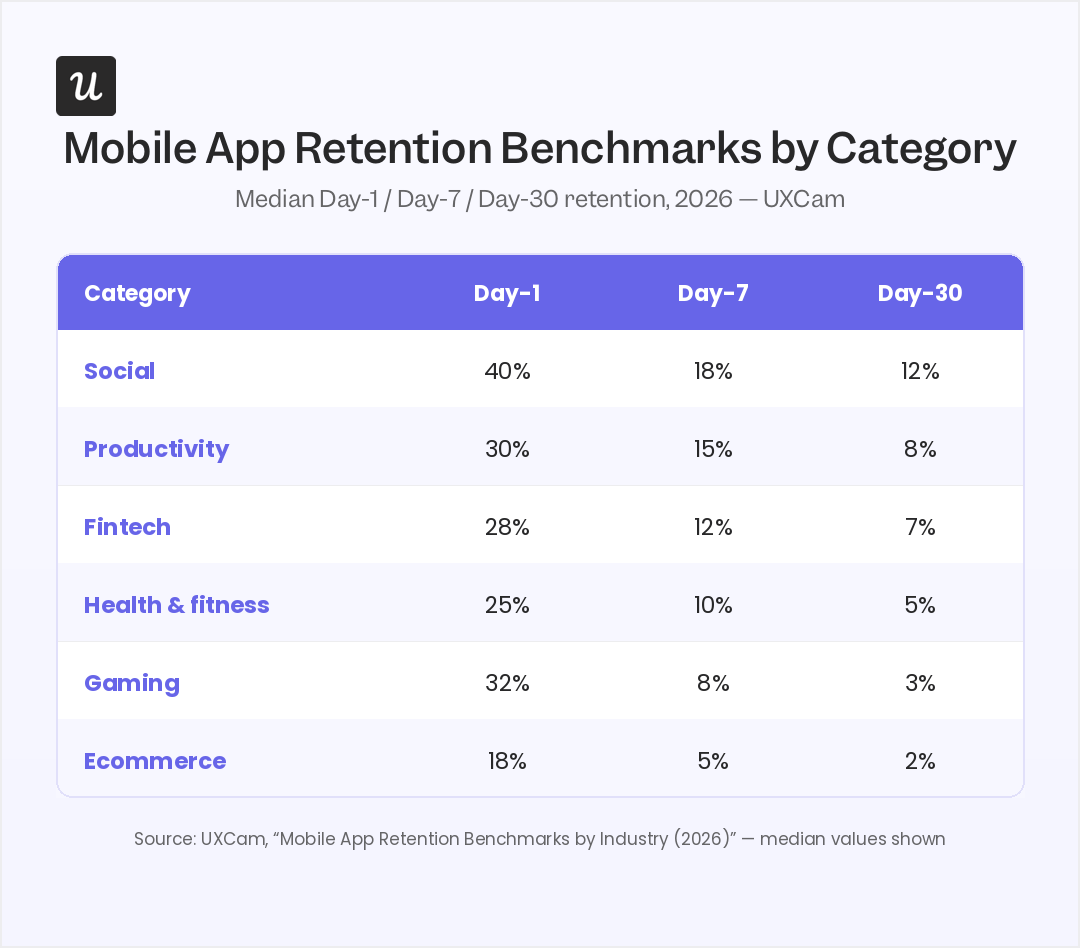
    Drawing on research data from Adjust, Statista, and Appsflyer, I created the table below to show you the 30-day average mobile app retention across different industries and devices.

    Vertical iOS (Day 30) Android (Day 30)
    News 15.3% 9.9%
    Finance 6.6% 3.1%
    Business 5.0% 5.1%
    E-commerce/Shopping 4.6% 4.0%
    Health & Fitness 3.9% 3.4%
    Entertainment 3.6% 2.8%
    Gaming 3.6% 1.7%
    Travel 3.1% 2.8%
    Social Media 3.0% 1.6%
    Utilities & Productivity 2.7% 2.7%

    The overall average retention rate across all apps sits at around 25% on Day 1, 12% on Day 7, and 6% by Day 30.

    9 Strategies to increase app retention for your SaaS

    You can’t completely prevent the sharp drop between Day 1 and Day 30, but a strong retention system helps you deliver value early and win back a meaningful percentage of users.

    Here are nine strategies you can combine to build that system.

    1. Use retention benchmarks to set realistic KPIs

    A common pattern I see among app marketers is the urge to quickly boost retention rates, and that often leads to unrealistic expectations.

    That’s why my first recommendation is to benchmark against your category average. For example, if you’re building a business app, the average 30-day retention is around 5%. Expecting 20% right away is unrealistic. But if you’re currently at 2% to 3%, it’s a clear sign there’s room to improve.

    Your move

    Use the table above to benchmark your Day 30 user retention rate.

    When you do that, you’ll likely fall into one of three buckets:

    • You’re losing more users than the average in your category: This usually points to early friction or a weak value proposition. Focus on simplifying your first-session experience and guiding users to a clear outcome as quickly as possible.
    • You’re close to the average app retention rate: Your product works, but it doesn’t stand out. At this stage, the goal is to deepen user engagement. Look for ways to reinforce value through better new user onboarding flows, clearer use cases, and more consistent in-app guidance.
    • Your retention is above average across iOS and Android: That’s a strong position to be in, but there’s a common trap here. Teams tend to plateau once they hit this level, assuming they’ve done enough. In reality, this is where the real growth begins.

    One of my favorite examples is Duolingo. It was publicly launched in 2012. By November 2017, the app had already reached 25 million monthly active users, with users spending an average of 10 minutes per day. Those numbers firmly established Duolingo as a category leader.

    But the team didn’t stop there.

    When Jorge Mazal joined in 2017, he started looking for new opportunities to increase daily engagement. The result was a 4.5x increase in daily active users for an already mature product.

    The takeaway is simple: Benchmarks show you what’s typical, not what’s possible. Don’t settle just because you’ve reached or exceeded your category average.

    2. Gamify incremental progress with loss aversion

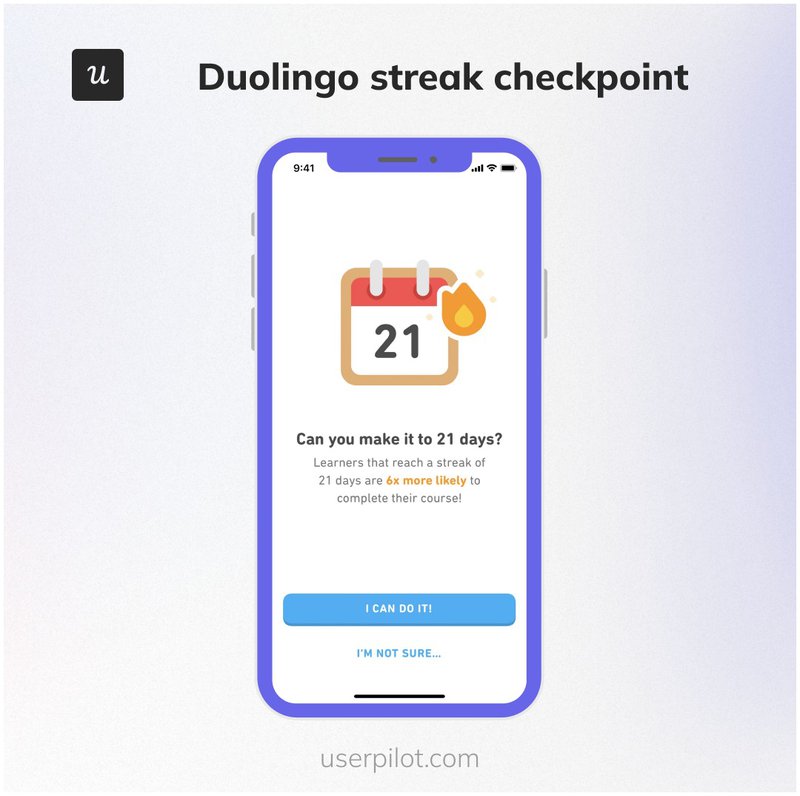
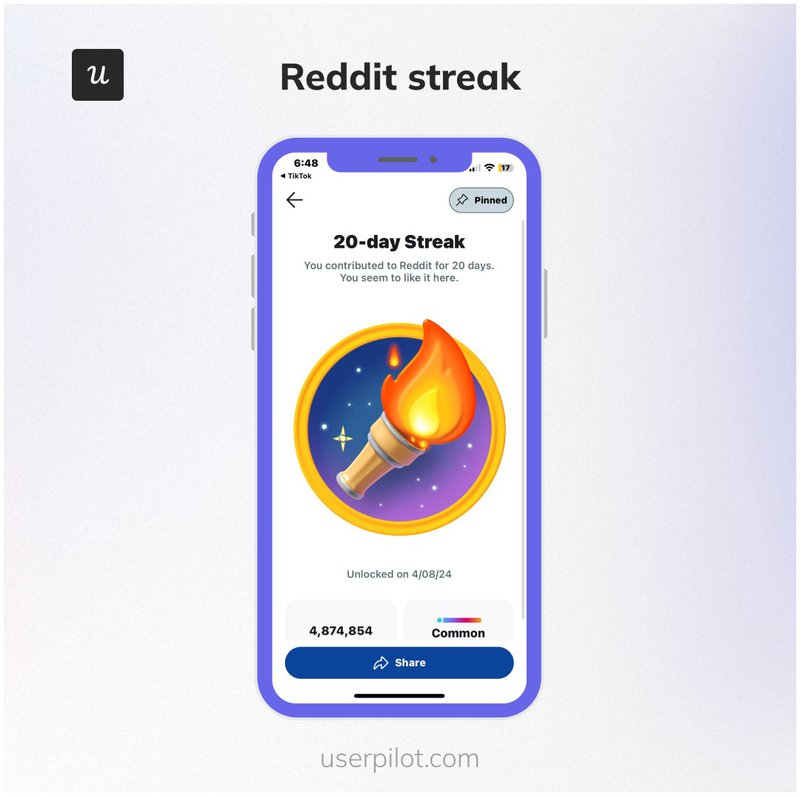
    Gamification works because it taps into how people naturally think and behave. Progress, rewards, and small wins create a sense of momentum, which makes users more likely to return and continue what they started.

    Academic research supports this. For example, a 2024 empirical study compared apps with gamified elements to those without. Users exposed to gamification reported higher engagement, motivation, and satisfaction.

    Gamification comes in different forms, but one I often recommend is designing for loss aversion. It’s especially effective for retention because people are far more motivated to protect what they’ve already built than to start over.

    Freshdesk is a good example of this. The platform uses a leaderboard that ranks support agents based on performance metrics such as ticket resolution and response speed.

    Over time, agents build a sense of progress and recognition tied to their position on the board. They wouldn’t want to lose that standing, so they continue to hit performance targets. This reinforces the behaviors that drive value in the product, creating a loop that supports long-term retention.

    Freshdesk pairs gamification with solid app functionality to drive retention across the user journey funnel.

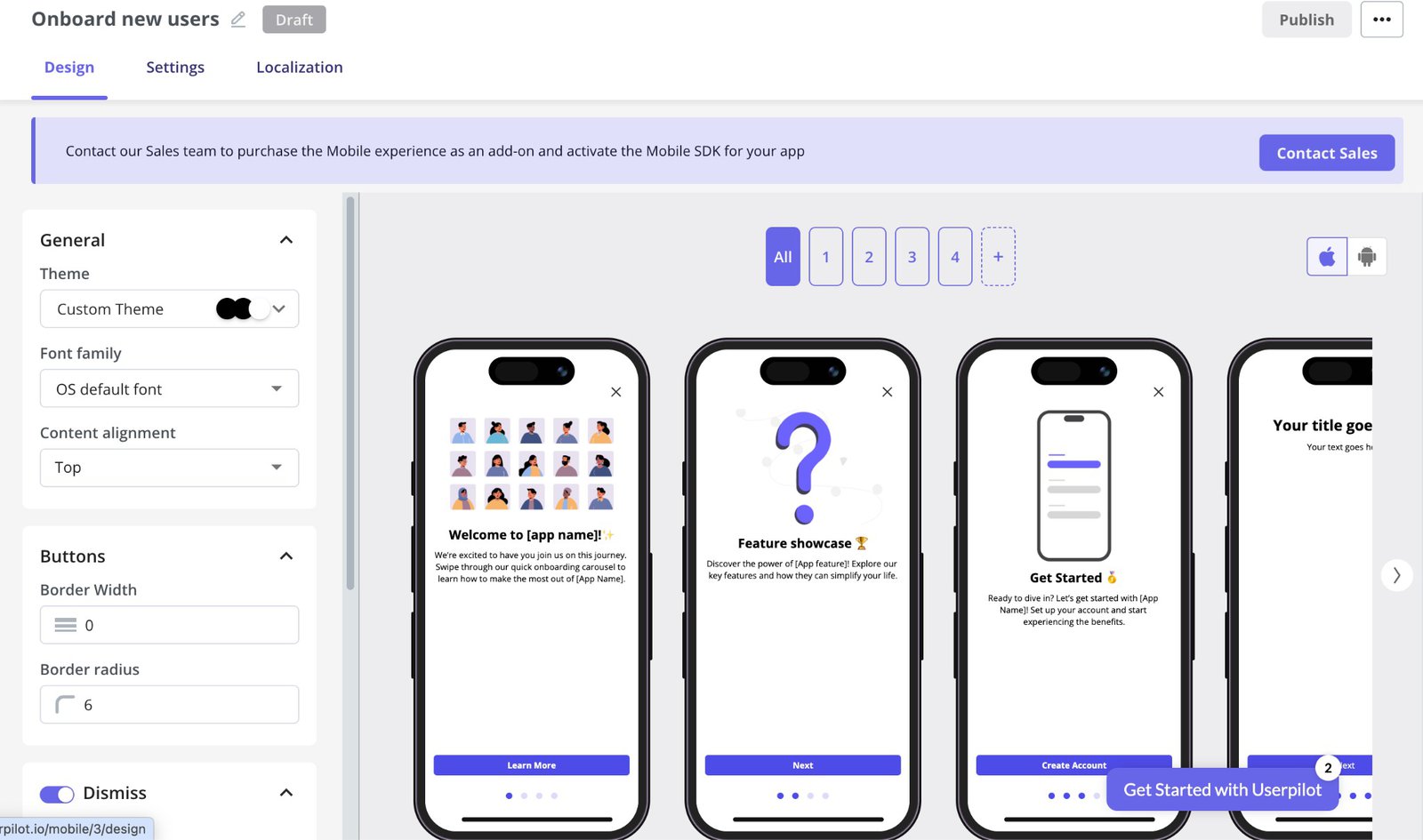
    You don’t have to wait until users fully adopt your product before designing for loss aversion. Use a tool like Userpilot to build onboarding checklists and progress bars that make progress visible and motivate new users to keep exploring your app.

    Onboarding checklist designed in Userpilot.
    Build a checklist like this code-free.

    But don’t overdo it. Too many gamification elements can clutter the interface and reduce user engagement.

    As Sarita Nagvanshi et al. put it in their 2025 study on the effects of gamification in mobile apps:

    “Not all gamification strategies are equally effective…irrelevant features or overuse can distract users.”

    Reuben Yonatan, Founder and CEO of GetVoIP, echoes the same point:

    “To improve app retention rates, get your user design and experience right. The biggest reason why users uninstall an app after downloading it is because they did not enjoy the user experience.”

    Your move

    Start by asking:

    • What is the primary problem our product solves?
    • How do our most engaged users interact with the product today?
    • What actions actually lead to meaningful outcomes for users?

    Once you have clarity, design gamification around reinforcing those actions.

    3. Predict churn using real-time behavioral signals

    According to Adjust, around 17% of churned users return after two months of inactivity, 11% after three months, and roughly 4% after six months.

    This shows that most apps still hold value for a segment of users even after they leave, but the likelihood of return decreases over time.

    It also means some users may never need to fall into the churn-and-return cycle if the product consistently meets their needs. Churn prediction helps you identify these valuable users early and apply strategies to retain them.

    Common signals include reduced feature usage, longer gaps between sessions, and negative sentiment during support interactions.

    If you can identify these early, you can step in before the user fully disengages. That might mean triggering contextual in-app notifications, guiding them back to a key feature, or addressing friction in their workflow.

    For one of Userpilot’s customers, it meant building an in-app resource center and delivering contextual in-app experiences. When Chargezoom first came to Userpilot, they were consistently losing users who weren’t realizing the product’s full potential.

    By guiding users with in-app support and timely prompts, they were able to reduce churn from over 4% to under 2.3% in one quarter.

    Userpilot also lets you customize your resource center to fit your brand’s aesthetics.
    Chargezoom’s resource center.

    Your move

    Segment users into cohorts based on factors like signup date, subscription plan, company size, or lifecycle stage.

    Then use a product growth tool like Userpilot to monitor retention and engagement patterns across these cohorts. When you notice unusual dips in feature usage for a specific group, investigate to understand why and offer targeted support.

    For example, if a cohort of high-engagement users reduces their interaction with two of your core features, you can trigger a quick survey like: “We noticed you’re mainly using [Feature X]. Is there something we could improve about our other tools to make them more useful for you?”

    4. Socialize the experience to build community moats

    Giving users the ability to interact with others adds a layer of engagement that improves their experience, reduces support tickets, and drives retention.

    There’s a strong business case for this, too. Salesforce reported that 83% of user questions in its Trailblazer community are answered by other customers, and 93% of users discovered new Salesforce products and solutions through the community.

    Socialization can also lower acquisition costs. In its 2025 report, social media management tool HeyOrca said being community-driven helped reduce its cost per acquisition by 80%.

    If you can’t incorporate full-scale social features like community groups, discussion forums, or peer-to-peer support spaces, a good way to begin is to introduce lighter social layers, such as comments, reactions, collaborative editing, or shared activity feeds.

    Figma is a good example of this. Its real-time collaboration and commenting features allow teams and stakeholders to work together inside the product. Designers, developers, and clients can all interact within the same workspace, creating a shared context that makes the product more engaging.

    Figma's socialization feature encourages web and mobile users to stay engaged and build user habits that lead to retention.

    Your move

    Identify the “social core” of your app by looking for these natural social moments:

    • Progress and outcomes: If your app encourages users to achieve something, such as completing a task or reaching a milestone, give them a way to share that success.
    • Shared challenges: If users are working toward similar goals, introduce light competition or collaboration through elements like leaderboards or group streaks.
    • Knowledge and troubleshooting: If your product has a learning curve, make support social. Let users ask questions and allow experienced users to respond.

    5. Listen through proactive feedback loops

    70% of executives in PwC’s 2025 Customer Experience Survey report that customer expectations are evolving faster than their company can keep up.

    That sounds concerning, but it also creates an opportunity to boost retention. Users are more likely to stick around when you actively listen to them and make timely improvements based on their feedback.

    Each improvement signals that their input matters and that the experience will keep getting better. Over time, this builds trust that translates to long-term user loyalty.

    A good example is Canva’s Glow Up, a major redesign of the platform’s interface and user experience.

    While the update introduced new features and a refreshed look, it also triggered backlash from many long-time users. Some took to social media with reactions like “I hate the new Glow Up” and complaints about performance and usability.

    Instead of ignoring the feedback, Canva responded by adding a feedback option directly within the product, allowing users to share their thoughts in context. They then rolled out adjustments based on user inputs.

    Canva's user feedback button.

    Your move

    Don’t wait for a one-star review to understand what your users think. Ask for feedback at key moments in the user journey while they’re actively using your product and getting value from it.

    There are two simple ways to do this:

    • Trigger feedback surveys at user milestones like feature activation, onboarding completion, or account renewal.
    • Add persistent feedback options in strategic areas of your product, such as a resource center, so users always know where to go to share their thoughts.

    Userpilot provides plug-and-play templates that let you build these surveys easily in minutes.

    Building in-app surveys in Userpilot.
    Build your in-app survey here.

    6. Re-ignite dormant users through cross-channel retargeting

    Not every inactive user is lost. Many just need a reason to come back.

    The key is to meet them where they already are, rather than waiting for them to return on their own. That means using channels like email, SMS, and even social to re-engage them outside your product.

    When you trigger re-engagement messages, avoid generic reminders and focus on new value. Show users what has changed since they left. This could be a feature they’ve not tried, an improvement that removes previous friction, or a use case that is now more relevant to them.

    Here’s an example from Asana. Notice how the message highlights a specific improvement and pairs it with a clear call to action.

    Asana's re-engagement strategy

    Your move

    Start by identifying dormant users based on inactivity windows such as 7, 14, or 30 days. Then build simple re-engagement campaigns that highlight what’s new or improved in your product since they last used it.

    Userpilot lets you build custom analytics dashboards to track metrics like session frequency, feature usage, and last active date, so you can easily spot when users start to disengage.

    Once you identify these users, you can use Userpilot’s engagement features to trigger targeted win-back messages via emails or push notifications.

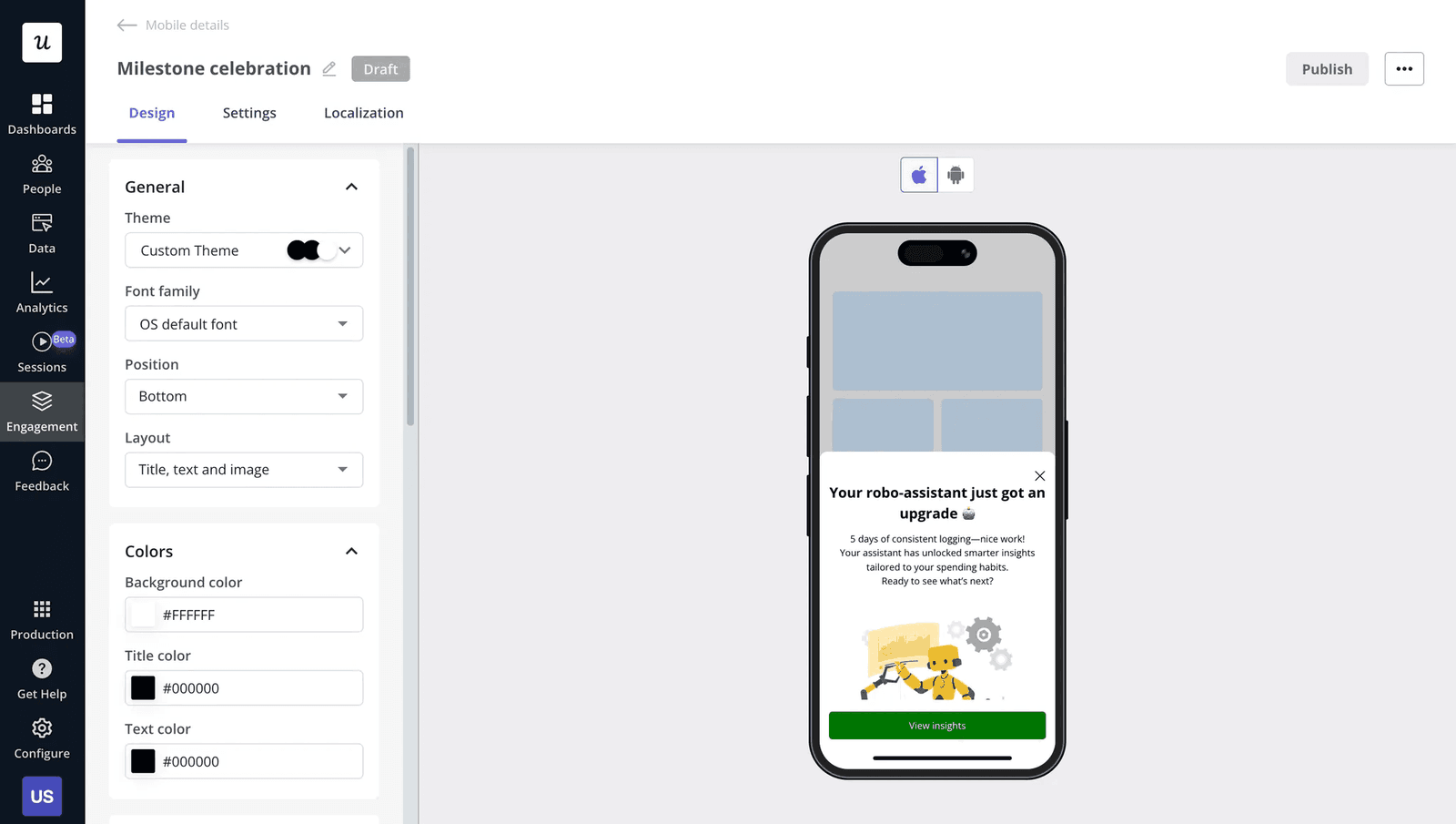
    Building a push notification in Userpilot.
    Building push notifications.

    💡 Pro tip: Orchestrate your cross-channel communication so that each touchpoint builds on the last. If a user opens a re-engagement push or email, your in-app message should not repeat the same information. It should guide them straight to the feature or update mentioned.

    “Push notifications and in-app messages are a great way to bring users back to your app. But remember, they need to offer value or users will ignore them and eventually abandon the app.” – Jose Gomez, CTO & Co-Founder at Evinex

    7. Introduce “negative friction” for perceived quality

    When something feels too instant, especially for complex or high-stakes outputs, users may question its accuracy. Consumer psychology shows that a short wait in such contexts can build anticipation, which in turn increases the perceived value of the result.

    For example, if an AI tool generates a detailed financial plan or a medical insight in a fraction of a second, users may subconsciously doubt how thorough it really is. But a brief processing state signals that something meaningful is happening behind the scenes.

    The microcopy you display during this wait time also affects perception. Generic messages like “Loading…” or blank states do little to build trust because they provide no context about what’s happening.

    As someone who regularly works on optimizing user experiences, I know firsthand how challenging it can be to find the right words to use in microcopy. My go-to solution is Userpilot’s AI assistant. I use it to generate copy, optimize it for specific UI constraints, and refine existing messages so they communicate value clearly and concisely.

    optimizing text with Userpilot's AI assistant.
    Userpilot’s AI assistant.

    Your move

    Introduce negative friction only when:

    • Expectations are high: If a user just performed a complex operation, such as uploading a dataset or configuring a report, an instant result can feel unreliable. Adding a 1.5-second “Analyzing your data…” state signals depth and precision.
    • The outcome is personalized: If your product is generating recommendations, summaries, or insights tailored to the user, a brief delay reinforces that the output is being thoughtfully created, not pulled from a generic template.
    • Confirmation is critical: For sensitive actions like “Securing account” or “Verifying transaction,” a slight delay communicates care, security, and thorough validation.

    8. Give users a pause button instead of an exit

    Not every user who tries to leave is ready to churn permanently. In many cases, they’re simply overwhelmed, distracted, or temporarily not seeing value.

    If your only option at that moment is “Delete account,” you force a permanent decision when the user may only need a break.

    A better approach is to offer a pause. This could mean letting users snooze notifications, deactivate their profile for a set period, or reduce how often they hear from you. The goal is to lower the commitment without cutting off the relationship entirely.

    This works because it removes pressure. Users feel in control, not pushed into an all-or-nothing decision. It also keeps the door open. When their needs change or timing improves, returning becomes much easier since their data, preferences, and progress are still intact.

    MailChimp is a good example. The platform offers the option to pause your account instead of deleting it and losing your marketing data.

    mailchimp uses the account pause option to avoid losing satisfied users who simply need a break.

    Your move

    Implement this strategy in three steps:

    • Make the pause option visible: Let users know upfront that pausing is an option. This reduces anxiety and gives them a softer alternative to leaving.
    • Set a limit: Offer specific durations such as 30, 60, or 90 days so users can take a break without disappearing indefinitely.
    • Follow up with the user: Set up an automated, low-pressure message at the end of the pause period. For example, “We’ve kept everything just as you left it. Ready to jump back in?”

    9. Simplify the interface for power users over time

    Tutorials, tooltips, and large help prompts are useful early on, but they slow down experienced users.

    Your power users want speed, control, and efficiency. The more friction you remove from their workflow, the more likely they are to continue enjoying your product.

    This also extends to onboarding. Not every user who signs up is new to your category. Some already know what they want to do. Forcing them through a rigid onboarding flow can feel restrictive. Giving users the option to skip or tailor onboarding helps them get to value faster.

    A good example of this is Notion. The platform allows advanced users to skip the onboarding process, fully customize their workspace, structure pages however they want, and create templates or shortcuts that turn repetitive workflows into a few simple actions.

    Notion's customizable interface.

    Your move

    • Track feature maturity: Don’t hide elements based on time alone. Use behavior. If a user hasn’t used a help button in 30 days but relies heavily on search, it may be time to surface faster ways to access what they need.
    • Introduce command palettes: Add a central “Cmd + K” or “Ctrl + P” search bar that power users can use to trigger actions directly, without navigating menus.
    • Offer expert mode toggles: Instead of changing the interface automatically, give users control. Let them switch to a “Minimalist” or “Focus” mode once they reach a certain level of familiarity.

    How do you track retention for mobile apps?

    Begin by measuring the following key metrics:

    • Retention cohorts: Day 1, Day 7, and Day 30 retention across different user segments, especially those coming from different user acquisition channels.
    • Feature adoption: Which features users engage with and how often.
    • Session frequency: How often users return within a given period.
    • Time to value: How quickly users reach their first meaningful outcome.
    • Stickiness ratio (DAU/MAU): How many monthly active users return daily.

    Userpilot is an efficient tool for visualizing these metrics in one place. Its no-code event tracking and analytics features make it easy to monitor user behavior, spot drop-offs, and understand what drives retention.

    You can also create custom dashboards that combine trends, funnels, paths, and retention reports to give you a clear view of how users move through your product.

    Building a custom analytics dashboard in Userpilot to track user engagement from the initial onboarding process to continous usag
    Building a custom analytics dashboard.

    Gathering user data yourself matters even more as privacy-first tracking becomes the norm in 2026. With stricter regulations and platform-level restrictions, access to third-party data is shrinking, and attribution is becoming less precise.

    To adapt, product teams need tools that collect behavioral data directly inside the product and turn it into actionable insight. That’s exactly how teams are using Userpilot today.

    For example, Jiminny, a market intelligence platform, used Userpilot to connect product analytics with in-app engagement. This gave their team visibility into feature adoption and allowed them to act on insights in real time.

    By tracking both total usage and individual user behavior, the team could distinguish between true adoption and activity driven by a small group of power users. This allowed them to prioritize the right features and guide users more effectively, leading to stronger engagement and a 79% renewal rate.

    As Galya Dimitrova, Head of Product at Jiminny, explains:

    “We can see how our work impacts our customers, but also ensure that we can make informed decisions about where to go next and what needs improvement.”

    Build and ship sticky apps

    I know I recommended tracking retention in three buckets: Day 1, Day 7, and Day 30+, but it’s important to remember that users don’t wake up and think, “It’s day 8, I should open that app.”

    They return because of the value your product delivers.

    So as you track retention, focus less on the numbers alone and more on the questions behind them:

    • What parts of our product deliver the most value?
    • What features or experiences are users engaging with less?
    • How can we improve value delivery for both new and existing users?

    If you can answer these consistently, retention becomes a byproduct of a better product.

    Ready to see how Userpilot can help you answer these questions and boost customer retention? Book a demo now.

    FAQ

    Is a 90% retention rate good?

    Yes, but it depends on the timeframe. A 90% Day 1 retention rate is excellent, but a 90% Day 30 retention rate is extremely rare for most apps.

    Retention typically drops sharply after the first few days, so it’s important to compare your numbers against the average retention rate for your category and see where you stand.

    How much can a 1000 downloads app make?

    There’s no fixed answer because revenue depends on your monetization model.

    An app with 1,000 downloads could generate little to no revenue if users don’t convert, or it could earn significant income through subscriptions, in-app purchases, or ads. What matters more is how many of those users stay active and engage with value-driving features, as that’s a strong precursor to increased customer lifetime value.

    What does 50% retention mean?

    A 50% retention rate means half of your users return to your app within a specific timeframe. For example, if your Day 7 retention is 50%, it means 50 out of every 100 users came back within seven days of their first visit. This is generally considered strong retention, especially beyond the first few days after acquisition.

    About the author
    Natália Kimličková

    Natália Kimličková

    Sr. Product Marketing Manager

    I'm a B2B SaaS marketer who's passionate about a PLG (Product-Led Growth). Which means I'm always looking for creative ways to get our product in front of more users. Let's connect and chat about how we can make our products shine.

    All posts

    You might also be interested in ...

    Why Your B2B Loyalty Program Isn't Sticking: The Champion Problem Nobody Names
    Growth May 19, 2026

    Why Your B2B Loyalty Program Isn’t Sticking: The Champion Problem Nobody Names

    James Mitchinson

    James Mitchinson

    Head of Customer Success

    Mobile App Metrics I Actually Track as a PM (and the Ones I'd Cut From Your Dashboard)
    Growth May 19, 2026

    Mobile App Metrics I Actually Track as a PM (and the Ones I’d Cut From Your Dashboard)

    Abrar Abutouq

    Abrar Abutouq

    Product Manager

    Product Engagement Metrics in 2026: The Human Stream Is Only Half the Picture
    Updated May 19, 2026

    Product Engagement Metrics in 2026: The Human Stream Is Only Half the Picture

    Abrar Abutouq

    Abrar Abutouq

    Product Manager

    Take Your Product Experience to the Next Level

    Get a Demo

    Product

    • Product Analytics
    • User Engagement
    • User Feedback

    Company

    • Events
    • Careers
    • Customers
    • Contact Us
    • About Us

    Resources

    • Blog
    • Product Adoption School
    • Product Drive
    • SaaS Onboarding Research
    • Case Studies
    • Sitemap

    Use Cases

    • User Onboarding
    • Product Adoption
    • Customer Retention
    • Product Led Growth
    • In-App Support

    Support

    • Help Center
    • Security at Userpilot
    • System Status
    • Trust Center

    Roles

    • Product Growth
    • Product Marketing
    • Product Management
    • UX Design

    Read more

    • User Onboarding
    • Product Tours
    • Customer Success
    • User Behavior Tracking
    • In-App Guidance
    • Microsurveys for SaaS Guide
    • Interactive User Guides
    © 2026 Userpilot. All rights reserved
    • Terms of Use
    • Privacy Policy