Userpilot vs Google Analytics: Honest Comparison 2026


On May 13, 2026, GA4 quietly added a native AI Assistant channel that automatically tracks clicks from ChatGPT, Gemini, and Claude. While that does address a real blind spot for the traffic on your marketing website, it still can’t tell you what’s happening inside your product. Third-party AI agents now complete tasks inside SaaS products through MCP servers and APIs, without humans ever touching a button. AI agents simply don’t click, scroll, or open a session the way GA4’s tracking models expect.
53% of internet traffic is already made up of bots, with automated traffic continuing to rise as AI adoption widens. GA4 was built to count the number of visits to websites, but Userpilot was always intended to measure what happens after someone (whether human or agent) gets inside your product. This comparison will walk you through the differences in both platforms’ behavioral analytics, event tracking, user feedback, and agentic monitoring capabilities.

Userpilot vs Google Analytics for user behavior analytics
| Category | Userpilot | Google Analytics |
|---|---|---|
| What it tracks | In-product user and company behavior, post-login | Website traffic and pre-signup behavior |
| Segmentation | Unlimited custom segments, behavior-based | Audience segments, mostly demographic or acquisition-based |
| Retention analysis | Native retention tables and cohort reports | Not supported natively (requires a BigQuery export and SQL) |
| User profiles | Individual user and company-level profiles with full event history | User Explorer shows individual sessions, no company-level view |
| Best for | Understanding what happens after signup | Understanding how people found your site |
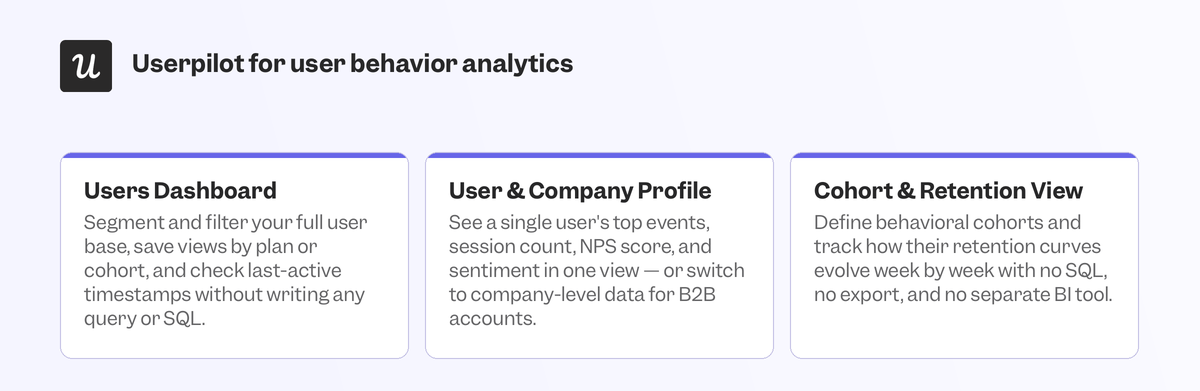
Userpilot for user behavior analytics
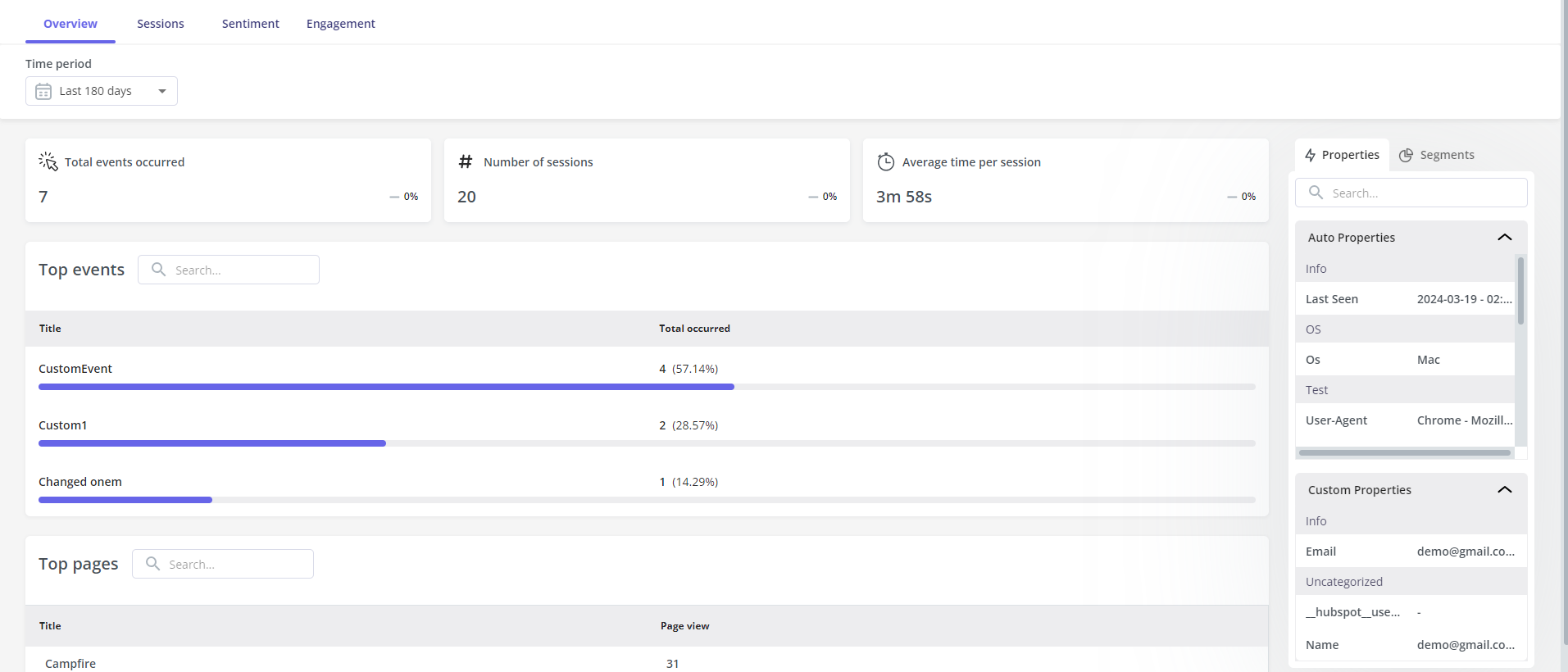
Userpilot’s users dashboard gives you an overview of every user and company in one place that you can filter by segment, plan, or when they were last active, all feeding directly into user retention analysis. You can even drill into a single user’s top events, pages, and sentiment without having to export the CSV.
Google Analytics for user behavior analytics
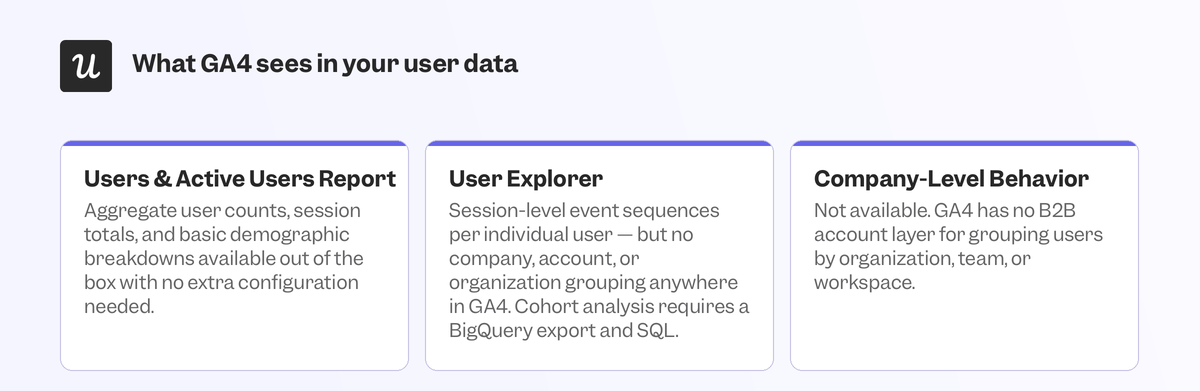
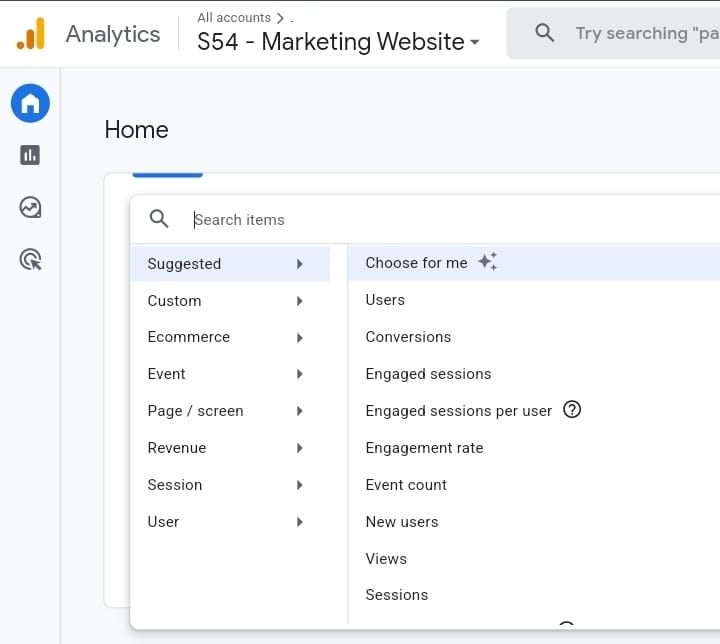
GA4 reports Users and Active Users well by surfacing how many people visited, whether they’re new or returning, and which pages they viewed. That said, it doesn’t have dimensions for a company or account. This is a major problem if you sell B2B SaaS and need to know how a whole team is using your product. However, total sessions breakdowns is more than sufficient for marketing websites and free trial landing pages that simply need a raw count of how much traffic is coming into the top of the funnel.
Userpilot vs Google Analytics for event tracking
| Category | Userpilot | Google Analytics |
|---|---|---|
| Setup | Every click, page view, and form submission is tracked automatically | Requires manual event tagging or Google Tag Manager configuration |
| Event types | Tracked API events, custom events, and retroactive auto-capture | Automatically collected web events, plus custom events via code snippets |
| Real-time use | Event data feeds directly into funnels, segments, and in-app triggers | Real-time reports available, built mainly for traffic and conversion monitoring |
| Best for | Feature-level usage tracking without needing engineering tickets | Marketing website conversion and page-level event tracking |
Userpilot for event tracking
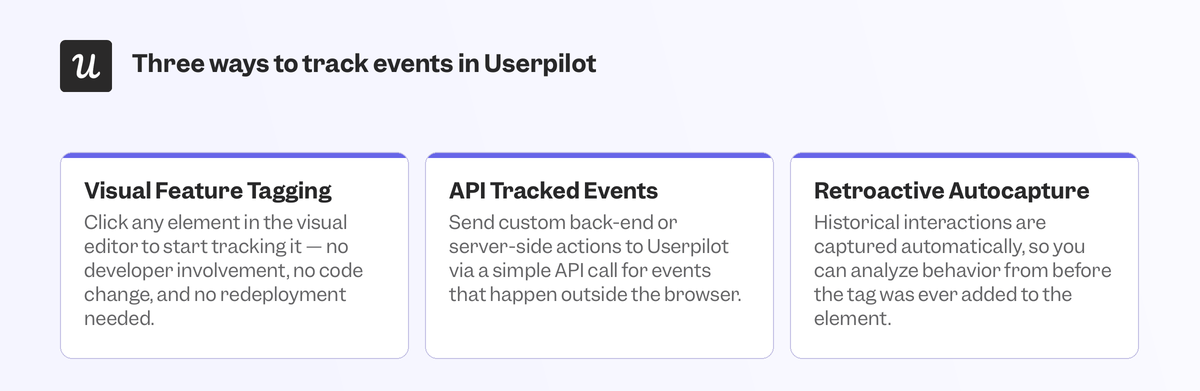
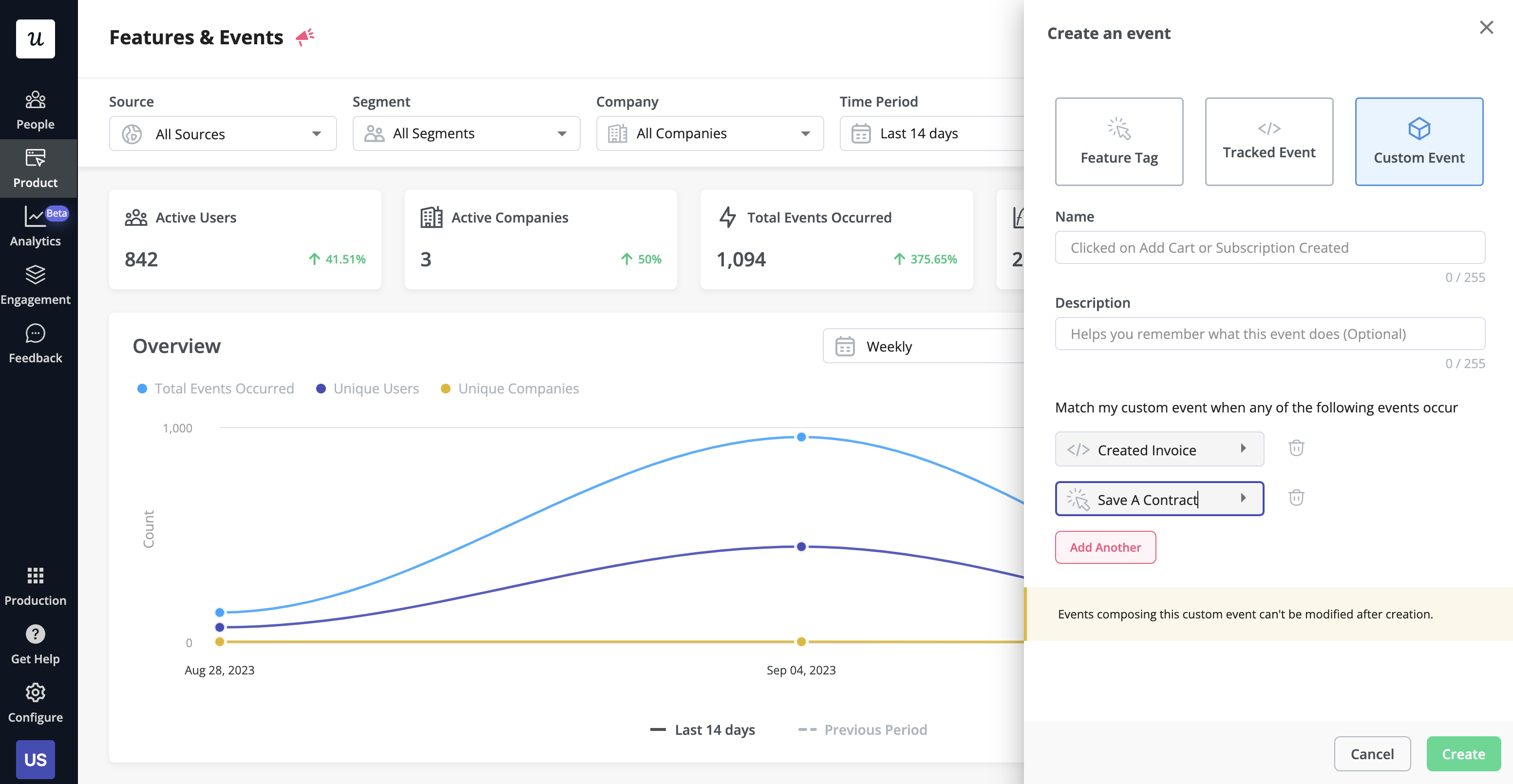
Userpilot lets you track custom events by API without writing code, while our Growth plan’s retroactive auto-capture means you can go back and see interactions that happened before those events were even set up.
Google Analytics for event tracking
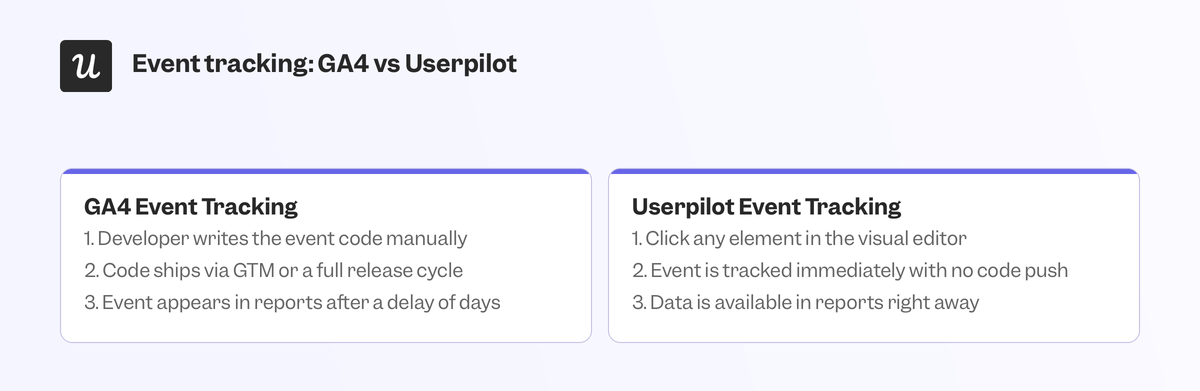
GA4’s event model is genuinely solid for tracking form submits, video views, and outbound clicks on a marketing site. However, tracking feature-level product usage metrics means writing custom event code for nearly everything, then having to maintain that whenever the product updates.
Userpilot vs Google Analytics for in-app surveys and feedback
| Category | Userpilot | Google Analytics |
|---|---|---|
| Native surveys | NPS, CSAT, CES, and 14 templates total | No native in-app surveys |
| Targeting | Conditional triggers by segment, behavior, and page | N/A |
| Analytics | Built-in response breakdowns, trend charts, and theme surfacing | N/A |
| Best for | Pairing usage data with the contextual explanations behind it | N/A |
Userpilot for in-app surveys and feedback
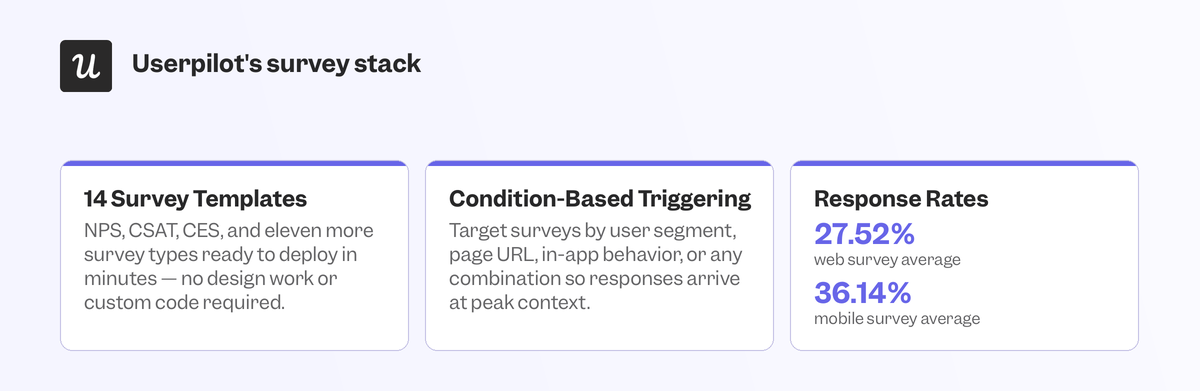
In-app surveys average a 27.52% response rate across web apps according to Refiner, with mobile surveys scoring even higher at 36.14% according to data from 1,382 surveys. This is significantly higher than email survey response rates because questions are being asked within the product while customers are actively using it. Userpilot triggers NPS, CSAT, and CES surveys based on real-time product behavior (not fixed calendars).
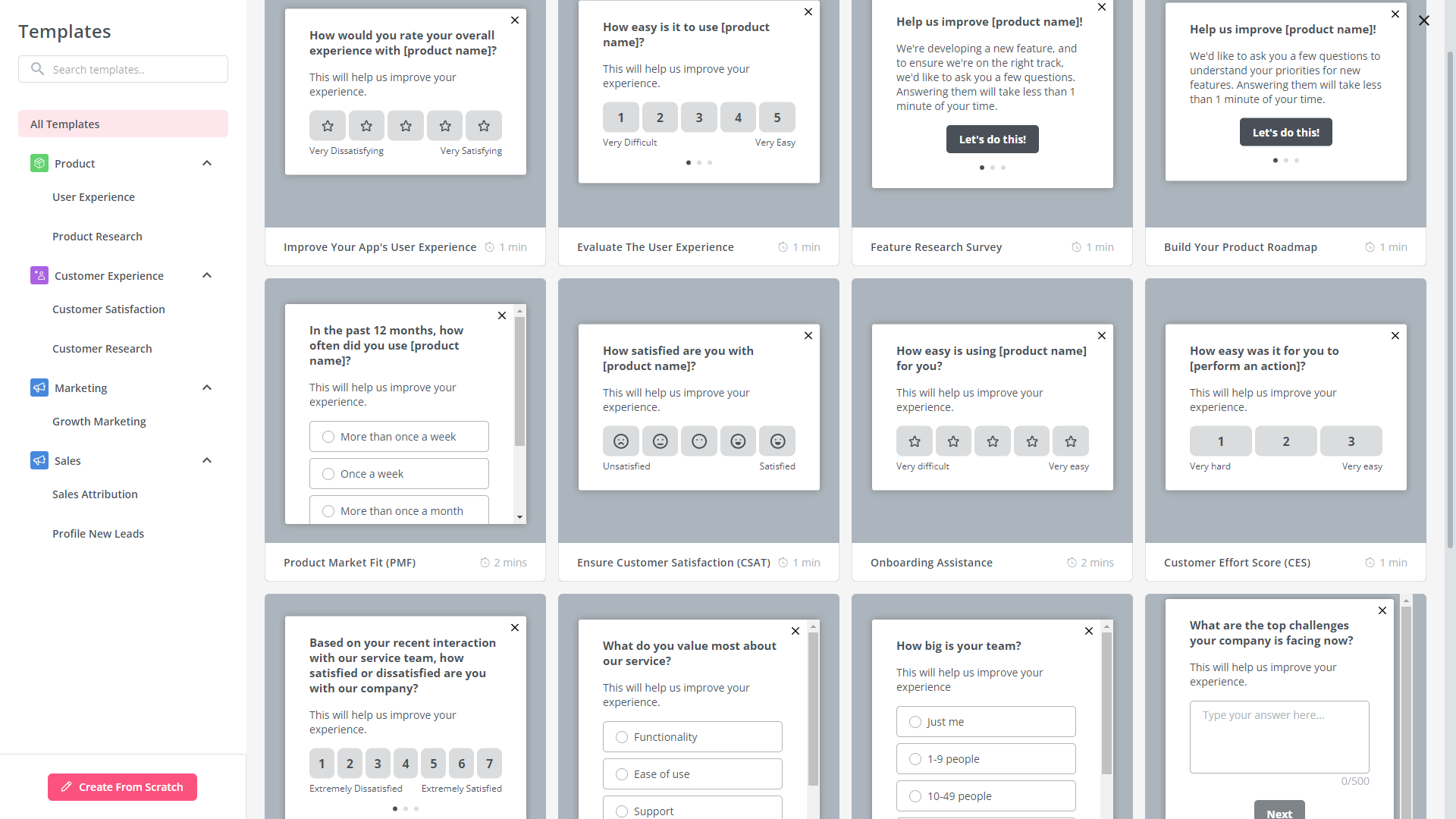
Userpilot’s template gallery offers 14 different survey types (with advanced surveys available on the Growth plan or higher) that you can trigger within your product without writing any code:
Google Analytics for in-app surveys and feedback
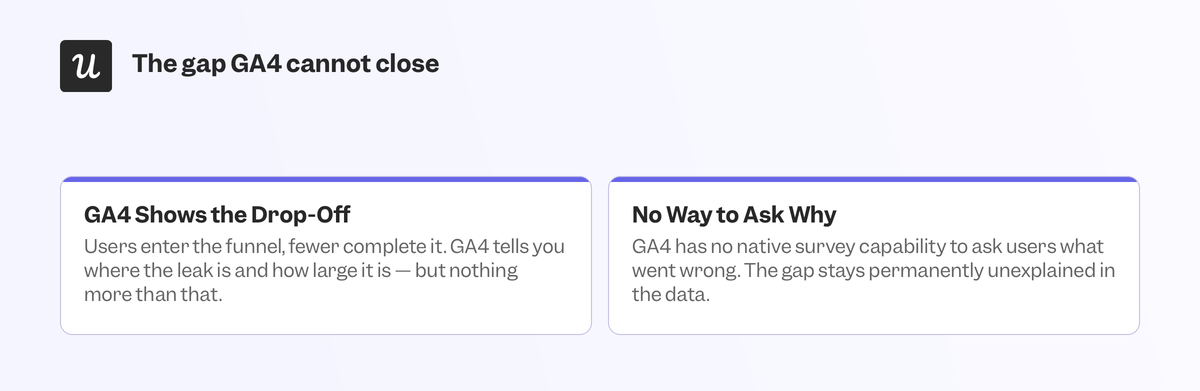
Google Analytics doesn’t run surveys at all. This means it can help you identify funnel drop-off points, but not why that drop-off is happening. If you want to know why they stalled then you’ll need to get a third-party tool to survey them through other means.
Userpilot vs Google Analytics for AI agent traffic analytics
| Category | Userpilot | Google Analytics |
|---|---|---|
| What it measures | Conversations, usage, and product outcomes for AI agents | Referral clicks to your site from ChatGPT, Gemini, and Claude |
| Visibility into MCP or API traffic | Full visibility into agent conversations, topics, and failure points | GA4 can’t see agents acting inside products through MCPs or APIs |
| Failure detection | AI-detected frustration and drop-off signals per agent conversation | N/A |
| Best for | Proving agent ROI and catching product failures before they cause customer churn | Measuring how much marketing traffic AI chatbots are sending you |
Userpilot for AI agent traffic analytics
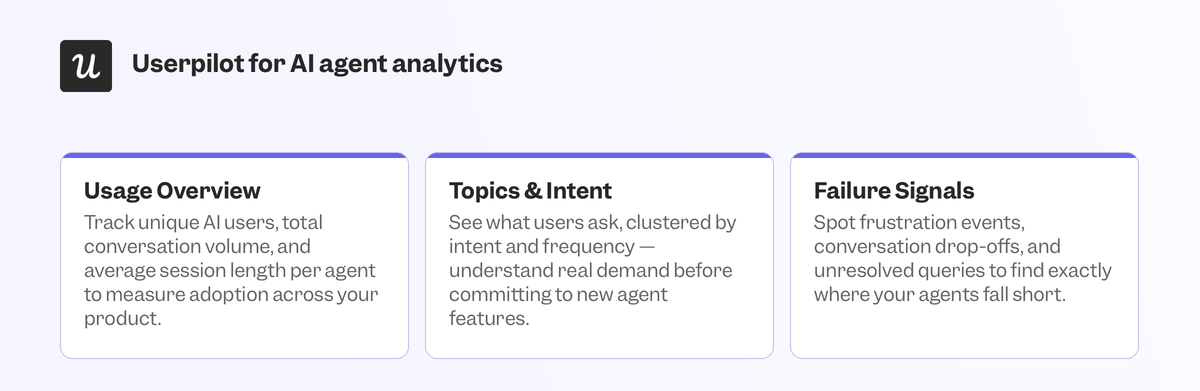
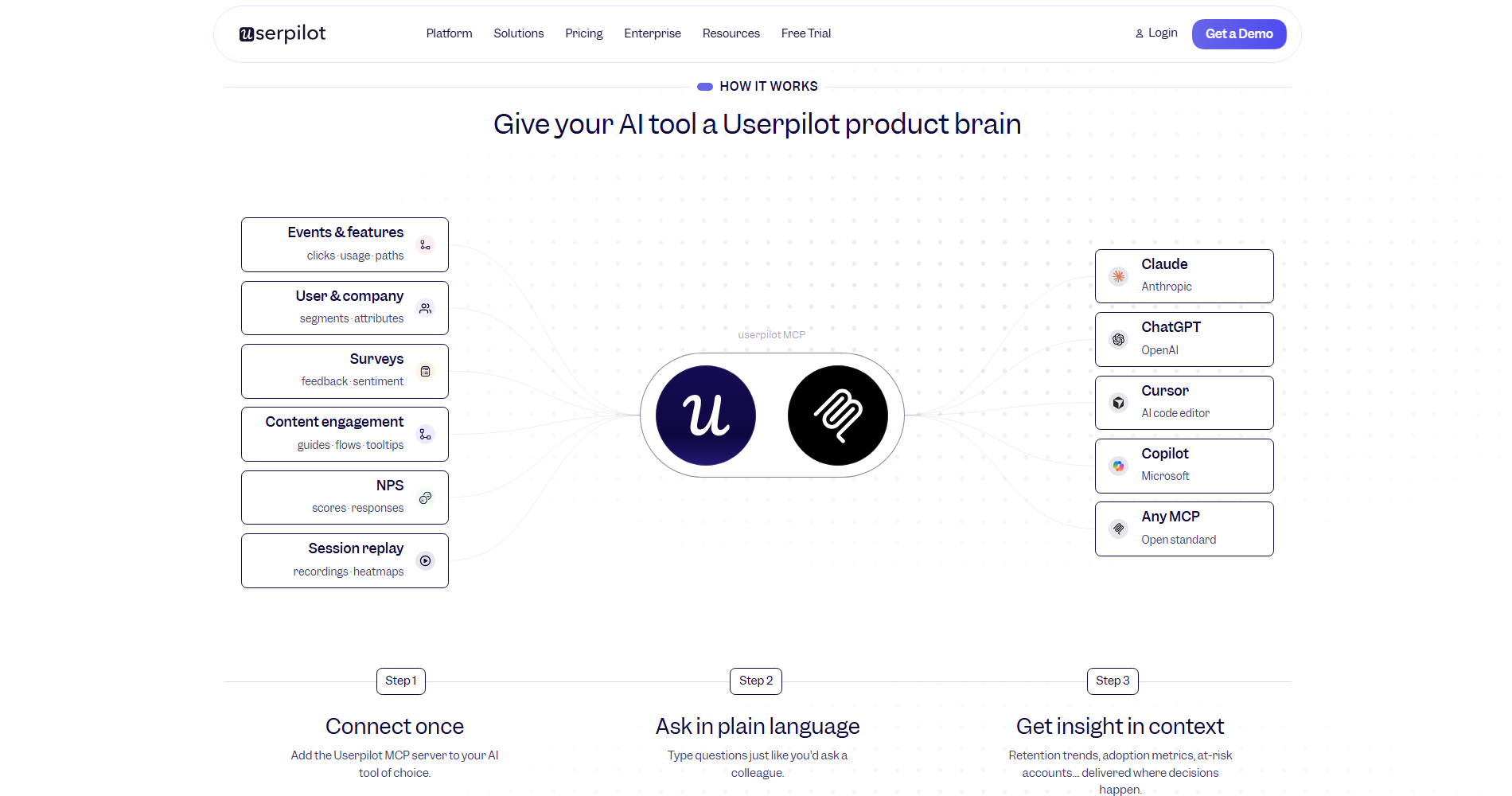
Userpilot’s Agent Analytics track what happens once an agent is already inside your product by measuring agentic metrics the same way you’d measure a human user’s funnel. That includes third-party AI agents using your product through MCP, the standard that several AI tools now use to access product data and workflows directly. For instance, our MCP server lets models from Anthropic, OpenAI, Microsoft, and more access key features or data from your Userpilot implementation.
Google Analytics for AI agent traffic analytics
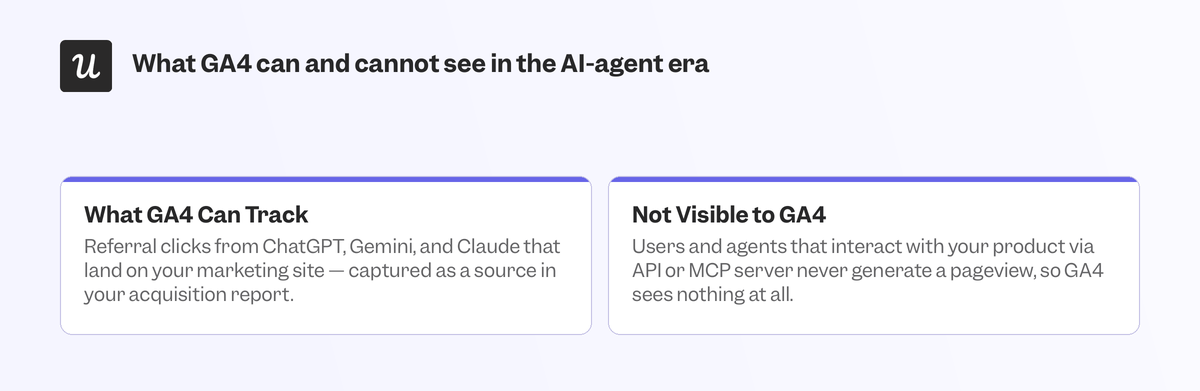
GA4’s new AI Assistant channel only classifies traffic if the referring tool passes referral data along with the click. When someone taps a link inside a native ChatGPT or Claude mobile app, the referrer is often stripped, causing that visit to show up as direct traffic instead. As such, referrer-passed traffic typically only accounts for 60% to 80% of actual AI visits. An agent calling your product through an API or an MCP server doesn’t even generate a GA4 pageview, session, or event that you can see on your GA4 dashboard.
What Userpilot and Google Analytics actually cost
Userpilot pricing
| Plan | Price | What you get |
|---|---|---|
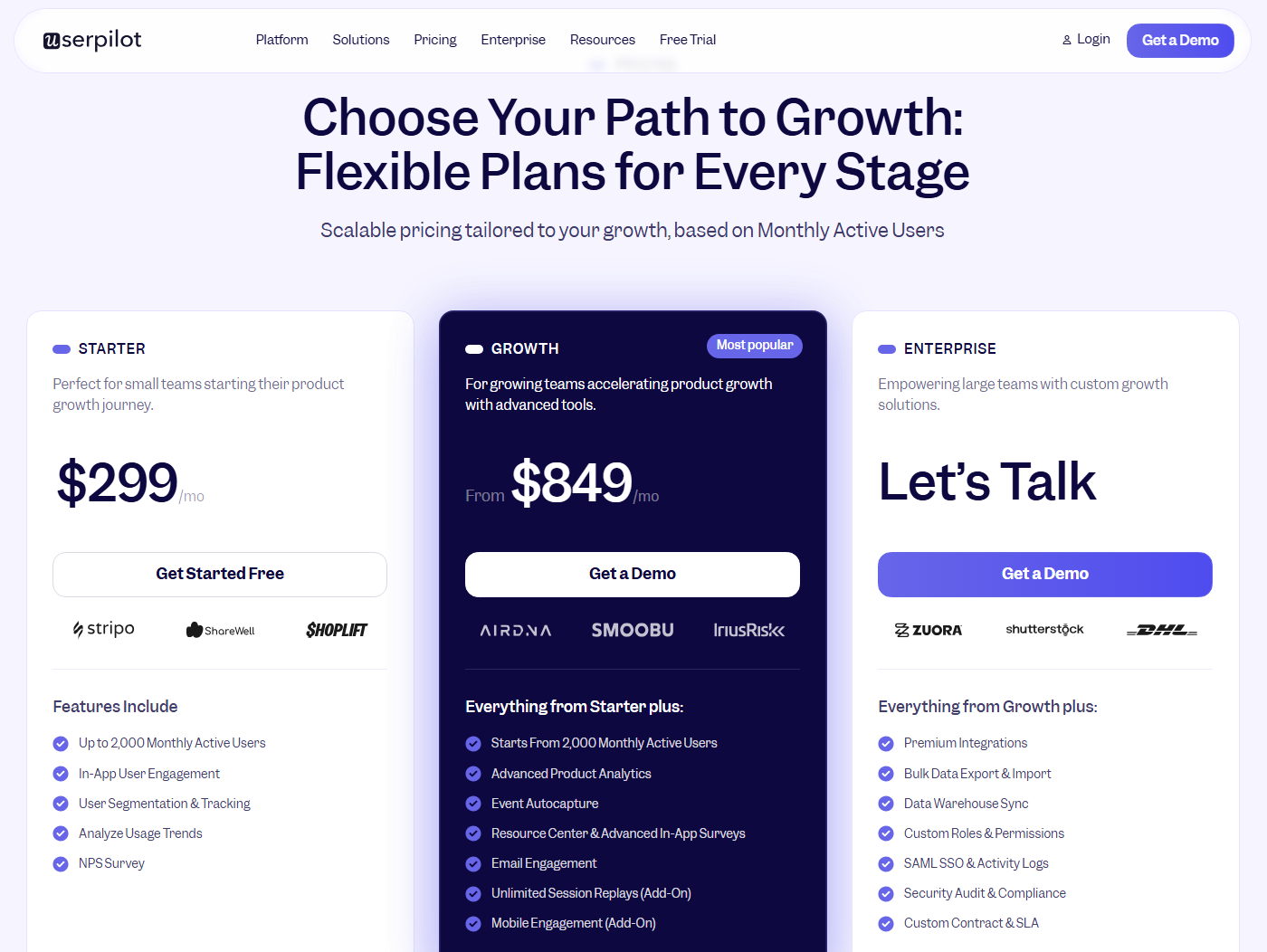
| Starter | $299/month | Up to 2,000 MAUs, in-app engagement, NPS surveys, and usage trend analysis |
| Growth | $849/month | Advanced product analytics, event auto-capture, resource center, and advanced surveys |
| Enterprise | Custom | Bulk data export, custom roles, SAML SSO, and data warehouse syncing |
Userpilot’s pricing starts at $299/month and scales with monthly active users, not event volume. This keeps invoices predictable as your user base grows.
Google Analytics pricing
| Tier | Price | What you get |
|---|---|---|
| Google Analytics 4 | Free | Unlimited properties with up to 14 months of data retention |
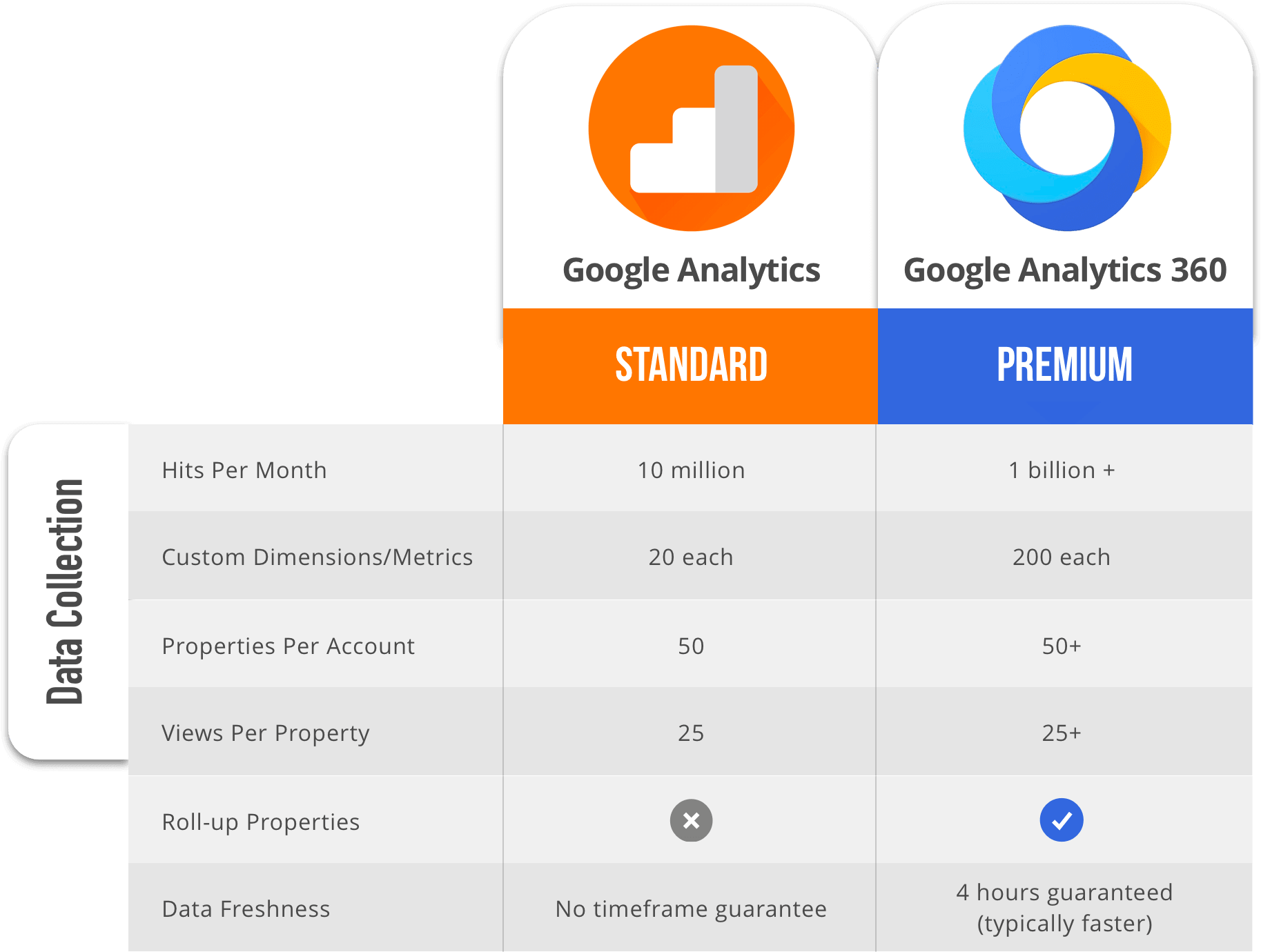
| Google Analytics 360 | $50,000 to $150,000+/year | Higher event limits with up to 50 months of data retention |
The free version of Google Analytics caps data retention at 14 months, with an upgrade to Google Analytics 360 required if you want to retain data for longer than that. Unfortunately, GA4 360 pricing isn’t publicly available and must be negotiated directly with Google. However, analysts who track these deals have put the average contract value at the $50,000 to $150,000 range due to the product’s enterprise audience.
So, which one should you actually use?
Most teams are better off running both platforms because Google Analytics can show you where a visitor came from for free while Userpilot shows you what they did once they were inside the product. Furthermore, GA4 took a big step this year by separating AI referral clicks into a dedicated channel, despite that attribution only being available for website traffic rather than product usage.
If you’re already using Google Analytics but want to reveal the blind spots left by GA4 and can’t afford a six-figure GA360 contract, book a Userpilot demo to see how you can track product usage at a fraction of the cost!
Disclaimer: Userpilot strives to provide accurate information to help businesses determine the best solution for their particular needs. Due to the dynamic nature of the industry, the features offered by Userpilot and others often change over time. The statements made in this article are accurate to the best of Userpilot’s knowledge as of its publication/most recent update on July 26, 2026.
About the author