10 Best AI Analytics Agents for PMs: Data, Setup & Use Cases

Every analytics tool now ships an AI analytics agent. This year alone, Amplitude made Custom Agents generally available, Mixpanel launched Mixpanel AI, and Databricks turned Genie Spaces into Genie Agents.
The difference is the data they reach and what they do with it. One reads your product events, another reads your warehouse, and a third only sees the spreadsheet you upload. So an agent that looks great in a demo can still fail at the question you bought it for, like why activation dropped last week for one segment.
I put this list together for PMs and growth managers who need to pick one. I compared 10 tools on how they reach your data, what data they analyze, and what it takes to set up.
Executive summary
- How an agent reaches your data and which data it can see decide the fit. A chat box on top of the wrong data gives confident, wrong answers.
- Built-in agents know your product data deeply. MCP lets Claude or ChatGPT reach that data, with less context and fewer actions.
- Warehouse and BI agents (ThoughtSpot, Hex, Snowflake, Databricks) need a data team to build semantic models first.
- For product teams that want to analyze product data and act on it in-app, Userpilot is the pick.
| Tool | Agent and access | Data it analyzes | Setup needed | Best for | Starting price |
|---|---|---|---|---|---|
| Userpilot | Lia, MCP server | Product behavior, session replays, surveys and feedback | None beyond the Userpilot install. Autocapture on Growth+. | Product teams that want to analyze and act in-app | Starter from $299/month (billed annually); MCP on all plans |
| Amplitude | Global Agent, Specialized and Custom Agents, MCP | Events, experiments, session replays, feedback | A mature tracking plan | Product research and experiments | Free plan includes AI Agents and MCP; Growth and Enterprise quoted |
| Mixpanel | Mixpanel Agent and sub-agents, MCP | Events, KPIs, funnels, session replays | Clean event tracking plus clearly defined metrics | Always-on KPI monitoring | Free up to 1M events/month; Growth is usage-based |
| PostHog | PostHog AI, MCP server | Events, replays, flags, experiments, errors, SQL | SDK install; MCP install from the terminal | Engineering-led teams | 500 free AI credits/month (worth $5), then $0.01/credit. |
| LogRocket | Galileo, Ask Galileo, MCP | Session replays, errors, support feedback | Developer-led SDK install | Finding friction in replays and feedback | Pro from $292/month (10K sessions); Galileo AI included in Pro |
| ThoughtSpot | Spotter agents, MCP server | Warehouse data through governed models | Data team builds and owns the data model | Business users exploring governed BI metrics | Essentials from $25/user/month; Spotter on Pro ($50/user/month) |
| Hex | Hex Agent, Threads, MCP | Warehouse tables and semantic models | Warehouse connection; semantic models advised | PMs and analysts on warehouse data | Free Community; Professional $36/editor/month; Team $75/editor/month |
| Snowflake | Snowflake Intelligence (Cortex Agents), managed MCP | Data in Snowflake through semantic views | Data team builds semantic views, agents, and roles | Business users on Snowflake | Usage-based AI Credits plus compute |
| Databricks | Genie One, Genie Agents | Data in Databricks through Genie agents | Data team configures Genie agents | Business users on Databricks | Free monthly allowance per user, then pay-as-you-go |
| Claude or ChatGPT | General assistant over MCP | Whatever each connected server exposes | Paid plan and one connector per tool | Asking across all your tools in one place | Claude: any plan (Free = one custom connector). ChatGPT: Business, Enterprise, or Edu for full MCP apps |
What is the best AI analytics agent?
The best AI analytics agent is the one that reaches the data you need, inside the stack you already run. Before selecting one agent or the other, there are two things I consider:
- Setup and how the agent reaches your data: Some analytics tools like Userpilot, Amplitude, and Mixpanel run agents on data they already collect. The agents in BI tools like Snowflake, Databricks, and ThoughtSpot query your data warehouse through a semantic model. Then, standalone assistants like Claude or ChatGPT accept file uploads and can connect to other data sources via Model Context Protocol (MCP).
- What data it analyzes: Product behavior (events, funnels, retention), qualitative signals (session replays, surveys, feedback), company-wide business metrics (revenue, pipeline, finance), or one-off files. An agent can’t answer a question about data it can’t see. A warehouse agent won’t know why users skip a setup step unless those events land in the warehouse. A product analytics agent won’t know your quarterly revenue by region.
Here’s how I’d match a tool to your setup:
- If you already use a tool to collect data and it has an agent, use it; you’ll get the best results for your data.
- If you’re starting fresh, consider the data you want to analyze, acceptable setup difficulty and costs, agent type (insight only or insight and action), and agent billing.
Your goal should be self-serve analytics that produces reliable answers to natural language queries. With these criteria in mind, let’s compare 10 AI analytics agents and where each one fits.
1. Userpilot: For product teams that want to analyze and act on product data
Userpilot is an agentic product adoption platform that tracks product usage patterns, session replay, survey responses, and in-app engagement. It helps product teams find what’s happening inside their product and act on it, without moving the work to another tool. Here’s how our AI reaches your data:
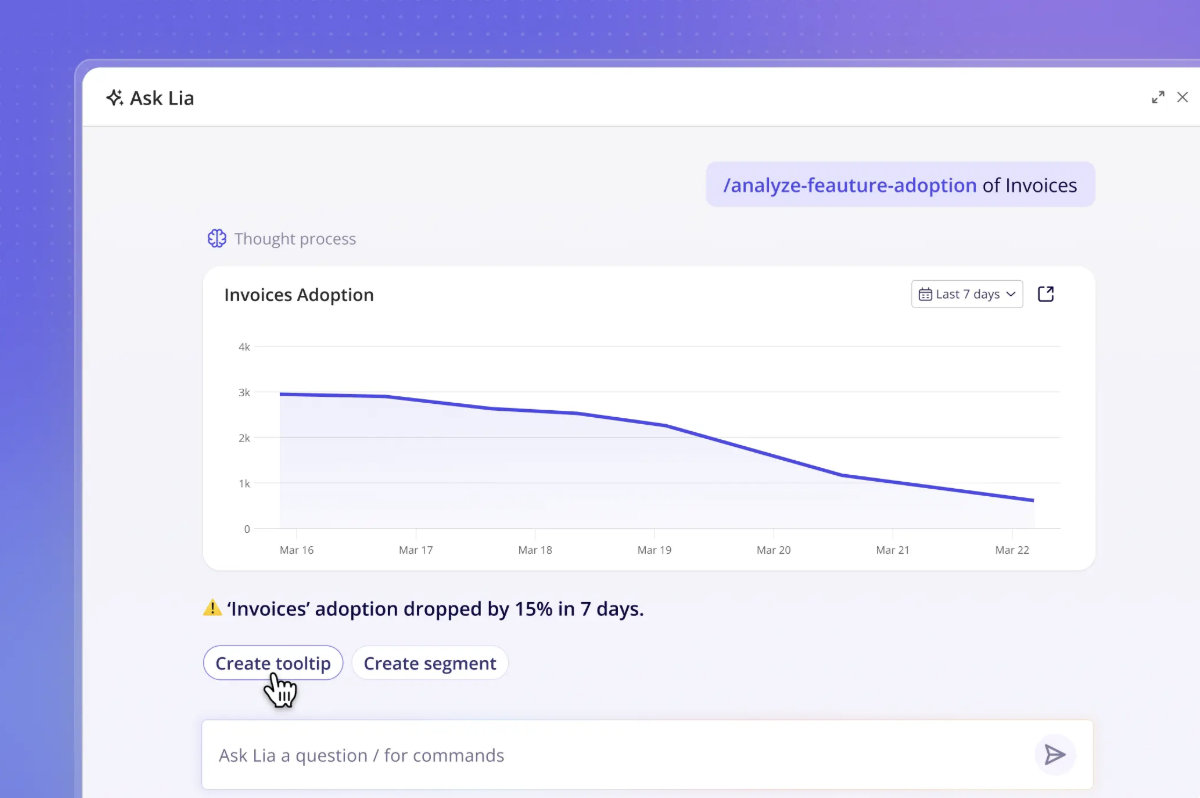
- Lia: Userpilot’s built-in AI agent. Lia analyzes product data, session replays, and feedback, answers questions in plain language, and then builds the next step: a report, an in-app flow, or a survey. It ships with 15 built-in skills that trigger based on what you ask.
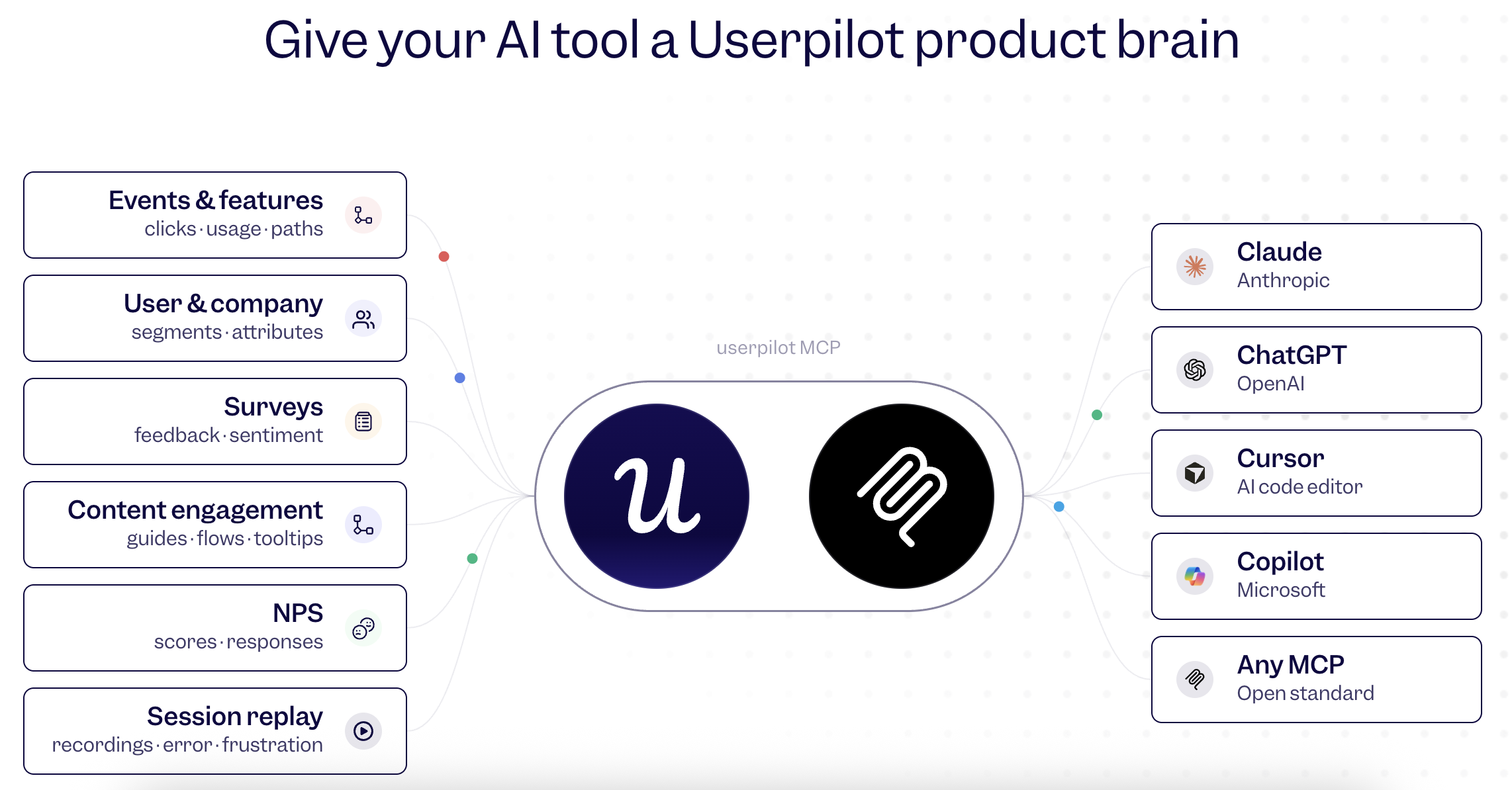
- MCP server: Brings Userpilot data into Claude, ChatGPT, and other AI tools that support our remote MCP servers with OAuth sign-in. Userpilot hosts the server, you sign in with your normal login, and each person’s access mirrors their Userpilot role.
- Integrations: Connect Userpilot with your CRM, data warehouse, and analytics and BI tools, so product data can flow to the rest of your stack.
What to expect from Lia
Lia uses the data Userpilot already collects for critical context. Instead of asking one question at a time, you can start a project around a goal. The five project types are activation, feature adoption, retention, churn, and monetization.
Lia builds the reports for that goal, breaks results down by segment, and runs correlation and predictive models. When it finds a problem, it drafts the fix. You choose how much control to keep: Observe (Lia surfaces insights), Copilot (Lia drafts, you approve), or Autonomous (you set the goal and Lia runs the loop).
We built Lia this way on purpose. Yazan, our CEO, scrapped an earlier assistant-style design because it kept the PM doing the operating work. In his words:
“You create a project, you tell it what you want, and it should do the rest.”
Amplemarket demonstrates the value of a tool like Lia. Whenever the team added a Userpilot nudge to a new feature, its adoption rate rose five to ten times. That result came from acting on insights, the same kind of tasks Lia can now handle for you.
Who it’s for: I’d recommend Userpilot for any PM who wants one place to understand product data, find problems, and launch the fix. If your main questions are about finance or sales data that lives only in your warehouse, Userpilot isn’t for you.
Pricing: The Starter plan starts at $299/month, billed annually. Growth starts at $849/month, and Enterprise is quoted. Both Lia and the MCP server are available on all plans. AI Agent Analytics is available as an add-on on Growth and Enterprise.
2. Amplitude: For running product research and experiments with custom agents
Amplitude fits teams that already live in Amplitude and want agents to take over recurring research and experiment analysis. It gives you four ways in:
- Global Agent: A chat agent inside Amplitude. It reads the chart, dashboard, or experiment you have open, then generates visualizations, segments users, analyzes experiments, and helps maintain your event taxonomy.
- Custom Agents: A set of saved instructions, tools, and an optional schedule that can run a weekly analysis without anyone asking.
- Agent Connectors and MCP server: Connectors pull context from other apps into agent runs. The MCP server sends Amplitude data the other way, into Claude, ChatGPT, Cursor, Figma, Notion, and similar tools.
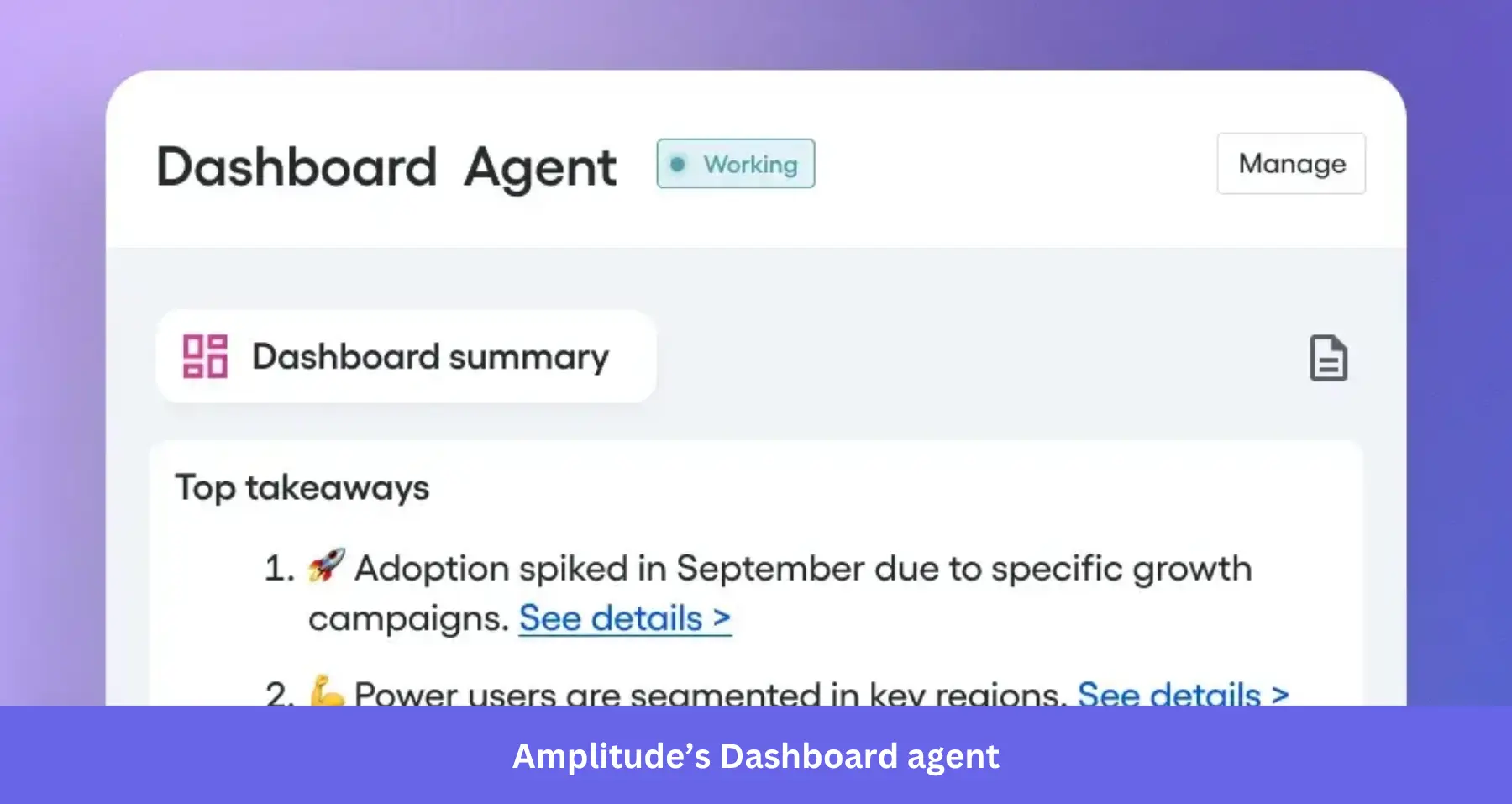
- Specialized Agents: Four prebuilt agents (Dashboard, Session Replay, Customer Feedback, Website Conversion) that run on a schedule and push findings to you.
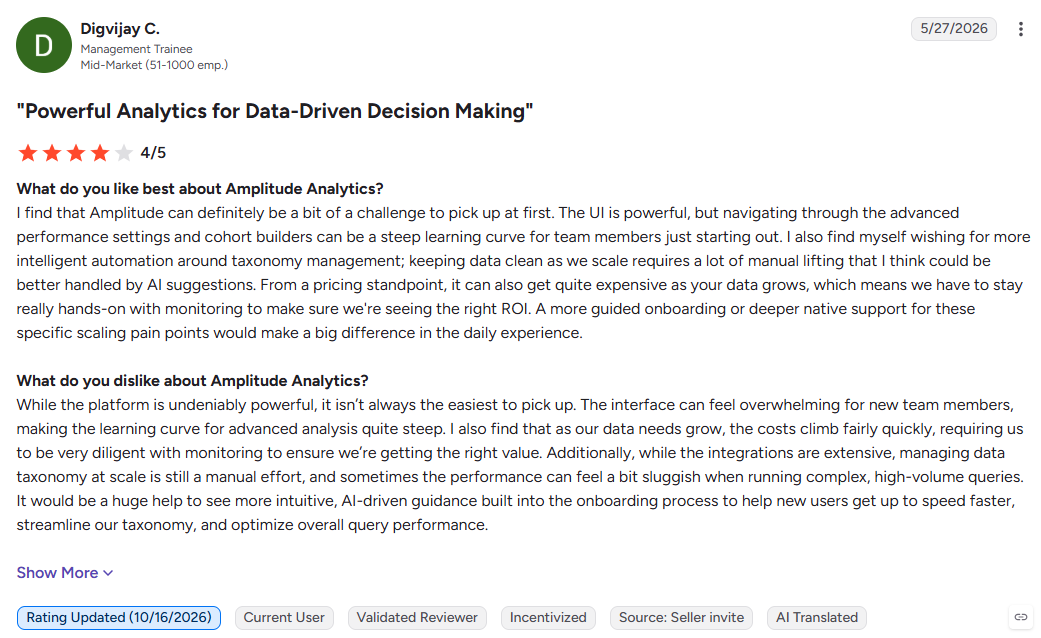
The agents work on data already in Amplitude: events, cohorts, experiments, session replays, and feedback. That makes your event taxonomy the deciding factor. If event names are vague or teams track the same action in different ways, the agents’ answers inherit that mess, so someone has to own and maintain the tracking plan. Reviewers also mention a steep learning curve when setting it up:
Choose it if you already run Amplitude with a maintained tracking plan and want recurring research and experiment analysis off your plate. Skip it if no one on your team can own the taxonomy, or most of your questions sit outside product events.
Pricing: Amplitude’s free plan includes AI Agents and MCP with 2 million events a month. Plus is self-serve, and Growth and Enterprise use custom, event-based pricing.
3. Mixpanel: For always-on KPI monitoring
Mixpanel’s pitch is that the agent should find problems before you go looking. If you spend Monday mornings scanning dashboards for anything that moved, their AI system is designed for you. You can reach it through:
- Mixpanel Agent and its sub-agents: Mixpanel Agent is the chat entry point, and it coordinates specialized sub-agents. The KPI Monitoring Agent is one of those sub-agents. It watches the metrics you choose around the clock, decides which changes matter, and sends a digest in Slack or email.
- MCP server and integrations: Connect Mixpanel analytics data to Claude, ChatGPT, and Cursor, and get alerts and analysis in Slack.
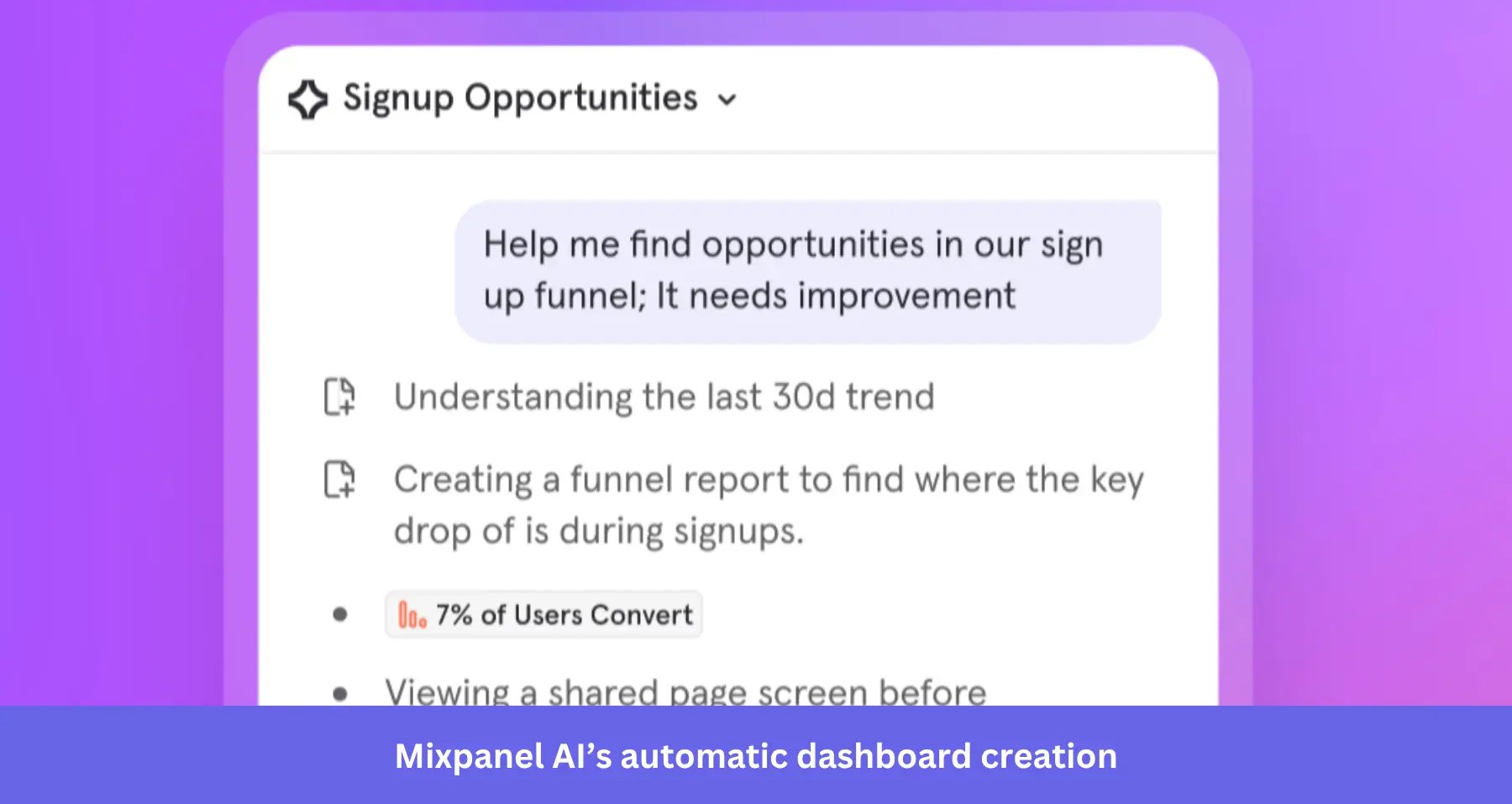
Here’s what the loop looks like in practice. The KPI agent spots a drop in weekly active users. You launch the root-cause analysis agent from the alert itself, so detection and diagnosis happen in one step. The agent checks which segments, platforms, or flows explain the change and returns with a diagnosis that helps you make data-driven decisions.
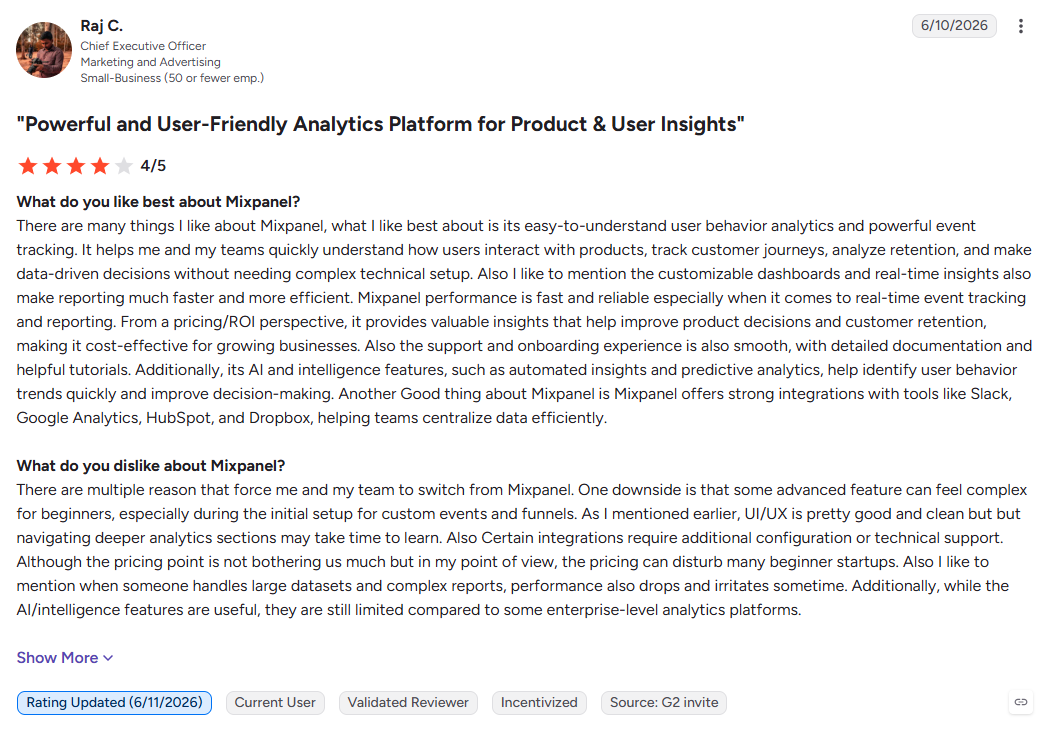
Should you use Mixpanel? I love Mixpanel’s proactive alerts. However, its actions stay inside analytics (reports, cohorts, dashboards, experiments). It doesn’t build in-app guidance, so you’d need a second tool to act on findings in the product. Also, its analysis and diagnosis depend heavily on clean event tracking and correct metric definitions (in Mixpanel’s Business Context settings), which are easy to miss. If any of those are important to you, pass. Here’s how one user describes it:
Pricing: Mixpanel is free up to 1 million events a month. The Growth plan is usage-based, priced per event above the free tier, and Enterprise is quoted. All plans support AI agent access, but always-on monitoring needs a paid plan, and root cause analysis and anomaly detection are Enterprise-only.
4. PostHog: For engineering-led teams that want analytics, replays, and flags in one AI workflow
PostHog suits teams where engineers and PMs work side by side, often in the same codebase. Its AI covers the whole PostHog toolkit, not just charts. There are two ways in:
- PostHog AI: The agent inside the PostHog app. It builds insights, writes SQL queries, summarizes experiment results, and works across product analytics, session replay, feature flags, experiments, and error tracking.
- MCP server for AI coding tools: Connects PostHog to Cursor, Claude Code, Codex, VS Code, and Zed. From your editor, an agent can query data, manage feature flags, set up experiments, and investigate errors.
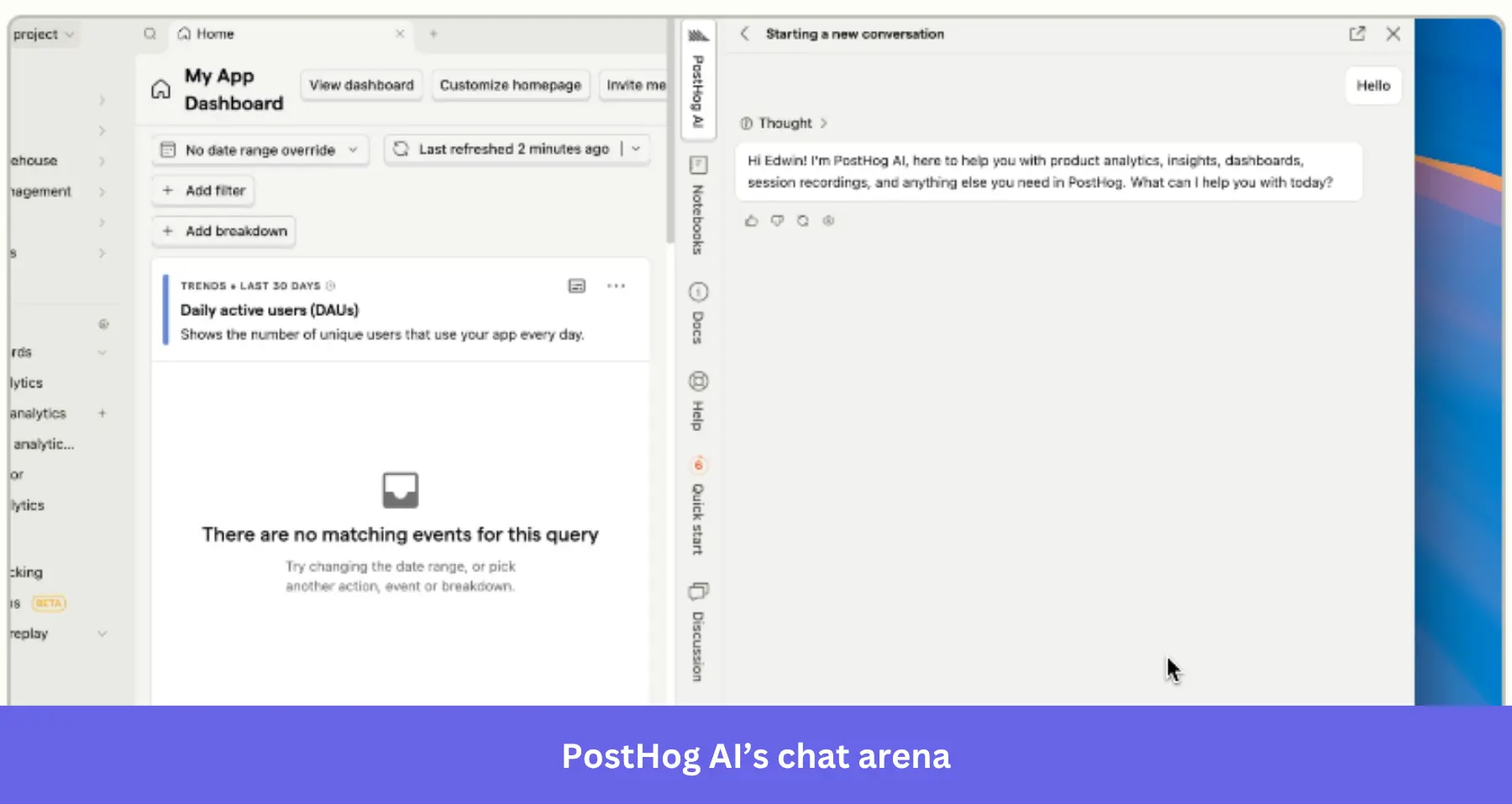
The engineering lean shows up in the details like event tracking, MCP configuration and usage, and instrumentation. Non-technical PMs can easily access PostHog AI in the web app. But you’ll need engineering to install the SDK, define events, and wire up flags. In fact, G2 reviewers love it for being developer-friendly:
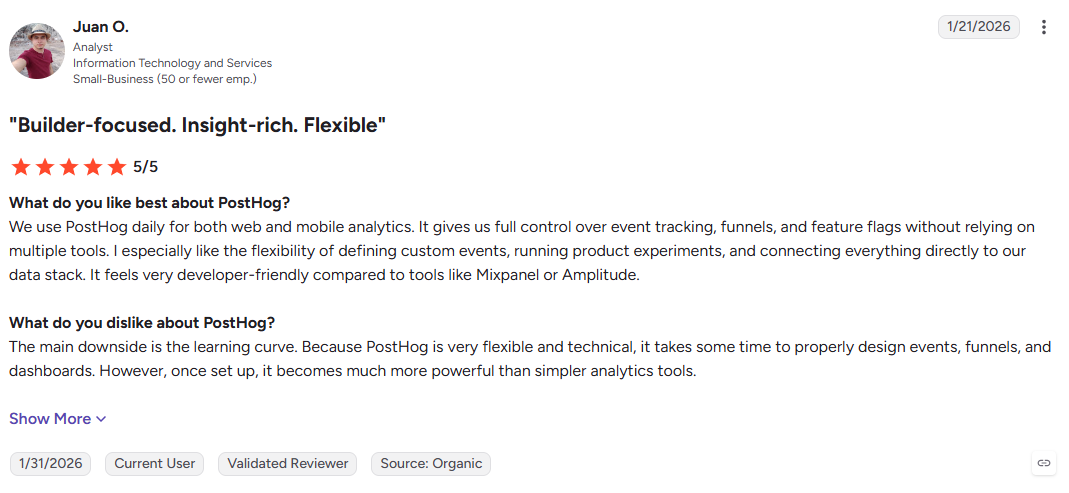
Choose PostHog if your engineers already use AI coding tools and you want analytics, flags, and experiments in the same tool. If your team has no engineer on hand, look into PostHog alternatives built for no-code teams.
Pricing: The first 1 million events a month are free. AI features use credits: every organization gets $5 of free credits a month, and usage above that is billed at cost plus a 20% markup.
5. LogRocket: For finding friction in session replays and user feedback
LogRocket is the pick for qualitative data. Its agent watches the sessions you don’t have time to watch. Here’s how it works:
- Galileo is LogRocket’s AI layer. It reviews session replays, reads customer feedback from tools like Zendesk, and flags where users struggle. Ask Galileo is the chat interface on top. By default, it watches 100 sessions per question, and it asks clarifying questions when your prompt is vague.
- MCP and integrations query Galileo from AI assistants and bring insights into Slack or Microsoft Teams.
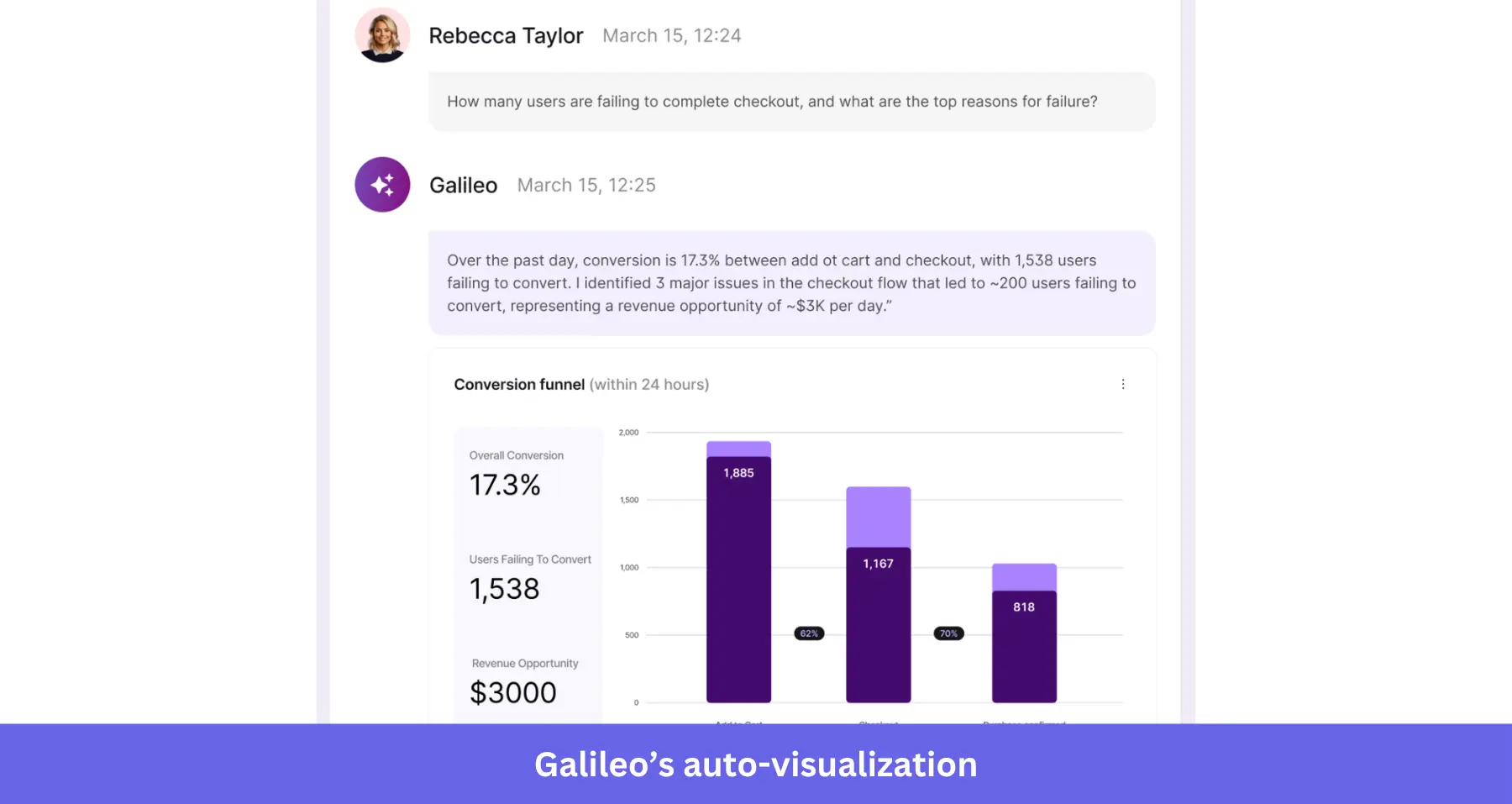
Galileo excels in understanding “why.” Say a funnel shows that 30% of users abandon checkout. Ask Galileo can watch those sessions and report a pattern, such as users rage-clicking a disabled button.
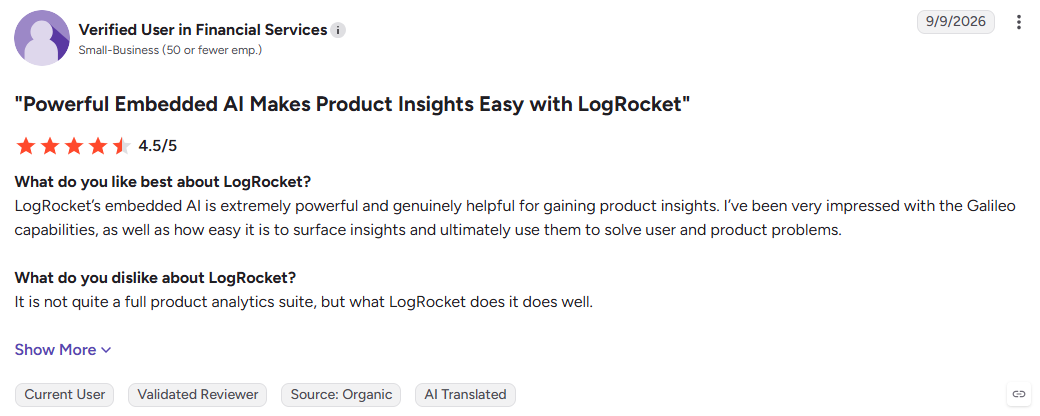
Like PostHog, though, it was built for engineering teams and still requires some technical skills to operate. Engineering installs the SDK, and much of the value lands with teams that also debug errors and performance.
Choose it if you need to know why users struggle and you’d rather read a summary than watch 50 replays. If your main need is quantitative product analytics, I’d recommend a more robust product tool.
Pricing: The Pro plan starts at $292/month for 10k sessions on an annual commitment, and that’s the first tier with Galileo AI. Enterprise is quoted.
6. ThoughtSpot: For business users exploring governed BI metrics
ThoughtSpot is the BI pick. It sits on top of your warehouse and lets people outside the data team ask questions about company metrics and business objectives in plain English.
- Spotter: ThoughtSpot’s AI data analyst. It answers complex data questions on live warehouse data and handles forecasting, multi-step reasoning, and deeper research questions.
- MCP server: Exposes Spotter’s skills to outside AI clients such as Claude, ChatGPT, and Gemini, so a custom agent can query governed data by adding natural language queries.
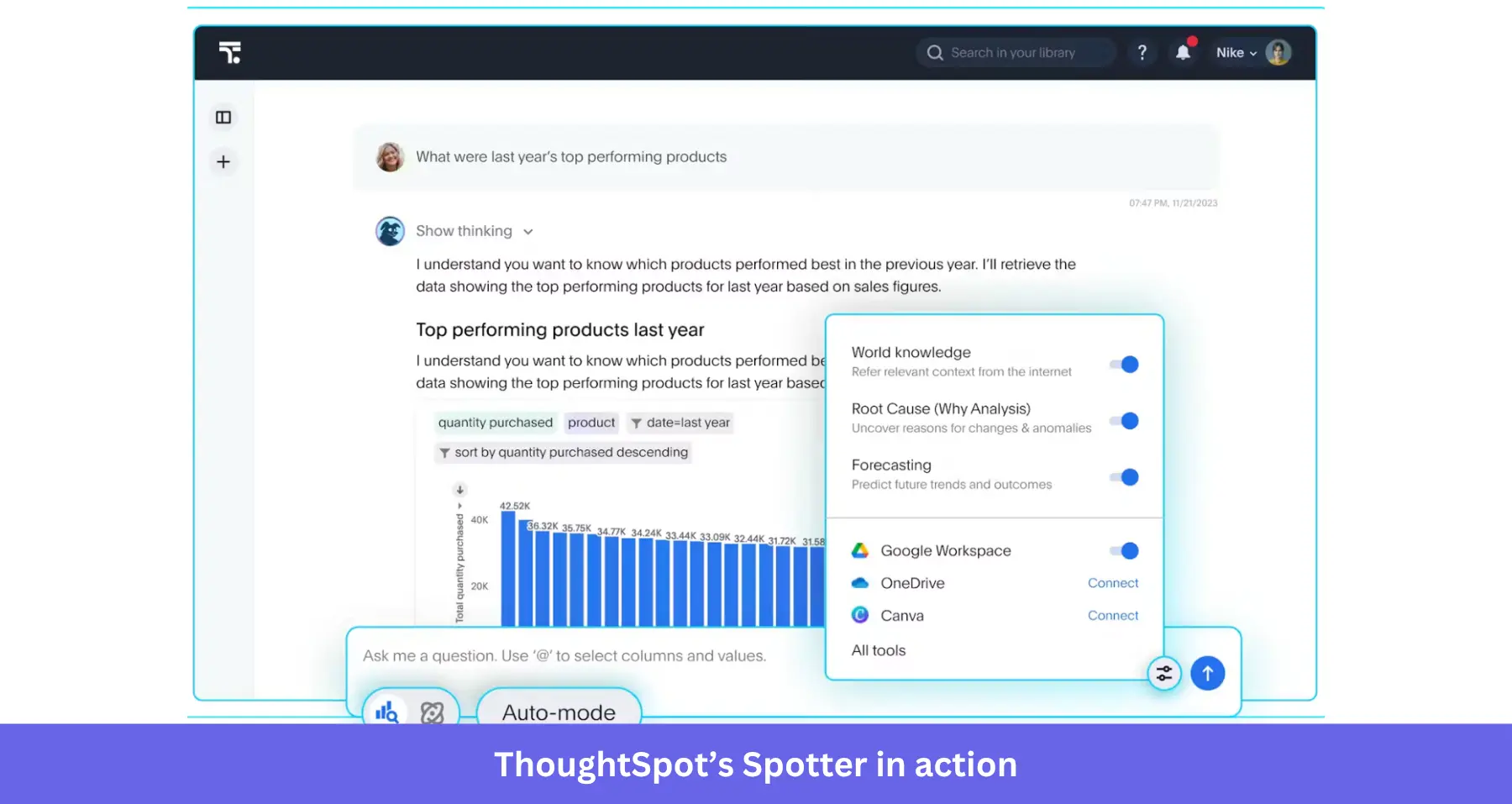
What matters with ThoughtSpot is that your metrics must be “governed.” This means your data team builds the data model and defines org-wide metrics. That’s why its answers can be trusted across departments.
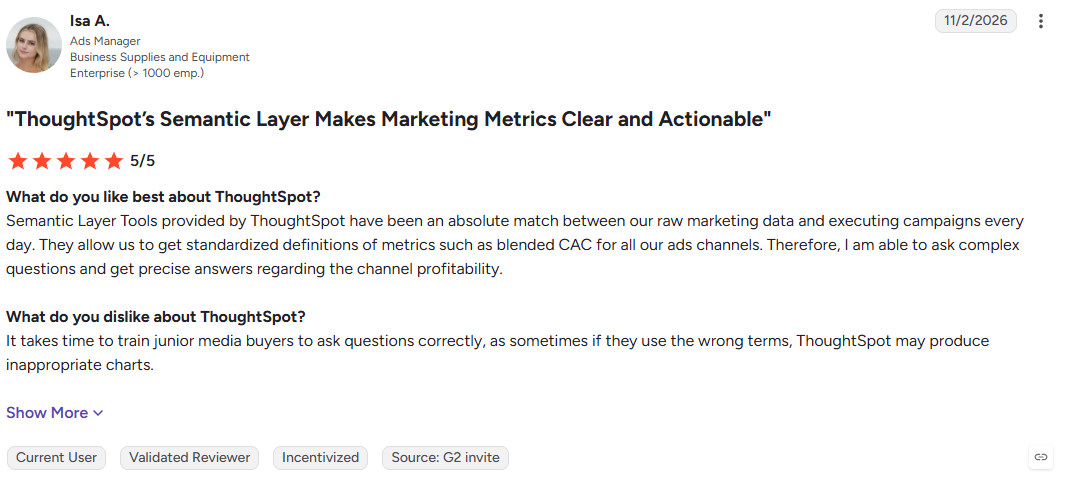
As a product person, I’d only use it if the rest of the org (sales, finance, etc.) needs a single source of data truth, and we have a data team to make it work. Even then, I’d be skeptical because getting in-app behavior data isn’t very straightforward in ThoughtSpot. As one user says, asking questions here is a skill:
ThoughtSpot pricing: Essentials starts at $25 per user per month. Spotter is part of the Pro plan at $50 per user per month, which caps Spotter queries per user. The MCP server is an Enterprise add-on, and Enterprise is quoted.
7. Hex: For PMs and analysts working with warehouse data in notebooks and chat
Hex is the bridge between the data science or analysis team and everyone else. Analysts work in SQL and Python notebooks, and PMs explore data through conversational analytics.
- Hex Agent: Lives inside Hex notebooks. It writes complex queries using SQL and Python, builds charts, and can search and query your semantic models while it works.
- Threads: The chat surface for business users. You ask a question, and the data agent plans, writes SQL, profiles data, and builds visuals.
- Integrations and MCP: Reach the Hex Agent from Slack or AI assistants.
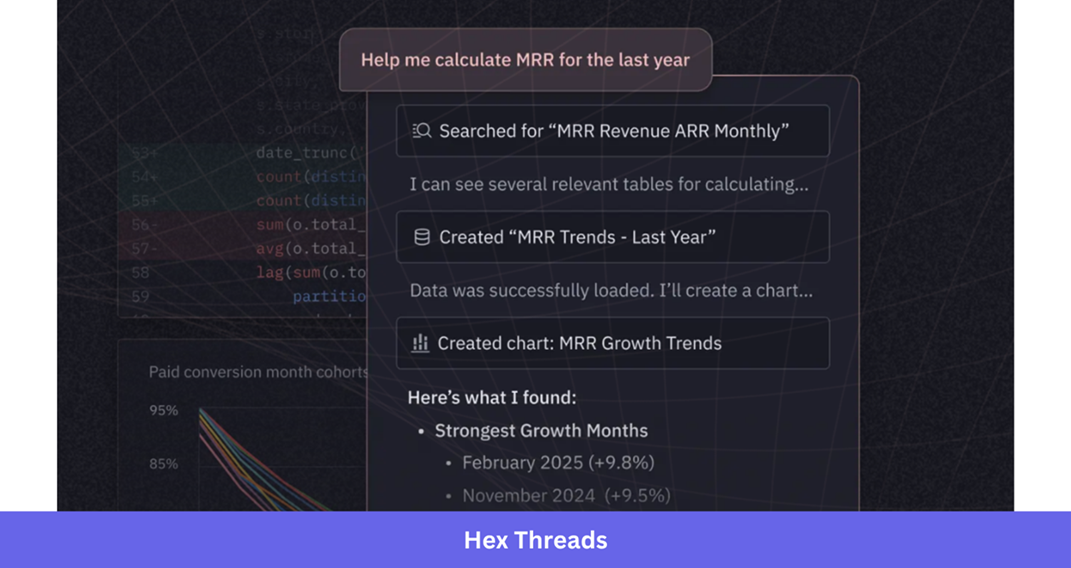
Your data team spends most of their time with the Hex agent. That’s where they model correct tables, decide what Threads can touch, build or sync semantic models, and define workspace rules. The product team works in Threads to answer product questions.
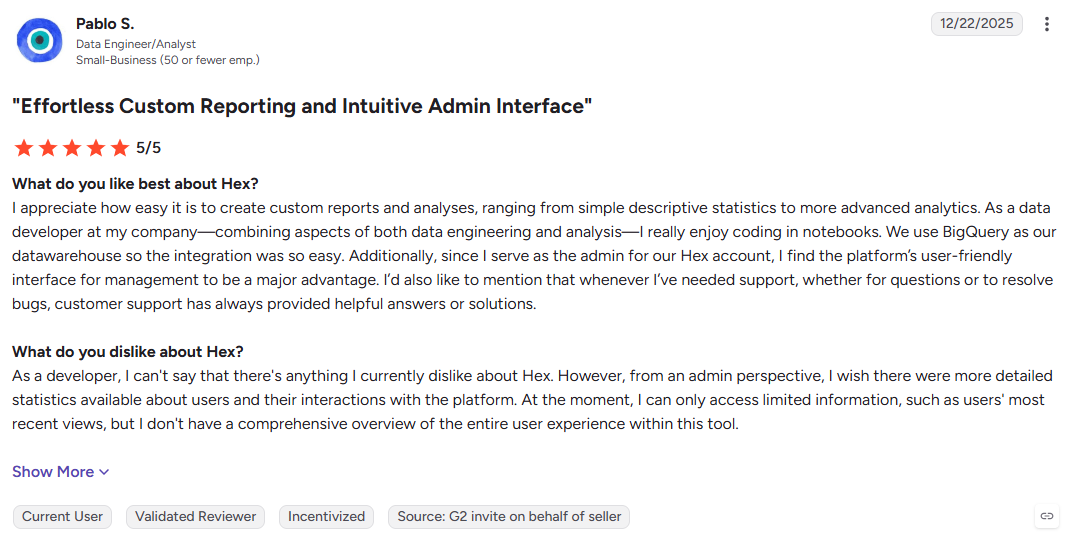
Only use it if your data team already works in Hex and your product data is wired into it. Otherwise, skip it. One common complaint amongst users is the lack of sufficient built-in graphs:
Pricing: Community is free, Professional is $36 per editor per month, and Team is $75 per editor per month, with Enterprise quoted. AI features use credits included with each seat. Compute is included in community (small compute) and professional (medium compute), while larger compute is pay-as-you-go on Team and Enterprise.
8. Snowflake: For business users asking questions of data in Snowflake
Snowflake’s agent is the warehouse-native pick. It only makes sense if your company’s data already lives in Snowflake.
- Snowflake Intelligence (Cortex Agents): Powered by Cortex Analyst to query structured data, Cortex Search for documents, and custom tools your team adds.
- MCP server: Lets outside agents, such as Claude or Cursor, use the same semantic views and search services.
- Cortex Code (CoCo): A data engineering agent for data scientists building pipelines and models inside Snowflake.
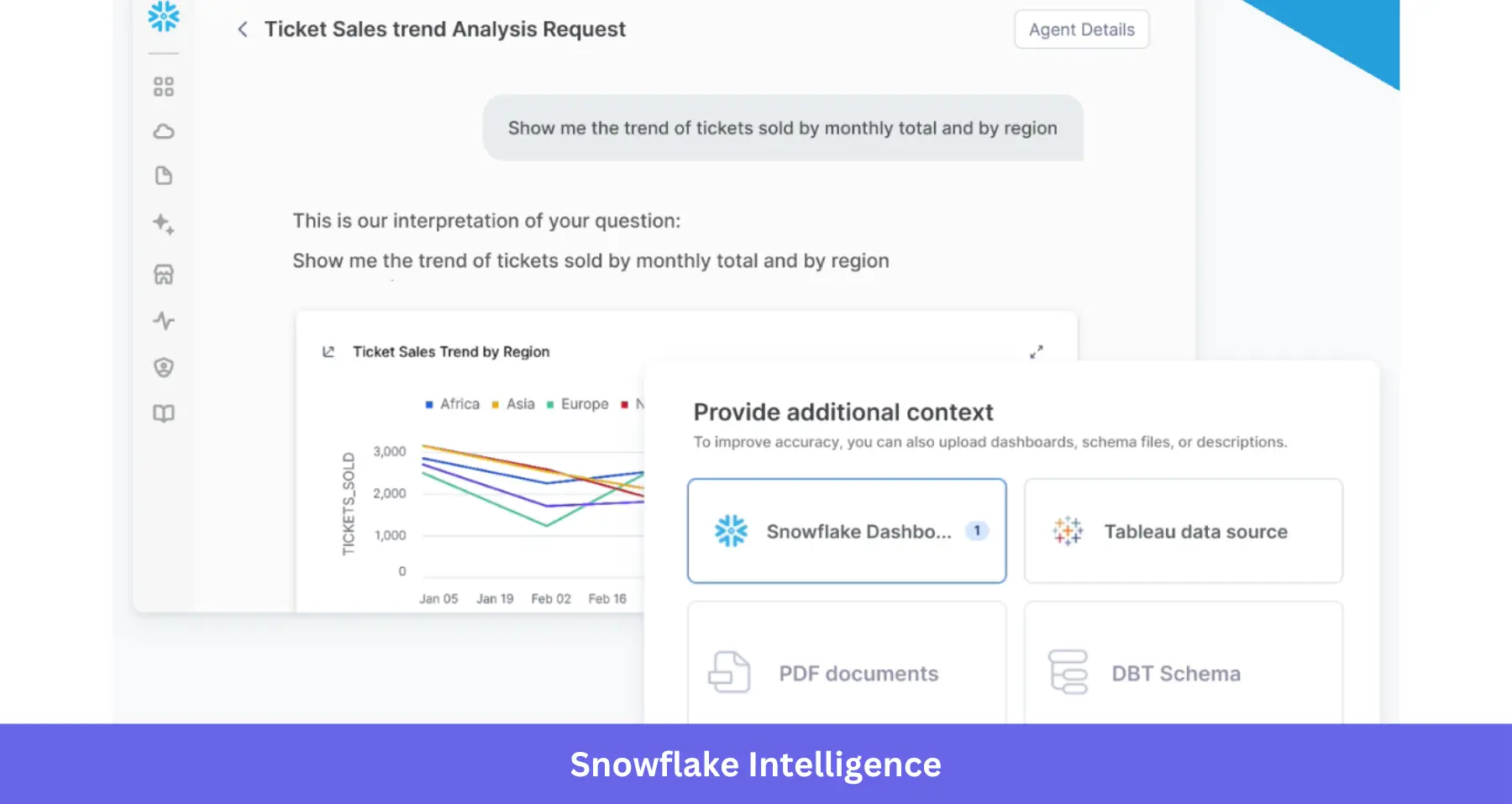
Like any warehouse tool, you’ll need a data team to set it up. Their tasks include:
- Defining key metrics, table relationships, and dimensions.
- Creating agents and providing natural language instructions.
- Controlling each user’s access to the data they need.
- Setting up the MCP and granting privileges for every object behind each tool.
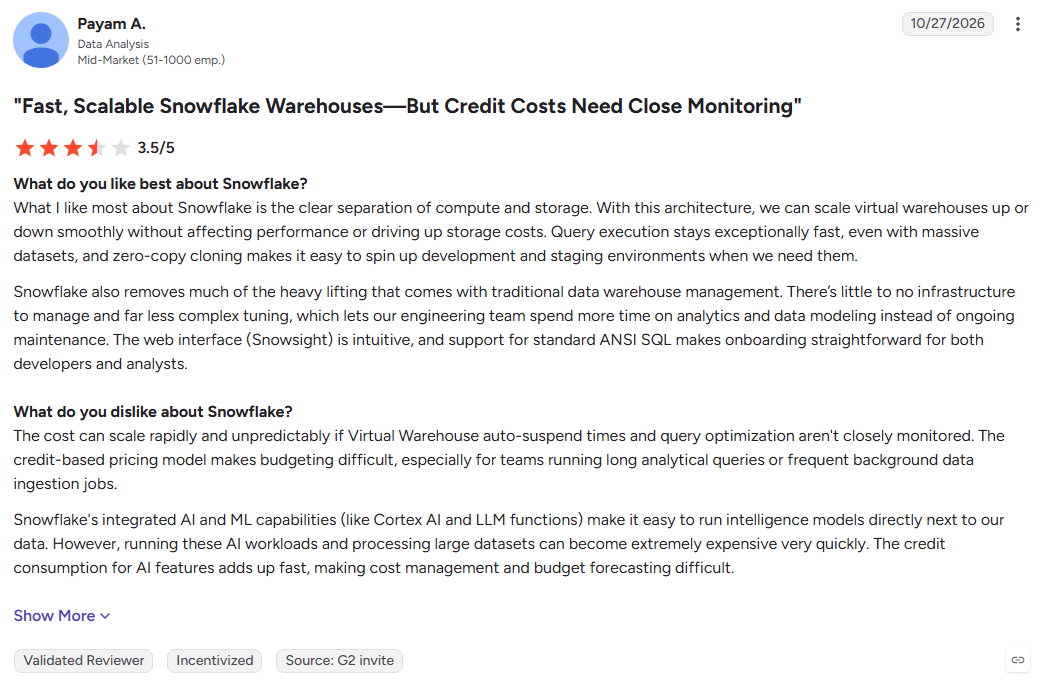
Choose it if you’re already on Snowflake. If you’re not on Snowflake, or you need answers about in-app behavior that never reaches the warehouse, skip it. For those who choose it, a common complaint is cost management:
Pricing: Usage-based. Snowflake’s AI features bill in AI Credits, priced the same across editions, and warehouse compute is billed on top.
9. Databricks: For business users asking questions of data in Databricks
Databricks is the counterpart to Snowflake. It’s only relevant if your data sits in Databricks, and Genie is how non-technical people reach it.
- Genie One is the part a PM uses. It’s a single place to ask data questions in plain English, explore AI/BI dashboards, and get charts back. It runs on the web, iOS, and Android.
- Genie Agents (formerly Genie Spaces) are domain-specific agents your data team configures with trusted data, metrics, and business rules. They power Genie One’s answers and can run multi-step tasks.
- Integrations connect Genie One to tools like Google Drive, Jira, and Slack, and it offers a Genie MCP server for external AI clients.
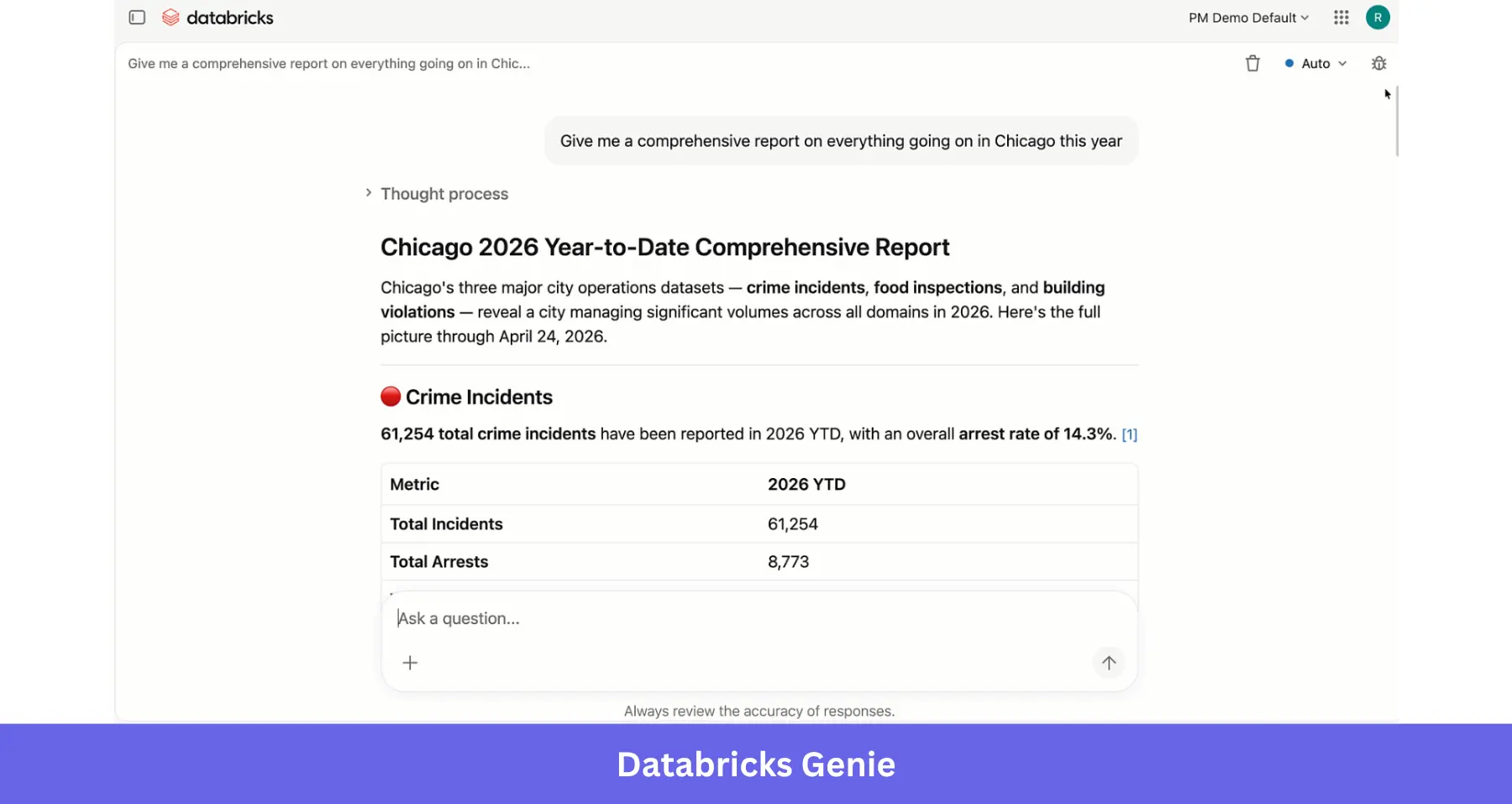
The data team configures the Genie agent by bringing in trusted datasets, sample queries, metric definitions, business rules, and instructions that Genie One draws on when it answers. They also troubleshoot when things go wrong. If you’re on another warehouse or lack the technical expertise, Databricks isn’t for you.
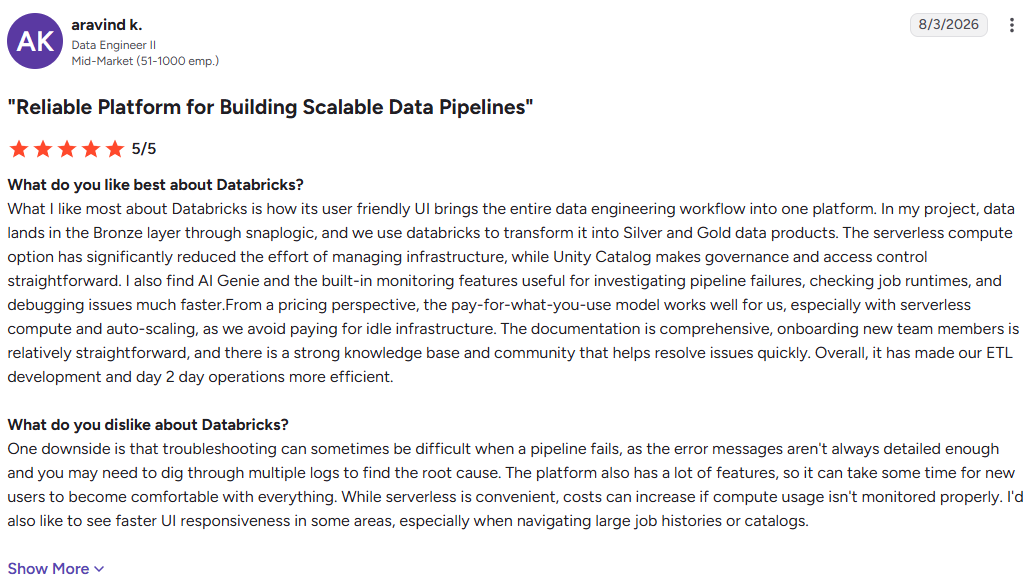
Pricing: Usage-based with no seat fees. Each user gets a free monthly LLM usage allowance, and usage above it is billed pay-as-you-go in Databricks Units (DBUs). SQL warehouse compute is billed separately.
10. Claude or ChatGPT: For asking questions across all your tools in one place
Claude and ChatGPT are the hub for MCP. The assistant is the client, and the data comes from whichever MCP servers you connect. Connect Userpilot, your CRM, and your support desk, and you can ask one question that pulls from all three.
- MCP connectors: Add each tool’s remote MCP server as a connector. The server determines what data is exposed while your team analyzes data with the assistant.
- File analysis: Upload a CSV or spreadsheet export and ask questions about it directly.
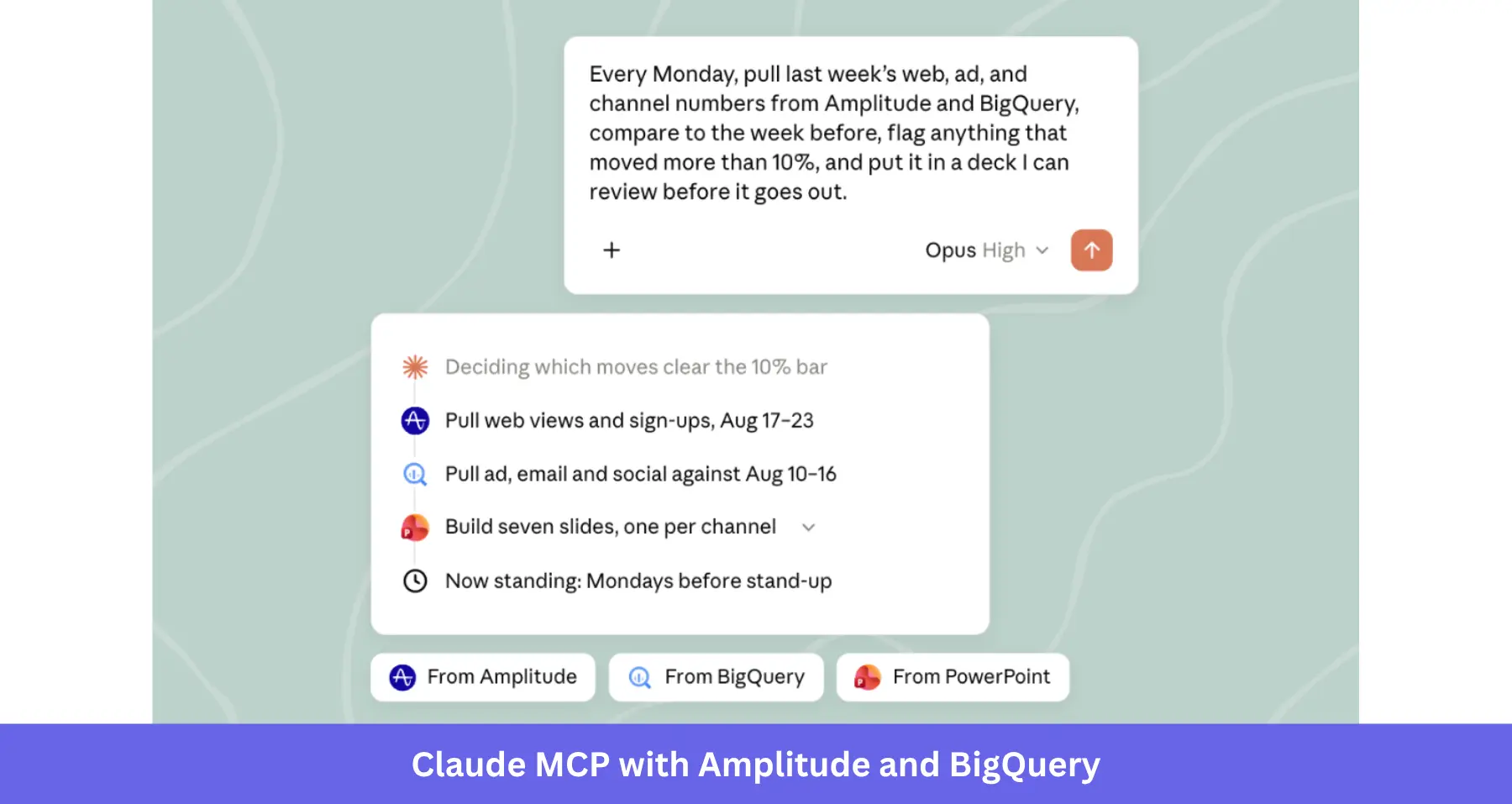
Should you go the MCP route?
The appeal is reach. Yazan, our CEO, gives the example of a marketer checking the reaction to a new release. With Userpilot connected, they can pull session replay, NPS, survey, and usage data into the same chat “without having to go to Userpilot.” Someone in finance can ask how product usage relates to revenue without learning another product analytics tool.
But the limits are just as real. For instance, each connector exposes only what the vendor allows, and some vendors have limitations. One PM on Reddit who tried to automate Mixpanel feature analysis with Claude found that “most analytics MCPs don’t expose dashboard access.”
Another Redditor in r/analytics who connected Claude to Snowflake also noted that MCP setup isn’t always quick.
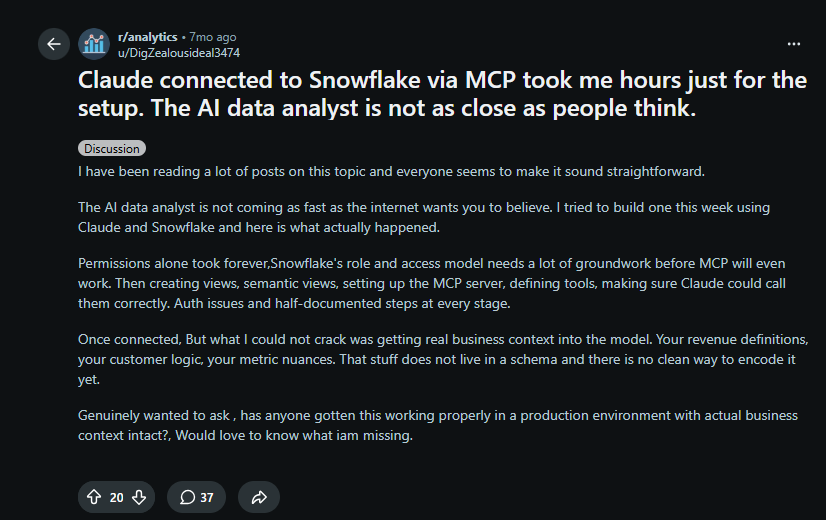
I’d still recommend MCP usage for users with multiple data sources who are comfortable with AI assistants. But if you need recurring data analysis with fixed metric definitions, or you need an agent that acts inside your product, this may not be for you.
Pricing: Claude allows one connector on the free plan. For additional connectors, you’d need a paid Claude or ChatGPT plan, plus each connected tool’s own plan, since most MCP servers follow their vendor’s plan limits.
Turn product insights into action with Userpilot
When I spot a drop in activation, I don’t stop at reading the chart. I want to know what’s causing it and what I can do about it.
With Userpilot’s Lia, I can do all that. Lia spots the change in the data, explains why it happened, proposes a fix, and builds it. For example, after surfacing low adoption rates for a newly released feature, Lia can run a correlation analysis, examine session replay and survey responses to understand why, and draft an in-app flow to guide users correctly.
Teammates who live in Claude can connect the Userpilot MCP server and get the same data and analysis.
Want to see how it works? Book a Userpilot demo and see how Lia can help your team turn product insights into action.
FAQ
What's the difference between an AI analytics agent and AI agent analytics?
An AI analytics agent analyzes data to answer questions, explain trends, and surface insights. AI agent analytics measures how AI agents perform, including agent usage, success rates, and impact on business outcomes. Userpilot offers both as separate capabilities.
Do AI analytics agents need a data team?
Not all of them. Agents built into product analytics tools (Userpilot, Amplitude, etc.) and standalone tools work without one. Warehouse and BI agents (Snowflake, Databricks, etc.) need a data team to build models, set data access permissions, and keep definitions current.
Is connecting Claude or ChatGPT over MCP enough for product analytics?
For quick questions across several tools, often yes. For recurring analysis, consistent metric definitions, or acting on what you find, usually no. MCP servers are limited (in action and data) to what the vendor allows.
How accurate are AI analytics agents?
Accuracy depends on data quality, tracking, metric definitions, and the context available to the agent. AI can misinterpret business logic or draw incorrect conclusions, so validate important findings against your data before acting on them.
Is it safe to connect an AI agent to product data?
It can be, if you configure permissions carefully. Before connecting tools through MCP or other integrations, check what data they expose, how they handle sensitive data, and which actions they can perform. Choose tools with access controls that meet your security requirements, and give agents only the permissions they need.