Pendo vs Fullstory: An Honest Look at Two Analytics Giants



When it comes to understanding how users interact with your product, two tools that often come up are Pendo and FullStory. Both promise to surface meaningful behavioral insights and help teams improve product experiences, but they take very different approaches to getting there.
To get a clear picture beyond marketing claims, I tested both tools side by side. I signed up for trial accounts, explored their interfaces, set up tracking, and worked through key workflows such as session replay, in-app guidance, and analytics reporting. I also reviewed their documentation in detail and compared my findings with user feedback from G2, TrustRadius, and relevant Reddit discussions.
One thing became clear early on: neither tool is universally better. The right choice depends on your product type, team structure, and whether you need to focus more on diagnosing behavior or actively shaping it inside the product.
In this comparison, I’ll break down how Pendo and FullStory work, where each one fits best, where they fall short, and what to watch out for before making a decision.

A quick comparison snapshot of Pendo vs FullStory
Both products now span analytics and some form of engagement, but they still tend to be bought by different primary owners:
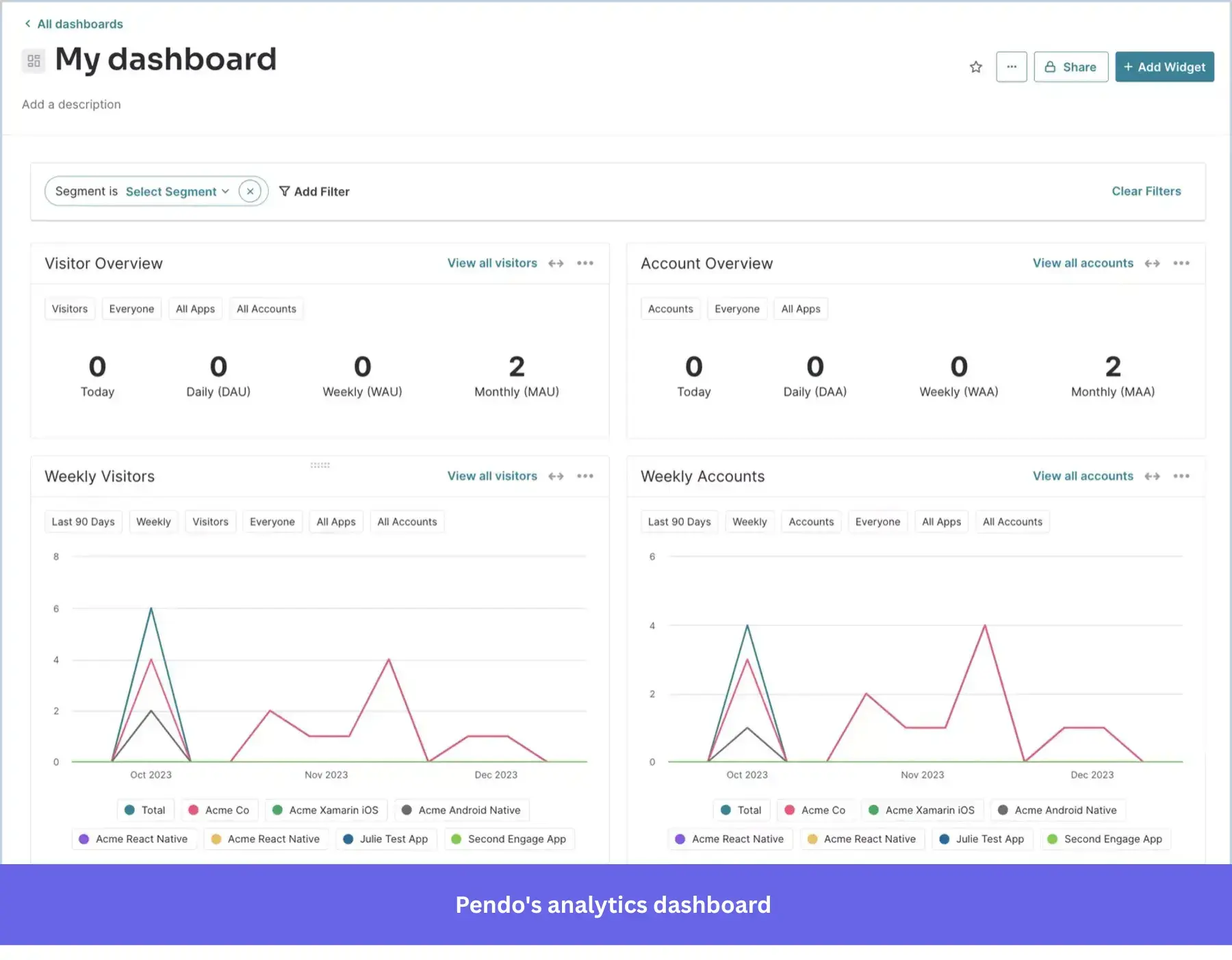
- Pendo is built for B2B SaaS teams that want to manage and influence the entire user experience from a single place. It combines product analytics with in-app engagement and feedback, so teams can both understand user behavior and act on it through guides, surveys, and targeted experiences inside the product.
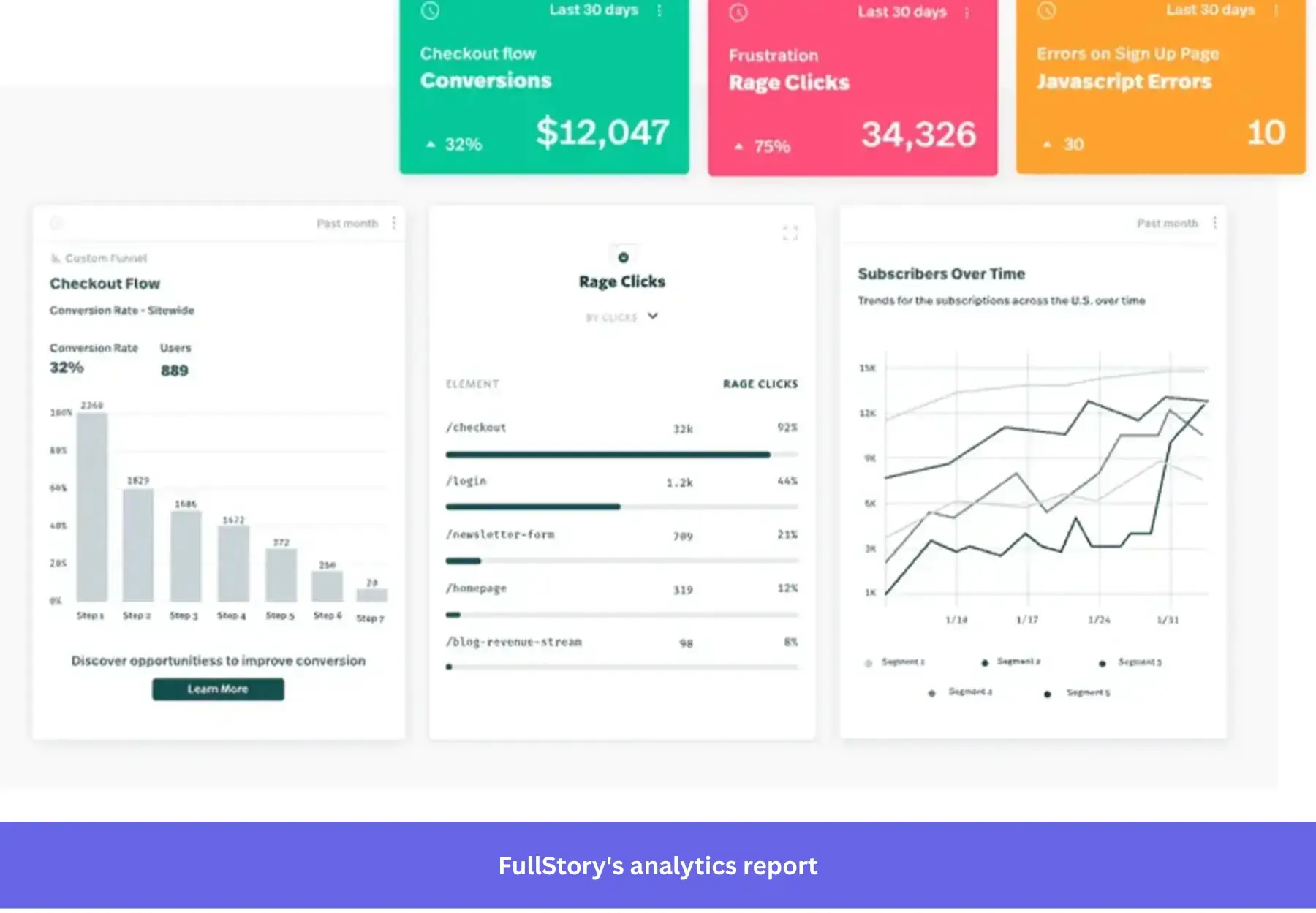
- FullStory, by contrast, is one of the leading behavior analytics tools, designed for experience diagnostics across both B2B and B2C environments. Its core strengths are session replay and autocapture, which let teams see exactly what users did, identify friction such as rage clicks or errors, and understand why issues occur before deciding how to fix them.
Here’s a table comparing key features:
| Area | Pendo | FullStory |
|---|---|---|
| Product focus | ✅ Product experience suite combining analytics, in-app guidance, and user feedback; higher tiers add session replay and data sync. | ✅ Behavioral and digital experience analytics with session replay and diagnostics, now expanding into guides and surveys. |
| In-app guidance | ✅ Guides are a core capability and included across plans. | ⚠️ Guides and surveys are available but relatively new (introduced in 2026). |
| Product analytics | ✅ Retroactive analytics with funnels and paths, supported by visual tagging for pages and features. | ✅ The analytics is primarily focused on linking metrics to session replay. |
| Session replay | ⚠️ Available on paid tiers or as an add-on; integrates once the snippet is installed. | ✅ Core capability, with replay included even on lower tiers (with limits), along with heatmaps and frustration signals. |
| NPS/feedback | ✅ Strong native sentiment tools with templates; higher tiers include feedback management features. | ✅ Surveys and NPS are available through its guides and surveys functionality. |
| A/B testing / experimentation | ✅ Built-in A/B testing for guides with conversion tracking; editing is locked during active tests. | ❌ Focuses more on measurement and integrations than true experimentation; tests are evaluated through events and variables. |
| Pricing / packaging signal | ⚠️ $17,155–$146,945/year (median $48,500/year) or roughly $1.4k–$12.2k/month (median ~$4.0k/month) | ⚠️ $10,000–$106,319/year (median $27,500/year) or roughly $0.8k–$8.9k/month (median ~$2.3k/month). |
When to choose Pendo
Pendo is a strong fit if you want to integrate behavioral data with in-app onboarding to drive product-led growth. It works best when you need a single system to:
- Measure adoption and behavior (funnels/paths/retention), then directly intervene with guides and a Resource Center.
- Run guide-level A/B tests/experiments without needing a separate experimentation platform for that specific job.
- Collect and analyze standardized feedback such as NPS, PMF, CSAT, or lightweight UX surveys in a structured and centralized workflow.
- Build automated, cross-channel engagement journeys (in-app + email) that trigger off usage.
When to choose FullStory
FullStory is the better option if your top objective is improving digital experience issues through:
- Session replay and diagnostic analytics (including heatmaps and frustration signals) that accelerate debugging and UX research.
- Privacy-by-default capture controls and the ability to tune data retention separately for analytics vs replay (especially in paid tiers).
- Adding lightweight in-app guidance and surveys (Guides and Surveys) while keeping replay/behavioral analytics as the backbone.
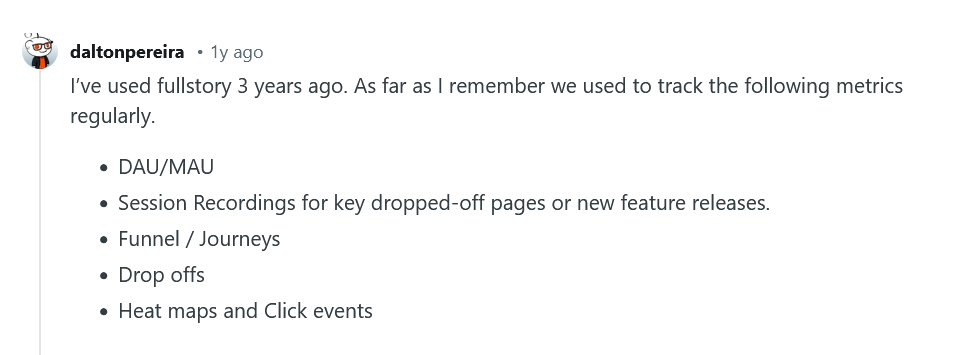
💡 Both tools offer strong capabilities, but their steep learning curves and high costs can slow teams down. Consider Userpilot if you need a more straightforward way to combine analytics, in-app engagement, and feedback in one place while keeping costs predictable.
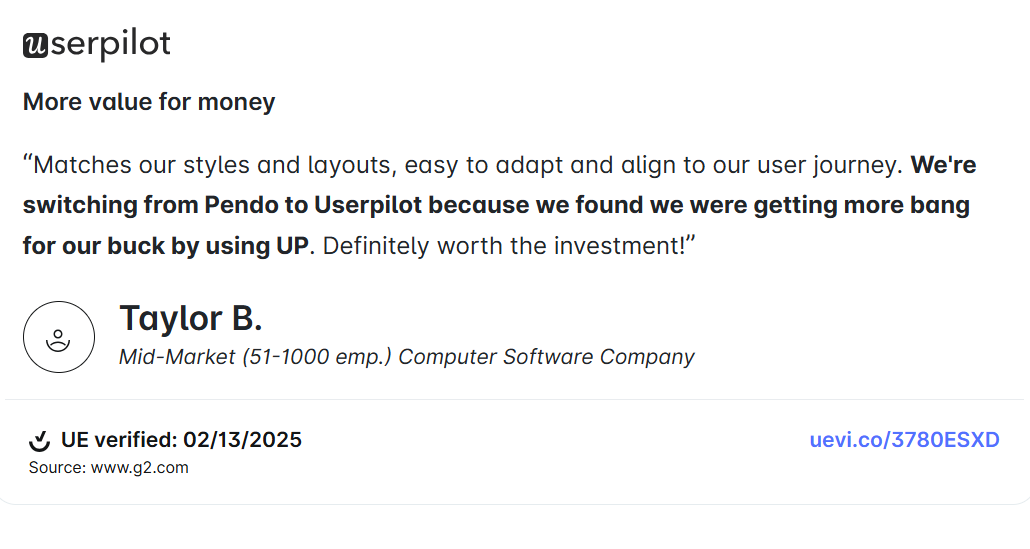
Pendo vs Fullstory for user behavior and product analytics
By now, you’ve probably noticed some overlap between Pendo and FullStory. Earlier, I outlined when each tool makes the most sense. The sections below will focus on the more technical differences in how they handle user behavior and product analytics in a SaaS context.
Data collection
Both Pendo and Fullstory automatically capture user interactions, but they differ in how they handle event tracking, data management, and integrations.
Pendo for data collection
- Automatic data capture: Once installed, Pendo automatically captures user interactions such as page views, feature clicks, and time spent in-app. Because of its retroactive analytics model, you can analyze historical data after tagging features without needing to predefine every event in advance.
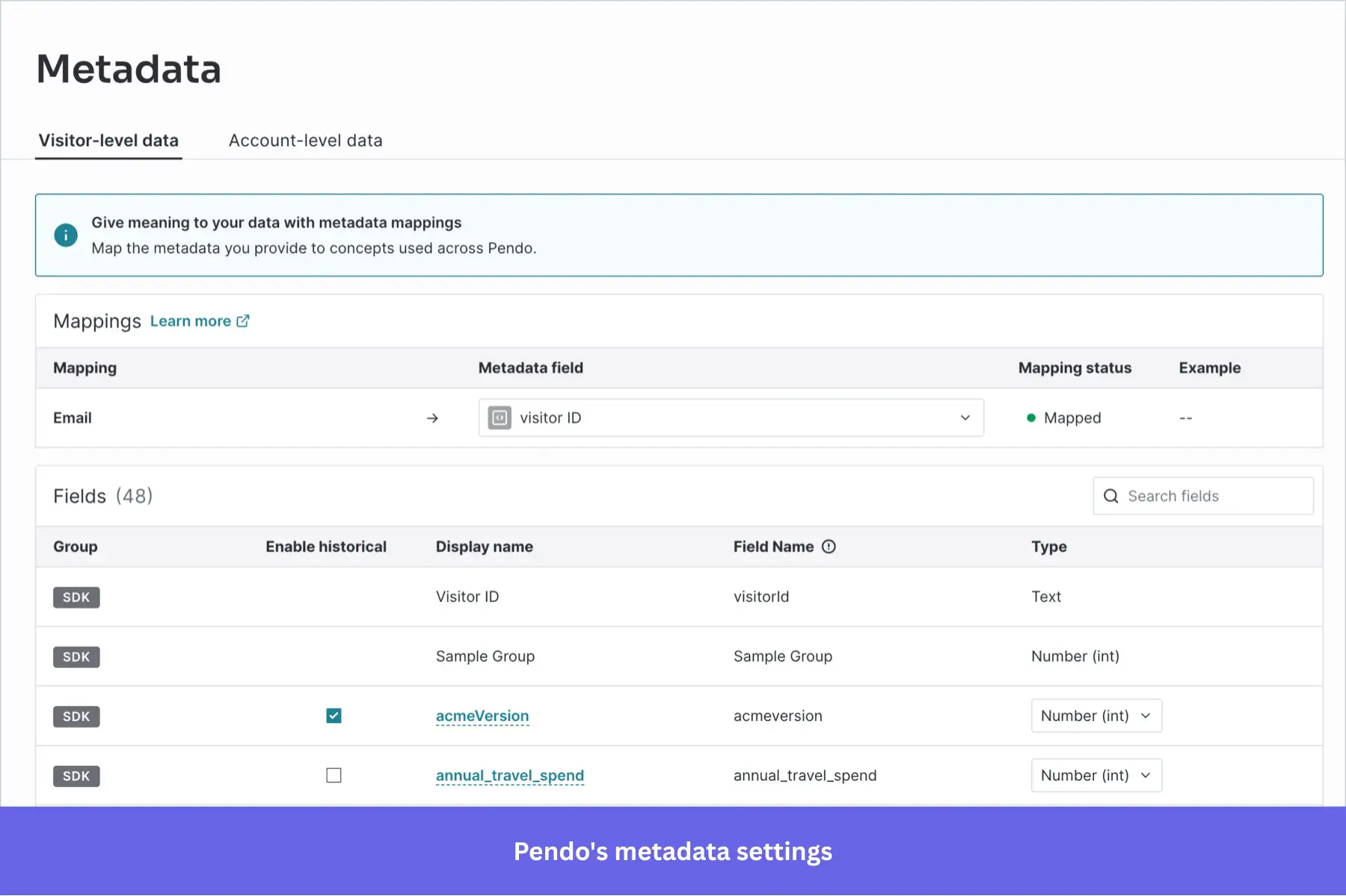
- Data management: When Pendo captures user activity, it first sees them as “anonymous clicks” or “page loads.” To make sense of this data in dashboards and reports, you need to label those interactions in Pendo’s Visual Design Studio, or set up custom Track Events, which often requires manual configuration.
- Heatmaps: Pendo provides heatmaps for tagged features, showing where users click and how they interact with specific UI elements.
- Integrations with other sources: You can enrich Pendo data by sending account and user metadata through integrations with tools like Salesforce, Segment, or data warehouses. Note that these integrations require setup and ongoing schema management to ensure consistency.
- Hourly data refresh: Pendo refreshes its UI data every hour, with bulk calculations typically completed about 15 minutes past the hour.
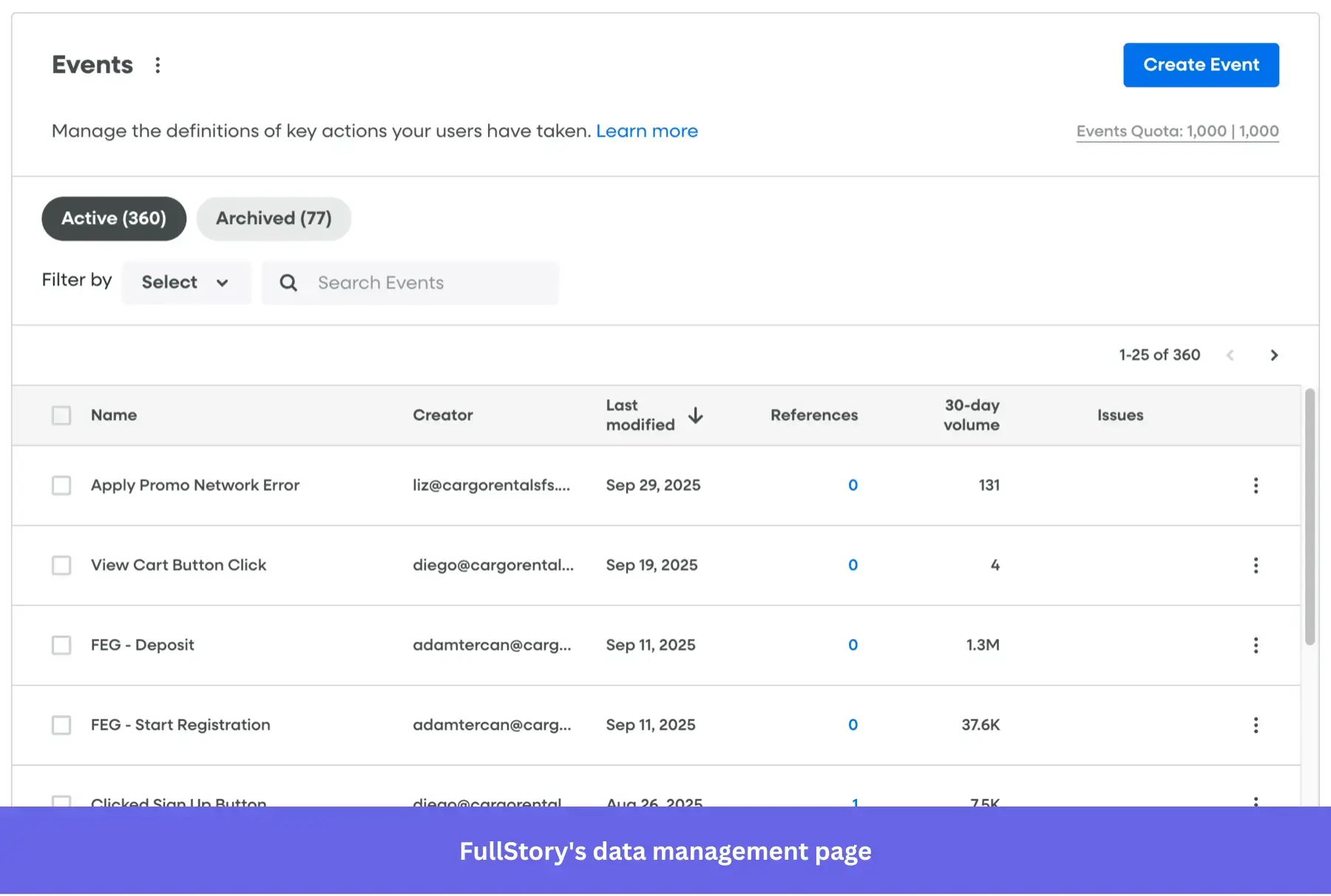
Fullstory for data collection
- Fullcapture: After installing the script, Fullstory automatically records user activity like mouse movements, clicks, and scrolls.
- Data management: FullStory’s Data Studio lets you visually define data objects such as elements, pages, events, and properties for cleaner reporting. Like Pendo, it applies definitions retroactively, but the difference lies in scope: FullStory captures every interaction by default, so you can go back and create or refine objects from rich historical data, even for things you hadn’t anticipated tracking. This flexibility gives you more freedom to explore new questions without being limited to what you tagged in advance.
- No-code event tracking: FullStory lets you define events manually through its builder or even tag them directly within session replays. As with Pendo, you also have the option to send custom events through the API.
- Real-time data: Unlike Pendo’s hourly refresh, FullStory captures and updates data in real time. This gives you an immediate view of user behavior, which is especially valuable for fast-moving support, troubleshooting, or conversion optimization.
- Integrations with other sources: FullStory lets you enrich analytics by pulling in additional user data from your CRM or data warehouse, so behavioral insights and account information live in one place.
💡 How do Pendo and Fullstory compare?
Both platforms automate much of the data capture and management process. However, FullStory is often the better choice if you want to reduce manual setup and explore user behavior without relying heavily on pre-defined tracking.
Product analytics with reports and dashboards
Let’s explore how Pendo and FullStory turn collected data into usable user insights.
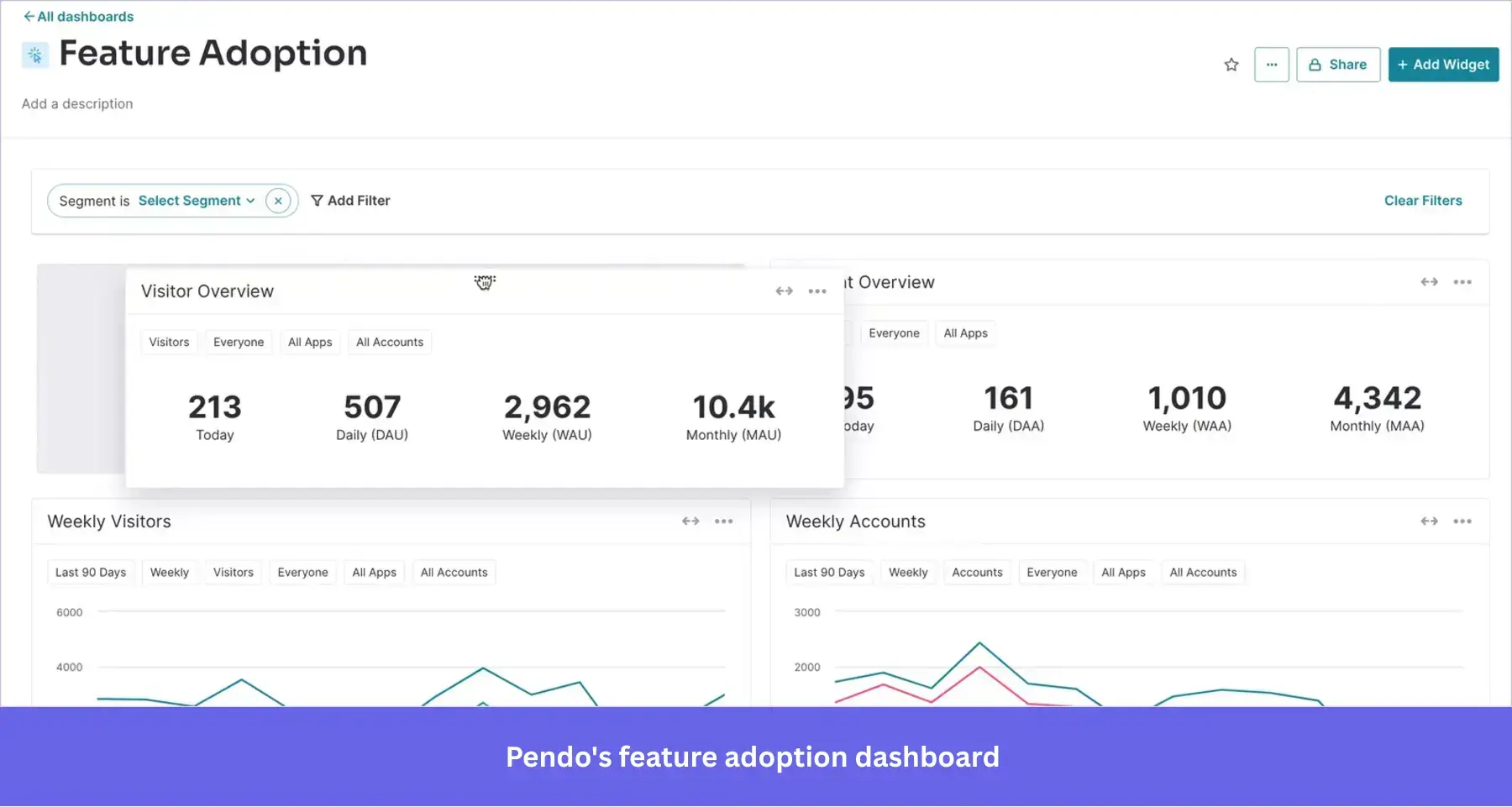
Pendo’s reports and dashboards
- User journey analytics: Pendo provides funnels, paths, user flows, cohorts, and retention analysis across web and mobile applications.
- Product adoption and feedback analytics: Because Pendo also includes in-app guides and surveys, it can generate reports tied to onboarding progress, new feature adoption, NPS scores, and more. These insights can help your team refine experiences and improve user retention over time.
- Customizable dashboards: Pendo dashboards are flexible and support custom widgets and templates. While you get a default dashboard to start with, most reporting setups require building additional dashboards manually based on your use case.
- Product validation and roadmapping: Pendo Listen helps you collect user feedback, validate ideas, and organize feature roadmaps. But there’s a drawback: Listen lives separately from Pendo’s main analytics, so combining feedback with usage data requires extra setup.
Fullstory’s reports and dashboards
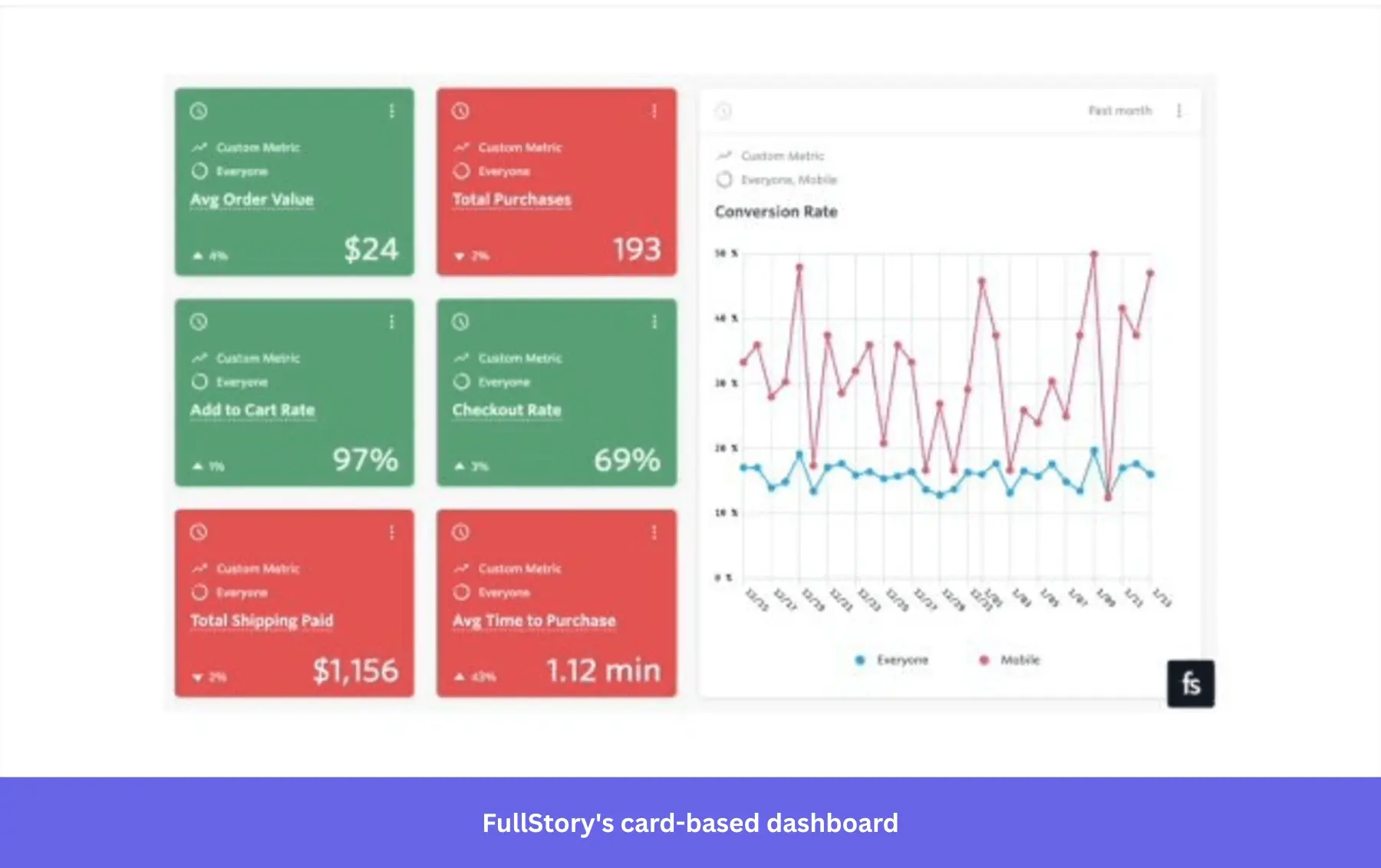
- Digital journey reports: Fullstory provides a wide range of reporting options, such as funnels, retention, journeys, conversions, and user flows. It also includes heatmaps to help visualize user engagement and interaction patterns.
- Customizable dashboards: FullStory offers flexible, card-based dashboards that let you combine multiple metrics and behavioral signals. These dashboards make it easier to explore trends and investigate patterns in user behavior.
- Table view: The platform also gives you a compact table view of analytics data, which makes it easier to scan and compare multiple values quickly.
💡 How do Pendo and Fullstory compare?
Both analytics tools provide customizable, no-code dashboards that simplify data visualization.
Pendo’s strength is in blending analytics with engagement and feedback data in one place. FullStory, on the other hand, stands out for its wider range of reporting formats, real-time updates, and the freedom to shape data views to fit different needs.
Session replays
Session replays help you uncover the why behind user interactions. For example, if you notice a drop-off in a key funnel, you can pull up replays of those sessions to see exactly what users were experiencing and identify areas for product improvements.
I took a closer look at Pendo and Fullstory’s session replay capabilities, and here’s what I found:
Pendo’s session replays
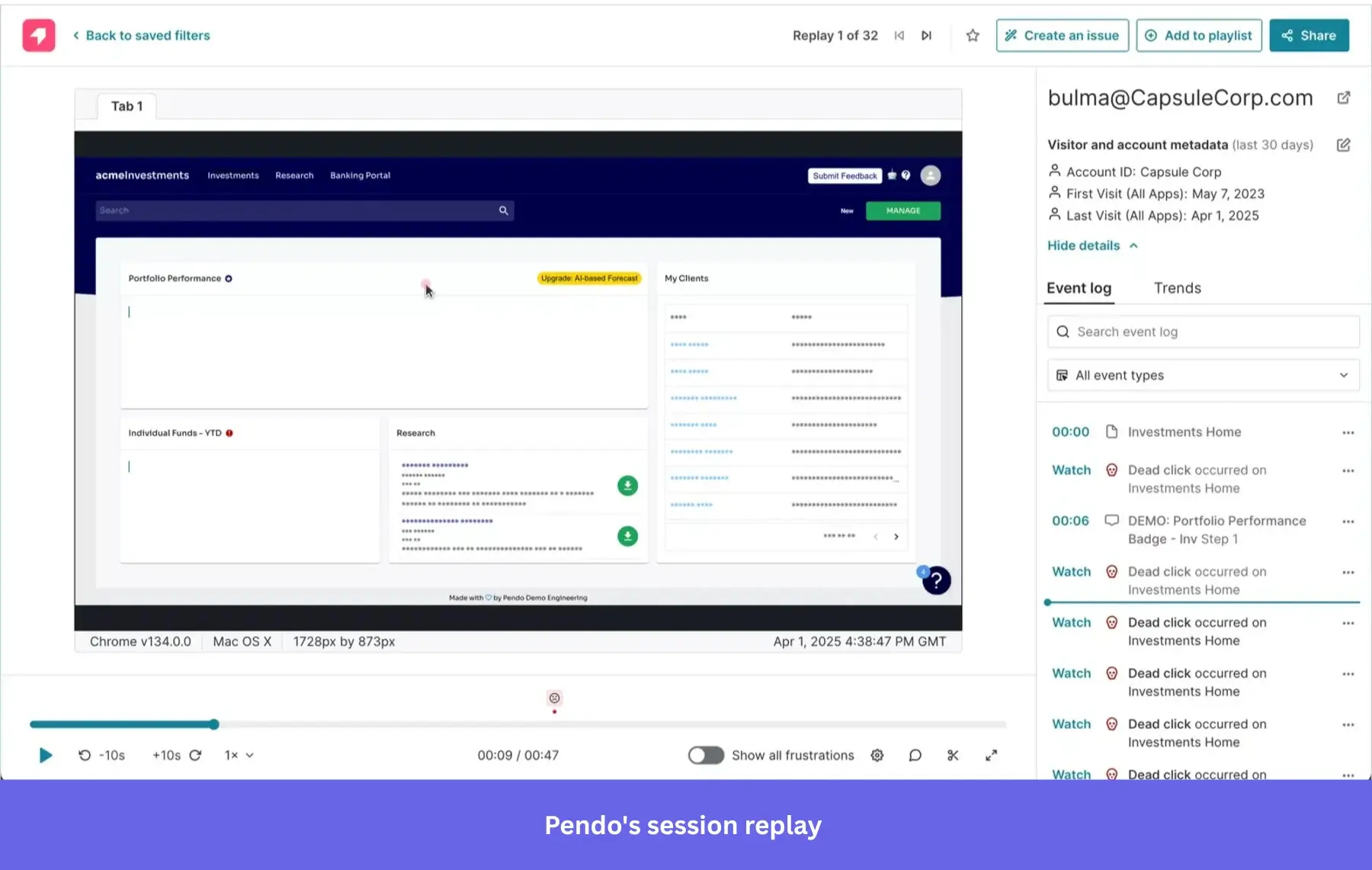
- Access from anywhere: Pendo lets you open replays directly from analytics, heatmaps, or even in-app guides. This makes it easy to connect the numbers in dashboards with the qualitative context of actual user sessions.
- Collaboration features: You can share, tag, and comment on replays, or flag specific moments for follow-up. Pendo also integrates with tools like Jira, which means issues spotted in replays can be pushed directly into your customer support systems for faster resolution.
- Limited availability: Pendo doesn’t offer session replays on its Free or Base plans, so you’ll need to upgrade to use them.
Fullstory’s session replays
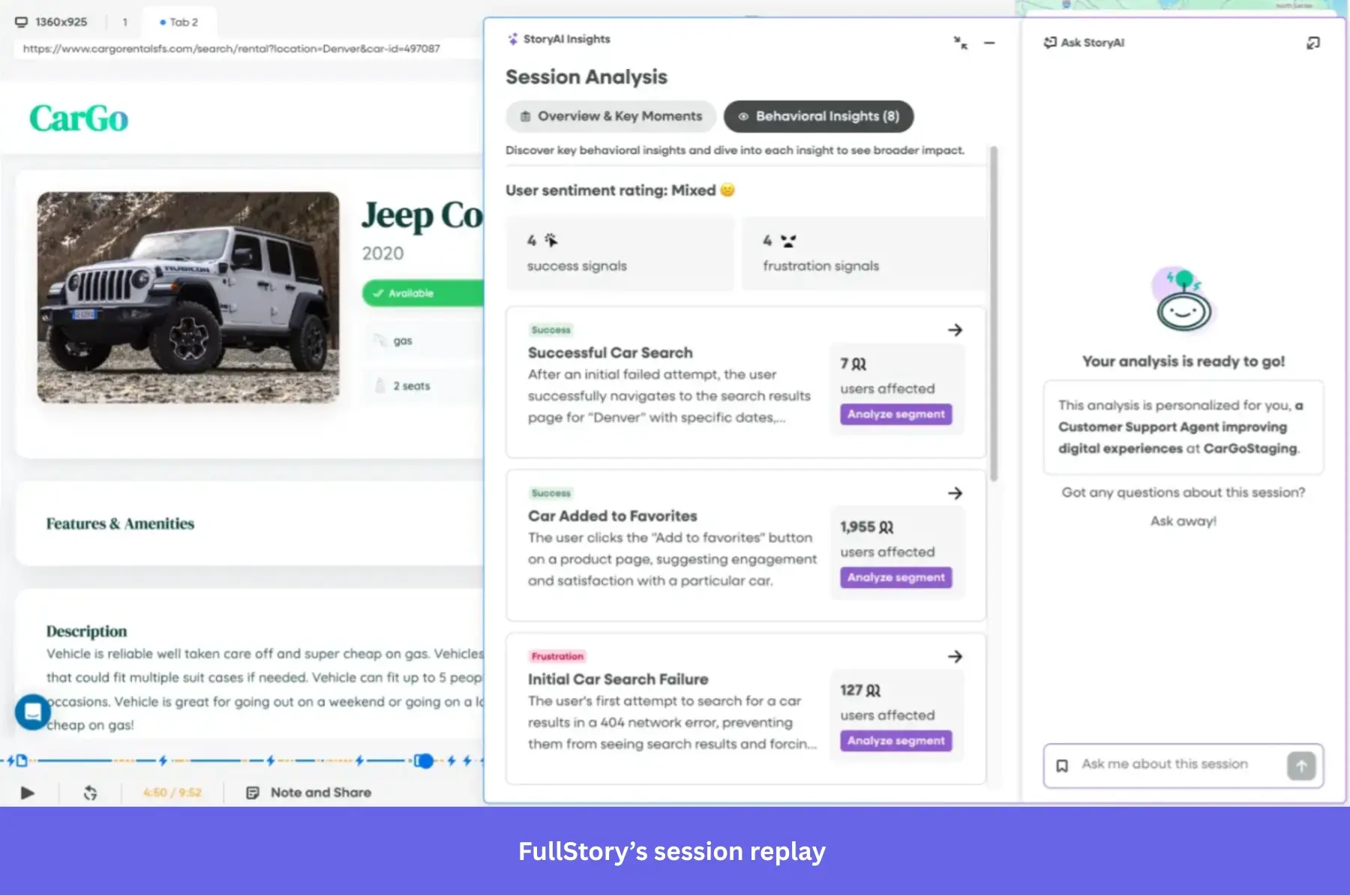
- Real-time and accessible: FullStory captures every session and adds it to your Session Playlist, a central view where you can browse all recordings. The platform even includes a Go Live feature that lets you watch sessions as they happen.
- Frustration signals: FullStory automatically detects behaviors such as rage clicks, dead clicks, and thrashing cursors. Addressing these pain points quickly can reduce customer churn and build stronger customer loyalty over time.
- Collaboration features: FullStory’s session replays let you add notes, create summaries, and share replays with ease. Teams on higher tiers also unlock advanced features like automated bug reporting to Jira or Trello for faster engineering follow-up.
- Event tagging through replays: FullStory lets non-technical users tag events directly from the playback screen. For instance, if you want to track clicks on an “Upgrade now” button, you can simply tag it during session playback with no code required.
💡 How do Pendo and Fullstory compare?
Both platforms offer valuable replay features, but Fullstory goes deeper with frustration signals and real-time accessibility. Its ability to tag events directly from replays is also a big win for non-technical teams.
Segmentation
Segmentation groups users based on their attributes or behaviors. When done well, it helps uncover patterns, personalize experiences, and target customer communication more effectively.
Here’s how Pendo and Fullstory handle segmentation:
Pendo’s segmentation
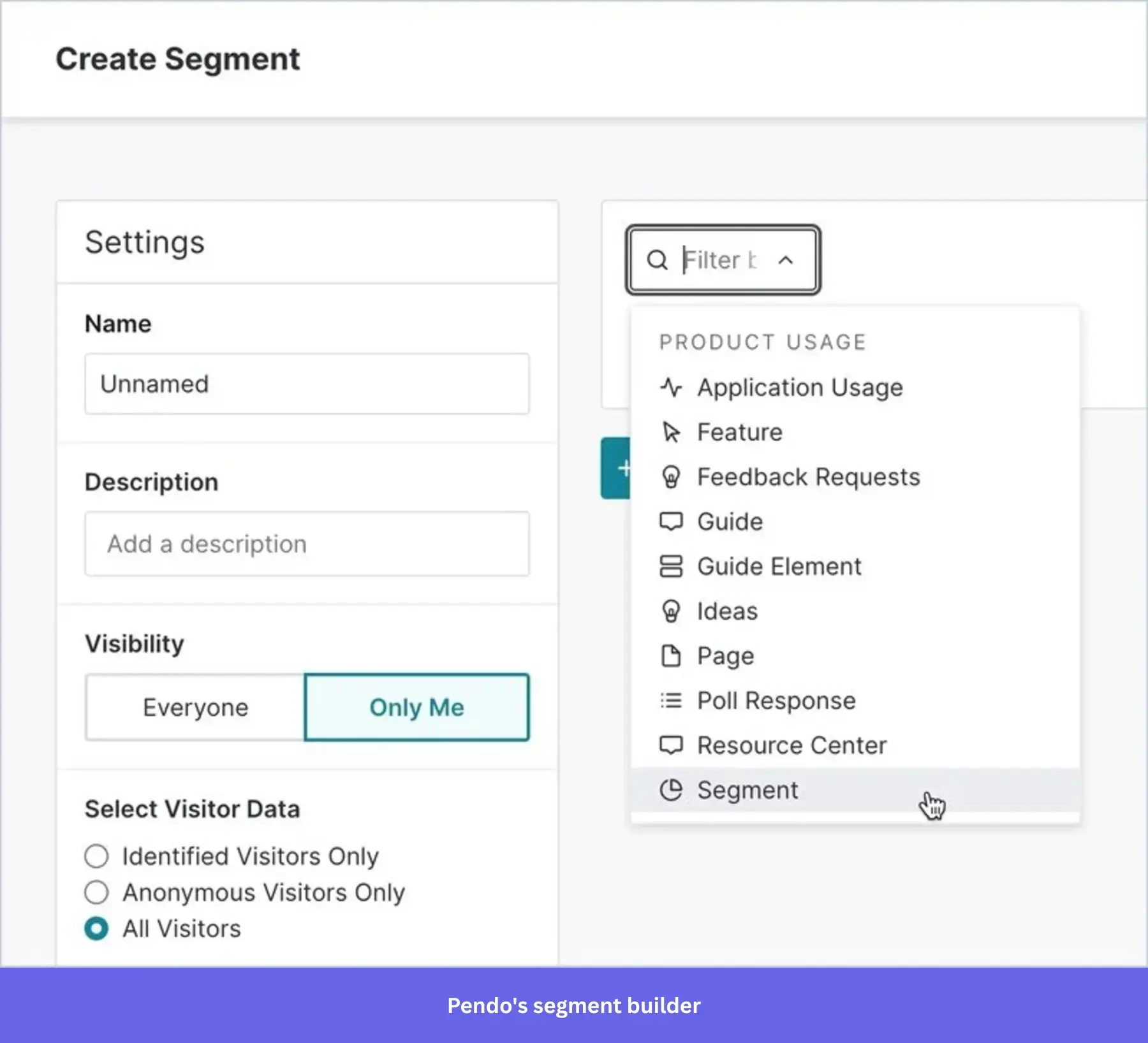
- No-code, product-centric segments: Pendo lets you create segments by setting filters and rules based on product usage, visitor, and account data, or mobile events. You can also segment by interactions with guides, surveys, and emails.
- Segment-based personalization: Once you’ve built segments, you can use them to deliver personalized onboarding tours, surveys, and other in-app experiences directly within Pendo.
- Filtering reports through segments: Pendo lets you analyze reports for specific user groups. However, to get the most out of this feature, you need to provide extra information by sending custom metadata (like a user’s role or company) through the snippet and manually tagging the pages and features you want to track.
Fullstory’s segmentation
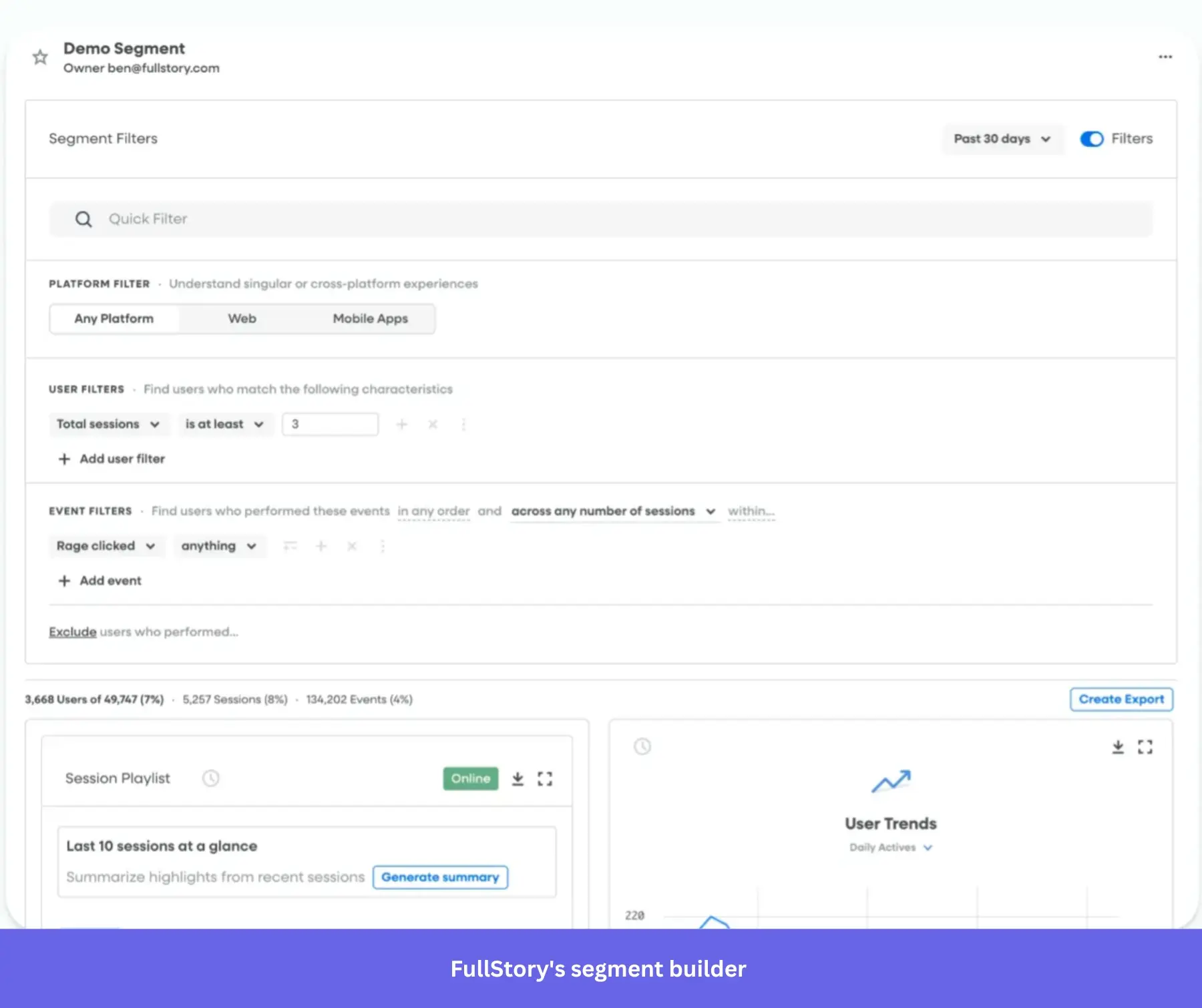
- No-code segment creation: Like Pendo, Fullstory allows you to build segments using customer attributes and event conditions.
- Filtering reports through segments: You can use your segments to filter reports or generate dedicated reports for each segment.
- Sharing and exporting: FullStory lets you export segments for use in other tools. This makes it easy to trigger personalized onboarding flows, run targeted email campaigns, or support initiatives outside the platform.
- User-level focus: FullStory centers its segmentation on individual users rather than accounts. This can limit SaaS teams that typically analyze user behavior at the account level.
💡 How do Pendo and Fullstory compare?
Pendo focuses on SaaS use cases by offering account-level segmentation and product usage rules right out of the box. Fullstory, by contrast, centers segmentation on individual users, which is less suited for SaaS product teams.
Pendo vs. Fullstory: How much do they cost?
Pendo and FullStory are both known for steep pricing, so let’s break down their plans to see which one delivers better value for money.
Pendo’s pricing
Pendo offers four plans: Free, Base, Core, and Ultimate.
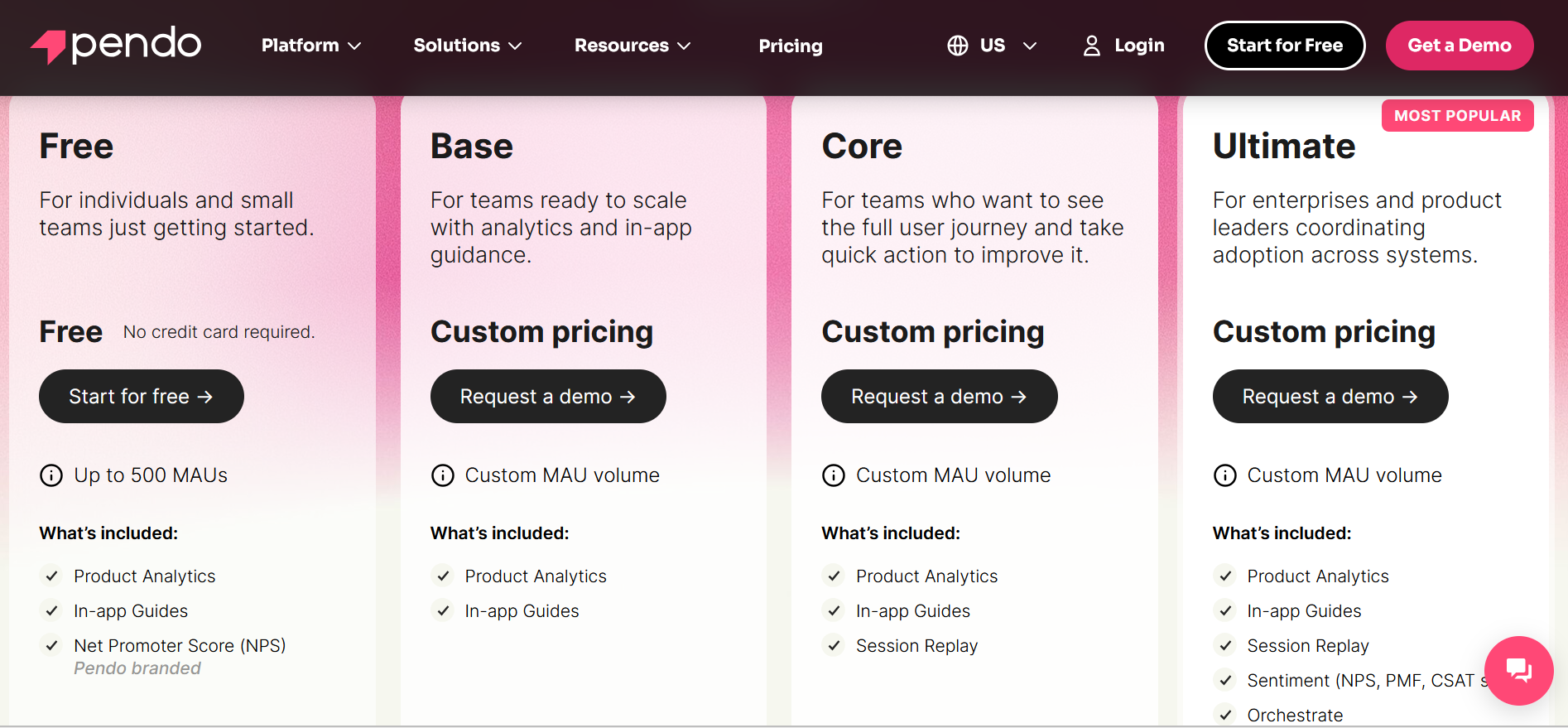
Pendo’s free plan is extremely limited and, to be honest, feels more like a glorified trial than a true free tier. For example, it only allows 500 monthly active users, branded NPS surveys, and restricted analytics. This means you’ll quickly hit a wall if you try to use it seriously.
For the paid plans, Pendo isn’t transparent about pricing on its website. Each tier adds additional functionality, but they lock many key features behind add-ons. For example, Pendo surveys are only available as add-ons unless you’re on the highest plan.
So, how much should you expect to pay? Data from Vendr suggests a starting price of around $17,000 per year, with a median cost of roughly $48,500 per year.
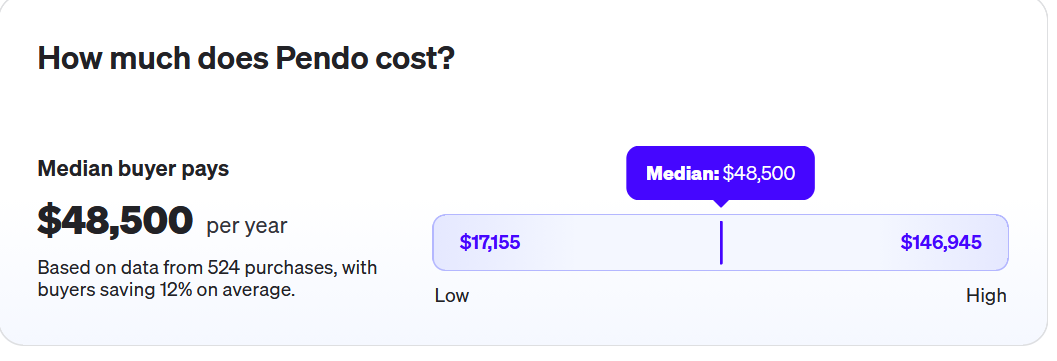
As you can see, Pendo’s pricing is unpredictable and ramps up quickly. Value for money is questionable, especially at the lower tiers, since many core features don’t come included out of the box.
Fullstory has one free plan and three paid tiers: Business, Advanced, and Enterprise.
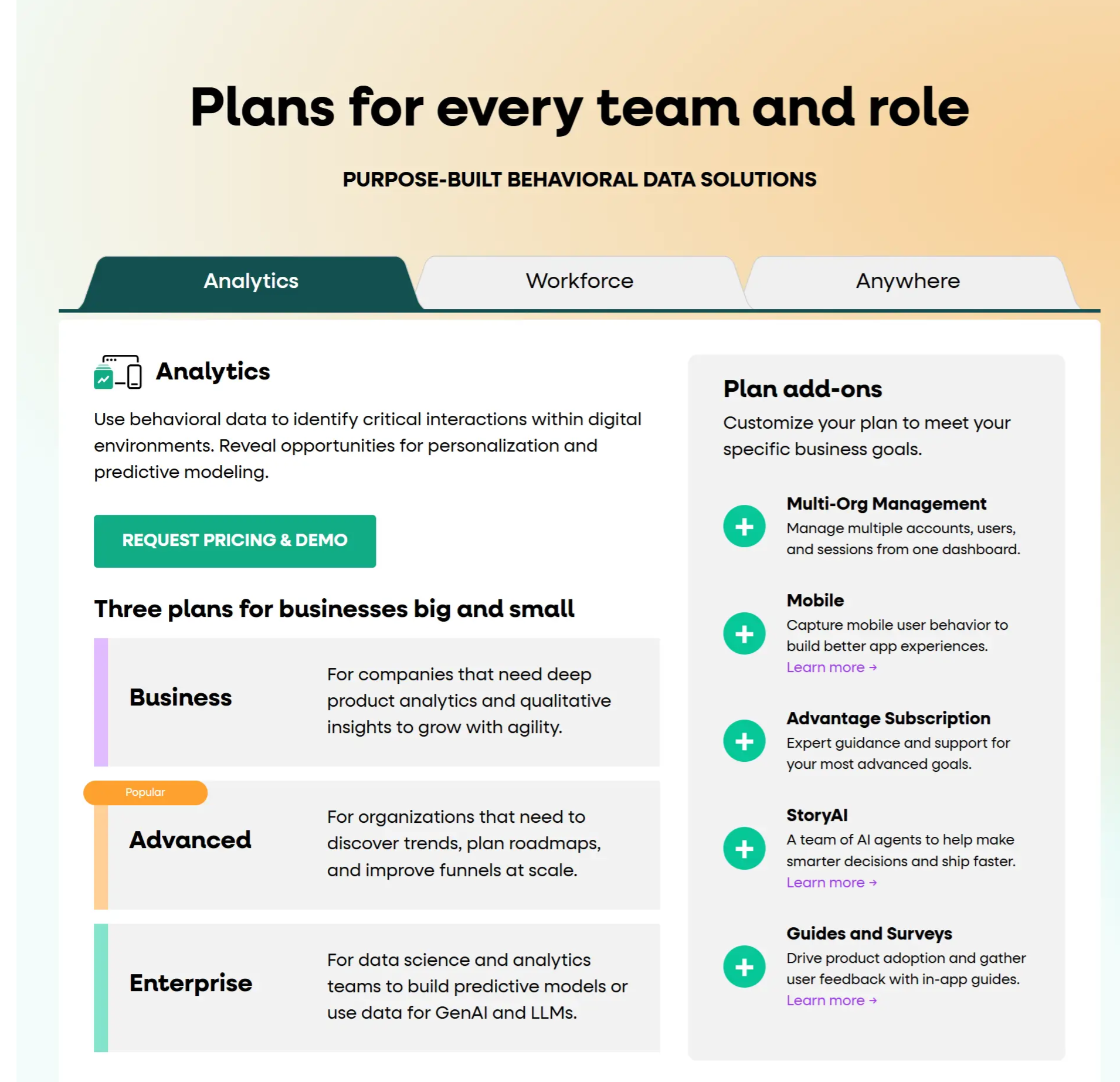
The free plan includes up to 30,000 sessions per month, 12 months of session replay retention, and 12 months of analytics data. It also provides access to basic analytics and insights, making it a useful entry point for smaller teams or those just starting with digital experience analytics.
Fullstory’s pricing requires contacting their sales team. But unlike Pendo, most of its core functionalities are available across all tiers, which keeps the feature breakdown relatively consistent. That said, there are still extra paid add-ons, such as Multi-Org Management, Mobile, Advantage Subscription, and StoryAI, that can increase costs.
According to Vendr, Fullstory’s pricing typically starts at around $10,000 per year, with a median cost of about $27,493 annually.
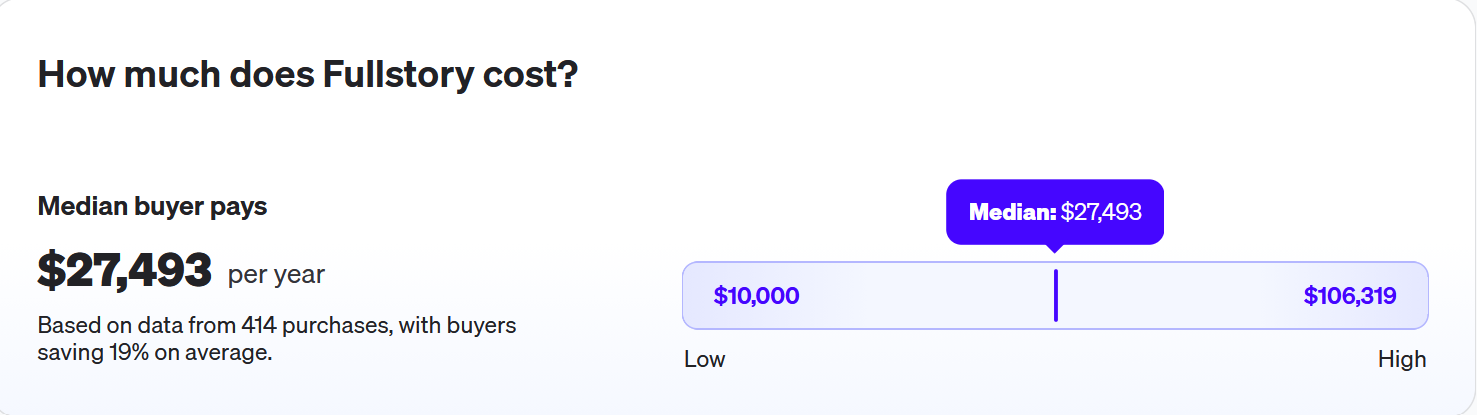
Fullstory is also on the expensive side. The plans are feature-rich, but the platform focuses purely on analytics, so you’ll still need additional tools for onboarding, product tours, and feedback collection, which can drive up overall costs.
Pendo vs. Fullstory: Pros, cons, and considerations
Let’s wrap up this comparison by looking at the core strengths and key drawbacks of each tool.
| Product | Key strengths | Key weaknesses |
|---|---|---|
| Pendo | Users frequently value the “analytics + in-app guidance” pairing and report that it helps understand behavior and drive adoption, with positive feedback on usability once the platform is fully set up. | Common themes include a steep learning curve, governance and organization challenges as tagging and guides scale, and pricing concerns, especially for smaller teams. |
| FullStory | Reviews consistently highlight replay-driven insights, strong customer support, and its usefulness for troubleshooting and UX improvement. They also frequently point to frustration signals and session search as key differentiators. | Common downsides include pricing and value concerns at scale, where limits can be reached quickly on lower tiers, and a learning curve for advanced analysis and metric setup. |
Pros of Pendo
✅ All-in-one platform: Pendo combines analytics, in-app guidance, user feedback, and roadmapping in a single comprehensive suite. This allows teams to get a centralized solution instead of juggling multiple tools.
✅ Actionable product analytics: Pendo’s funnels, retention reports, user flows, and adoption tracking help product teams connect usage data directly to engagement and growth.
✅ AI-driven insights: The platform’s machine learning features give teams a faster path to insights by proactively highlighting friction points and growth opportunities.
Cons of Pendo
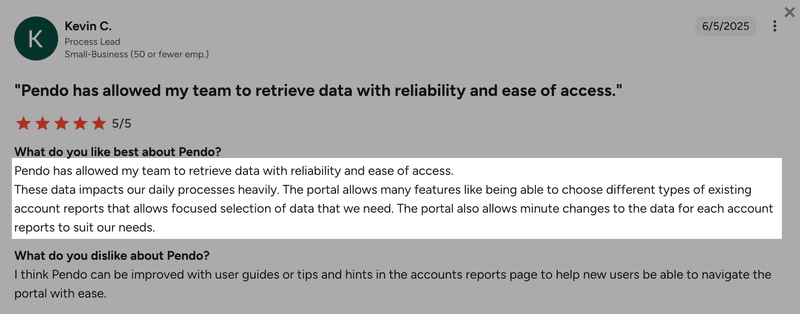
⚠️ Steep learning curve: Pendo’s setup can overwhelm new users. Many customers report that they struggle to use Pendo to its full advantage. In fact, this complexity was the main reason Shelterluv made a switch to Userpilot from Pendo:
“One of the biggest feedback the team had about Pendo was like, we just don’t know how to use it. And it’s hard to figure out. We don’t have the time to just like, sit and read through everything to figure out how to use it.” – Matthew Brown, Senior Customer Solutions Manager at Shelterluv.
⚠️ Fragmented analytics UI: While Pendo boasts of advanced analytics, its UI is fragmented. Reports are scattered across multiple modules, requiring extra add-ons to link survey answers to actual user actions.
⚠️ High technical overhead: Initial setup often requires developer support, especially for event tracking, metadata, retroactive tagging, or configuring multi-product environments. Migrating from Pendo can also be painful, with weeks or even months of manual data extraction, code rewrites, and developer hand-holding.
⚠️ Limitations on lower plans: Pendo restricts core features like NPS analytics, branching logic, and the Resource Center to higher tiers or paid add-ons.
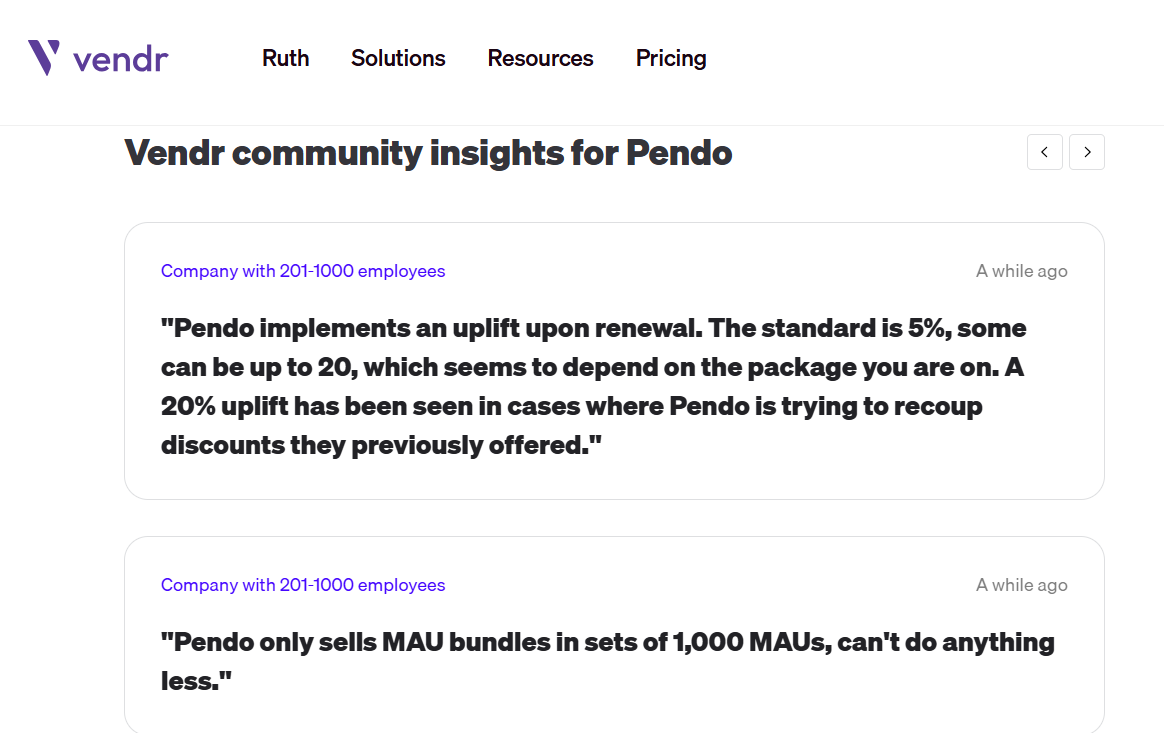
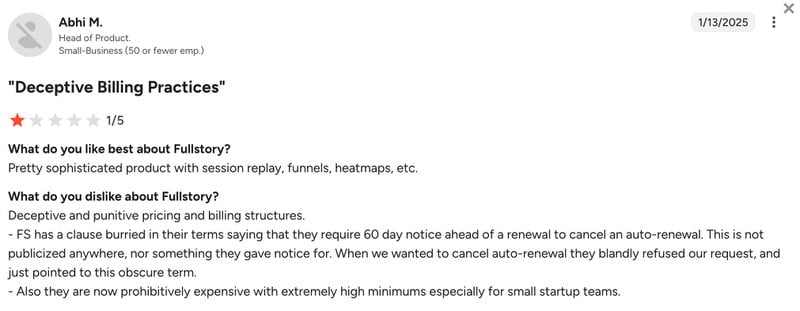
⚠️ Non-transparent pricing: Pendo has a user-based pricing model tied to monthly active users. Costs ramp up quickly with opaque add-on fees, and customers often report renewal uplifts of 5–10% (sometimes as high as 20%), making total costs unpredictable.
Pros of Fullstory
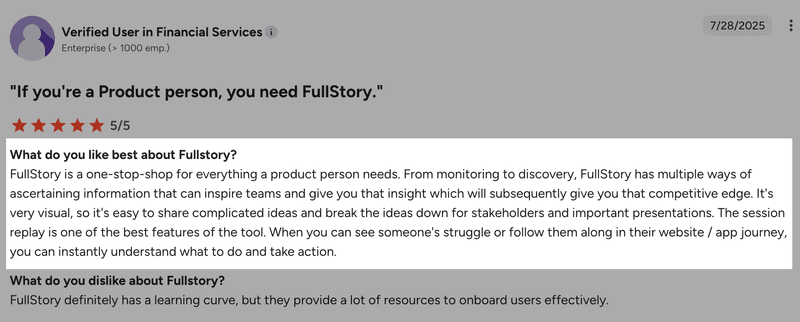
✅ Deep insights for UX optimization: Fullstory provides detailed behavioral data and session replays that equip your product and customer success teams to improve user experiences.
✅ Broad integrations ecosystem: The platform connects with CRMs, data warehouses, and customer support systems. These tools integrate seamlessly, making it easier for companies to unify user information and make confident decisions.
✅ Market-leading autocapture: FullStory’s autocapture records interactions with high precision, which helps product and growth teams access granular insights without relying on engineering support.
Cons of Fullstory
⚠️ Lack of product experience and feedback features: FullStory focuses on analytics, so you’ll need separate tools for onboarding flows, product tours, and feedback collection if you want a complete product growth engine.
⚠️ Steep learning curve: Despite being no-code, the sheer volume of user data the platform collects can overwhelm smaller teams. Fullstory tends to work best for enterprises with dedicated data analysts.
⚠️ Non-transparent pricing: Like Pendo, Fullstory’s customers complain that costs rise quickly with add-ons and renewal uplifts.
Userpilot: A better value-for-money alternative
If you’re looking for a comprehensive product growth platform that’s reliable, fast, and fully no-code, consider Userpilot.
Userpilot combines product data collection and analytics with omnichannel user engagement and customer feedback features.
Unlike Fullstory, you don’t need to rely on integrations or external tools to run onboarding, product tours, or surveys. Userpilot is also more cost-effective than Pendo, with a clearer UI, complete product engagement features, and more actionable analytics with real-time data updates.
But of course, you don’t have to take my word for it. Let’s take a closer look at some of Userpilot’s core capabilities:
Userpilot’s key features and use cases
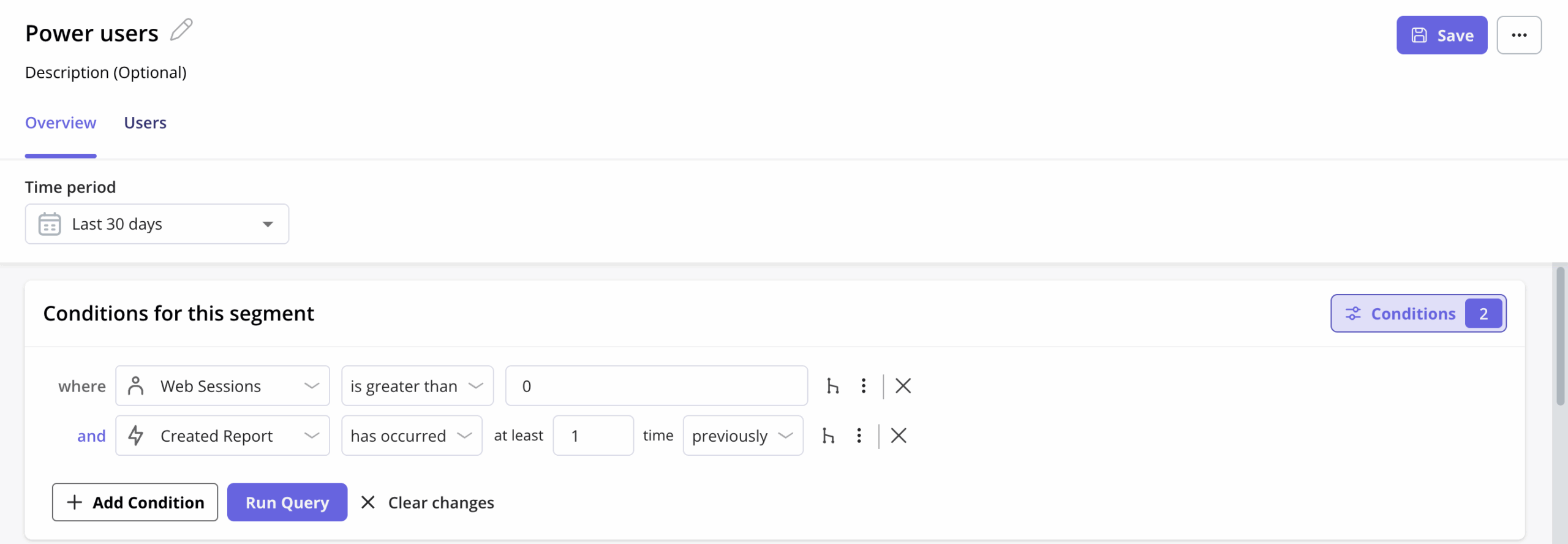
- Collect user behavior data and set up segments: Userpilot automatically captures clicks, hovers, and form submissions. Its Visual Labeler lets you easily start tracking events. And when it comes to customer segmentation, Userpilot allows you to group users based on their attributes or in-app behaviors for targeted analysis and personalization.
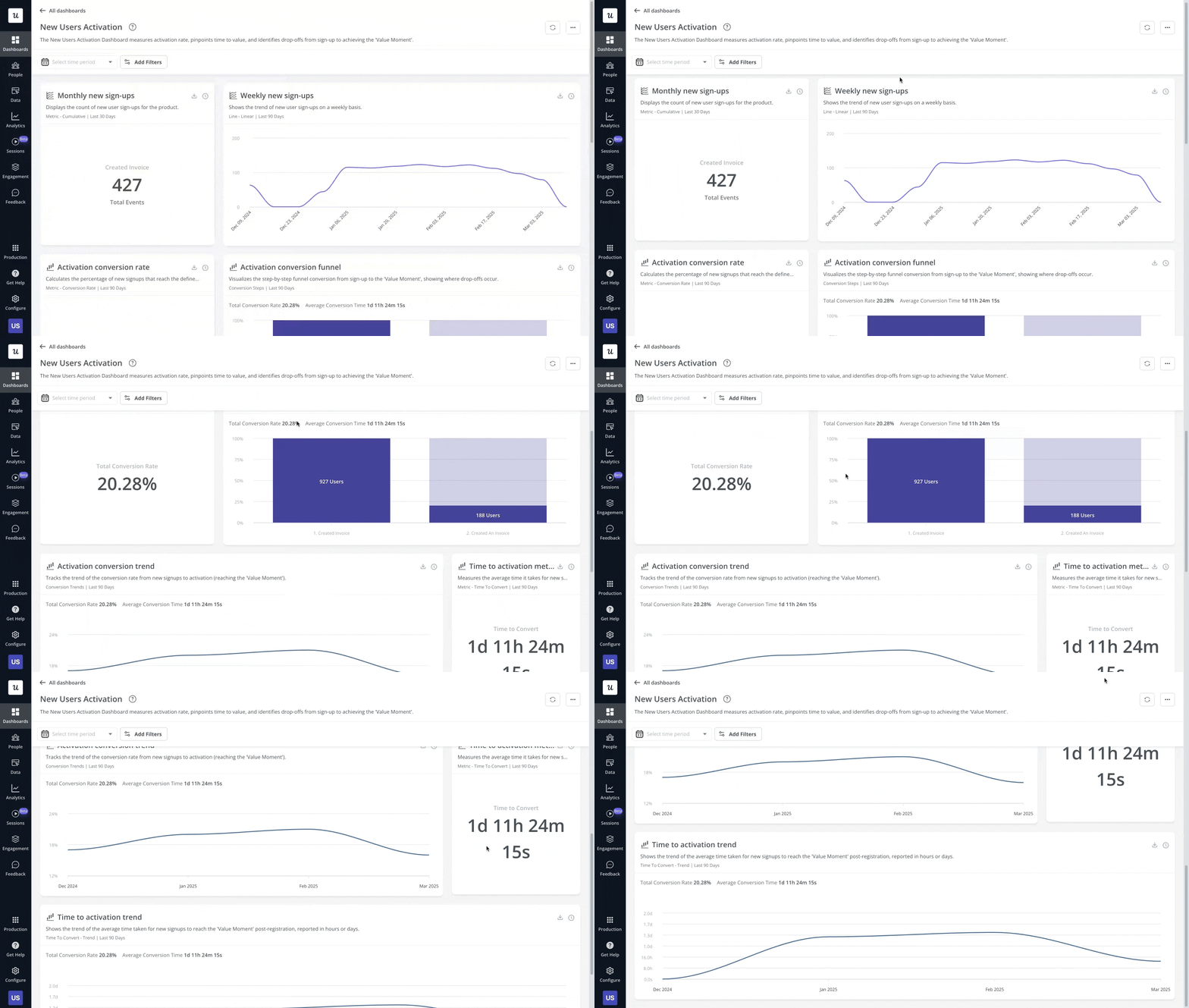
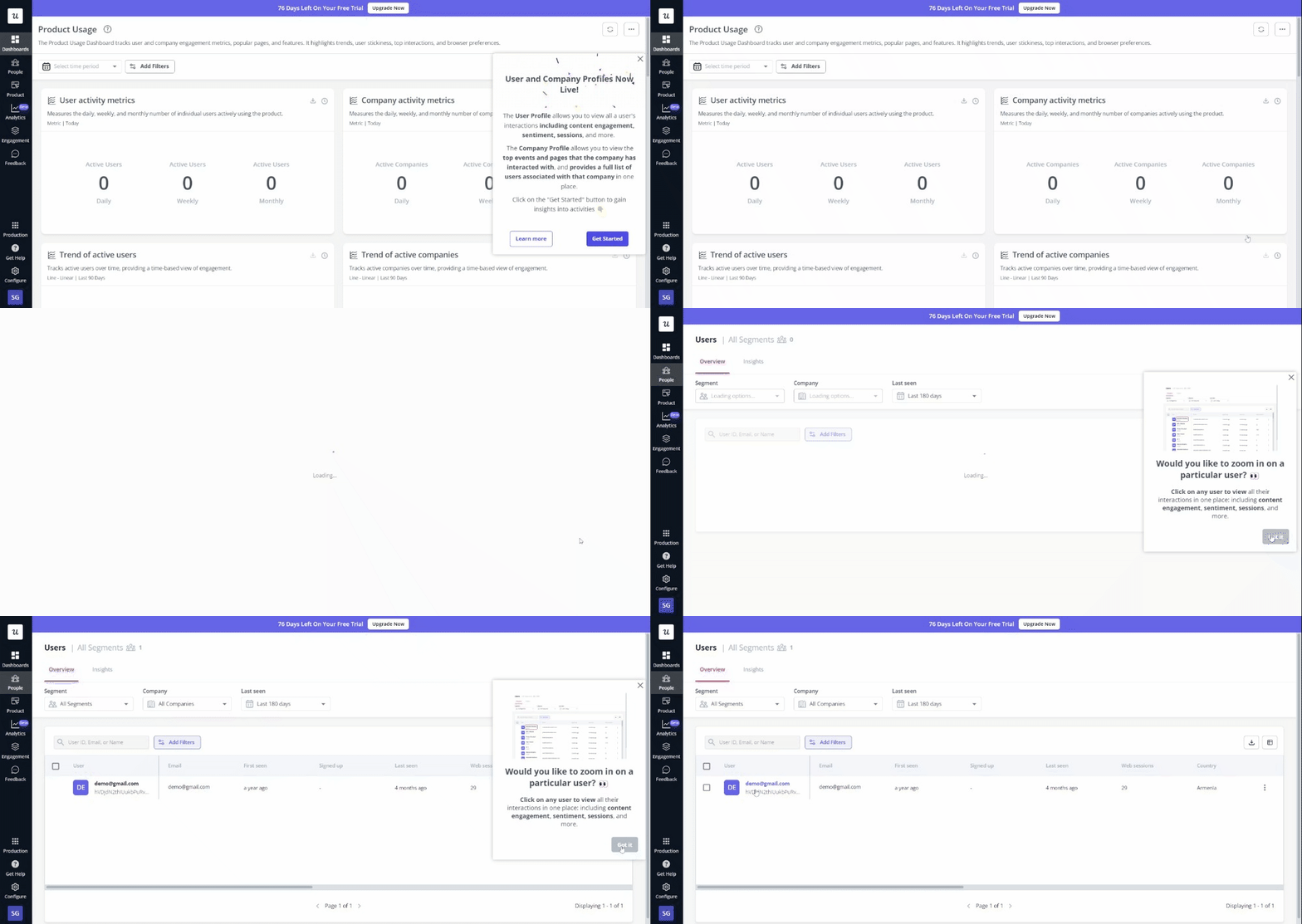
- Track and analyze product data: Userpilot’s pre-built and custom reports make it easy to measure activation, adoption, and retention. You can create multiple dashboards from scratch or templates and even cross-analyze data across different channels.
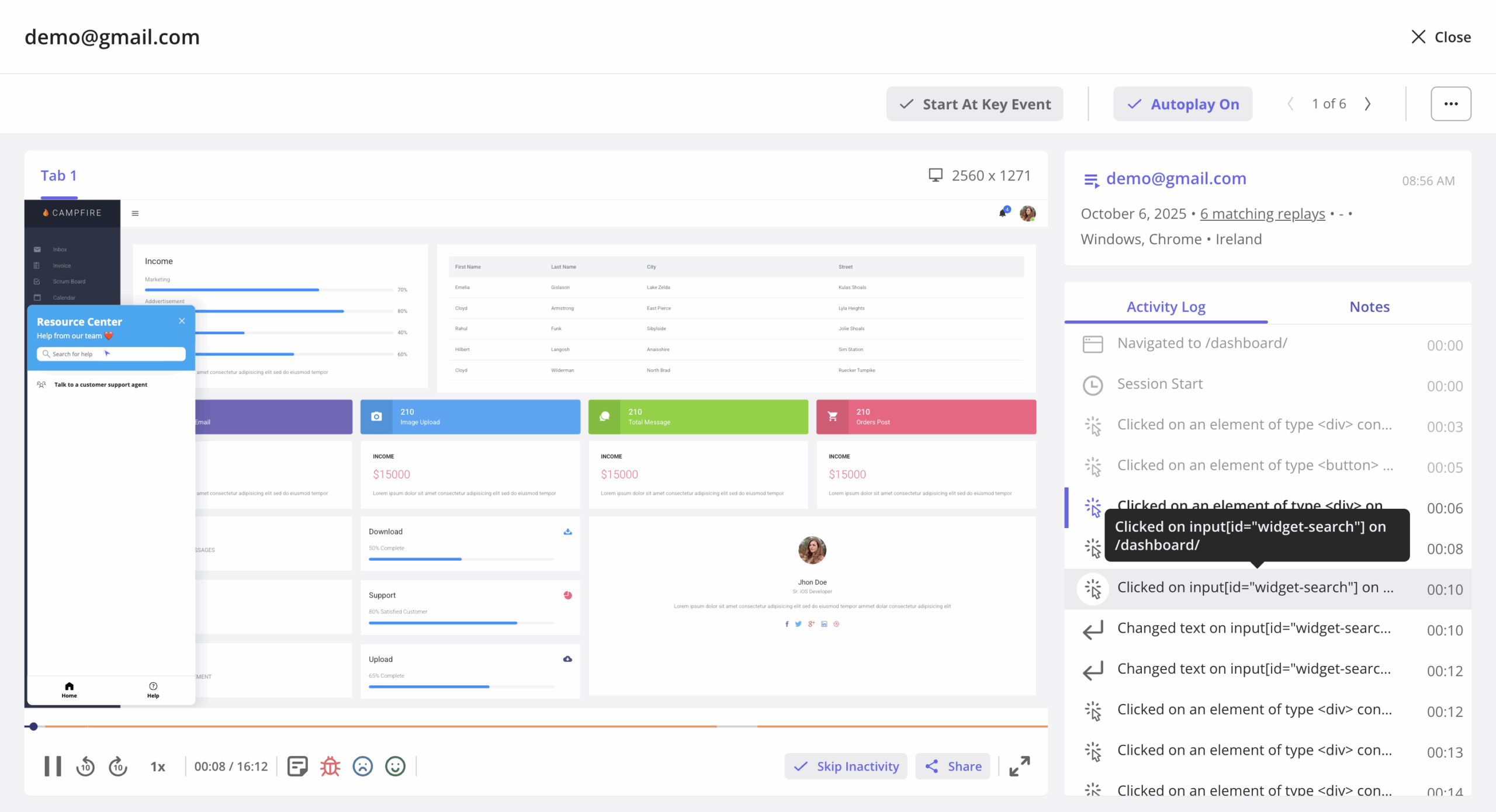
- Watch session replays: Userpilot’s session replays give you the “why” behind the numbers. You can tag user sessions, add comments, and collaborate with other teams to resolve issues faster.
- Onboard new users and introduce features: Userpilot provides no-code UI elements like checklists, hotspots, slideouts, and modals. These come with extensive customization options, so you can design walkthroughs that feel native to your product. Userpilot also lets you build in-app resource centers for new users who might need on-demand support beyond what your walkthrough provides.
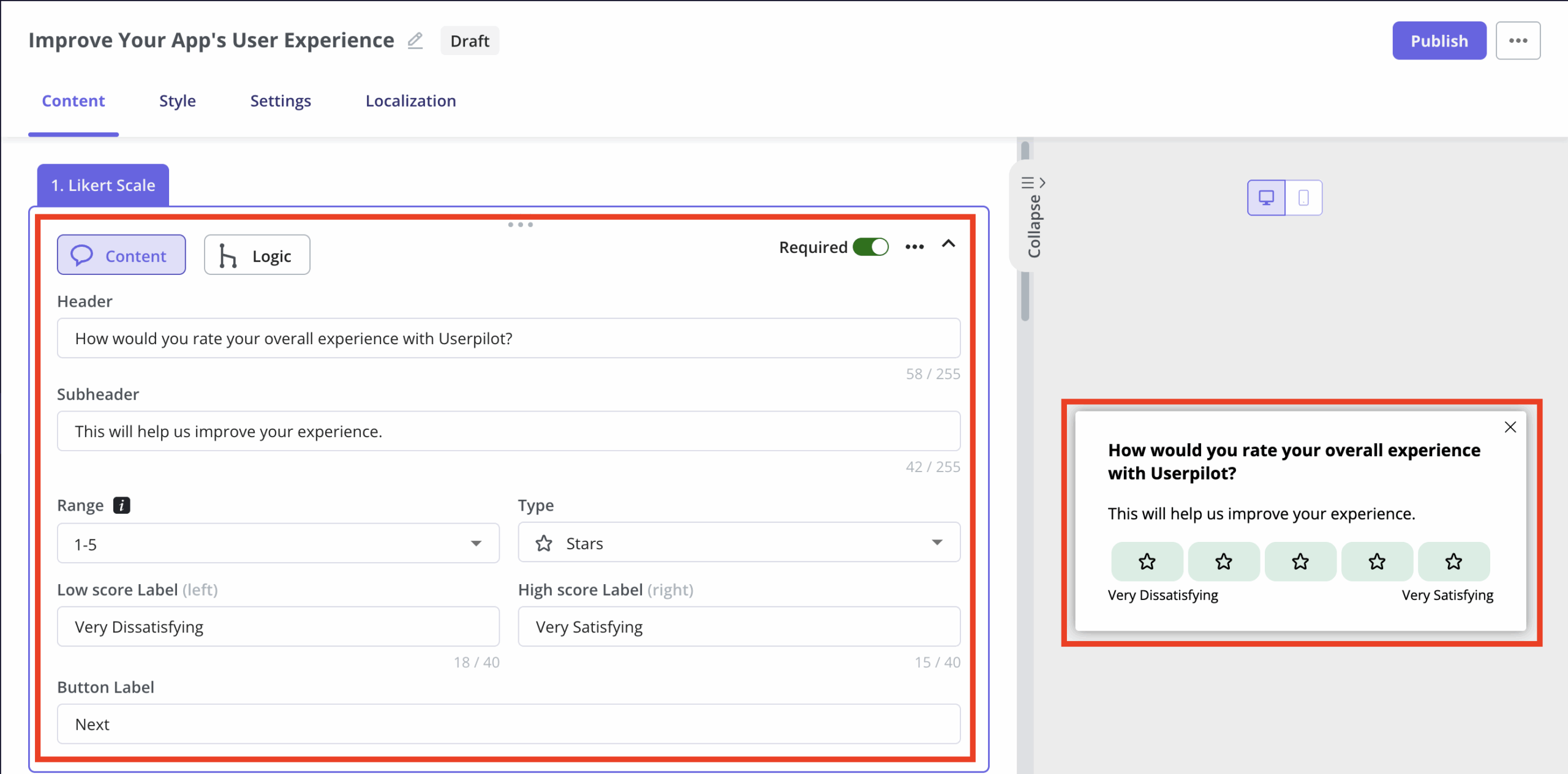
- Collect user feedback: Userpilot includes a survey module for in-app microsurveys such as CSAT, NPS, and CES. You can deploy them on either web or mobile apps. For question types, you can choose from open-ended (open text, single input), closed-ended (Likert scale, multiple choice), and text/URL prompts. You can also apply conditional logic so questions show or skip based on how users answer.
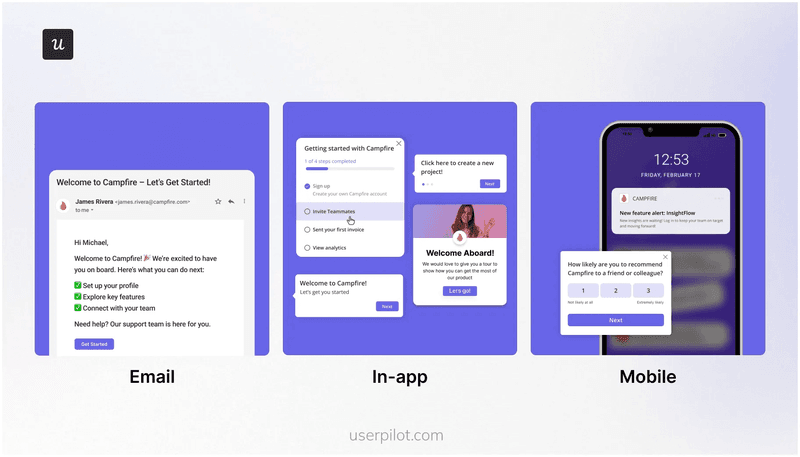
- Set up omnichannel messaging: Beyond in-app experiences, Userpilot lets you engage users through email and mobile apps. This helps you create a true cross-platform experience for cohesive communication flows.
When should you choose Userpilot over Pendo and Fullstory?
Userpilot is built to help SaaS teams move with speed, simplicity, and scale without breaking the bank. Here are three reasons it may be a more suitable choice for you than Pendo and Fullstory:
- Easy to use and set up: Userpilot has a more intuitive interface, which makes the setup and day-to-day use straightforward. This ease of use translates into better value for money since you can take advantage of the platform’s full feature set. This is something our customers mention over and over again. For example, Cuvama switched from Pendo after finding it too complex and expensive.
“High price was one of the decision criteria to move from Pendo because we were paying lots, and we were not using it.” – Leyre Iñiguez, Customer Experience Lead
- Centralized product and user data: With Userpilot, all your product data lives in one place. You don’t have to jump between multiple modules or connect third-party integrations just to make sense of your analytics. Additionally, you can always see it in real time.
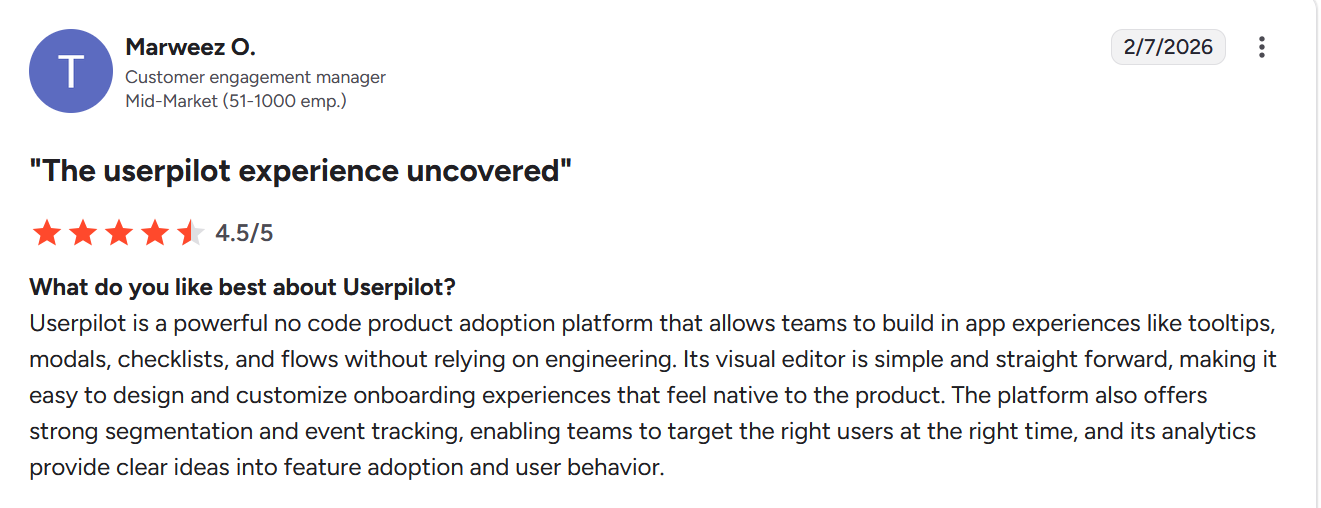
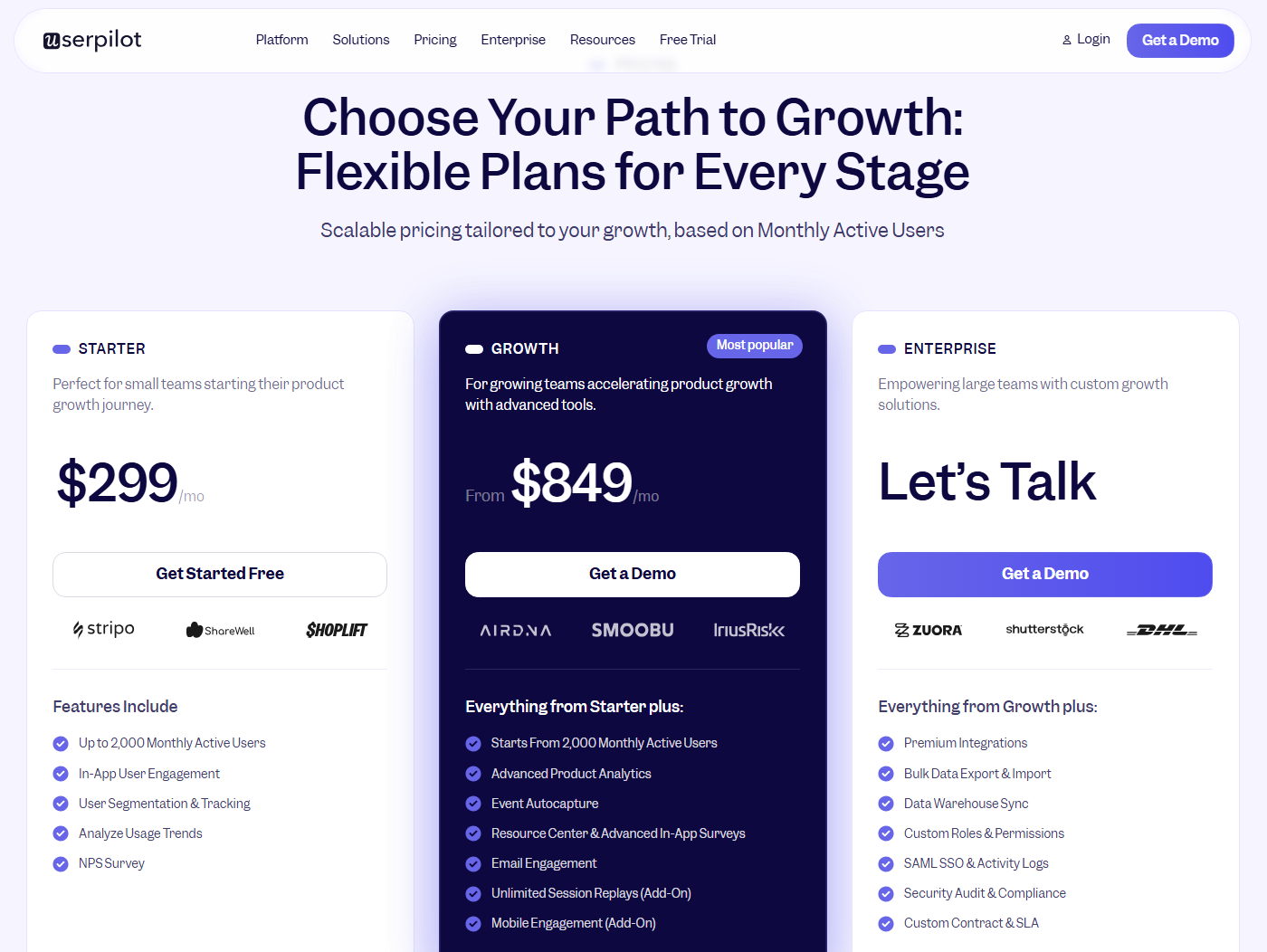
- Transparent pricing and high value for money: Userpilot keeps pricing simple and predictable with no surprise ramp-ups. Most features are included by default, so you don’t need to worry about paying extra for essentials like NPS surveys or branching logic.
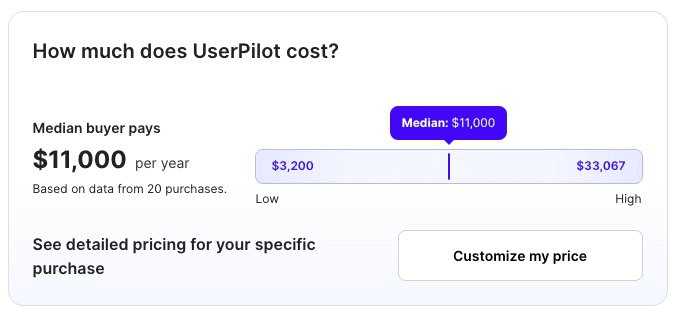
According to Vendr data, Userpilot consistently comes in as the more cost-effective option. Many of our customers often cite pricing as a reason for switching, and it’s a common topic during demo requests when they compare tools.
So Fullstory or Pendo?
Fullstory is a strong option for companies with dedicated data teams who need deep behavioral insights across websites, e-commerce, and internal apps.
Pendo and Userpilot are all-in-one growth platforms, better suited for product management and product marketing teams who want to move fast without heavy technical overhead. However, the key differences come down to usability and value for money.
Userpilot stands out as the more cost-effective and intuitive choice. It gives you real-time analytics, in-app engagement, surveys, segmentation, and other key product growth features in one platform, without hidden add-ons or bottlenecks caused by the constant need for engineering help.
Ready to see it in action? Book a demo with our team today!
(P.S. And if you’re looking to make a switch from Pendo, we offer a special deal: you can get 50% off your current Pendo contract price or renewal rate, and free access to Userpilot until your Pendo contract expires.)
Userpilot strives to provide accurate information to help businesses determine the best solution
for their particular needs. Due to the dynamic nature of the industry, the features offered by
Userpilot and others often change over time. The statements made in this article are accurate
to the best of Userpilot’s knowledge as of its publication/most recent update on April 1, 2026.
About the author