Top Appcues Alternatives and Competitors Reviewed



Are you looking for a user onboarding software that offers everything Appcues does but comes without its drawbacks, such as complex pricing and limited analytics? Then you are in the right place. I tested several Appcues alternatives, analyzed dozens of reviews from real users, and am ready to share my insights in this blog!
What is Appcues?
Appcues is a user onboarding software that empowers product and growth teams to deliver personalized in-app experiences without writing a single line of code. It helps you guide users to their “aha” moments faster, drive feature adoption, and keep engagement high.
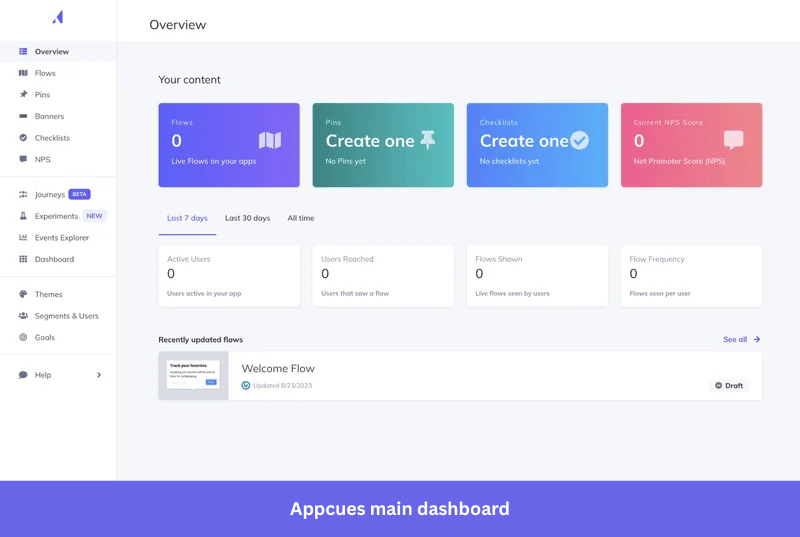
The platform has five key features:
- Visual flow builder: Design in-app tours, tooltips, and checklists with a Chrome extension. Click around your app and place elements where you need them.
- User targeting: Show targeted customer onboarding flows to specific user segments (for instance, free vs. paid users). You can target users based on actions, demographics, or company data.
- Multi-channel messaging: Combine in-app modals with automated emails or mobile push notifications to bring back users who have abandoned flows.
- Analytics: Measure how many users complete their checklists and flows with basic dashboards to track performance.
- NPS surveys: Add Net Promoter Score polls inside your app to gauge satisfaction and segment users.
Appcues pricing
Appcues pricing starts at $750 per month and increases based on the number of active users in your app. Without planning, you may end up paying several thousand dollars per month before you realize it.
Here are the pricing plan details:
- Growth Plan: $750 monthly for 1,000 MAUs. The plan also includes A/B testing and multi-channel campaigns.
- Enterprise: Custom pricing averaging $15,000+ annually.
For example, Vendr data shows that the median Appcues buyer pays $15,234 annually.
Why you may need Appcues alternatives
Appcues has an intuitive interface, supports both desktop and mobile apps, and has a massive education library for digital adoption professionals. But it’s not suitable for every use case.
Here are some reasons that people consider alternatives:
- Appcues analytics is very basic: You can track flow and checklist engagement, but you can’t go deeper into product analytics to understand what’s working and why, as it lacks features like cohorts, path analysis, and session recordings.
- Feedback collection feature is limited: While you can embed polls into flows, Appcues lacks dedicated surveys. You need to manually analyze responses, and triggering surveys based on specific behaviors (like feature usage) can be difficult.
- You’ll pay more for less: Appcues charges $750/month just to get started. For the same price, platforms like Userpilot bundle onboarding, analytics, and surveys into one tool, saving you from subscription sprawl.
- Not designed for internal teams: If you need to onboard employees, such as training teams on Salesforce or Workday, you may need an Appcues alternative. It’s designed for customer-facing apps and lacks features like SCORM outputs or LMS integrations that other tools offer.
Top 7 Appcues alternatives and competitors for 2026
After personally trialing free versions, analyzing 100+ G2/Trustpilot reviews, and talking to ex-customers, here are 7 Appcues alternatives actually worth your time.
I evaluated these platforms based on criteria that matter to product teams:
- Ease of use: Can a marketer or product manager build flows without asking a developer for help?
- Analytics depth: Does the tool tell you what users do before and after they see a guide?
- User segmentation: Can you target specific groups of users based on their behavior or firmographic data?
- Pricing scalability: Does the pricing model make sense as your user base grows?
| Tool | Best for | Outstanding features compared to Appcues | Starting price | G2 score |
| Chameleon | Advanced CSS customization for native-looking flows | Deep CSS control, embedded cards, HelpBar (CMD+K), interactive demos, unlimited NPS on all plans | $279/mo | 4.4/5 |
| UserGuiding | Startups and SMBs on a budget | Free plan, standalone Knowledge Base, AI Assistant, Product Updates page, fastest setup (~15 min) | $174/mo | 4.7/5 |
| Pendo | Enterprise product teams who need roadmapping tools | Retroactive analytics, roadmapping, session replay (web+mobile), Product Engagement Score, internal tools support | Custom pricing | 4.4/5 |
| Userflow | Comprehensive AI engagement tools at a lower price | Kanban flow builder, Smartflow AI (auto-generate flows), AI Assistant (GPT-4), highest G2 ease-of-use (9.3) | $240/mo | 4.8/5 |
| Intercom | Support teams adding onboarding | Unified messaging + tours + Fin AI Agent, multi-channel Series, 450+ integrations | $29/seat/mo + $99/mo add-on | 4.5/5 |
| WalkMe | Enterprise employee training for complex workflows | Multi-system overlay (SAP, Salesforce, Workday), workflow automation (1,200+ accelerators), WalkMeX AI Copilot, and desktop support | Custom pricing | 4.5/5 |
| Userpilot | Teams wanting robust analytics + in-app action | Built-in analytics (funnels, paths, cohorts, session replay, autocapture), 15+ survey templates, omnichannel engagement, AI localization | $299/mo | 4.6/5 |
ToolBest forOutstanding features compared to AppcuesStarting priceG2 scoreUserpilotTeams wanting robust analytics + in-app actionBuilt-in analytics (funnels, paths, cohorts, session replay, autocapture), 15+ survey templates, omnichannel engagement, AI localization$299/mo4.6/5ChameleonAdvanced CSS customization for native-looking flowsDeep CSS control, embedded cards, HelpBar (CMD+K), interactive demos, unlimited NPS on all plans$279/mo4.4/5
Now, let’s go over each of these alternatives in detail:
1. Chameleon: Best for advanced customization options
If you want a digital adoption platform that lets you create fully native-looking in-app experiences, pick Chameleon. It offers deep CSS customizability, allowing your designers and developers to style tooltips, tours, banners, and launchers to perfectly match their brand.
Chameleon vs Appcues side-by-side comparison
| Feature | Chameleon | Appcues |
|---|---|---|
| Primary use case | User onboarding tool | User onboarding and engagement |
| Technical level | ⚠️ No-code builder, but requires some technical knowledge for implementation | ⚠️ Easy setup, but requires multiple installations ✅ No-code customization |
| In-app engagement and support | ✅ Interactive walkthroughs ✅ Checklists ✅ UI prompts (tooltips, modals, hotspots, etc.) ✅ Support for web, mobile, and desktop apps ✅ Automatic localization ❌ No in-app resource centers |
✅ Interactive walkthroughs ✅ Checklists ✅ UI prompts (tooltips, modals, mobile slide-outs and carousels, etc.) ✅ Web and mobile ⚠️ Basic Launchpads ⚠️ Manual localization |
| Push notifications | ✅ | ✅ |
| Behavior-based emails | ✅ | ✅ |
| Analytics | ✅ Custom dashboards ✅ Guide performance analytics ✅ Funnels and paths reports ✅ Timeline and completion views ✅ AI-powered predictive analytics ❌ No retention reports ❌ No autocapture |
⚠️ Limited dashboard templates ❌ No native analytics reports ❌ No autocapture ❌ No session replay ✅ Customer segmentation ✅ A/B testing |
| User feedback | ✅ Microsurveys (NPS, CSAT, CES, multi-button, input/text) ✅ Basic analytics ❌ Limited response analysis |
✅ NPS surveys ❌ No bespoke surveys ⚠️ Only NPS score analytics (limited) |
| Customer support | ✅ Self-serve resources (Startup) ✅ Dedicated support (Growth+) ✅ Dedicated CSM (Enterprise only) ✅ Design reviews (Enterprise) |
✅ Email support ❌ No dedicated CSM |
| Pricing | Starting at $279/month for 2,000 monthly tracked users, billed monthly | Starting at 300$/month, billed annually |
Chameleon pricing
Chameleon uses a Monthly Tracked Users (MTU) pricing model, with three plans to choose from:
- Startup: Starts at $279/month for up to 2,000 MTUs. This plan offers unlimited tours, 5 microsurveys, 1 launcher, and full custom CSS support.
- Growth: Jumps significantly to $15,000/year (approximately $1,250/month). It unlocks unlimited experiences across all UI patterns, native A/B testing, goal conversion tracking, and granular rate limiting.
- Enterprise: Custom pricing for organizations requiring enterprise-grade security, multi-region localization, account switching, and strict Role-Based Access Control (RBAC).
Note: The median annual price for Chameleon is $26,500/yr according to Vendr.
Why it’s a good Appcues alternative
- Deeper CSS customization for brand-native experiences: Chameleon’s Themes 2.0 lets you create modals and tooltips that look native to your app, with CSS as support. Whereas Appcues has limited styling to brand colors and fonts, CSS is a must for making in-app prompts look native.
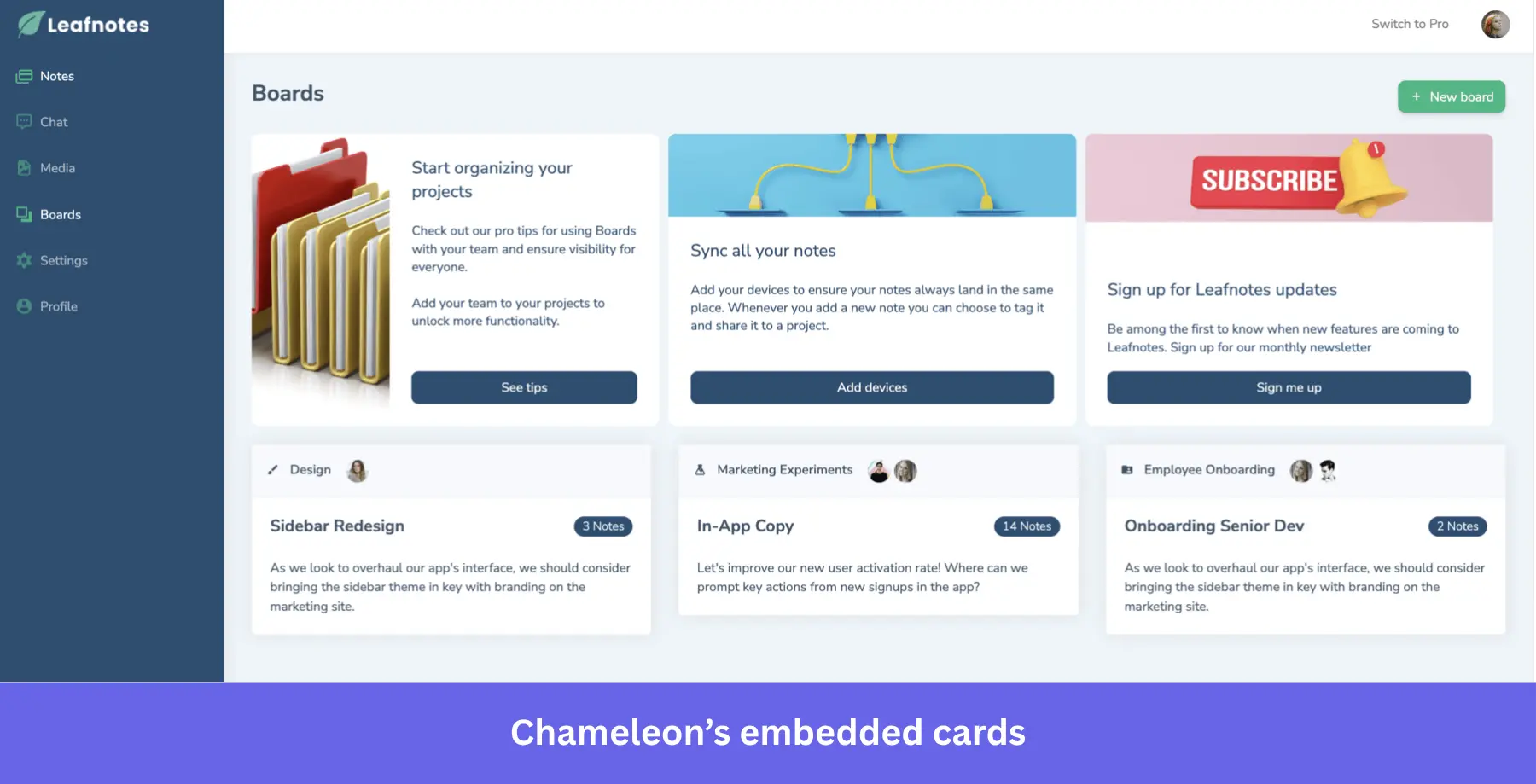
- Embedded cards: Chameleon’s embedded cards and inline banners persist within the product UI rather than overlaying it, providing persistent onboarding and contextual resources to users. Appcues doesn’t offer anything similar yet.
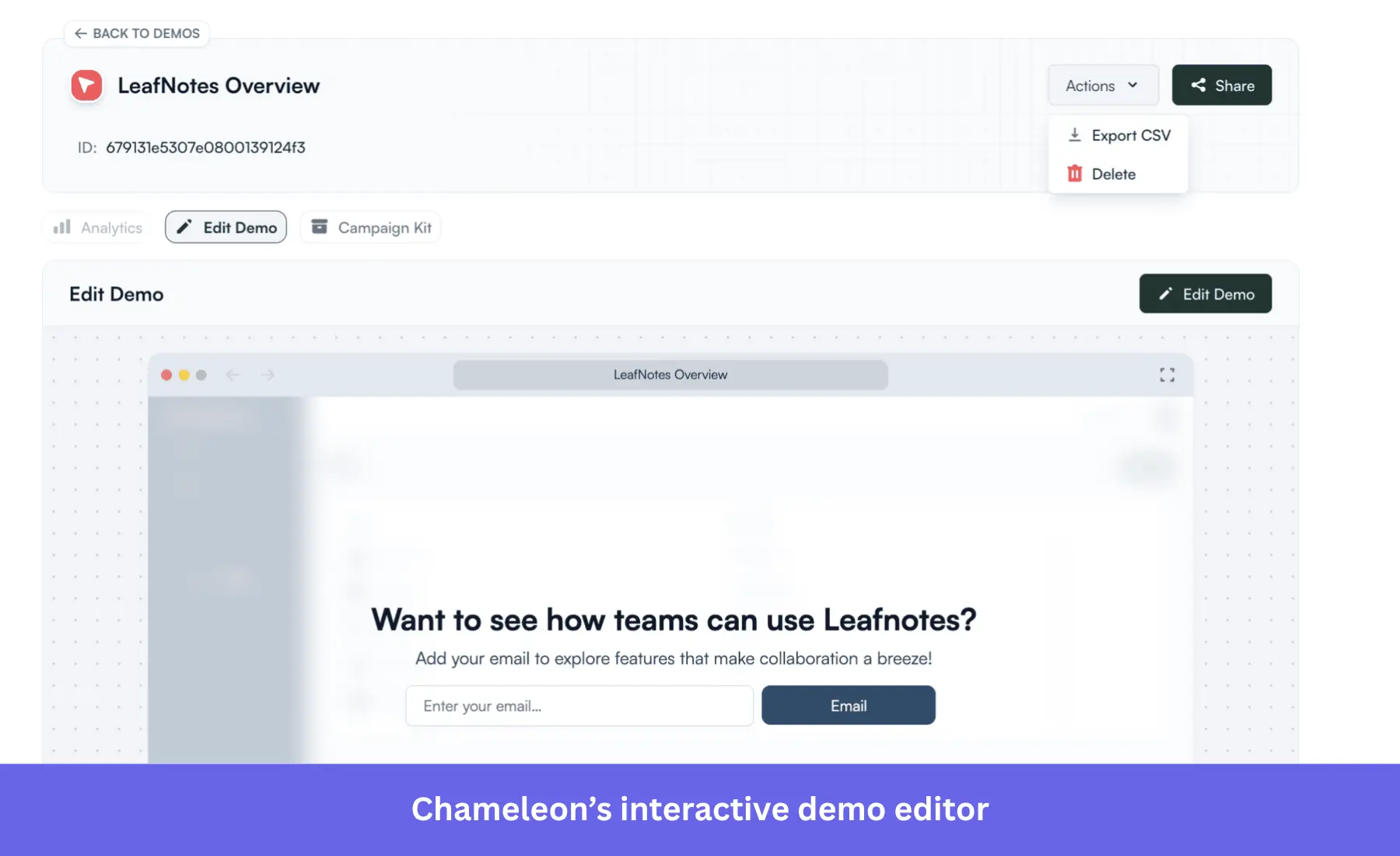
- Interactive demos: Free interactive product demos (via Driveway acquisition) with AI voiceover, shareables/embeddables, and demo analytics with step performance tracking. Appcues does not offer interactive demos.
- Unlimited NPS surveys: Chameleon permits unlimited, fully customizable NPS, CSAT, and CES surveys on every paid plan. Appcues NPS feature is more rigid and separate from surveys and forms.
What do real users say about Chameleon?
| Pros | Cons |
| ✅ Complete customization: Offers more control over the UI patterns to make them look native. | ❌ Steep learning curve: Its advanced filters, complex targeting rules, and detailed customization require more time to learn compared to Appcues. |
| ✅ Advanced targeting: Unlike Appcues, Chameleon offers more complex targeting options thanks to its integrations with CDPs like Segment. | ❌ Paywalls: Although the initial plan is three times cheaper than Appcues ($279/mo). The jump to a $15,000/year plan is necessary for features like A/B testing or HubSpot integration. |
| ✅ More UI patterns: Besides classic UI prompts like tooltips and banners, it can also create non-intrusive embedded cards and interactive demos. | ❌ Usability and reliability issues: Some users describe the platform as buggy and hard to use at times, particularly given its premium pricing tier. |
2. UserGuiding: Best beginner-friendly tool for startups on a budget
UserGuiding is a simple onboarding platform that lets you build and launch in-app onboarding elements, such as checklists, tooltips, product tours, and resource centers.
UserGuiding vs Appcues
| Feature | UserGuiding | Appcues |
|---|---|---|
| Primary use case | User onboarding platform | User onboarding and engagement |
| Technical level | ⚠️ Easy setup via Chrome extension, but requires script install ✅ No-code customization |
⚠️ Easy setup, but requires multiple installations ✅ No-code customization |
| In-app engagement and support | ✅ Walkthroughs/tours with modals, tooltips, hotspots ✅ Web & mobile web support ✅ Checklists & resource centers ⚠️ Manual localization, no native mobile SDK |
✅ Interactive walkthroughs ✅ Checklists ✅ UI prompts (tooltips, modals, mobile slide-outs and carousels, etc.) ✅ Web and mobile ⚠️ Basic Launchpads ⚠️ Manual localization |
| Push notifications | ❌ | ✅ |
| Behavior-based emails | ✅ Automated emails based on user actions or inactivity ⚠️ Only basic email functionality |
✅ Advanced email targeting |
| Analytics | ⚠️ Limited dashboard templates ❌ No native analytics reports ❌ No autocapture ❌ No session replay ✅ Customer segmentation ✅ A/B testing |
⚠️ Limited dashboard templates ❌ No native analytics reports ❌ No autocapture ❌ No session replay ✅ Customer segmentation ✅ A/B testing |
| User feedback | ✅ Custom surveys ✅ Trigger logic, follow-up questions & segmentation ⚠️ Analytics limited (no tagging, trend reports, or deep qualitative analysis) |
✅ NPS surveys ❌ No bespoke surveys ⚠️ Only NPS score analytics (limited) |
| Customer support | ✅ Email and live chat on all plans ✅ Help docs, AI Assistant & resource center for self-serve support ⚠️ Dedicated CSM on Growth & Enterprise |
✅ Email support ❌ No dedicated CSM |
| Pricing | Free plan available. Paid plans start at $174/month (billed annually) for 2,000 MAUs | Starting at 300$/month, billed annually |
UserGuiding pricing
Like Appcues, UserGuiding provides a transparent MAU-based pricing model, making it highly attractive for budget-conscious startups. There’s a free plan for self-service support and update pages, but it doesn’t include any core engagement tools.
For in-app engagement, you’d need one of these three plans:
- Starter: $174/month (billed annually) for up to 2,000 MAUs. This plan includes 25 active guides, 2 checklists, basic segmentation, NPS surveys, and the core Chrome onboarding builder.
- Growth: $349/month (billed annually) for 2,000 MAUs. Unlocks 100 active guides, unlimited checklists, custom CSS capabilities, localization, goal tracking, and premium ecosystem integrations.
- Enterprise: Custom pricing for organizations requiring unlimited material creation, SAML SSO, personalized coaching, and strict compliance standards (SOC2, GDPR, HIPAA).
Why it’s a good Appcues alternative
- Cost-effective for web-based products: UserGuiding lacks features for engaging users outside of the app, such as emails or push notifications. So if running omnichannel campaigns isn’t your objective, UserGuiding will be more cost-effective than Appcues.
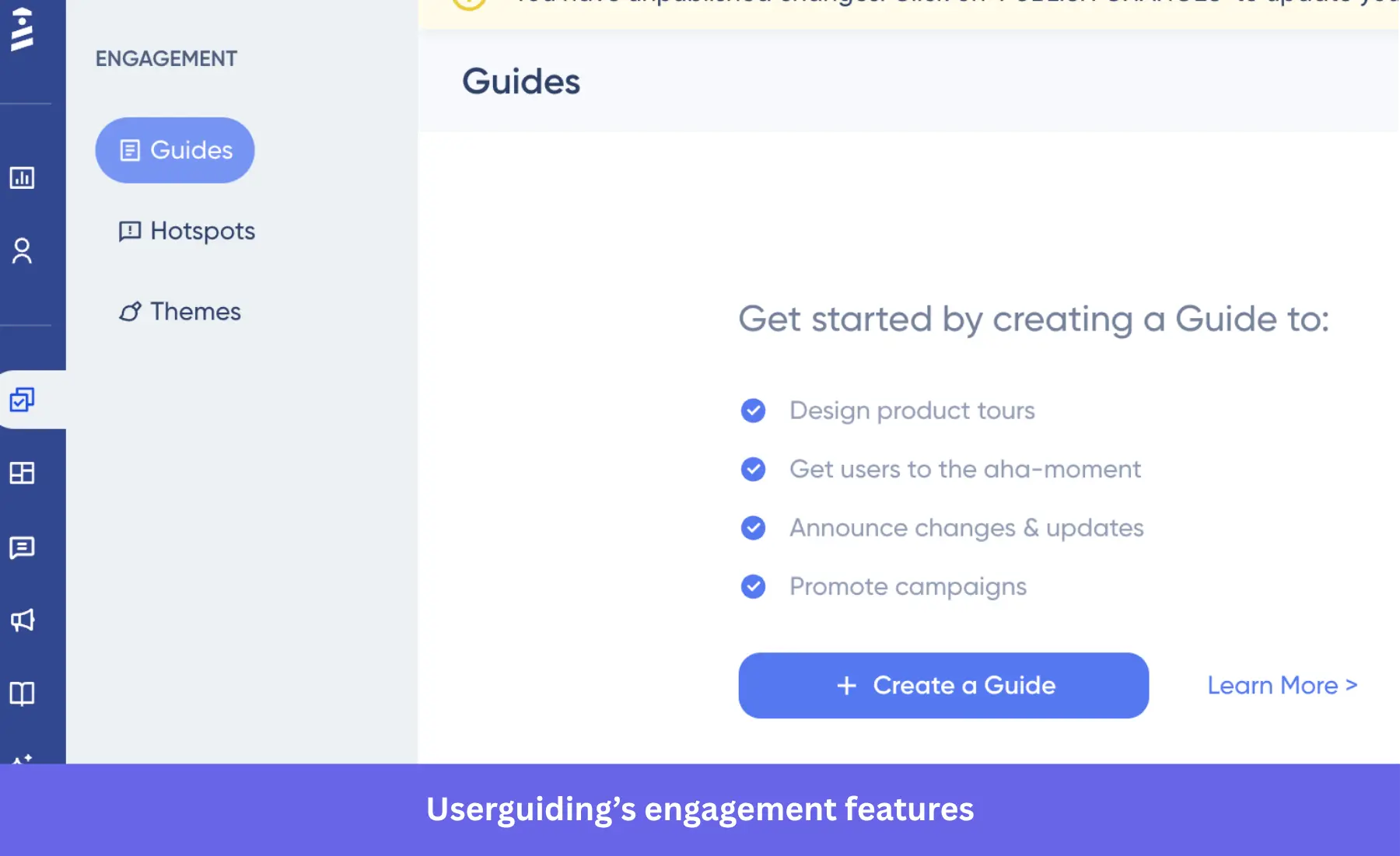
- 78% cheaper at equivalent MAU levels: UserGuiding Starter at 2K MAUs costs $174/mo ($2,088/yr). Appcues Grow at 2K MAUs costs ~$800/mo ($9,600/yr). UserGuiding Starter includes checklists, resource centers, and NPS that Appcues locks behind the Grow plan.
- Free plan available: Support Essentials includes a knowledge base, product updates, resource center, and AI Assistant. Appcues has no free plan.
What do real users say about UserGuiding?
| Pros | Cons |
| ✅ Highly cost-effective: Provides essential onboarding tools at a fraction of Appcues’ cost (better if your product is web-only). | ❌ Limited customization: The customization options are limited, especially when trying to match very specific branding or layouts (you need the custom CSS feature, which is behind the Growth plan). |
| ✅ Fast and easy setup: Unlike Appcues, installing UserGuiding only requires pasting a JavaScript snippet. | ❌ Web-only engagement: It doesn’t offer native SDKs for mobile apps like Appcues. |
| ✅ Fast time-to-value: Users consistently praise UserGuiding’s intuitive interface. It allows non-technical teams to build onboarding experiences without coding. |
❌ Basic analytics: Similar to Appcues, it lacks deeper insights into user behavior and advanced analytics dashboards. |
3. Pendo: Best for data-driven analytics and product planning
Pendo is a full-stack product experience platform that helps teams understand how people use their software and improve those experiences without writing code. It combines product analytics features, in-app guides, customer feedback, product planning, and session replays into one tool. With Pendo, companies can see where users get stuck, guide them through tasks, and collect user feedback to make better product decisions.
Pendo vs Appcues
| Feature | Pendo | Appcues |
|---|---|---|
| Primary use case | Product adoption, onboarding, and roadmapping | User onboarding and engagement |
| Technical level | ⚠️ Quick to set up but with a steeper learning curve | ⚠️ Easy setup, but requires multiple installations ✅ No-code customization |
| In-app engagement and support | ✅ Interactive walkthroughs and UI prompts (tooltips, modals, hotspots, etc.) ✅ Web and mobile apps ✅ Resource center ⚠️ Manual localization ⚠️ Onboarding checklists are only visible inside the resource center |
✅ Interactive walkthroughs ✅ Checklists ✅ UI prompts (tooltips, modals, mobile slide-outs and carousels, etc.) ✅ Web and mobile ⚠️ Basic Launchpads ⚠️ Manual localization |
| Push notifications | ❌ | ✅ |
| Behavior-based emails | ✅ | ✅ |
| Analytics | ✅ Custom dashboards ✅ Product usage analytics ✅ Funnels, paths, cohorts, and workflow reports ✅ User journey orchestration ❌ No autocaptured events |
⚠️ Limited dashboard templates ❌ No native analytics reports ❌ No autocapture ❌ No session replay ✅ Customer segmentation ✅ A/B testing |
| User feedback | ✅ NPS, polls, and surveys with analytics and session context | ✅ NPS surveys ❌ No bespoke surveys ⚠️ Only NPS score analytics (limited) |
| Customer support | ✅ Help center, ticketing, community, and premium support with live chat and phone | ✅ Email support ❌ No dedicated CSM |
| Pricing | Free plan for up to 500 MAUs. Paid plans on request | Starting at 300$/month, billed annually |
Pendo pricing
According to Vendr, the median customer pays about $48,500 per year. At that price, it’s best suited for organizations with dedicated product or IT teams that need detailed analytics, customizable onboarding, and cross-platform support for both customer-facing apps and internal tools.
Why it’s a good Appcues alternative
- Built-in analytics that go beyond the basics: Pendo offers funnels, paths, cohorts, and custom dashboards without needing extra tools like Mixpanel or Amplitude. It gives you a complete view of how users move through your product. Appcues analytics only focuses on flow performance.
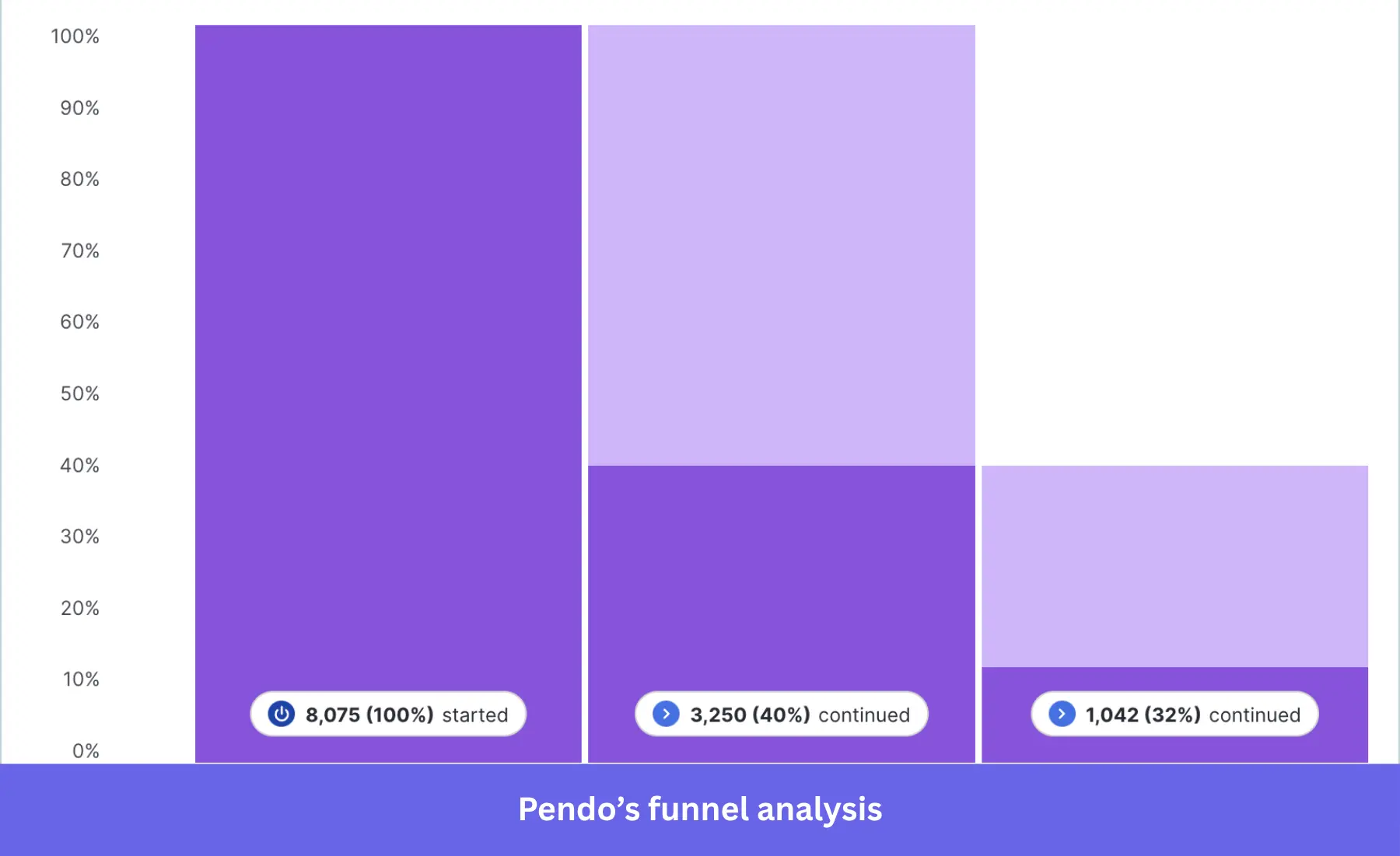
- Product planning and roadmapping tools: Pendo is the only tool in this comparison with native roadmap tools, feedback collection (Listen), and idea management. You can go from behavioral data → user feedback → feature prioritization → roadmap within one platform. Appcues has zero product planning capabilities.
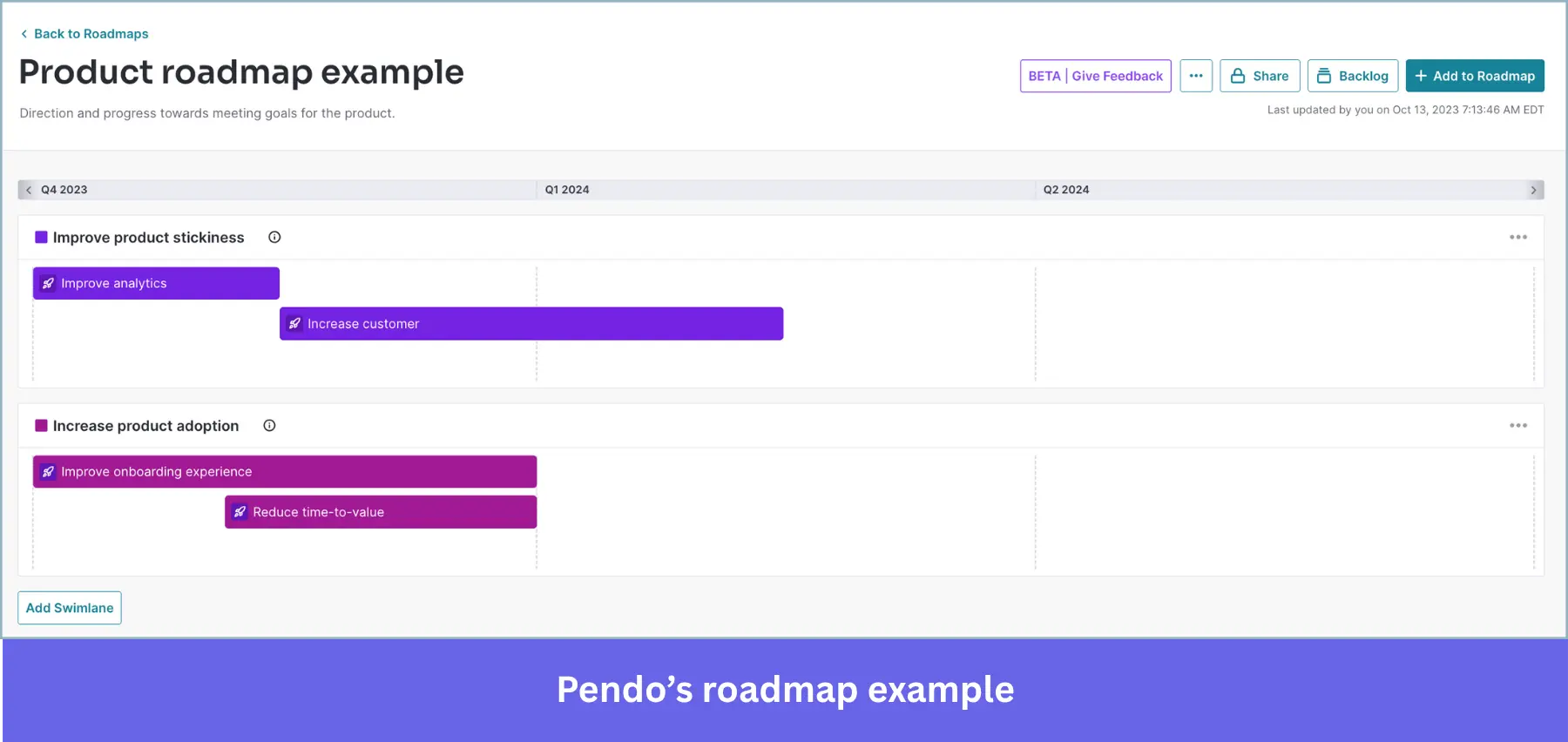
- Guides both customers and internal teams: Appcues is built for customer-facing apps only. Whereas Pendo Adopt adds guides on third-party enterprise apps via a browser extension. For example, Pendo for Salesforce provides dedicated in-app guidance within a CRM.
- Session replay on web AND mobile with frustration detection: Unlimited session replays showing DOM elements, mouse movements, rage clicks, error clicks, and guide fatigue. Includes developer tools (console/network logs). Appcues offers no session replay.
What do real users say about Pendo?
| Pros | Cons |
| ✅ Advanced analytics: The detailed feature usage analytics lets you see exactly how many accounts are interacting with specific UI elements. | ❌ Requires technical knowledge: The UI can be overwhelming for new users, requiring technical expertise. You’ll also need dedicated support and a full-time employee to own the product. |
| ✅ Roadmapping tools: You can gather feedback, analyze user sentiment, and prioritize features in one platform. | ❌ Enterprise-level cost: Pendo’s pricing structure is meant for big companies. The MAUs-based scaling is aggressive and can cost three to four times as much as other platforms for similar features. |
| ✅ All-in-one platform: Unlike Appcues, Pendo combines in-app engagement with product analytics, session replays, and feedback tools in one comprehensive platform. | ❌ Still lacks features: Despite the high price point, some Pendo features lack polish. Reports aren’t as customizable, survey features are rigid (working as guides), and still require manual tagging to collect important data. |
4. Userflow: Best for quick deployment
Userflow is a fast, no-code platform for building in-app onboarding flows, checklists, surveys, launchers, banners, and a resource center. Using the intuitive Kanban-style flow builder, you can drag and drop elements and customize experiences to match your brand. It also includes an AI Assistant to help onboard users or answer questions right in your app.
Userflow vs Appcues
| Feature | Userflow | Appcues |
|---|---|---|
| Primary use case | Product onboarding and in-app guidance for SaaS teams | User onboarding and engagement |
| Technical level | Quick setup using a small JS snippet. No code after setup. | ⚠️ Easy setup but requires multiple installations ✅ No-code customization |
| In-app engagement and support | ✅ Rich in-app content (flows, checklists, surveys, banners, announcements, resource center) ✅ Full UI customization ✅ multi‑language support ✅ includes AI Assistant |
✅ Interactive walkthroughs ✅ Checklists ✅ UI prompts (tooltips, modals, mobile slide-outs and carousels, etc.) ✅ Web and mobile ⚠️ Basic Launchpads ⚠️ Manual localization |
| Push notifications | ❌ | ✅ |
| Behavior-based emails | ❌ | ✅ |
| Analytics | ❌ Basic analytics capabilities. Can only be viewed by diving into the settings of each flow/checklist/survey. | ⚠️ Limited dashboard templates ❌ No native analytics reports ❌ No autocapture ❌ No session replay ✅ Customer segmentation ✅ A/B testing |
| User feedback | ✅ In-app surveys, including NPS, integrated with analytics reporting | ✅ NPS surveys ❌ No bespoke surveys ⚠️ Only NPS score analytics (limited) |
| Customer support | ✅ Help center ✅ Priority support on Pro tier ✅ Enterprise includes concierge support and SSO |
✅ Email support ❌ No dedicated CSM |
| Pricing | Starts at $240/mo for 3k MAUs | Starting at 300$/month, billed annually |
Userflow pricing
Userflow’s pricing follows a transparent MAU-based pricing model, making it best for startups or mid-sized SaaS teams.
Besides MAUs, Userflow’s price also depends on the plan, including:
- Startup: Starts at $240/month for up to 3,000 MAUs. Includes unlimited flows, checklists, user-level targeting, and the FlowAI assistant.
- Pro: Jumps to $680/month (billed annually) for 10,000 MAUs. Unlocks unlimited team members, custom CSS, white-labeling, unlimited surveys, company-level targeting, and Smartflows.
- Enterprise: Custom pricing. This tier introduces SAML SSO, advanced role permissions, and dedicated concierge support.
Why it’s a good Appcues alternative
- Faster deployment: Copy-paste one line of code to start building immediately without extra installation steps. Appcues has extra steps for tracking user behavior.
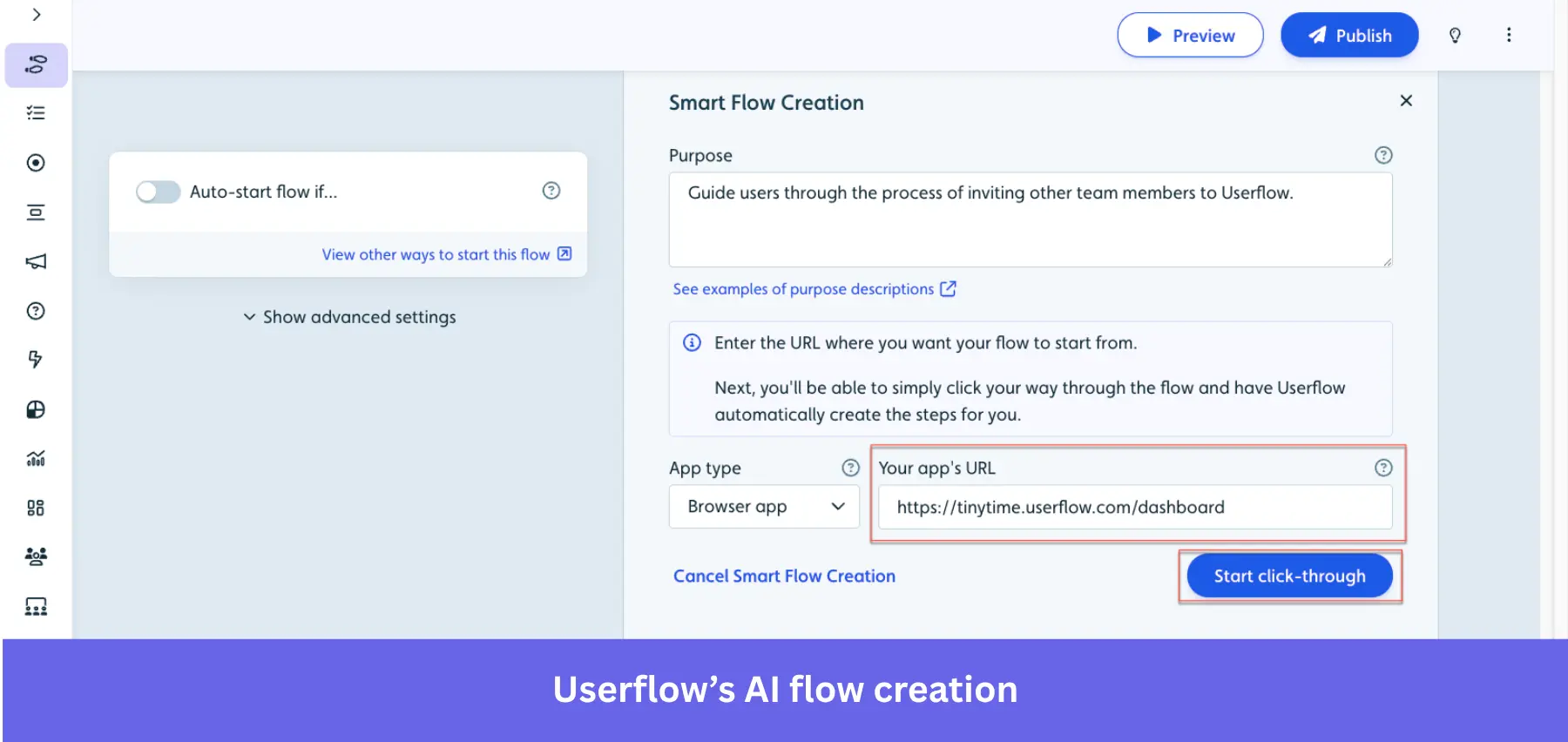
- Smartflow’s AI auto-generates flows: Record your product walkthrough, and the AI creates a complete, editable flow automatically. No equivalent in Appcues.
- Better pricing at scale: Userflow Pro at $680/mo covers 10,000 MAUs with unlimited flows, checklists, and banners. Appcues Grow at ~$1,000/mo covers only 3,000 MTUs with content caps.
- Comprehensive AI layer (FlowAI): The AI suite includes Smartflow (auto-generate flows), AI Assistant (for in-app support), AI Rephrase (copy improvement), AI Translate (one-click localization), and AI Insights (automated analysis). No comparable AI suite in Appcues.
What do real users say about Userflow?
| Pros | Cons |
| ✅ Intuitive and no-code: It’s easy to create tours, so multiple members of your team can edit or add anything. It’s also very easy to install (just paste a single snippet). | ❌ Poor analytics: You can only track basic flow metrics like completion rates. While Userflow tracks enough data, the reporting capabilities are limited and make it difficult to visualize and make sense of the data. |
| ✅ Advanced targeting: Like Chameleon, its integration with existing analytics tools (i.e., Mixpanel, Amplitude, etc) allows you to do more sophisticated personalization for guides. | ❌ Gated features: Although cheaper than Appcues, features like custom CSS and CRM integration are behind the Pro plan ($680/mo). |
| ❌ Web-only: No support for native iOS or Android mobile apps like Appcues |
5. Intercom: Best Appcues alternative for customer messaging and support
Intercom is best known as a customer service platform. But it also offers basic onboarding through its Product Tours add-on. You can build tooltips, banners, and modals without code, all within the same platform your support team already uses. It’s great for guiding users while keeping conversations, help docs, and live chat all in one place.
Intercom vs Appcues
| Feature | Intercom | Appcues |
|---|---|---|
| Primary use case | Customer support platform with lightweight onboarding via Product Tours | User onboarding and engagement |
| Technical level | ✅ Easy to launch Product Tours; no-code builder integrated with Intercom UI ⚠️ Onboarding setup still depends on the support team’s workflow |
⚠️ Easy setup, but requires multiple installations ✅ No-code customization |
| In-app engagement and support | ✅ Product Tours supports tooltips, banners, modals, checklists ✅ Embedded SMS/live chat widgets via support frontend |
✅ Interactive walkthroughs ✅ Checklists ✅ UI prompts (tooltips, modals, mobile slide-outs and carousels, etc.) ✅ Web and mobile ⚠️ Basic Launchpads ⚠️ Manual localization |
| Push notifications | ❌ | ✅ |
| Behavior-based emails | ✅ | ✅ |
| Analytics | ✅ Tour analytics include views, completion rates, goal conversion, and errors ✅ Part of the Product Tours add-on |
⚠️ Limited dashboard templates ❌ No native analytics reports ❌ No autocapture ❌ No session replay ✅ Customer segmentation ✅ A/B testing |
| User feedback | ✅ CSAT, CES, and NPS surveys available through Surveys add-on ❌ Additional survey features are billed on top of the base subscription |
✅ NPS surveys ❌ No bespoke surveys ⚠️ Only NPS score analytics (limited) |
| Customer support | ✅ Best-in-class support: chat, bots, help center ⚠️ Onboarding manager included only in higher tiers |
✅ Email support ❌ No dedicated CSM |
| Pricing | Starts at $29/seat/month billed annually. The Product Tour add-on costs $199/month, and the Surveys add-on costs $49/month. | Starting at 300$/month, billed annually |
Intercom pricing
The pricing starts at $29 per seat/month, which offers just the basic features for chat and ticketing. If you want onboarding and feedback, you’ll need the Proactive Support Plus ($99/month) add-on on top. It’s limited to 500 messages/mo, meaning the pricing will become usage-based after that limit.
Why it’s a good Appcues alternative
- It’s already in the Intercom ecosystem: If you already use Intercom, the Product Tours add-on gives you onboarding functionality without having to switch tools or learn a new system. Adopting Appcues would require more budget and time.
- In-app messaging + support: Intercom combines live chat, AI chatbot, help desk, knowledge base, AND product tours. If a user gets stuck during a tour, they can instantly chat with Fin or a human agent. Appcues would still require another help desk for proactive support.
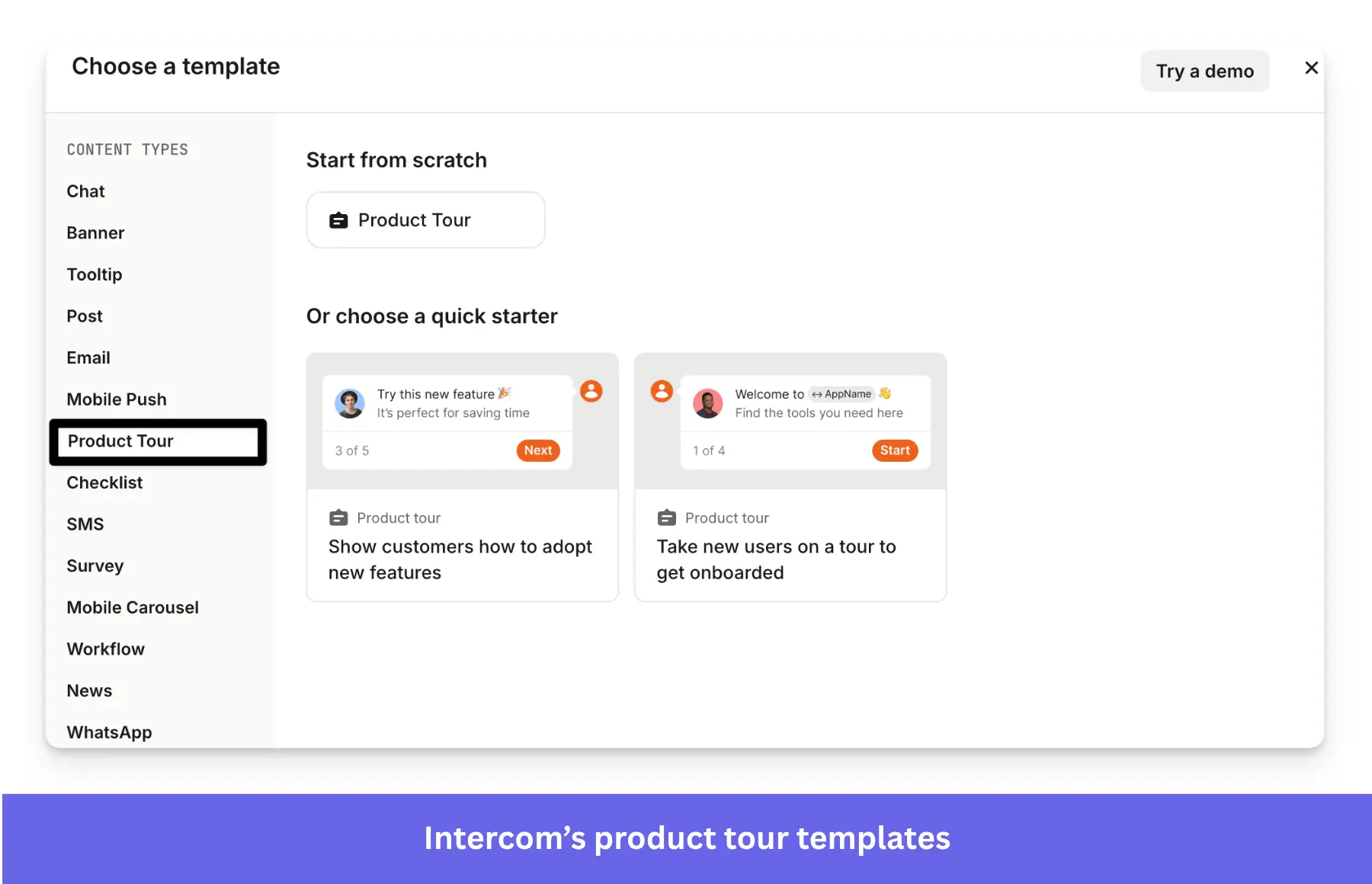
- Lower incremental cost for existing Intercom users: Adding Product Tours is just $99/mo extra, plus extra usage. Starting Appcues from scratch costs $750/mo minimum, plus you’d still need a support tool.
What do real users say about Intercom?
| Pros | Cons |
| ✅ Complements support with in-app guidance: It has the unique ability to communicate with users via in-app messaging, chat, emails, and help articles. | ❌ Aggressive price scaling: It starts at $100/month for 500 messages. But as your user base grows, it will get much more expensive (e.g., $2,724/mo for 100k messages). |
| ✅ Easy to navigate: User report an intuitive interface and have seen an increase in productivity after using Intercom. | ❌ Hard to use: There’s a tough learning curve when using Product Tours, mainly due to its limitations. |
| ❌ Limited features: It lacks customization in the formatting and multilingual tools. |
6. WalkMe: Best Appcues alternative for employee training and onboarding
WalkMe is a product adoption platform built for large companies that need to improve how people use complex tools like Salesforce, SAP, or Workday. It adds user guidance, automation, and real-time help directly inside your software, no coding required. You can also track user behavior to spot friction points and guide users through tasks more efficiently.
WalkMe vs. Appcues
| Feature | WalkMe | Appcues |
|---|---|---|
| Primary use case | Employee training and workflow optimization | User onboarding and engagement |
| Technical level | ❌ Complex setup and configuration | ⚠️ Easy setup, but requires multiple installations ✅ No-code customization |
| In-app engagement and support | ✅ Interactive walkthroughs, checklists, and UI prompts (tooltips, modals, hotspots, etc.) ✅ Automatic localization ✅ Web, mobile, desktop, and third-party apps ✅ Functional resource center |
✅ Interactive walkthroughs ✅ Checklists ✅ UI prompts (tooltips, modals, mobile slide-outs and carousels, etc.) ✅ Web and mobile ⚠️ Basic Launchpads ⚠️ Manual localization |
| Push notifications | ✅ Supported (requires CSM enablement) | ✅ |
| Behavior-based emails | ❌ | ✅ |
| Analytics | ✅ Custom dashboards ✅ Guide performance analytics ✅ Funnels and paths reports ❌ No retention reports for web ✅ Autocapture ✅ AI-powered predictive analytics |
⚠️ Limited dashboard templates ❌ No native analytics reports ❌ No autocapture ❌ No session replay ✅ Customer segmentation ✅ A/B testing |
| User feedback | ✅ Custom in-app surveys ✅ NPS surveys ✅ Survey analytics capabilities |
✅ NPS surveys ❌ No bespoke surveys ⚠️ Only NPS score analytics (limited) |
| Customer support | ✅ Enterprise-level support, phone, live chat, and emails | ✅ Email support ❌ No dedicated CSM |
| Pricing | Custom pricing (typically high, enterprise-tier) | Starting at 300$/month, billed annually |
WalkMe pricing
According to Vendr, the average contract is $78,817 annually, so it’s best suited for enterprises with complex systems and dedicated teams. If you’re looking to scale onboarding, reduce support load, and drive software adoption across departments, it’s a strong option.
Why it’s a good Appcues alternative
- Works across an entire tech stack, not just one product: WalkMe overlays on Salesforce, SAP, Workday, ServiceNow, and hundreds more simultaneously. Organizations with complex multi-system environments can guide employees across all tools from one platform. Appcues works within a single SaaS product only.
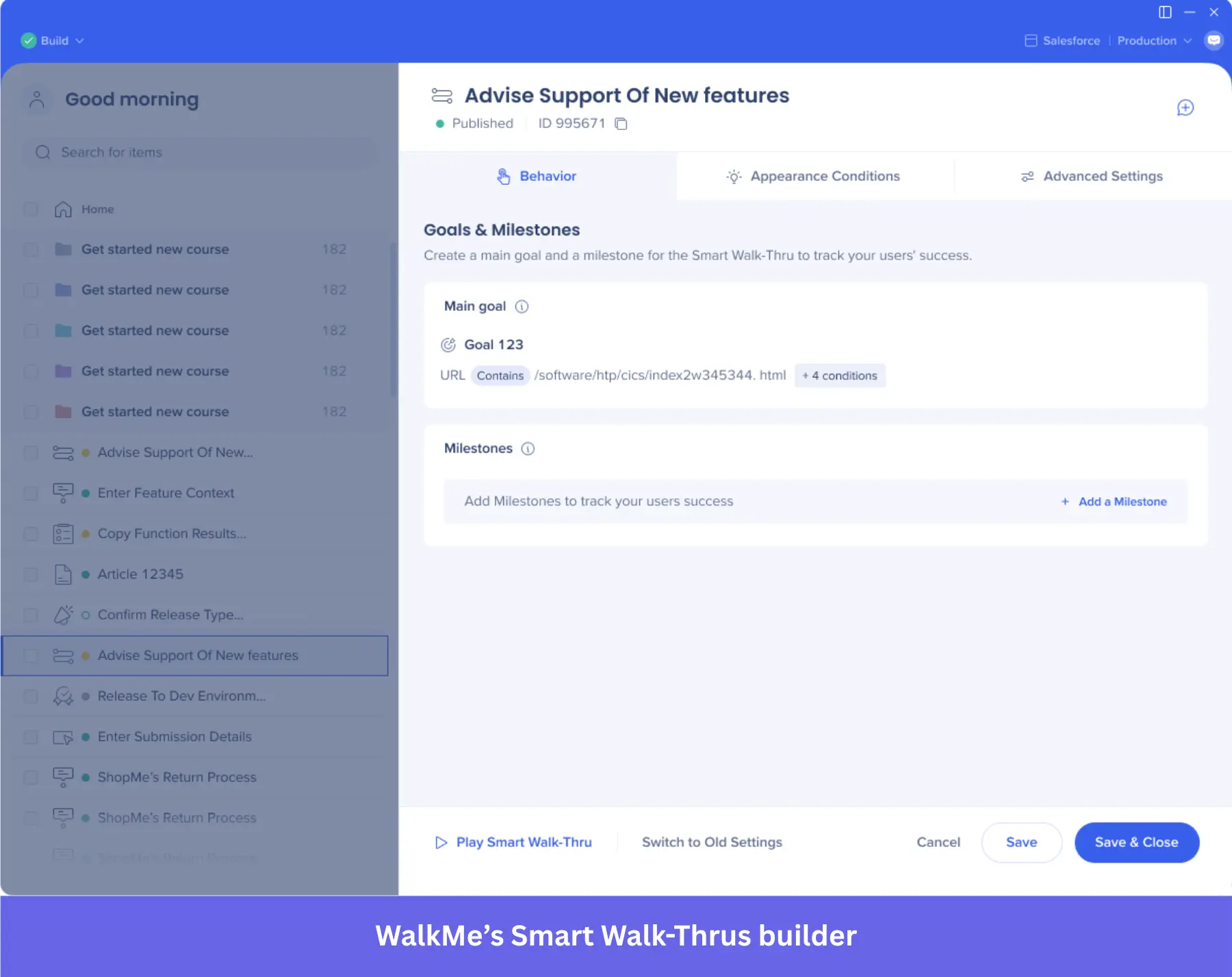
- Enterprise employee training at scale: It’s purpose-built for digital transformation, change management, and compliance. Includes workflow accelerators (processes for different departments), knowledge tests, and SOPs. Appcues has no employee training capabilities.
- Advanced workflow automation: ActionBot chatbots automate complex processes. Auto-fill, form automation, and 1,200+ predefined accelerators reduce manual work. Appcues only automates in-app messaging.
- Desktop application support: WalkMe works on native desktop apps (e.g., SAP GUI for Windows) in addition to web and mobile. Appcues only supports web and mobile apps.
What do real users say about WalkMe?
From the reviews, one thing is clear: WalkMe delivers the features you need to get results.
L’Tanya, a digital adoption designer, mentions that the company has seen significantly reduced training time and a measurable drop in support tickets since implementation.
But the product seems to have a much steeper learning curve. A reviewer on G2 expressed his struggles with learning and implementing advanced logic-based flows or working with dynamic elements.
There are also multiple support issues that even the 5-star reviews mention. Elizabeth W., a WalkMe implementation manager, states how she had trouble dealing with support staff who hadn’t had their hands on the product enough to understand complex issues.
| Pros | Cons |
| ✅ Hybrid onboarding: It can guide employees and end users through complex processes. | ❌ Complex technical installation: Implementation takes months with a rough learning curve behind it. Managing it can turn into a full-time job. |
| ✅ Desktop onboarding: Lets you guide employees through third-party tools on the desktop. | ❌ Enterprise pricing: Very expensive even for enterprises. Startups or even scaleups simply can’t afford it. |
| ✅ Complete analytics tools: With UI intelligence, license usage data, session replays, and more. | ❌ Issues with support: A user reported trouble dealing with support staff who hadn’t had their hands on the product enough to help her understand complex issues. |
7. Userpilot: The best all-in-one Appcues alternative for product teams
Userpilot gives you omnichannel user engagement, product analytics, and qualitative feedback in a single tool, helping you get a 360-degree view of user behavior and design data-driven user experiences.
Its core differentiation against Appcues is eliminating the need for separate analytics and survey tools, while also providing multi-channel messaging (web/mobile/email) with built-in personalization.
Userpilot vs Appcues
| Feature | Userpilot | Appcues |
|---|---|---|
| Primary use case | Product growth | Customer onboarding and engagement |
| Technical level | ✅ One-off quick set-up ✅ No-code customization |
⚠️ Easy setup, but requires multiple installations ✅ No-code customization |
| In-app engagement and support | ✅ Interactive walkthroughs ✅ Checklists ✅ UI prompts (tooltips, modals, hotspots, etc.) ✅ Web and mobile ✅ Automatic localization |
✅ Interactive walkthroughs ✅ Checklists ✅ UI prompts (tooltips, modals, mobile slide-outs and carousels, etc.) ✅ Web and mobile ⚠️ Basic Launchpads ⚠️ Manual localization |
| Push notifications | ✅ | ✅ |
| Behavior-based emails | ✅ | ✅ |
| Analytics | ✅ Custom dashboards ✅ Analytics reports to analyze user behavior (funnels, paths, cohorts, and trends) ✅ Autocaptured events ✅ Session replay ✅ Customer segmentation ✅ A/B testing |
⚠️ Limited dashboard templates ❌ No native analytics reports ❌ No autocapture ❌ No session replay ✅ Customer segmentation ✅ A/B testing |
| User feedback | ✅ NPS survey ✅ Custom in-app surveys (CES, CSAT, PMF, etc.) ✅ Survey analytics |
✅ NPS surveys ❌ No bespoke surveys ⚠️ Only NPS score analytics (limited) |
| Customer support | ✅ Email support ✅ Dedicated CSM |
✅ Email support ❌ No dedicated CSM |
| Pricing | Starting at 299$/month, billed annually | Starting at 300$/month, billed annually |
Userpilot pricing
Similar to Appcues, Userpilot prices are based on MAUs and potential add-ons. But unlike Appcues, there’s a predictable lower-tier plan for smaller teams at $299/mo.
These plans include:
- Starter plan: Begins at $299/month and supports up to 2,000 MAUs. It includes core in-app user engagement tools, user segmentation, trend analysis, and NPS surveys.
- Growth plan: It unlocks advanced product analytics, event autocapture, resource centers, and A/B testing. Mobile engagement and unlimited session replays become available as optional add-ons. Here, the price becomes customizable based on MAUs and add-ons.
- Enterprise plan: Custom-priced, too. It introduces premium CRM integrations, bulk data export/import, data warehouse sync, custom roles and permissions, and SAML SSO.
Why it’s a good Appcues alternative
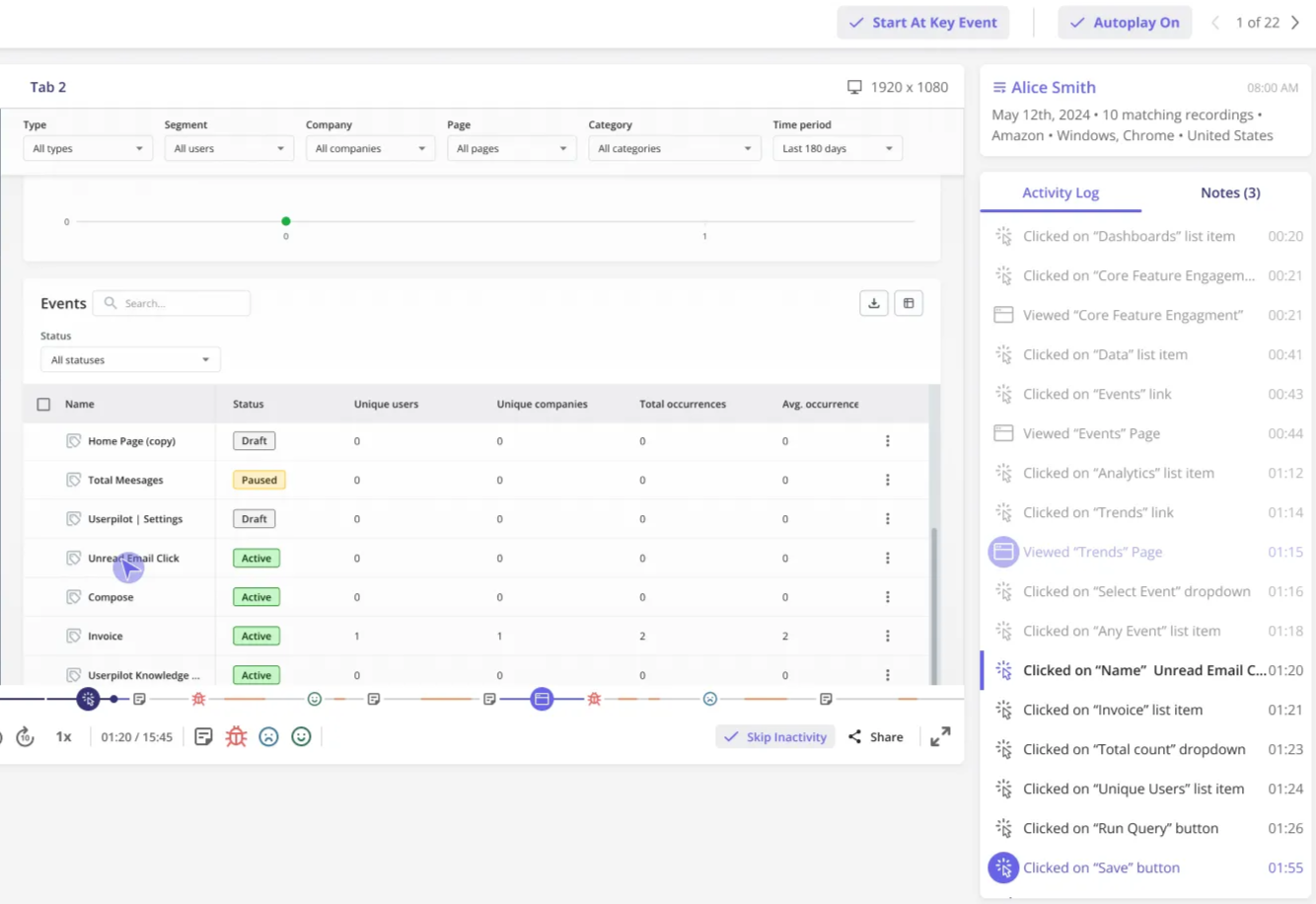
- Analytics depth: Appcues only tracks basic flow completion rates, but Userpilot gives you funnel analysis, paths, retention reports, custom dashboards, and session replays to understand why users drop off and how onboarding impacts long-term retention.
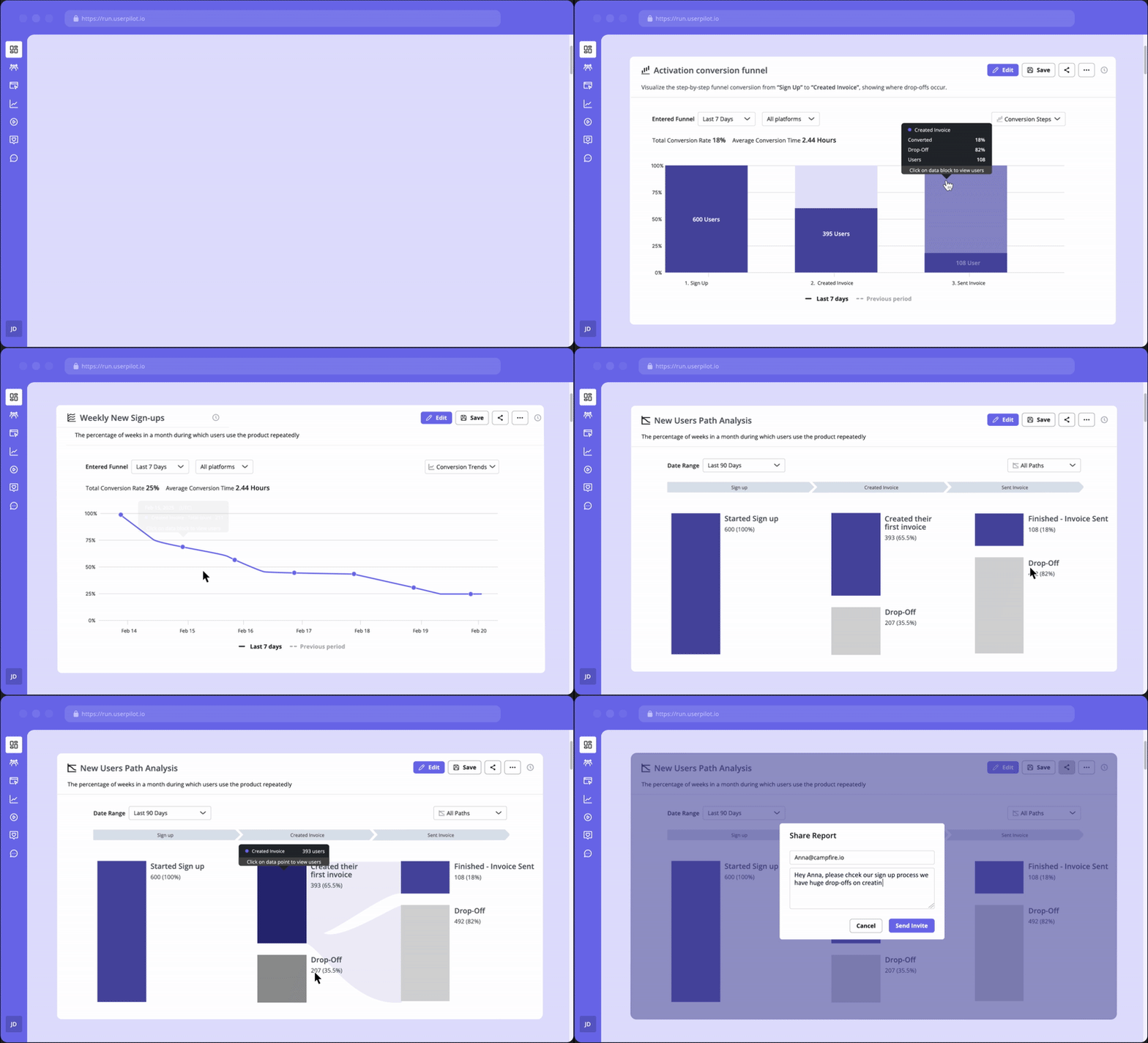
- Tech-stack consolidation: Instead of stitching together Appcues + Mixpanel + Hotjar + survey tools, Userpilot replaces multiple tools in one platform. It eliminates data silos and gives you a unified view of behavior data without jumping between different dashboards.
- Deeper qualitative feedback: Userpilot offers 15+ survey templates (CES, PMF, CSAT) with conditional logic questions, which you can pair with session replays or product usage data to get actionable insights. Appcues’ polling features are embedded within flows using only 4 question types (short text, long text, multiple-choice, NPS), with manual analysis required.
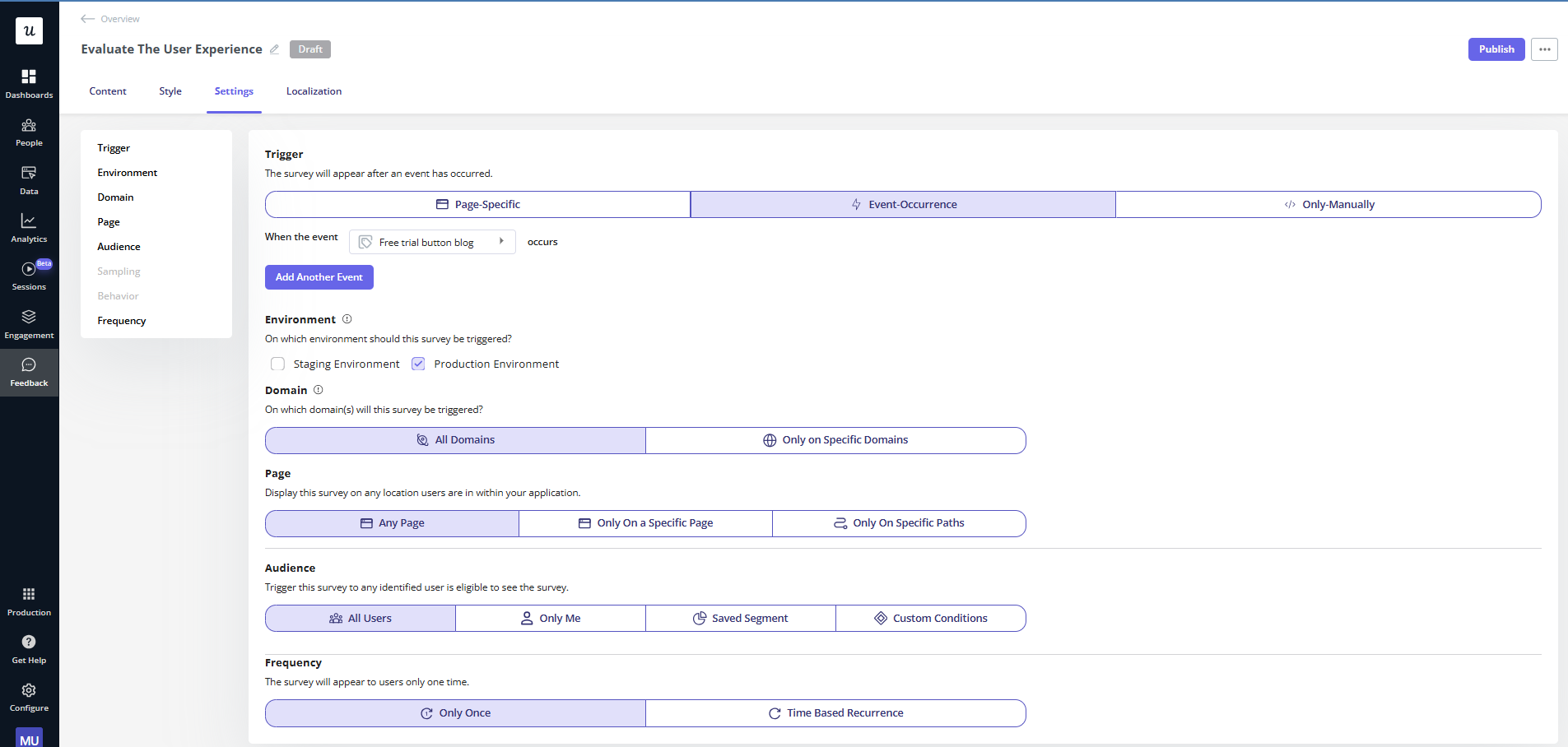
- AI-powered localization with RTL support: Userpilot offers automatic AI localization for tooltips, modals, emails, push notifications, and surveys (which supports right-to-left languages). Appcues requires manual export, translation, and reupload for each language.
- Session replays: Watch users who dropped off at step 3 of an onboarding flow, identify friction visually, and immediately create an experience to address it within the same platform. Appcues offers no session replay at all.
What do real users say about Userpilot?
| Pros | Cons |
| ✅ Fully no-code: The no-code builder lets you create engaging onboarding flows without bothering developers. | ❌ Steeper learning curve: Since there are a lot of features, it feels overwhelming at first. Some advanced features (like styling options or cohort analyses) have a slight learning curve. |
| ✅ Advanced product analytics: Unlike Appcues, Userpilot combines behavioral data, autocapture, and session replays with engagement tools to create a more refined user experience. | ❌ High starting price: Userpilot is a bit expensive for small startups, as the Starter plan at $299/mo with key features locked behind Growth (still less expensive than Appcues). |
| ✅ Centralized product growth: You can create in-app flows, analyze user behavior, and collect feedback without needing more tools. |
Pick the right Appcues alternative
We covered 7 Appcues alternatives for different use cases. Some are better for native-looking guides, while others provide deeper analytics tools or are cheaper.
Here’s who I’d choose the right user onboarding tool for my team:
- Chameleon if the product is web-only, and I need pixel-perfect design for flows, or plan to use embedded cards and interactive demos.
- UserGuiding or Userflow if the budget is tight and I only need web-based onboarding.
- Pendo or WalkMe are best for consolidating user engagement with deep product analytics and employee onboarding. I’d prioritize Pendo if I’m working on a product-led team and I need roadmapping tools via Pendo Listen. I’d prefer WalkMe in an Enterprise company that needs to follow more complex workflows across multiple platforms like Salesforce, SAP, Power BI, etc.
- Finally, Userpilot would be my best bet to combine engagement, analytics, and feedback with the budget of mid-market SaaS companies. It’s also the best option if I want my team to create in-app experiences without consuming engineers’ time.
So, which user engagement platform will you choose?
FAQ
What's the difference between Appcues and Intercom?
Intercom is built for customer support, not onboarding. Product Tours and Surveys are sold as add-ons, and even then, they’re limited to basic, linear flows. Intercom add-ons make sense if you already rely on Intercom for messaging, but not if you need a specialized adoption platform. Appcues is more purpose-built for onboarding.
Are there open-source Appcues alternatives?
Intro.js and Shepherd.js are open-source JavaScript libraries for building in-app tours with full visual control. They’re free and customizable but don’t include analytics, targeting, or survey features. These platforms are best suited for engineering teams who want code-based onboarding rather than a full-fledged onboarding tool.
About the author