The 15 Best User Engagement Tools and Software for 2026


AI is helping you launch new products and features faster than ever. But without the right user engagement software to drive adoption, you could waste much of that investment. After all, shipping a feature doesn’t guarantee adoption. Across 181 SaaS companies in Userpilot’s 2025 SaaS Product Metrics Benchmark Report, average core feature adoption was just 24.5%. You still need to help your customers discover its value and build new habits around it.
The right user engagement tools combine ease of use with AI-powered capabilities that help you understand behavior, deliver relevant experiences, and keep up with product releases.
To help you choose, I researched 16 user engagement tools using official documentation, pricing information, and customer reviews to evaluate their features, AI capabilities, costs, and limitations.
Executive summary
- To choose a tool: Prioritize platforms that help you act on engagement data, fit your team’s workflow, and use AI to reduce manual work.
- Best for SaaS teams: Userpilot connects behavioral analytics, AI-assisted in-app engagement, and feedback to help teams improve product adoption.
- Best for onboarding: Userflow helps teams build and personalize in-app guidance without coding.
- Best for analytics: Amplitude offers advanced behavioral analysis, while Hotjar (now Contentsquare) helps identify friction through heatmaps and session replays.
- Best for feedback: Survicate supports contextual surveys and AI-assisted feedback analysis, while Qualtrics suits complex enterprise programs.
How to map your user engagement strategy to the right tools
There are several ways to think about user engagement. Our Product Manager Abrar Abutouq thinks about the lifecycle of a particular user, writing how “Choosing the right engagement tool starts with what the user needs at that moment. A checklist helps them get started, a flow walks them through a task, a banner draws attention to an update, and an email gives them a reason to come back. Together, they create an engagement loop that helps users discover value and keeps giving them reasons to come back”
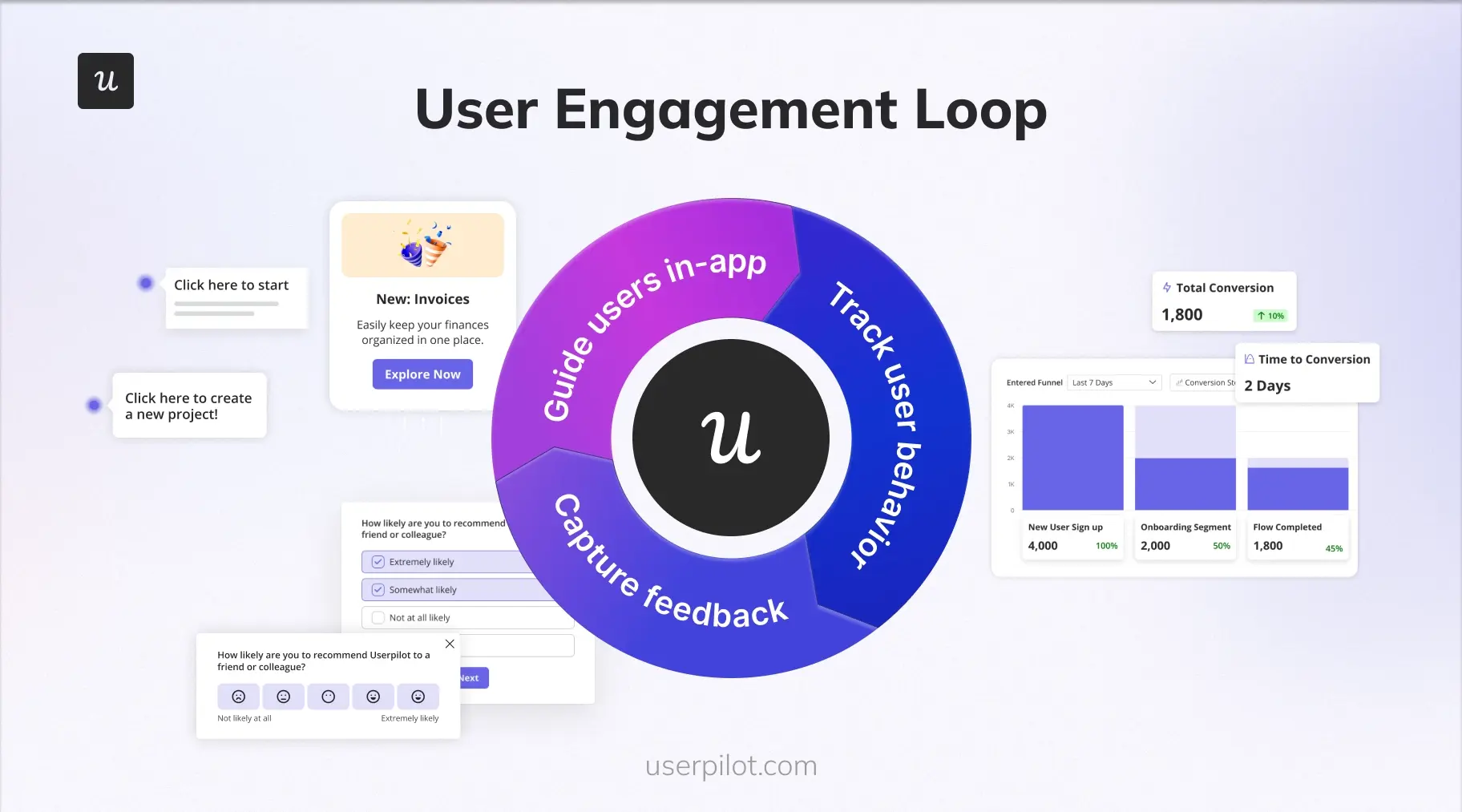
Facilitating that engagement requires a different kind of loop built around three pillars, which form the foundation of a healthy product-led growth (PLG) strategy:
- Guide users in-app: Help users discover features and complete important tasks through interactive onboarding, checklists, and contextual messages.
- Track behavioral analytics: Measure feature adoption, user activity, and drop-offs to identify friction and opportunities for improvement.
- Capture contextual feedback: Use targeted in-app surveys to understand users’ experiences at relevant moments in their journey.
These pillars form a continuous loop: Identify friction, create targeted in-app experiences, collect feedback, and measure the results.
AI speeds up this process by analyzing behavioral data, spotting patterns in feedback, and helping teams create targeted experiences with less manual work.
What are the best customer engagement tools?
The best customer engagement platform depends on your goals, whether you want to improve onboarding, analyze user behavior, or automate customer communication.
| Tool | Best for | Starting price |
|---|---|---|
| Userpilot | AI-powered in-app engagement and product adoption | $299/month (billed annually) |
| Userflow | No-code in-app onboarding and engagement (web apps) | $240/month (billed annually) |
| Sendbird | In-app chat, voice, and video communication | Free trial; paid chat plans from $349/month |
| Intercom | Conversational support with an AI chatbot | $29/seat/month + $0.99 per AI outcome |
| Zendesk | Ticketing and AI self-service support | Paid plans from $19/agent/month |
| Mailchimp | Email marketing for startups and SMBs | Free plan (paid from $13/month) |
| Klaviyo | Email + SMS marketing automation | Free plan (up to 250 profiles) |
| Twilio Flex | Programmable contact center | $150/user/month or $1/active user hour |
| Bird (formerly MessageBird) | Global messaging APIs | Email plans from $15/month |
| Amplitude | Behavioral product analytics | Free (up to 2M events/month); higher usage and plans vary |
| Pendo | Product analytics & roadmap insights | Free up to 500 MAUs; paid plans custom |
| Hotjar (now under Contentsquare) | Heatmaps & session recordings | Free up to 200K sessions/month; paid from $49/month |
| Survicate | Customer feedback surveys | Growth from $114/month (billed annually) |
| Typeform | Conversational forms & surveys | Free plan; paid from $28/month (billed annually) |
| Qualtrics | Enterprise experience management | Custom pricing |
Best user engagement tools for customer communication
Customer communication tools help you reach users throughout their journey. They support everything from in-app onboarding and live chat to email automation and programmable messaging across channels.
#1: Userpilot for AI-powered in-app engagement and communication
Userpilot is our AI-powered product growth platform that helps SaaS teams deliver personalized in-app experiences based on user behavior. You can use it to guide users through onboarding, announce new features, and re-engage customers who haven’t completed important actions.
We’ve built Userpilot to connect product analytics with engagement, so you can act on what your data reveals. For example, you can identify users who haven’t adopted a recently launched feature, create a segment based on their behavior, and target them with relevant in-app guidance.
Key features
- In-app engagement: Create contextual experiences using modals, tooltips, banners, checklists, and interactive walkthroughs without coding.
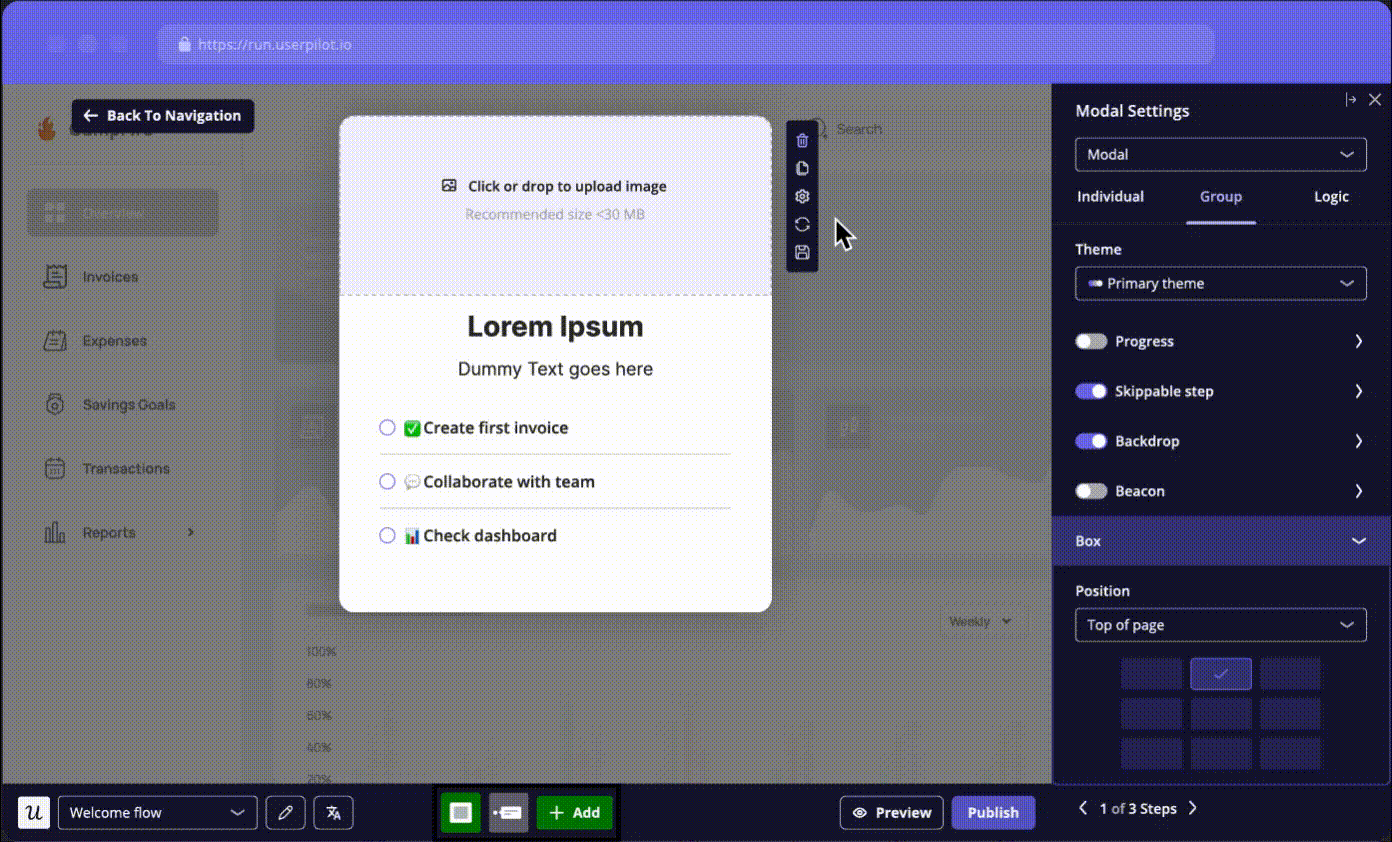
- AI-powered engagement with Lia: Ask our AI agent, Lia, questions about activation, feature adoption, or user behavior. She can recommend actions and help you create targeted experiences for review before publishing.
- Behavioral segmentation: Group users based on attributes, feature usage, and engagement history.
- Multichannel communication: Reach users beyond in-app messages with behavior-triggered emails and mobile engagement. For example, you can follow up with users who abandon onboarding or send push notifications encouraging mobile users to return.
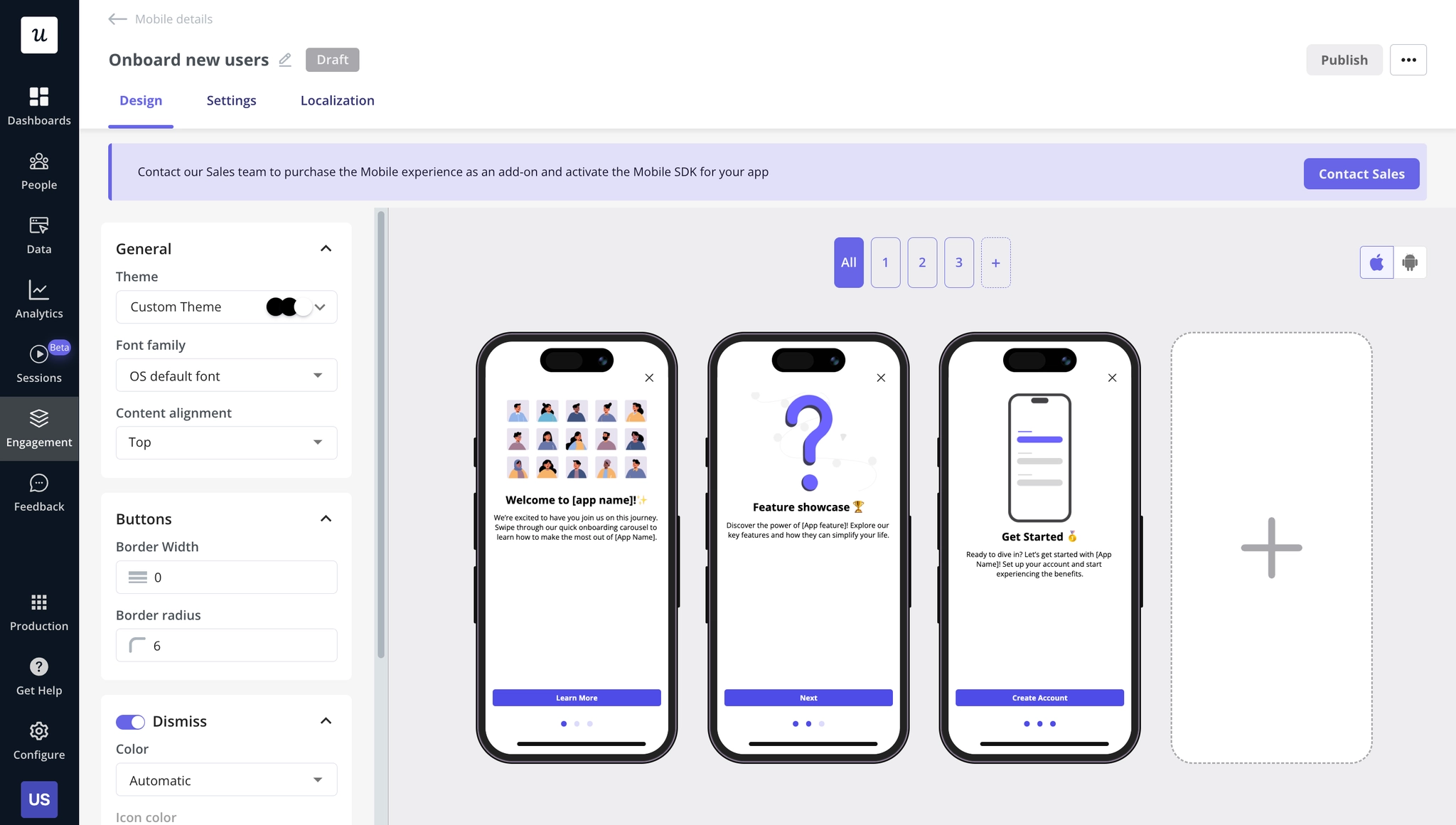
- Engagement analytics and feedback: Track how users interact with your messages and collect contextual feedback through in-app surveys.
Userpilot pricing
Our pricing is based on monthly active users (MAUs), with three plans available:
- Starter: Starts at $299/month, billed annually, for up to 2,000 MAUs. Includes in-app guidance, user segmentation, usage trends, NPS surveys, Lia, and MCP access.
- Growth: Starts at $849/month, adding advanced analytics, event autocapture, resource centers, advanced surveys, email engagement, and session replay. It’s better suited to teams managing more complex engagement journeys.
- Enterprise: Custom pricing with additional capabilities such as mobile engagement, premium CRM integrations, advanced access controls, and enterprise support.
Lia is available across all plans with credit-based usage, although access to some underlying analytics and engagement capabilities depends on your subscription.
Pros and cons of Userpilot
| Pros | Cons |
|---|---|
| No-code experience creation helps product teams launch and update onboarding flows without relying on developers. | Advanced customization and complex flows can involve a learning curve. |
| Behavioral segmentation and connected analytics help you target experiences based on product usage. | Advanced analytics, email engagement, and some integrations require Growth and Enterprise plans. |
| Our AI suite helps teams analyze data and build targeted experiences faster. AI agent Lia answers plain language questions and suggests next steps. | Starting at $299/month may be expensive for early-stage startups with limited budgets. |

#2: Userflow for in-app communication on web apps
Userflow is a no-code product adoption platform for web-based SaaS teams that need personalized onboarding and in-app guidance. Its AI builder helps teams create experiences faster, making it useful for frequent product releases.
Key features
- Product tours and onboarding flows: Create interactive product tours, tooltips, and onboarding checklists to guide users through important tasks.
- AI-powered flow builder: Use FlowAI Builder to generate onboarding flows by clicking through your product. It records your actions and turns them into an editable walkthrough. You can also describe targeting conditions in plain language, refine messaging, and translate flows with AI.
- User segmentation and behavioral targeting: Trigger guidance based on user attributes, events, or lifecycle stages.
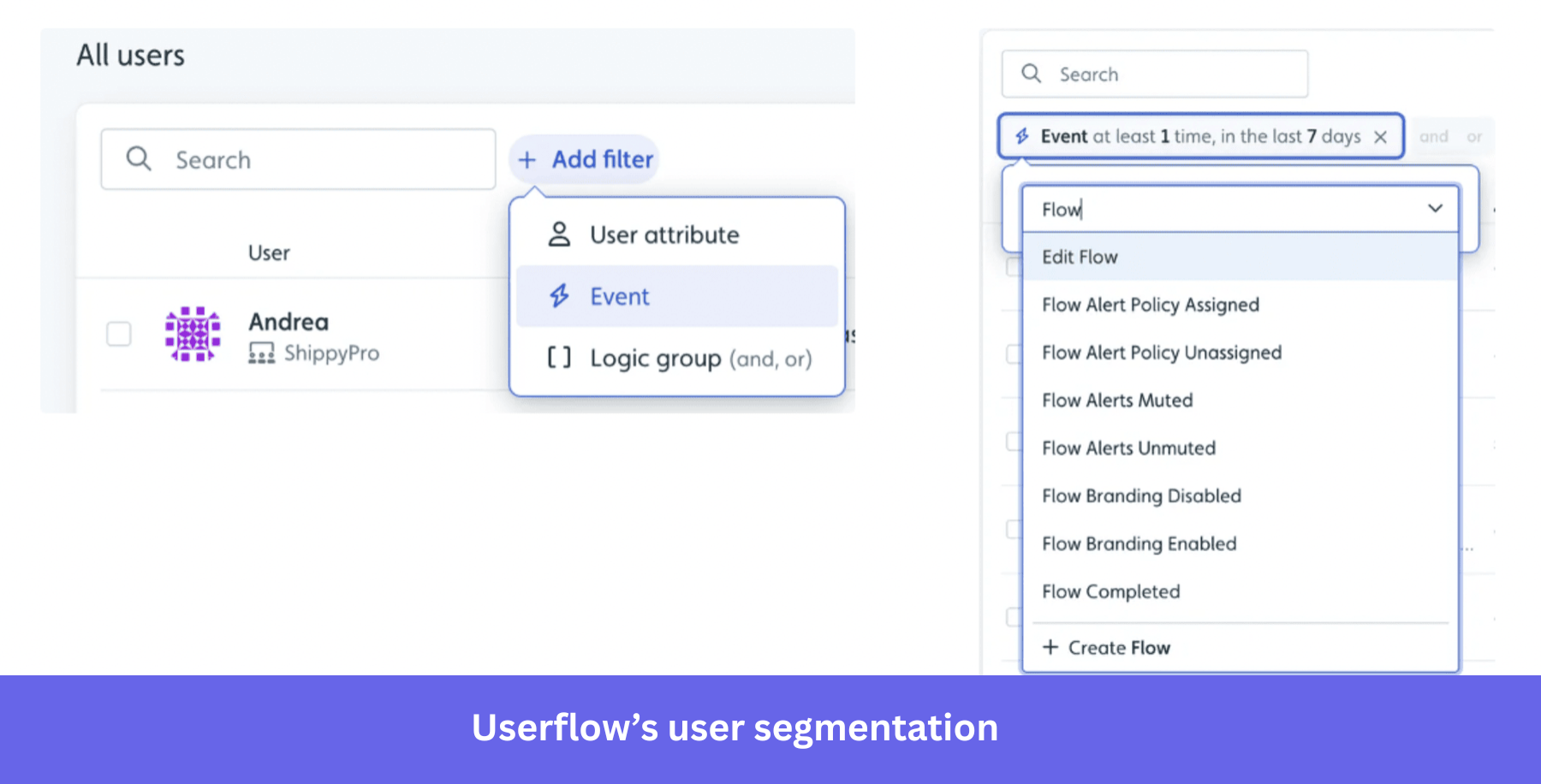
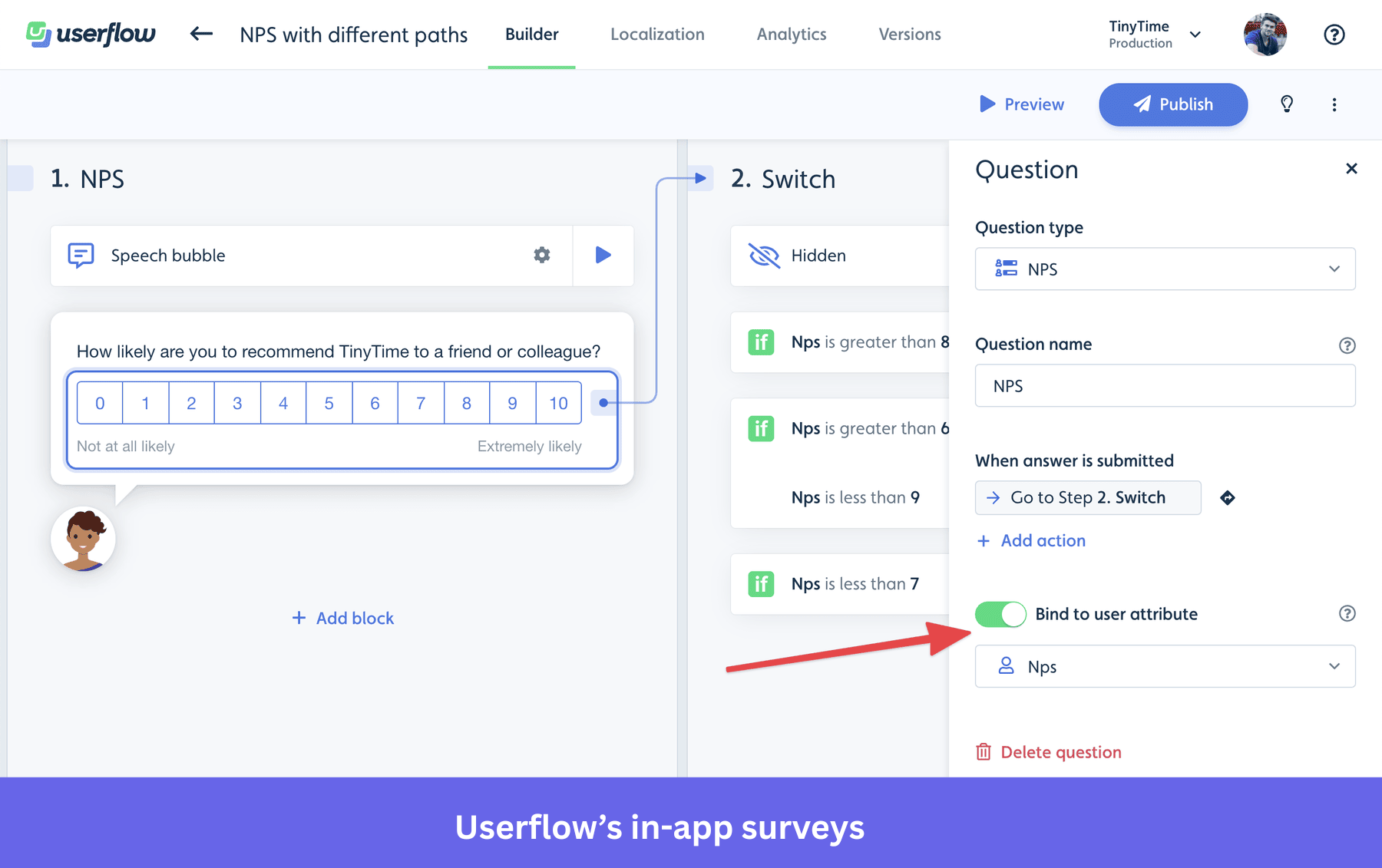
- In-app surveys and resource center: Collect feedback through NPS, CSAT, and custom surveys. You can also create a self-service resource center where users can access guides and answers without contacting support.
Userflow pricing
Userflow starts at $240/month, billed annually, for up to 1,000 MAUs. Its Essentials plan includes onboarding flows, surveys, resource centers, and FlowAI Builder. For advanced integrations, custom CSS, and the AI-powered Adoption Agent, you’ll need the Studio plan, starting at $400/month. Enterprise pricing is custom, and a 14-day free trial is available.
Pros and cons of Userflow
| Pros | Cons |
|---|---|
| Intuitive no-code builder makes it easy for non-technical teams to create onboarding flows. | Limited native support for mobile apps makes it better suited to web-based SaaS products. |
| FlowAI Builder reduces manual work when creating walkthroughs and targeting conditions. | Changes to your product interface can require you to review and update existing flows. |
| Unlimited flows and team seats help teams scale onboarding without per-flow charges. | Advanced reporting may be insufficient for teams requiring deeper behavioral analytics. |
#3: Sendbird for live chat, in-app voice, and video calling
Sendbird is a communication platform that helps B2C and C2C businesses embed real-time chat, voice, and video calling directly into their applications.
For example, a marketplace can use Sendbird to let buyers and sellers communicate without leaving the app. You can also connect users with support agents or AI assistants, helping them resolve issues within the same product experience.
Key features
- Live chat and in-app messaging: Use Sendbird’s chat SDKs and APIs to create one-to-one and group conversations inside your app.
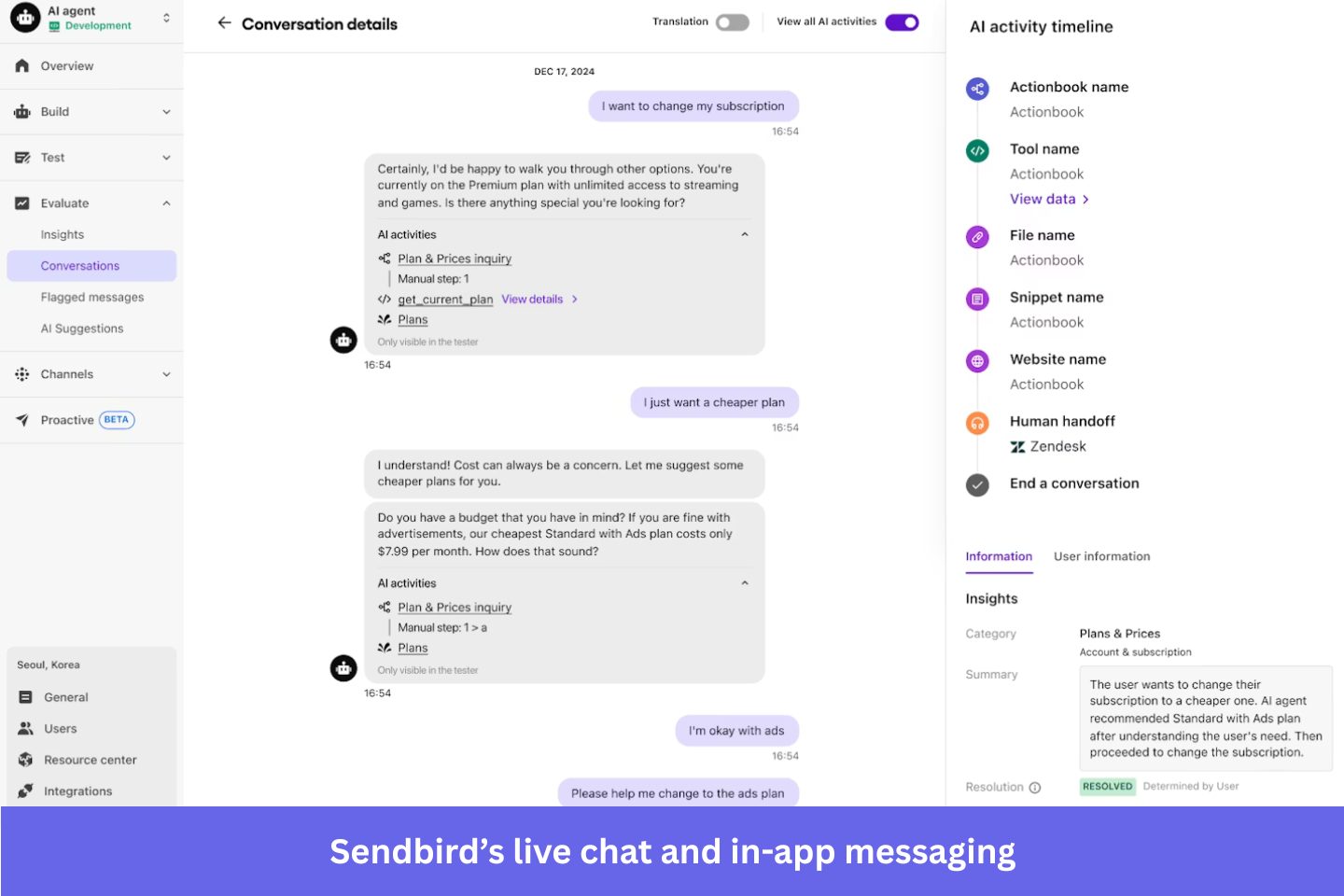
- Voice and video calling: Add one-to-one or group calls so users can move from text conversations to voice or video when needed.
- Omnichannel notifications and AI support: Send business messages through supported channels, including in-app messaging, SMS, and WhatsApp. You can also use AI agents to handle routine customer inquiries and escalate more complex issues to human support teams.
Sendbird pricing
Sendbird’s chat plans start at $349/month, billed annually, for 5,000 MAUs, while Pro costs $499/month and adds advanced capabilities such as message translation and image moderation. Voice and video calling are priced separately, starting at $0.0010 and $0.0014 per user-minute, respectively. Business messaging costs depend on channel and usage, and a free chat trial is available.
Pros and cons of Sendbird
| Pros | Cons |
|---|---|
| SDKs and APIs make it easier to embed customizable communication features without building messaging infrastructure from scratch. | Advanced customization and complex moderation workflows can require additional engineering work. |
| Supports chat, voice, and video experiences across web and mobile applications. | Pricing can get expensive as usage grows or you need additional capabilities. |
#4: Intercom for conversational support
Intercom is a customer service platform that helps businesses manage customer conversations through in-app messaging, automation, and AI-powered support.
Key features
- Live chat and omnichannel inbox: Manage customer conversations from in-app chat, email, and other supported channels in a shared inbox.
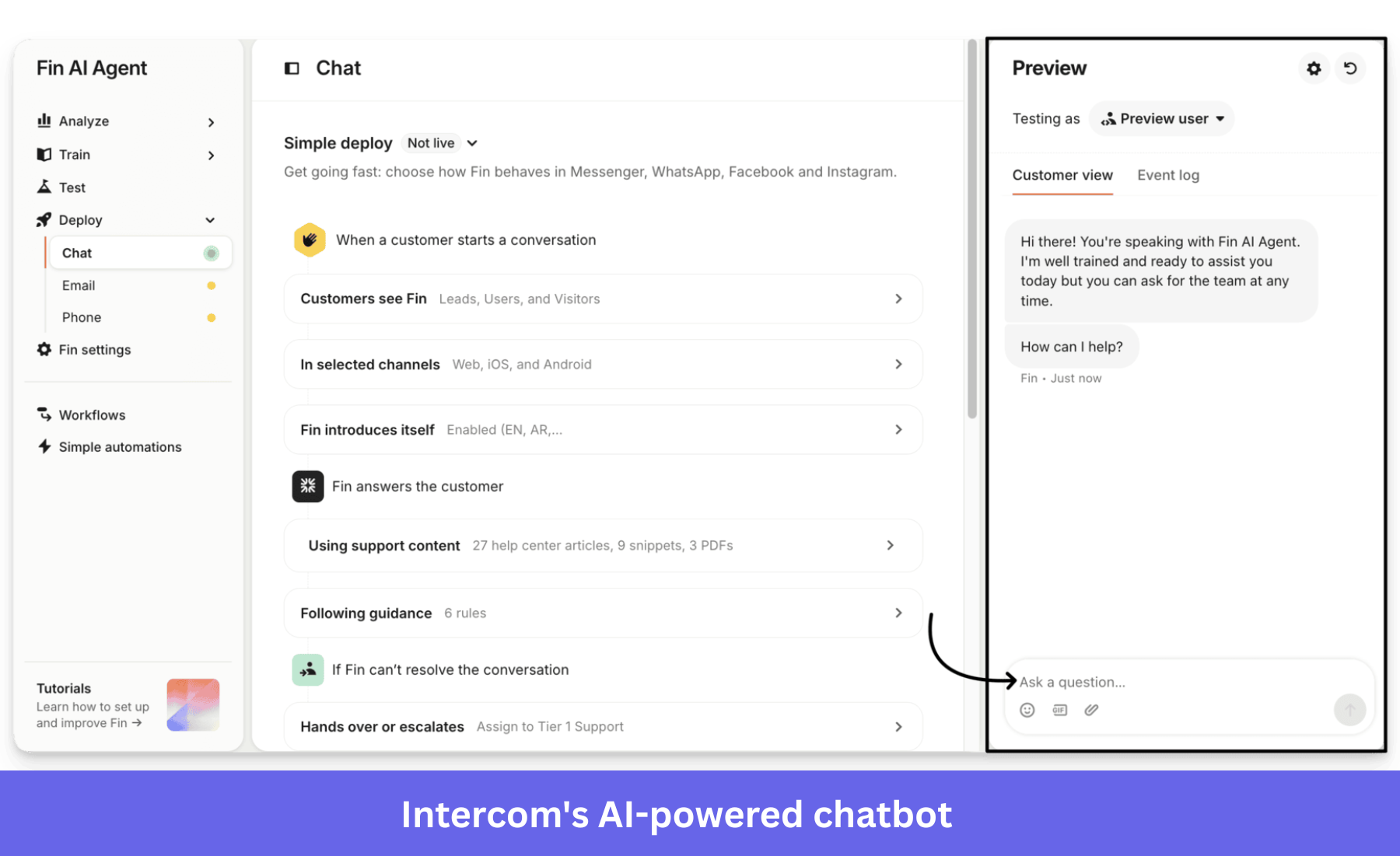
- AI-powered support with Fin: Use Fin to answer questions using your knowledge base and other connected information sources. It can also perform configured actions, such as updating customer information, and hand conversations to human agents when necessary.
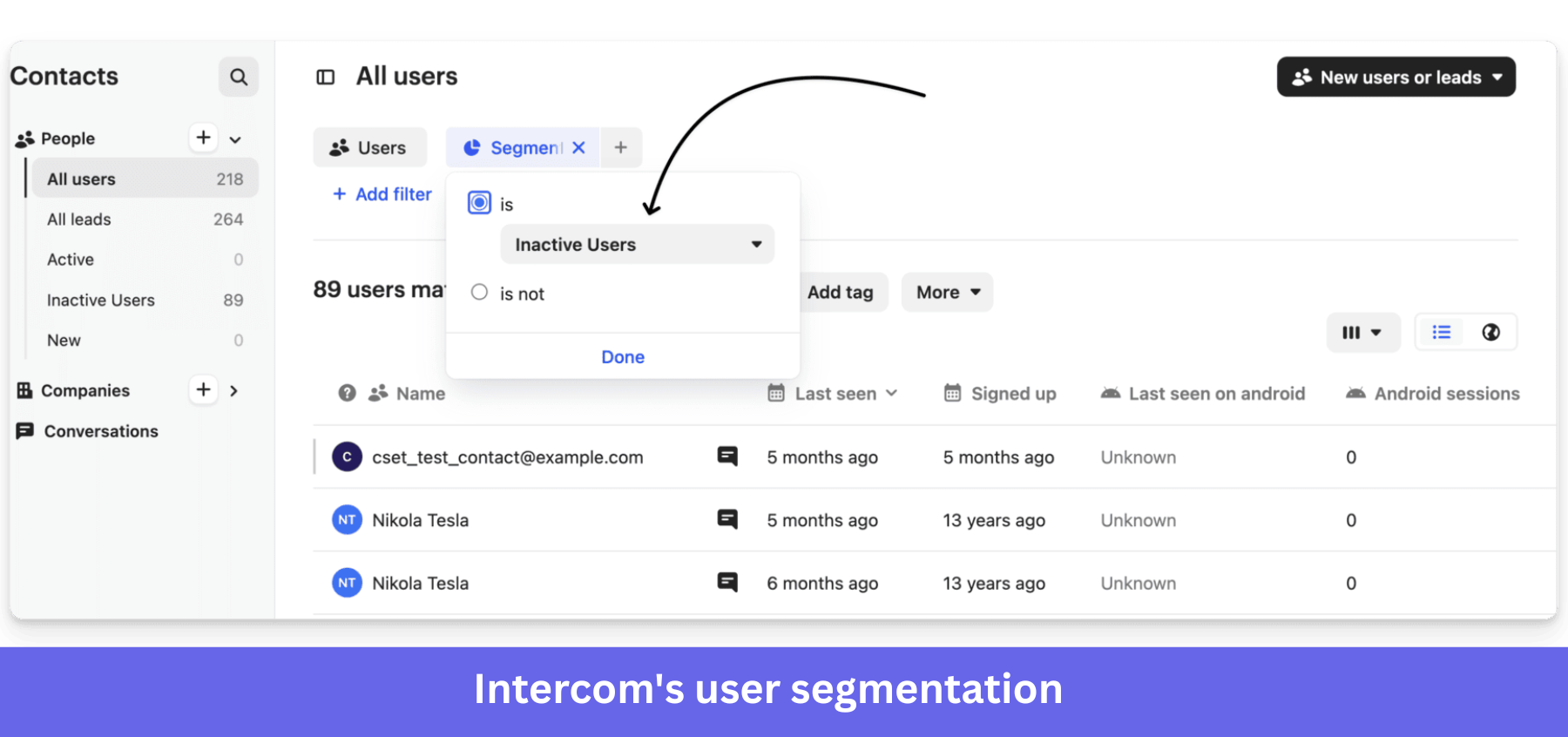
- User segmentation and proactive messaging: Target customer groups based on attributes and available behavioral data.
Intercom pricing
Intercom starts at $29/seat/month, billed annually, with Advanced and Expert plans priced at $85 and $132/seat/month, respectively. More advanced automation, routing, and security features require higher tiers. Its Fin AI Agent also incurs usage-based charges starting at $0.99 per billable outcome, while the Proactive Support Plus add-on starts at $99/month.
Pros and cons of Intercom
| Pros | Cons |
|---|---|
| Fin automates common support requests and transfers unresolved conversations to human agents with customer context intact. | AI outcome charges can increase costs as conversation volumes grow. |
| Shared inboxes and workflow automation help support teams manage customer conversations across channels. | There’s a learning curve when configuring advanced workflows and automation settings. |
#5: Zendesk for ticketing and AI-powered self-service
Zendesk is a customer service platform that helps support teams manage customer requests through ticketing, automation, and AI-powered self-service. It’s especially useful for businesses handling high volumes of inquiries across different support channels, including email, chat, and social media.
Key features
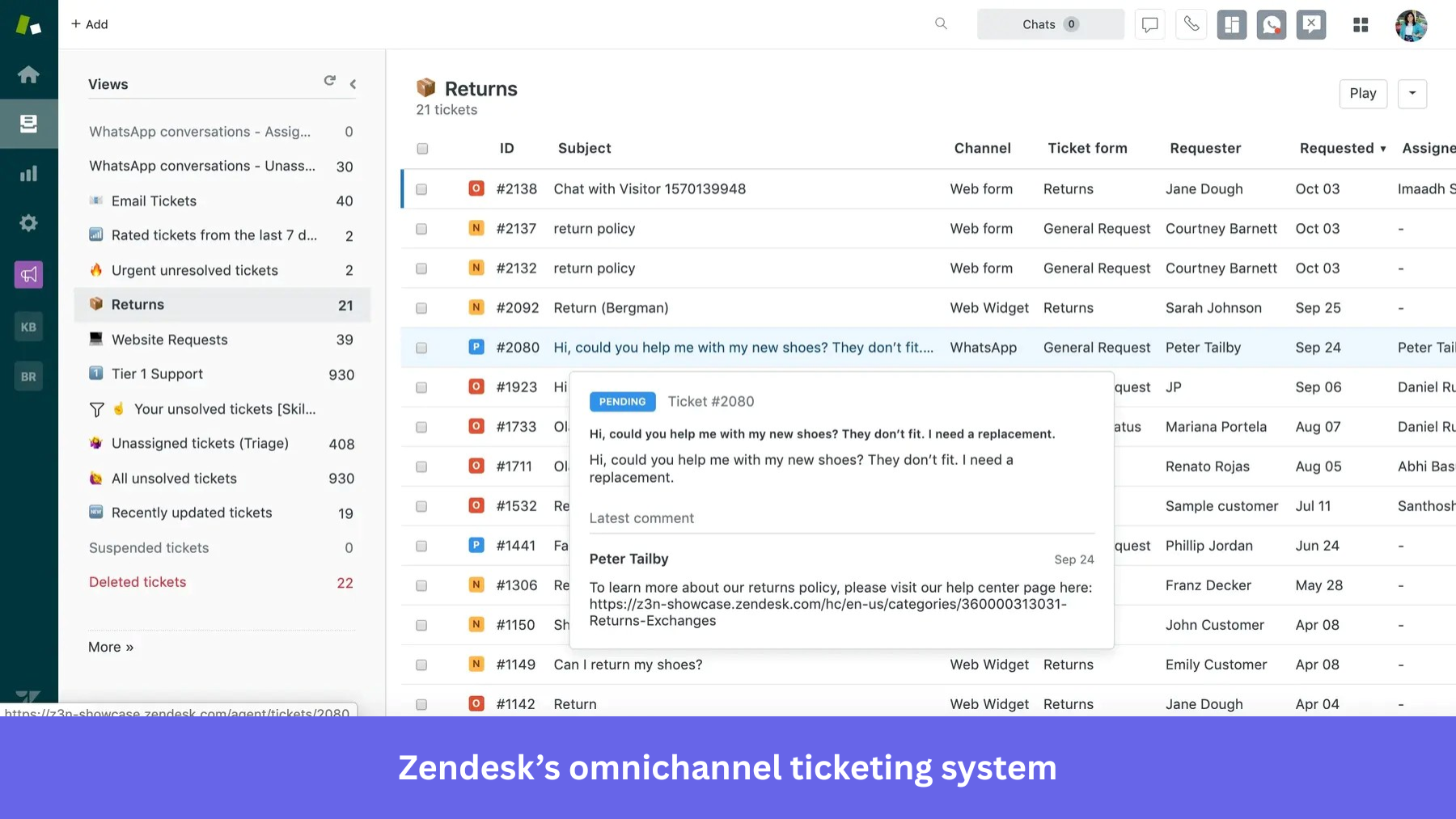
- Omnichannel ticketing system: Manage customer requests from email, chat, and other channels in one workspace, with automated routing and ticket assignments.
- AI-powered self-service: Build a knowledge base with answers to common customer questions and deploy AI agents to handle routine requests.
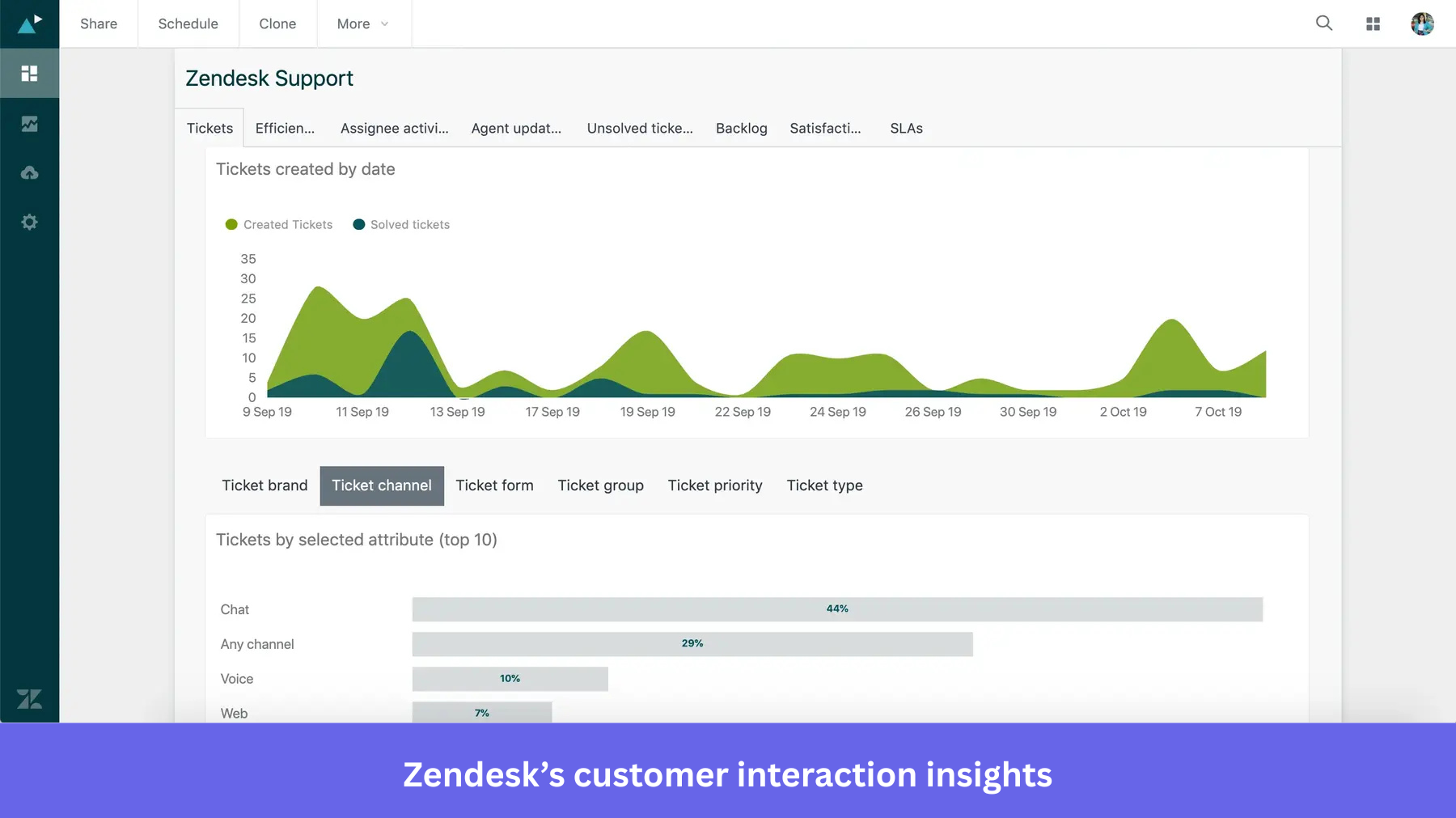
- Workflow automation and support analytics: Use macros and triggers to handle repetitive tasks, while tracking ticket volumes, response times, resolution rates, and customer satisfaction.
Zendesk pricing
Zendesk’s basic Support Team plan starts at $19/agent/month, billed annually, for email ticketing and automation. However, businesses that need omnichannel support, live chat, a knowledge base, and AI agents will need Suite Team, which starts at $55/agent/month. Suite Professional starts at $115/agent/month, with additional charges possible for advanced AI capabilities and add-ons.
Pros and cons of Zendesk
| Pros | Cons |
|---|---|
| Macros and automated routing help support teams handle repetitive requests consistently. | Advanced reporting and automation configurations can require additional setup and expertise. |
| Centralized ticket management makes it easier to coordinate support across multiple channels. | Per-agent pricing and higher-tier feature requirements can make Zendesk expensive as you scale. |
#6: Mailchimp for email marketing automation
Mailchimp is an email marketing and automation platform for startups and growing businesses that want to engage customers through newsletters, promotional campaigns, and lifecycle emails.
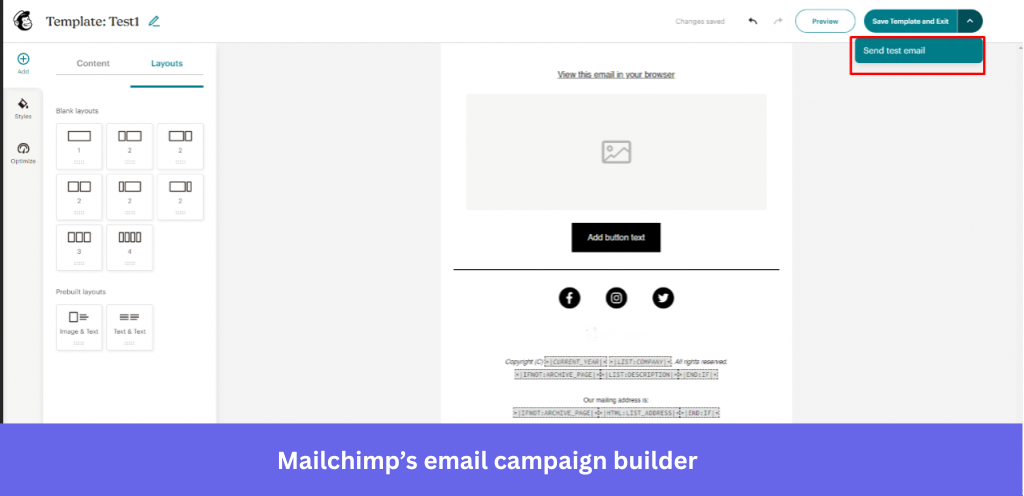
Its campaign builder, templates, and AI features help small teams create and manage these communications without extensive technical expertise.
Key features
- Email campaign builder: Create branded emails using drag-and-drop editing, prebuilt templates, and A/B testing.
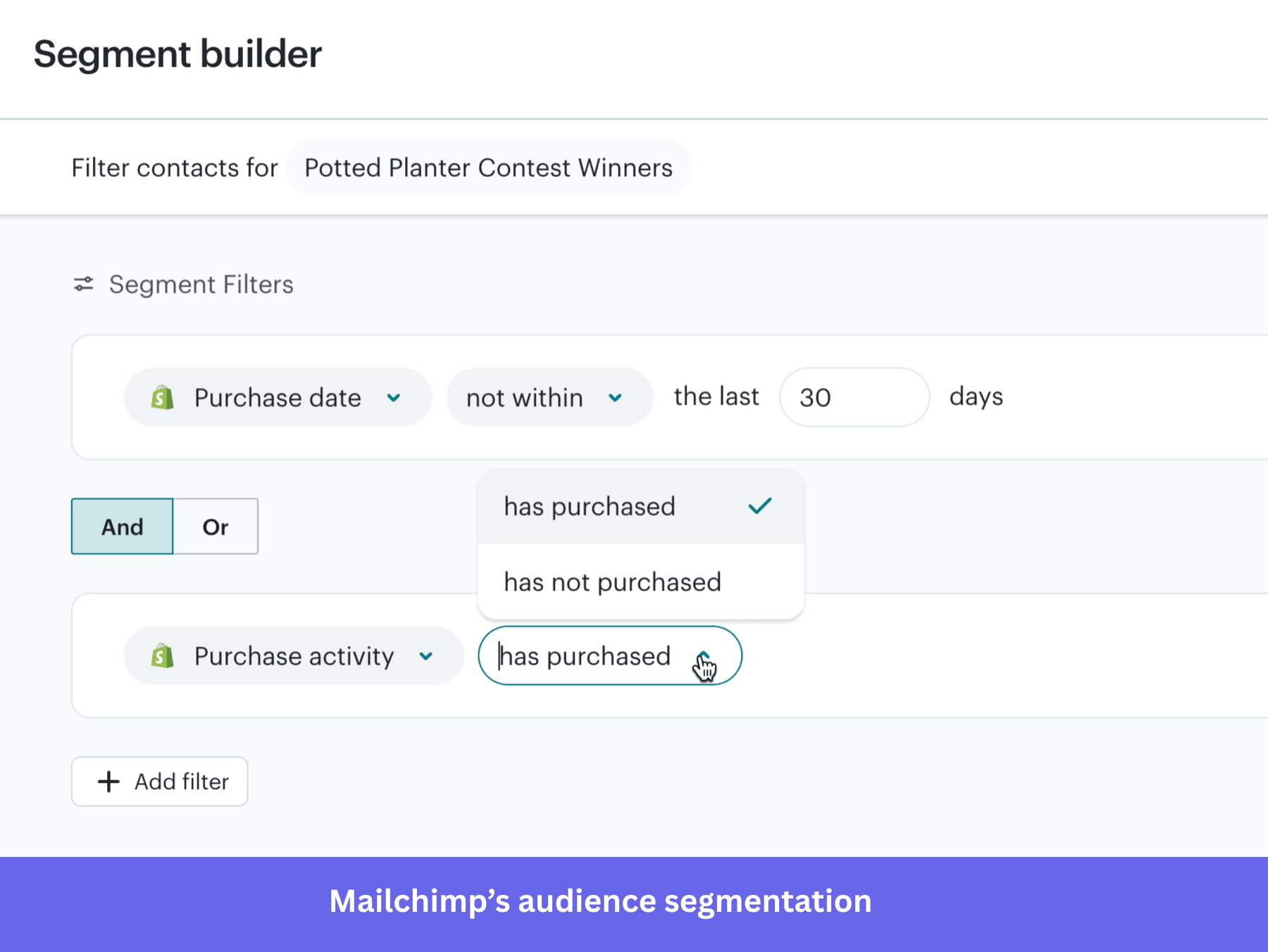
- Audience segmentation: Group contacts based on attributes, campaign engagement, and available customer data.
- Marketing automation: Build email sequences triggered by signups, purchases, abandoned carts, and other customer actions.
- AI-powered marketing: Use Mailchimp’s AI capabilities to generate and refine campaign content. Its newer Analytics AI offering also lets eligible users ask questions about campaign performance in natural language, understand changes across audiences and revenue, and identify possible next steps.
Mailchimp pricing
Mailchimp offers a free plan for up to 250 contacts and 500 monthly emails. Paid plans start at $13/month for Essentials, $20/month for Standard, and $350/month for Premium. Features such as A/B testing, more advanced automation, segmentation, and AI-powered performance analysis require paid or higher-tier plans. Analytics AI is available on Standard and Premium.
Pros and cons of Mailchimp
| Pros | Cons |
|---|---|
| Intuitive campaign builder and ready-made templates help small teams create professional emails without design expertise. | Some customers find advanced automation and segmentation harder to configure than basic email campaigns. |
| Email automation, segmentation, and reporting help teams maintain personalized lifecycle communication. | Pricing can increase substantially as contact lists grow, while advanced features require higher plans. |
#7: Klaviyo for advanced lifecycle email and SMS engagement
Klaviyo is a B2C CRM and marketing automation platform that helps ecommerce businesses manage customer relationships through personalized email and SMS campaigns.
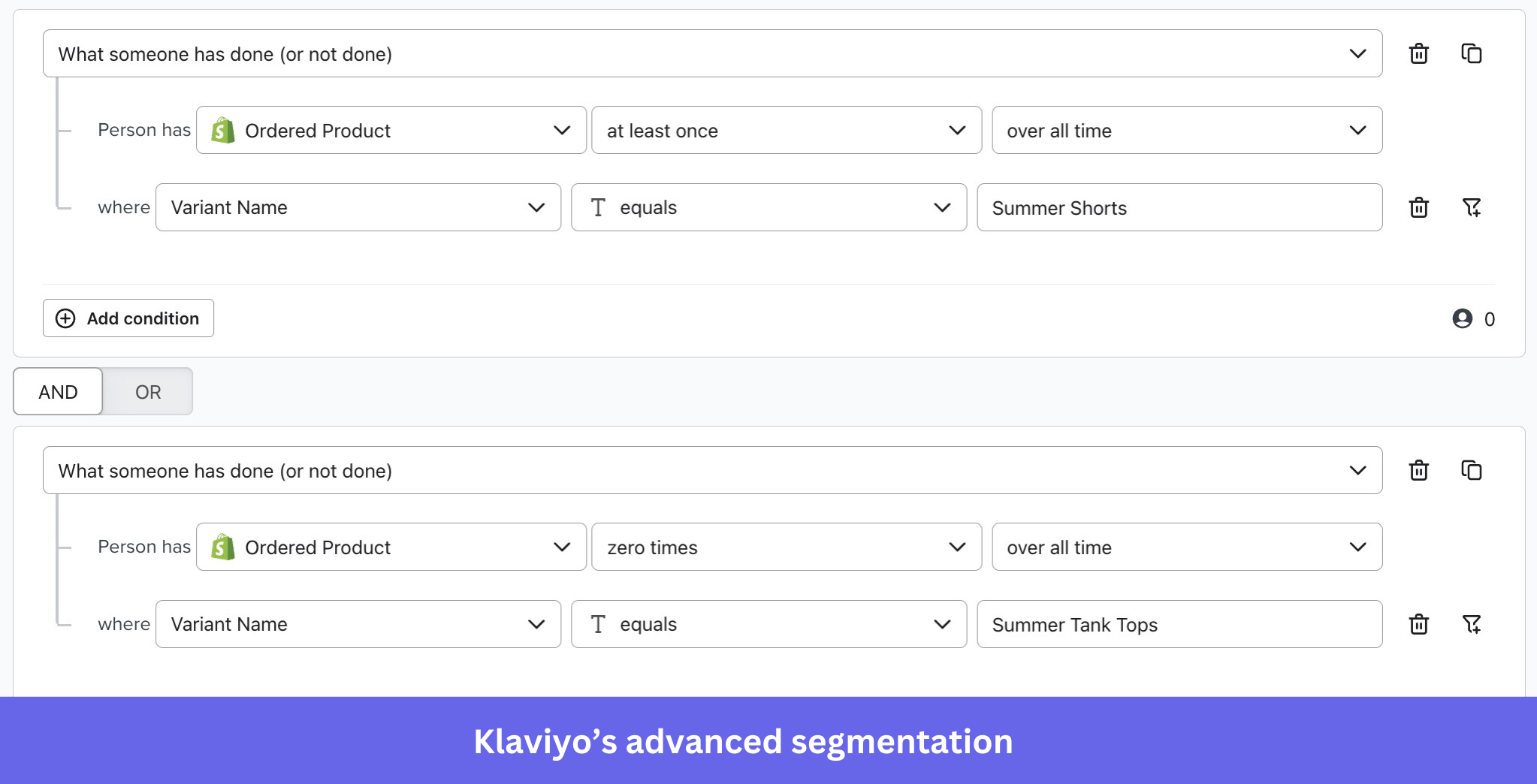
Its strength is connecting customer data with lifecycle messaging. For example, you can segment customers based on purchase history or engagement patterns, then trigger relevant messages when they abandon a cart, complete a purchase, or become inactive.
Key features
- Advanced segmentation: Create customer segments using purchase history, browsing behavior, and engagement data.
- Email and SMS automation: Build customer journeys triggered by purchases, cart abandonment, inactivity, and other behaviors, with personalized message timing and content.
- AI-powered marketing: Use Klaviyo’s AI agent, Composer, to analyze campaign performance and recommend improvements. It can also draft campaigns, flows, and segments from natural-language prompts.
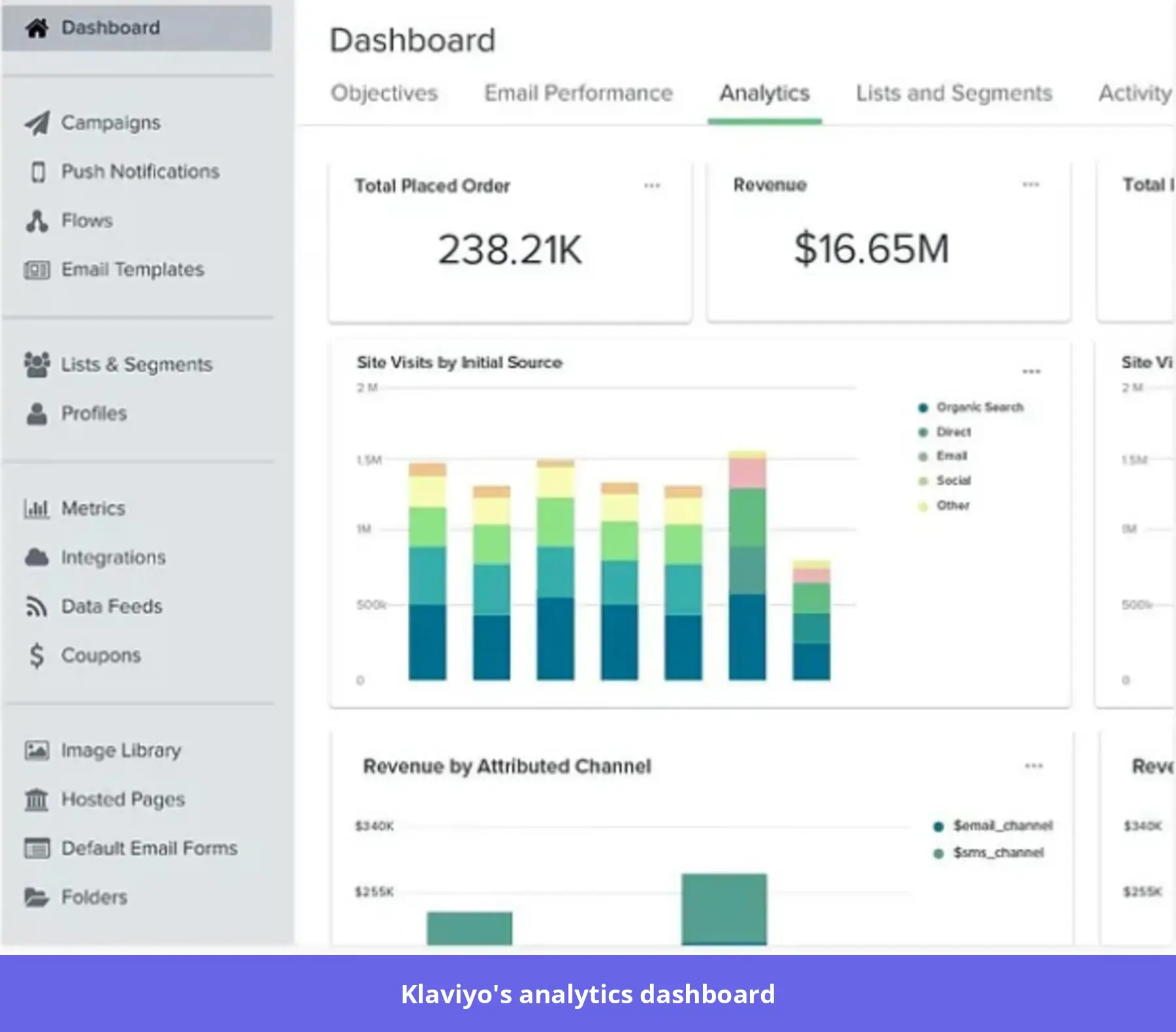
- Customer profiles and analytics: Combine purchase and engagement data into CRM profiles to evaluate campaign performance and identify re-engagement opportunities.
Klaviyo pricing
Klaviyo offers a free plan for up to 250 active profiles and 500 monthly emails, while paid email plans start at approximately $20/month for 251–500 profiles. Higher contact volumes, SMS messaging, and additional CRM capabilities can increase costs. Its AI agent, Composer, also uses a credit-based model, so extensive AI-assisted campaign creation may involve additional charges.
Pros and cons of Klaviyo
| Pros | Cons |
|---|---|
| Flexible segmentation and automated flows help ecommerce teams deliver personalized messages based on customer behavior. | Managing numerous flows and customer segments can become complex as campaigns scale. |
| Connected email, SMS, and CRM data support coordinated lifecycle marketing. | Pricing increases with active profiles, making larger contact databases more expensive to manage. |
#8: Twilio Flex for customizable contact-center communication
Twilio Flex is a cloud-based contact-center platform that helps businesses manage customer conversations across voice, messaging, and digital channels.
Unlike traditional support software with fixed workflows, Flex gives you more control over how your contact center operates. For example, you can customize how you route incoming conversations, connect customer data from your CRM, and build an agent workspace that matches your support processes.
Key features
- Omnichannel communication: Manage voice, SMS, WhatsApp, web chat, and other supported channels from a unified agent workspace.
- Customizable workflows and integrations: Use Twilio’s APIs, SDKs, and workflow tools to tailor routing, agent interfaces, and customer interactions.
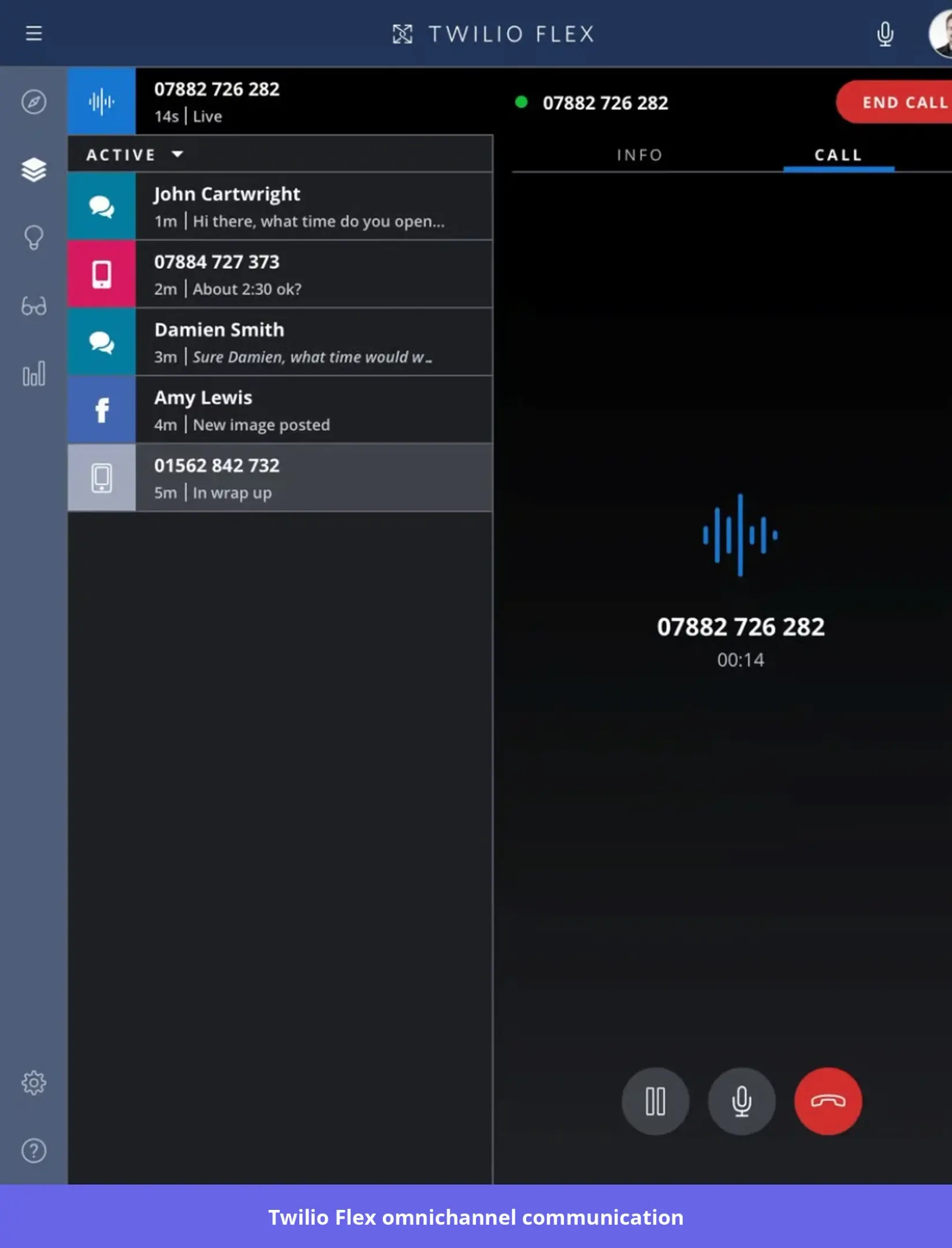
- AI-powered agent assistance: Use Agent Copilot to generate conversation summaries, suggest responses, and surface relevant customer information. Unified Profiles can bring together customer activity and interaction history to help agents respond with more context.
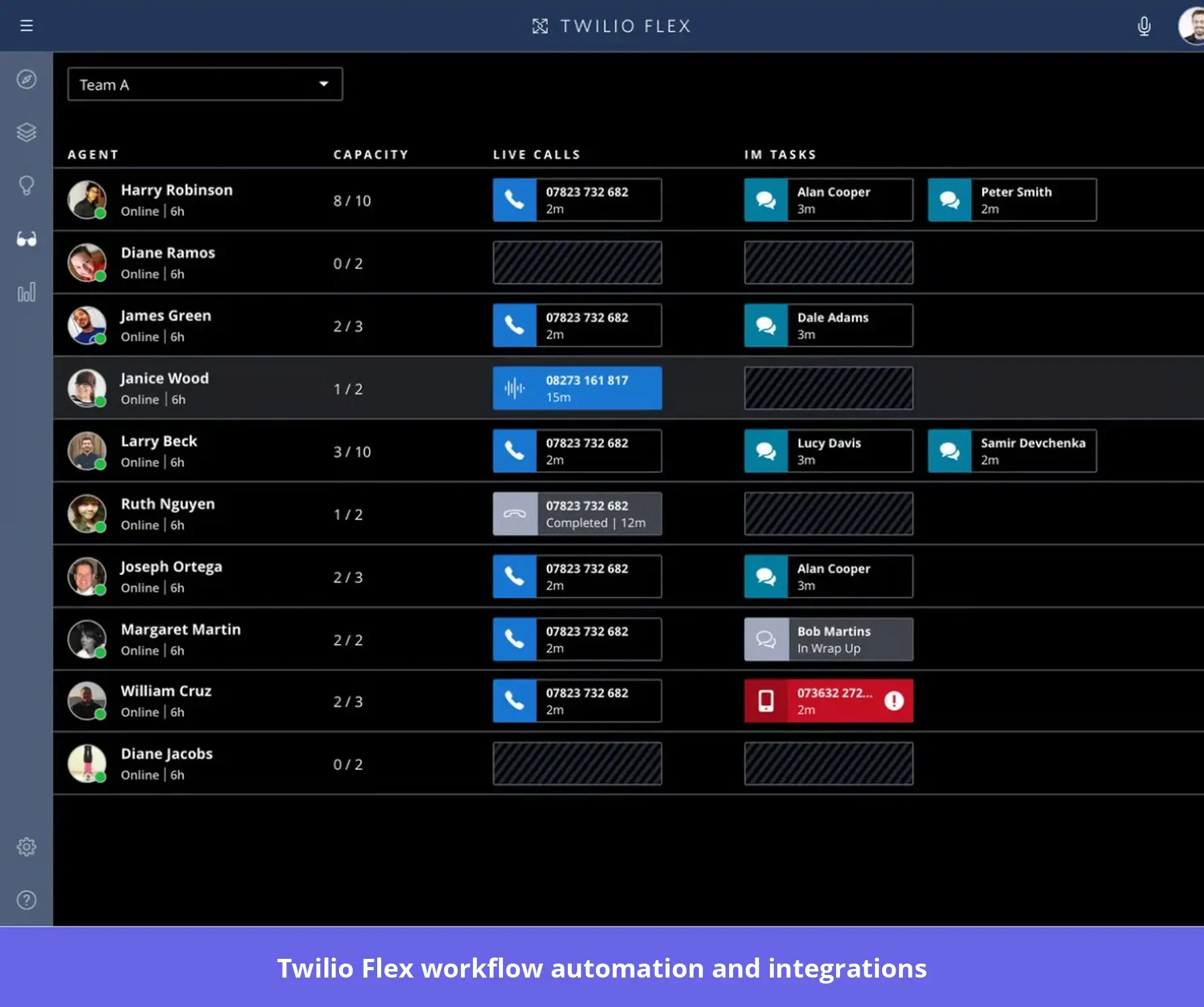
- Contact-center analytics: Track agent activity, conversation handling, and operational performance to identify routing and workload issues.
Twilio Flex pricing
Twilio Flex starts at $150 per named user/month or $1 per active user hour, allowing businesses to choose between predictable licensing and usage-based billing. An alternative User + Usage plan starts at $35/monthly active user, plus communications charges, but is limited to eligible existing accounts. A free trial with 5,000 active user hours is available.
Pros and cons of Twilio Flex
| Pros | Cons |
|---|---|
| Highly customizable APIs and integrations let businesses tailor contact-center workflows to their operational needs. | Extensive customization can require dedicated developers and ongoing technical support. |
| Unified voice and messaging workflows help agents manage customer conversations across channels. | Some users find the default reporting and administrative capabilities limited without additional configuration. |
#9: Bird (formerly MessageBird) for global messaging APIs
Bird is a customer communications platform that helps businesses reach users through SMS, WhatsApp, email, and voice. Formerly known as MessageBird, it provides APIs and automation tools for connecting customer communication to existing applications and business systems.
It’s particularly useful for businesses that need programmable messaging for account verification, service notifications, and automated customer conversations.
Key features
- Multichannel messaging APIs: Integrate SMS, WhatsApp, email, and voice into your application using Bird’s APIs.
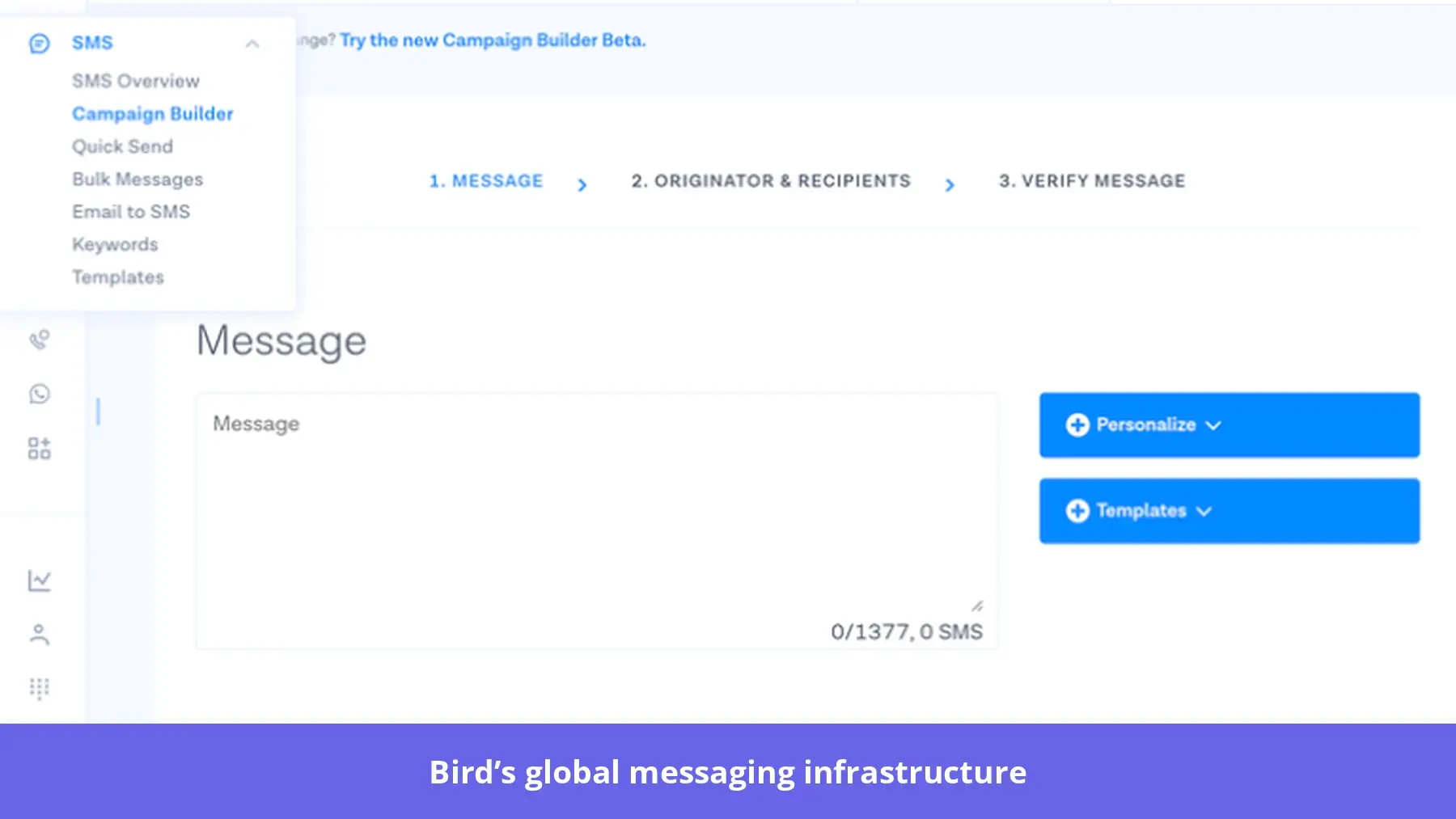
- Automated messaging workflows: Create workflows that send messages when predefined events occur.
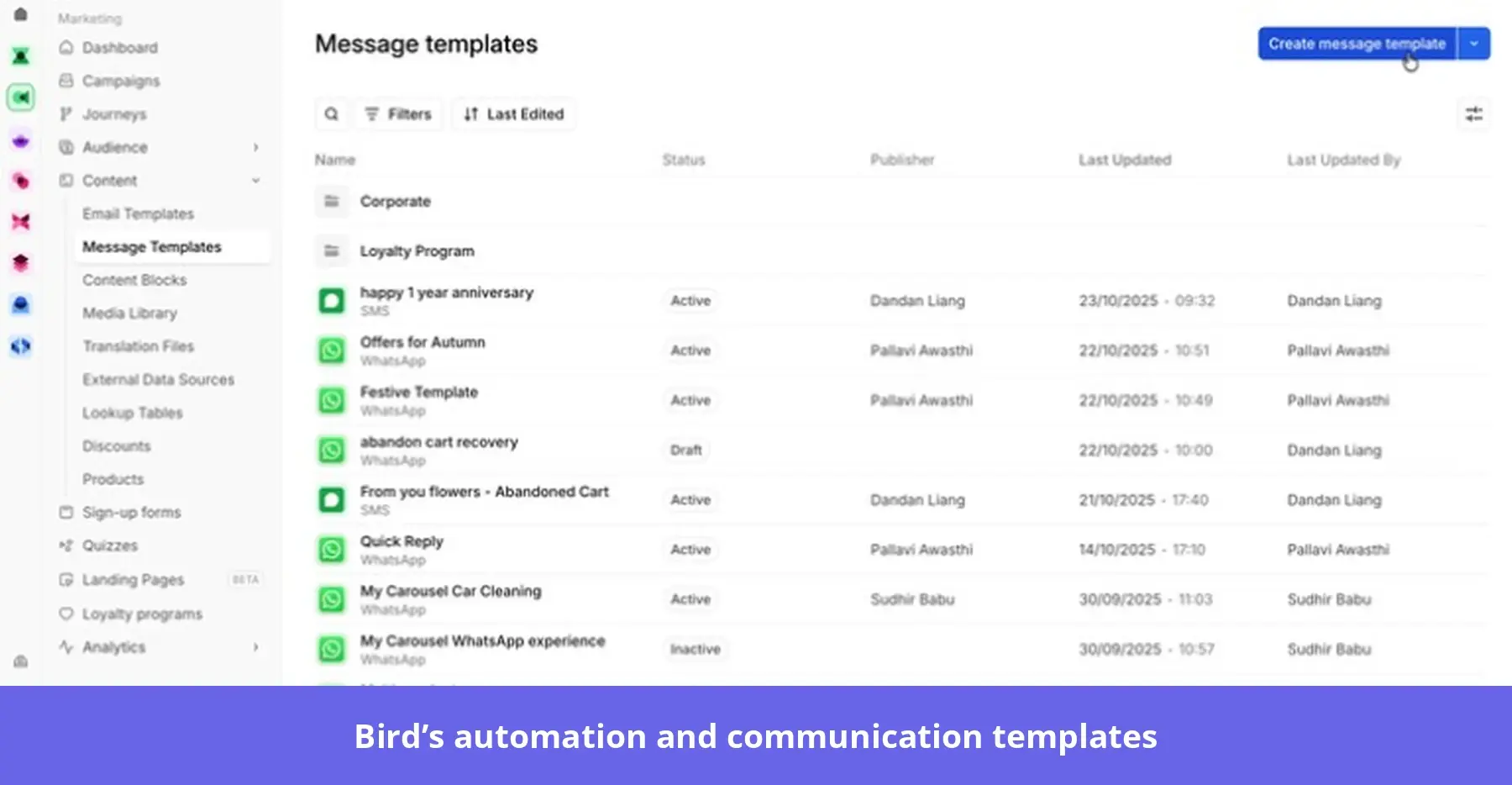
- AI-assisted customer conversations: Integrate external AI agents to respond to incoming messages and perform configured actions within your communication workflows.
Bird pricing
Bird offers a free email tier with 1,000 monthly sends, while paid email plans start at $15/month for 50,000 emails and $80/month for 100,000 emails. SMS and WhatsApp use separate usage-based pricing, depending on destination, message type, and applicable carrier or platform fees.
Pros and cons of Bird
| Pros | Cons |
|---|---|
| Supports multiple communication channels and APIs, helping businesses integrate customer messaging into existing applications. | Integrating APIs and configuring advanced communication workflows may require technical expertise. |
| Flexible messaging infrastructure supports use cases ranging from transactional notifications to automated customer conversations. | Some customers report bugs and delays in customer support when troubleshooting integrations. |
Best customer engagement tools that help you collect customer data
Engagement data shows which features users adopt, where they get stuck, and what keeps them coming back. For example, low onboarding completion may signal a confusing setup step, while low feature adoption may mean users aren’t discovering new capabilities.
These analytics tools use behavioral analytics, funnels, session replays, and AI-assisted insights to help you investigate these problems.
#10: Userpilot for combining analytics with engagement
Userpilot also combines quantitative behavioral analytics with qualitative insights from session replays and in-app feedback to help you understand user behavior and identify friction.
Lia makes this process faster by analyzing product data, identifying patterns, and recommending actions based on your team’s priorities. Instead of manually investigating reports and deciding what to do next, use Lia to move from insights to targeted recommendations and in-app experiences.
Key features
- Behavioral analytics: Track funnels, user paths, feature adoption, and retention to understand how customers interact with your product.
- Session replay: Watch recordings of user sessions to investigate friction, confusing interactions, and drop-offs.
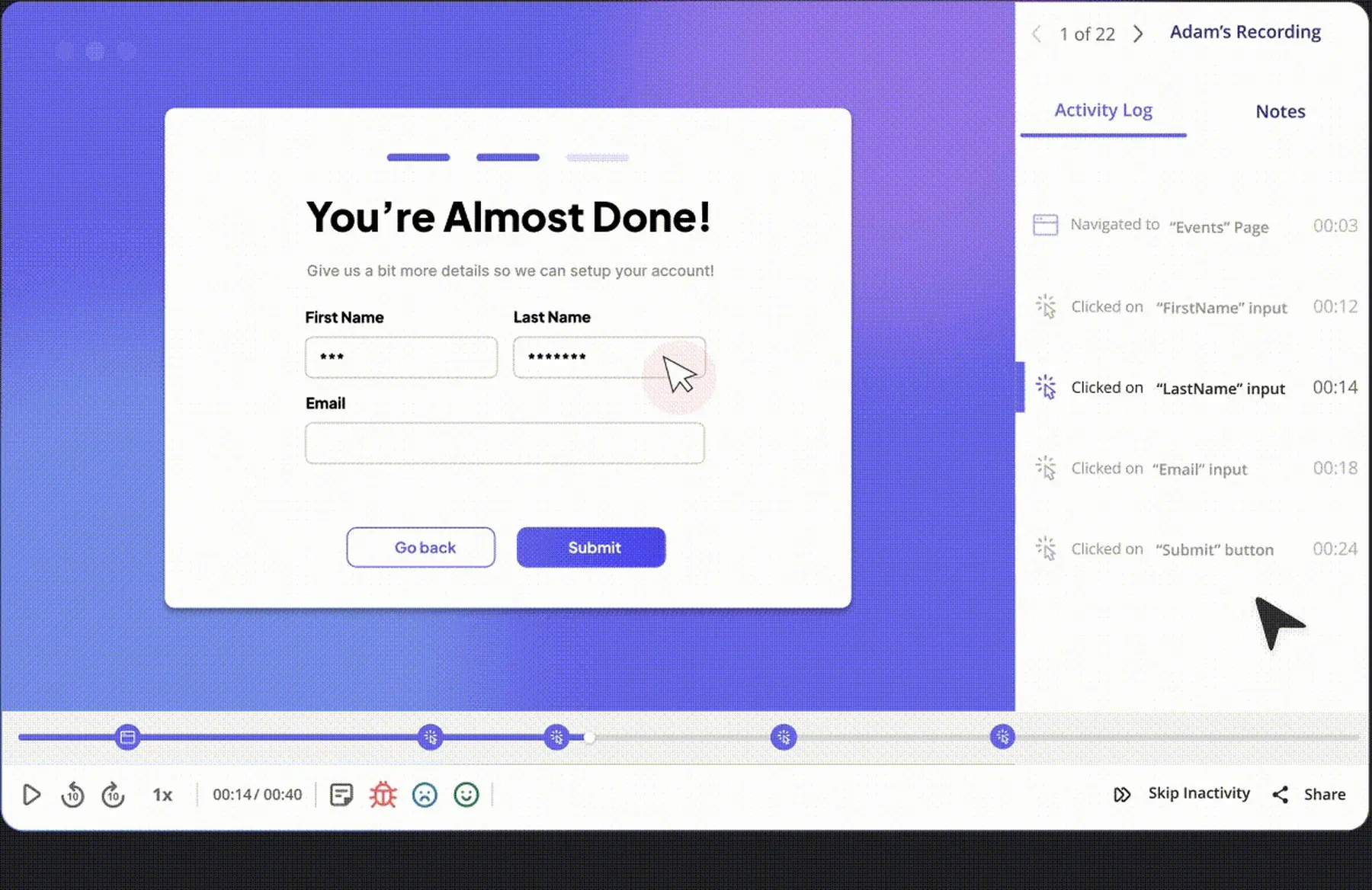
- Qualitative feedback analysis: Collect contextual survey responses and analyze customer feedback alongside behavioral data.
- AI-powered insights with Lia: Ask questions about your product data, uncover engagement problems, and receive recommendations tailored to your goals. Lia can also help create targeted experiences based on those findings.
#11: Amplitude for behavioral data
Amplitude is a product analytics platform that helps teams understand user behavior, track feature adoption, and identify friction across the customer journey.
Amplitude is increasingly moving toward self-improving products. Its AI Agents identify and recommend improvements from behavioral data, while emerging capabilities help teams prepare changes and test their impact.
Key features
- Journey and behavioral analytics: Analyze user paths, funnels, retention, behavioral cohorts, and engagement trends across customer segments.
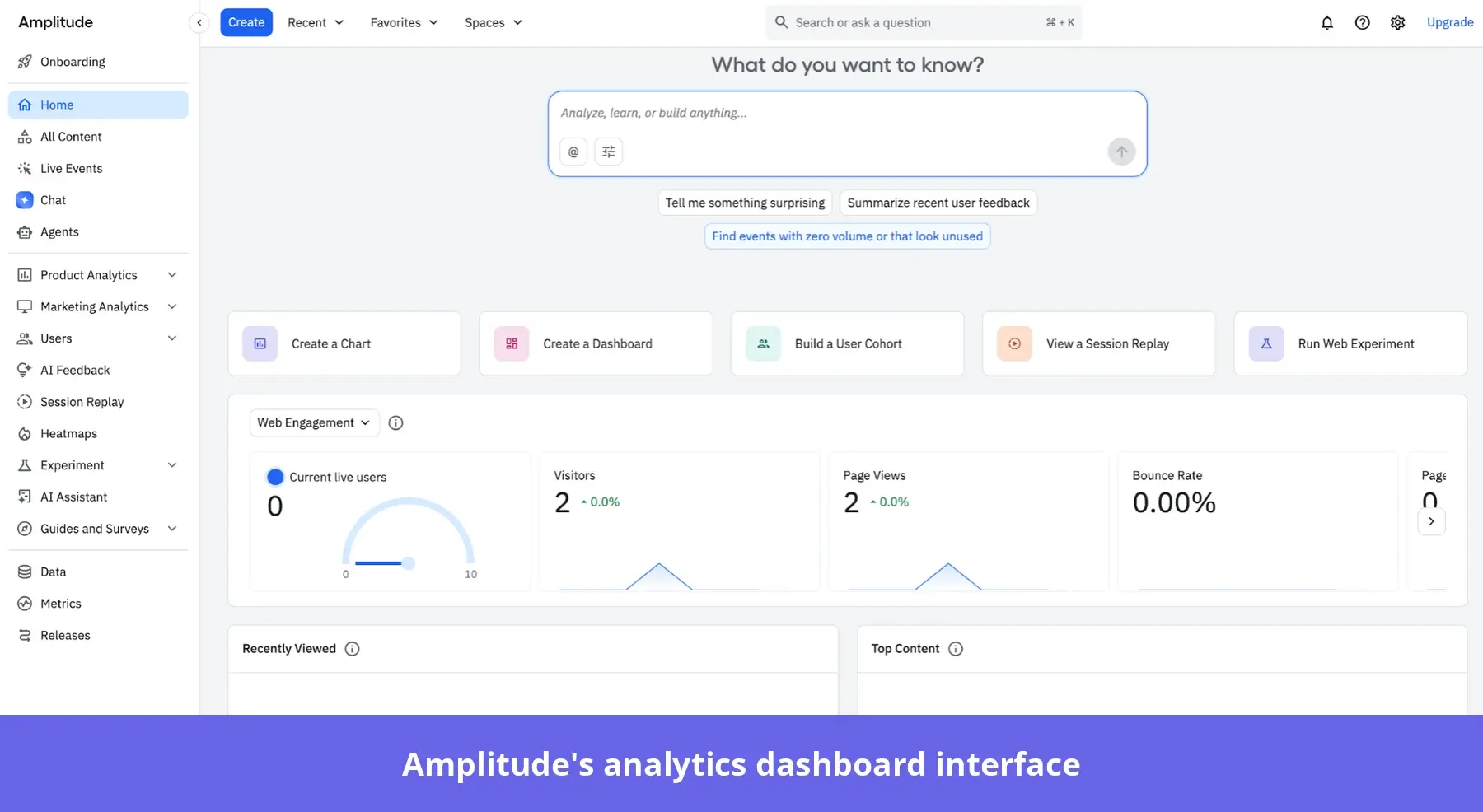
- AI-powered product improvement: Use AI Agents to investigate friction and recommend actions. Amplitude’s Wave initiative extends this vision toward preparing product changes for human review.
- Product experimentation: Run A/B tests and feature experiments to evaluate changes to onboarding, navigation, or product functionality. Connect experiment results with behavioral analytics to understand whether a change improves the metrics that matter.
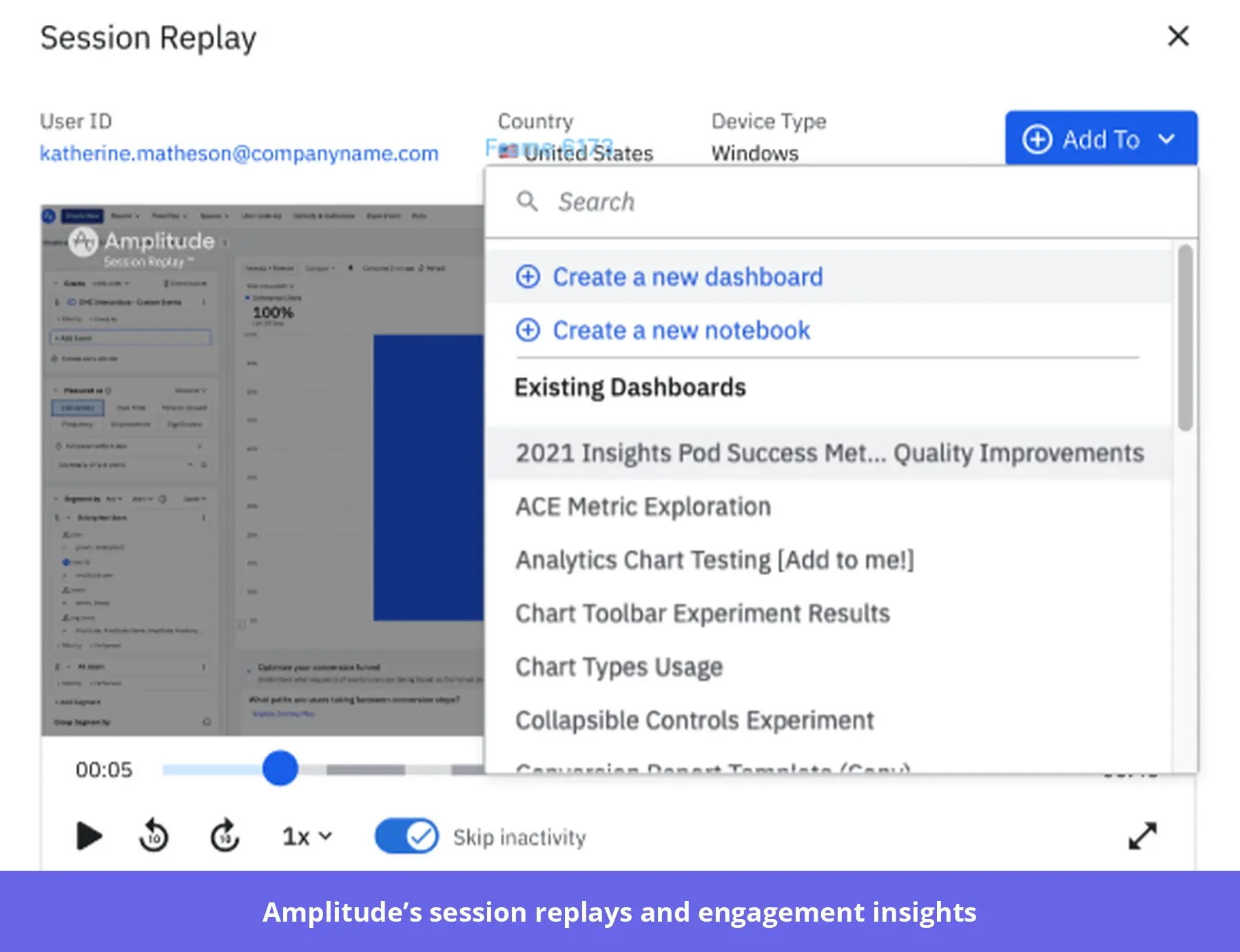
- Session replay and engagement insights: Watch session recordings alongside behavioral events to understand how users experience your product.
Amplitude pricing
Amplitude offers a free plan with up to 2 million monthly events, including core product analytics and selected AI capabilities. Its Plus plan starts at $0 for the same event allowance, with usage-based charges beyond that limit. The custom-priced Growth and Enterprise plans offer advanced analytics, greater session replay capacity, and enterprise security features.
Pros and cons of Amplitude
| Pros | Cons |
|---|---|
| Native integrations help teams combine product, marketing, and customer data from multiple platforms for more comprehensive analysis. | Advanced reporting and configuration can have a steep learning curve, particularly for non-technical users. |
| Amplitude’s intuitive interface makes it easy for teams to explore behavioral data, build funnels, and segment users without relying on data analysts. | Maintaining accurate event tracking and data governance can require ongoing technical effort. |
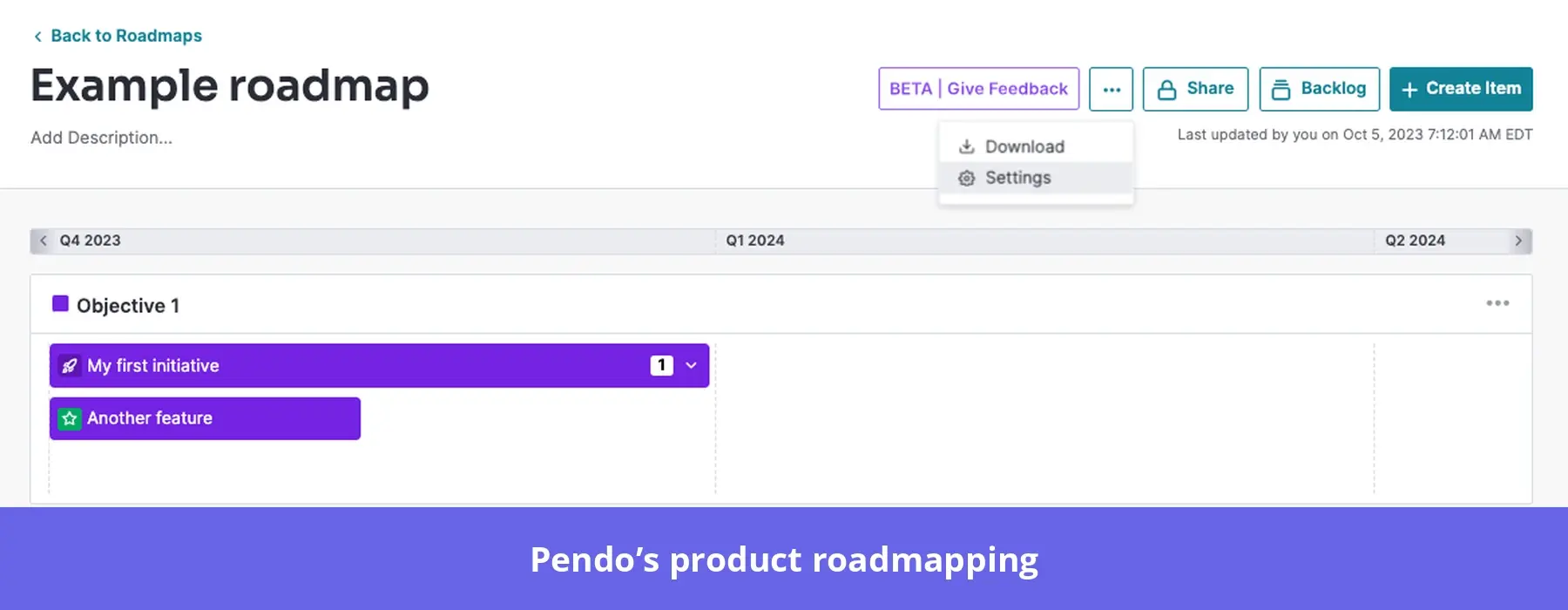
#12: Pendo for product analytics and roadmap insights
Pendo combines product analytics, in-app guidance, and customer feedback into a single platform. This helps teams improve adoption and prioritize their roadmaps using behavioral data and direct customer requests.
Key features
- Product analytics: Analyze feature usage, user paths, funnels, and retention to identify adoption patterns and friction across customer segments.
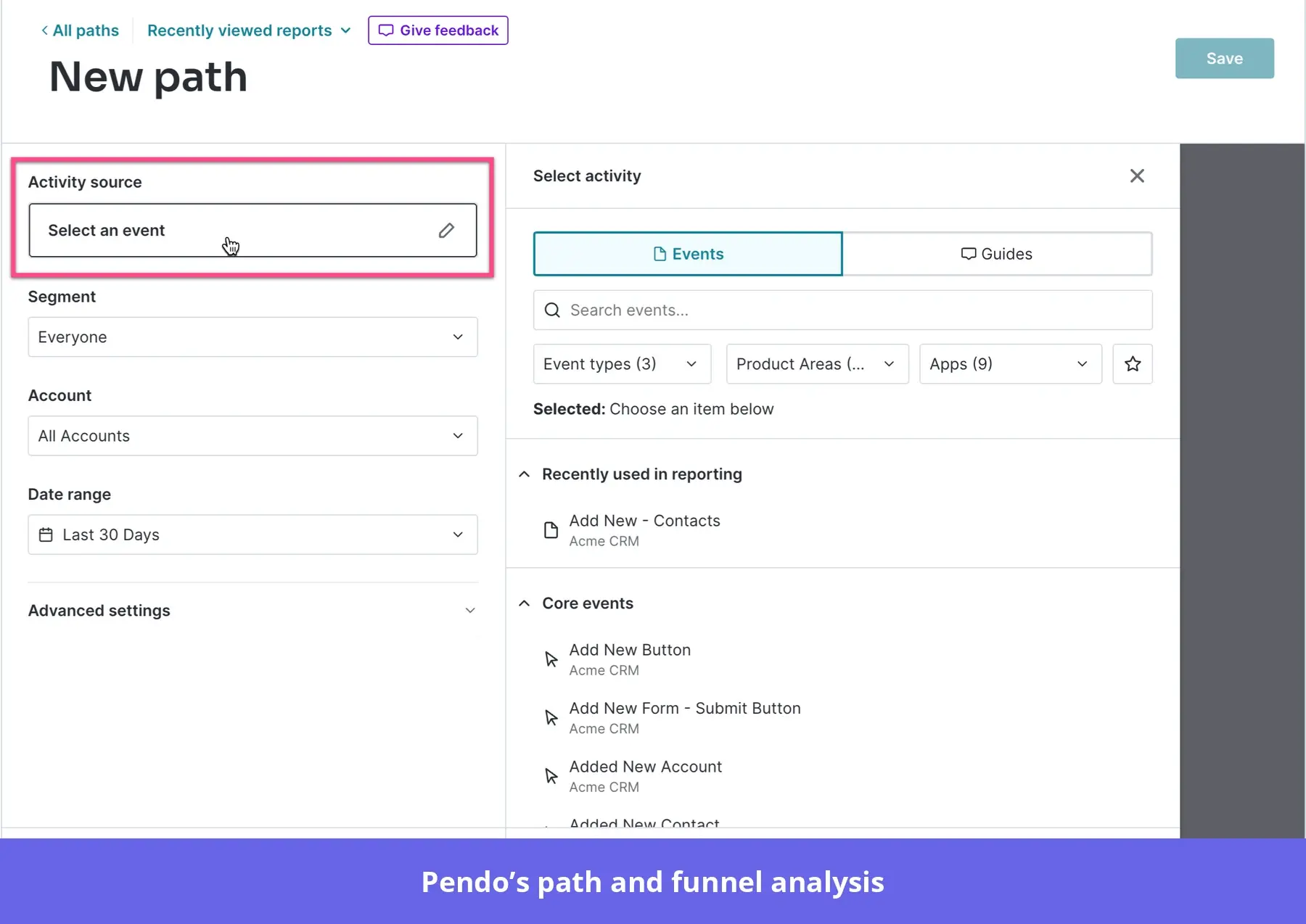
- AI-powered analytics with Leo: Ask questions about product adoption, retention, and customer behavior using natural language. Leo analyzes available Pendo data and helps you investigate patterns without manually building every report.
- In-app guides: Create targeted walkthroughs, tooltips, and announcements, and measure how users interact with them.
- Customer feedback and roadmapping: Use Pendo Listen and AI-assisted categorization to organize feedback, identify recurring requests, and inform roadmap priorities.
- AI agent analytics: Monitor how users interact with AI assistants embedded in your product, including what they ask, which tasks they attempt, and where conversations encounter problems.
Pendo pricing
Pendo offers a free plan for up to 500 MAUs, with basic product analytics, in-app guides, and NPS surveys. Its paid Base, Core, and Ultimate plans use custom pricing based on usage and capabilities. You’ll need Core or above for session replay, while broader feedback and product discovery capabilities require higher tiers. According to Vendr’s contract data, Pendo’s median annual contract cost is about $48,000, with observed deals ranging from $18,525 to $150,983.
Pros and cons of Pendo
| Pros | Cons |
|---|---|
| Combining product analytics with in-app guides helps teams identify adoption opportunities and deliver targeted guidance. | Some users find the analytics interface and reporting options restrictive when conducting complex analyses. |
| Customer feedback and roadmapping capabilities help product teams connect user requests with product priorities. | MAU-based pricing can become expensive as products grow, especially for smaller businesses. |
#13: Hotjar (now part of Contentsquare) for heatmaps and session recordings
Hotjar is now part of Contentsquare, a digital experience analytics platform that helps teams understand how users interact with websites and applications. You can no longer sign up for Hotjar separately. Instead, new customers sign up for Contentsquare to access Hotjar’s visual heatmaps, session recordings, and surveys alongside broader analytics and AI-powered insights.
Key features
- Heatmaps, Attention Maps, and scroll analysis: See where users click, hover, scroll, and focus their attention to identify overlooked content and potential usability issues.
- Session replay: Watch and filter recordings to investigate confusing navigation, repeated clicks, and other signs of friction.
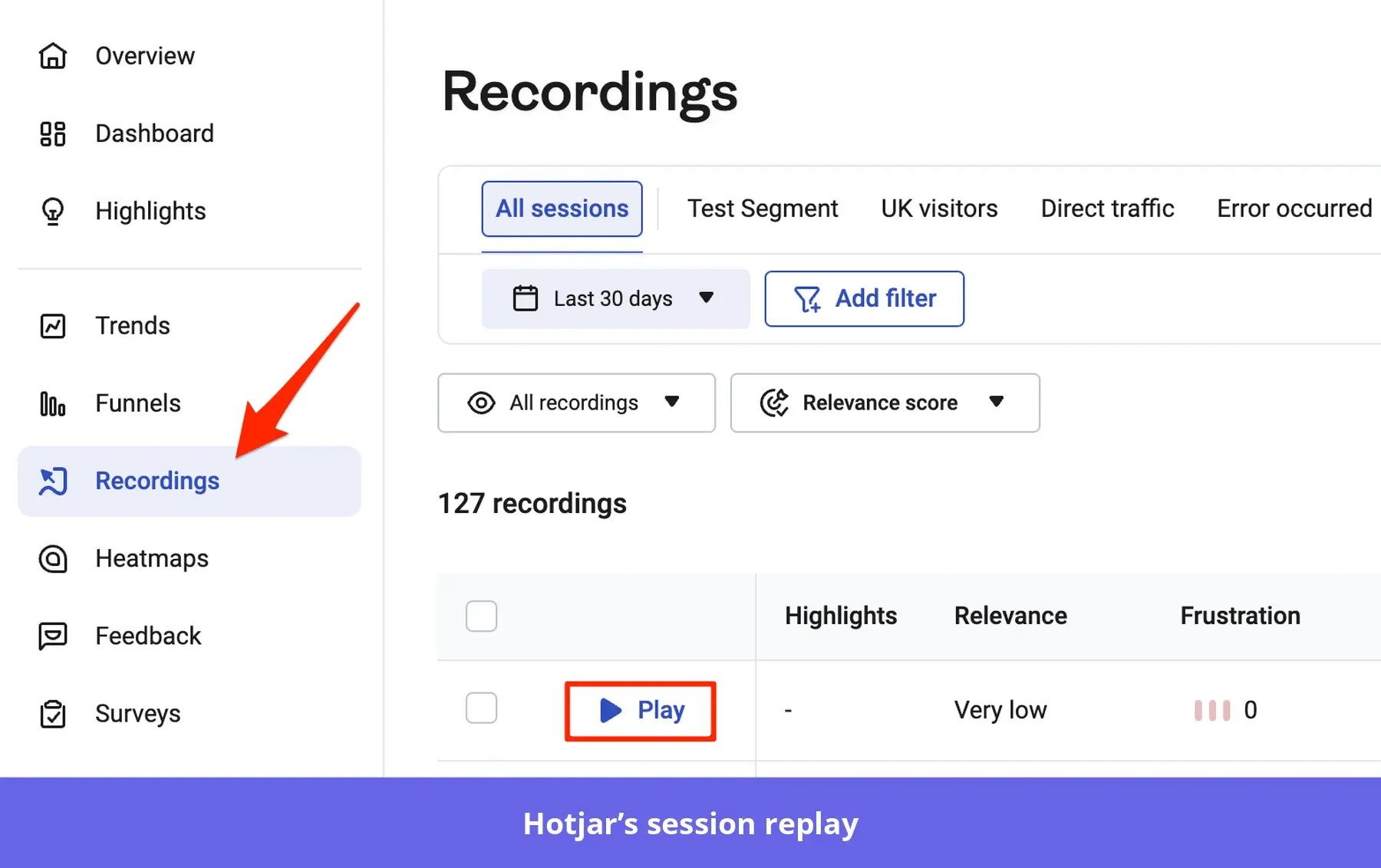
- AI-powered insights with Sense: Use AI-generated summaries of heatmaps and recordings to highlight important behaviors. Sense Chat also lets you ask questions about your data in natural language and receive suggested next steps.
- Journey analysis and error monitoring: Explore how users move between pages, identify where journeys break down, and investigate technical problems alongside behavioral data.
- Surveys and feedback: Collect contextual responses through surveys and feedback widgets to understand users’ experiences.
Hotjar pricing
Hotjar’s pricing is under Contentsquare. Contentsquare’s Experience Analytics offers a free plan with up to 200,000 monthly sessions, while Growth starts at $39/month, billed annually, for additional insights and capabilities.
Its Voice of Customer product also has a free tier, with paid plans starting at $99/month. Product Analytics and advanced enterprise offerings use custom pricing, depending on the capabilities and usage required.
Pros and cons of Hotjar (now part of Contentsquare)
| Pros | Cons |
|---|---|
| Heatmaps and session recordings help teams spot usability issues without relying exclusively on quantitative reports. | Reviewing large volumes of recordings can be time-consuming, particularly for high-traffic websites. |
| Combining behavioral observations with surveys helps teams investigate both what users do and what they say about their experiences. | Some users find advanced filtering and reporting options restrictive when investigating specific customer segments. |
Best customer engagement solutions that help you gather feedback
Understanding user behavior tells you what is happening. Feedback helps explain why.
These tools collect user feedback through surveys and other channels. They also use AI to summarize responses, identify recurring themes, and surface customer concerns.
#14: Survicate for contextual surveys and AI-assisted feedback analysis
Survicate is a customer feedback platform that helps you collect and analyze feedback across websites, applications, email, and other channels. You can use it to measure customer satisfaction, identify recurring concerns, and understand what users think about their product experience.
Key features
- Contextual in-app surveys: Create NPS, CSAT, CES, and custom in-app surveys for web and mobile users, with targeting based on attributes and events.
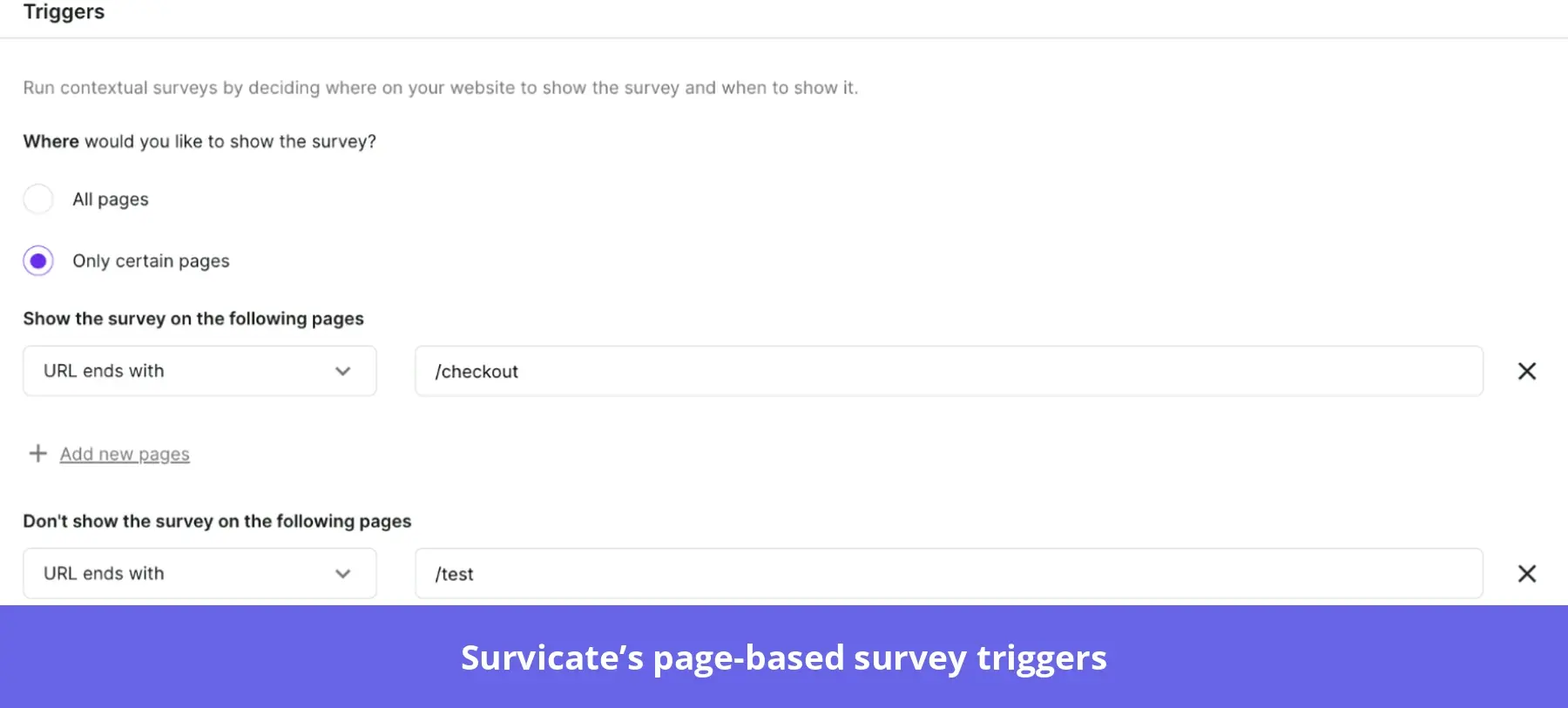
- Multichannel feedback collection: Distribute surveys through websites, mobile apps, email, and shareable links.
- AI-powered feedback analysis: Use Research Hub to organize feedback from surveys and connected sources. AI automatically categorizes responses and surfaces recurring themes.
- AI Research Assistant: Ask questions about your collected feedback in natural language and receive answers grounded in customer responses.
- Integrations and feedback workflows: Connect Survicate with HubSpot, Intercom, Slack, Jira, and other tools to share feedback and trigger follow-up workflows.
Survicate pricing
Survicate’s Growth plan starts at $114/month, billed annually, with 250 survey responses and 1,000 feedback data points per month. Pro starts at $349/month for more advanced survey logic, integrations, and reporting, while Enterprise starts at $569/month for larger feedback programs. It also has a 10-day free trial with up to 25 responses.
Pros and cons of Survicate
| Pros | Cons |
|---|---|
| No-code behavioral targeting and survey creation help teams collect relevant feedback at specific points in the customer journey. | Some users find advanced audience targeting and segmentation options restrictive for complex research needs. |
| AI-powered feedback analysis helps teams identify recurring themes without manually reviewing every response. | Complex survey logic and deeper reporting requirements can involve additional setup or external analysis. |
#15: Typeform for conversational forms and surveys
Typeform is an online form and survey builder that helps businesses collect customer feedback through interactive, conversational experiences. Its one-question-at-a-time format makes surveys feel more approachable than traditional forms with long lists of questions.
Typeform’s AI tools can also summarize survey responses and highlight customer concerns to help you decide what to improve.
Key features
- Conversational forms and surveys: Create branded feedback forms, NPS questionnaires, and quizzes with customizable survey questions using a one-question-at-a-time interface.
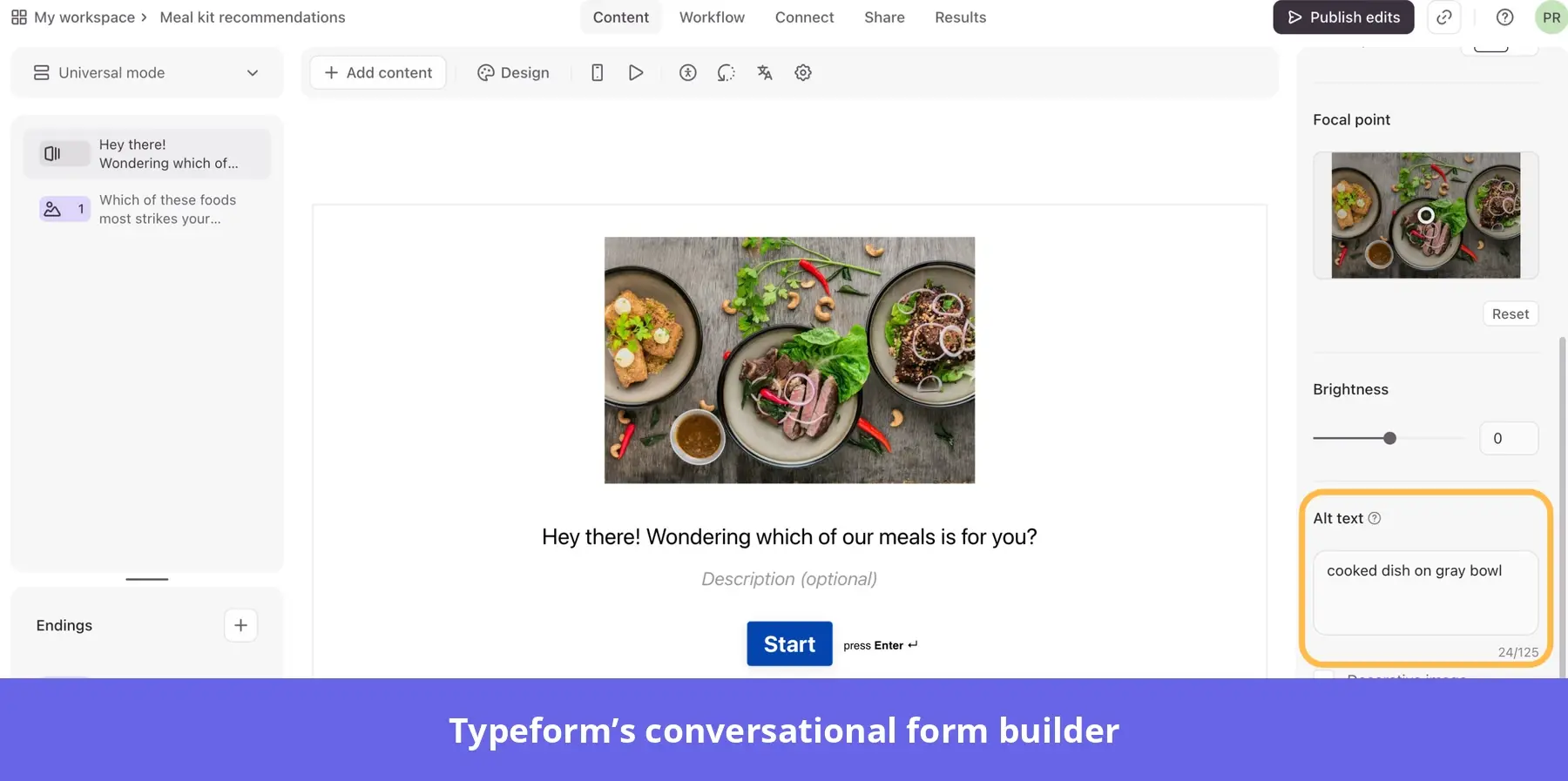
- Conditional logic and personalization: Adapt follow-up questions based on respondents’ previous answers.
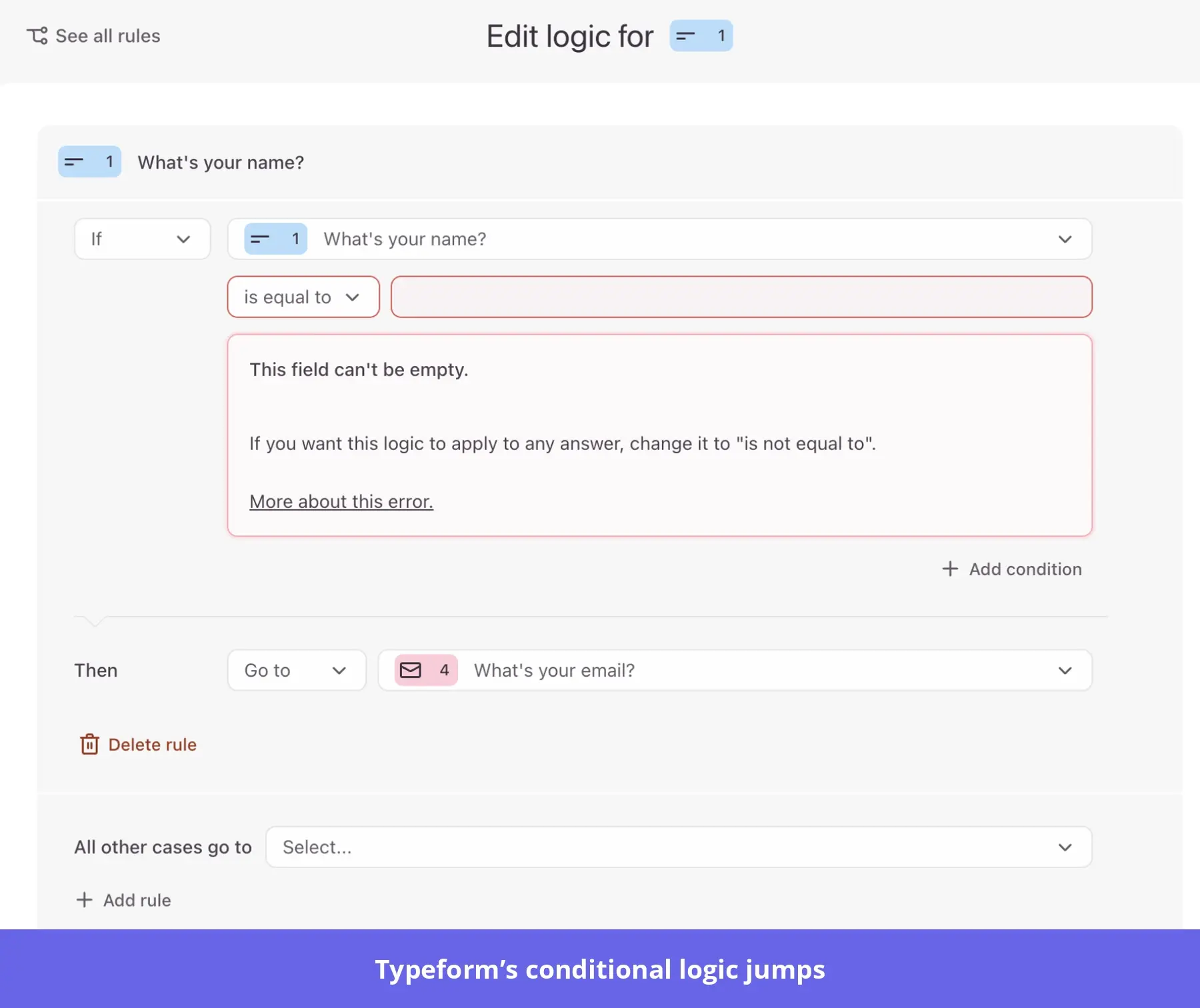
- AI-powered forms and follow-ups: Use AI to generate forms from prompts, analyze responses with Smart Insights, and identify recurring customer concerns. You can also automate follow-ups based on responses, helping you act on feedback without managing every step manually.
- Custom design and branding: Customize your forms with brand colors, fonts, images, and layouts to create a consistent experience. You can also remove Typeform branding on eligible paid plans and embed forms directly into your website.
Typeform pricing
Typeform offers a free plan limited to 10 responses per month, while paid plans start at $28/month for Basic, $56/month for Plus, and $91/month for Business, billed annually. Higher tiers increase response limits, team seats, and customization options. Advanced lead management and automated follow-up capabilities are available through separate Growth plans.
Pros and cons of Typeform
| Pros | Cons |
|---|---|
| Its conversational, one-question-at-a-time format makes surveys more engaging and approachable for respondents. | Response limits and higher-tier feature requirements can make Typeform expensive for teams collecting feedback at scale. |
| Conditional logic and an intuitive form builder help non-technical teams create personalized surveys. | Some users find advanced reporting and customization options restrictive for complex research workflows. |
#16: Qualtrics for enterprise experience management
Qualtrics is an enterprise experience management platform that helps organizations collect, analyze, and act on customer feedback across digital and offline touchpoints. It’s especially useful for large-scale programs that measure satisfaction across multiple teams, channels, or locations.
Key features
- Multichannel surveys and feedback collection: Collect NPS, CSAT, and other customer feedback through websites, mobile apps, email, SMS, and additional touchpoints. Advanced survey logic and targeting help teams tailor questions to different customer groups.
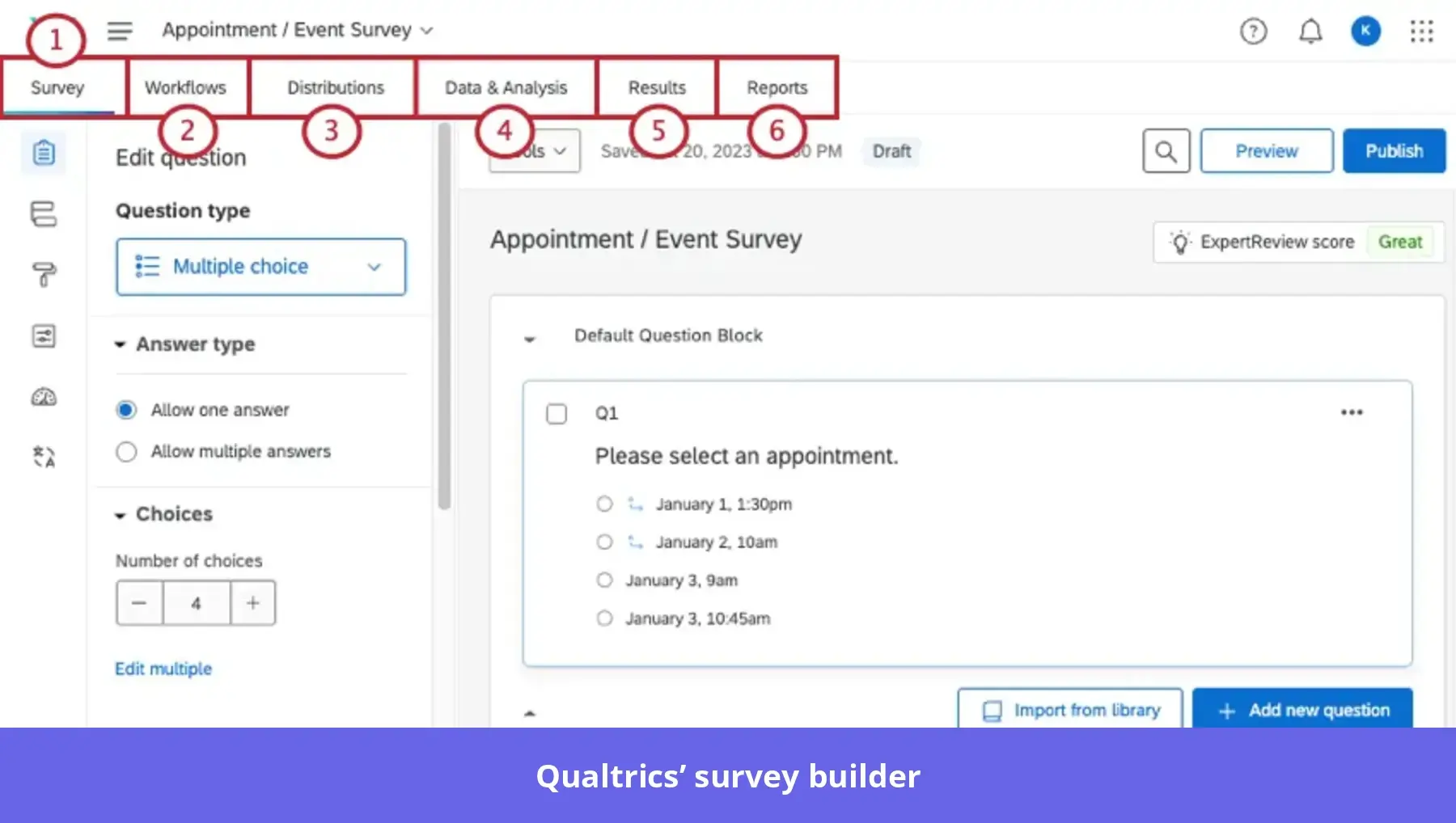
- AI-powered feedback collection and analysis: Use Conversational Feedback to ask personalized follow-up questions based on customers’ responses. Qualtrics Assist and Insights Explorer also help you analyze open-ended feedback, identify recurring themes, and summarize customer concerns to inform improvements.
- Customer experience dashboards: Track satisfaction trends across segments and locations, and share insights with relevant teams.
- Automated feedback workflows: Notify teams or initiate follow-up actions when customer feedback meets predefined conditions.
Qualtrics pricing
Qualtrics uses custom enterprise pricing based on the products, feedback volume, and capabilities required. According to Vendr’s contract data, its median annual contract is approximately $30,000, with the lowest recorded at $7,020/year.
These are observed buyer costs, not advertised starting prices. You can request quotes for offerings covering digital experience, customer service, physical locations, or broader experience management.
Pros and cons of Qualtrics
| Pros | Cons |
|---|---|
| Flexible survey design and multichannel feedback collection help enterprises manage customer research across different touchpoints. | Some users find Qualtrics’ auto-generated survey reports unhelpful, as they display individual questions in multiple widgets without providing actionable insights. |
| Advanced analytics and dashboards help teams identify customer experience trends and share findings across departments. | Custom enterprise pricing and additional feature requirements can make it expensive for smaller teams. |
Turn engagement data into in-app action with Userpilot
With so many customer engagement tools available, the right choice depends on what your business needs.
And if those needs include:
- Engaging users in-app through interactive walkthroughs, checklists, banners, and more.
- Understanding user behavior and identifying friction through product analytics and session replays.
- Collecting contextual feedback through in-app surveys.
- Using AI-powered data and sentiment analysis, Agent Analytics, and MCP to improve user engagement.
Then Userpilot could be the solution you’re looking for.
Book a demo to see how you can identify engagement problems, create targeted experiences, and measure their impact without switching between disconnected tools.
FAQ
What is a user engagement tool?
A user engagement tool helps businesses understand how people interact with their products, communicate with them at relevant moments, and improve customer retention. Depending on the platform, it may include behavioral analytics, in-app messaging, onboarding flows, email automation, or feedback surveys.
What is the difference between a CRM and customer engagement software?
A CRM stores customer information, including contact details, sales interactions, and account history. Customer engagement software helps teams act on that information through targeted communication, behavioral tracking, and personalized experiences that encourage product adoption.
How do you measure customer engagement?
Track engagement using metrics that reflect how users interact with your product:
- DAU/MAU ratio: Measures product stickiness.
- Time to value: Tracks how quickly users experience value.
- NPS and CES: Measure customer sentiment and effort.
- Feature adoption rate: Measures how many users engage with a feature.
Why do I need in-app messaging if I already send emails?
Email reaches users outside your product, while in-app messaging provides contextual guidance during active sessions. For example, you can trigger a tooltip when someone encounters a new feature or show an onboarding checklist when they first sign in.
About the author