Mixpanel vs Amplitude: I Compared Them So You Don’t Have To



Over the years working in SaaS, I’ve watched product teams sit through Mixpanel and Amplitude demos, run side-by-side trials, and still walk away unsure which is a better fit.
The key differences: Amplitude combines product analytics with in-app guides, marketing-site tests, and AI-agent observability, while Mixpanel is an analytics tool with more advanced reporting capabilities, deeper attribution modeling, warehouse sync, and server SDKs, but no in-app engagement layer.
Let me walk you through the decisions that shape the choice: what you’re measuring, who’s running it, where your data lives, what you do with the insight, and what the bill looks like at scale.
Executive summary
- Mixpanel and Amplitude have the same core capabilities: they let you track user behavior inside your product and analyze customer journeys (funnels, retention, paths, cohort analysis) over time.
- Amplitude Analytics is a better choice if you’re optimizing your website or tracking AI-agent activity within your app and want to onboard and support users inside your app with behavior-triggered guides.
- Mixpanel is a stronger option, with nine attribution models, server SDKs in six languages, Electron desktop support, and live warehouse sync, but it has no in-app engagement layer.
- Both of these product analytics tools require technical support to set them up, manage event tracking, and write SQL for the queries the built-in reports don’t cover.
- Userpilot is a better alternative for product teams that want to analyze the full customer journey without engineering or analyst support and improve user engagement with in-app guides, emails, and mobile notifications from the same platform.

How do you choose between Amplitude and Mixpanel?
Amplitude Analytics is a better fit for engineering-led orgs that want to manage the ship-measure-iterate loop within the same tool.
Mixpanel is a better platform for analytics teams whose job is to measure performance and identify areas for improvement before handing the baton over to their marketing or engineering colleagues. Their data storytelling interface is a strong point.
Neither is genuinely product-team friendly. Both need at least one person who owns event tracking, data governance, and can write SQL. Reviewers name analyst dependency, data taxonomy sprawl (duplicate events and inconsistent names across teams), and a steep learning curve as the top adoption blockers for both tools.
Here’s how the main capabilities compare:
| Capability | Mixpanel Analytics | Amplitude Analytics |
|---|---|---|
| Product analytics | Core | Core |
| Session replay | Yes — Web, iOS, Android, React Native, Electron | Yes — Web and native mobile SDKs |
| Heatmaps | Web only, bundled with Session Replay | Yes, Click/scroll/selector maps; Plus/Growth/Enterprise only, requires Session Replay add-on |
| Zoning insights (page zone metrics) | No | Yes — Draw named zones on live page, per-zone metrics + AI Opportunity score |
| Feature management | Up to 10 feature flags on Free, 50 feature flags on Growth, and custom volumes on Enterprise. | Unlimited feature flags on all plans |
| Server-side / in-product A/B testing | Yes — Local Evaluation mode via server SDKs | Yes — Client- and server-side |
| No-code visual web testing | No | Yes — Web Experiment |
| In-app guides, tours, onboarding | No | Yes — Guides and Surveys |
| In-app surveys / NPS | No | Yes — Part of Guides & Surveys |
| In-product AI help widget | No | Yes — AI Assistant and Resource Center |
| Predictive analytics and scoring/propensity | No | Yes, Predictions and Recommendations (Score users and create predictive cohorts; available on Growth/ Enterprise) |
| CDP-style activation | Cohort Sync plus Real-Time Event Streams | Amplitude Activation, positioned as CDP |
| Metric trees | Yes — An Enterprise add-on | No |
| Causal impact chart | Impact + Causal Impact — Enterprise-exclusive | Impact Analysis, Growth/Enterprise plan |
| Clustering/persona discovery | No | Personas chart: Machine-learning clustering; Clusters can be exported as behavioral cohorts |
| MCP server | Yes | Yes, plus Docs MCP |
| Autonomous agents | Mixpanel Agent, Agentic Automations for different functionalities (i.e., Onboarding, KPI Monitoring, etc.), Root Cause Analysis | Global Agent + Custom Agent + Dashboard Agent + Session Replay Agent + Website Conversion Agent (Early Access) + Customer Feedback Agent + Wave (Early Access) |
If you’re still unsure which analytics platform to choose, answer these questions.
What kind of product are you tracking with Amplitude and Mixpanel?
Choose Amplitude if:
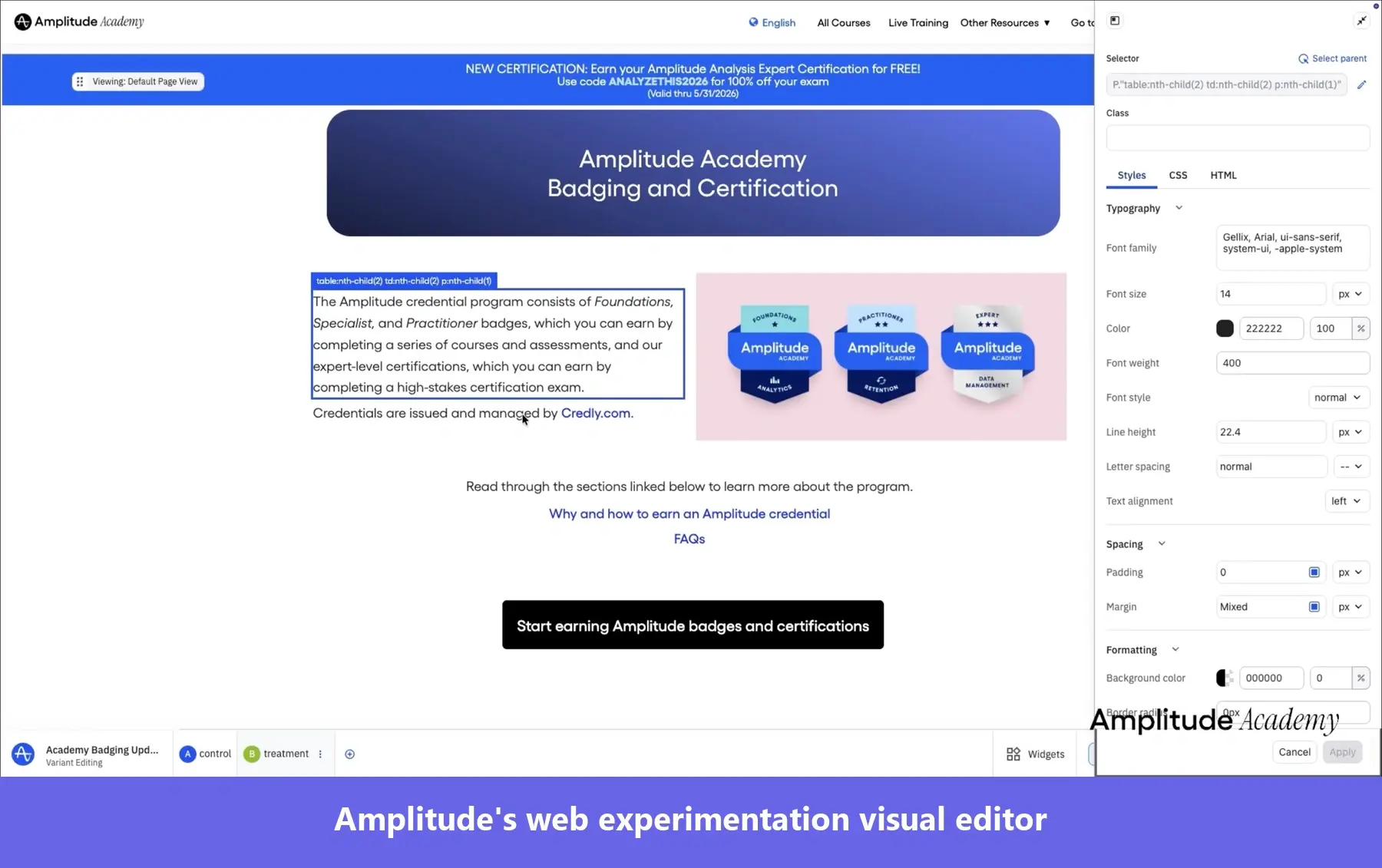
- Your product is a website: Amplitude offers campaign reporting, Zoning Insights (per-zone metrics with an AI Opportunity score), and Heatmaps. Web Experimentation comes with a no-code visual editor, so you can test live page variants without developer help and see how new users interact with each variant before rolling it out.
- You’re building an AI or LLM product: Amplitude’s Agent Analytics captures agent conversations as queryable events, surfaces sessions by task success, clusters conversation themes, and lets you write custom evaluators using your own OpenAI, Anthropic, Gemini, or Mistral keys.
- You run a B2B tool for accounts with several users: The Accounts add-on gives you five group types per project, 1,000 account-level properties per project, and group-level experimentation.
Not sure Amplitude is the best fit after all? I’ve also compared the strongest alternatives based on analytics depth, ease of use, pricing, and what you can do with the insights afterward.
👉 See the best Amplitude alternatives!
Choose Mixpanel if:
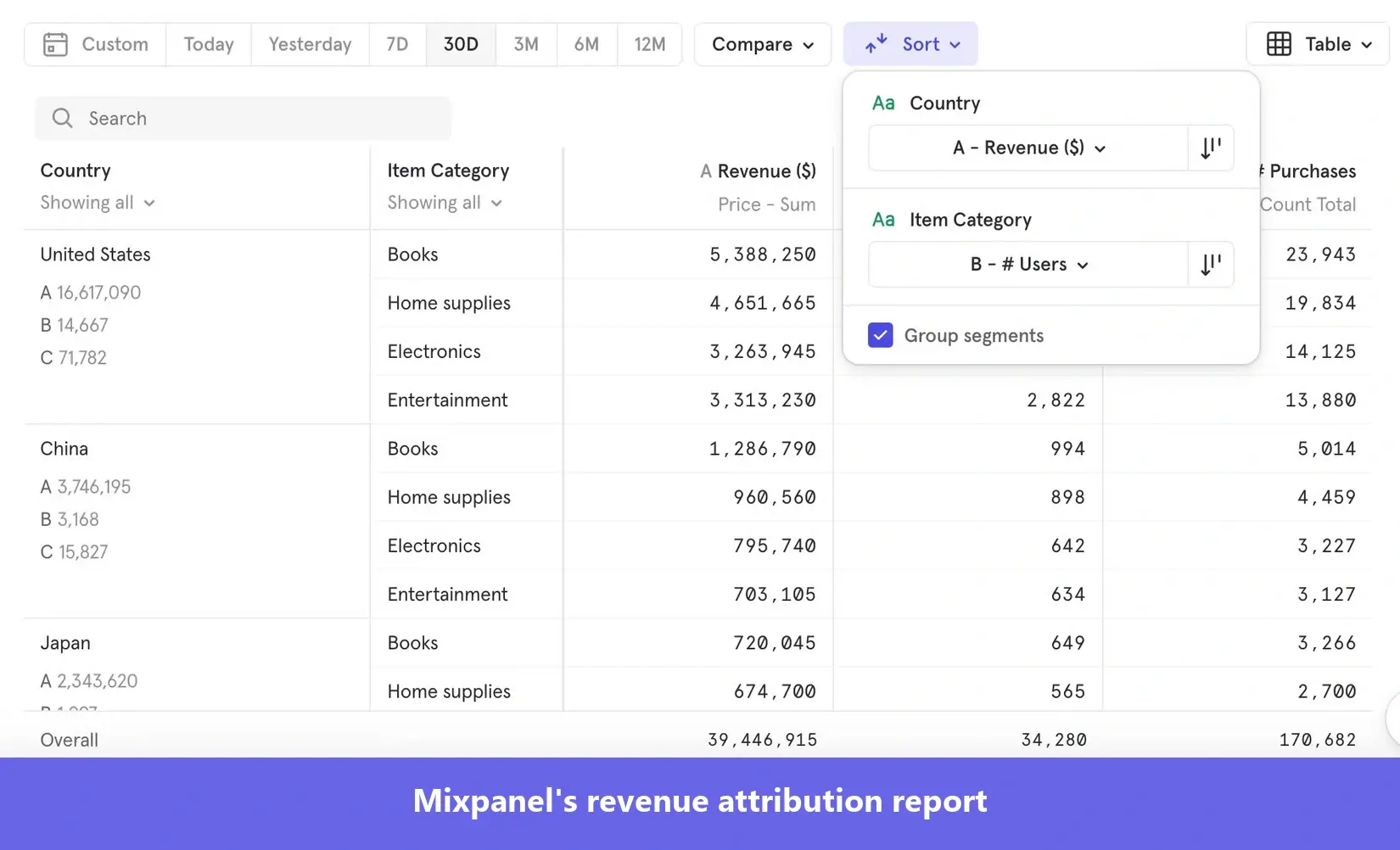
- You’re serious about attribution tracking: Mixpanel offers nine attribution models: First Touch, Last Touch, Linear, Participation, Time-Decay (7-day half-life), U-shaped (40/40/20), J-shaped (20/60/20), Inverse J-shaped (60/20/20), and Custom, and supports server-side attribution.
- Your stack is backend-heavy: Mixpanel ships server SDKs for Python, Node.js, Java, Go, Ruby, and PHP.
- You need Session Replay on Electron desktop apps: Mixpanel’s Session Replay SDK supports Electron. Amplitude’s does not.
- You’re piping ecommerce data from Shopify and Stripe: Mixpanel’s integrations directory covers Shopify, Stripe, and 100+ others across CDPs, warehouses, marketing tools, and BI.
If you need something easier to use, more affordable, or better at turning insights into action, there are other options worth considering.
👉 See the best Mixpanel alternatives!
Who will use Mixpanel and Amplitude most at your company?
Both Mixpanel and Amplitude need a technical owner to run the analytics workflows. Someone to create custom reports in SQL and set up event tracking for consistent and reliable data.
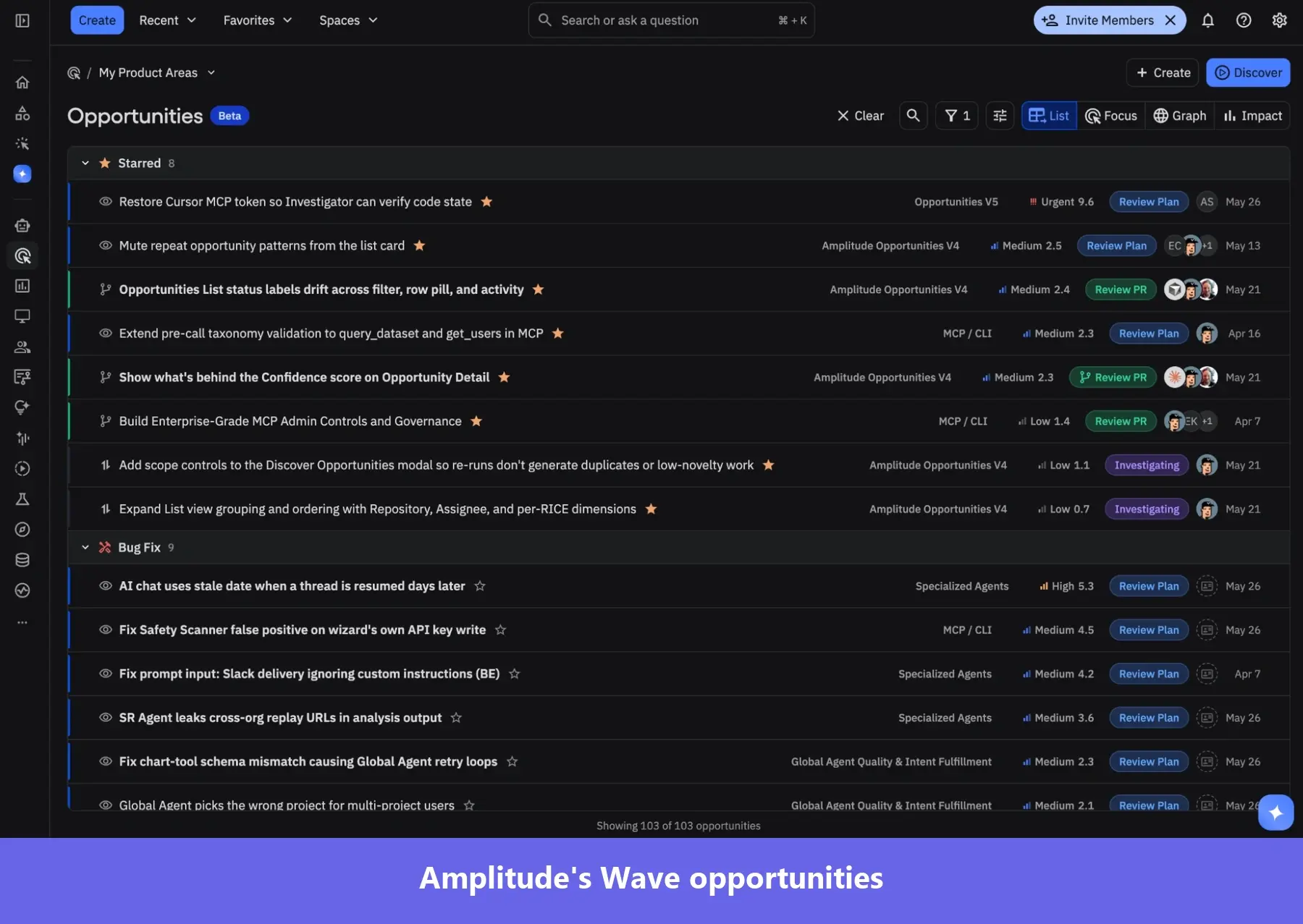
Amplitude markets to product teams and is increasingly building for engineering teams. In May 2026, it acquired Statsig’s brand and customer base to build a developer-focused experimentation tool and recently launched Wave, an AI agent that reads your codebase, plans product changes, and hands the coding work off to Cursor, Claude Code, or Codex.
Mixpanel is designed with engineers and analysts in mind. Its strongest features (event governance in Lexicon, warehouse sync, attribution modeling, server SDKs) all need someone with a data background to set up and maintain.
If you want potent yet user-friendly product analytics that let product teams make quick, informed decisions without an analyst’s help, Userpilot is a good fit:
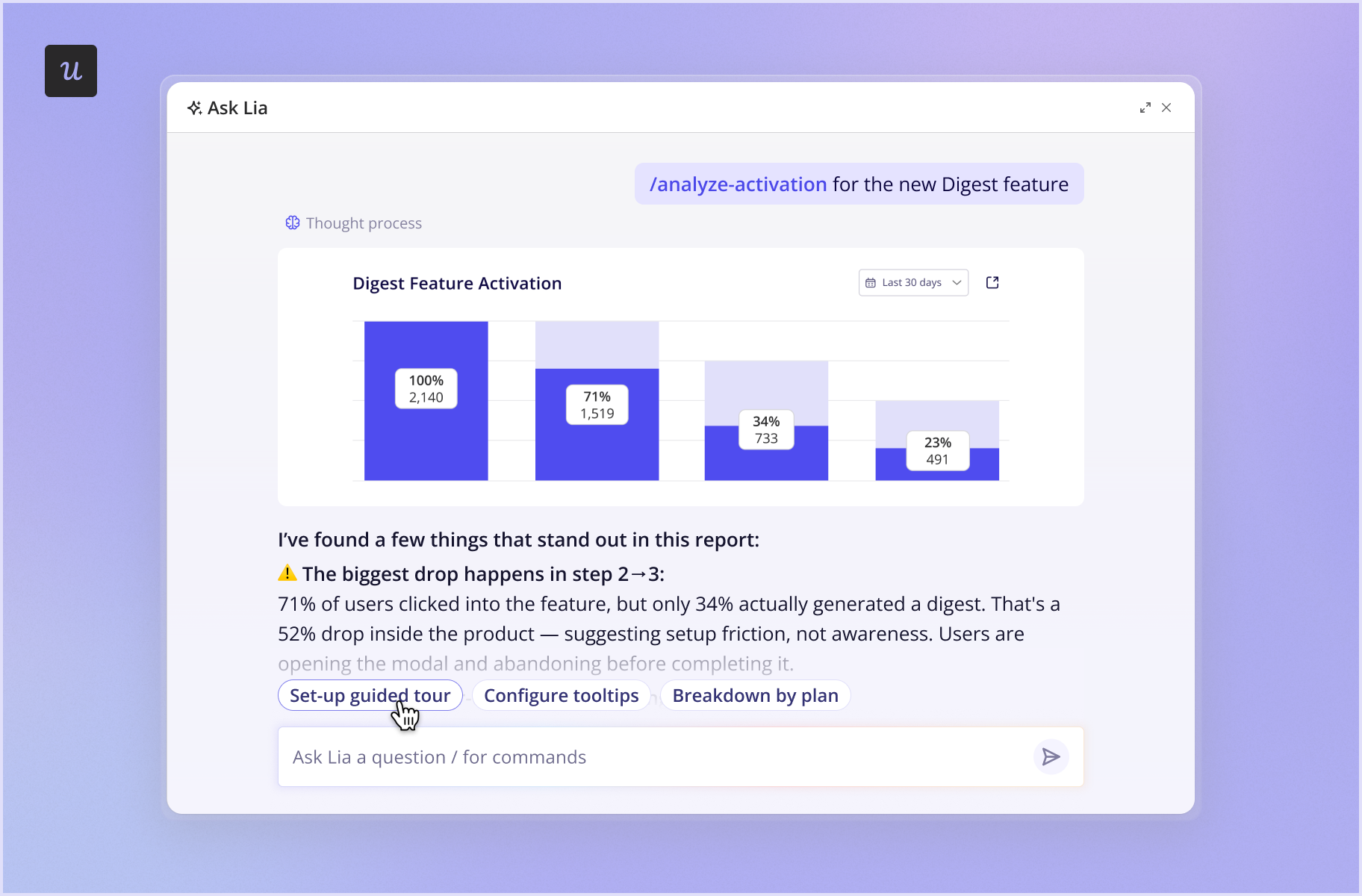
- Userpilot’s funnels, paths, retention, session replay, and dashboards are easy to set up and analyze without coding.
- Lia, Userpilot’s AI agent, builds custom reports and dashboards. Just ask her a question.
- The Userpilot MCP works inside Claude, Cursor, or ChatGPT, so you can extract your specific analytics data points and run custom workflows from your AI tool.
Is your warehouse the source of truth?
If you keep all your user and event data in a warehouse, Mixpanel is the stronger choice today.
Mixpanel’s Warehouse Connectors pull data points from Snowflake, BigQuery, Databricks, Redshift, and Postgres, and the Mirror mode keeps Mixpanel and your data warehouses synced.
Amplitude used to offer a similar feature, called Warehouse Native, but it’s no longer available to new customers. Currently, there’s only Snowflake-native Amplitude, a separate product for teams on Snowflake.
What can you do after you find insights in Amplitude and Mixpanel?
Amplitude is a broader digital growth platform than Mixpanel. It gives you tools to act on the analytics insights.
Amplitude includes Guides and Surveys: in-app tours, checklists, banners, tooltips, and NPS microsurveys with user behavior triggers. However, it caps them across all plans: the free and Plus plans give you only one live guide, and Growth and Enterprise raise it to two. Unlimited guides require an add-on that also unlocks Amplitude’s A/B testing, custom CSS, and advanced theming.
Mixpanel offers no in-app messaging or customer feedback features, so you need a separate tool to get qualitative insights or engage users, for example, to drive feature adoption.
How do Mixpanel and Amplitude data models affect billing?
Both Amplitude and Mixpanel offer a generous free tier. Once you outgrow them, Mixpanel Growth and Amplitude Plus bill by event volume, and Amplitude Plus is consistently cheaper.
| Events per month | Mixpanel Growth | Amplitude Plus |
|---|---|---|
| 2M | $185/mo | Free |
| 5M | $438/mo | $225/mo |
| 10M | $840/mo | $576/mo |
| 20M | $1,635/mo | $1,260/mo |
Higher plans, Mixpanel Enterprise, Amplitude Growth, and Amplitude Enterprise, come with custom pricing, and reviewers mention that the higher your usage, the more expensive Amplitude gets.
As of October 2026, Vendr’s procurement data for Amplitude and Mixpanel shows median annual contract values of $64,000 and $38,978, respectively. Amplitude’s low end starts around $24,750, and its high end runs to $382,219; Mixpanel’s contracts range from $13,100 to $122,141.
Two billing mechanics affect what you pay:
- When events count: Amplitude counts events on a calendar-month basis, resetting on the 1st. Mixpanel counts events when it receives them, so data cleanup, SDK migrations, or historical imports can spike a Mixpanel bill. If you import last month’s data into Mixpanel today, those events land on this month’s bill.
- Add-ons: Mixpanel adds a percentage to your overage bill when specific add-ons are enabled (Group Analytics adds 40%, Data Pipelines adds 20%). Amplitude adds a percentage to your platform plan, whether or not you go over your event limits.
| Mixpanel | Amplitude | |
|---|---|---|
| Billing unit | Events, summed across every project in the org | Events on Growth and Enterprise; Plus is capped at 700K Monthly Tracked Users (MTUs) or 70M events |
| Free tier | 1M events per month | 2M events per month |
| Events-per-user guardrail | 1,000 per user, legacy MTU plans only | Average 1,000 events per MTU on Plus; excess converts to MTUs |
| When it counts | Ingestion time (a March import lands in the April bill) | Calendar month, reset on the 1st |
| Taxonomy caps | None published | 2,000 event types, 2,000 event properties, 1,000 user properties per project |
| Over the cap | n/a | Still ingested and billed, no longer indexed |
| Not counted | identify, alias, merge, opt-in, session record checkpoints, profile updates | Identify and Group Identify, computed events, blocked user or device IDs |
| Still counted | Hidden events in Lexicon | Hidden, backfilled, and inactive events |
| Reduces volume | Dropping an event in Lexicon, from that point forward only | Blocking or deleting an event prevents ingestion going forward |
| Add-on surcharge model | Percentage on overage (Group Analytics 40%, Data Pipelines 20%) | Percentage of the platform plan (e.g., Scale for dynamic sampling) |
| Spend cap setting | Not documented, alert-based only | Not documented on the pricing page |
| Overage alerts | 85, 100, 110, 120, 200, 300, 400% of plan volume | 80, 90, 100, 110% on paid plans |
| Sampling as a cost lever | Not documented | Query-time sampling at 10% of users; Scale add-on for dynamic sampling |
| Data retention | 2 years default across plans since Sept 1, 2025; Enterprise negotiable | 1 year Free, 2 years Plus, unlimited Growth and Enterprise |
What else should you watch out for with Amplitude and Mixpanel?
Reviewers and Redditors bring up several concerns about Amplitude and Mixpanel.
Amplitude users mention:
- A steep learning curve & complex initial setup: Mastering the UI, navigating the reports, and going through data instrumentation takes time after switching from other tools, especially for non-technical users.
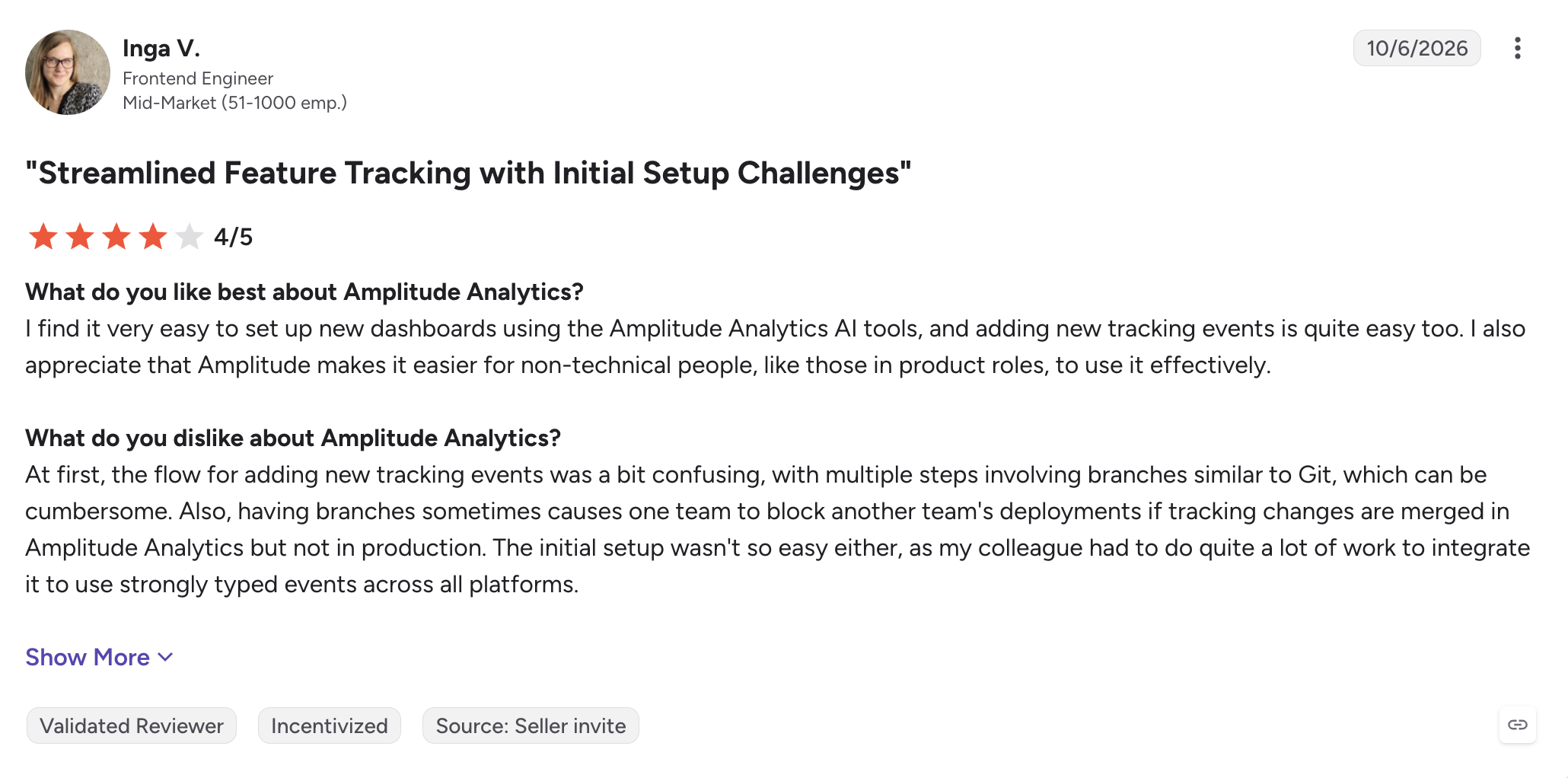
- Data taxonomy issues: Event creation and naming require strict policing to avoid duplication and mistakes.
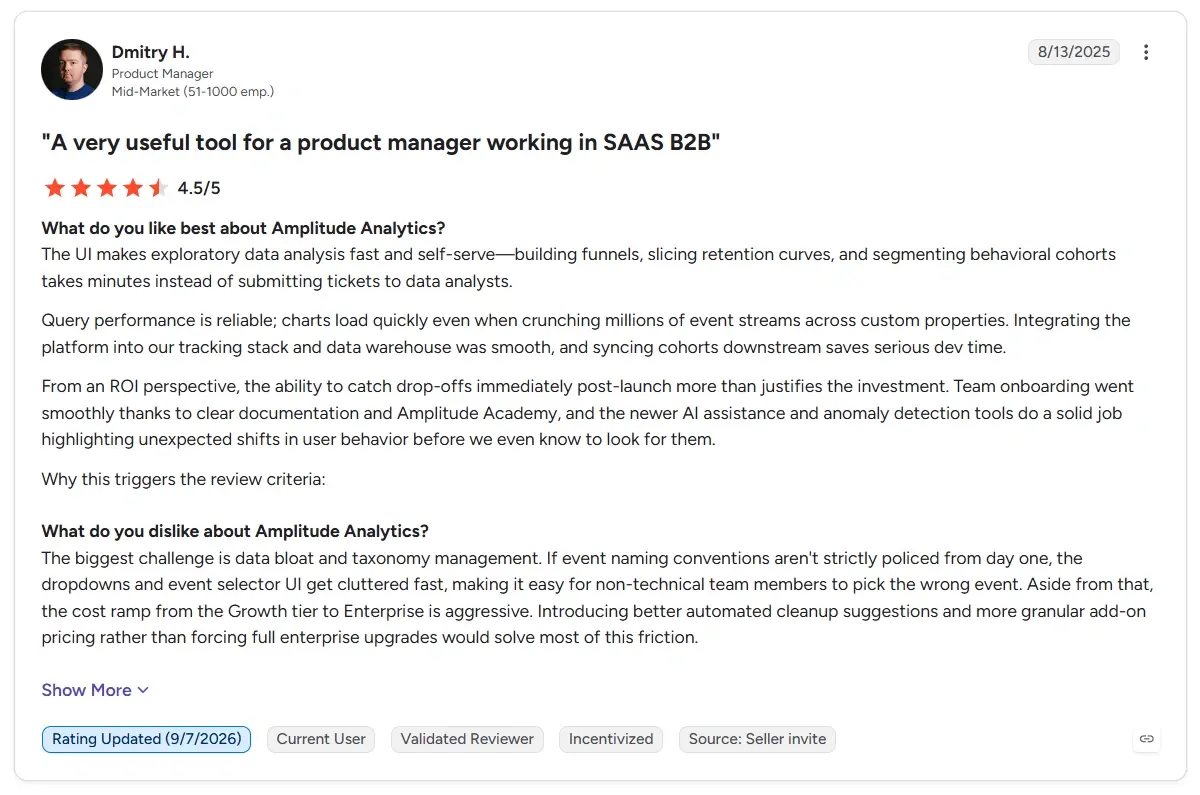
- Escalating costs as usage grows: Amplitude Enterprise is more expensive than Mixpanel and other product analytics tools when analyzing large data volumes.

Mixpanel customers bring up similar cons:
- A steeper learning curve and inadequate onboarding: Non-technical users find it more difficult to use than other platforms.
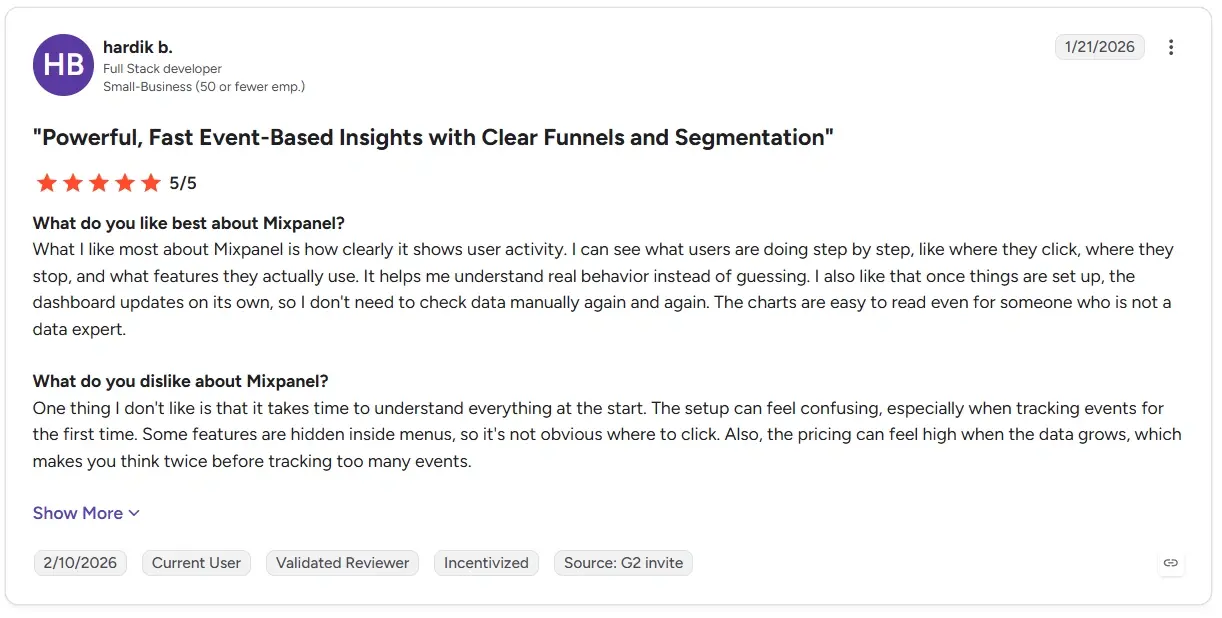
- Growing costs and advanced report gating: Mixpanel gets expensive for teams that outgrow the free plan, and advanced features are available only in the Enterprise tier, which reduces their accessibility.
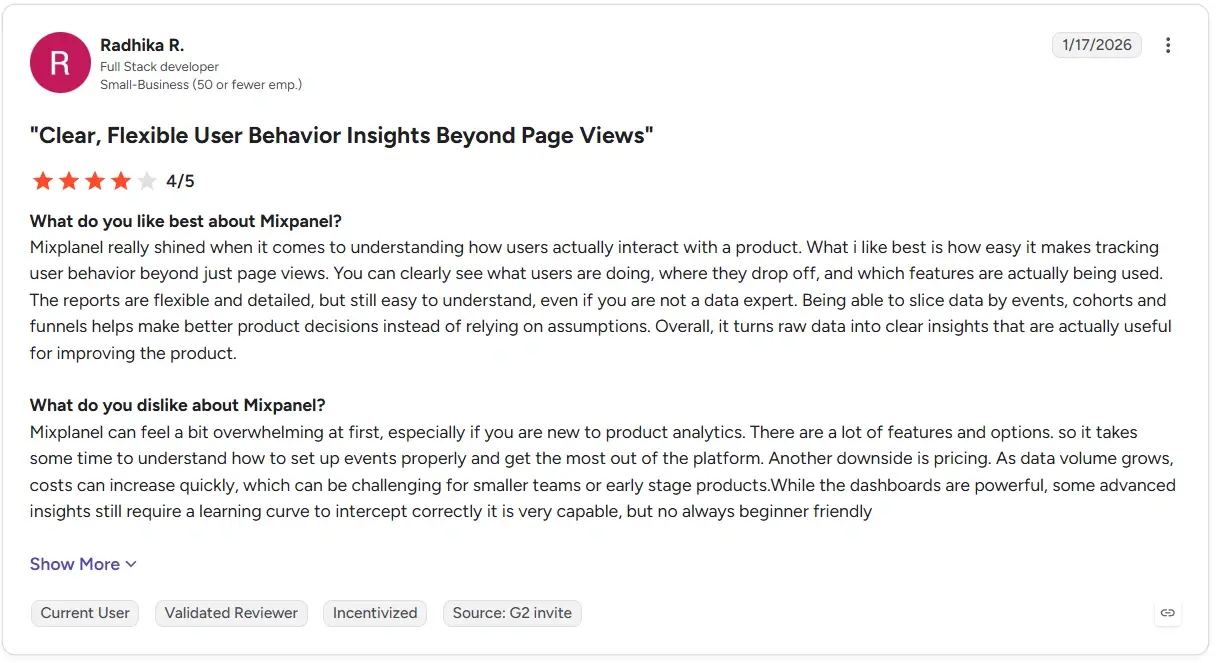
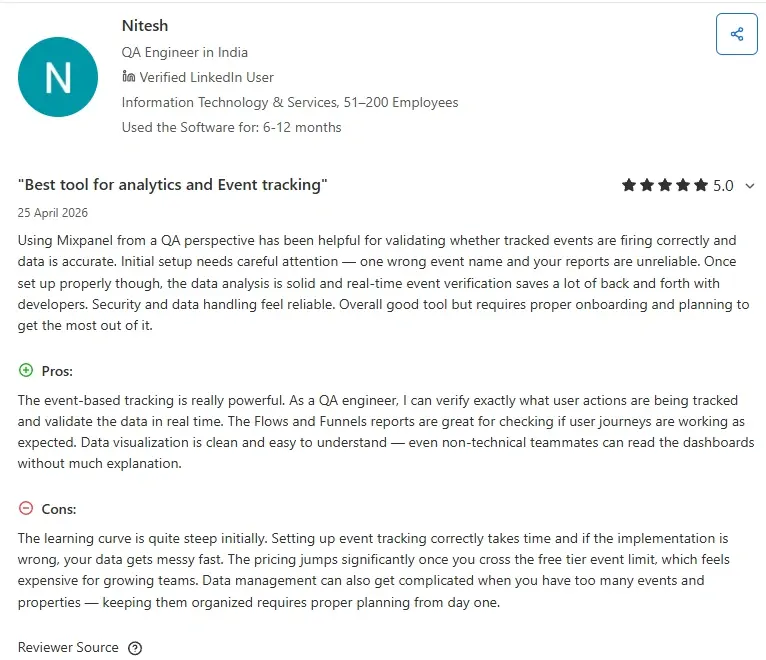
- Complex data and event management: Keeping events and properties organized requires planning and discipline.
Try Userpilot: An alternative to Amplitude and Mixpanel for product teams
If you’re comparing Mixpanel and Amplitude, I’d look beyond which tool gives you better analytics and ask what happens after you find the insight.
In our own research SaaS Product Metrics Benchmark Report conducted last year, the average core feature adoption rate across 181 SaaS companies was 24.5%; about three in four users hadn’t adopted the product’s key feature in the period measured. So it’s even more important to have the tools that help you address user friction.
That’s a big part of how we’ve built Userpilot. You can analyze funnels, paths, retention, session replays, and survey responses, then use those same signals to change what users experience next.
Say I find a group dropping out of an activation funnel. I can turn that behavior into a segment and target those users with in-app guidance, lifecycle email, or mobile message.
With Workflows, I can also connect those touchpoints into one journey. A user might see an in-app prompt first, get an email after leaving, then receive a mobile notification later.
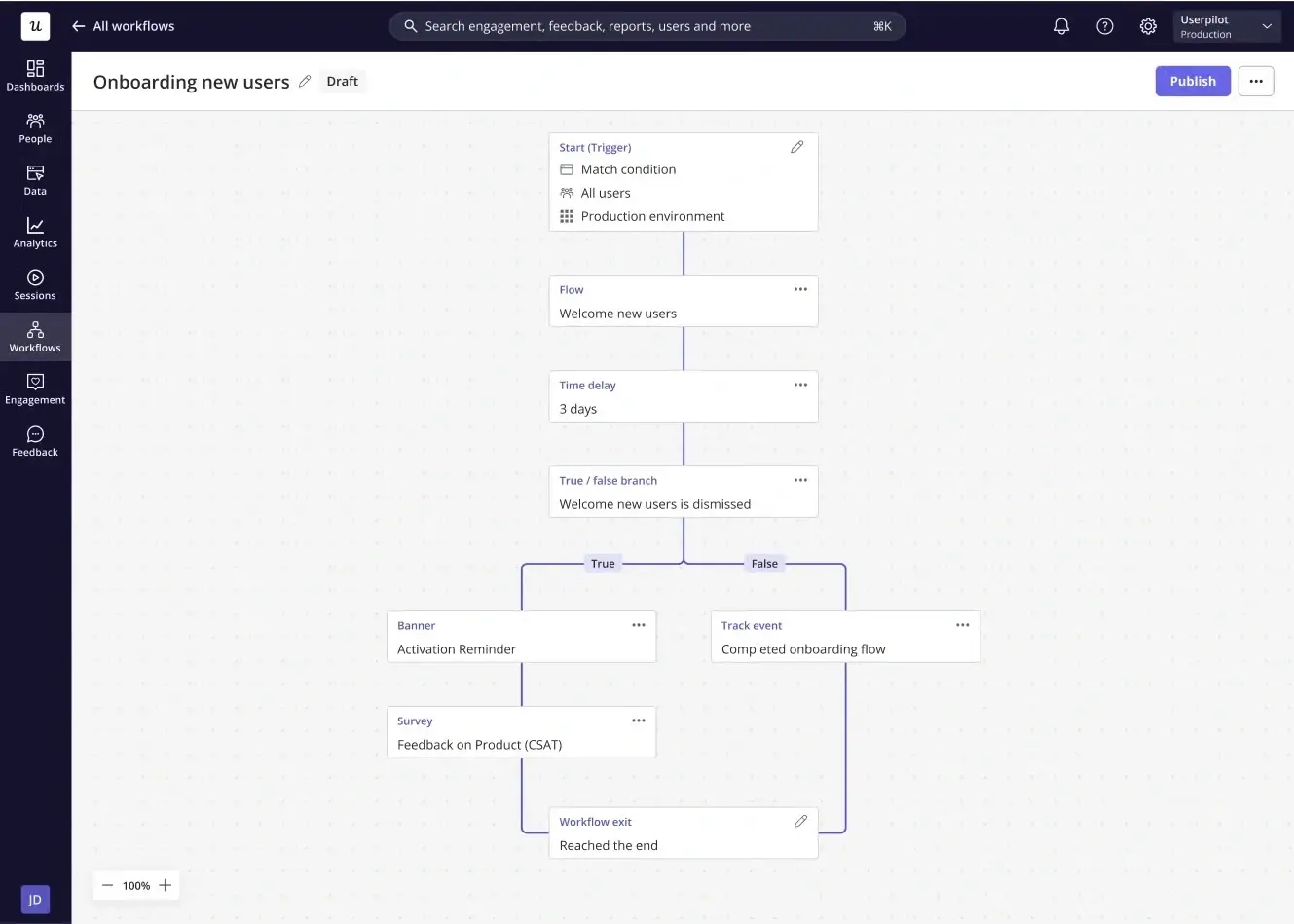
That’s where Userpilot differs most from Mixpanel, which is primarily focused on helping you understand product behavior.
Amplitude has moved further in this direction with Guides and Surveys, but there are still limits depending on your plan. That’s not to mention Userpilot’s in-app guidance is more mature and easier to run. Amplitude’s editor requires CSS knowledge, and removing its branding requires the Plus plan with the white-label add-on.
Userpilot separates the design system from the content. A Design Library of reusable tokens feeds themes that cover flows, checklists, banners, surveys, and email from one place. And you can restyle a single step in the builder without touching the global theme.
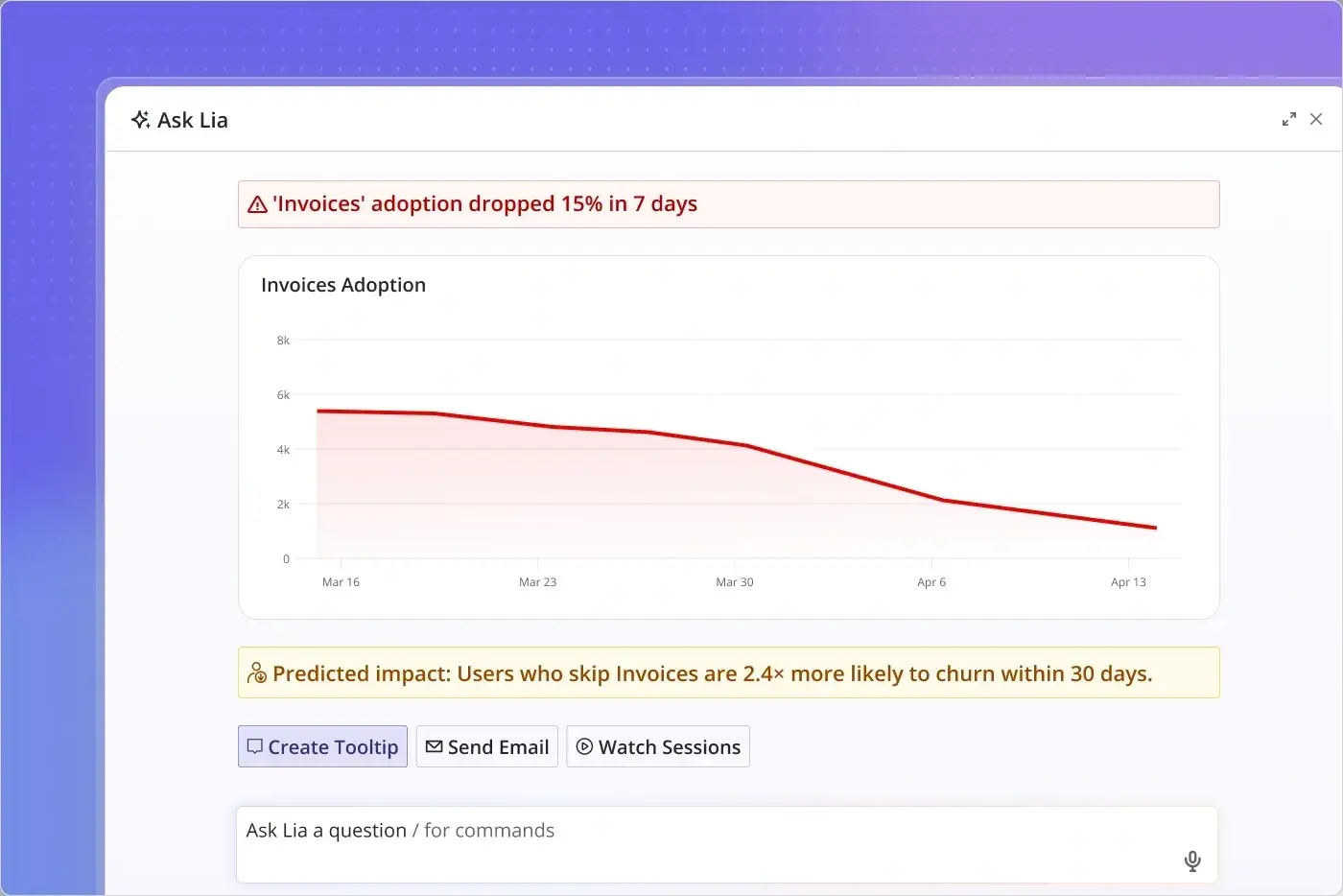
You don’t need SQL to get insights in Userpilot. You can build reports in the app yourself, ask Lia, the AI agent, to do it for you, or query data via MCP from your AI assistant.
Finally, Userpilot comes with predictable, MAU-based pricing. It starts at $299/month for Starter (2,000 monthly active users) and $849/month for Growth (10,000 MAU included).
If you’d like to see how Userpilot can help your product team close the gap between analysis and action, book a demo.
About the author