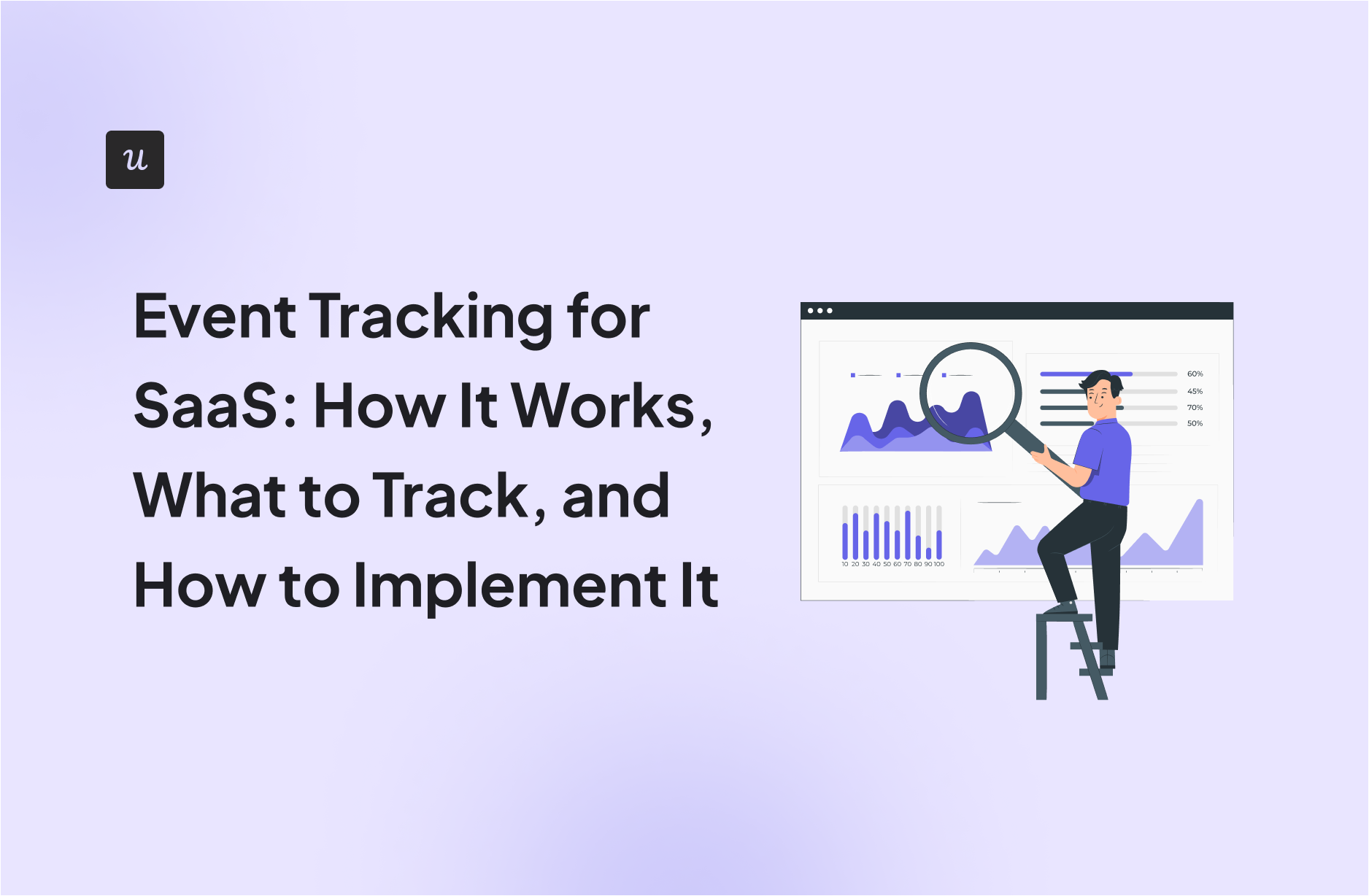
Event Tracking for SaaS: How It Works, What to Track, and How to Implement It

Event tracking is a core part of product analytics, yet it’s often poorly implemented. Many teams collect large volumes of data without a clear way to understand user behavior or see how it connects to product decisions and growth outcomes.
As a result, dashboards fill up while real questions about friction, adoption, and retention remain unanswered.
This article explores the practical side of event tracking. I’ll walk through how to structure your tracking, decide which events actually matter, and set up a system that supports analysis and action as the product evolves.
How do you currently handle event tracking?
What is your biggest frustration with your data?
What is your primary goal for tracking user behavior?
Stop Guessing and Start Growing
Your answers indicate you need a code-free way to actionable insights.
Userpilot simplifies event tracking by letting you tag features visually and trigger in-app experiences instantly based on that data.
No credit card required. 14-day free trial.
Try Userpilot Now
See Why 1,000+ Teams Choose Userpilot
What is event tracking?
Event tracking is a method used in digital analytics to record how people interact with individual elements on a web page or application.
It monitors various user interactions such as button clicks, form submissions, video plays, scroll depth, page element interactions, and file downloads, so each action can be measured in detail and linked to broader patterns in user behavior.
How event tracking works
At its core, event tracking relies on a small script, usually written in JavaScript, that listens for specific actions in the browser/app. When a user performs one of those actions, the script sends a signal to your analytics platform to collect data about the event, which is then stored and made available for analysis.
There are two primary ways this data is collected: auto capture and custom event tracking.
Autocapture
Autocapture is the most hands-off approach to data collection. Tools with auto capture capabilities begin recording common interactions on a website or app as soon as the tracking snippet is installed, without requiring predefined events or manual setup.
For example, Userpilot’s raw events autocapturing feature records clicks, text inputs, and form submissions in the background. You don’t need to define these events upfront. If you decide months later that you want to analyze how often users interacted with a specific help element, the data collected is already available and only needs to be labeled. This approach is especially useful for product teams that want flexibility without relying on constant developer involvement.

Custom or tracked events
Some interactions require more context than auto capture can provide. In many cases, it’s not enough to know that a user clicked a button. You may need to know which plan they selected, the value of a transaction, or the state of the account when the action occurred.
Custom event tracking addresses this need through explicit tracking calls added directly to the application code, often referred to as event tracking code. This method requires engineering involvement, so it’s not always the first choice for non-technical teams, but it’s essential when accuracy and context matter more than setup speed.

Stop Struggling with Code and use Userpilot to Simplify Your Event Tracking Today

Types of data you should be tracking
Not all events carry the same weight. When I set up tracking for a new feature, I group tracked events into three categories to keep the system organized and the data useful.
- Clicks: These are usually the starting point for event tracking because they’re easy to interpret and often available through auto capture. Click events include navigation interactions, call-to-action buttons, feature entry points, and links to key pages or resources. This data is especially useful for diagnosing navigation issues, evaluating interface changes, and confirming whether users are engaging with the elements you expect them to notice.
- Input and form events: These events go beyond simple interaction and begin to reveal user interest. They capture moments when users type into fields, submit forms, adjust filters, or select options as they move through a workflow. This category is critical for understanding friction and motivation.
- Custom events: As mentioned earlier, custom events typically require engineering involvement and are triggered by application logic rather than interface interactions. They’re useful for tracking outcomes such as successful payments, completed uploads, activated integrations, or other conversion events that signal progress toward activation, retention, or revenue.
How to implement event tracking for your SaaS
Building a reliable tracking setup doesn’t have to be complicated. Here’s a simple workflow I use to put an event tracking system in place.
Step 1: Install the SDK
The first step is getting the tracking script live on your site or application. This script is typically provided by your product analytics tool and is available inside the tool’s installation or setup documentation.
In most cases, it’s a short JavaScript snippet that needs to be added to your application’s global layout or injected through a tag manager such as Google Tag Manager.
Once the script is deployed and loading correctly, it begins listening for user interactions in the background. At this stage, you’re not defining events yet. You’re simply establishing the connection that allows events to be captured later.
Step 2: Identify your users
Tracking events without knowing who triggered them limits how useful the data can be. To avoid that, I always identify users as early as possible by passing a unique user ID along with key properties such as email, role, or plan type. For SaaS products, I also make sure company-level data is included so we can analyze activity at the account level.
Most analytics tools don’t automatically know who a user is the moment they arrive. They usually assign an anonymous identifier behind the scenes and start collecting events under that temporary ID. It’s your responsibility to connect that anonymous activity to a real user once they sign up, log in, or otherwise identify themselves. At that point, you pass a stable user ID from your own system, typically the same ID you use in your database, and the tool merges past and future events under a single profile.
You don’t need to invent a new identifier for analytics. The best practice is to reuse an existing internal user ID that never changes, even if the user later updates their email or name. For account-level tracking, the same rule applies. Use a persistent company or workspace ID rather than a company name, which may change or be entered inconsistently.
Step 3: Define your key events
Trying to track everything is a fast way to overwhelm yourself with data instead of focusing on the key metrics that actually guide decisions.
For a typical SaaS product, I like to focus on core events like these:
- Account creation.
- First key setup action.
- First time core feature usage.
- Repeated use of a core feature.
- Successful completion of a primary workflow.
- Invitation or collaboration action.
- Upgrade or plan selection initiated.
- Successful account upgrades.
With these events defined upfront, the rest of your tracking stays focused and much easier to maintain.
Step 4: Tag events visually
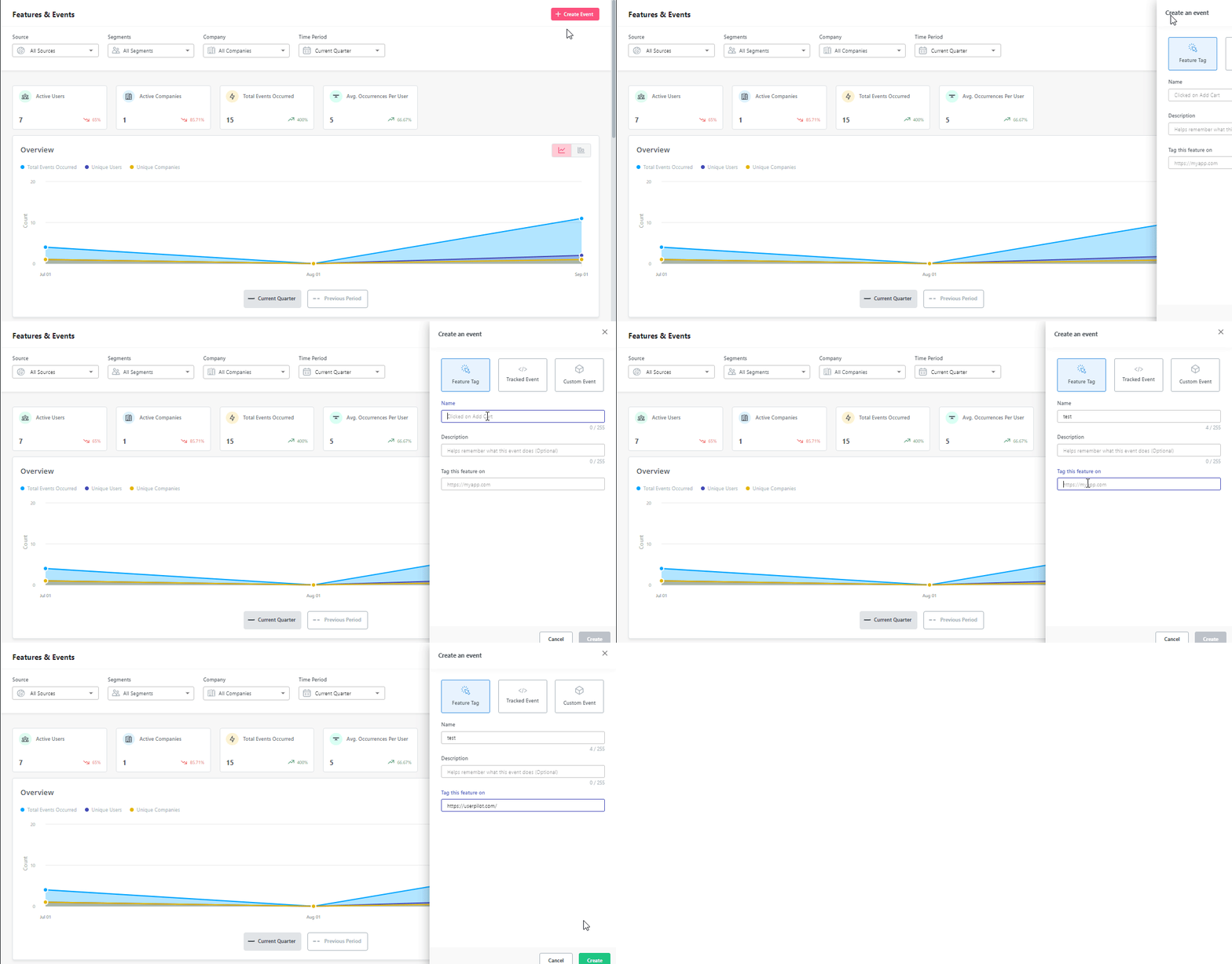
Instead of asking engineering to ship tracking changes, I use Userpilot’s no-code visual labeler to select the exact elements I want to track and assign event names to them in real time.
For example, if my team wants to track how often users interact with a new feature, I can open the product, click on the relevant button or UI element, and label it as a tracked event. From that point on, every time a user interacts with that element, it’s recorded as an event without requiring a single line of code.
I can validate that events are firing correctly as soon as they’re labeled and review them immediately in the events dashboard, which makes iteration fast and low risk.
Best practices for event tracking
Without clear constraints in place, event tracking data can become inconsistent, difficult to interpret, and hard to trust over time. Let’s discuss a few of my best practices for making your data reliable:
- Start with questions, not metrics: Before defining any events, be clear about what you’re trying to learn. Questions like whether users complete onboarding flows, which export formats are actually used, or where users get stuck during checkout give you direction. Once the question is defined, you can identify the specific event or sequence of events that answers it. This keeps tracking purposeful and avoids collecting data that never informs a decision.
- Standardize your naming convention: Inconsistent naming quickly breaks reporting. If one event is labeled “Signed Up” and another is labeled “user_registration_complete,” analysis becomes confusing and error-prone. Adopt a single convention and apply it everywhere. I recommend a simple object and action structure, such as Account Created, Video Played, or File Downloaded, because it stays readable while remaining consistent across teams.
- Enrich events with context: An event on its own only tells you that something happened. Properties explain the circumstances. Instead of tracking a generic “Video Played” event, include details like the video title, duration, and where the video was launched from. This context allows you to compare user behavior across different situations and understand why certain actions perform better than others.
- Keep the initial scope small: Start with your core outcome and the few events that lead directly to it. If your product is a project management tool, that might mean tracking when a project is created, a task is added, and a teammate is invited. These signals are enough to understand early momentum. You can always expand later once the foundation is solid and the data is proving useful.
Best event tracking tools for SaaS teams
There’s no shortage of tools that claim to support event tracking, but they don’t all solve the same problem. Here are some of the best I’ve used and their core features:
1. Userpilot
Best for: Turning event data into in-app action.
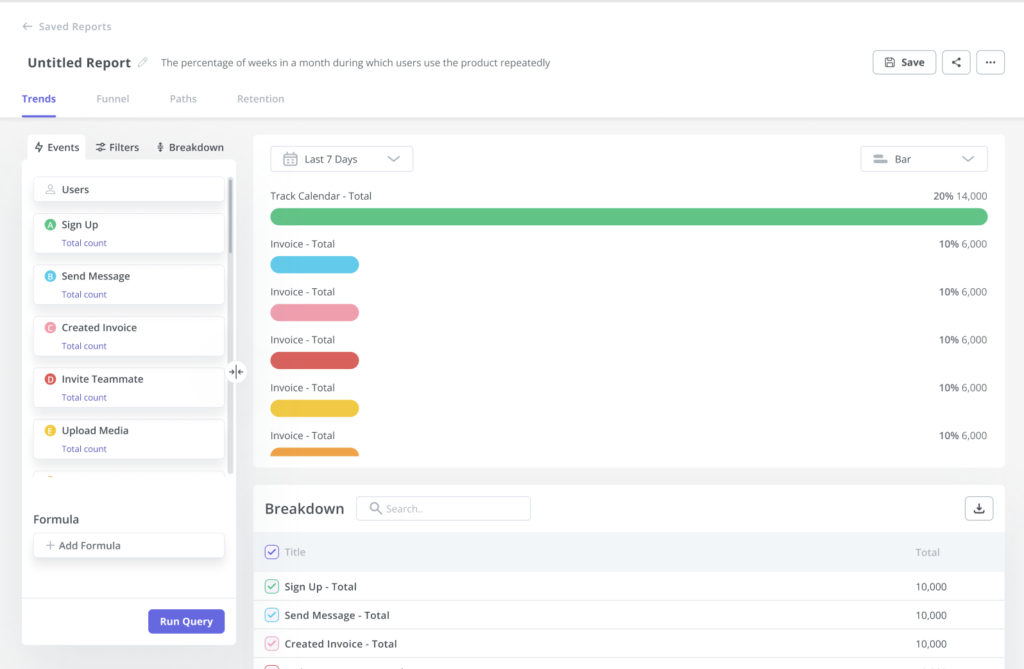
Userpilot sits at the intersection of event tracking and product growth. Rather than focusing only on analysis, it’s designed to help teams act on user behavior inside the product. You can track events, analyze how users interact with features, and then use that same data to trigger guidance, onboarding, and engagement experiences.
Key features:
- Event collection and analysis: Track clicks, form submissions, feature usage, and custom events to understand how users move through key workflows. Event data feeds directly into product usage dashboards and funnels.
- Visual event tagging: Use a no-code visual labeler to tag interface elements and define tracked events without engineering work, which makes it easy to iterate as the product evolves.
- Behavior-based targeting: Trigger in-app flows, tooltips, or checklists based on specific events, such as a user failing to complete a task or reaching a milestone for the first time.
- Session replay: Watch real user sessions alongside event data to see the context behind drop-offs, errors, or unexpected behavior, which helps explain why certain events occur.
2. Google Analytics 4 (GA4)
Best for: Web analytics and high-level event reporting.
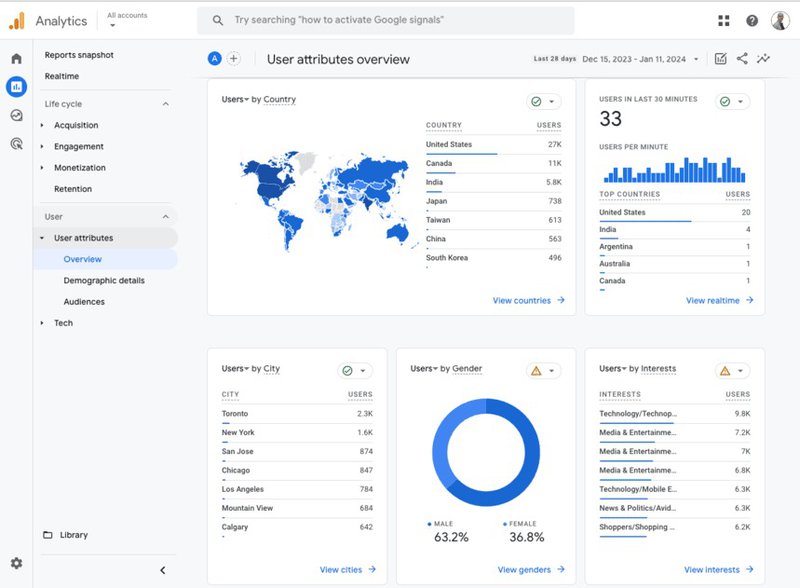
Google Analytics 4 is the default analytics tool for many teams and the starting point for tracking web behavior. Unlike Universal Analytics, GA4 uses an event-based data model, which makes it more flexible for capturing interactions beyond simple page views.
Key features:
- Event-based measurement model: All interactions in GA4 are tracked as events, including page views, clicks, scrolls, and custom actions, which provides more flexibility than older session-based models.
- Automatic and enhanced measurement: GA4 can automatically capture common events such as outbound clicks, file downloads, scroll depth, and video engagement with minimal setup.
- Custom event definitions: Teams can define additional events and parameters to track specific actions, which is useful for connecting marketing activity to in-product milestones.
- Attribution and acquisition reporting: Event data can be tied back to channels, marketing campaigns, and sources, helping teams understand how users arrive before they ever interact deeply with the product.
Note: GA4 works well as a top-of-funnel and traffic analysis tool, but it tends to fall short when it comes to answering detailed questions about feature adoption, activation, and long-term engagement inside a SaaS product. For that reason, many teams pair it with dedicated product analytics or in-app engagement tools rather than relying on it alone.
3. Segment
Best for: Centralizing event data and keeping your existing tech stack consistent.
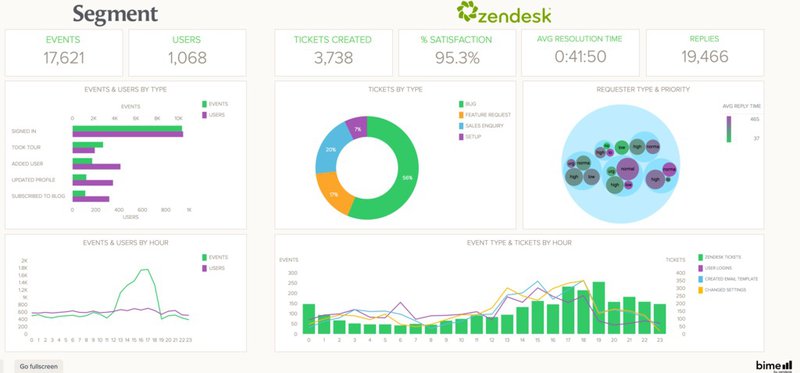
Segment isn’t an analytics tool in itself. It’s a customer data platform that helps you collect events and reliably route them to analytics tools and data storage destinations.
Key features:
- Single event source of truth: Events are defined and sent from your application once, then forwarded to analytics, engagement, data warehouse, and marketing tools without reimplementation.
- Schema and data governance: Segment helps enforce consistent event names and properties, which supports a clean event tracking schema and protects data quality as more teams rely on it.
- Destination routing: You can send event data to tools like Userpilot, email platforms, and data warehouses at the same time, ensuring everyone works from the same behavioral signals.
- Identity resolution: Segment supports user and account identification across tools, which helps keep profiles aligned as users move between anonymous and logged-in states.
4. Mixpanel
Best for: Deep product analytics and behavioral analysis.
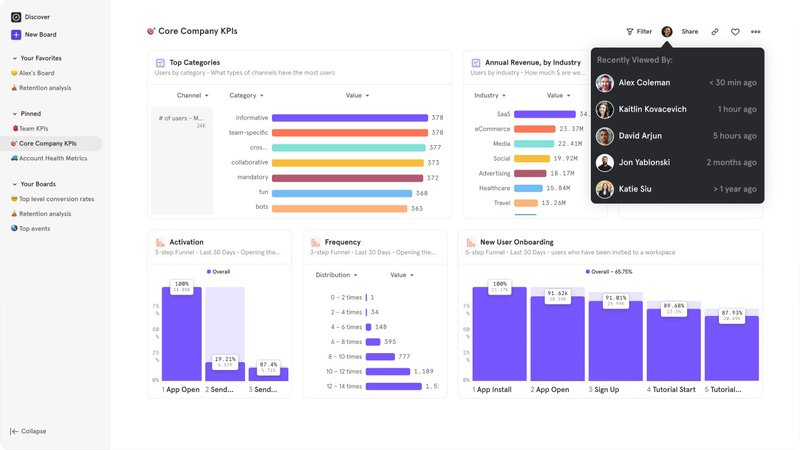
Mixpanel is a dedicated product analytics platform built around event data. It’s designed for teams that want to analyze how users behave over time, identify patterns across cohorts, and understand what drives activation, retention, and conversion.
Key features:
- Event-centric analysis: Mixpanel treats events as the primary unit of analysis, making it easy to explore how specific actions relate to retention, upgrades, or drop-off.
- Funnels and retention reports: Use tracked events to build detailed funnels and retention views that show where users stall, return, or churn over time.
- Cohort analysis: Segment users based on event behavior, such as users who completed a key action within their first week, and compare outcomes across groups.
- Advanced filtering and breakdowns: Slice event data by properties like plan type, role, or acquisition source to uncover patterns that aren’t visible in aggregate metrics.
Make event tracking work for your product
The teams that get the most out of event tracking don’t aim for perfection on day one. They start with a small set of meaningful events, apply consistent structure, and refine their setup as the product evolves. Over time, this creates a foundation that supports everything from onboarding improvements to retention analysis and growth experiments.
If you want to move beyond passive analytics and start using event data to actively improve activation, adoption, and retention, Userpilot is a practical place to start. Our platform combines in-app analytics with user engagement tools, making it easier to act on behavioral data and iterate quickly. You can book a demo to see how this works in practice.
Upgrade Your Product Strategy with Userpilot and Turn Complex Event Tracking into Actionable Data
About the author